The Cache That Knows What the Data Means
A caches whatever your headers permit. A proxy caches responses. Neither of them has any idea what a user, an order or a permission is.
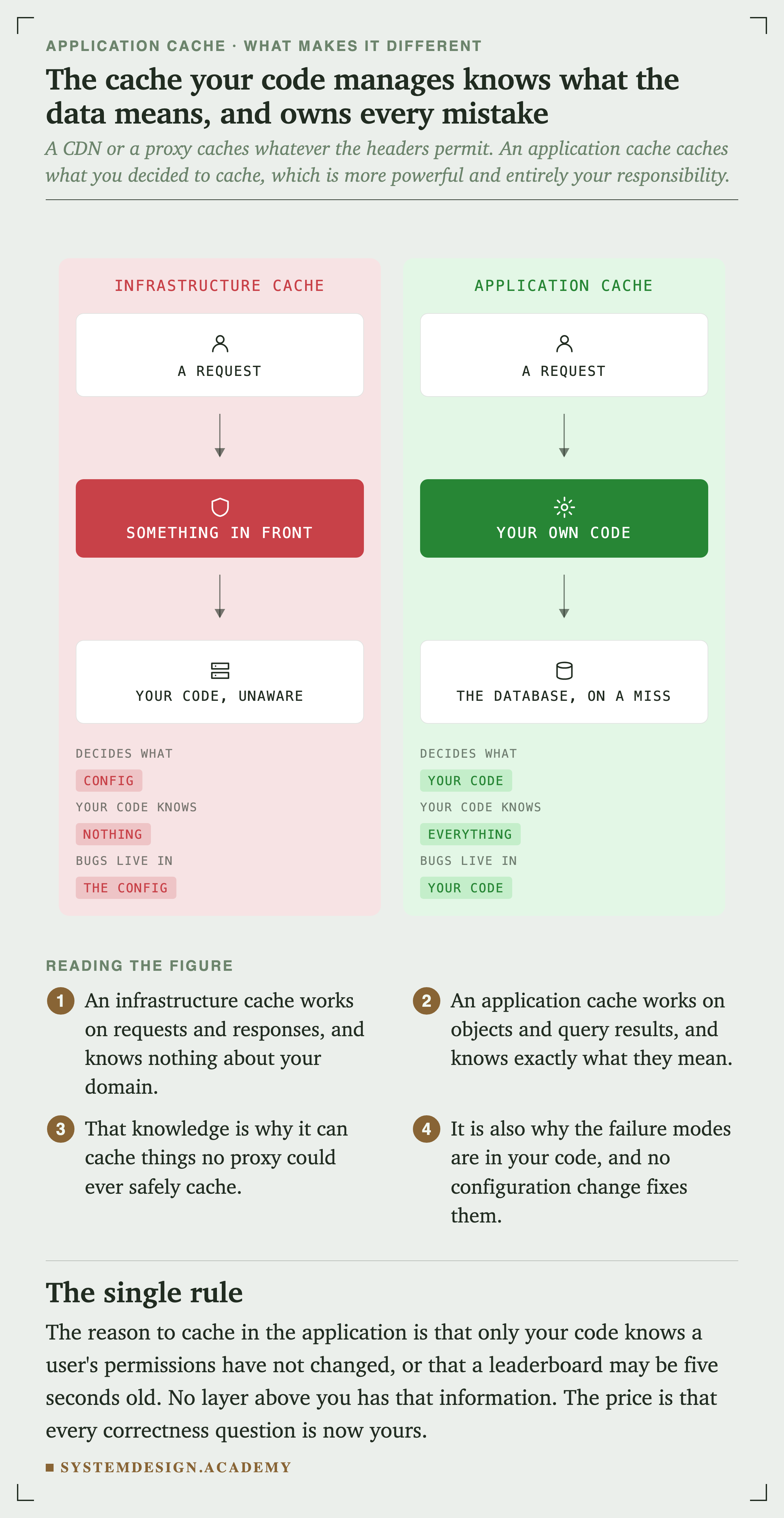
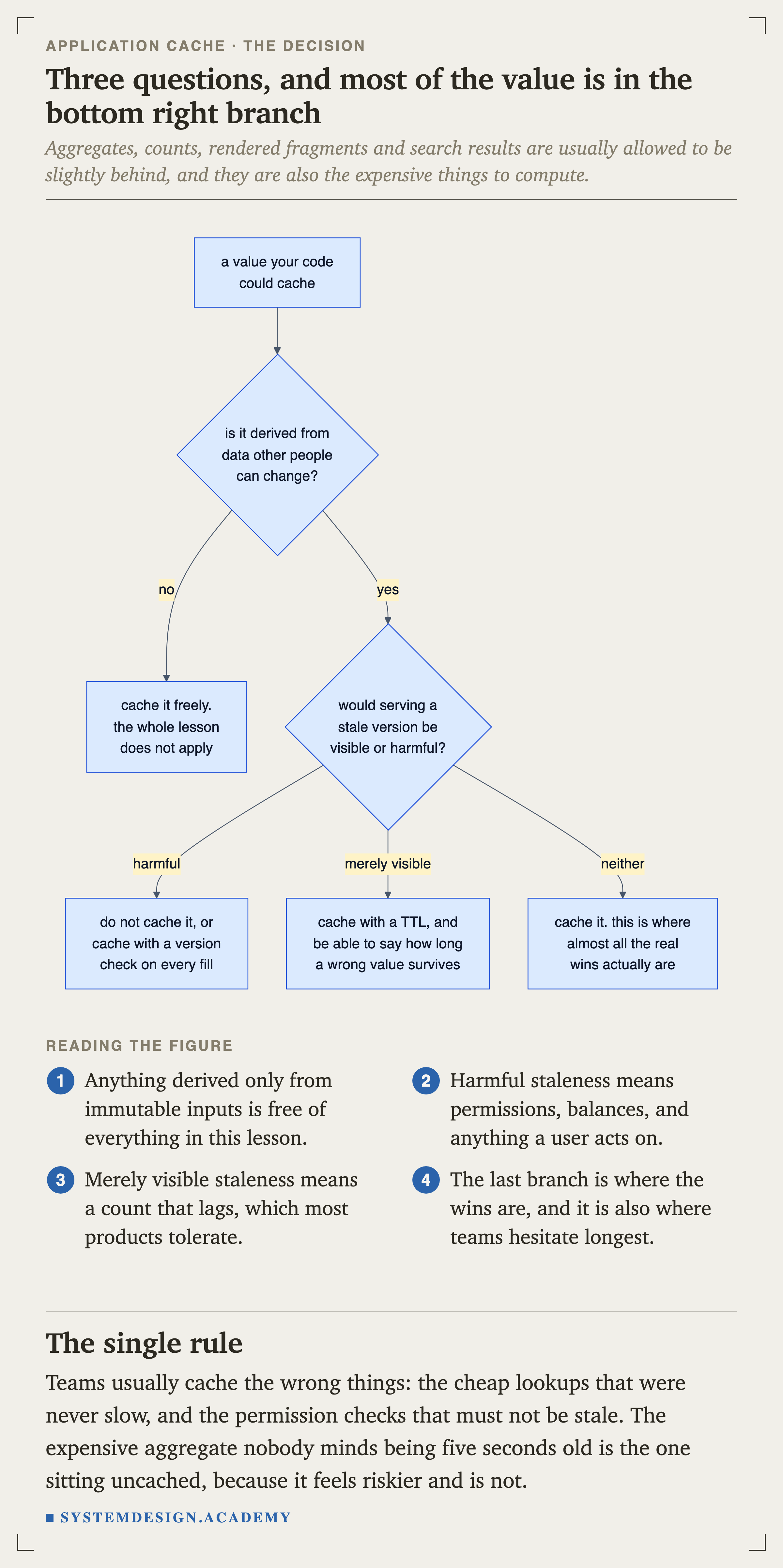
Only your code knows that a leaderboard may be five seconds old, or that a permission check must not be. No layer above you has that information, and that is exactly why an application cache can do things a never could.
The price is that every correctness question is now yours, and this lesson is about the first one.
Cache Aside, and the Race Inside It
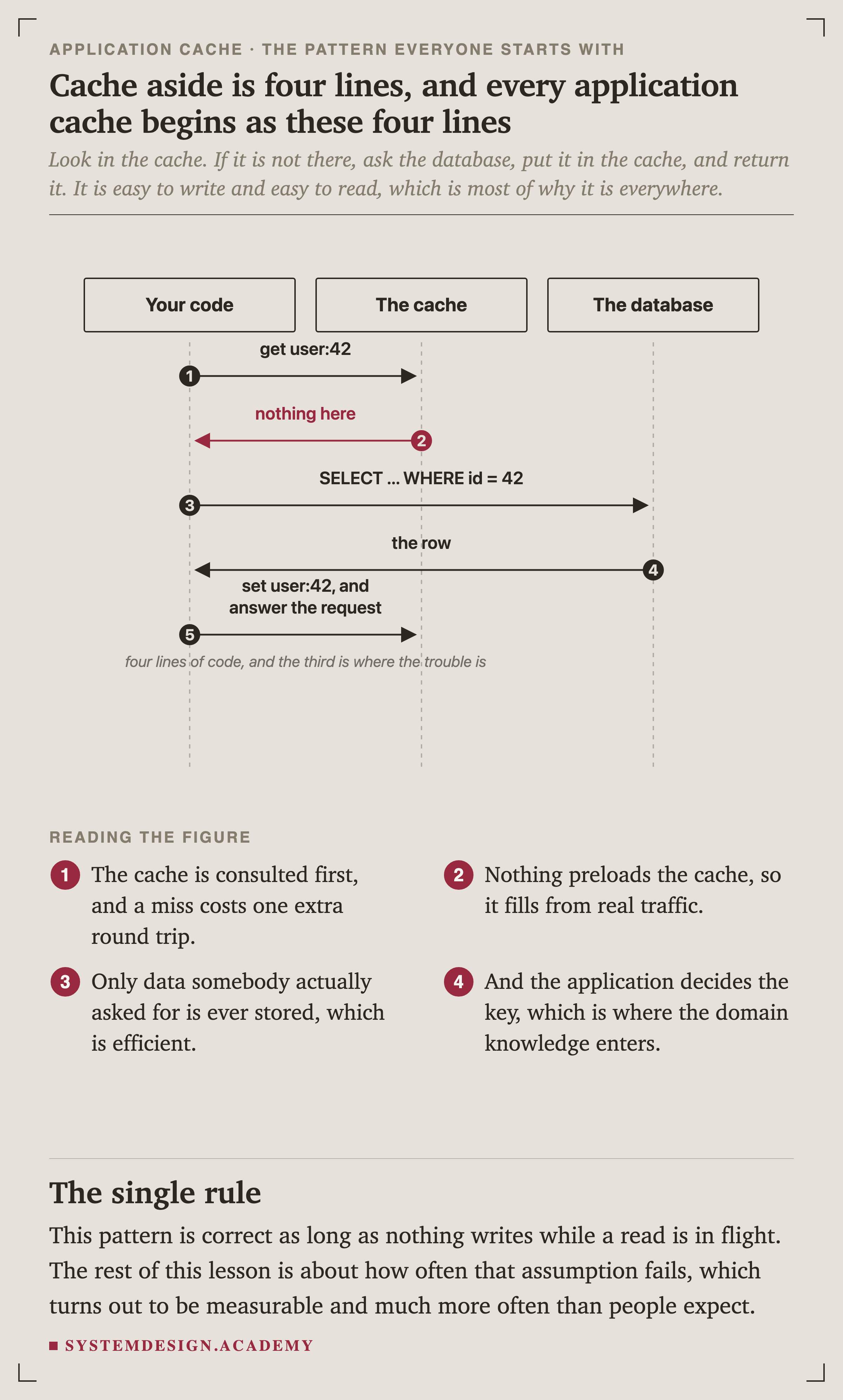
Look in the cache. If it is not there, ask the database, store it, return it. It is easy to write and easy to read, which is most of why it is everywhere. It is also correct, as long as nothing writes while a read is in flight.
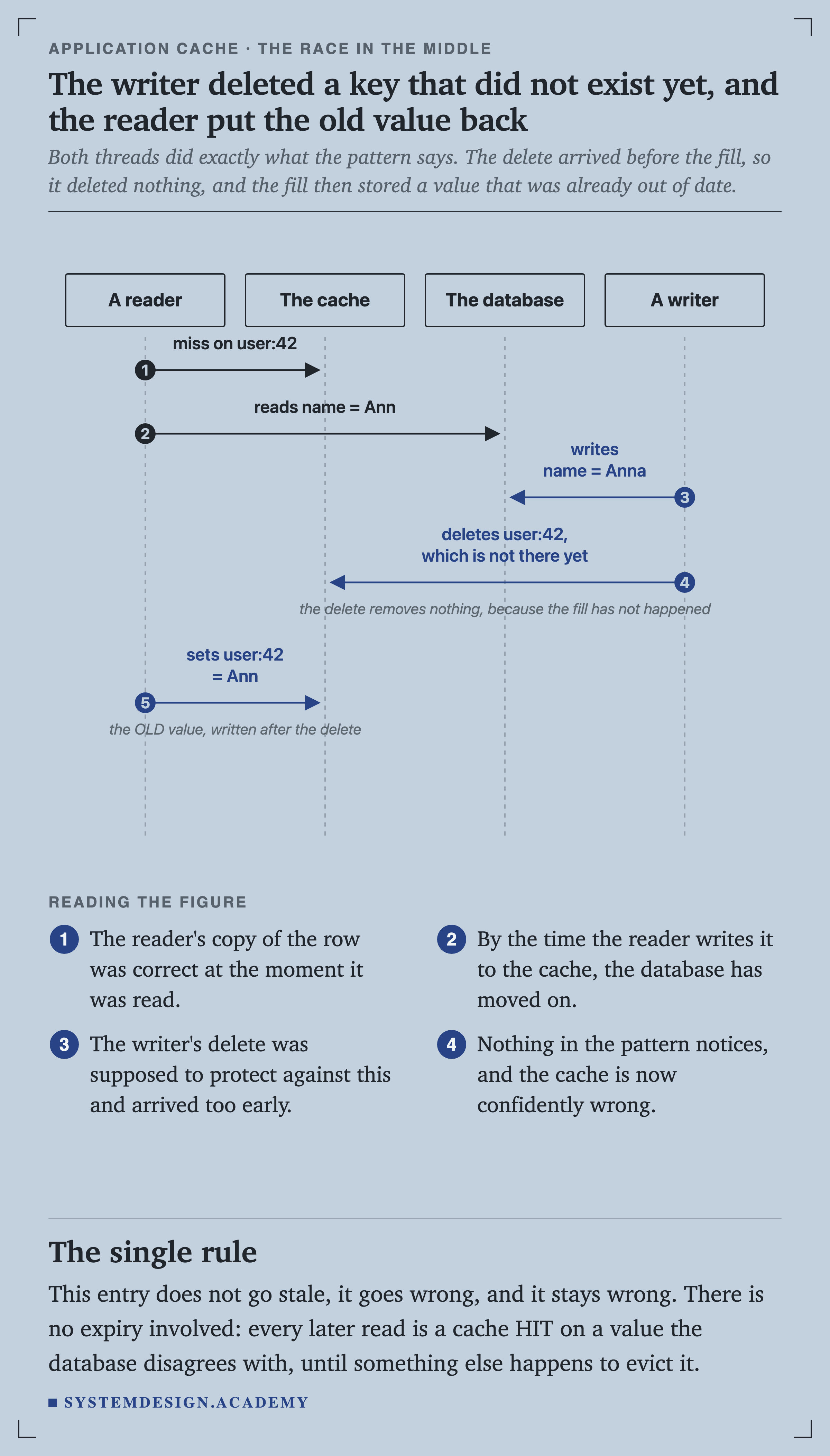
Both threads did exactly what the pattern says. The delete arrived before the fill, so it deleted nothing, and the fill then stored a value that was already out of date.
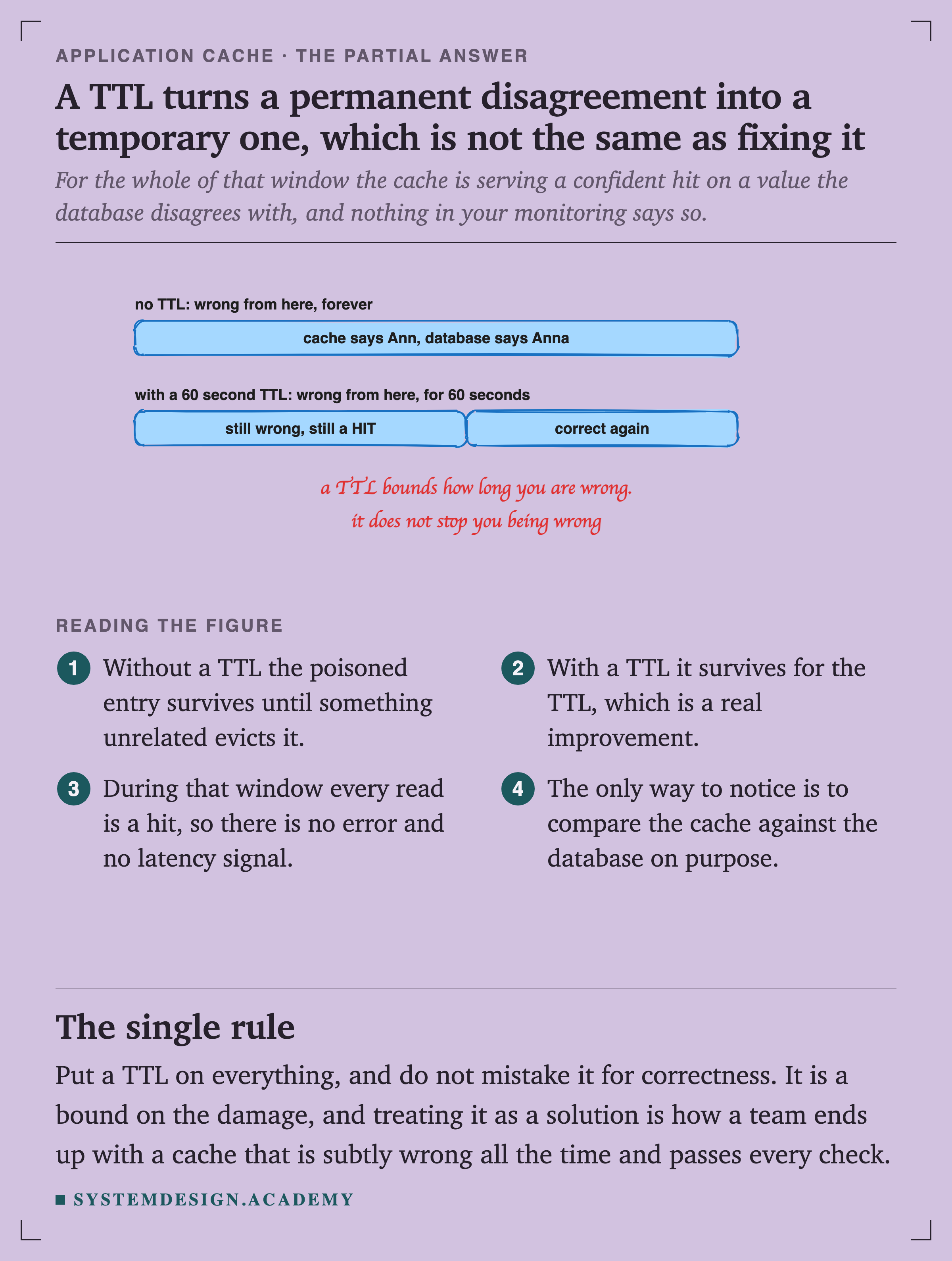
This entry does not go stale, it goes wrong, and it stays wrong. There is no expiry involved. Every later read is a cache hit on a value the database disagrees with.
How Often, Measured
The usual response is that the interleaving is unlikely. It is worth measuring instead of assuming, and the script is at scripts/labs/appcache/aside_race.py.
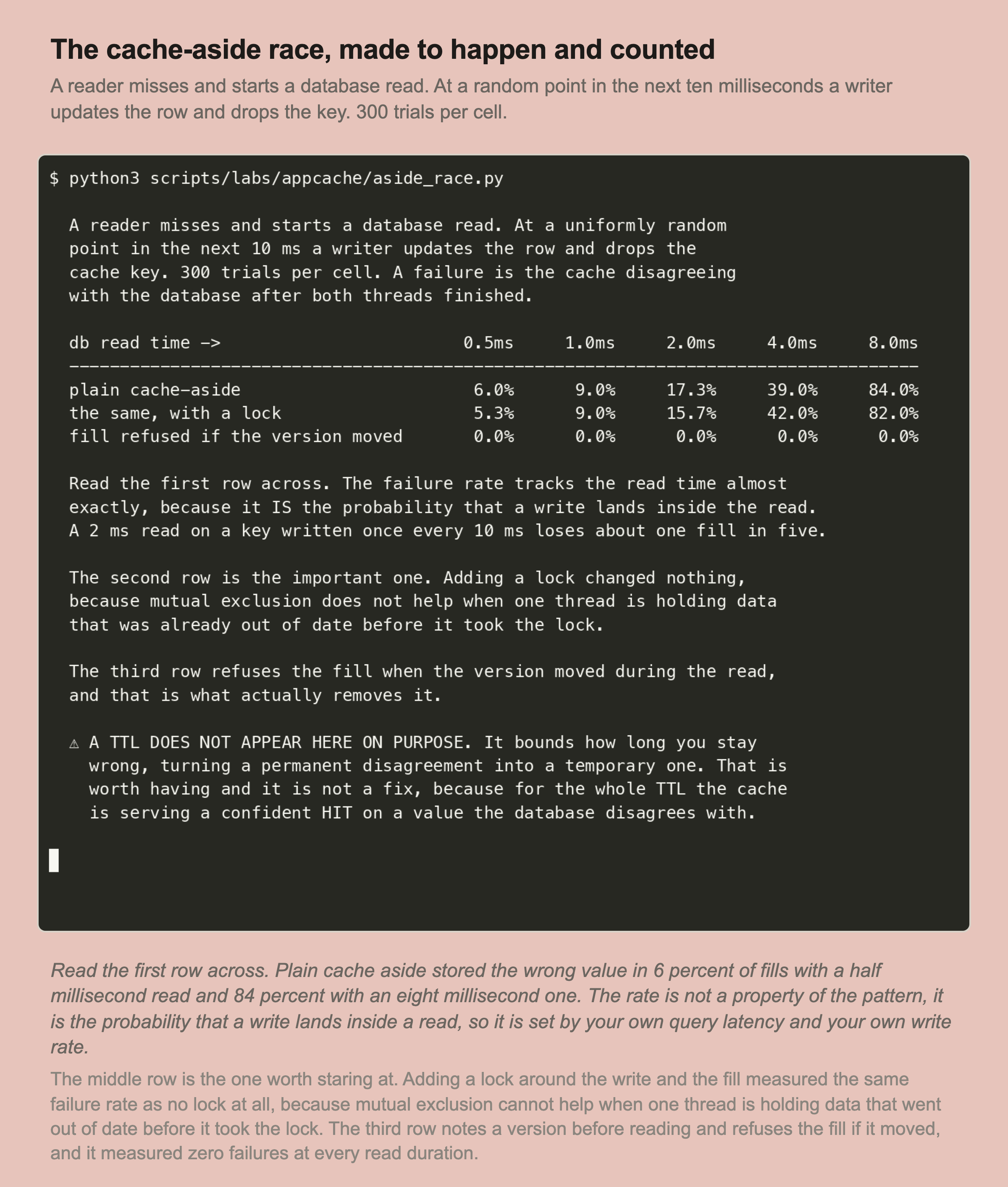
The writer arrives at a uniformly random point in a ten millisecond window. The failure rate is simply the chance it lands inside the read, so it tracks the read time almost exactly.
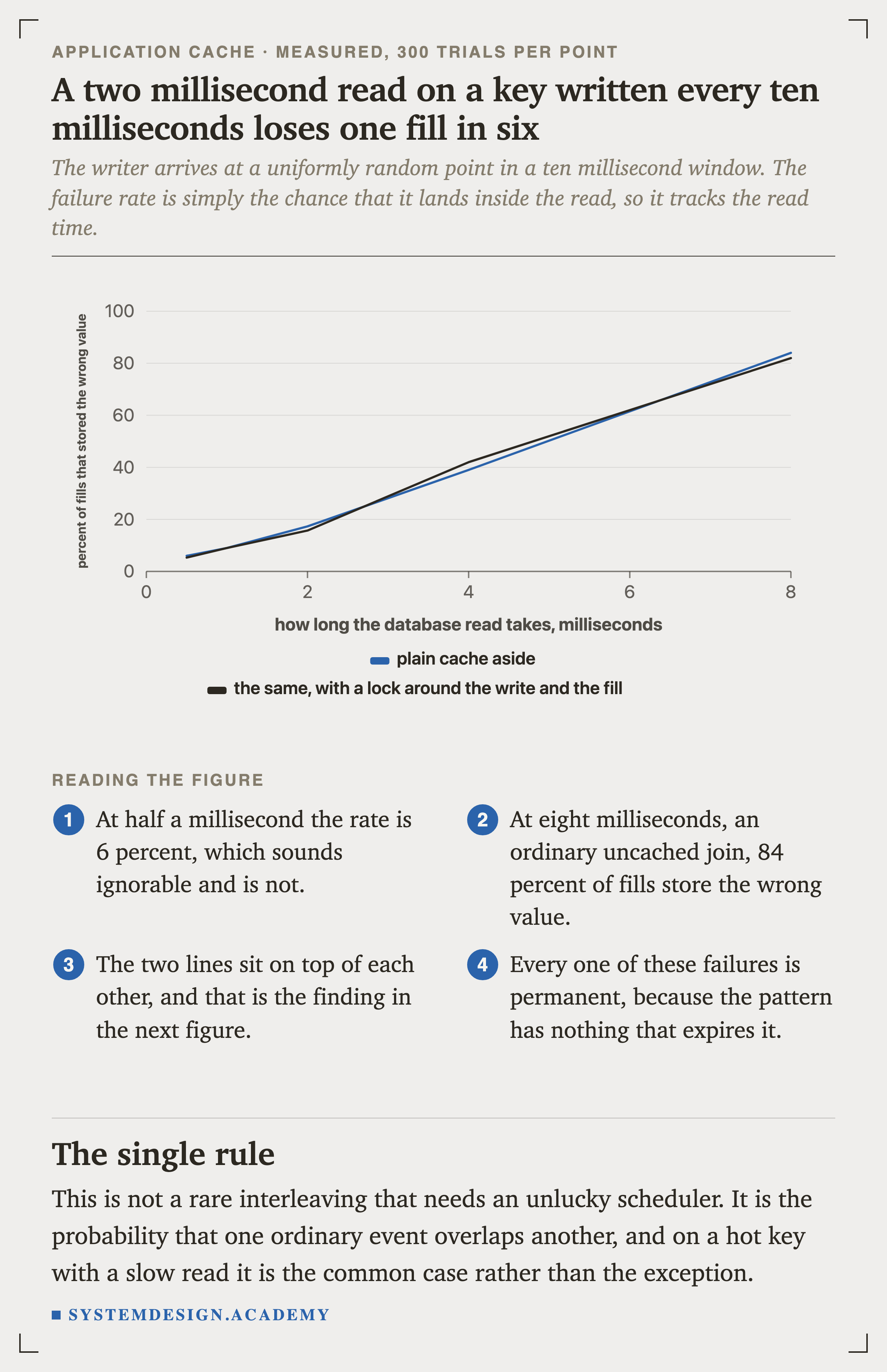
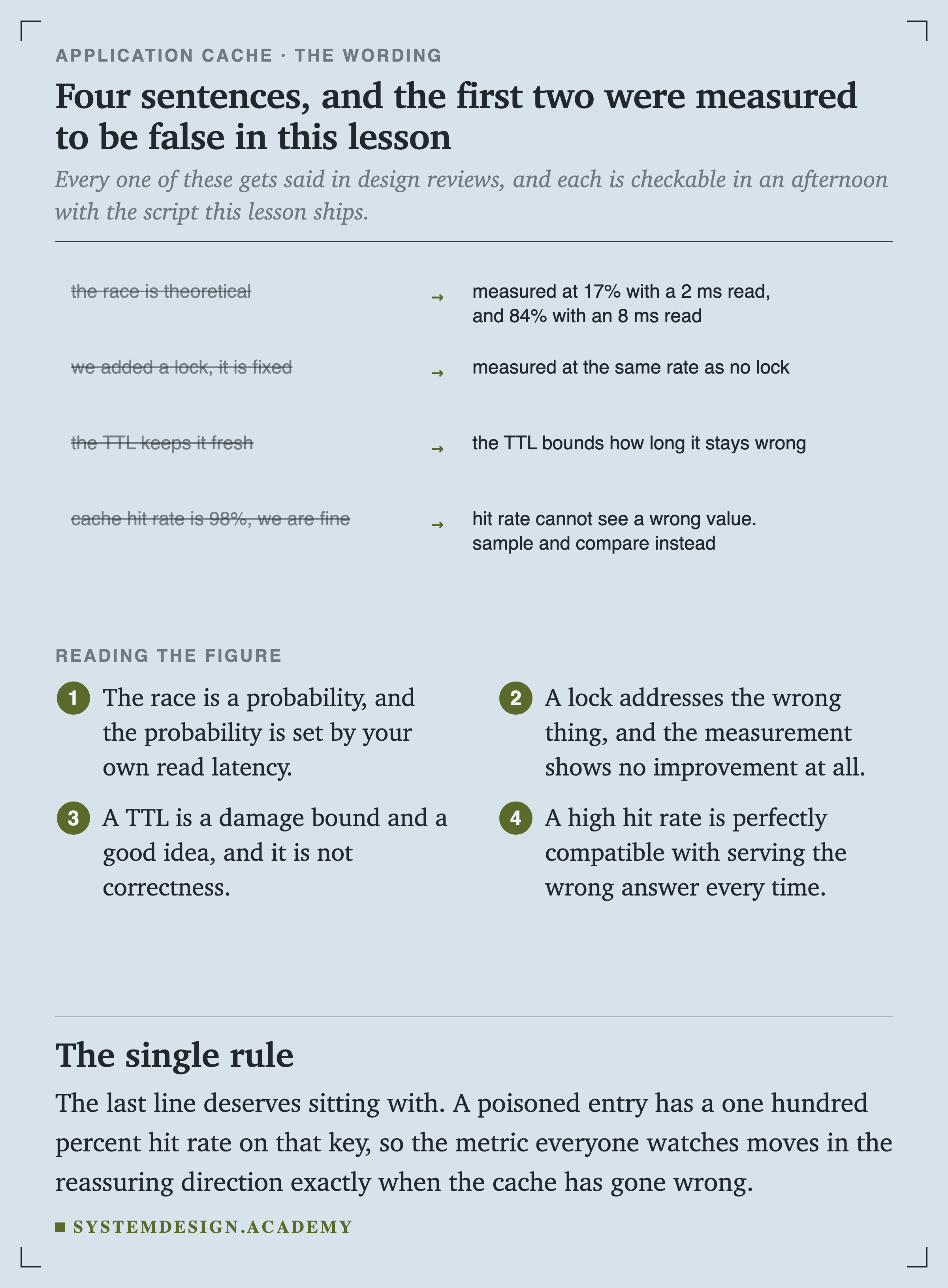
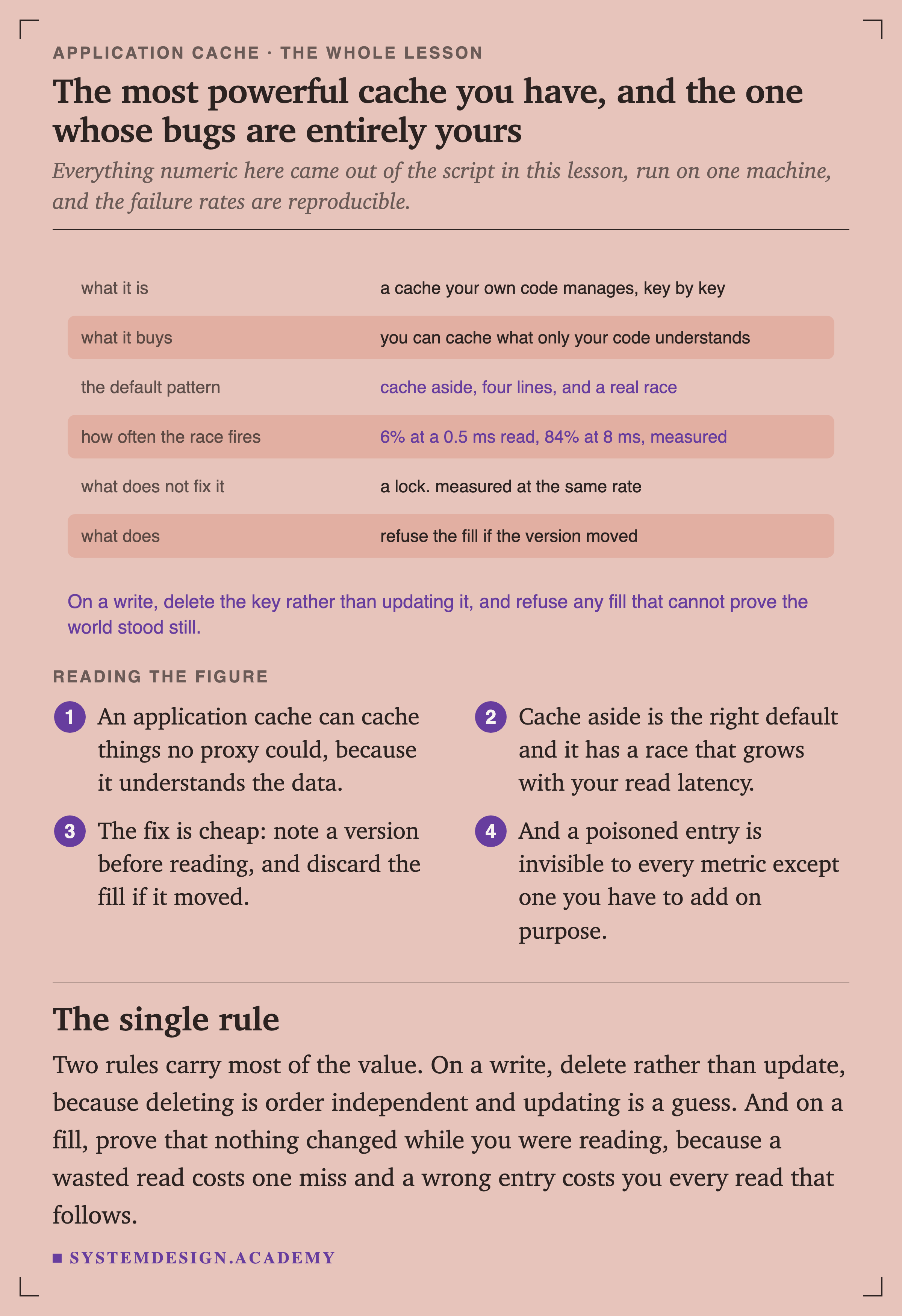
At half a millisecond the rate is 6 percent, which sounds ignorable and is not. At eight milliseconds, an ordinary uncached join, 84 percent of fills store the wrong value. This is not an unlucky scheduler. It is one ordinary event overlapping another.
The Fix That Is Not a Fix
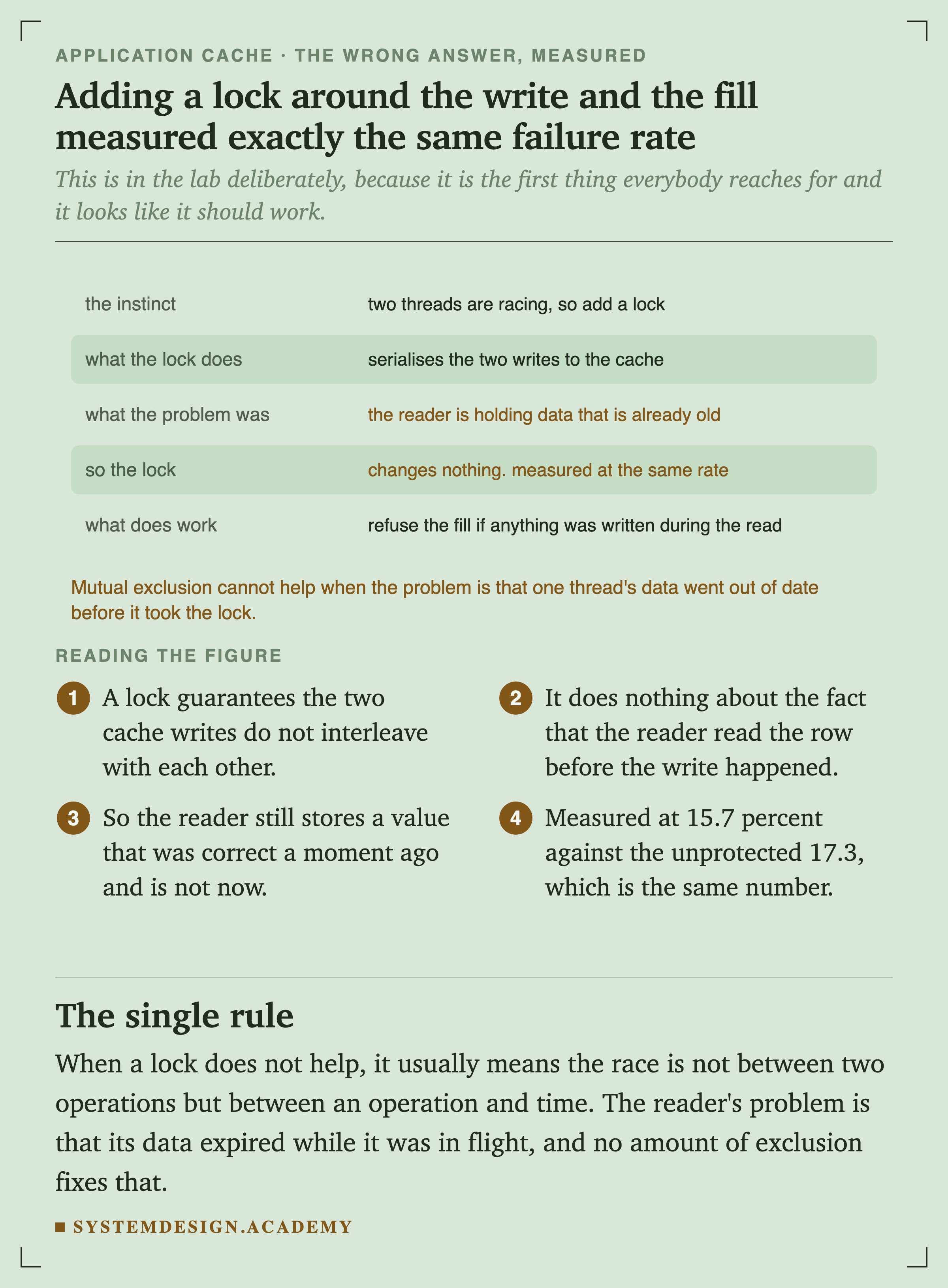
This is in the lab deliberately, because it is the first thing everybody reaches for and it looks like it should work. A lock guarantees the two cache writes do not interleave. It does nothing about the reader holding a row that was read before the write happened.
When a lock does not help, it usually means the race is not between two operations but between an operation and time.
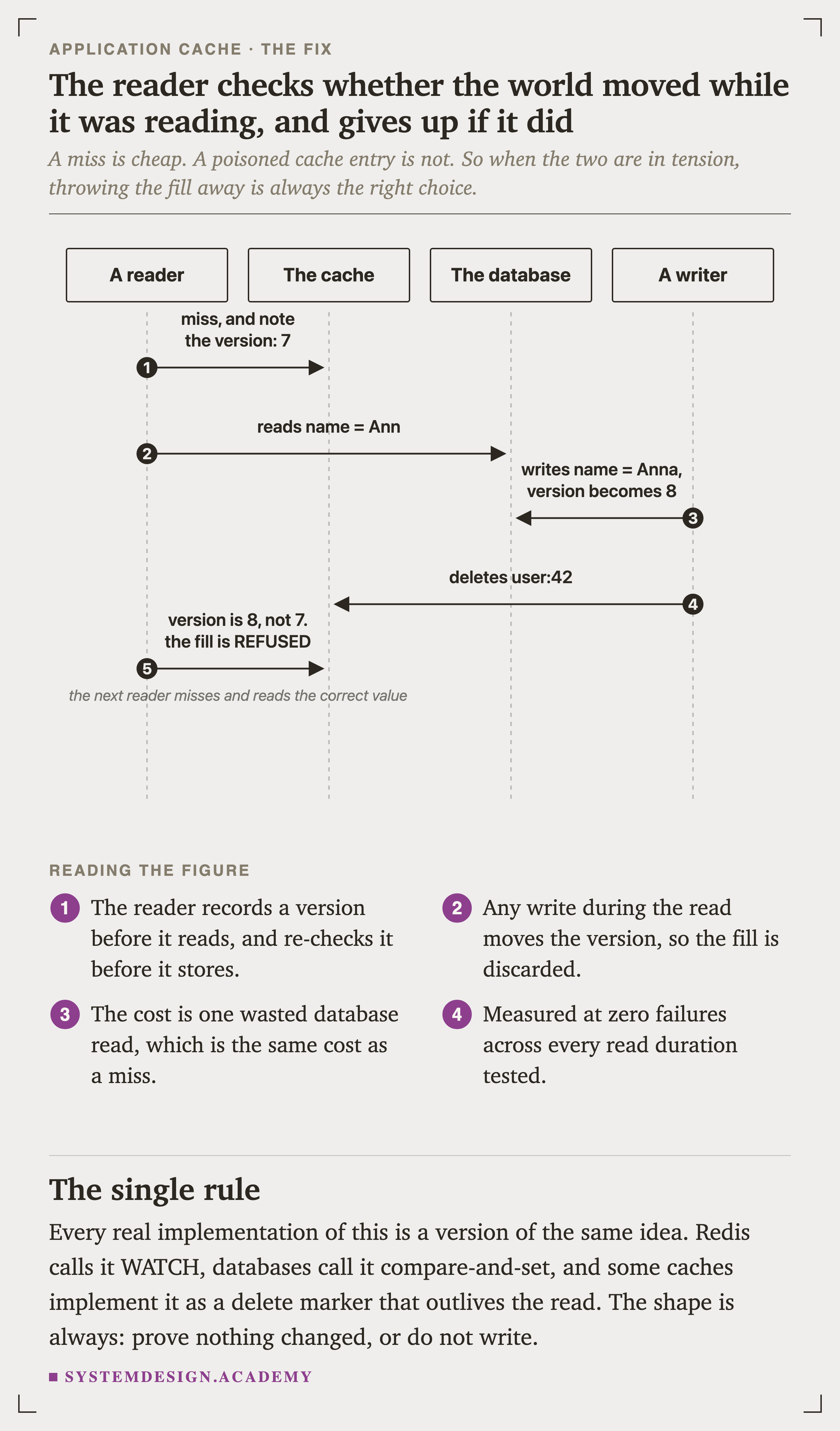
A miss is cheap. A poisoned entry is not. So when the two are in tension, throwing the fill away is always the right choice. Measured at zero failures across every read duration tested.
Patterns, Keys and What to Cache
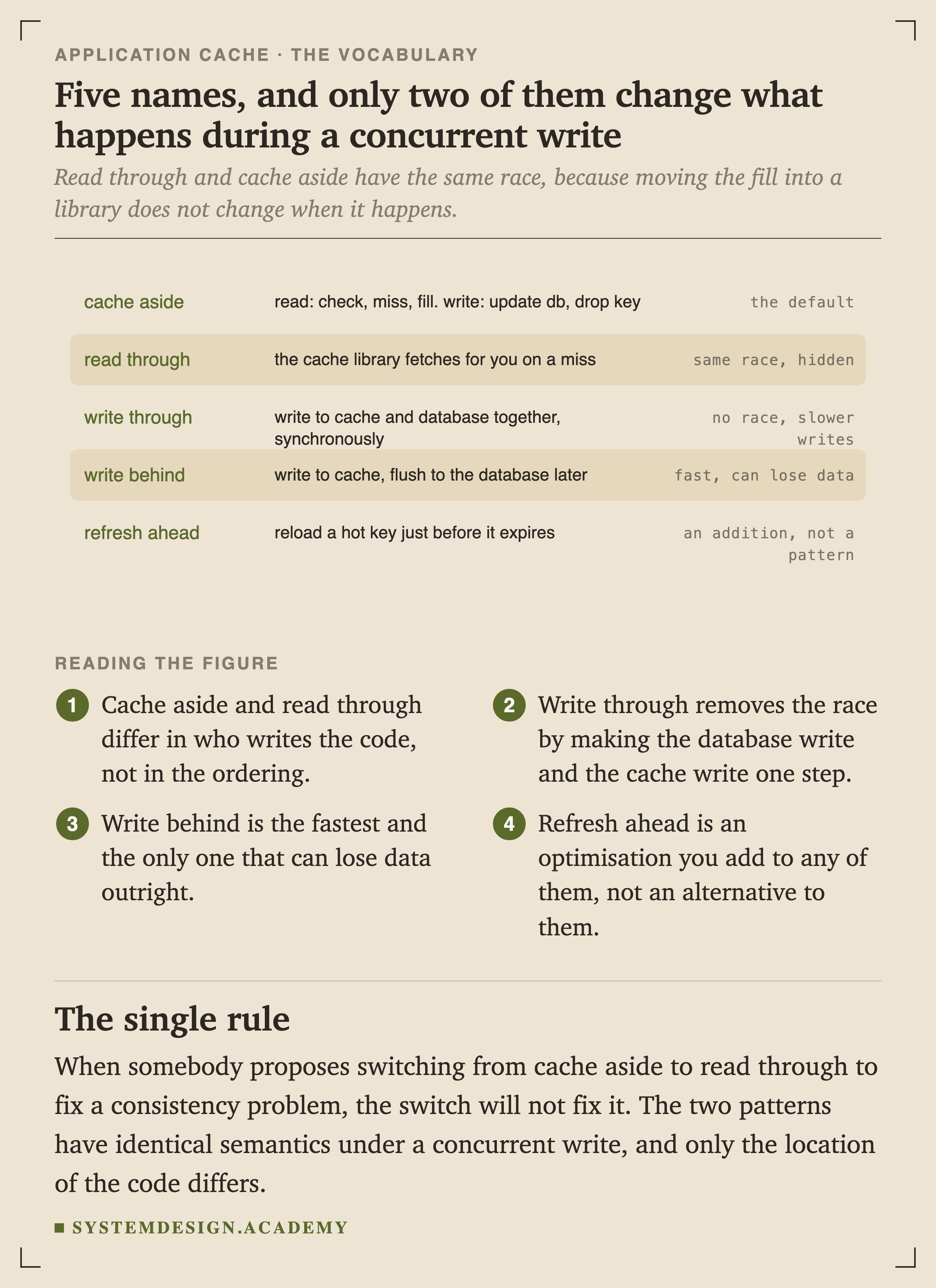
Cache aside and read through differ in who writes the code, not in the ordering, so they have the same race. When somebody proposes switching between them to fix a consistency problem, the switch will not fix it.
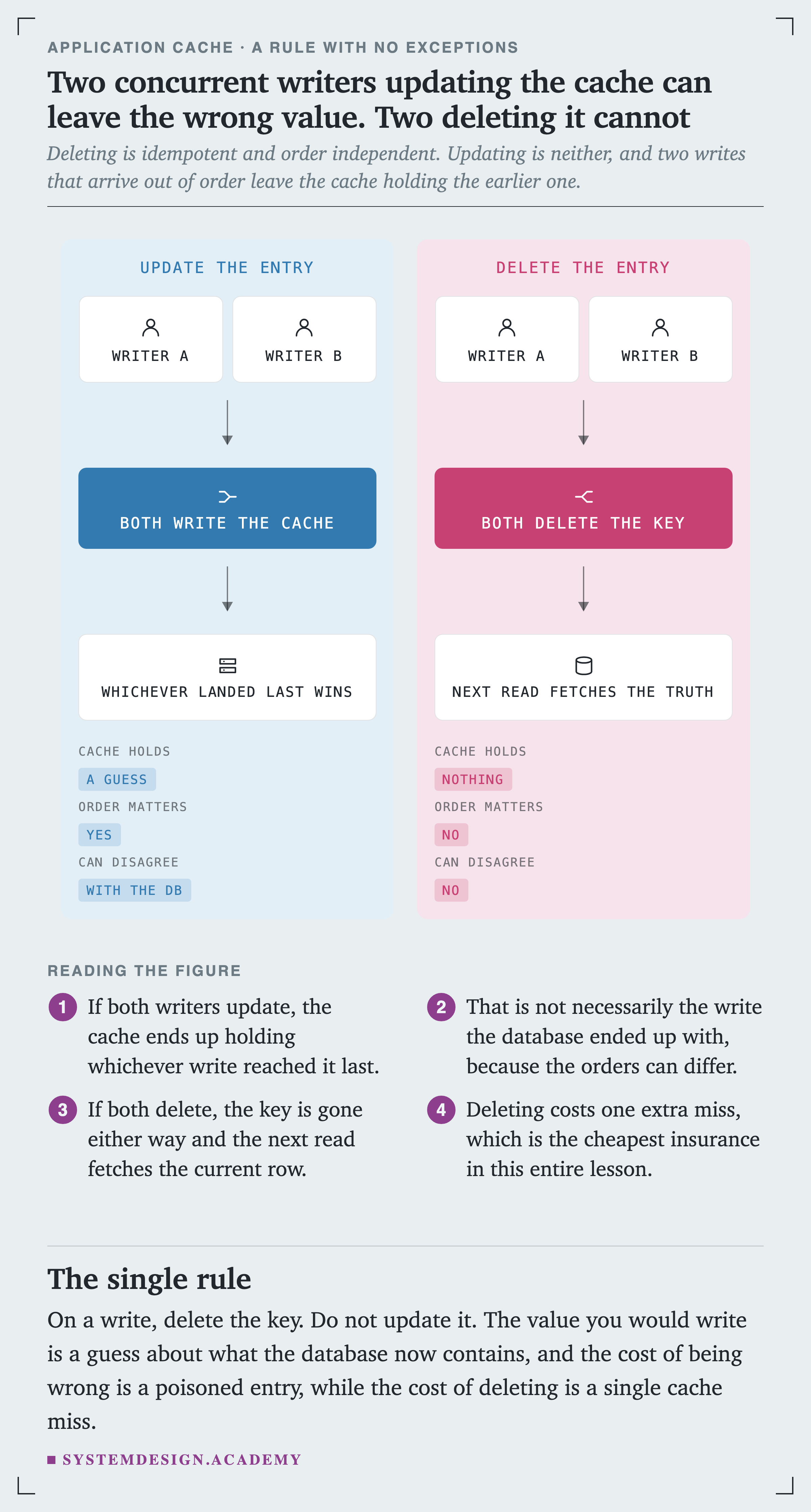
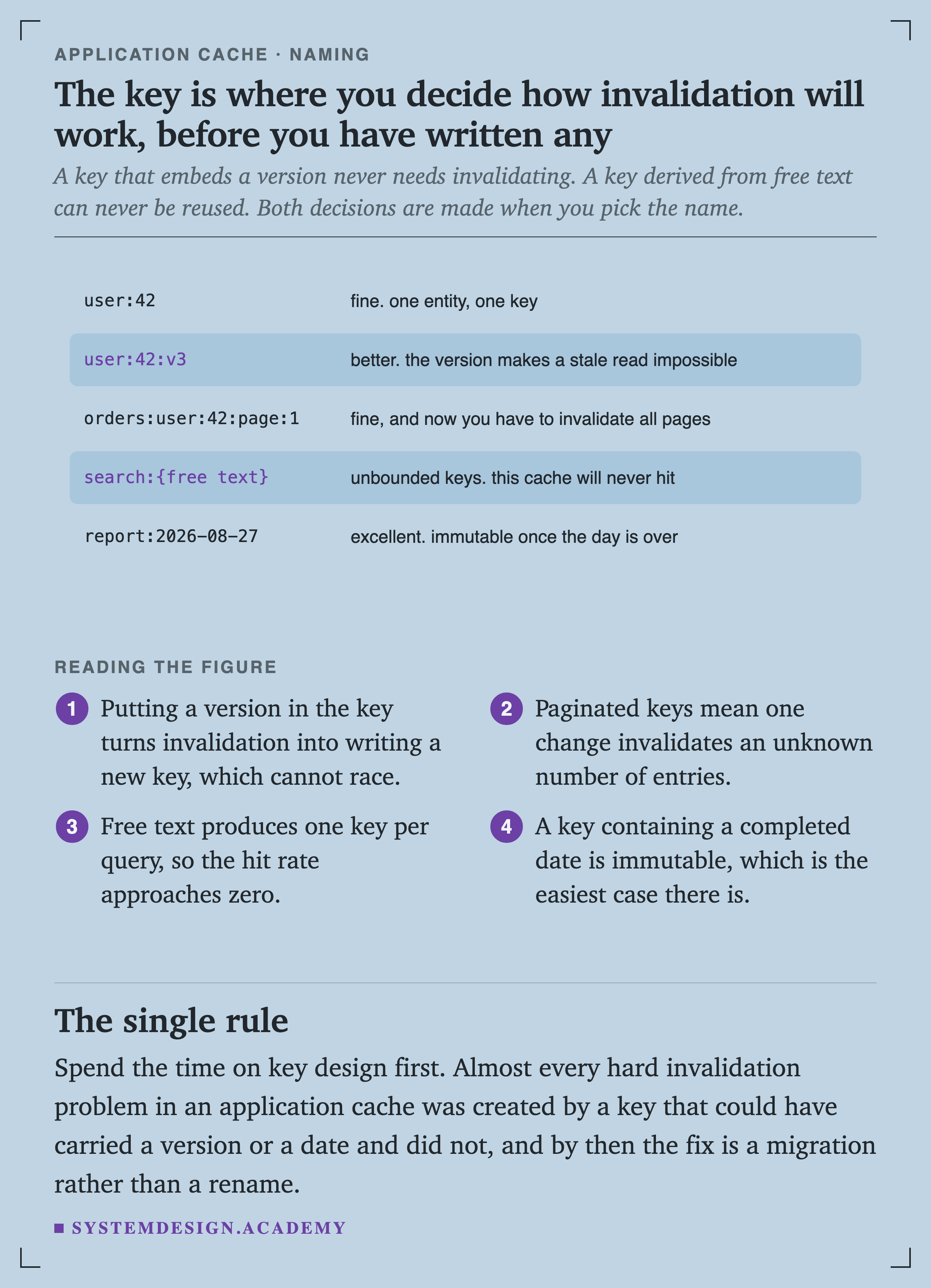
Deleting is and order independent. Updating is neither. The value you would write is a guess about what the database now contains, and the cost of being wrong is a poisoned entry while the cost of deleting is a single miss.
Herds, Misses and Where Things Live
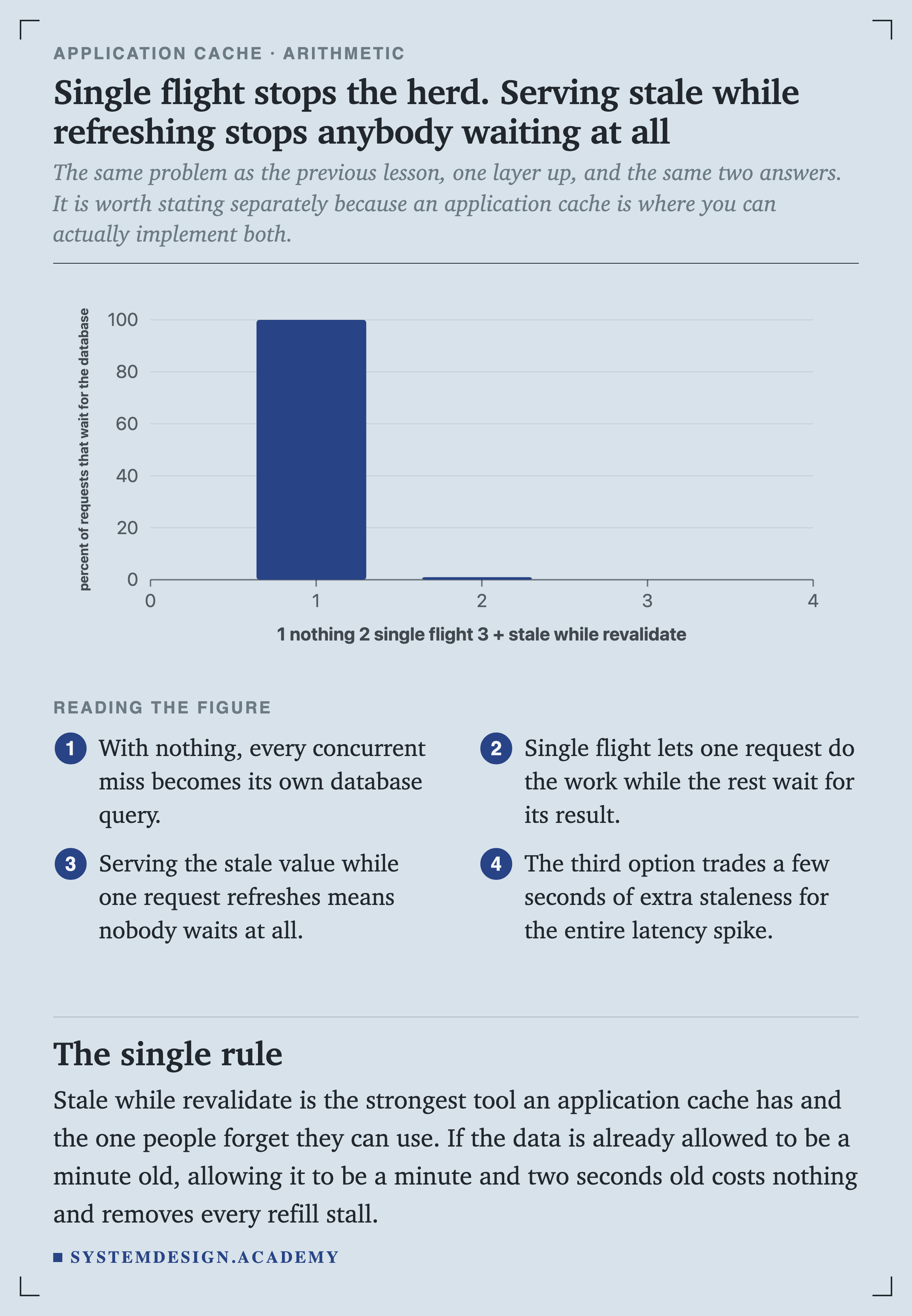
Stale while revalidate is the strongest tool an application cache has and the one people forget they can use. If the data is already allowed to be a minute old, allowing a minute and two seconds costs nothing and removes every refill stall.
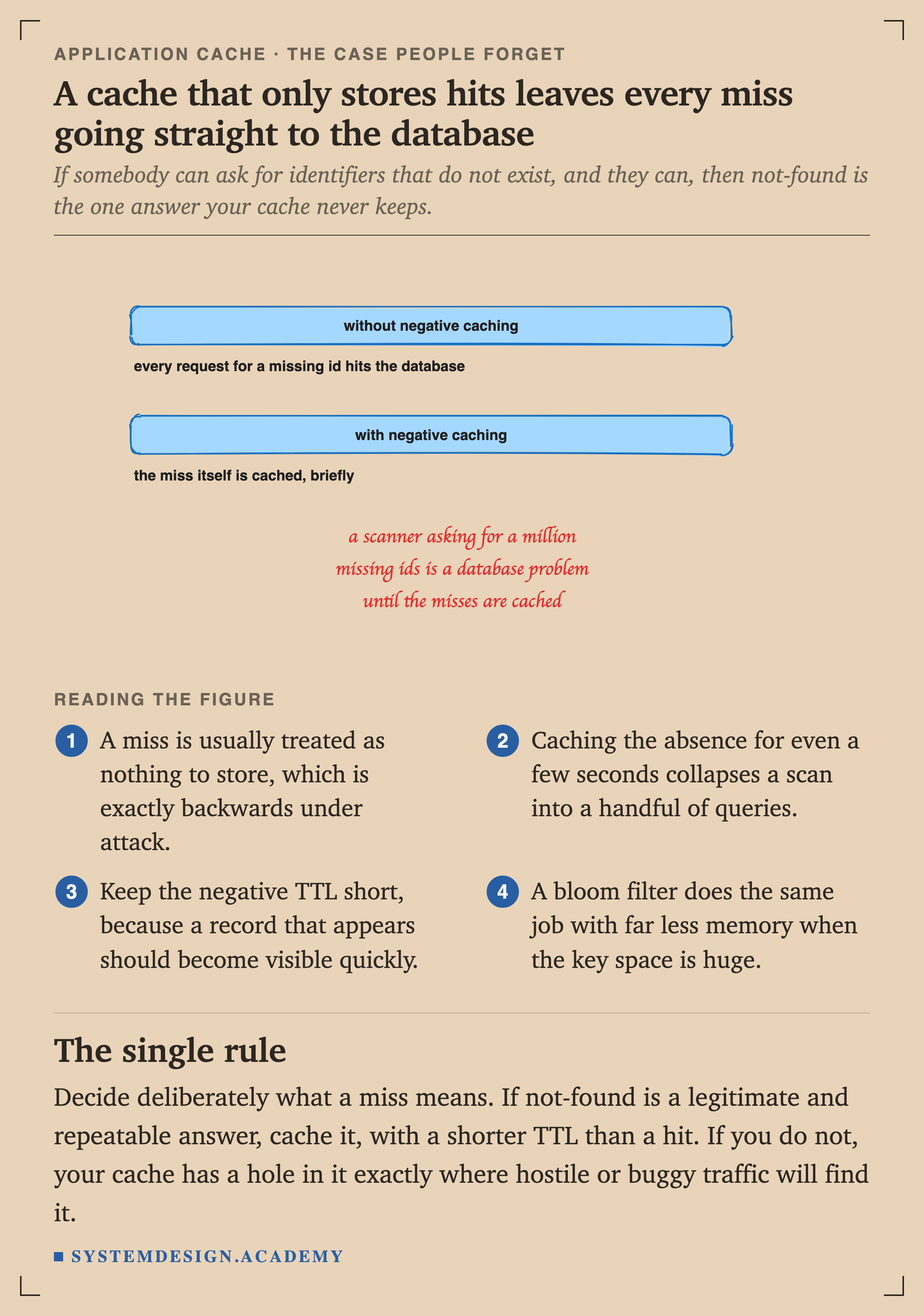
If not-found is a legitimate and repeatable answer, cache it, with a shorter than a hit. If you do not, your cache has a hole in it exactly where hostile or buggy traffic will find it.
Quick Check
Knowledge Check
4 questions - Score 80% to pass
Your endpoint's database read takes 8 ms and the key is written roughly every 10 ms. What fraction of cache-aside fills store a stale value?
You add a mutex around both the cache write in the writer and the fill in the reader. What happens to the stale-fill rate?
Two writers update the same row at nearly the same time. Should each write the new value into the cache, or delete the key?
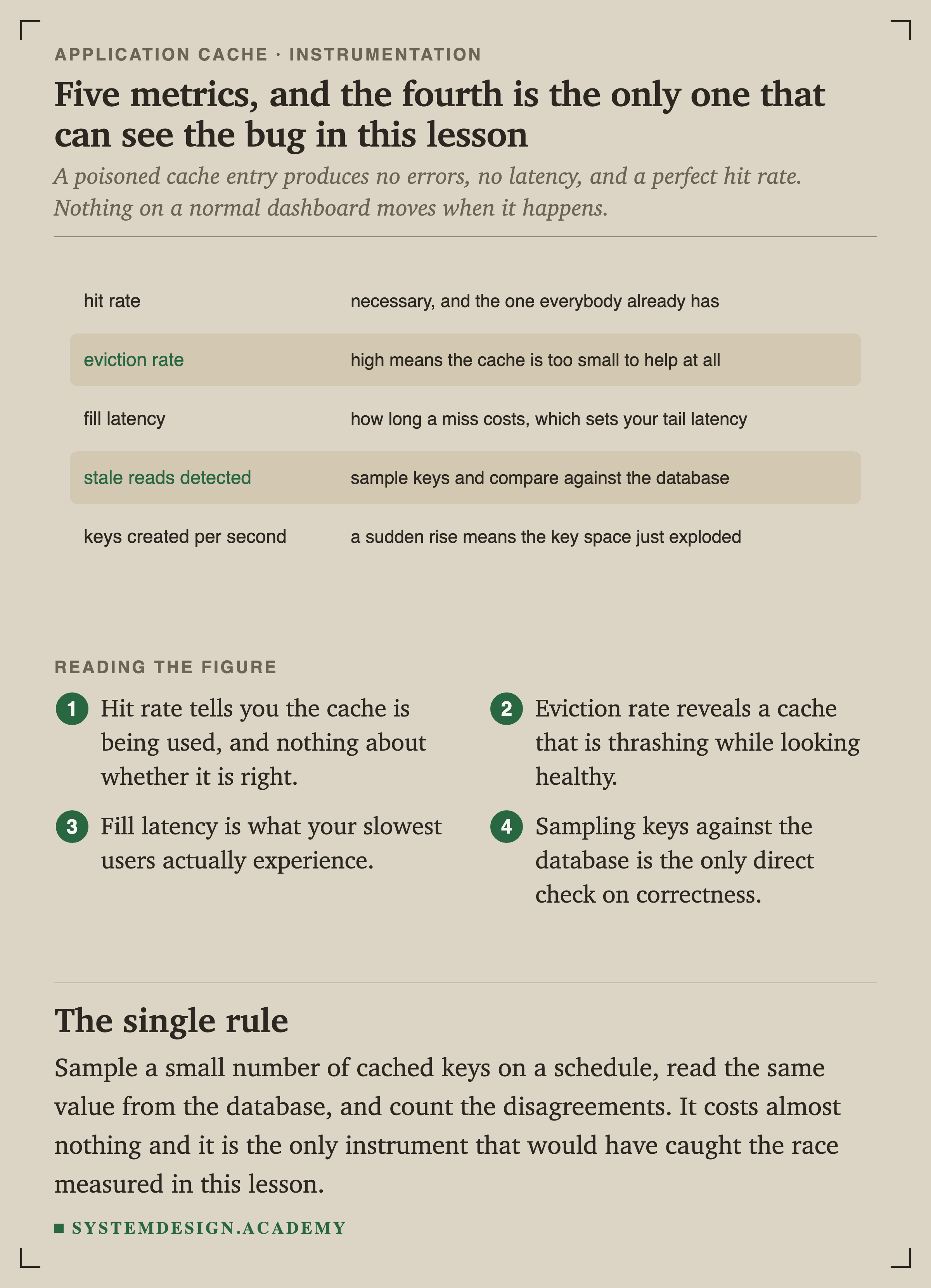
Your cache hit rate is 98 percent and there are no errors or latency spikes. Can you conclude the cache is correct?