A Cache You Write, Not One the Browser Runs
The last lesson was about a cache the browser operates on your behalf, driven entirely by response headers. This one is about a cache you build yourself, in storage you choose, holding your objects rather than responses.
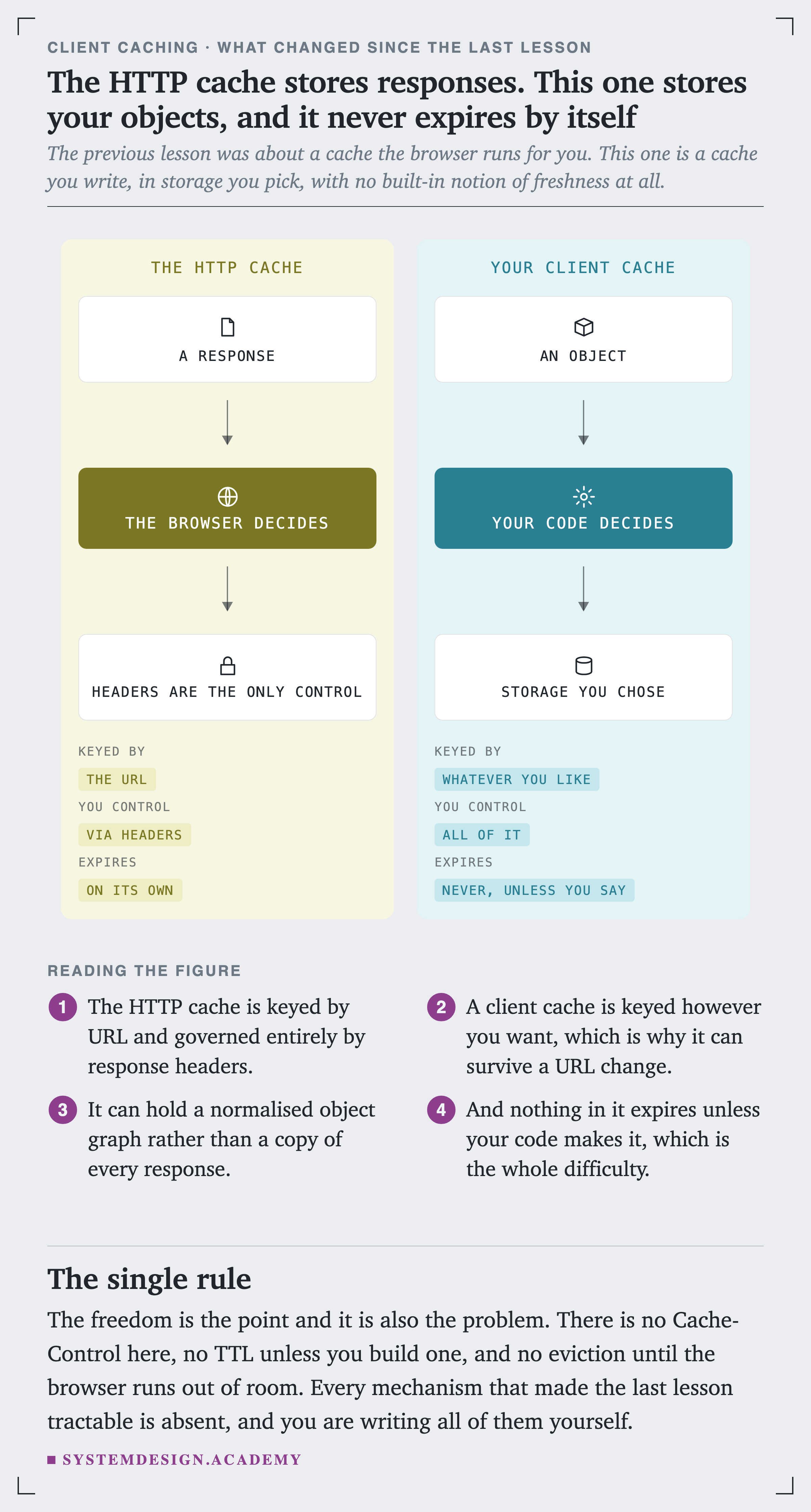
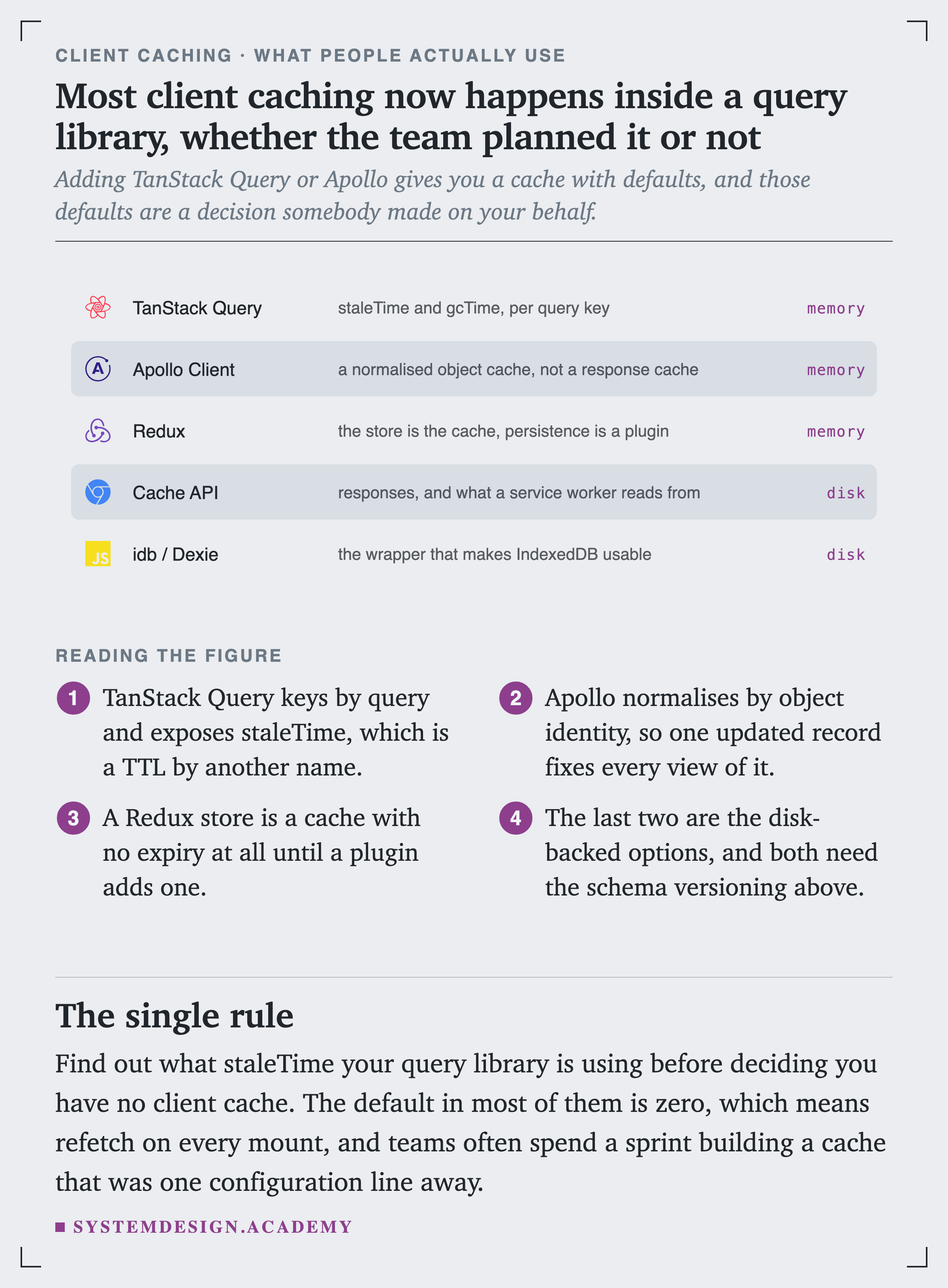
The freedom is the point and it is also the problem. There is no Cache-Control here, no unless you build one, and no eviction until the browser runs out of room. Every mechanism that made the last lesson tractable is absent.
Before deciding what to put there, it is worth settling the objection everybody raises.
Is Reading It Actually Expensive?
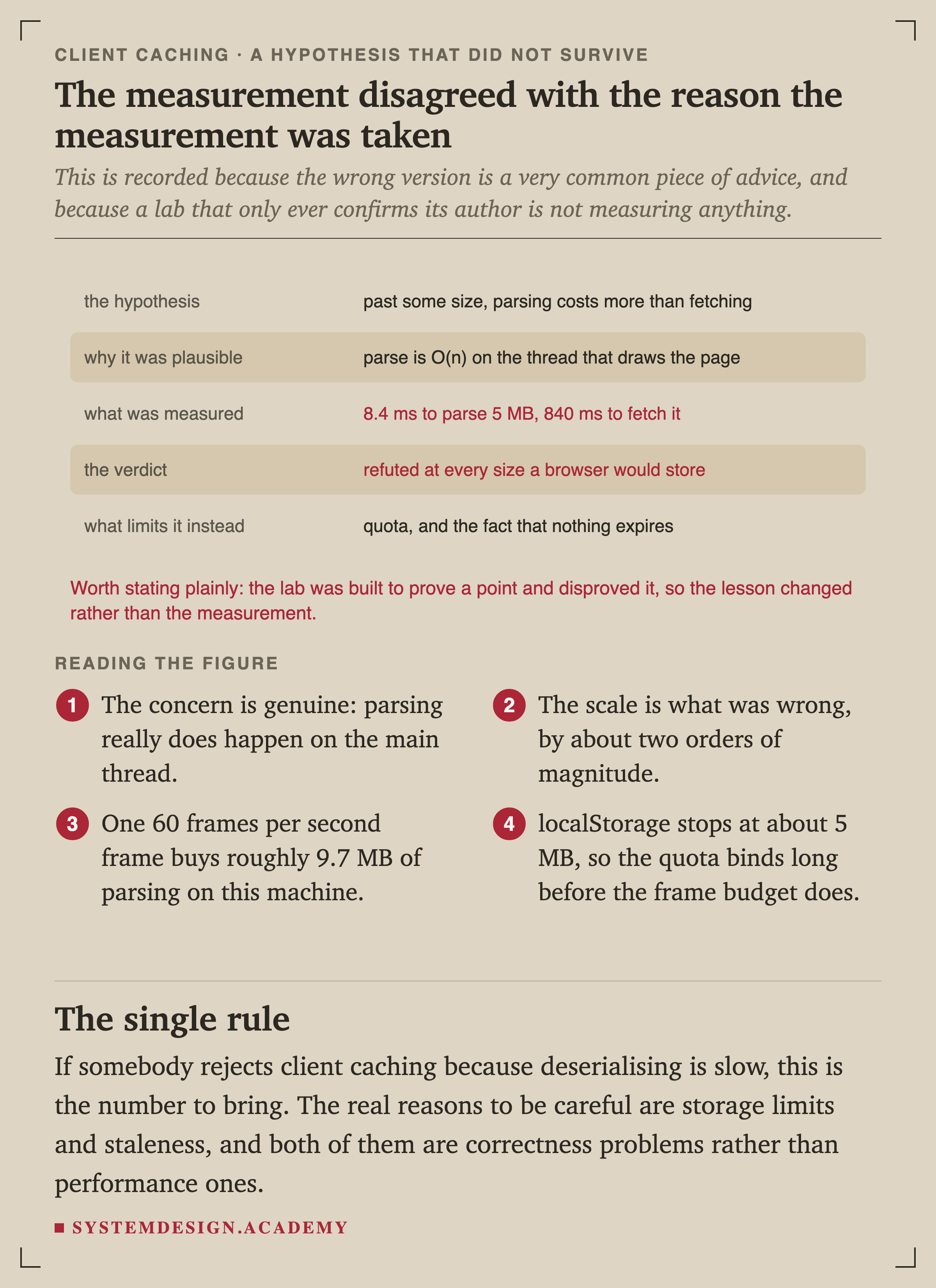
The usual argument against client is that deserialising costs more than people think. Getting a cached object back into usable JavaScript means parsing it, and JSON.parse is work on the same thread that draws the page.
That is a real concern, so this lesson's lab was written to demonstrate it. The script is at scripts/labs/clientcache/parse_cost.mjs.
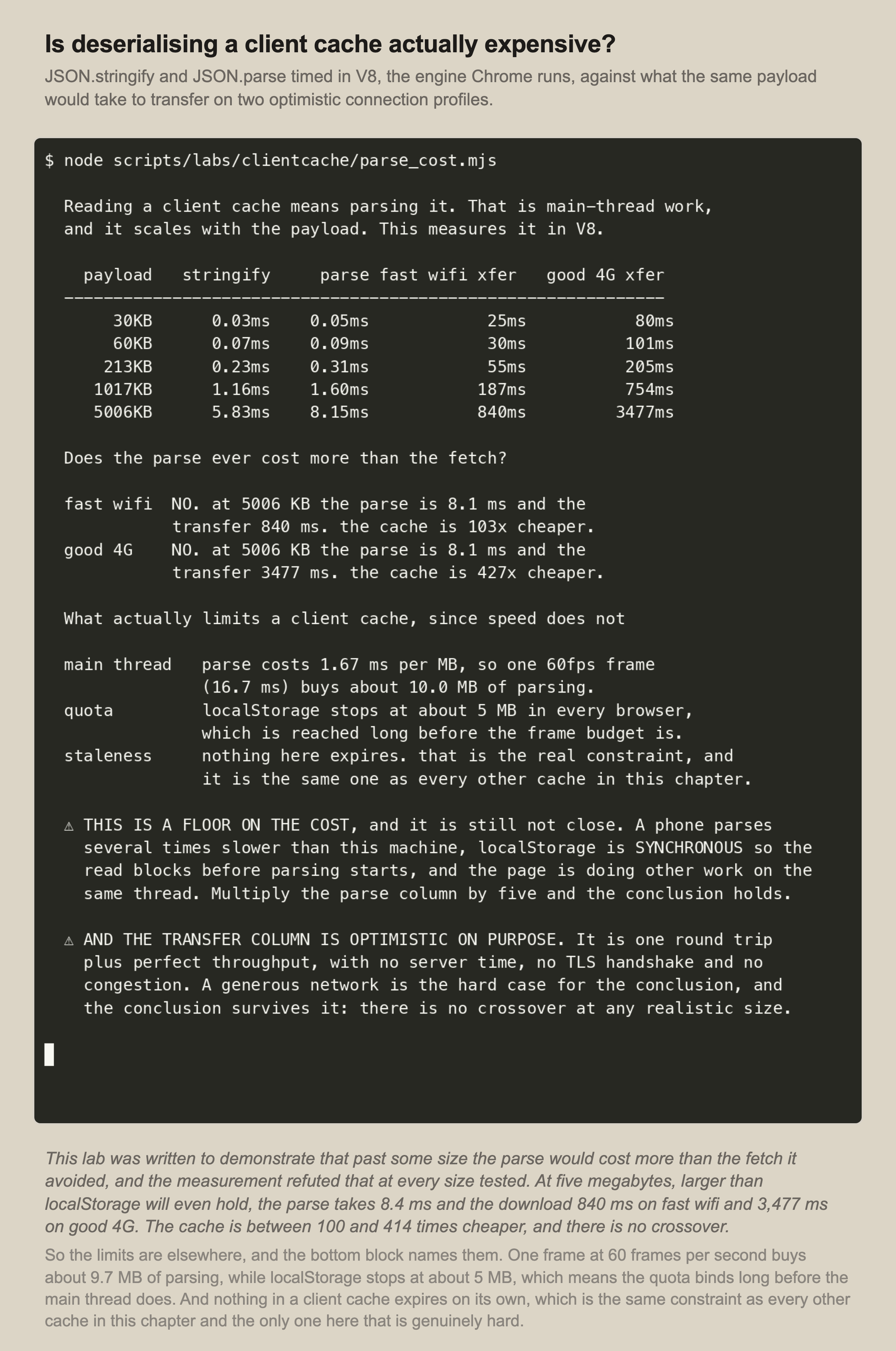
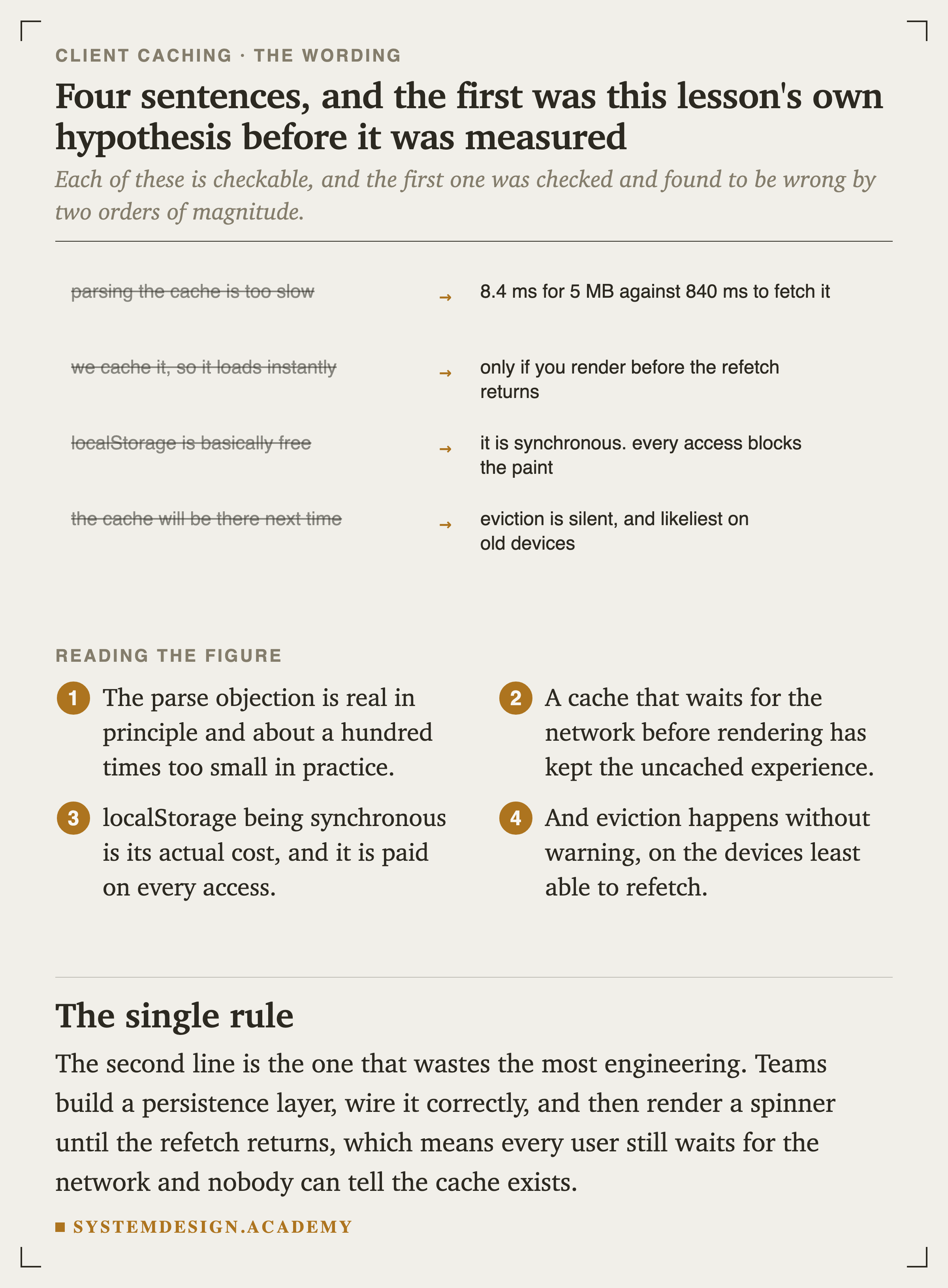
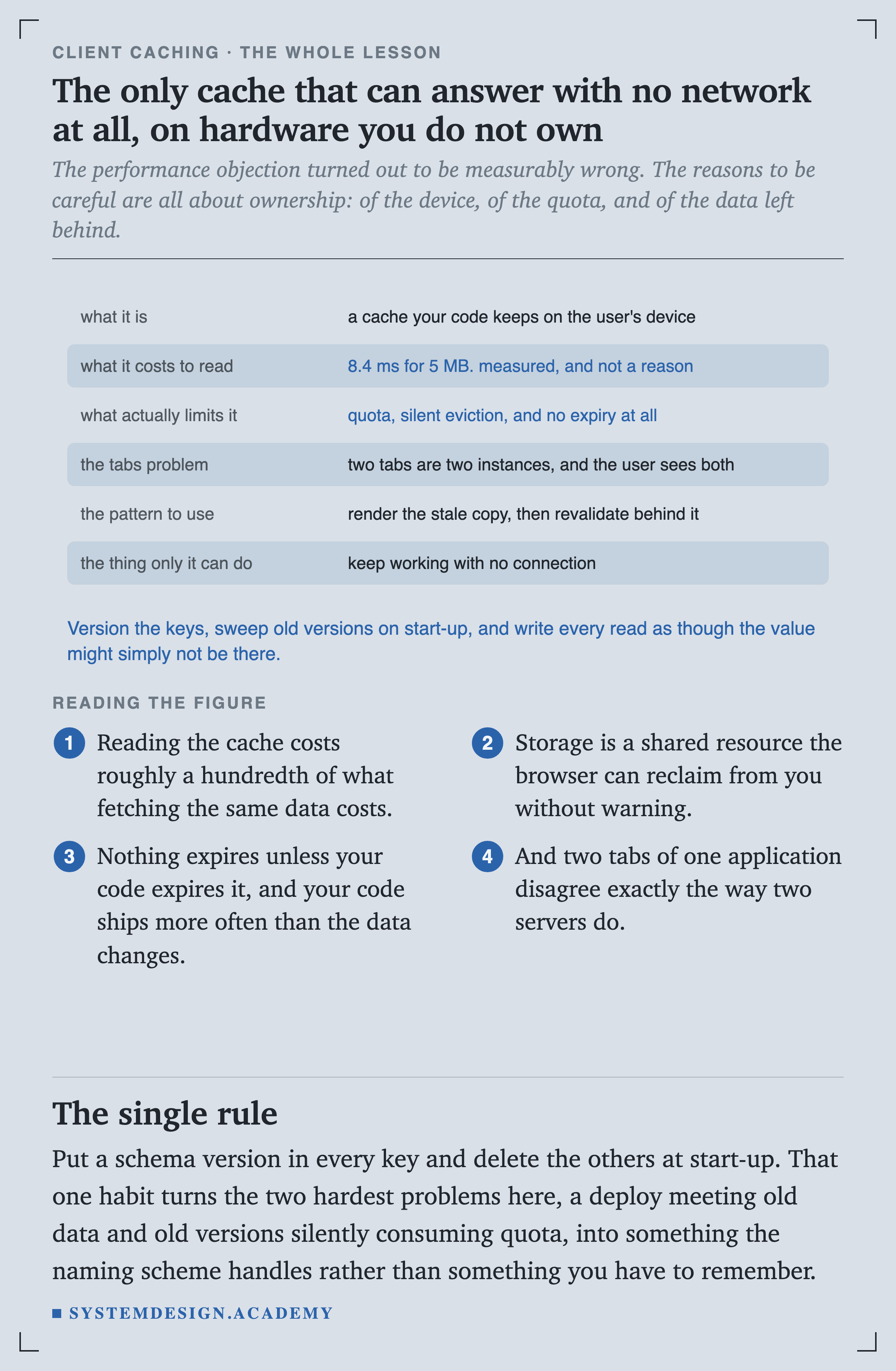
At five megabytes, a payload larger than localStorage will even hold, the parse takes 8.4 milliseconds and the download takes 840 on fast wifi. There is no crossover at any size a browser would let you store.
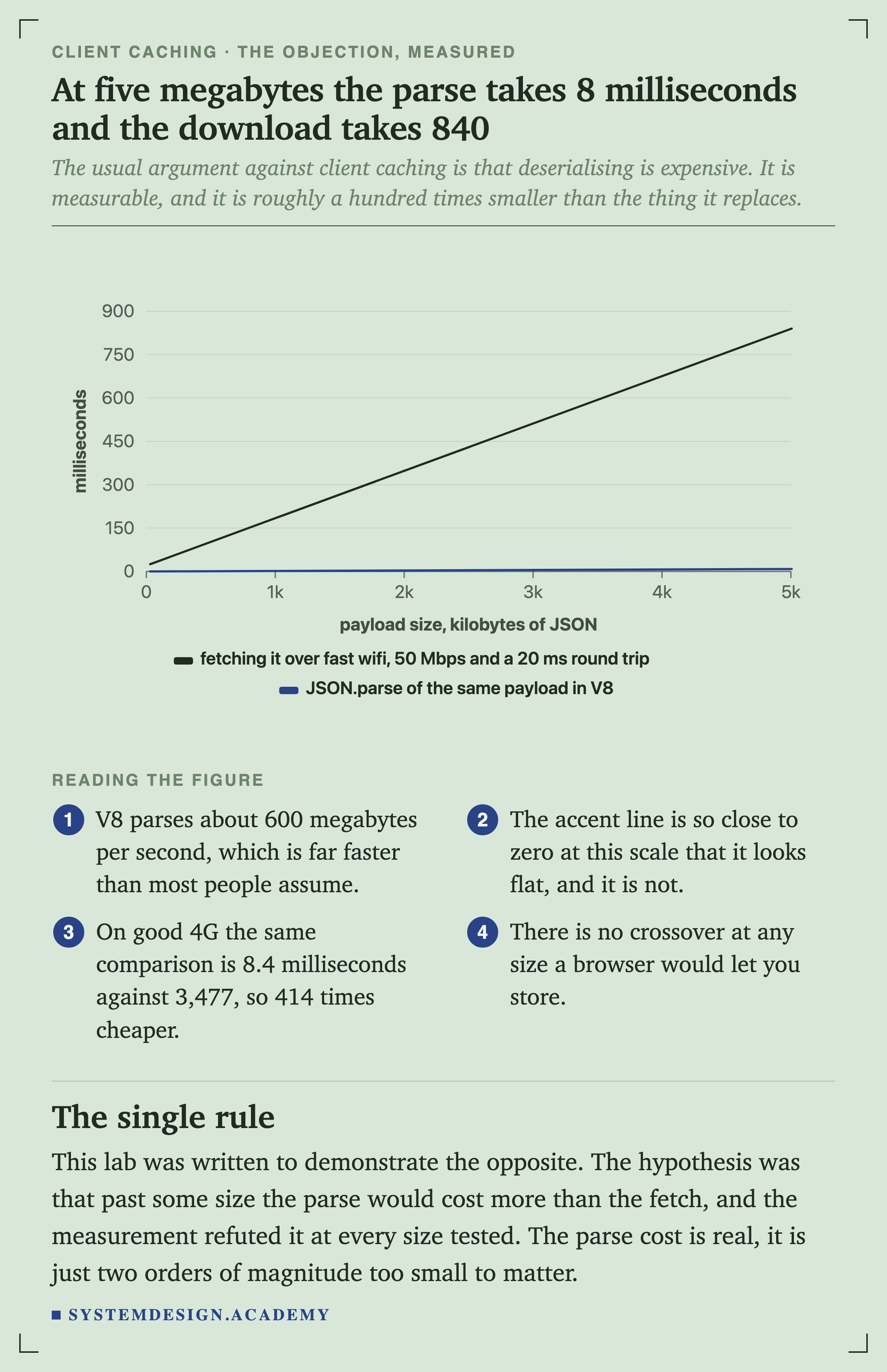
Where to Put It, and How Much Room There Is
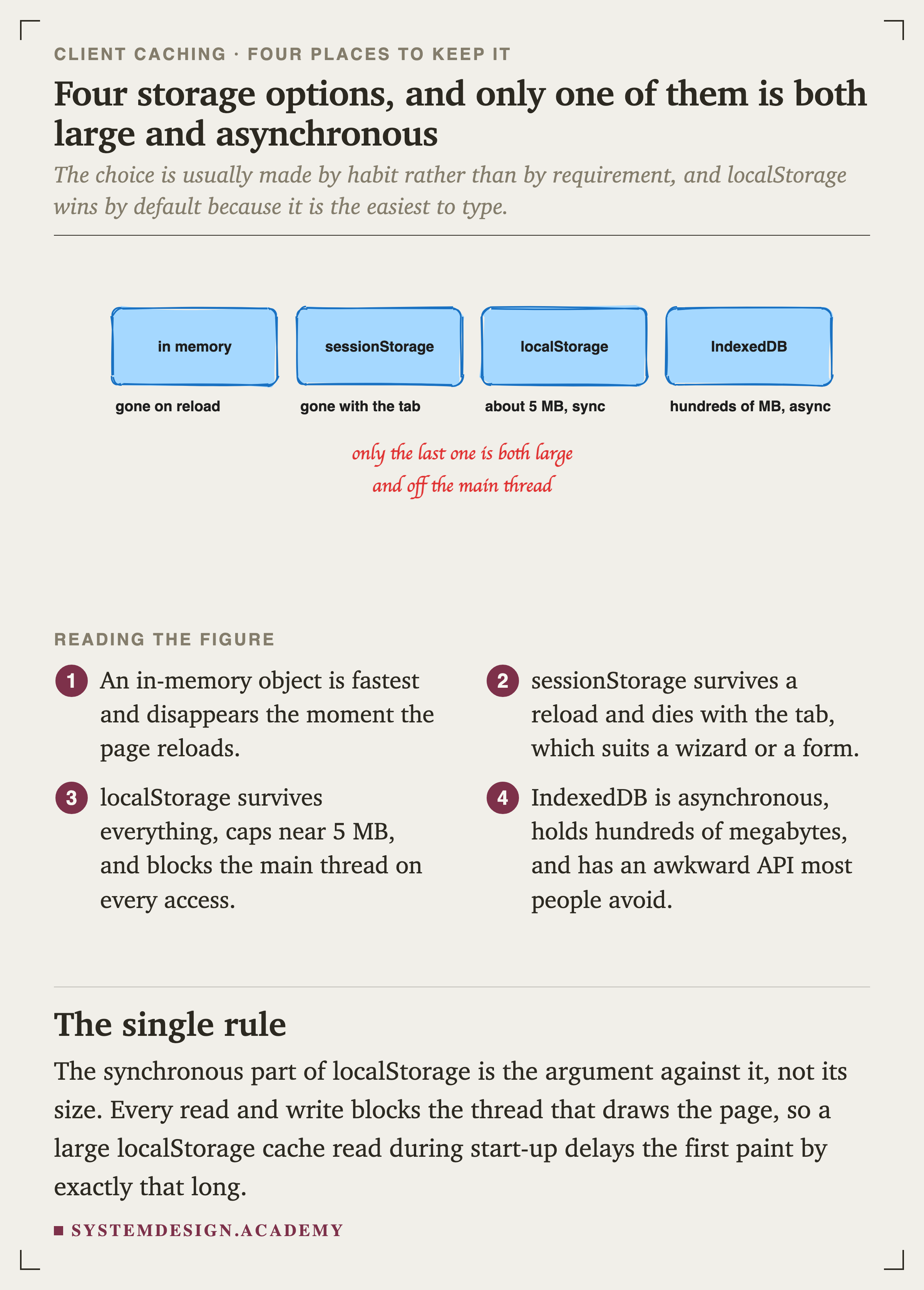
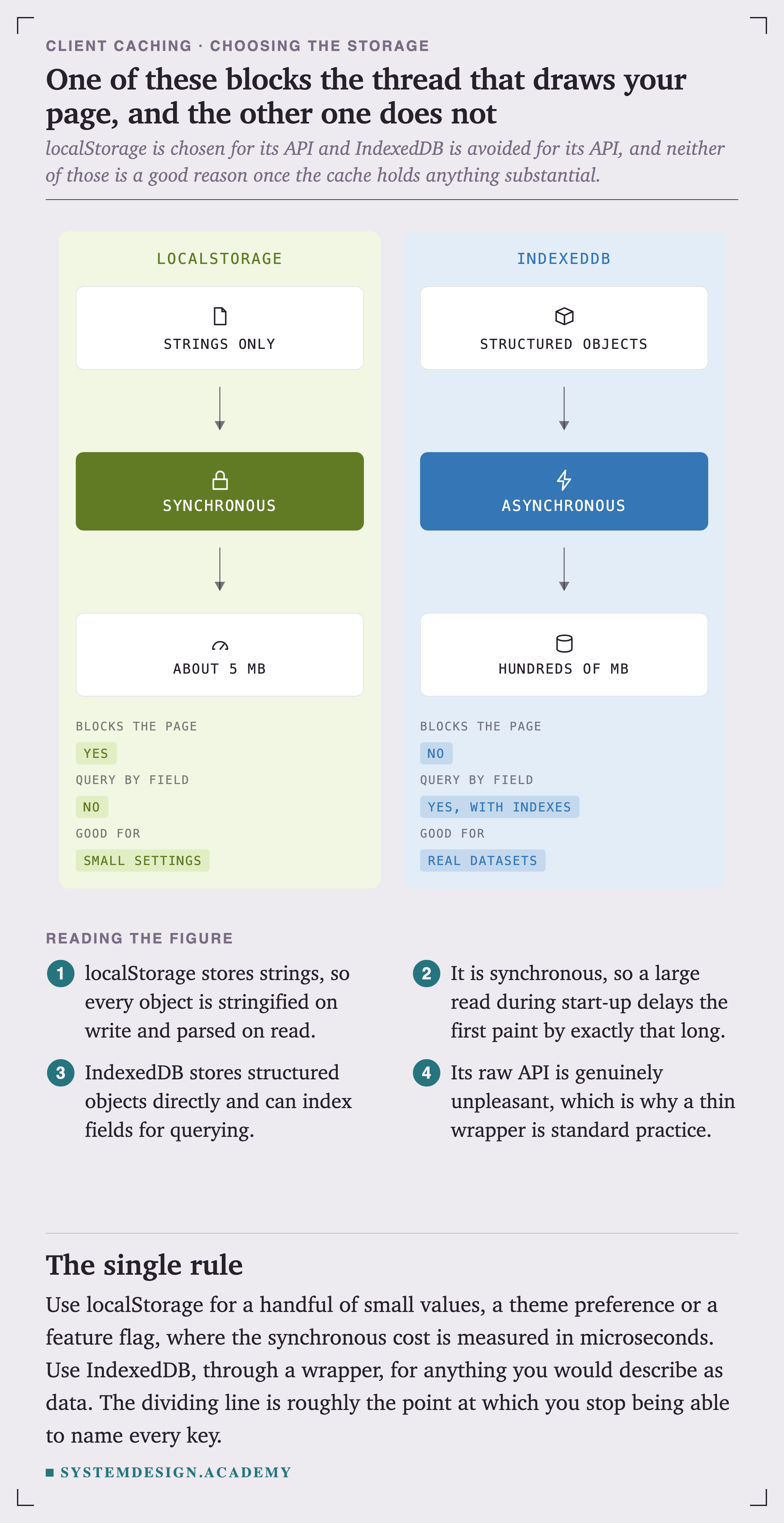
The synchronous part of localStorage is the argument against it, not its size. Every read and write blocks the thread that draws the page, so a large localStorage read during start-up delays the first paint by exactly that long.
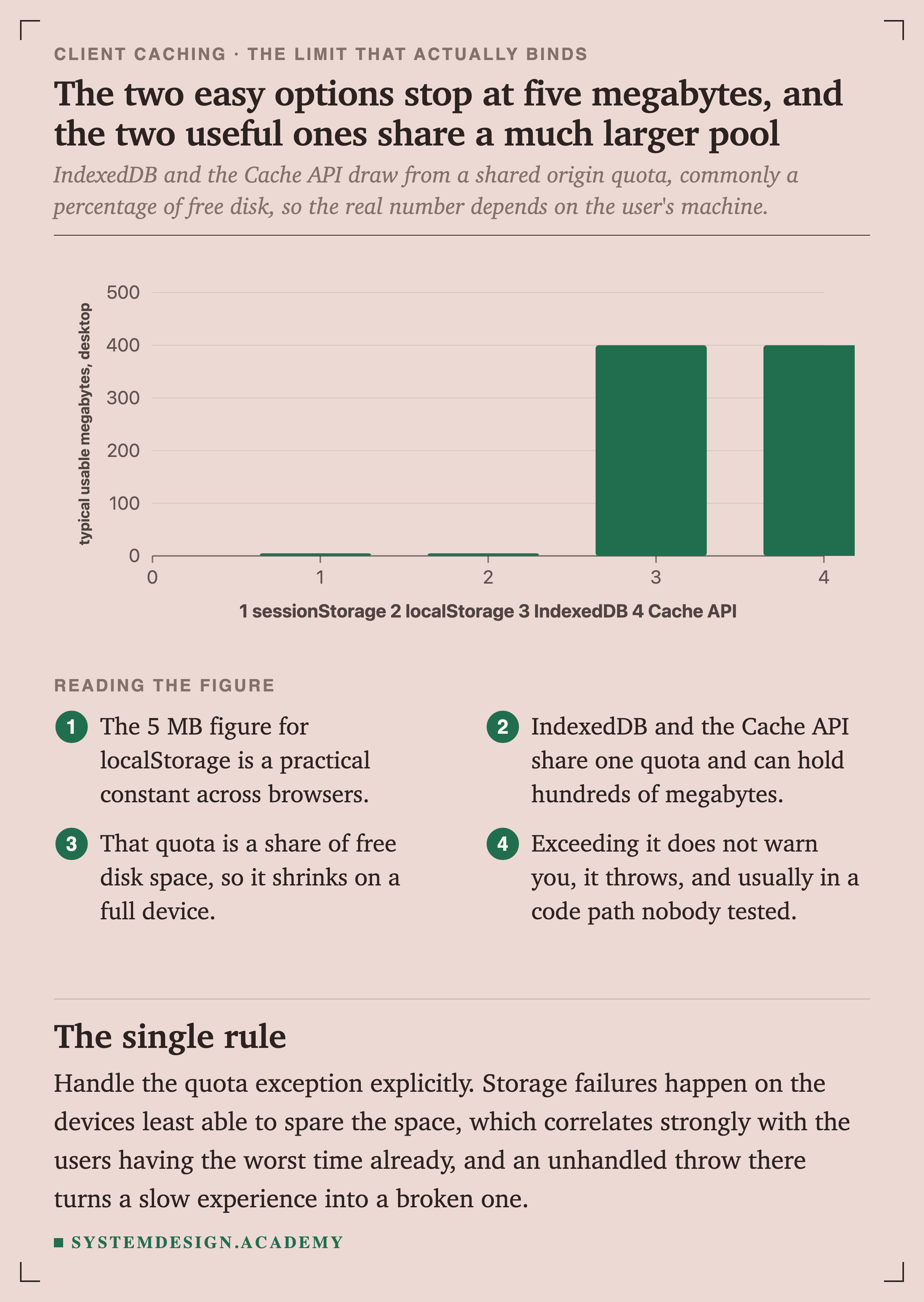
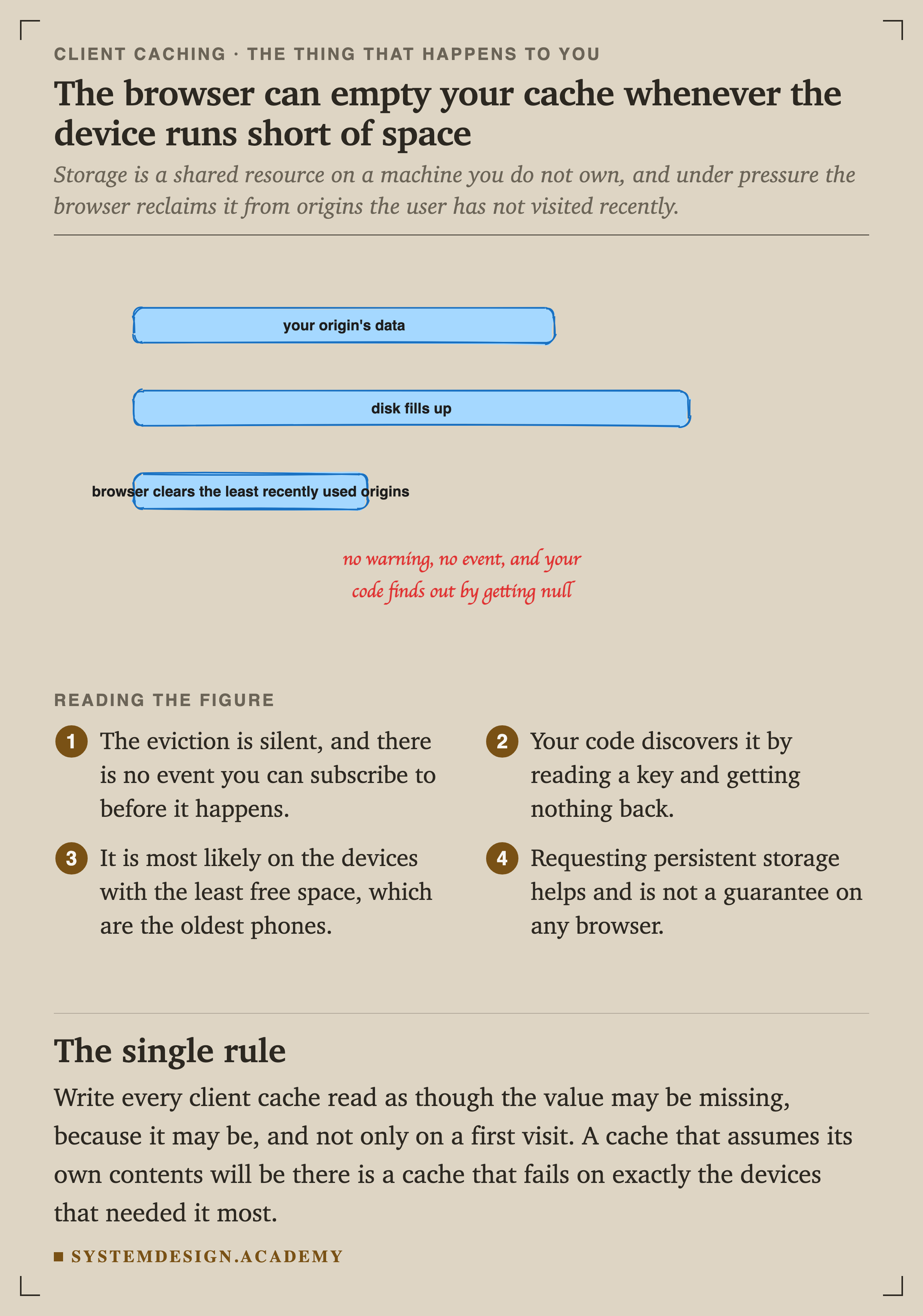
IndexedDB and the Cache API share one origin quota, commonly a share of free disk, so the real number depends on the user's machine and shrinks on a full device. Exceeding it does not warn you, it throws.
Nothing Expires, and the Tabs Disagree
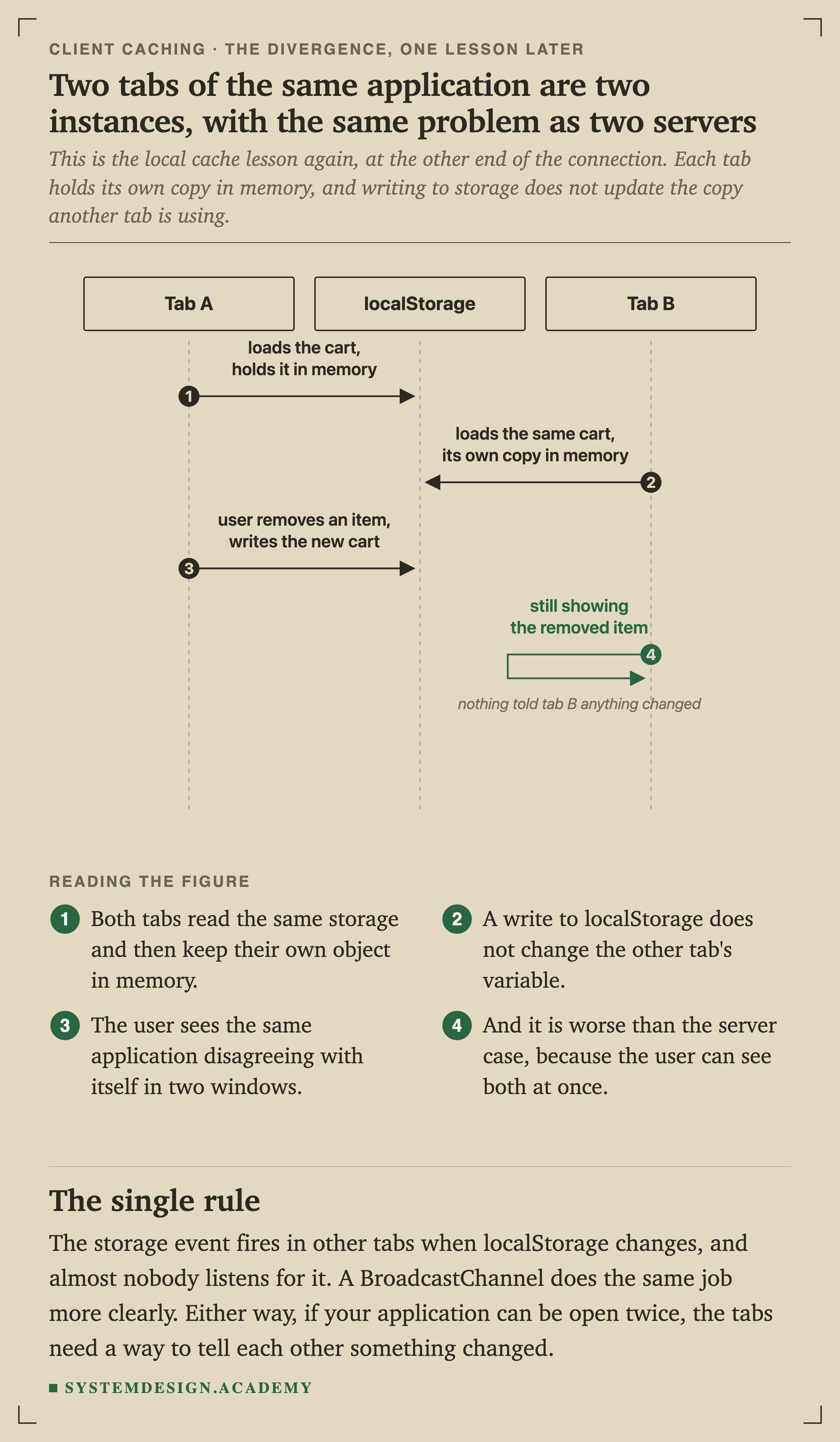
This is the local cache lesson again at the other end of the connection, and it is worse here, because the user can see both copies at once.
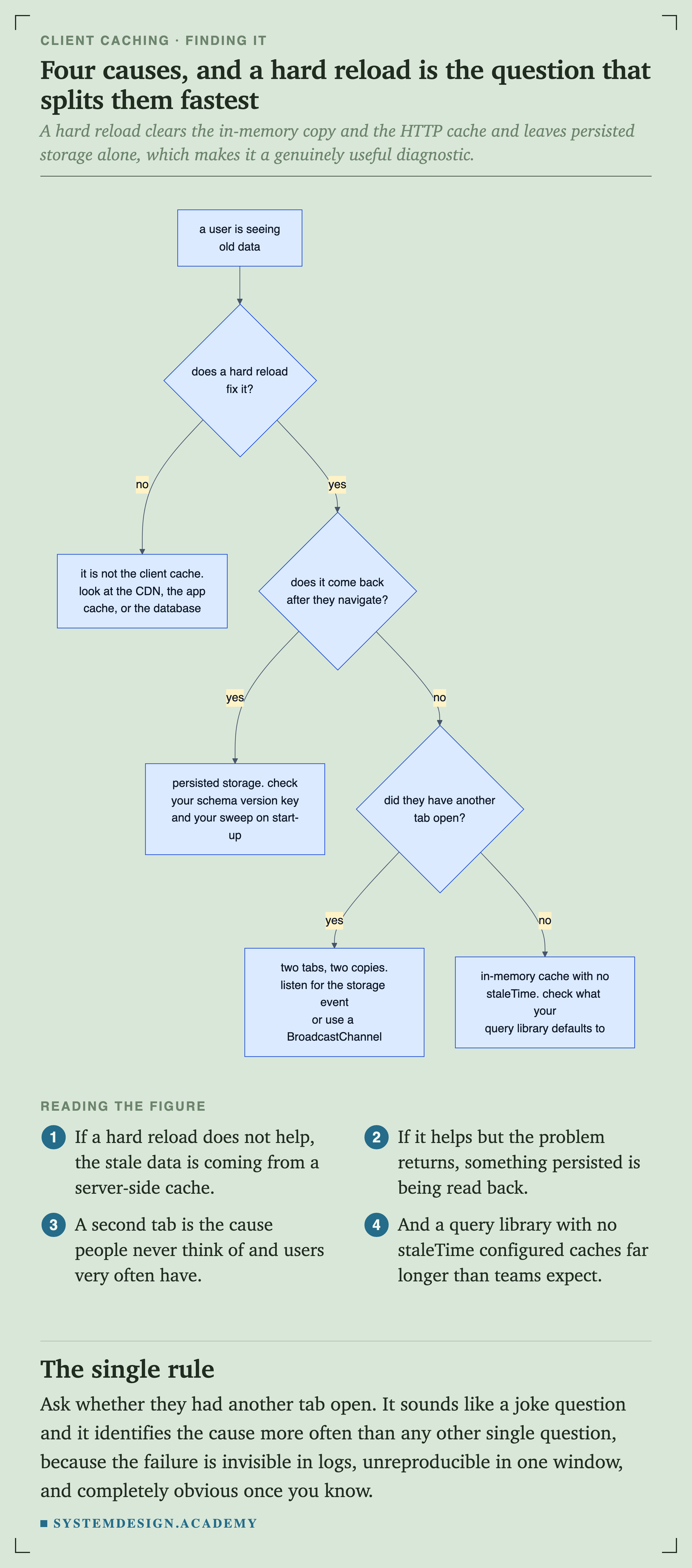
The storage event fires in other tabs when localStorage changes, and almost nobody listens for it. A BroadcastChannel does the same job more clearly. If your application can be open twice, the tabs need a way to tell each other something changed.
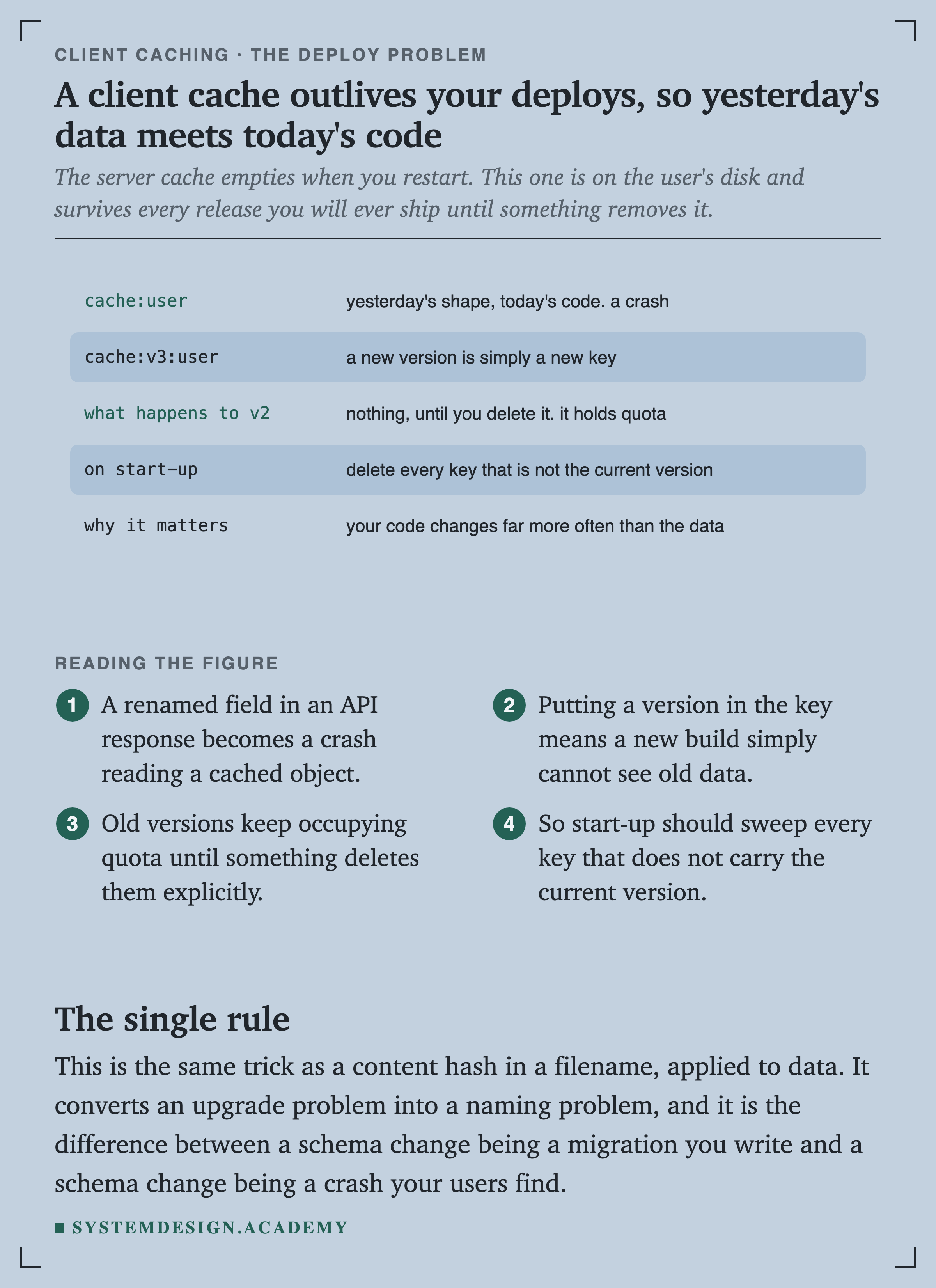
This is the same trick as a content hash in a filename, applied to data. It converts an upgrade problem into a naming problem, and it is the difference between a schema change being a migration you write and a schema change being a crash your users find.
Show It First, Check It After
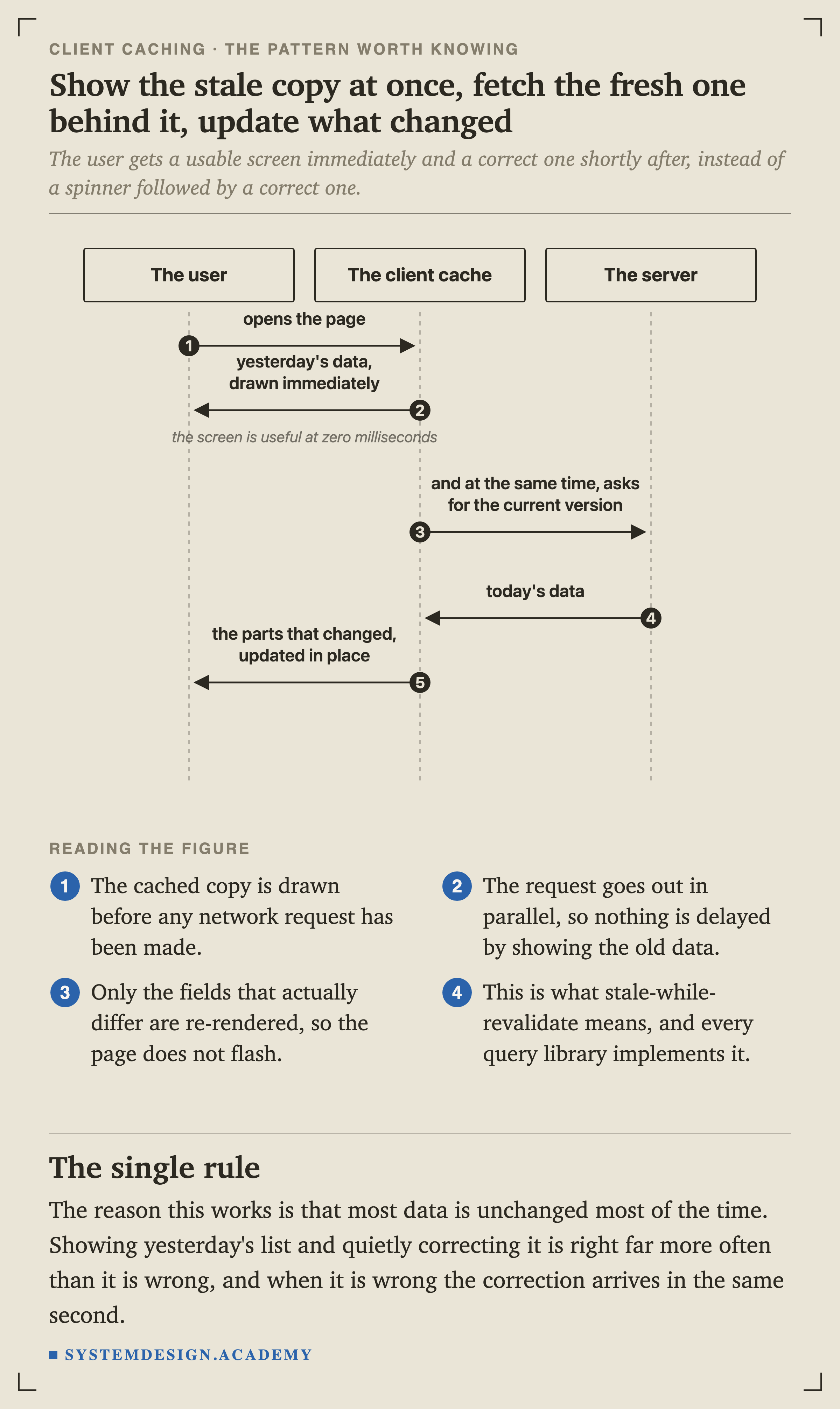
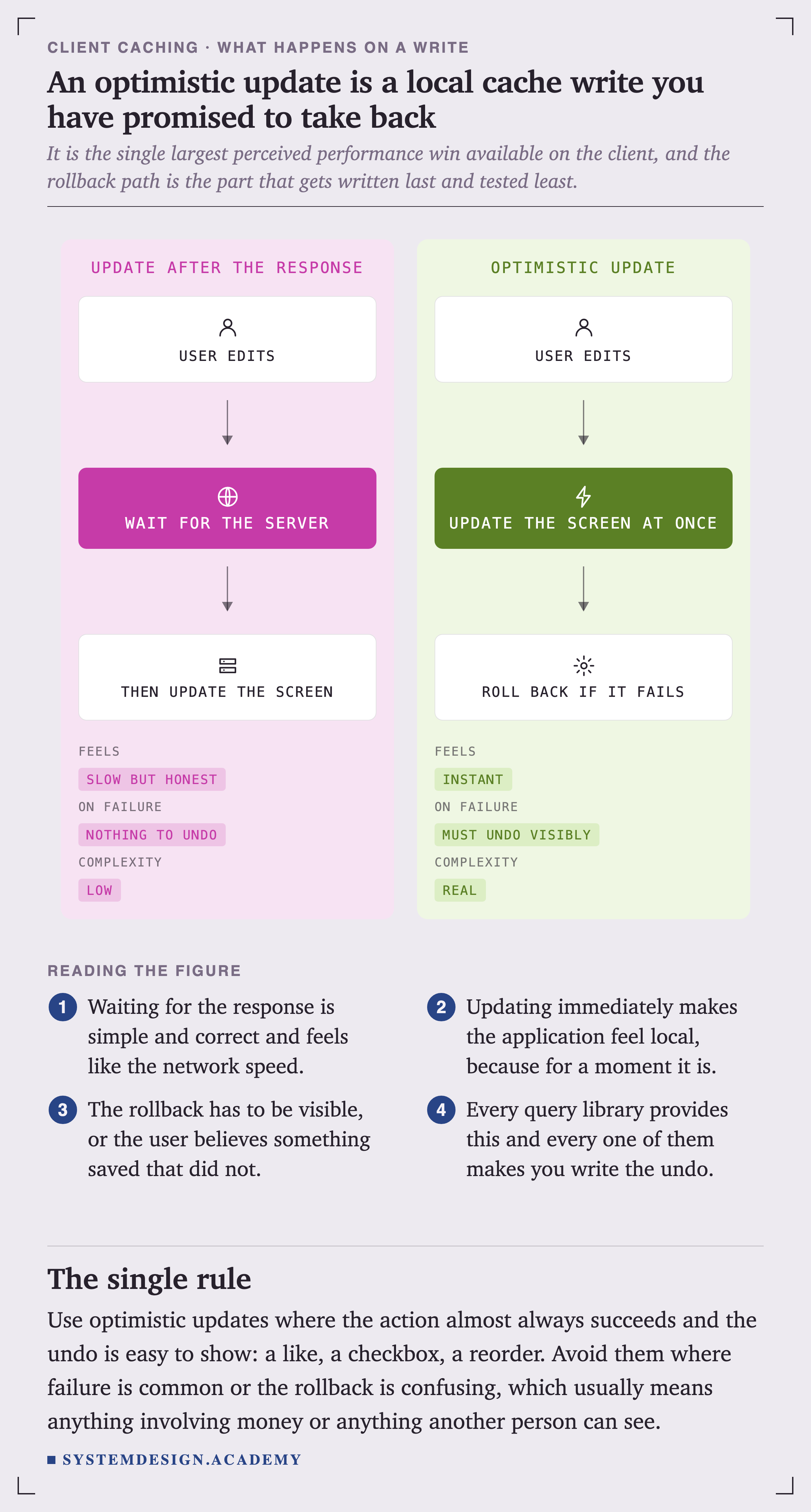
Most data is unchanged most of the time. Showing yesterday's list and quietly correcting it is right far more often than it is wrong, and when it is wrong the correction arrives in the same second.
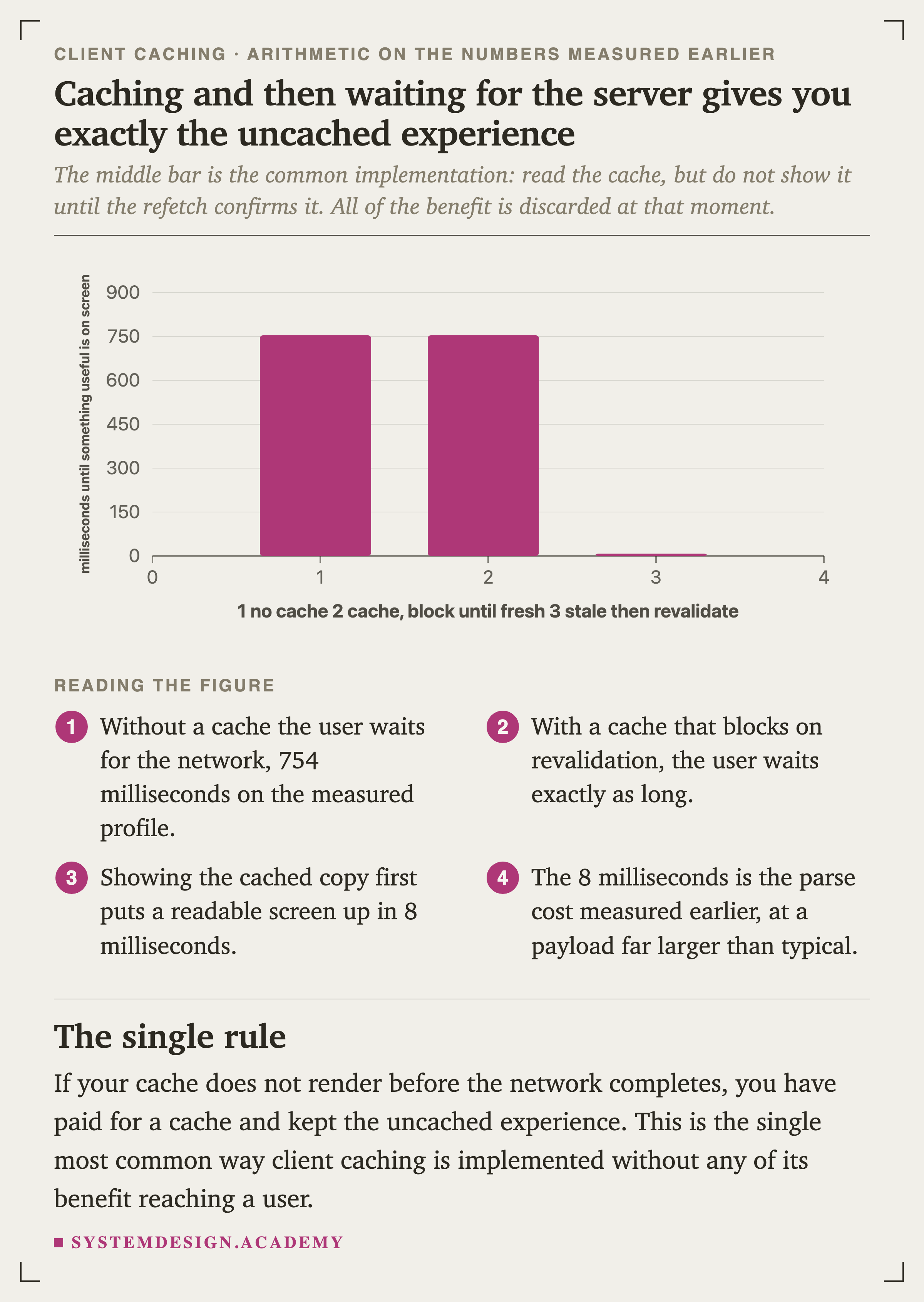
The middle bar is the common implementation: read the cache, but do not show it until the refetch confirms it. All of the benefit is discarded at that moment, and this is the single most frequent way client is built without any of it reaching a user.
Choosing, Excluding and Debugging
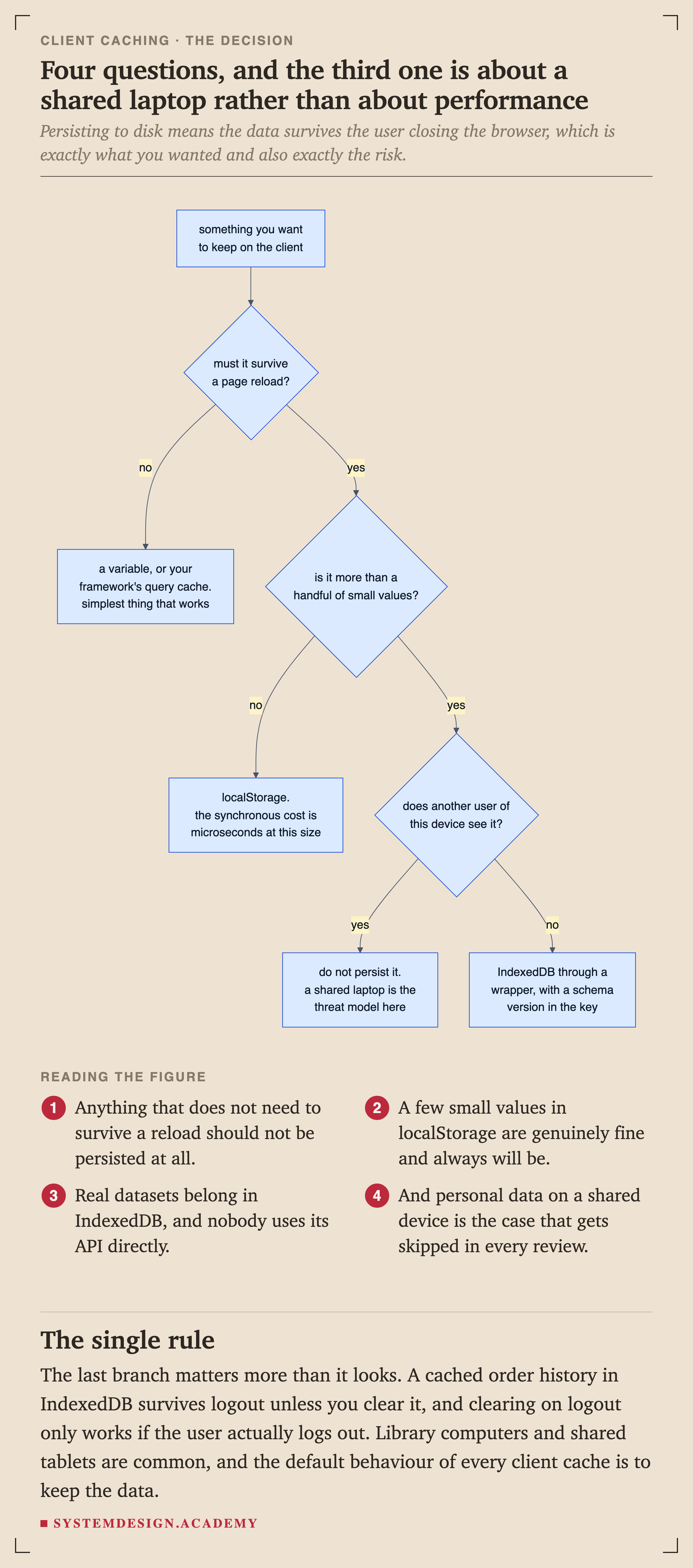
A cached order history in IndexedDB survives logout unless you clear it, and clearing on logout only works if the user actually logs out. Library computers and shared tablets are common, and the default behaviour of every client cache is to keep the data.
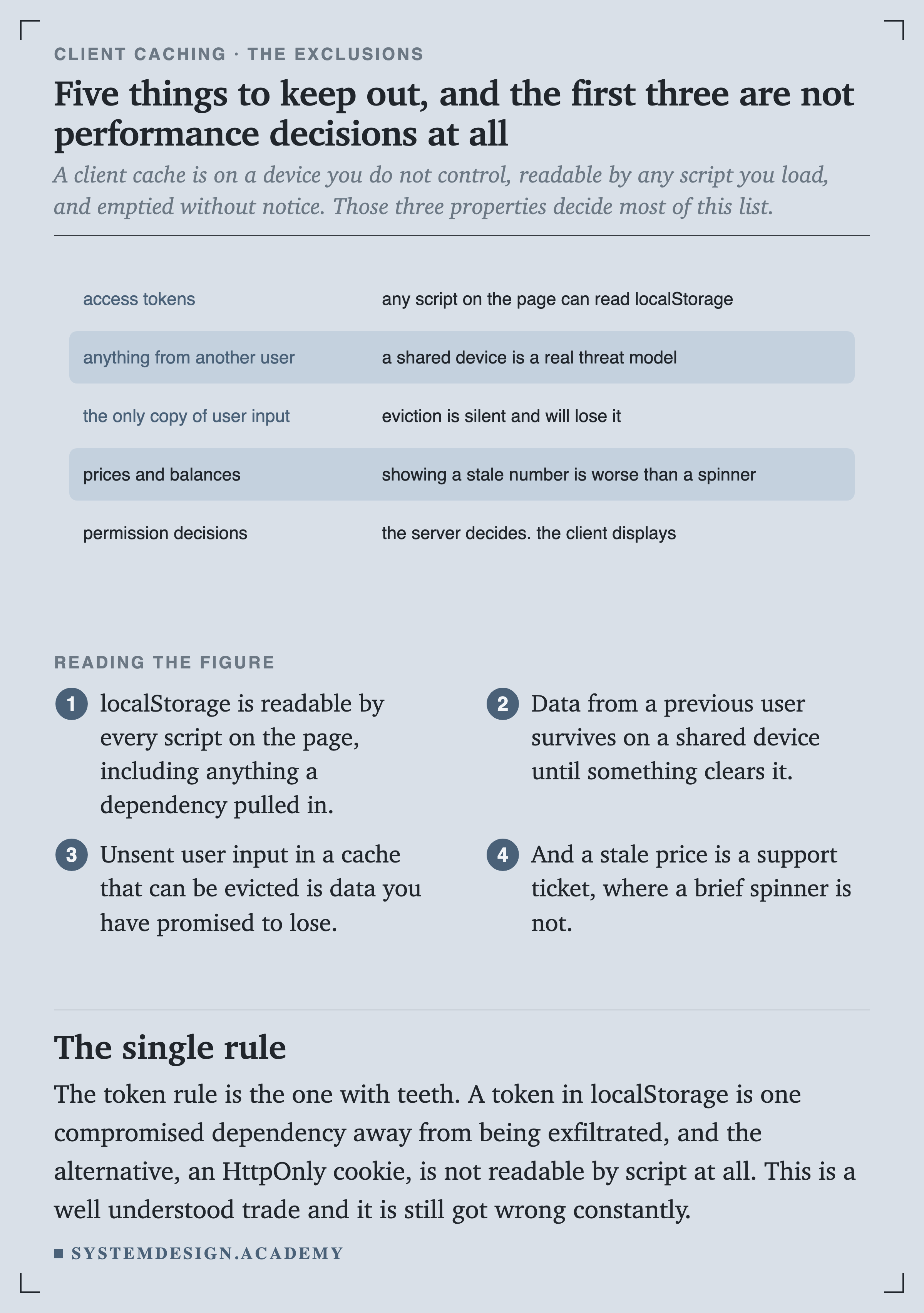
The token rule is the one with teeth. A token in localStorage is one compromised dependency away from being exfiltrated, and an HttpOnly cookie is not readable by script at all. This is a well understood trade and it is still got wrong constantly.
Quick Check
Knowledge Check
4 questions - Score 80% to pass
A colleague argues against caching 1 MB of JSON on the client because parsing it will jank the page. What does the measurement say?
Your application reads its cache on start-up but shows a spinner until the refetch completes. What have you built?
You ship a release that renames a field in an API response. Users who have the old shape cached crash. What prevents this?
Where should an access token be stored on the client?