Which Model Should You Use?
So far this chapter has used one model, qwen2.5:3b, for almost everything. Sooner or later every project asks which model to use instead. There are many free models that run on a laptop, and each one's web page says it is good.
The honest way to choose is to measure them yourself, on the same tests, the same way. That sounds simple. This lesson shows that it is easy to get wrong, even when you are careful, and what to check before you trust a score.
Think of comparing runners. If every runner runs the same distance, on the same track, with the same clock, the times are comparable. But if one runner always stops to check the map before running, and the race ends after ten seconds, that runner will "lose" every race without ever showing how fast they are. Equal rules can still make an unfair race.
This lesson puts four small models through the same tests on my laptop: size, token counts, speed, arithmetic and instruction following. One of them scores 0 out of 40, and the reason is the most important part of the lesson.
Words You Need First
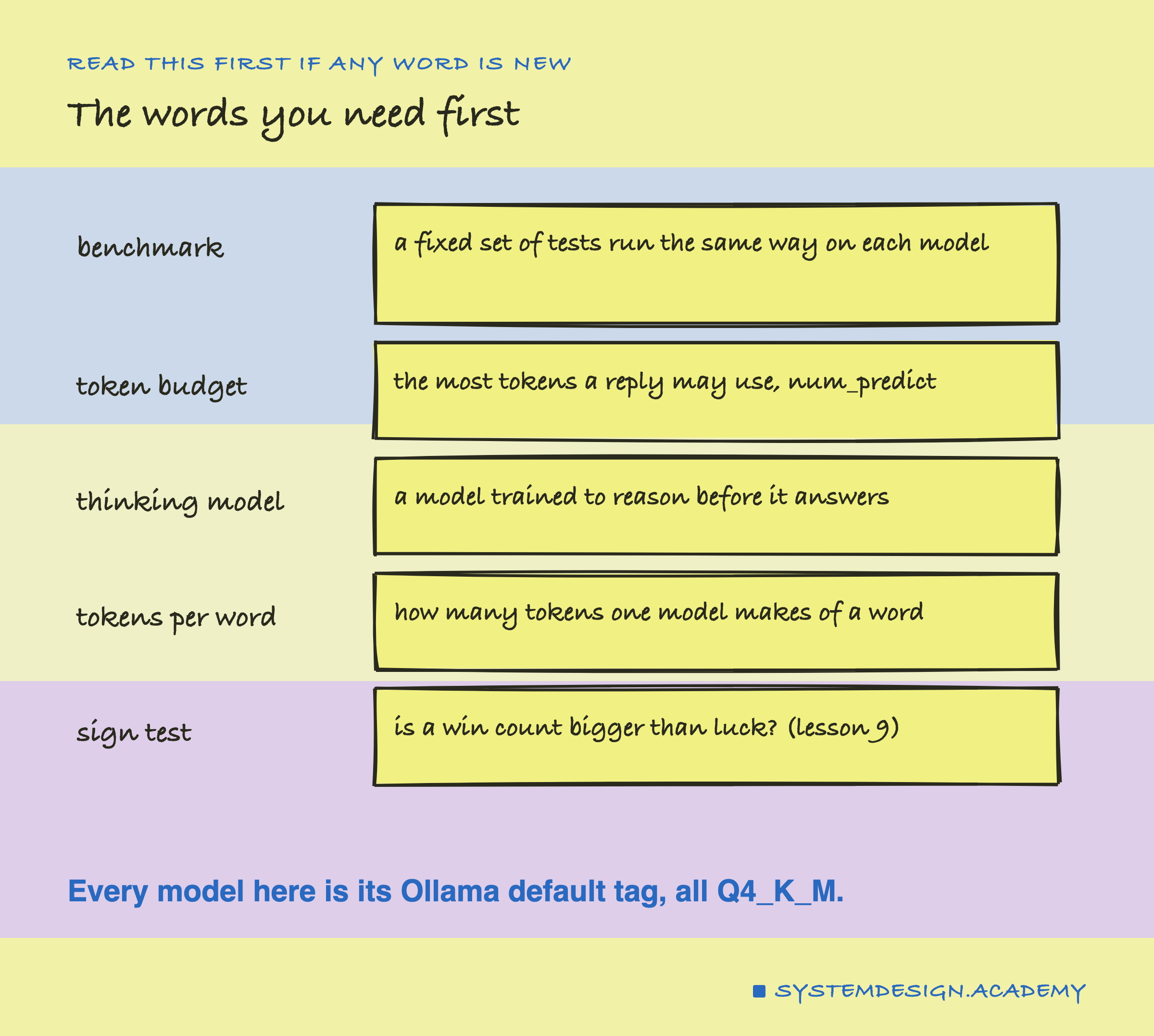
Benchmark. A fixed set of tests, run the same way on each model, so the results can be compared.
Token budget. The most tokens a reply may use: num_predict in Ollama, from lesson 10.
Thinking model. A model trained to reason step by step before it gives an answer. qwen3 is one. Ollama has a think setting that asks for the thinking to be switched off, or kept in a separate field; as this lesson finds, for the qwen3 build used here it could not be switched off.
Tokens per word. Each model has its own tokenizer (the Tokens and chapter), so the same text becomes a different number of tokens in each.
Sign test. From lesson 9: count the questions only model A got right and the questions only model B got right, and ask whether that split is bigger than luck. The result is a number p: the chance of a split at least that lopsided if neither model were really better.
The Four Models
The lab compared four free models, each as its default Ollama tag: qwen2.5:3b, llama3.2:3b, gemma3:4b and qwen3:4b. They come from three different makers: Alibaba's Qwen team, Meta and Google. All four default tags use the same Q4_K_M from lesson 9, so the storage format is equal.
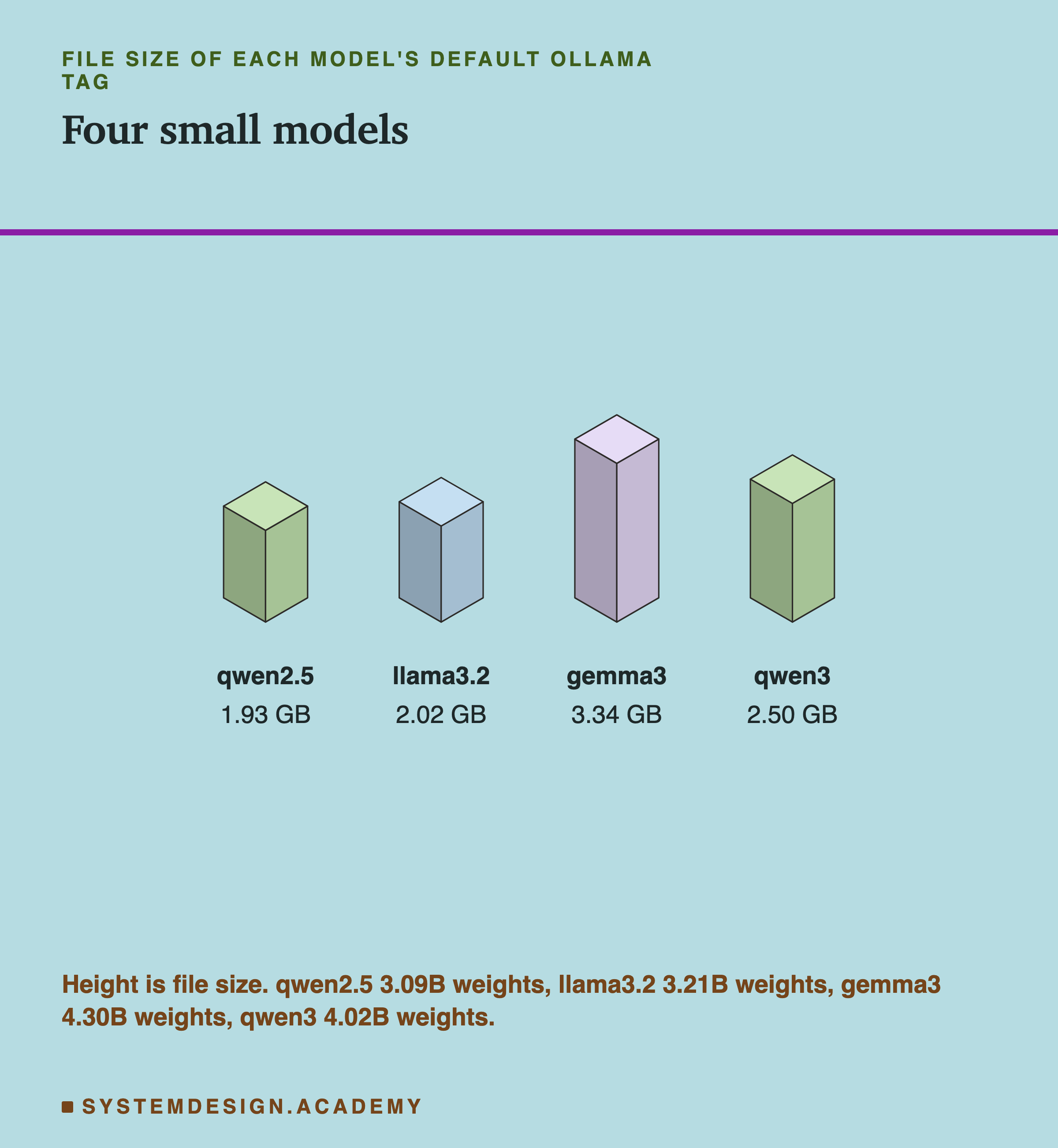
The two "3b" models have about 3.1 and 3.2 billion weights, and files of about 2 GB. The two "4b" models have about 4.0 and 4.3 billion weights. The gemma3 file is the biggest, 3.34 GB. gemma3 can also read images, and Ollama lists vision among its abilities, so its file includes parts for that which these tests do not use. The name's number is a rough size, not an exact one: read the real count from ollama show.
Size matters for two reasons from earlier lessons. It decides whether a model fits in your memory at all (lesson 9), and, because writing reads every weight for every token (lesson 3), a bigger model usually writes more slowly.
Same Words, Different Token Counts
Before comparing speeds, the lab checked something that is easy to forget. It gave each model the same English passage of 760 words and read how many tokens it made.
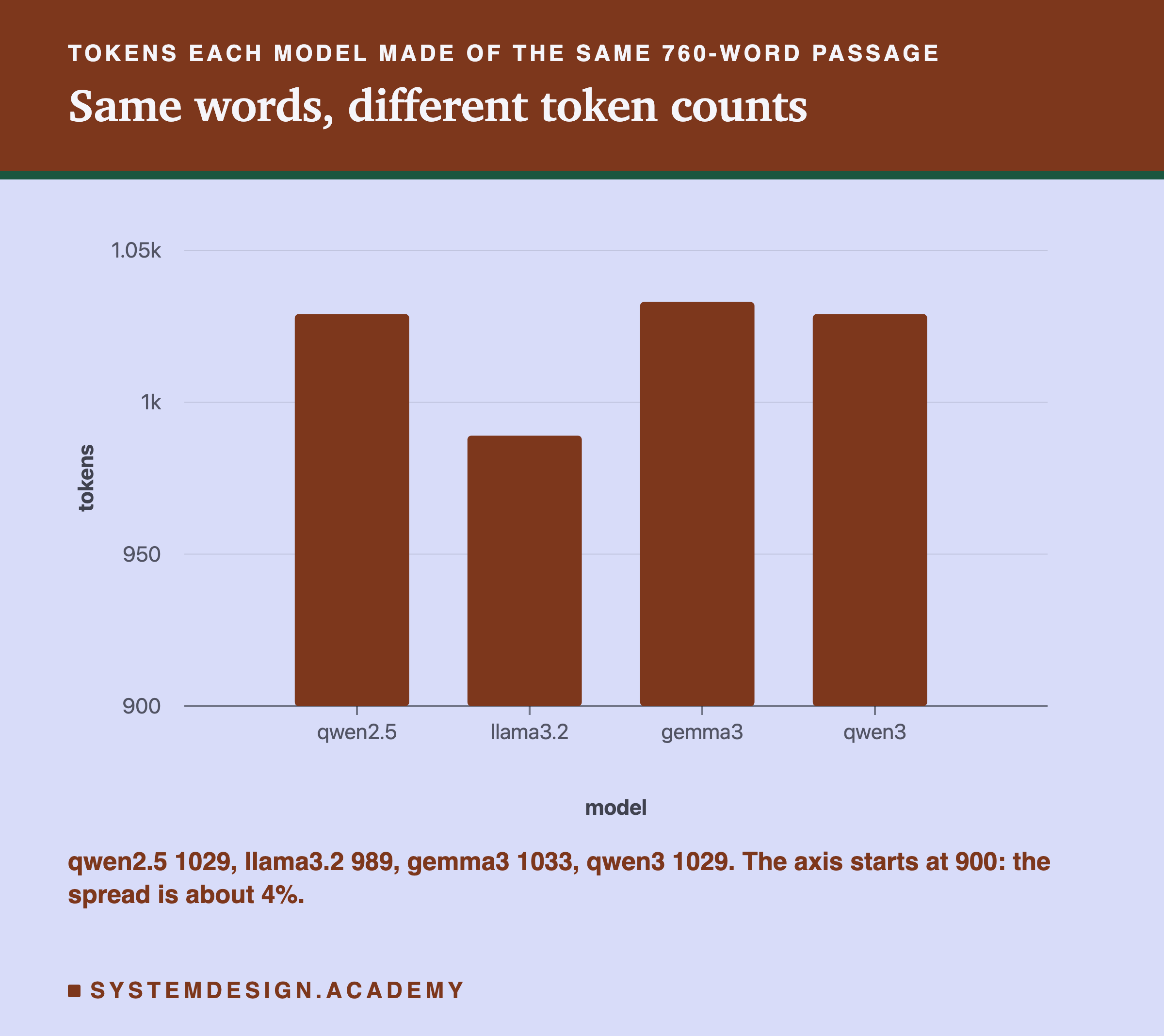
qwen2.5 and qwen3, which share a tokenizer, made 1,029 tokens each. llama3.2 made 989 and gemma3 made 1,033. For ordinary English the spread is small, about 4%. For code, or other languages, tokenizers can differ much more, as the Tokens and chapter showed.
It matters because speeds are reported in tokens a second. If one model's tokens are shorter, it needs more of them for the same text, and "more tokens a second" does not mean "more text a second". The fair unit across models is words, or characters, a second.
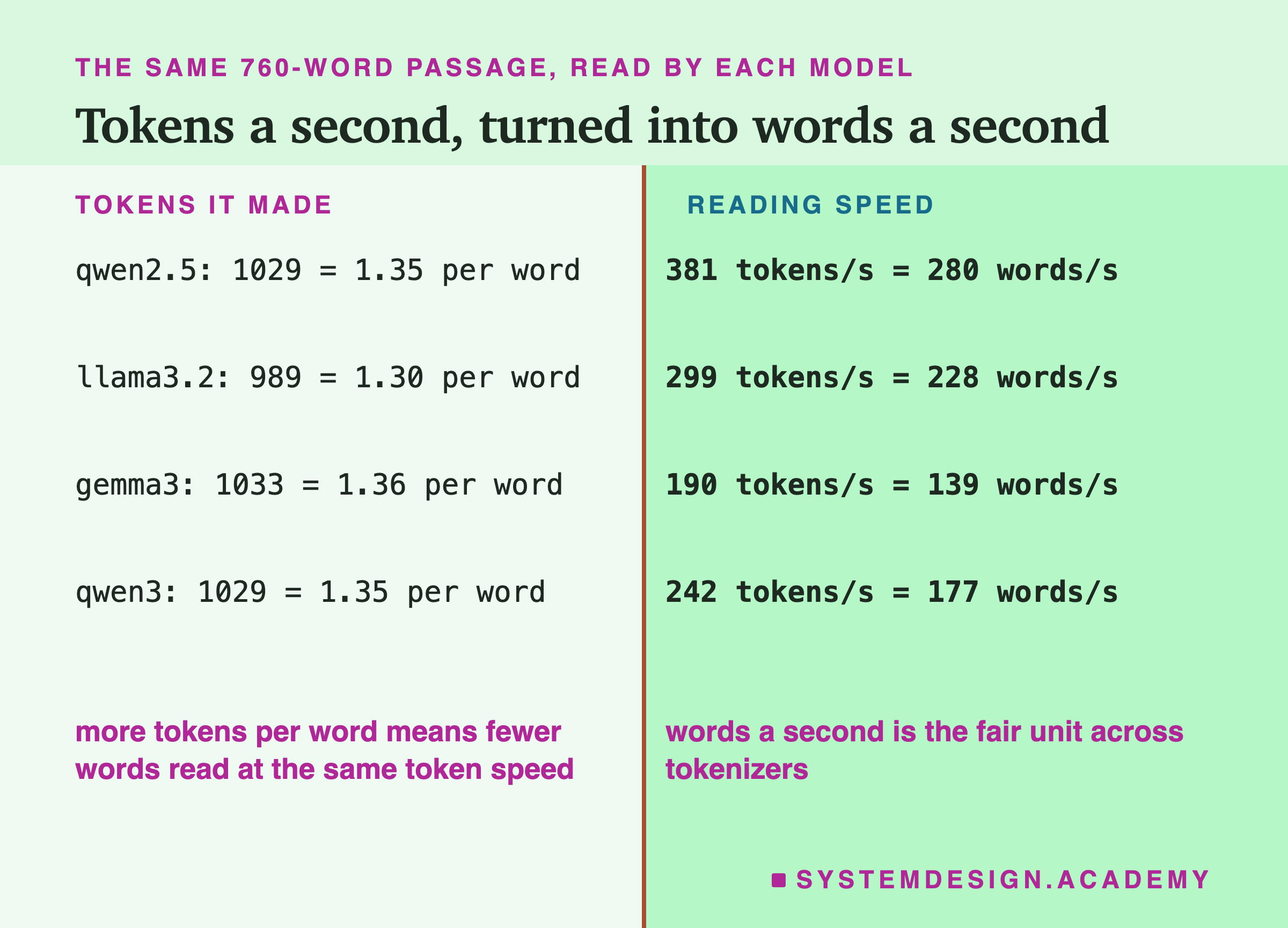
The arithmetic: qwen2.5 read at a median 381 tokens a second. Its passage was 1,029 tokens for 760 words, so that is about 381 × 760 ÷ 1,029 ≈ 281 words a second; the lab's median of each call's words a second came to 280. Here the ranking is the same either way, because the token counts are so close.
Writing Speed
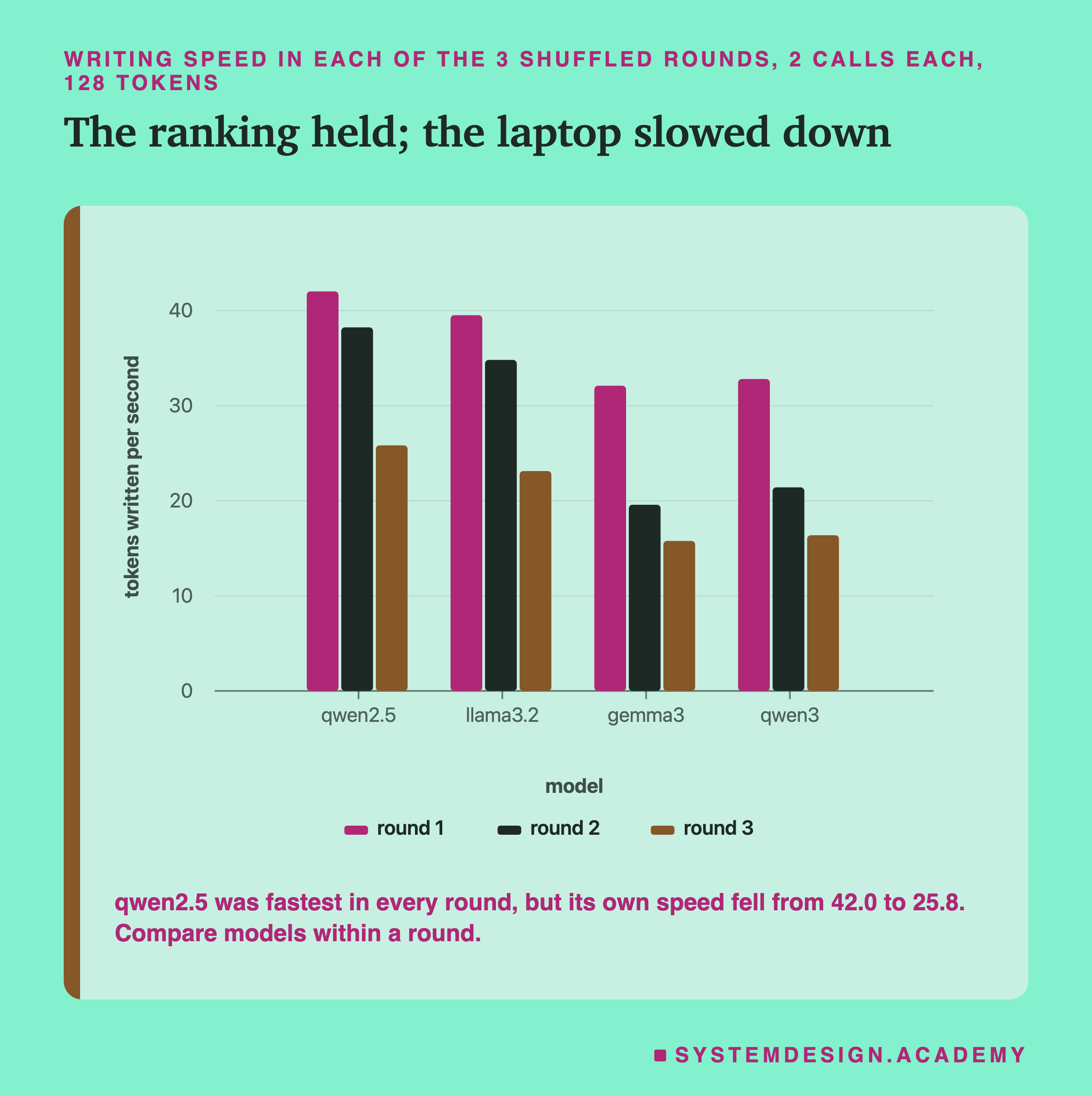
The lab timed each model writing 128 tokens after the 760-word passage, in 3 rounds, with the models in a shuffled order each round and 2 calls each, the design from lessons 3 and 5. Over all rounds, the medians were qwen2.5 38.2 tokens a second, llama3.2 34.8, qwen3 21.4 and gemma3 20.2. But those medians hide something lessons 3 and 5 warned about: the laptop slowed down during the run. qwen2.5's own speed fell from about 42 tokens a second in round 1 to about 26 in round 3.
So the fair comparison is within a round, where every model ran under the same conditions. In every round, qwen2.5 was fastest and llama3.2 second, and the two 4B models ran at 0.5 to 0.8 of qwen2.5's speed, depending on the round. The same qwen2.5 file wrote 28.4 tokens a second in lesson 9's run on another day, so compare speeds only within one run. The order fits lesson 9's explanation, that writing is probably limited by reading the weights from memory: the bigger files take longer to read for every token. It does not fit perfectly. qwen3's file is only 2.50 GB against gemma3's 3.34 GB, yet they wrote at about the same speed. Weights are not the only thing that differs between models, and this lab measured the speeds, not the reasons.
Arithmetic: 40 Sums, and a Surprise
Then the lab asked each model the same 40 two-digit multiplications as lesson 9, such as "What is 57 x 95? Answer with the number only.", through the chat template, at temperature 0, with up to 32 tokens for the answer. A four-digit number needs only a few tokens, so 32 looked like plenty.
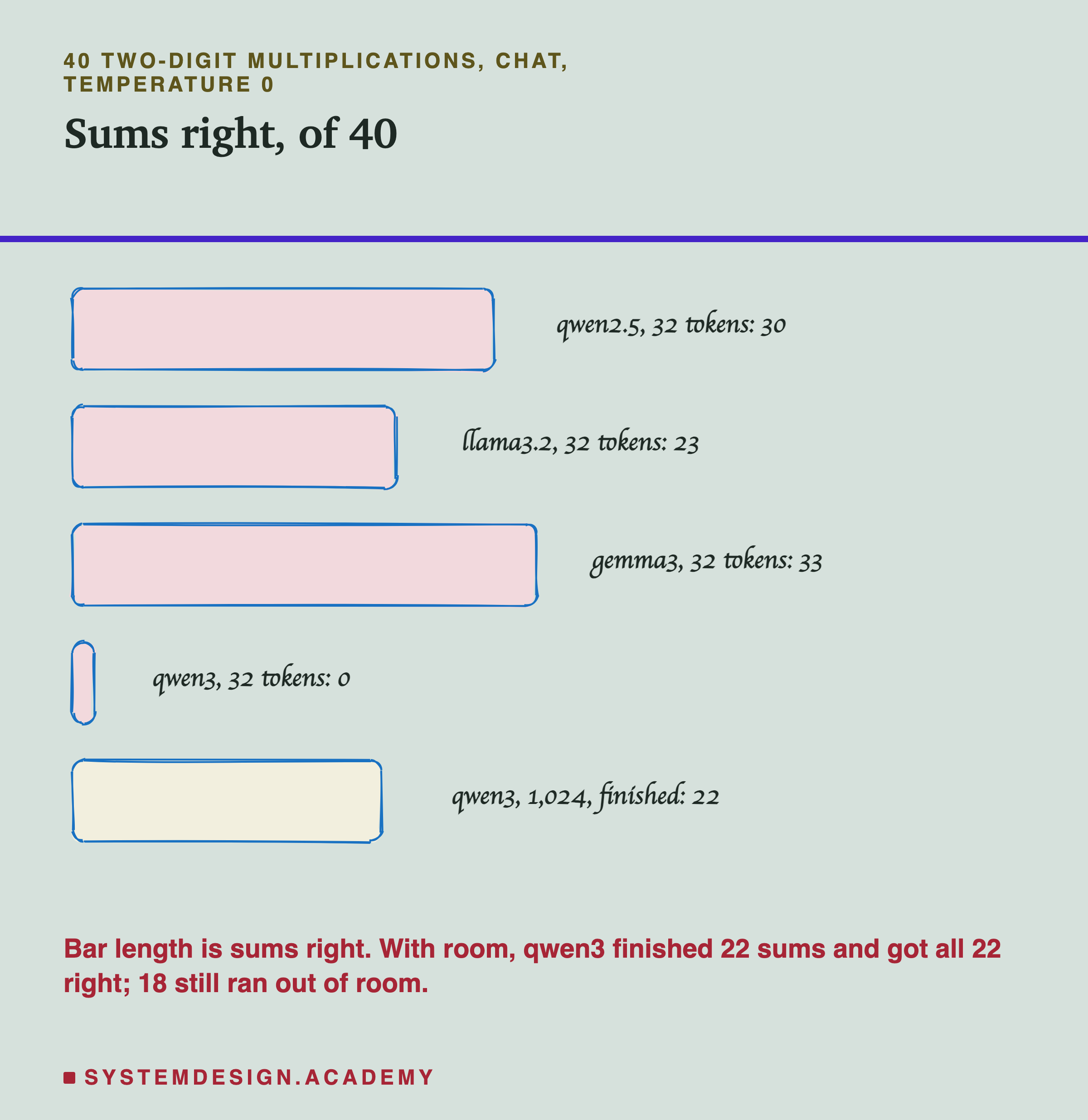
gemma3 got 33 right, qwen2.5 30, llama3.2 23. And qwen3 got 0.
A score of 0 on simple multiplication, from a newer and larger model than qwen2.5, should make you suspicious rather than impressed. The lab also recorded whether each reply hit the 32-token limit. For qwen3, all 40 did. For the other three, none did.
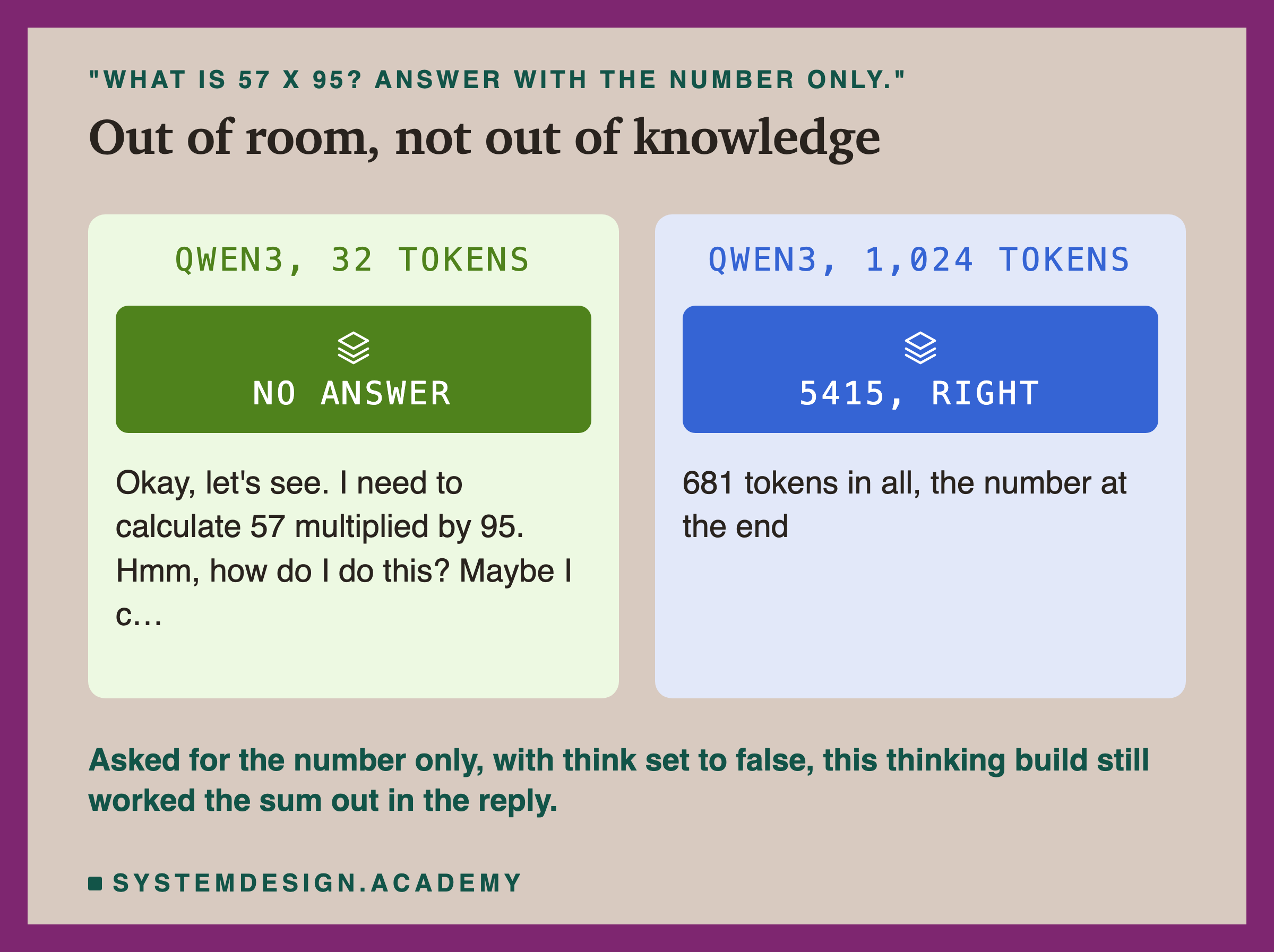
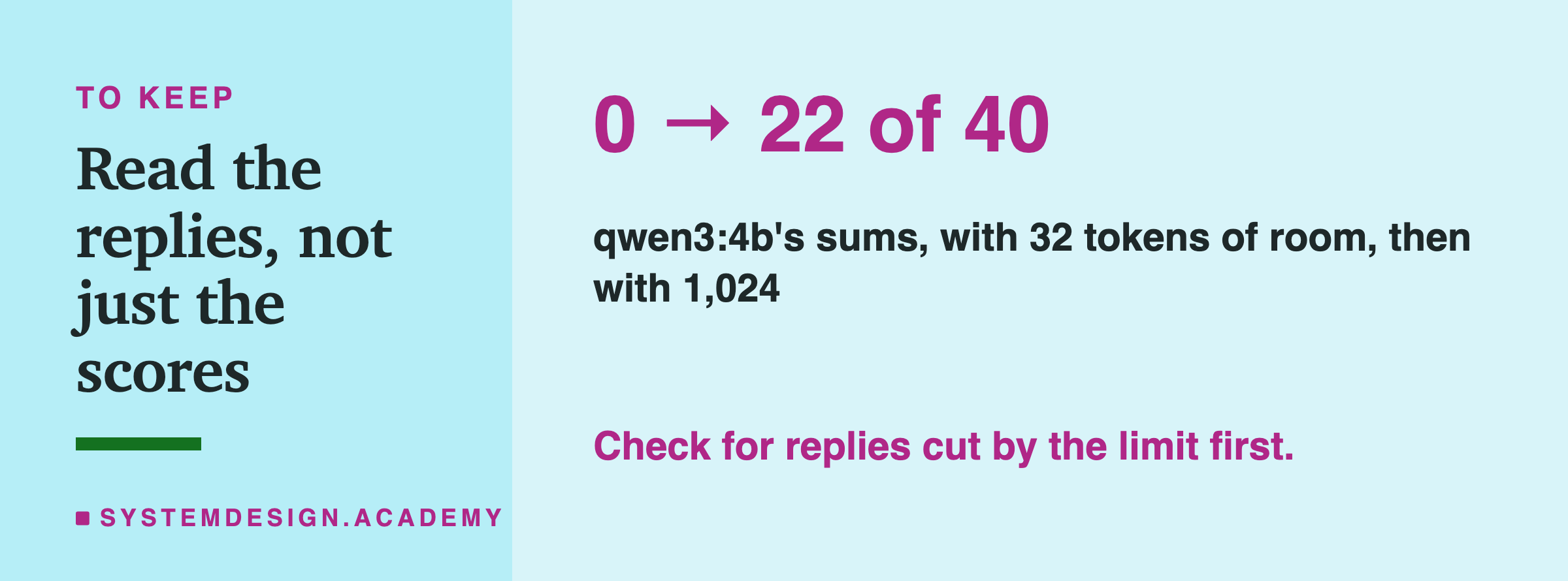
Reading the replies shows why. Asked for "the number only", and with Ollama's think setting set to false, qwen3 still began every answer by working it out in words, for example: "Okay, let's see. I need to calculate 57 multiplied by 95. Hmm, how do I do this?". Thirty-two tokens later it was still thinking, and the reply was cut. The 0 measured the token budget, not the model's arithmetic.
Giving It Room to Finish
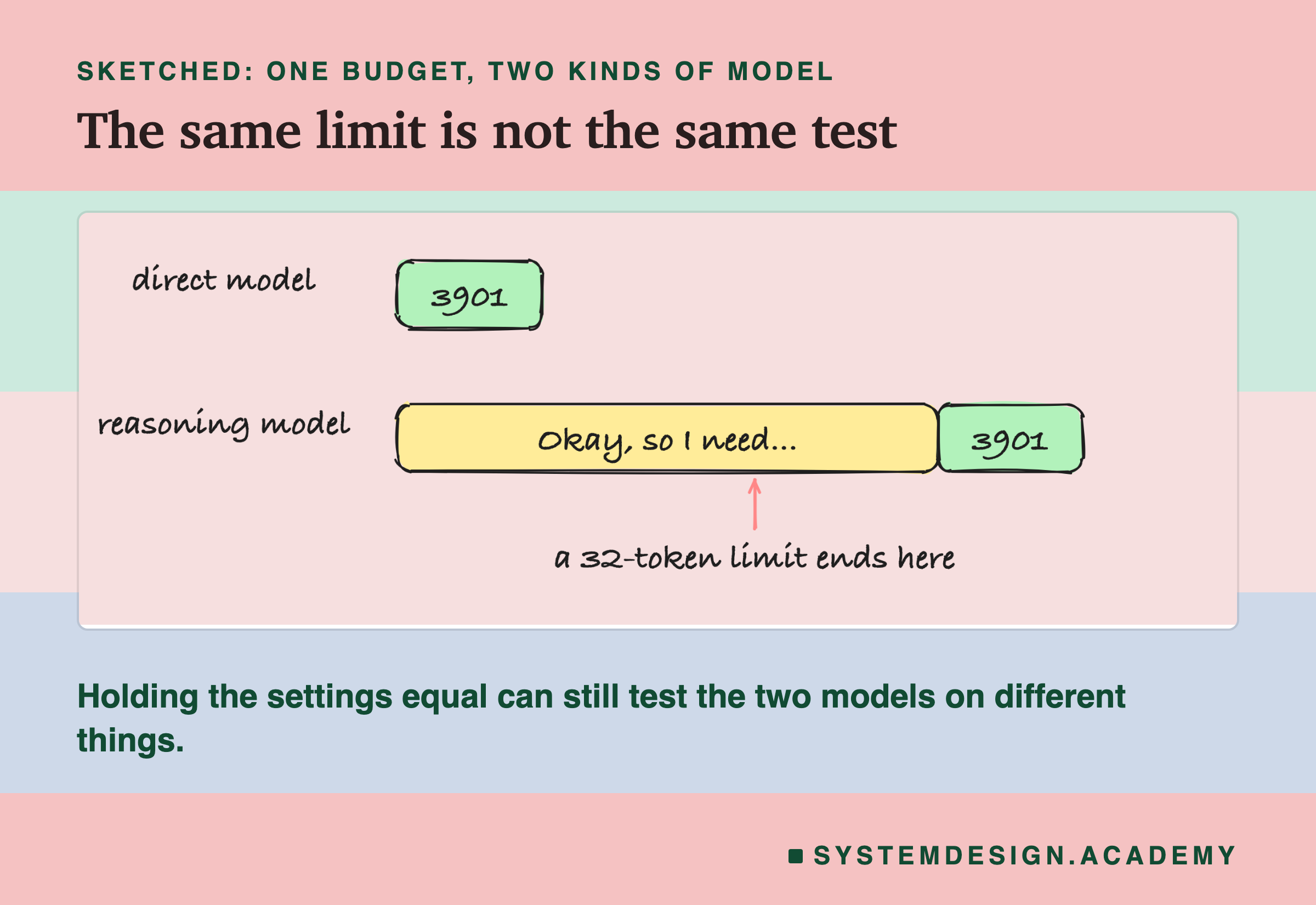
So the lab ran qwen3 again on the same 40 sums with up to 1,024 tokens, and took the last whole number in each reply as its answer. The result needs reading carefully.
22 of the 40 replies finished within 1,024 tokens, and all 22 were right. The other 18 were still writing, mostly re-checking their working, when they reached 1,024 tokens. In 7 of those 18, the last number was the right answer, but a cut reply is not a finished answer, so the honest score is 22 of 40 finished and right.
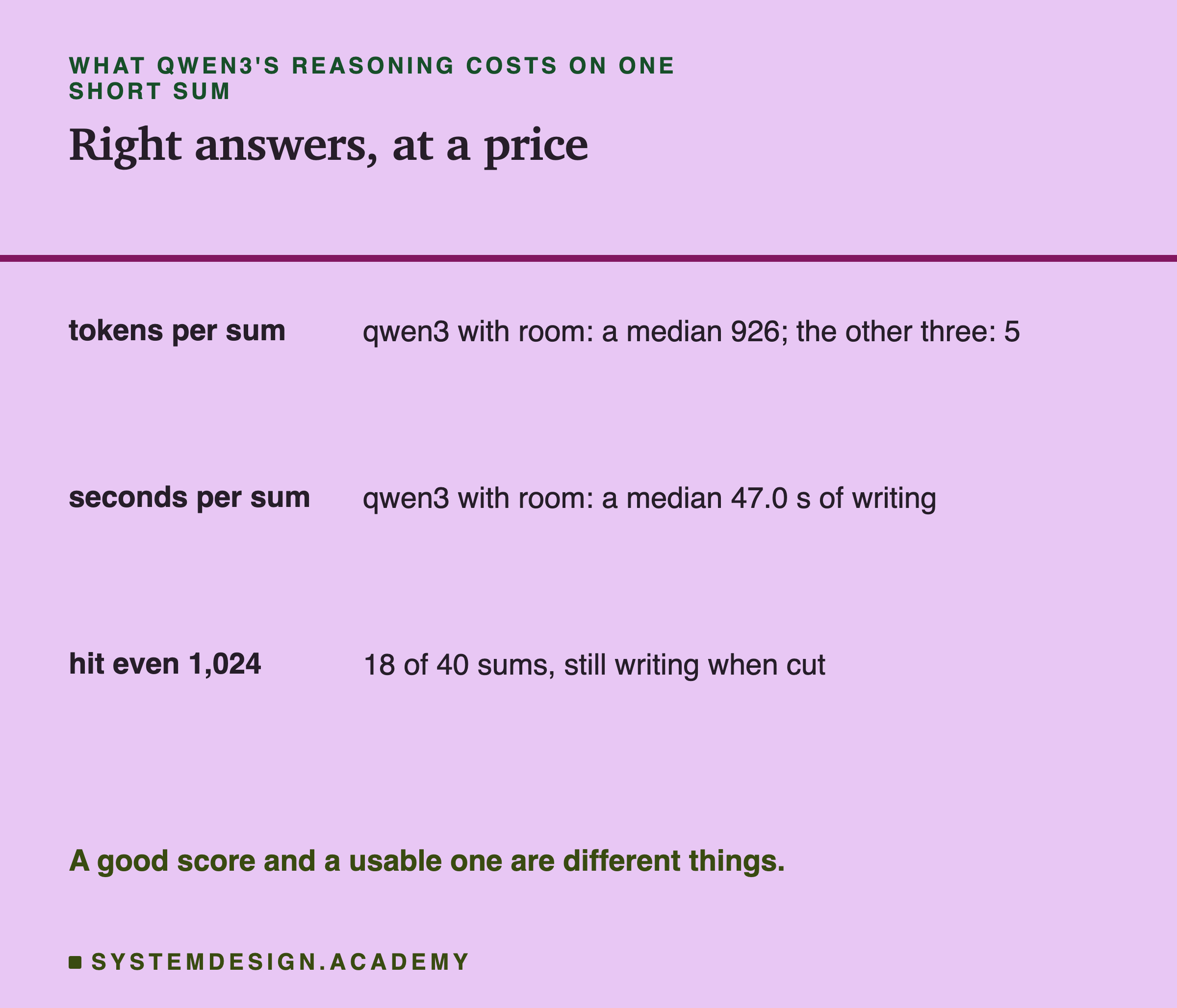
And the reasoning is expensive. qwen3 wrote a median 926 tokens a sum, and at its writing speed that was a median 47 seconds for each multiplication. The other three wrote a median 5 tokens a sum. So the choice is not "qwen3 is bad at sums" or "qwen3 is good at sums". It is: qwen3 gets these right when you let it think at length, and that costs about 926 ÷ 5 ≈ 185 times as many tokens as a direct answer.
One more detail from the replies: 25 of the 40 contained the text </think>, the marker that normally closes a thinking model's hidden reasoning, written into the visible reply even though thinking was switched off. The reason is in the model itself. Ollama's /api/show describes this qwen3:4b as Qwen's "Thinking" build, version 2507, and its template ends every prompt by opening the thinking block itself, with <think>. So this build always reasons: think: false could not switch the reasoning off, only stop Ollama from moving it into a separate field. If you want direct answers from Qwen3, use a non-thinking instruct build instead; this lab did not test one.
Following Instructions
The lab also ran lesson 8's 20 short instructions, each with an answer a program can check, such as "Write the word apple in capital letters, and nothing else.", through each model's chat template, with up to 48 tokens.
qwen2.5 and gemma3 gave 20 clean replies each. llama3.2 gave 18: it translated "good morning" as "Bonne matinée" instead of "Bonjour", and when asked to return a small JSON object and nothing else, it began explaining a Python function instead. qwen3 gave 0. In 14 of the 20 replies it was still reasoning when the 48 tokens ran out. The other 6 finished, but each began with its reasoning before the answer, so it broke "and nothing else".
These instructions are easy on purpose, so a clean score mostly shows that a model follows the format it is given. Two models tied at 20 out of 20 tells you both can do it, not that they are equally good at harder tasks.
Which Differences Are Bigger Than Luck?
gemma3 33, qwen2.5 30, llama3.2 23. It is tempting to rank them. Lesson 9 showed why you should not do it by the totals alone.
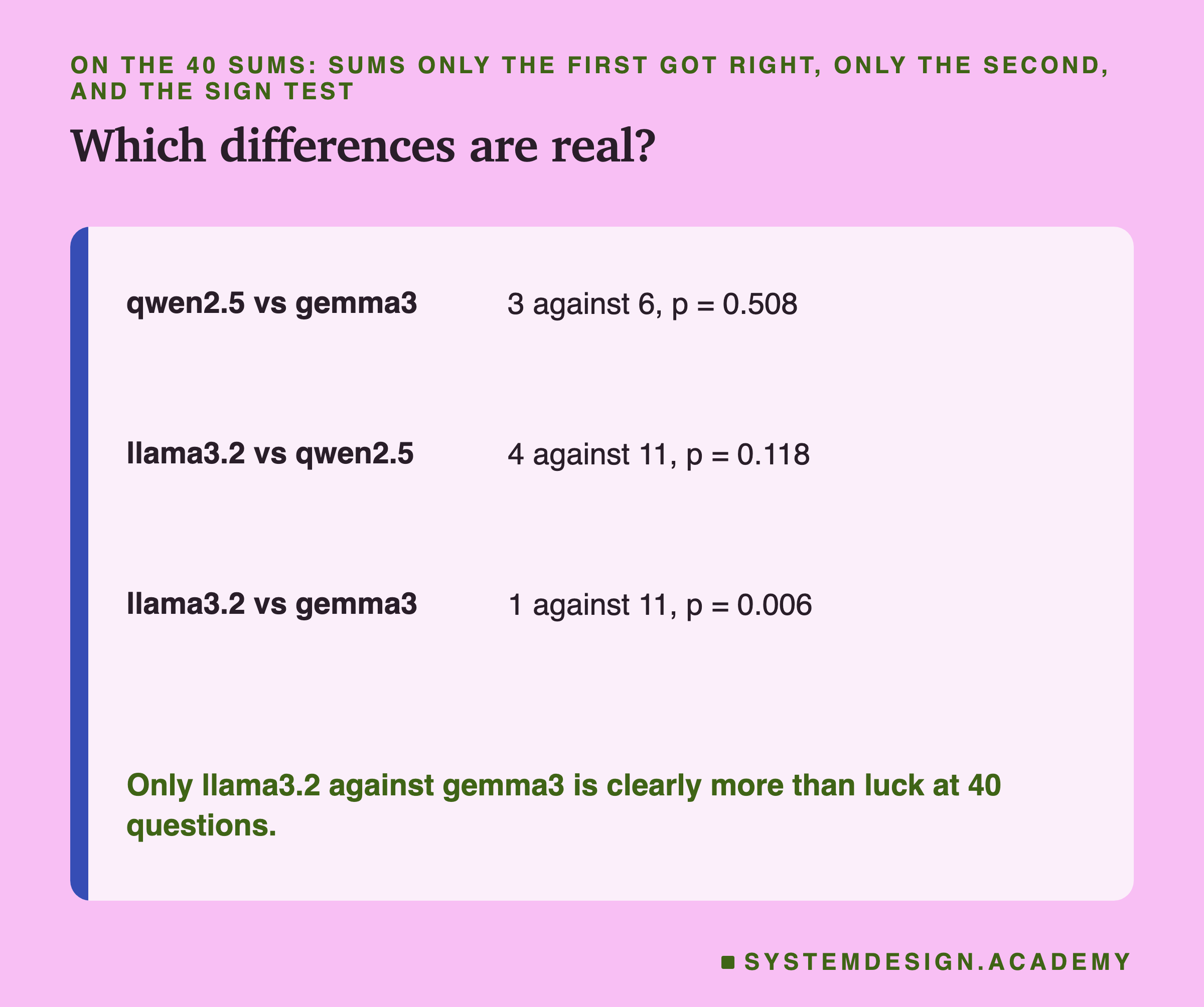
Compare qwen2.5 with gemma3 question by question. Only qwen2.5 got 3 of them right, and only gemma3 got 6 of them. A split of 3 against 6 is common by luck: the sign test gives p = 0.508. With 40 questions, this lab cannot say which of the two is better at sums.
llama3.2 against qwen2.5 was 4 against 11, p = 0.118: suggestive, but not clear. Only llama3.2 against gemma3, 1 against 11 with p = 0.006, is clearly more than luck.
Looking at which sums they missed helps too. All three direct models got 19 of the 40 right, and none of the three got 3 of them right: 35 × 61, 91 × 68 and 89 × 87. Many misses were one digit off: 14 of llama3.2's 17, 5 of qwen2.5's 10 and 3 of gemma3's 7, such as llama3.2's 5425 for 57 × 95, where the answer is 5415. That fits lesson 1's picture of a model picking one likely token at a time, though this lab did not measure the odds of the digits.
How Many Questions Would You Need?
If 40 questions cannot separate qwen2.5 from gemma3, how many could? The sign test can answer that by hand, if you assume the pattern you saw holds as you add questions.
Out of 40 sums, the two models differed on 9: 3 went to qwen2.5 and 6 to gemma3. Suppose gemma3 really is better in exactly that way, so that on every larger test the differing questions keep splitting 1 to 2. Then the sign test gives these values of p:
- 40 questions, 9 differing, a split of 3 against 6: p = 0.508.
- 80 questions, 18 differing, 6 against 12: p = 0.238.
- 120 questions, 27 differing, 9 against 18: p = 0.122.
- 160 questions, 36 differing, 12 against 24: p = 0.065.
- 200 questions, 45 differing, 15 against 30: p = 0.036.
So even if gemma3's small lead were real and steady, you would need around 200 questions of this kind before the sign test called it more than luck at the usual 0.05 line. That is five times the lab's test, and each extra question has to be written and checked by hand.
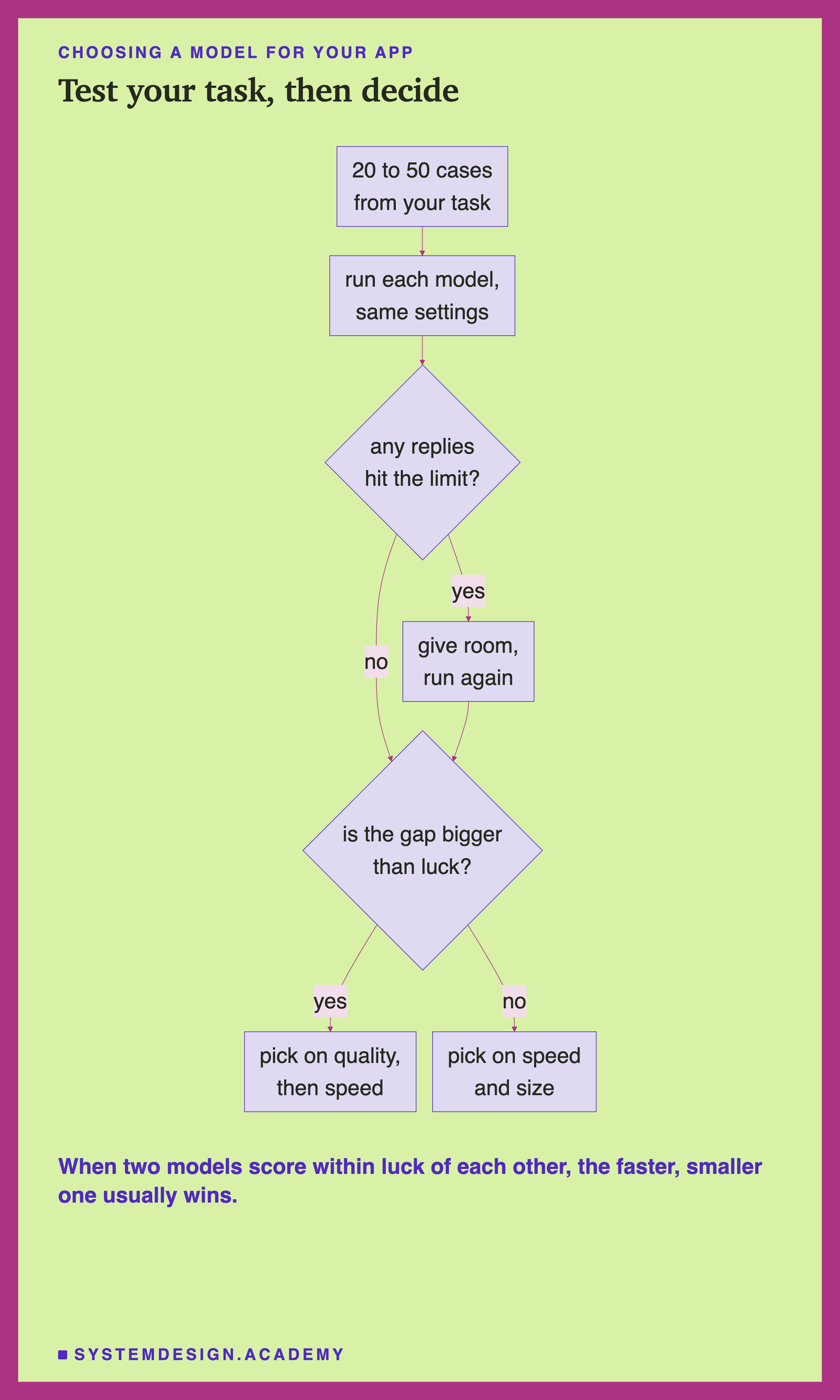
That arithmetic is the reason to be modest about small comparisons, including the ones you will run on Monday. A test of 20 to 50 cases is enough to catch a model that breaks your format, runs out of room or misses the point, like llama3.2's JSON and qwen3's budget here. It is not enough to rank two models that are both mostly right. When two models are close, the extra questions cost time, and the honest decision is often to pick on speed and size instead.
Compare Models Yourself
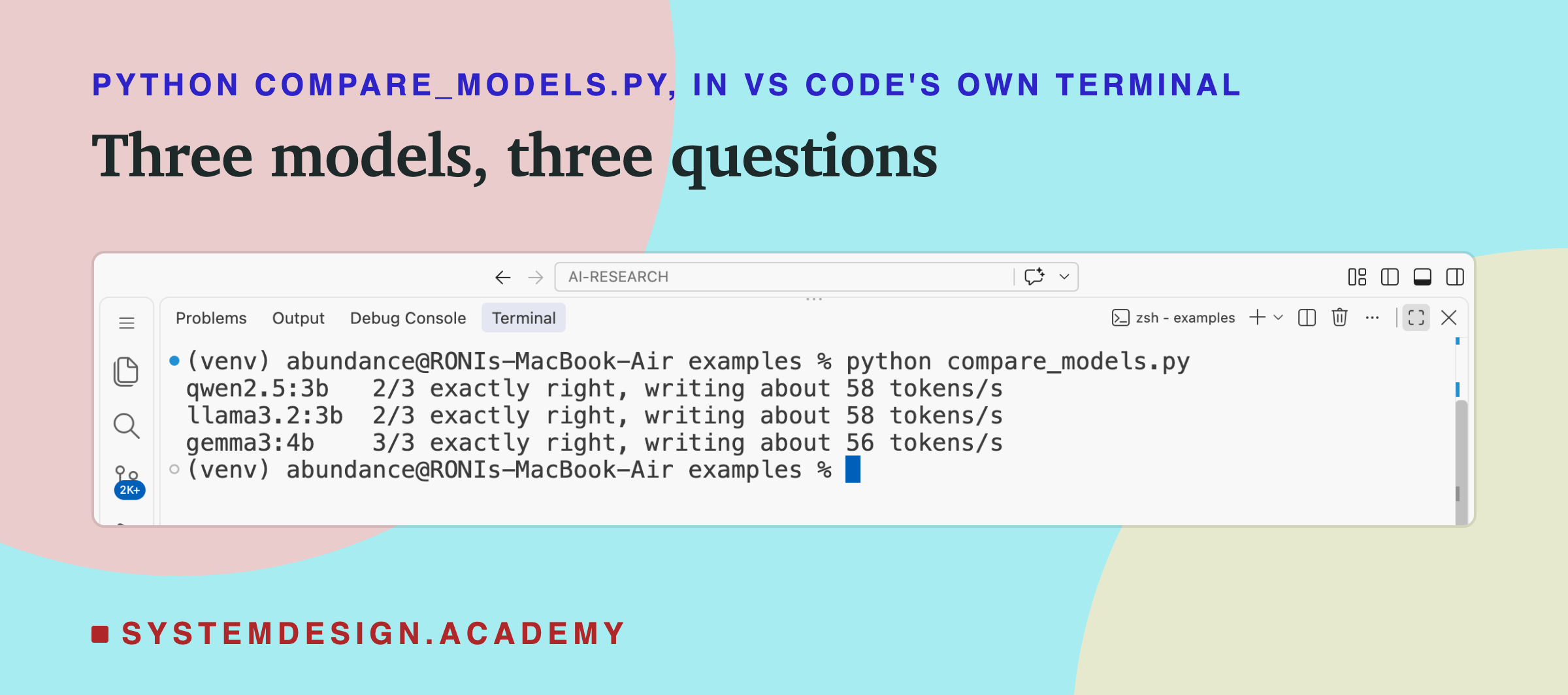
This script asks each model in its list the same three questions and prints how many it got exactly right and how fast it wrote.
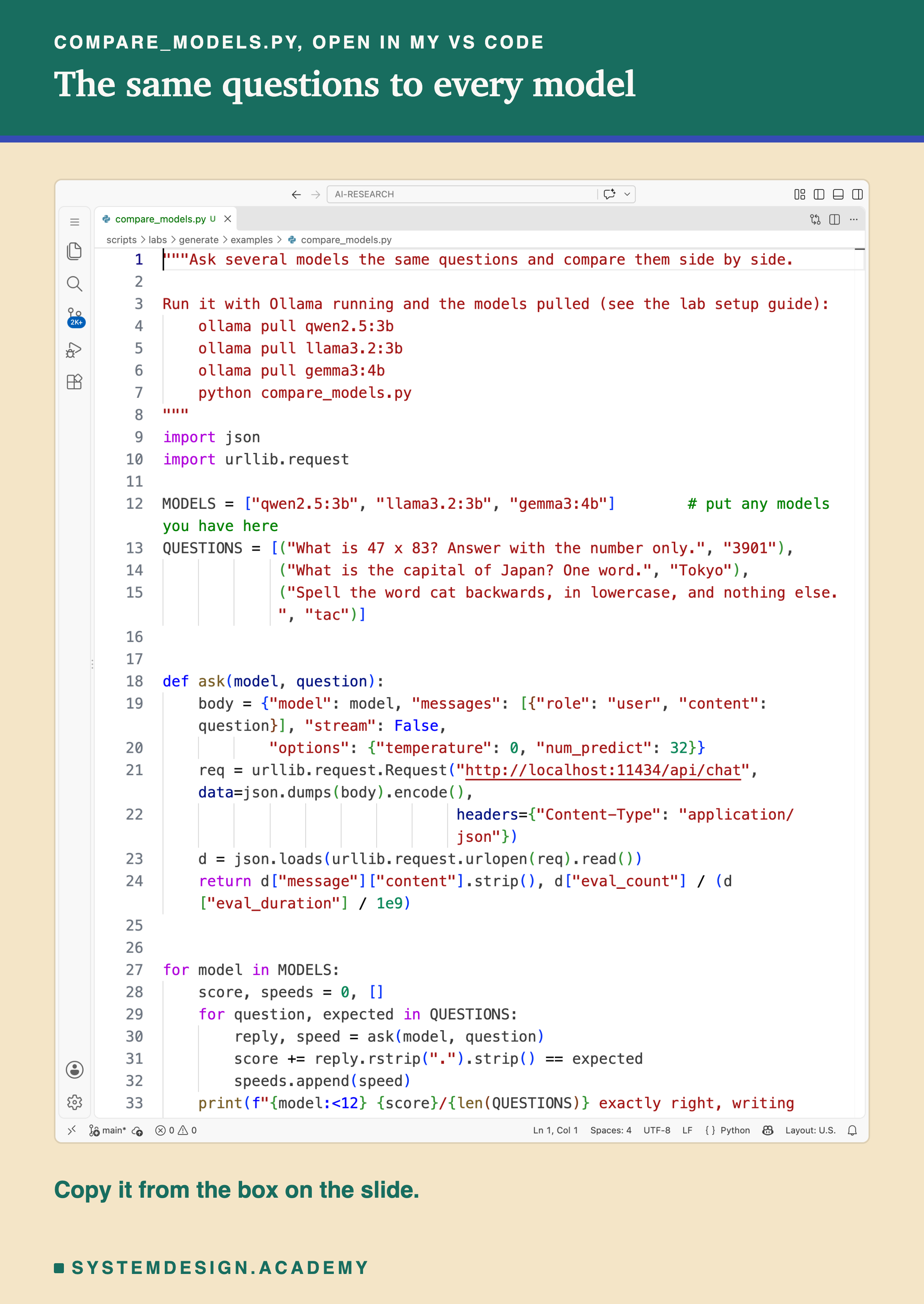
Before you run this lab. It uses qwen2.5:3b, llama3.2:3b and gemma3:4b, running in Ollama on your own computer. If you have not set that up yet, the lab setup guide shows how to install Ollama, download the models and check that everything works, on macOS, Windows or Linux. You can use a different model instead: the guide shows the one line to change, and your numbers will differ from the ones in this lesson.
"""Ask several models the same questions and compare them side by side.

Run it with Ollama running and the models pulled (see the lab setup guide):
    ollama pull qwen2.5:3b
    ollama pull llama3.2:3b
    ollama pull gemma3:4b
    python compare_models.py
"""
import json
import urllib.request

MODELS = ["qwen2.5:3b", "llama3.2:3b", "gemma3:4b"]        # put any models you have here
QUESTIONS = [("What is 47 x 83? Answer with the number only.", "3901"),
             ("What is the capital of Japan? One word.", "Tokyo"),
             ("Spell the word cat backwards, in lowercase, and nothing else.", "tac")]


def ask(model, question):
    body = {"model": model, "messages": [{"role": "user", "content": question}], "stream": False,
            "options": {"temperature": 0, "num_predict": 32}}
    req = urllib.request.Request("http://localhost:11434/api/chat", data=json.dumps(body).encode(),
                                 headers={"Content-Type": "application/json"})
    d = json.loads(urllib.request.urlopen(req).read())
    return d["message"]["content"].strip(), d["eval_count"] / (d["eval_duration"] / 1e9)


for model in MODELS:
    score, speeds = 0, []
    for question, expected in QUESTIONS:
        reply, speed = ask(model, question)
        score += reply.rstrip(".").strip() == expected
        speeds.append(speed)
    print(f"{model:<12} {score}/{len(QUESTIONS)} exactly right, writing about {sum(speeds) / len(speeds):.0f} tokens/s")
What Makes a Comparison Fair
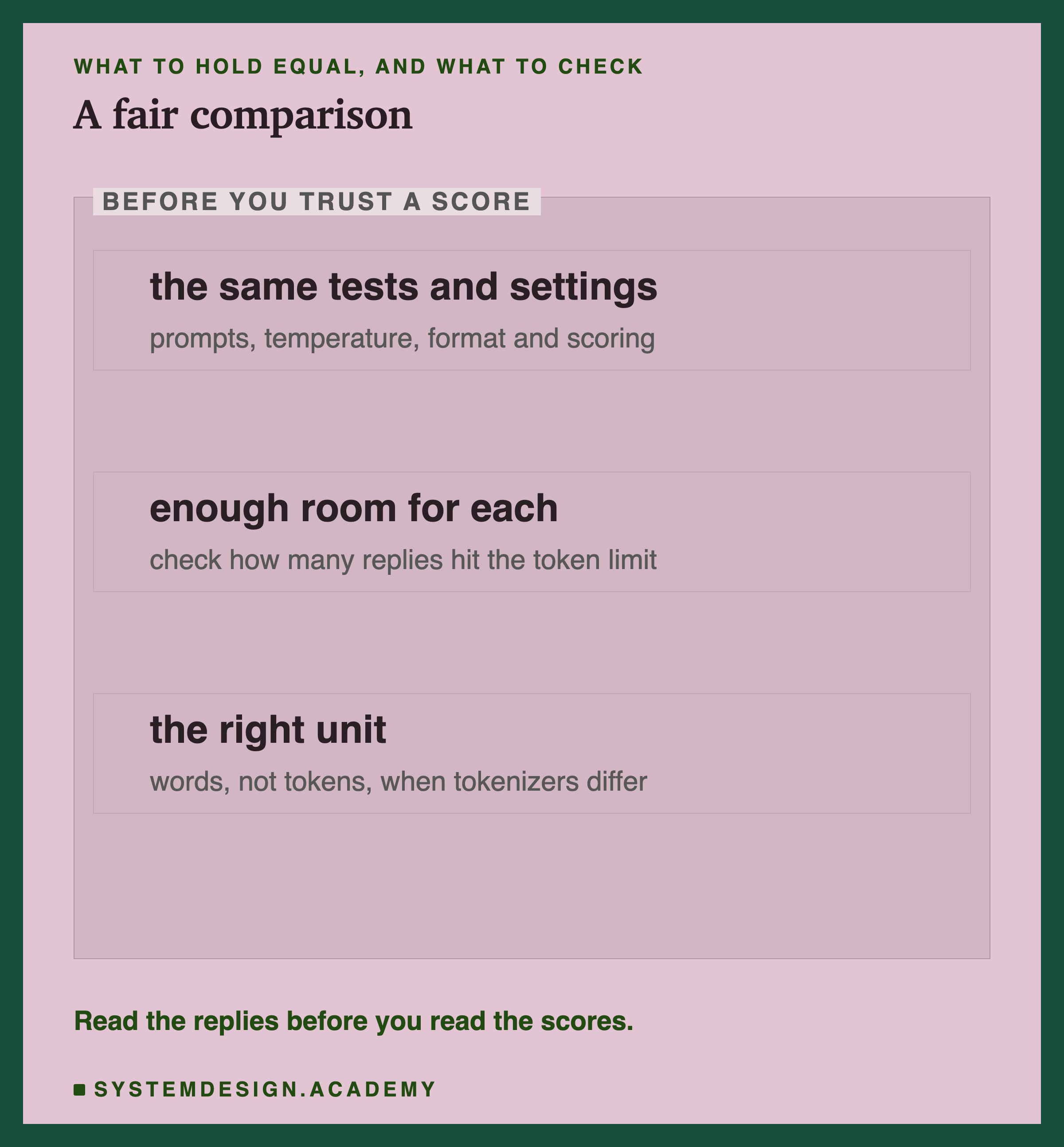
Three things make a comparison fair, and this lab needed all three.
First, the same tests and settings for every model: the same prompts, temperature, output format and scoring. That part is easy and most people do it.
Second, enough room for each model to answer, and a check that it had it. Equal settings are not always equal treatment: a 32-token budget was generous for three models and impossible for the fourth. The simple check is to count, for every model, how many replies ended with done_reason "length", from lesson 10. Any model with many should be looked at before its score is believed.
Third, the right unit. Tokens are not the same size in every model, so compare speed in words or characters a second, and cost in the unit you actually pay for.
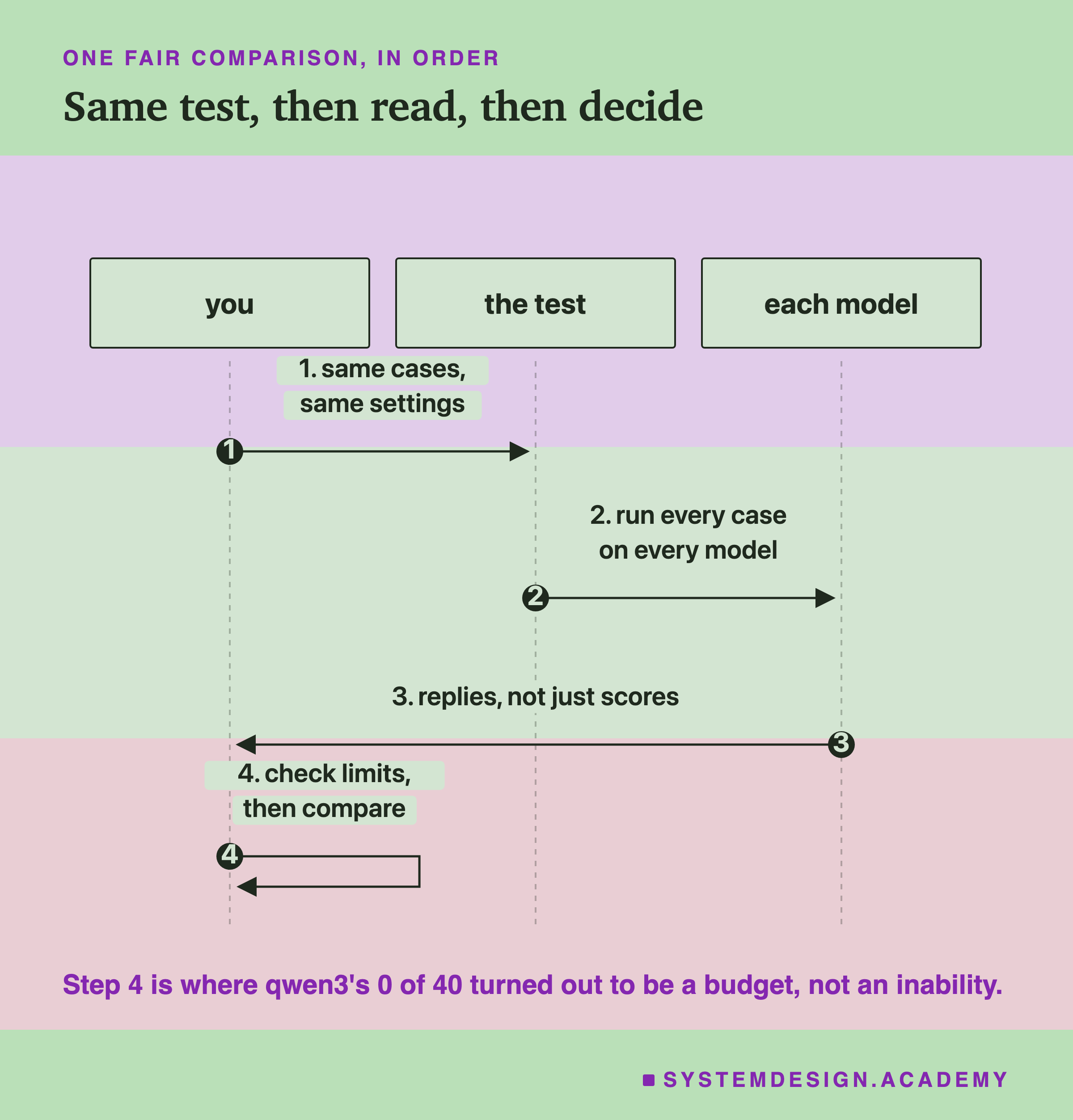
Above all, read some of the replies before you read the scores. Every surprising number in this lab, qwen3's 0 and llama3.2's missed JSON, was explained in seconds by looking at the text. A table of scores alone would have told a false story.
The Lab Report
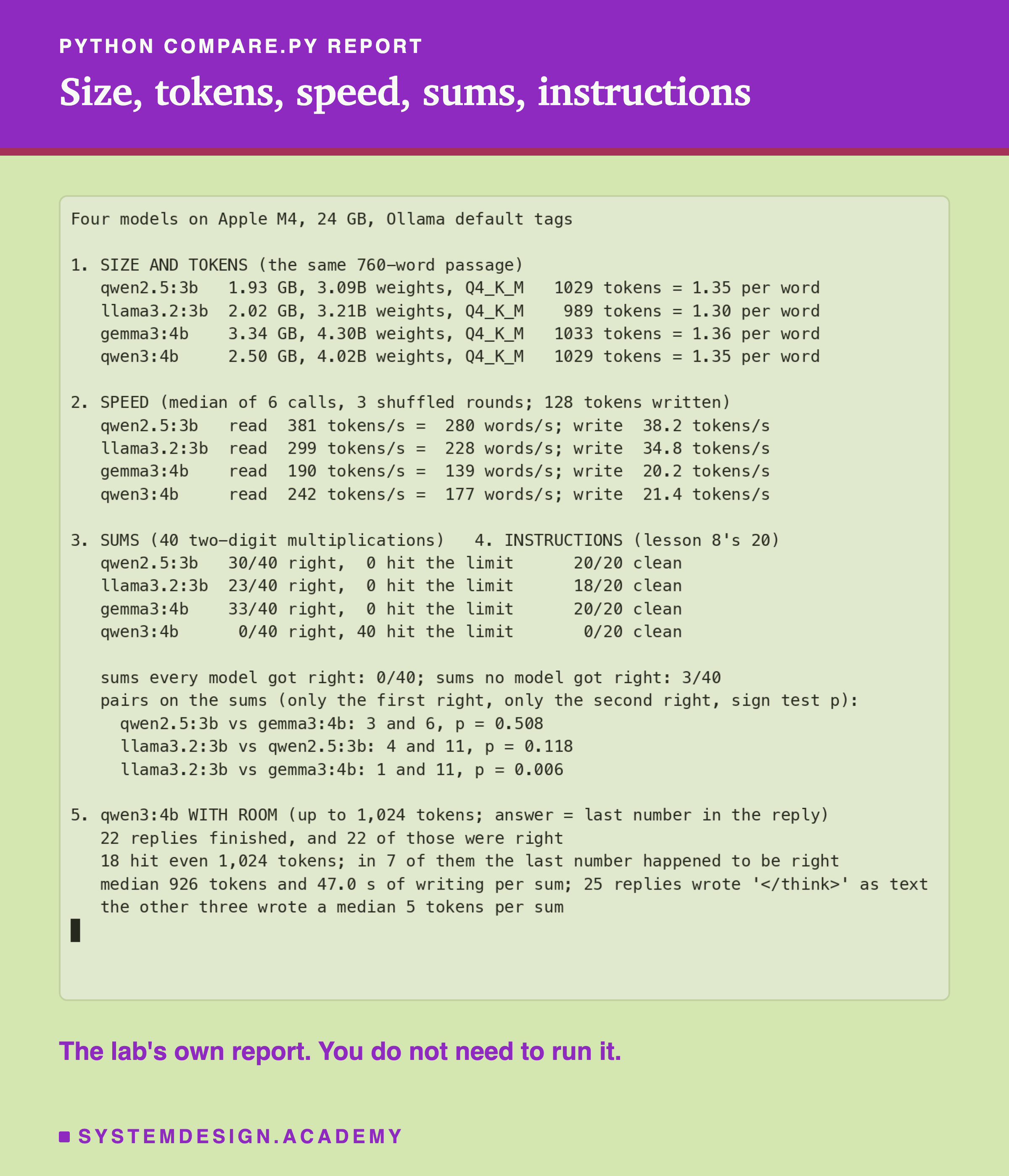
The lab is scripts/labs/generate/compare.py. Section 1 reads each model's size and details from Ollama and counts the tokens of one fixed passage. Section 2 is the speed test, in shuffled rounds with a unique first line per call, lesson 6's guard against reuse. Sections 3 and 4 reuse the sums from lesson 9 and the instructions from lesson 8, so the checks are exactly the same as there.
Section 5 was added after reading qwen3's replies. The first version of the report stopped at section 4 and showed a 0. The line "sums every model got right: 0/40" is also worth a second look: it is 0 because qwen3 got none at 32 tokens; among the other three, 19 sums were right for all. The token counts in section 1 include a short first line with a timestamp, about 10 tokens, so the tokens per word are a little high for all four.
So Which Model?
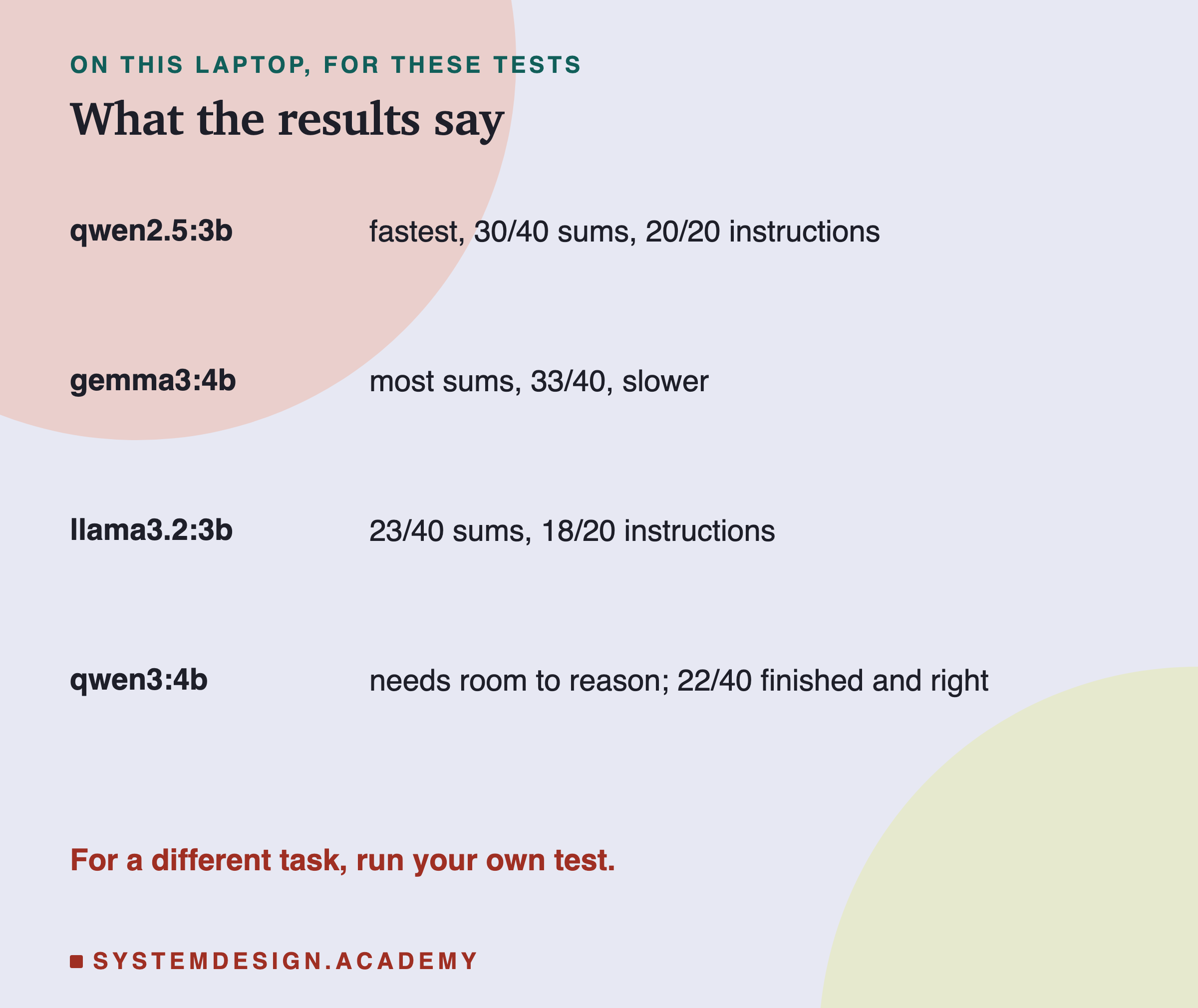
On this laptop and these tests, qwen2.5 was the fastest and followed every instruction. gemma3 got the most sums right, but not by a margin bigger than luck against qwen2.5, and it wrote more slowly. llama3.2 was quick, but missed more sums and two instructions. qwen3 needs a large budget and a lot of time, and in return it reasons through a problem.
These results fit the choice this chapter made for its labs: small, fast and reliable at following a format. It does not make qwen2.5 the best model for your task. A task with long reasoning, or writing in another language, or code, could order these four quite differently.
Test a Difference in Your Browser
This box has no model. It runs the sign test on two lists of right and wrong answers, and turns tokens a second into words a second. The example numbers are this lab's qwen2.5 and gemma3 results.
It prints "A right 30/40, B right 33/40", then "only A right: 3, only B right: 6, sign test p = 0.508" and "could easily be luck: test more questions", the qwen2.5 against gemma3 result. Then, as a separate example, qwen2.5's and llama3.2's reading speeds turned into words: 281 and 230 words a second by this rough formula, against 280 and 228 in the lab's report, which takes the median of each call. Change the lists to 10 extra questions where only B is right and watch the p value fall: more questions make a real difference visible.
The Code, Part by Part
The model list. MODELS holds the names to compare. Any model you have pulled works; the only line to change is this one.
The questions. Each has an expected answer, and a reply counts only if it matches exactly after trimming a final full stop. Exact matching is strict on purpose: it is how you check that a model follows the format you asked for.
The chat endpoint. ask uses /api/chat, so every model gets its own chat template, from lesson 8. Sending a raw prompt instead would test each model in a format it was not trained on.
The speed. eval_count divided by eval_duration gives tokens written a second. With replies this short, treat it as rough; the lesson explains why.
The lab. compare.py adds the size and token counts, a speed test with long replies in shuffled rounds, the 40 sums and 20 instructions, the sign tests, and the rerun of qwen3 with room.
Common Mistakes
Believing a 0. qwen3 scored 0 of 40 because every reply hit the 32-token limit. Count replies cut by the limit before you trust a score.
Ranking by totals alone. 33 against 30 was 6 against 3 question by question, p = 0.508: not a difference.
Comparing speed in tokens across tokenizers. Use words or characters a second.
Timing tiny replies. The script's few-token replies measured 56 to 58 tokens a second for all three models; the lab's 128-token replies separated them clearly.
Trusting a setting's name. think: false did not stop this qwen3 build reasoning; it is a thinking-only build, and the reasoning landed in the reply.
Testing on someone else's task. These were short sums and format instructions. Your task may order the models differently.
What This Lab Can and Cannot Tell You
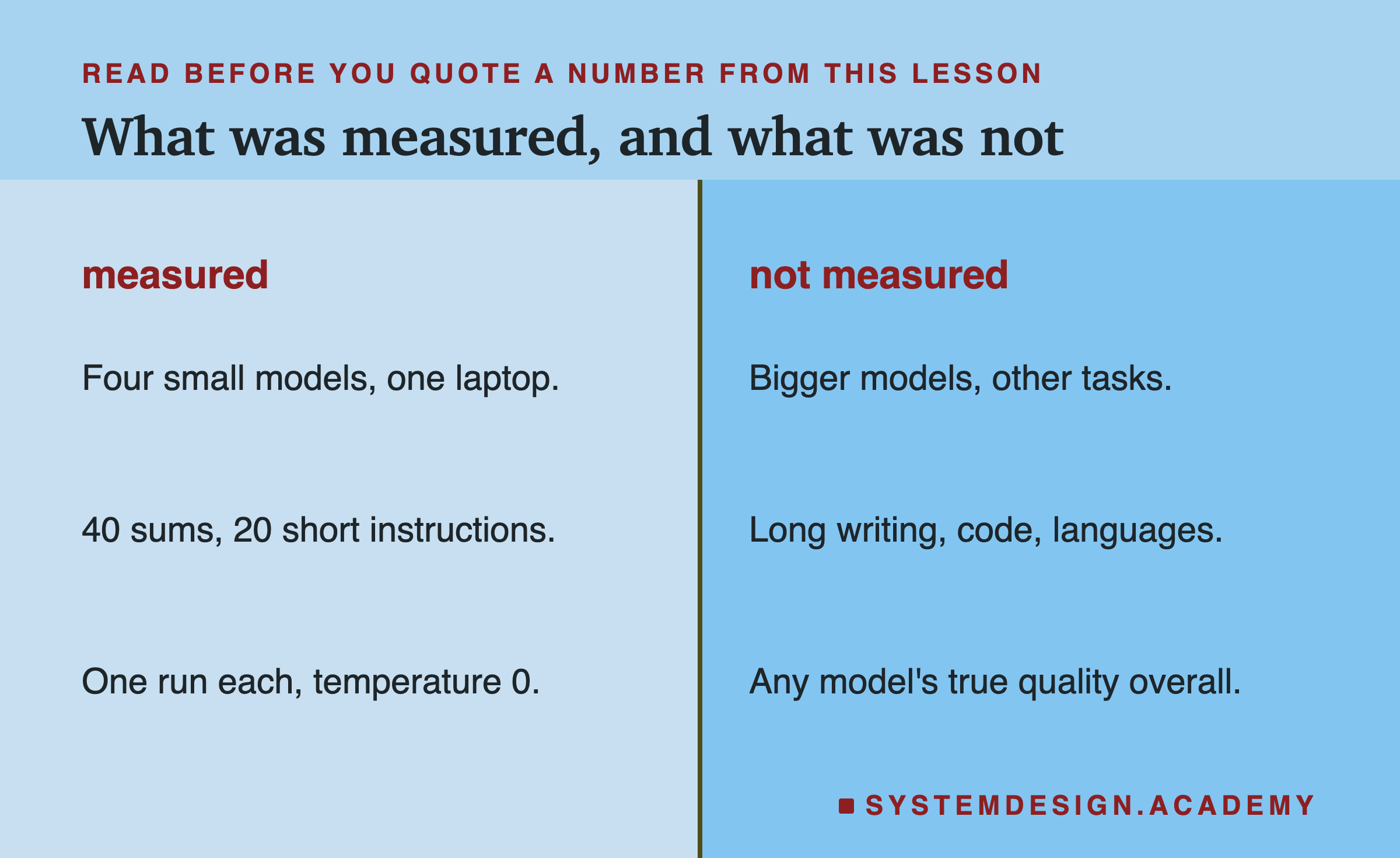
The lab compared four small models on one laptop, with 40 sums and 20 short instructions, one run each at temperature 0. It cannot rank the models in general. It did not test long writing, code, other languages or bigger models, and it did not try other ways of stopping qwen3 from reasoning. What it can show is how a comparison goes wrong, and how to catch it.
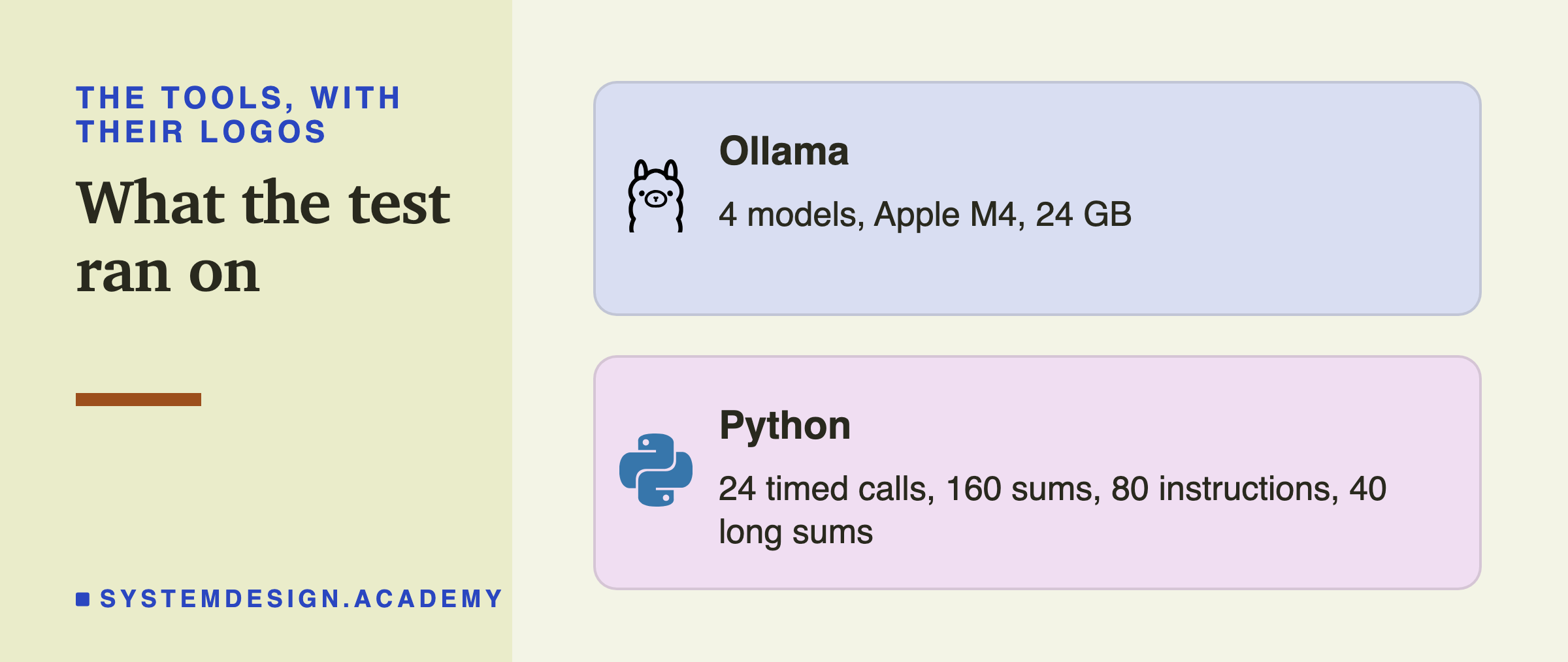
Everything ran locally with Ollama and Python, so you can repeat it on your own machine.
What to Do on Monday
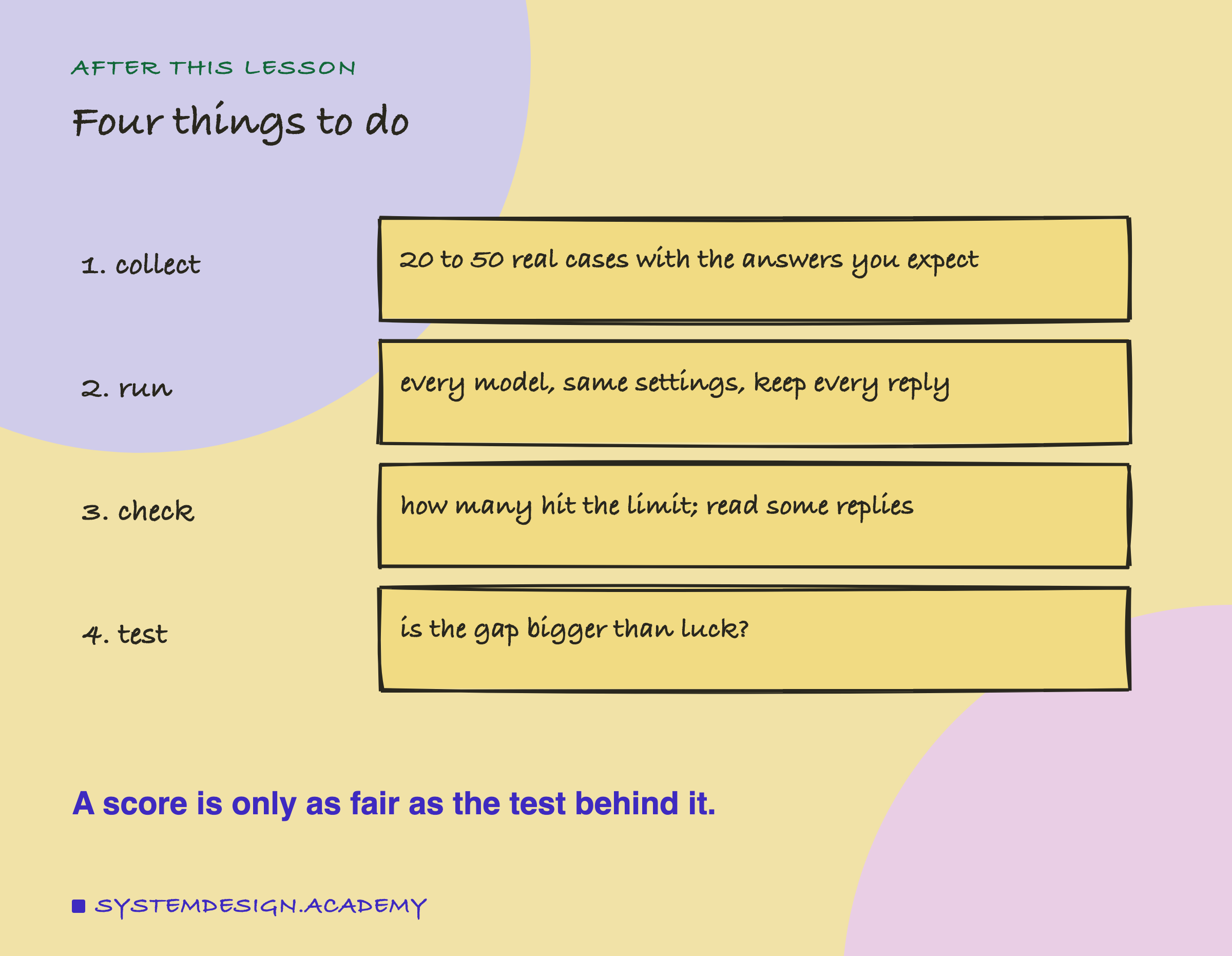
Write down 20 to 50 real examples from your own task, with the answers you expect. Run them through two or three candidate models with the same settings, and keep every reply, not just the score. Count the replies that hit the token limit for each model and read a few of each model's answers. Then run the sign test on any gap before you let it decide. If two models are within luck of each other, choose the smaller, faster one.
Knowledge Check
Knowledge Check
4 questions - Score 80% to pass
qwen3:4b scored 0 of 40 on sums with a 32-token budget. What was the cause?
gemma3 got 33 sums right and qwen2.5 got 30. Question by question, only qwen2.5 got 3 right and only gemma3 got 6. What can you conclude?
Why compare reading speed in words a second rather than tokens a second?
The quick script measured 56 to 58 tokens a second for all three models, while the lab measured 20 to 38. Why?