Who Decides When a Reply Is Finished?
Lessons 1 and 2 showed how a model picks each next token. Lesson 3 showed that it writes one token at a time. But none of that says when it should stop. A model has no sense that it has "said enough". Left alone, it would keep writing tokens forever.
So something outside the model has to end a reply. There are only three things that can do it, and each leaves a different kind of reply behind. Knowing which one ended a reply tells you whether you received a finished answer or a piece of one.
Think of a person who has been asked to keep marking sheets until told to stop. Nobody comes to tell them. They carry on long after the useful work is done, repeating the same motions. A model that is not given a clear way to stop behaves much the same, and this lesson measures how often.
It also measures the common fixes: a repeat penalty, a stop sequence and a length limit. Each helps with one problem and can cause another.
Words You Need First
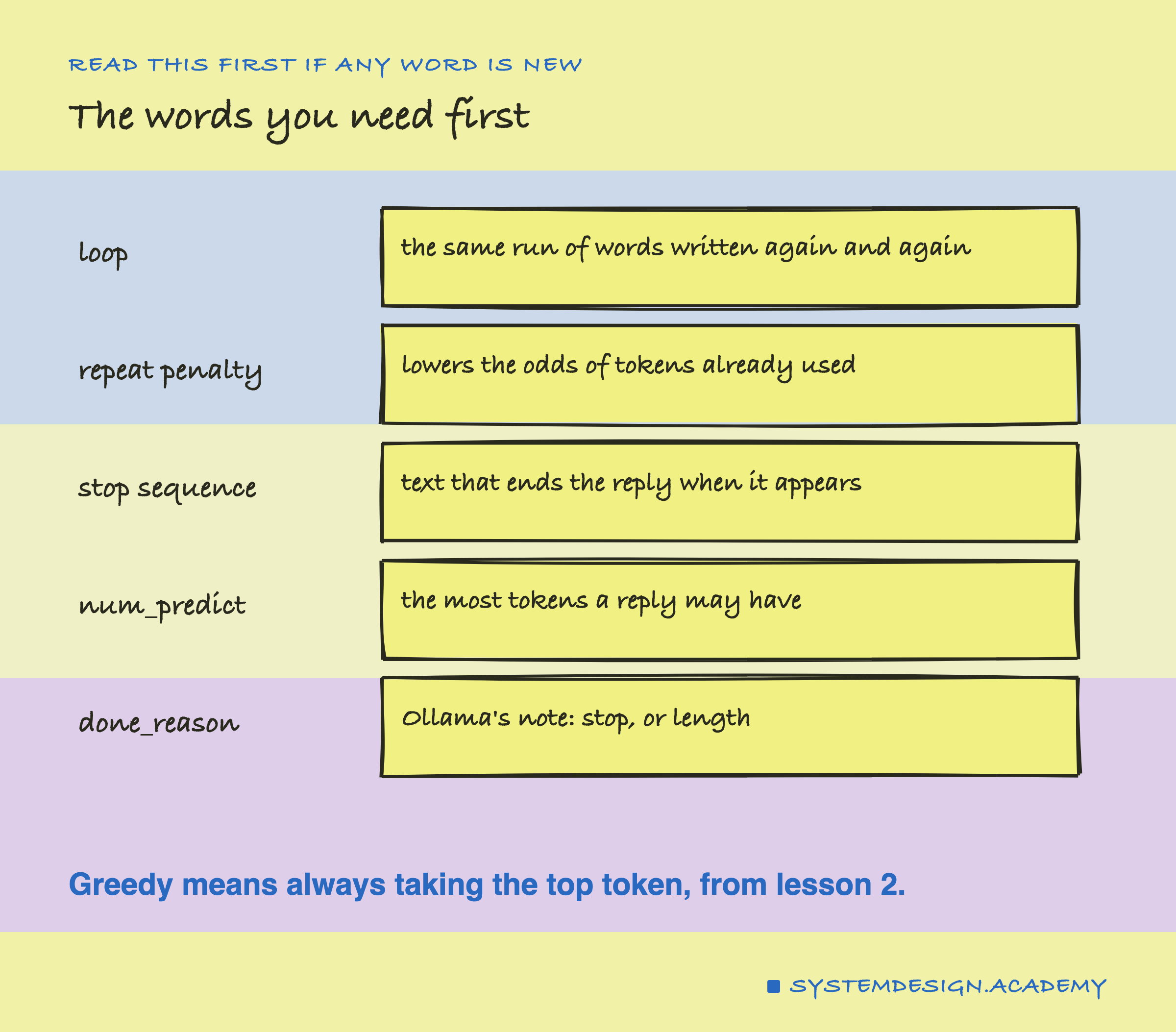
Loop. A reply that writes the same run of words again and again. The lab counts a reply as looping if some run of 8 words appears in it at least 3 times.
Repeat penalty. A setting, repeat_penalty in Ollama, that makes tokens used recently a little less likely. 1.0 means no penalty.
Stop sequence. A piece of text, such as a line break, that ends the reply as soon as the model writes it. In Ollama it is the stop option.
num_predict. The most tokens a reply may have. When it is reached, the reply is cut.
done_reason. A field in every Ollama reply: "stop" if the reply ended by an end marker or a stop sequence, "length" if it was cut by num_predict.
Greedy. Always taking the single most likely next token, from lesson 2. It is what temperature 0 does.
How Often Does a Reply Loop?
The lab sent lesson 1's 12 open prompts, such as "My favourite food is", as raw text, with no chat template and so no end-of-turn marker. Each reply could have up to 256 tokens. It tried four settings: greedy with no penalty, greedy with penalties of 1.1 and 1.3, and temperature 0.8 with no penalty.
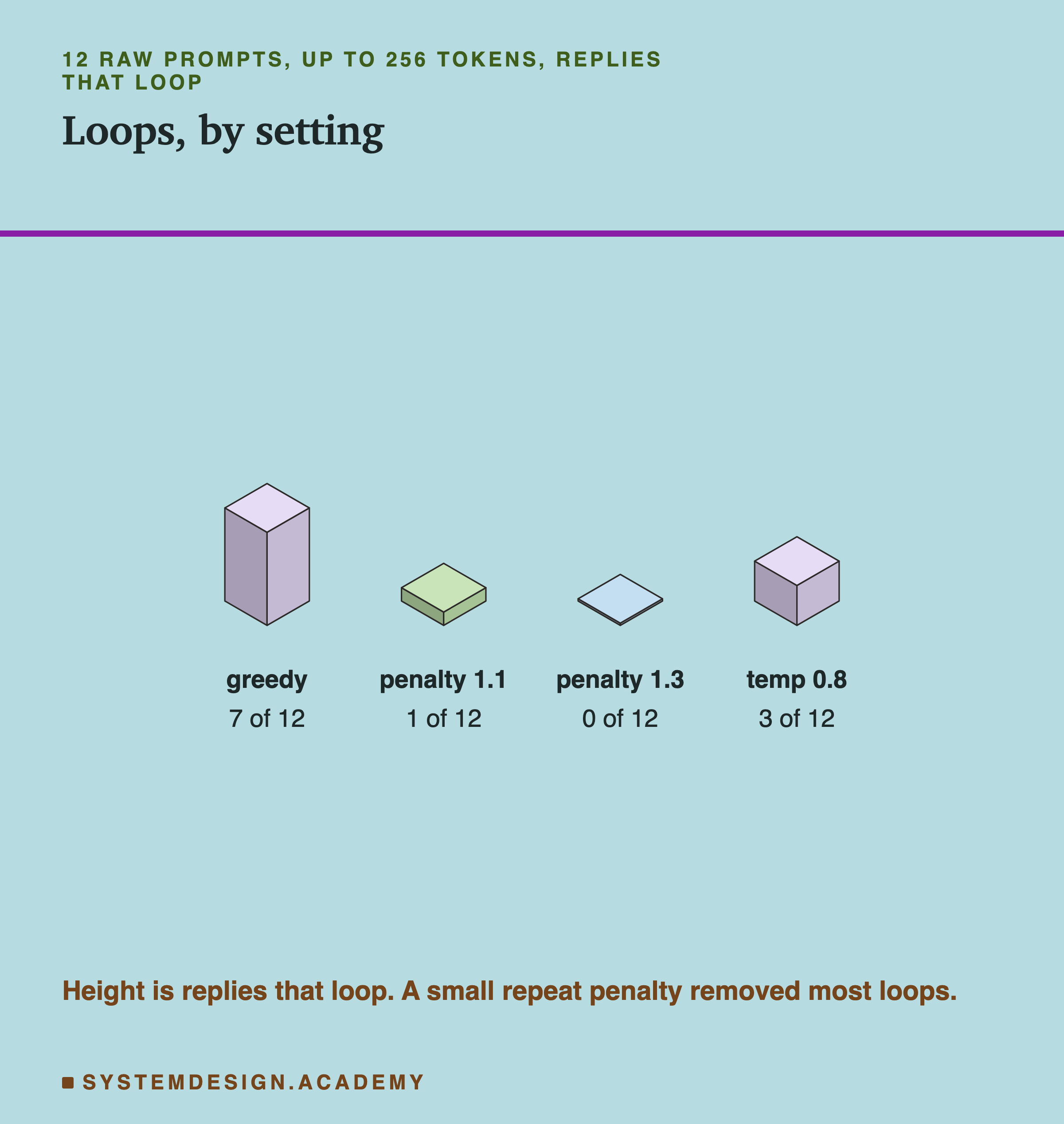
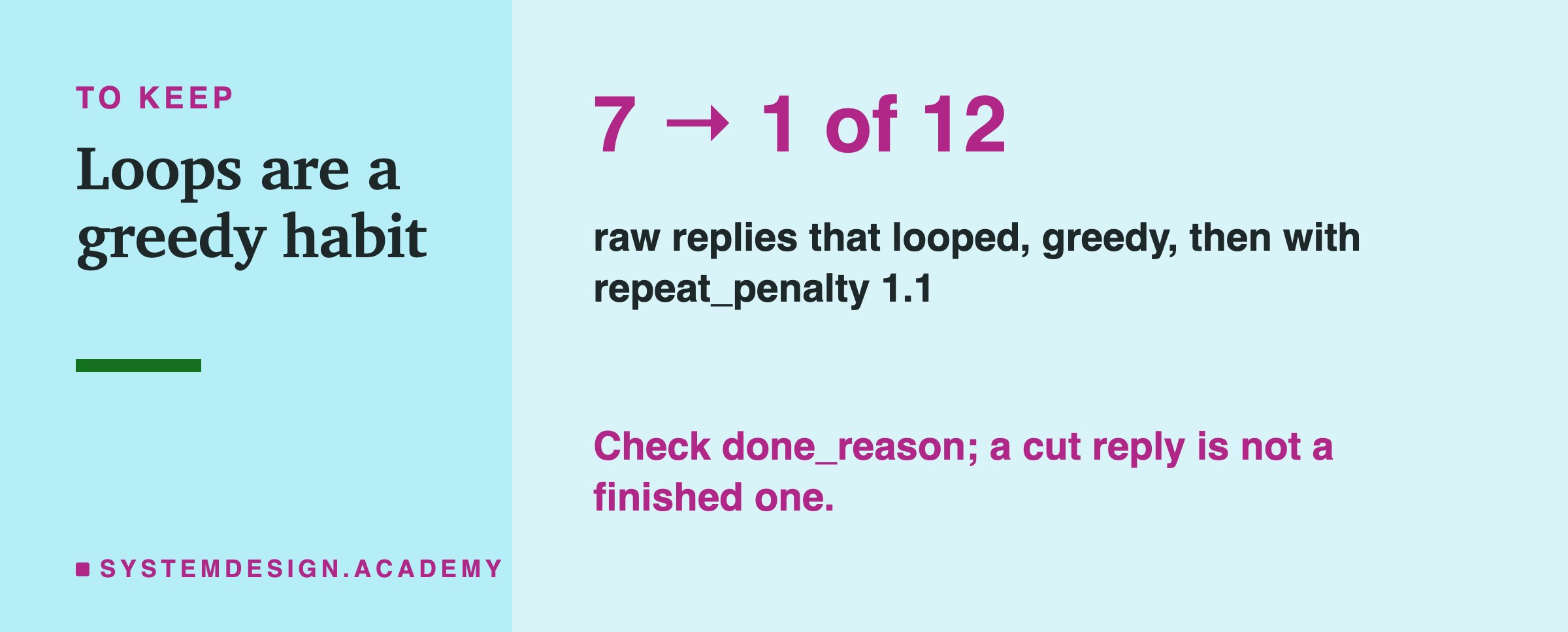
With greedy decoding and no penalty, 7 of the 12 replies looped. A penalty of 1.1 brought that down to 1 of 12, and 1.3 to none. Sampling at temperature 0.8 with no penalty gave 3 of 12.
That last setting matters more than it looks. I checked what Ollama uses when a request sets nothing: the server's own log shows temperature 0.8, repeat_penalty 1.000 and repeat_last_n 64. So "temperature 0.8, no penalty" is simply Ollama's default behaviour on this laptop, and 3 of 12 of its raw replies looped.
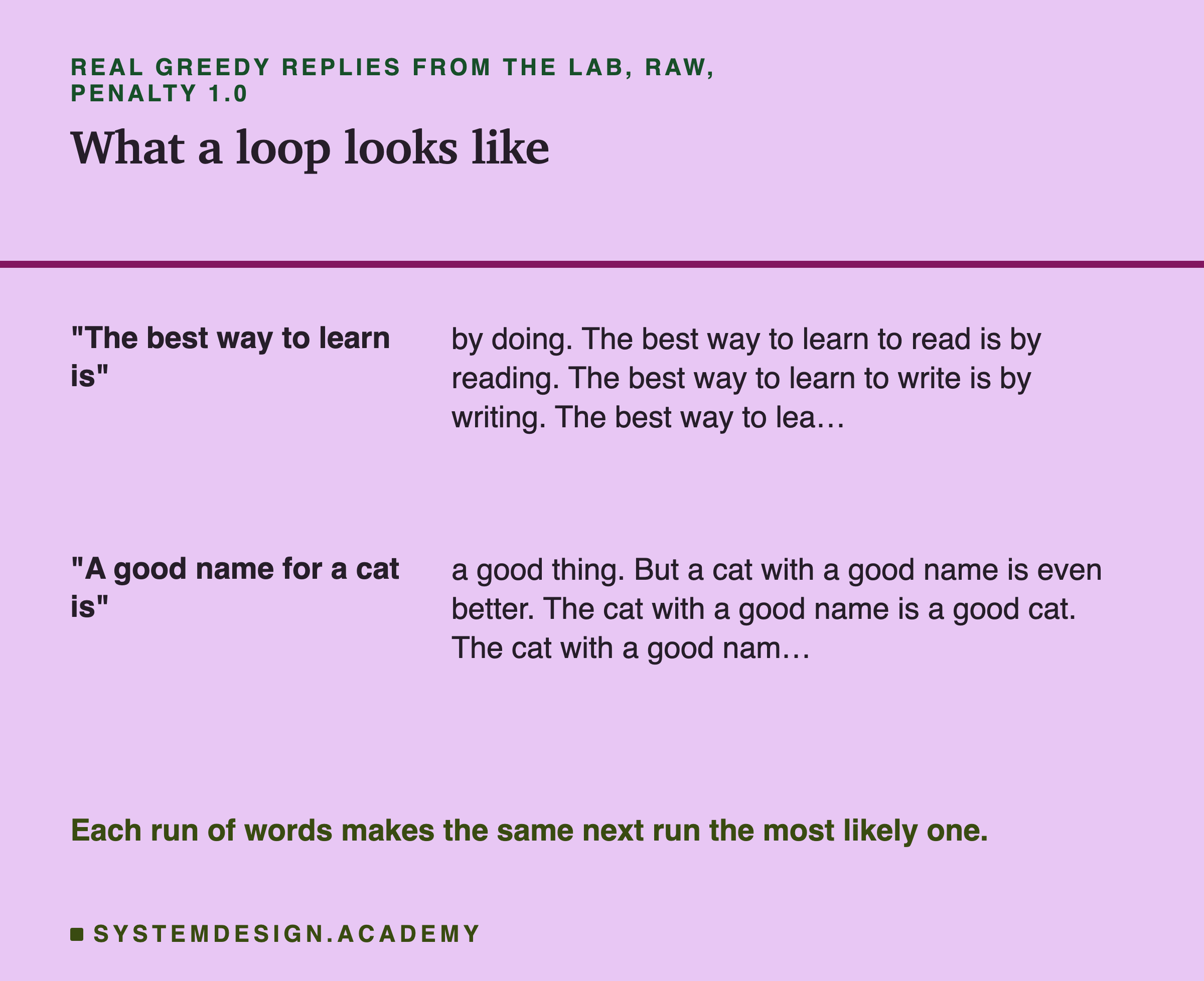
The loops are easy to recognise once you see them. "The best way to learn to read is by reading. The best way to learn to write is by writing..." Each sentence is fluent on its own. Together they go nowhere.
Why Greedy Decoding Loops
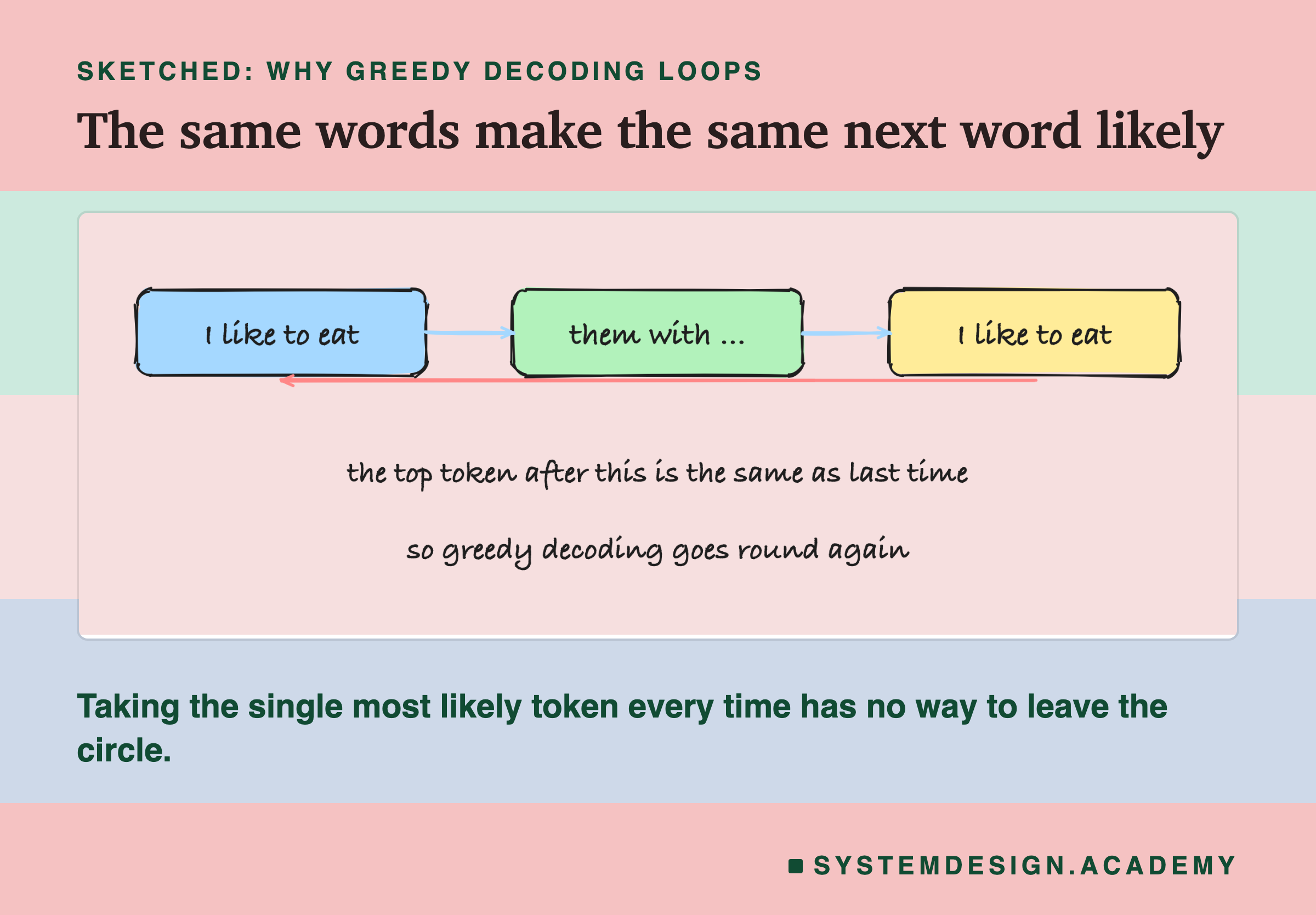
Remember what the model does at each step: it looks at the text so far and gives odds for the next token. Greedy decoding always takes the top one. Now suppose the text contains "I like to eat them with vegetables. I like to eat". What comes next? The most similar thing the model has just seen is its own previous sentence, and "them with" followed it. So "them with" is very likely again, then another food, then "I like to eat" again.
Once a pattern has appeared twice, the pattern itself becomes the strongest clue for what comes next, and greedy decoding has no way to choose anything else. Each repeat makes the next repeat more likely. That is a loop.
Sampling, from lesson 2, sometimes picks a token that is not the top one, which can break the circle, which may be why temperature 0.8 looped less often than greedy. But sampling can also pick its way into a new pattern and loop there, so it is not a cure on its own.
The Repeat Penalty
A repeat penalty attacks the loop directly. Before choosing each token, it looks at the last 64 tokens (repeat_last_n) and makes any token that appears there a little less likely.
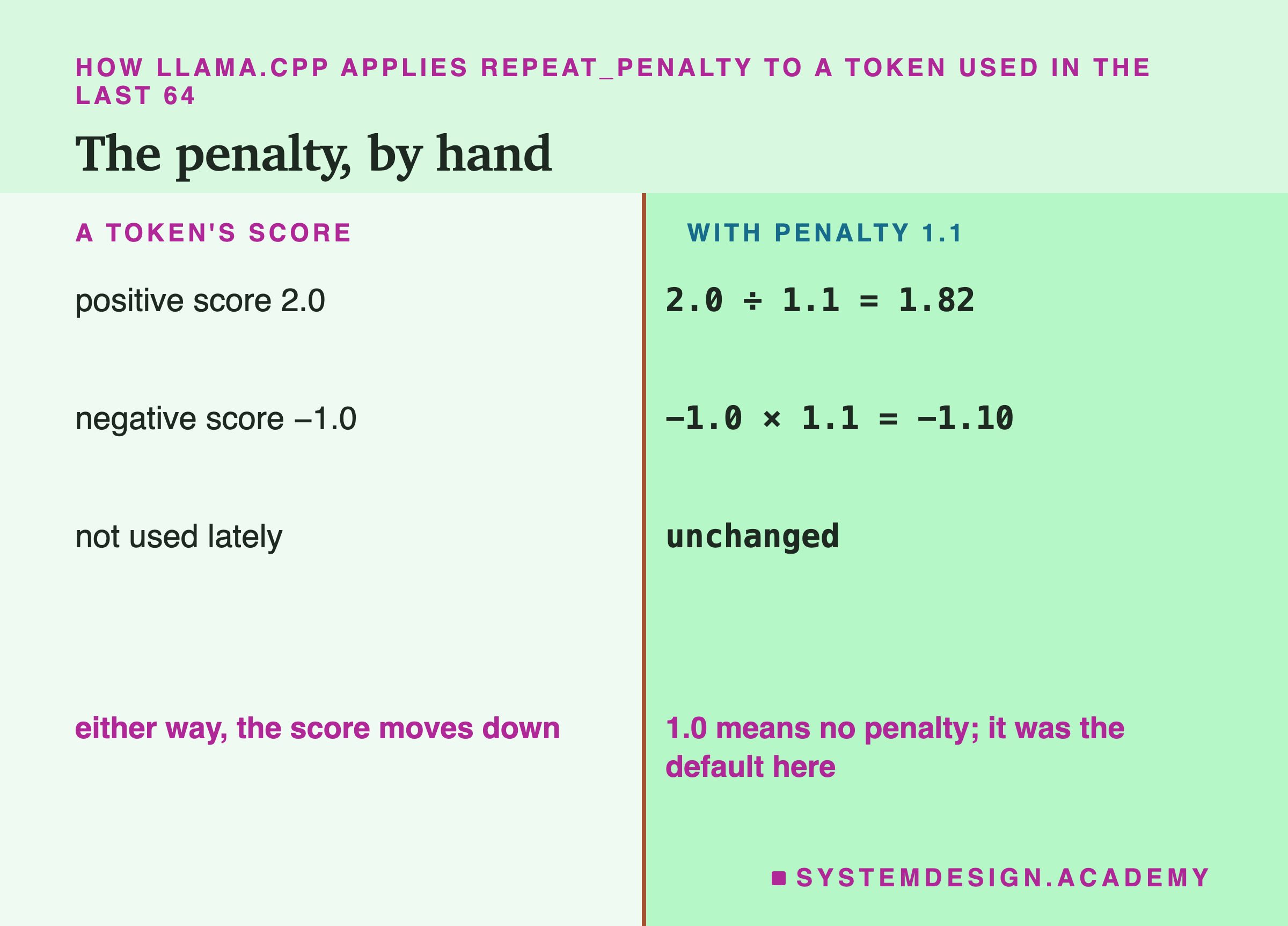
The arithmetic works on the model's raw scores, the numbers that softmax turns into odds (lesson 4): a higher score means a more likely token. For a token used recently, a positive score is divided by the penalty and a negative score is multiplied by it. With 1.1, a score of 2.0 becomes 1.82 and a score of −1.0 becomes −1.10. Either way the score goes down, so the token becomes less likely. Tokens not used recently are left alone.
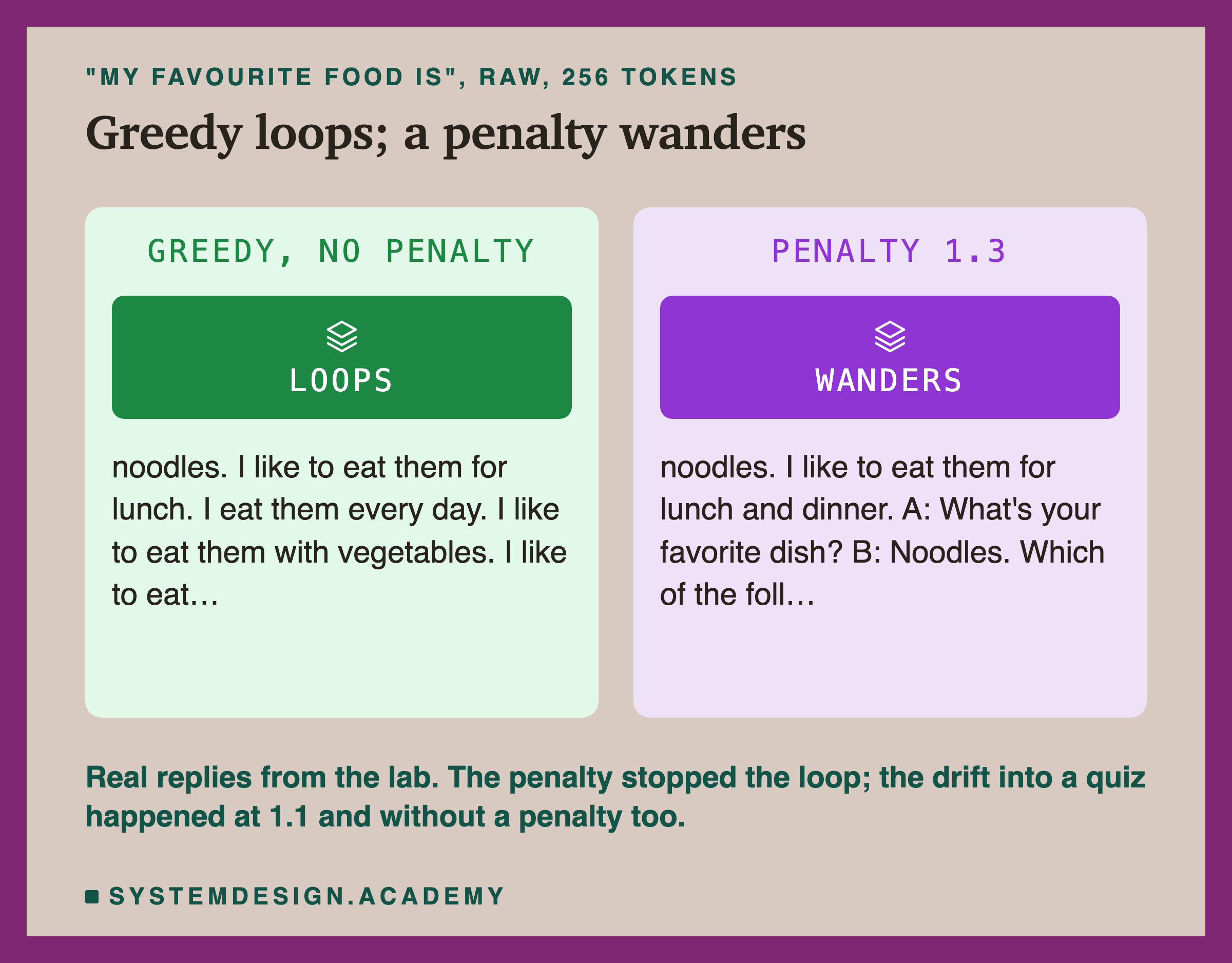
A penalty is not free. It punishes every repeated token, including the ones a good answer needs, such as "the", a name, or a word in a list. With 1.3, the reply to "My favourite food is" stopped looping but drifted into a made-up dialogue and then a multiple-choice question. The lab did not score whether replies were good. Reading them, both 1.1 and 1.3 often drifted into invented quizzes and maths problems, and greedy decoding with no penalty did this too. So the drift comes from sending open raw text to this model, not only from the penalty; what the penalty changes is whether the text circles back on itself.
The Other Two Penalties, and the Window They Look At
repeat_penalty is not the only setting of its kind. Ollama also passes two others to the server, presence_penalty and frequency_penalty. I sent a request with both set to 0.5 and read the server's log: its sampler line showed frequency_penalty = 0.500, presence_penalty = 0.500, so Ollama does pass them through. This lab did not measure their effect.
The difference is in what they punish. repeat_penalty treats every recently used token the same, whether it appeared once or ten times. A presence penalty works in a similar way: one fixed push down for any token that has already appeared. A frequency penalty grows with the count, so a token used ten times is pushed down much further than one used once. Because the last two subtract from the score rather than dividing it, their values are on a different scale: 0 means off, and small values such as 0.1 to 0.5 are typical.
All three look back only over a window of recent tokens, repeat_last_n, which was 64 on this laptop. That number matters more than it seems. A loop whose cycle is longer than 64 tokens is invisible to the penalty, because by the time a phrase comes round again, its earlier copy has already left the window. Most of the loops in this lab repeated within one or two sentences, well inside 64 tokens, which may be why a small penalty removed them. A longer window catches longer cycles, but it also penalises more of the ordinary words an answer needs to reuse.
Hosted APIs often offer the same ideas under the same names. They are all rough tools: they change the odds of tokens by counting them, without knowing whether a repeat is a mistake or exactly right, as in a list, a name or a line of code.
Did the Replies Ever Stop?
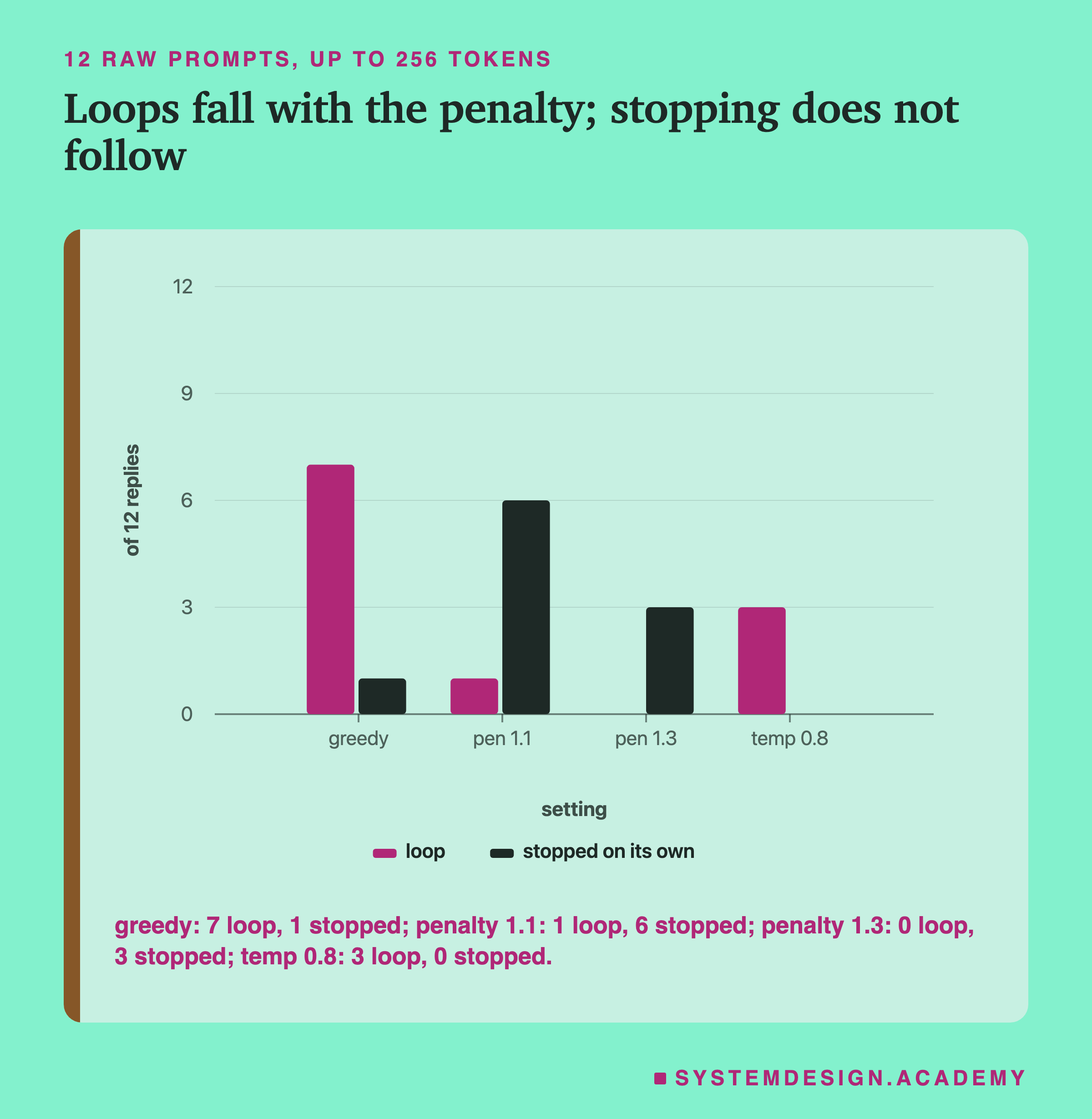
Removing loops did not reliably make replies finish. With greedy decoding, only 1 of 12 ended on its own. With a penalty of 1.1, 6 of 12 did. With 1.3, only 3, even though none looped: the replies wandered on to new material until the 256-token limit. At temperature 0.8, none of the 12 ended on its own.
The reason is that these prompts were raw text. In raw text there is no turn for the model to finish, so there is nothing it has learned to end with. The one natural ending available is an end token, such as the end-of-text token, a special token that marks the end of a document in training (qwen2.5 also stops on <|im_end|>). The model writes one only when a piece of text seems complete, and open prompts like "My favourite food is" rarely feel complete.
The Three Ways a Reply Ends
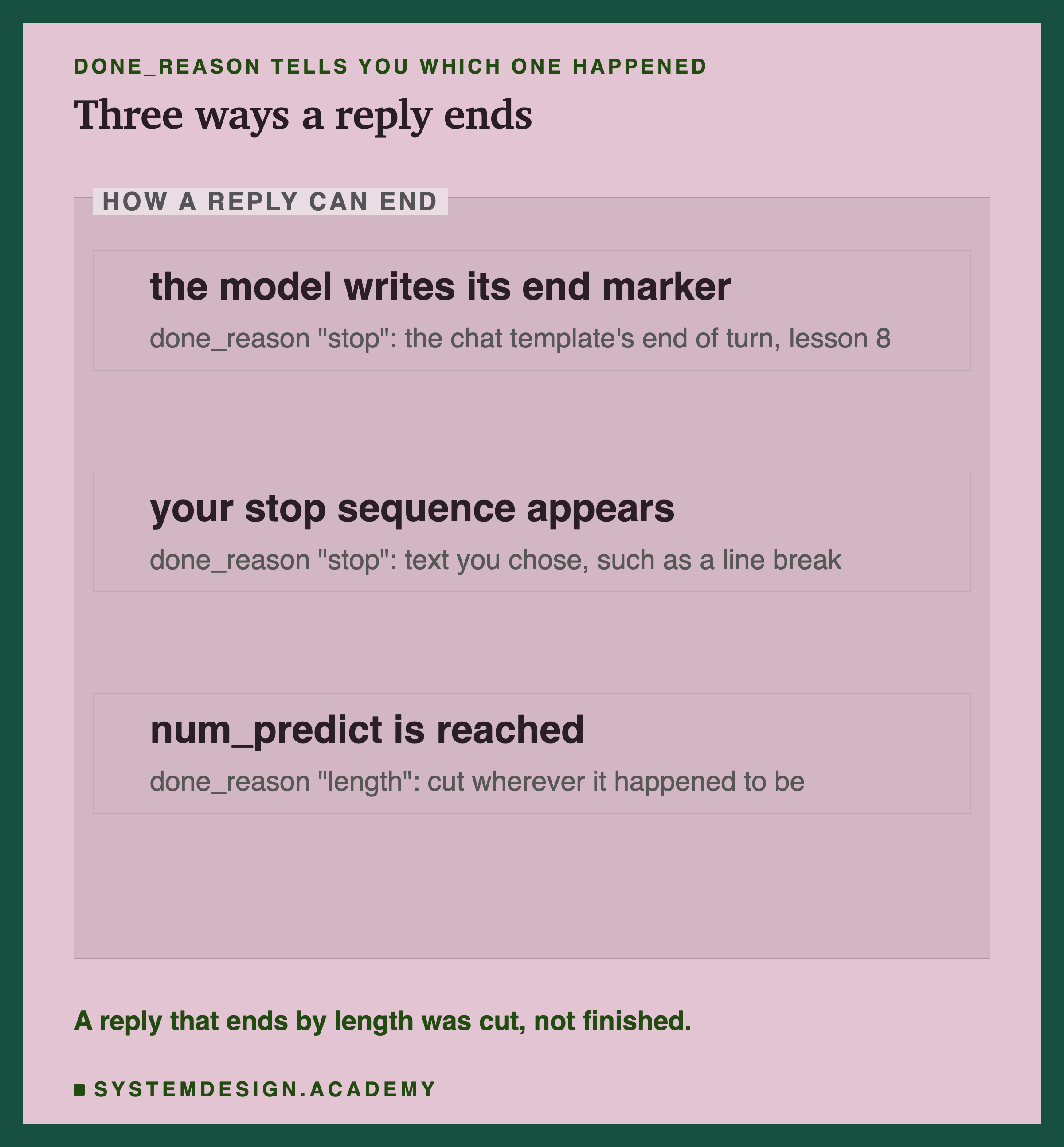
Every reply ends in one of three ways. The model can write an end marker: in a chat, that is the template's end-of-turn token from lesson 8, and in raw text it is an end token such as end-of-text. Your stop sequence can appear. Or the reply can reach num_predict and be cut.
The first two give done_reason "stop"; the third gives "length". That one field is the cheapest check you can make on a reply. A reply ending with "length" was cut wherever it happened to be, perhaps mid-word.
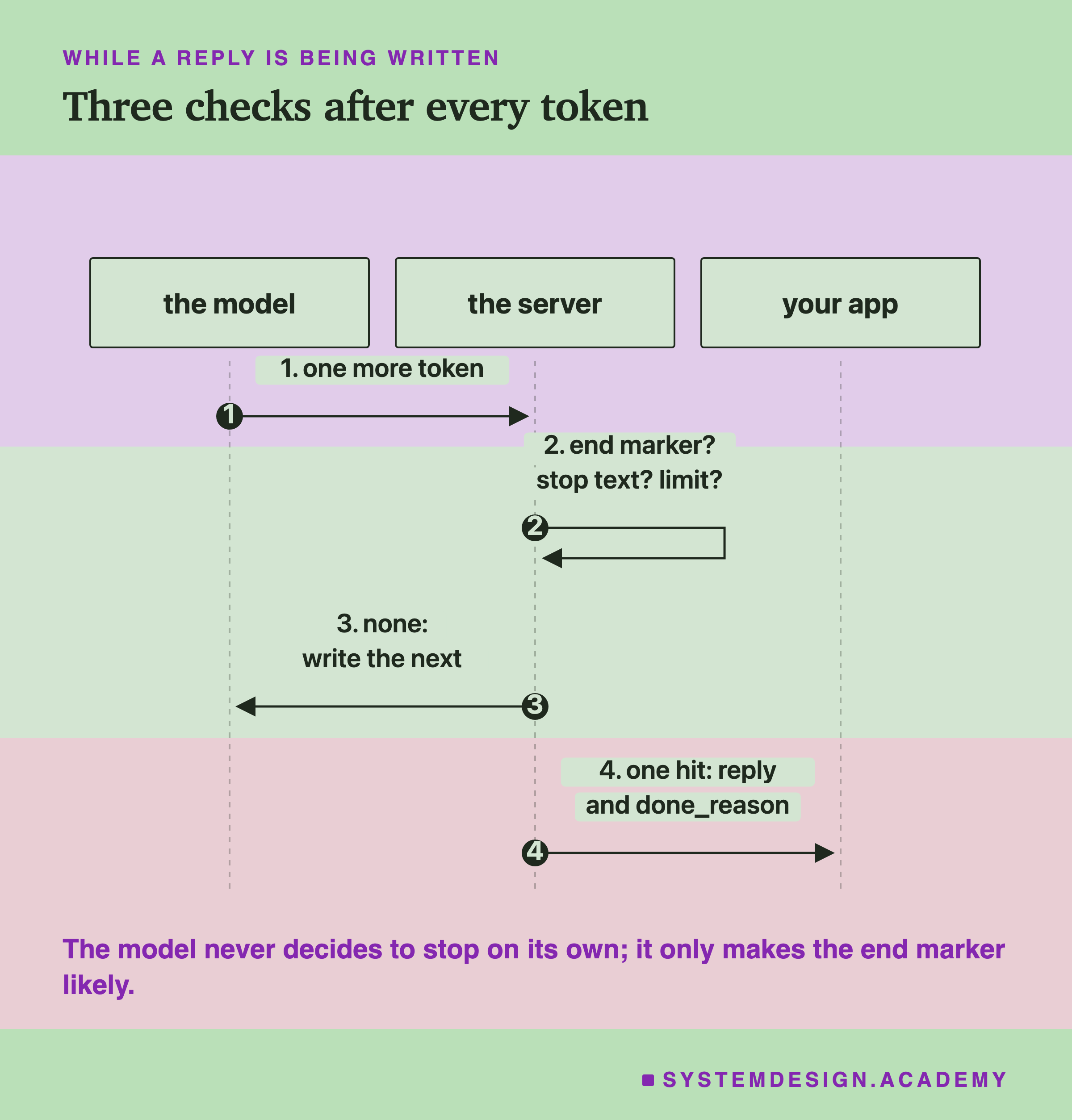
All three checks happen in the server, after every token. The model only produces tokens; it never "decides" to stop. What training gives it is a strong tendency to make the end marker likely when a turn is finished, which is why the chat template matters so much for stopping.
See It on Your Own Machine
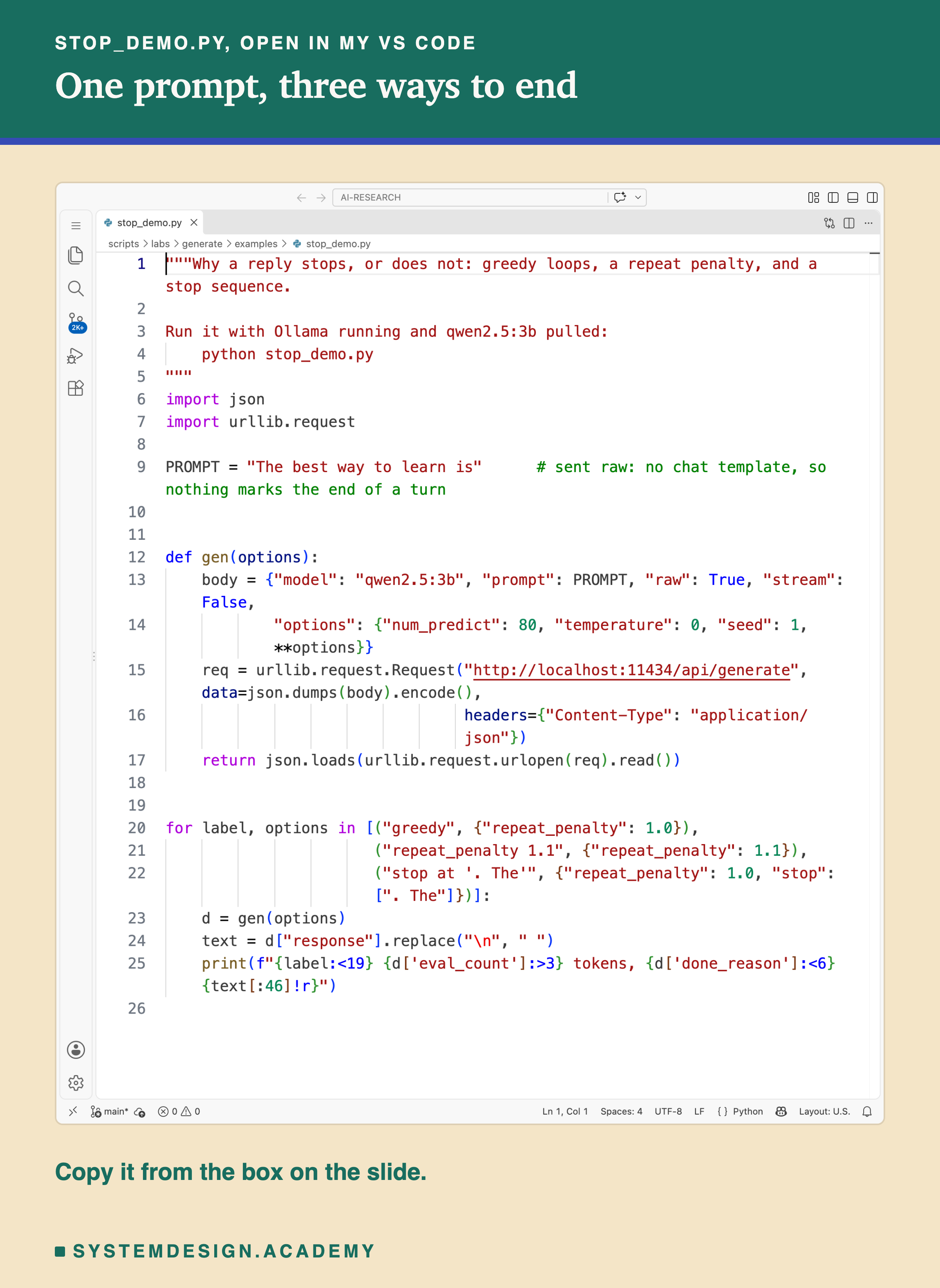
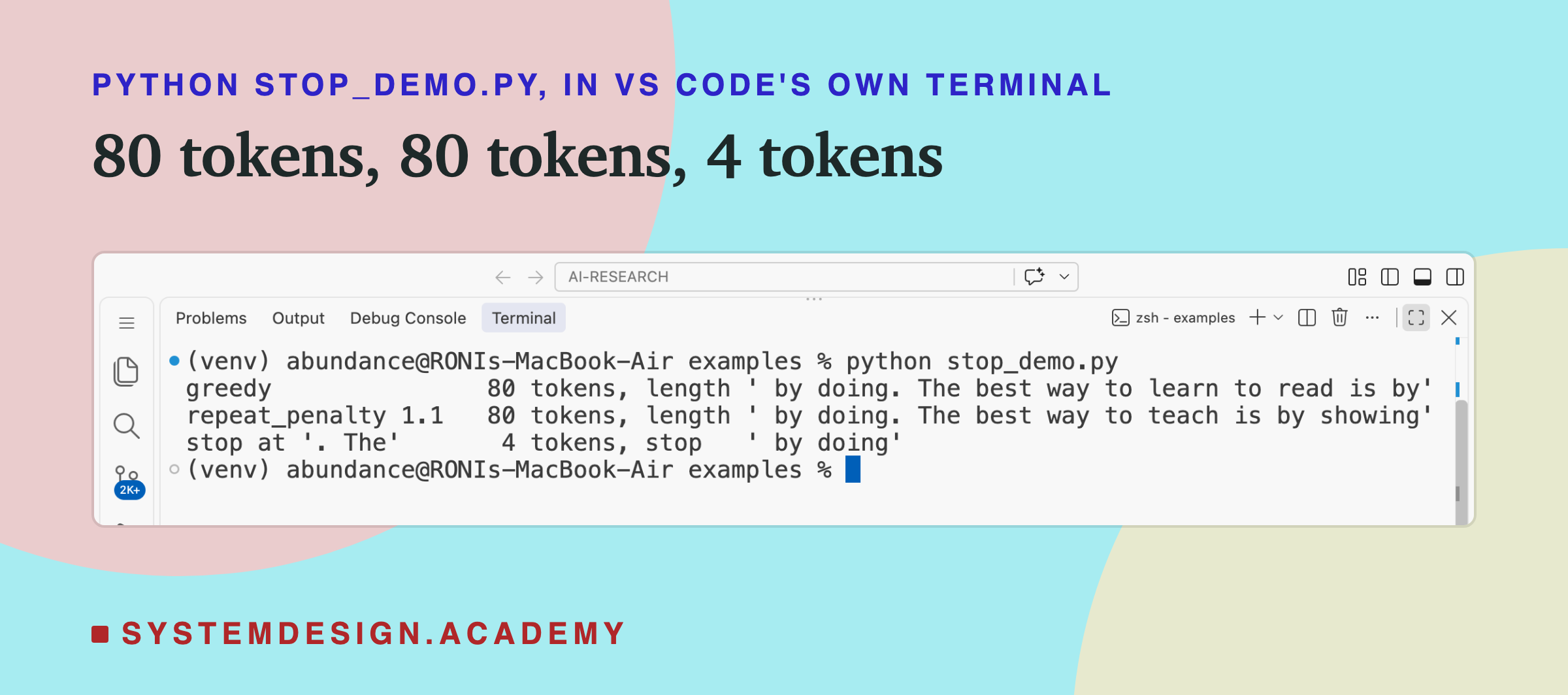
This script sends one prompt, raw, three ways: greedy, greedy with a penalty of 1.1, and greedy with a stop sequence of ". The", which ends the reply as soon as the model starts a new sentence with "The".
Before you run this lab. It uses qwen2.5:3b, running in Ollama on your own computer. If you have not set that up yet, the lab setup guide shows how to install Ollama, download the model and check that everything works, on macOS, Windows or Linux. You can use a different model instead: the guide shows the one line to change, and your numbers will differ from the ones in this lesson.
"""Why a reply stops, or does not: greedy loops, a repeat penalty, and a stop sequence.

Run it with Ollama running and qwen2.5:3b pulled:
    python stop_demo.py
"""
import json
import urllib.request

PROMPT = "The best way to learn is"      # sent raw: no chat template, so nothing marks the end of a turn


def gen(options):
    body = {"model": "qwen2.5:3b", "prompt": PROMPT, "raw": True, "stream": False,
            "options": {"num_predict": 80, "temperature": 0, "seed": 1, **options}}
    req = urllib.request.Request("http://localhost:11434/api/generate", data=json.dumps(body).encode(),
                                 headers={"Content-Type": "application/json"})
    return json.loads(urllib.request.urlopen(req).read())


for label, options in [("greedy", {"repeat_penalty": 1.0}),
                       ("repeat_penalty 1.1", {"repeat_penalty": 1.1}),
                       ("stop at '. The'", {"repeat_penalty": 1.0, "stop": [". The"]})]:
    d = gen(options)
    text = d["response"].replace("\n", " ")
    print(f"{label:<19} {d['eval_count']:>3} tokens, {d['done_reason']:<6} {text[:46]!r}")
This is a real run in VS Code's terminal.
Stop Sequences: Useful, Not a Cure
A stop sequence is the most direct control you have. The lab tried the simplest one on all 12 raw prompts, greedy: stop at the first line break.
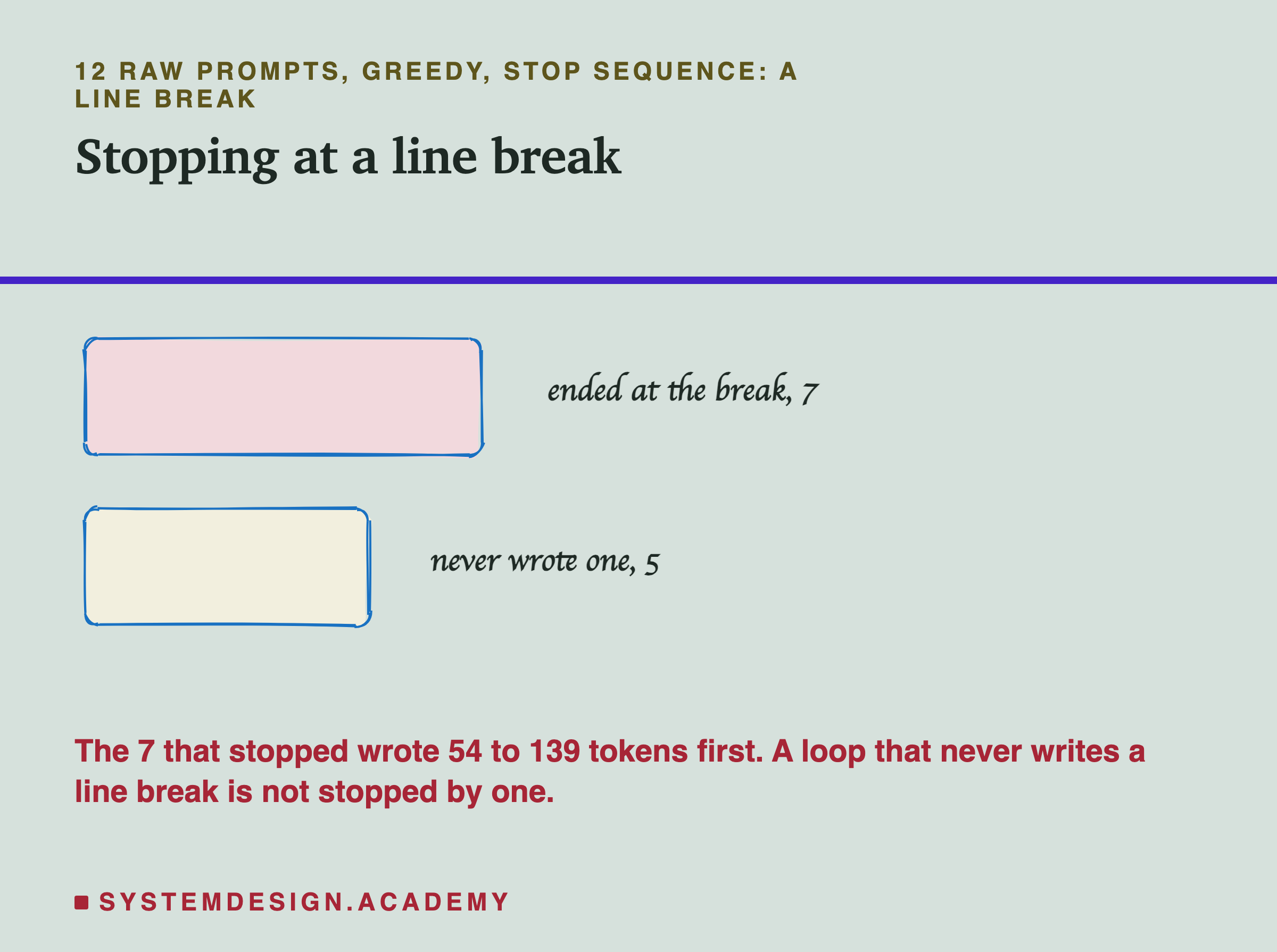
7 of the 12 replies ended at a line break, after 54 to 139 tokens. The other 5 never wrote a line break, and ran to the 256-token limit. Among them was "My favourite food is", whose loop ("I like to eat them with...") continued on one long line. A stop sequence only works if the model writes that text; a loop that never produces it is not stopped by it.
Even the 7 that stopped did not all end neatly: 4 of them ended without a full stop, question mark or exclamation mark, because the line break came in the middle of something, such as a colon before a list. A stop sequence ends a reply where the text appears, which is only a good ending if you chose the text to match the shape of the answer you want.
Good stop sequences come from the format you asked for. If you ask for one line, stop at a line break. If you ask for a JSON object, the end of the object is a better signal than any phrase. If you use a script format like lesson 8's "User: ... Assistant:", stop at "\nUser:" so the model cannot write the user's next line.
A Length Limit Always Cuts
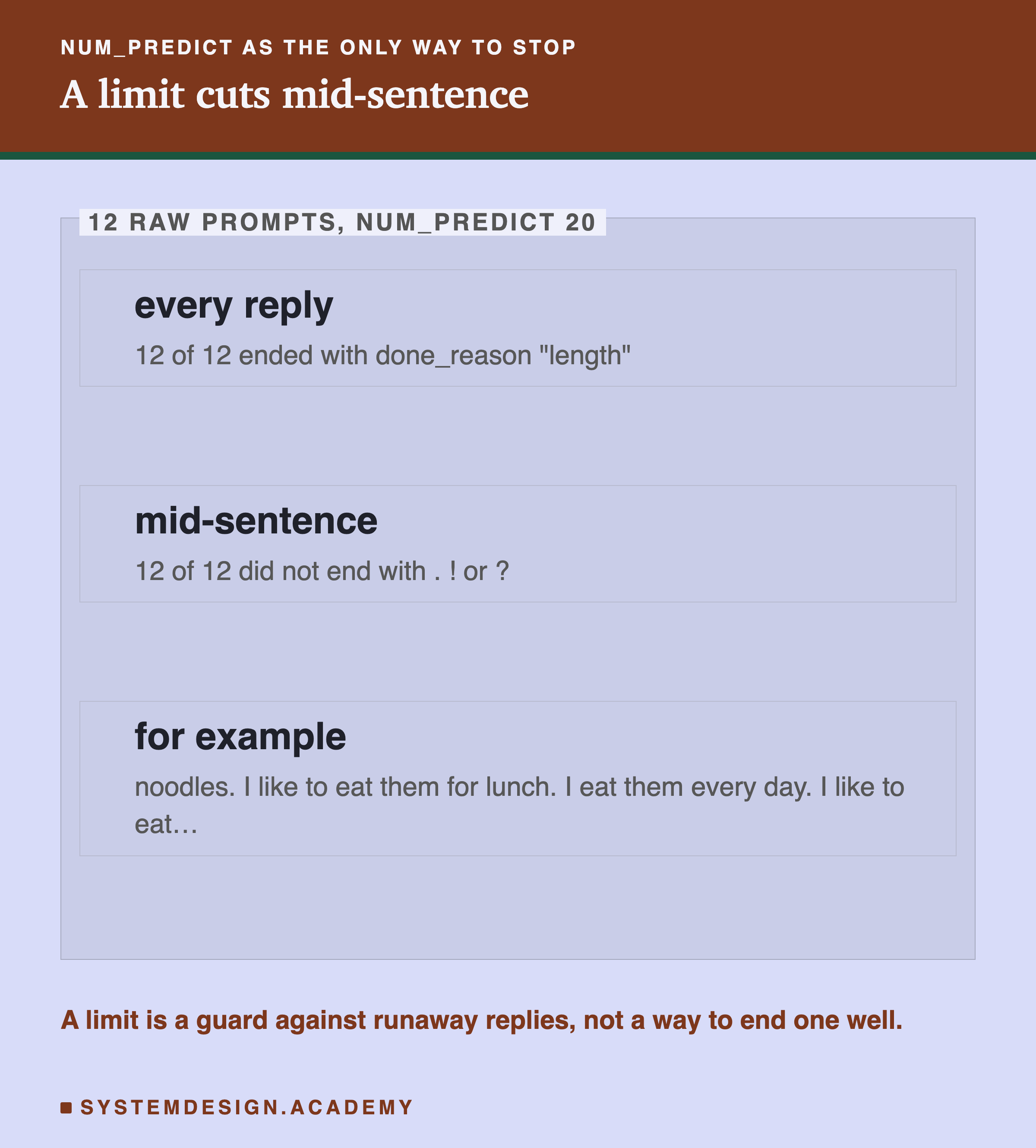
With num_predict 20, all 12 replies were cut by length, and all 12 ended mid-sentence. A length limit is blind: it does not know whether it is cutting a finished answer or half a word.
So use num_predict as a guard, not as the plan. Set it well above the longest reply you expect, so that normal replies end by themselves and only runaway ones hit the limit. Then treat any reply with done_reason "length" as unfinished: retry it, show it as cut, or throw it away, depending on your app.
Remember also from lessons 3 and 5 that writing is the slow part. A reply that runs to the limit costs the most time of any reply, and a looping reply spends all that time saying nothing new. Catching loops early saves real waiting.
Through the Chat Template
The chat template gives the model a turn to finish and an end marker to write. So the lab sent the same 12 prompts as chat questions, "Write about: My favourite food is", greedy, up to 256 tokens.
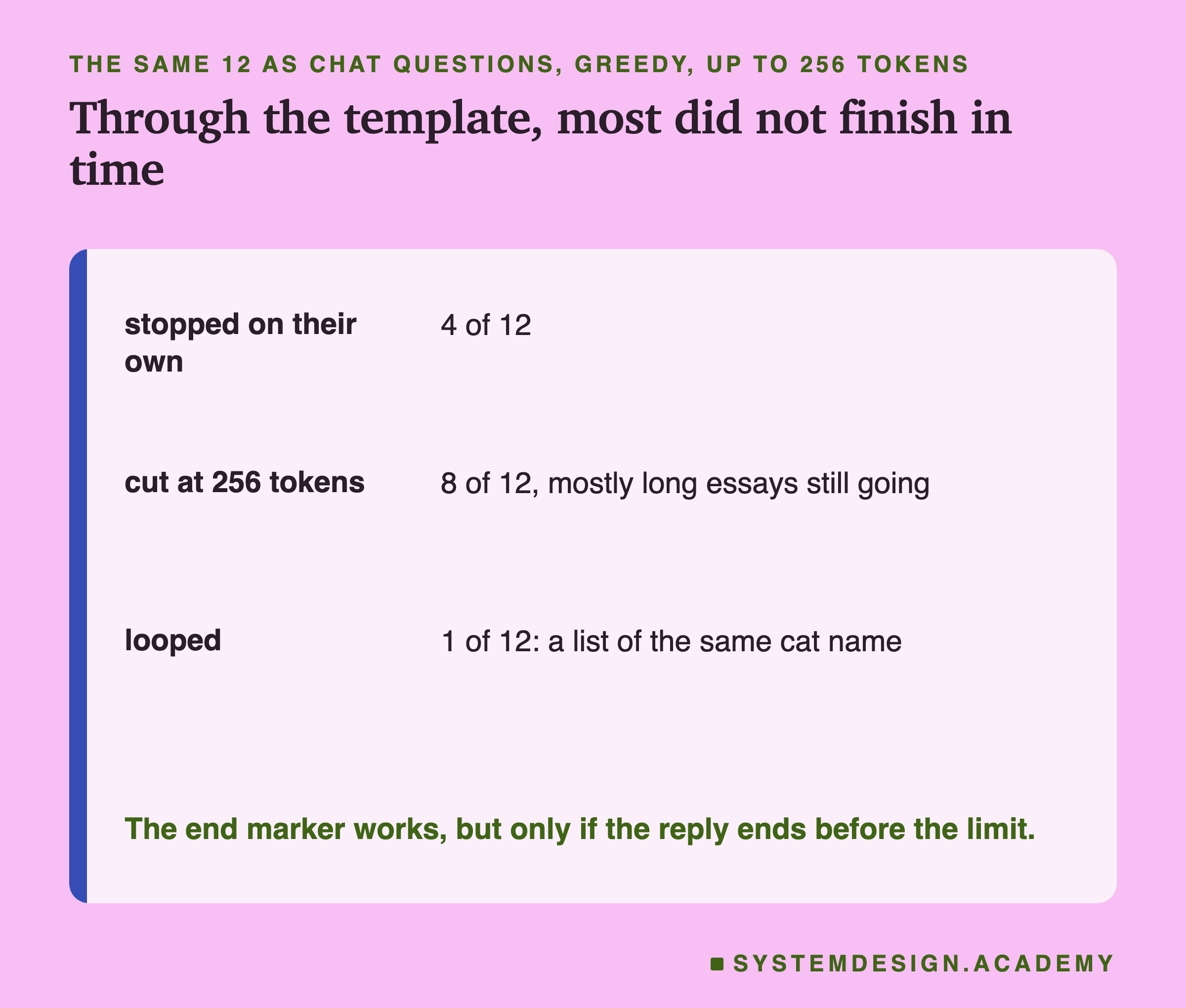
Only 4 of 12 ended on their own; the other 8 were cut at 256 tokens. That sounds worse than it is. Asked to "write about" something, the model wrote a long, structured essay, with headings and numbered points, and 256 tokens was simply not enough room. The 4 that stopped did so after 48 to 140 tokens, and 3 of them stopped early because the model asked for more detail or said it could not answer, for example that it has no live weather data. Only one wrote a real paragraph and then finished. Only 1 of 12 looped: asked for a cat's name, it began a list and wrote "1. Luna 2. Luna 3. Luna 4. Luna".
So the template fixes the missing end marker, but it does not decide how long an answer should be. The question does. "Write about" invites a long answer; "In one sentence, what is" invites a short one. If you need short replies, ask for them, and keep num_predict as the guard.
The Lab Report
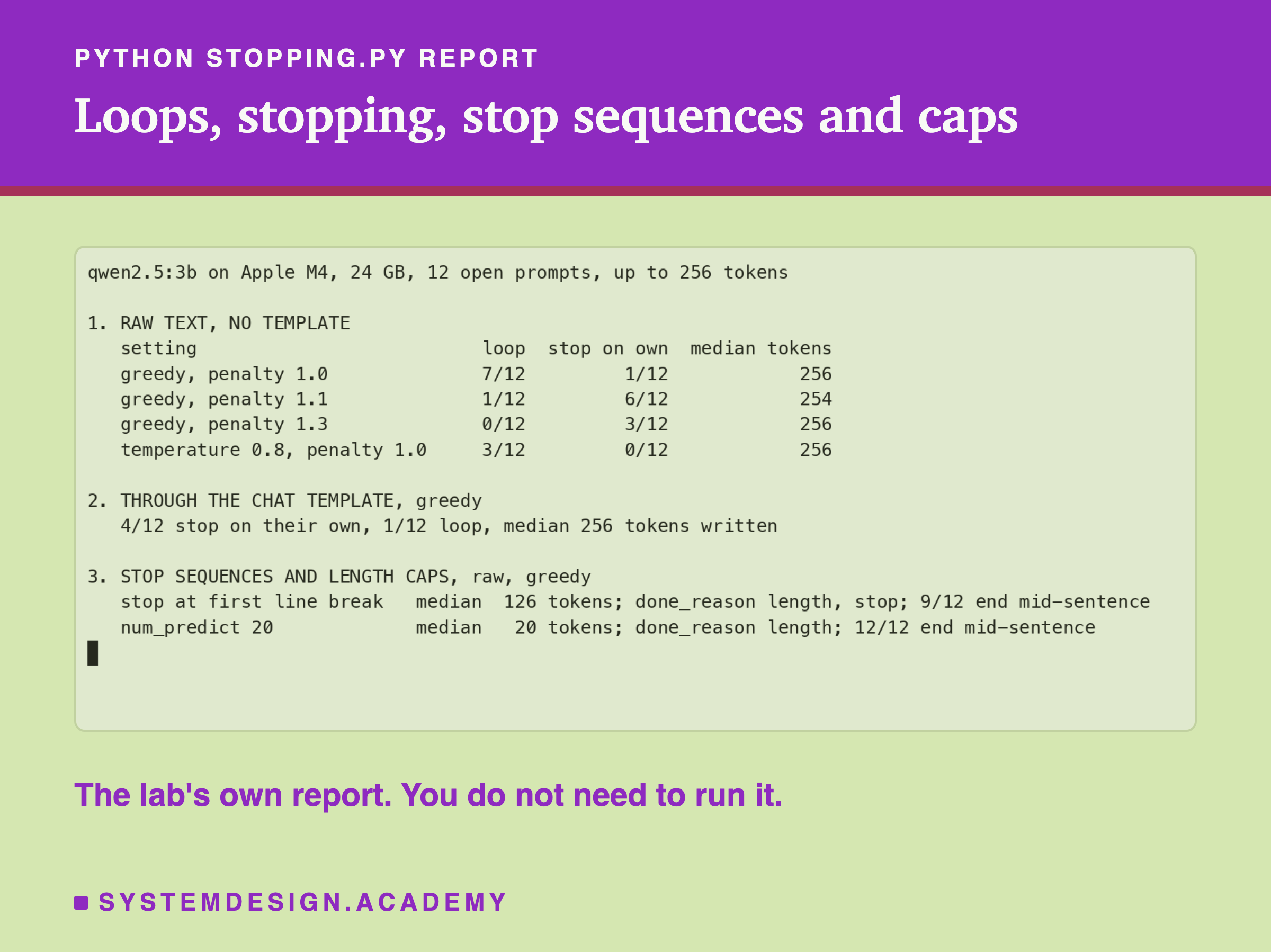
The lab is scripts/labs/generate/stopping.py. It sends each of the 12 prompts under each setting once, with seed 1, and stores every reply. The report counts loops with the 8-word test, reads done_reason for stopping, and checks whether each reply ends with a full stop, question mark, exclamation mark, closing quote or bracket.
The "9 of 12 end mid-sentence" for the line-break stop counts all 12 replies: the 5 that never wrote a line break and were cut at 256, plus 4 of the 7 that stopped at one.
The loop test is simple on purpose, and it has limits. A reply that repeats a short phrase, or repeats with small changes, may not be counted. I tried a second rule that also counted any line repeated three times, and it wrongly flagged replies that repeated a label such as "Answer:" or a line of symbols, so I dropped it. Reading the replies is still the best check.
What to Set
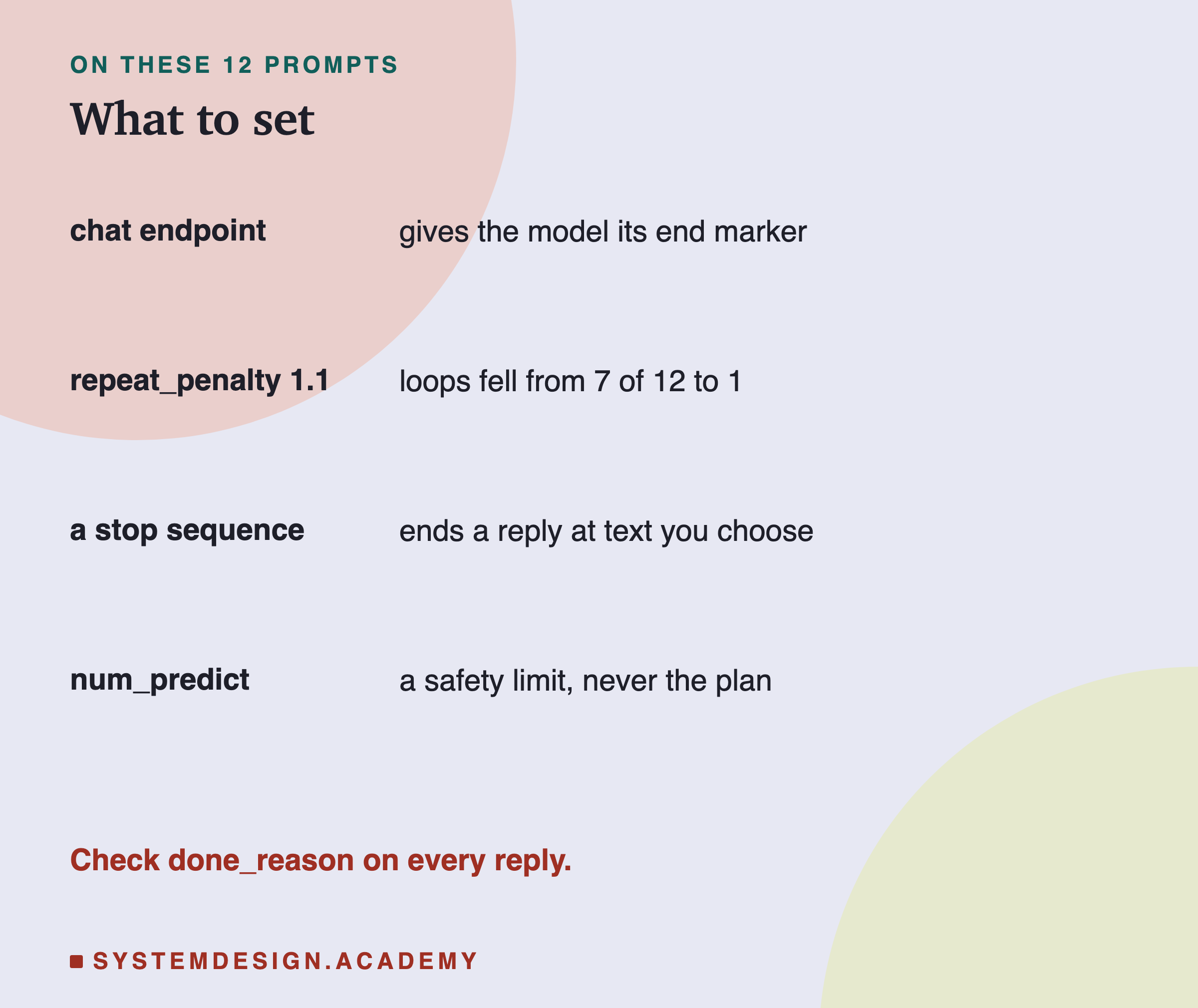
Use the chat endpoint for anything a person reads, so the model has its end marker. If replies loop, try a small repeat penalty such as 1.1 before anything larger; in this lab it removed most loops. Add a stop sequence when the answer has a known shape. Set num_predict well above normal replies, as a guard.
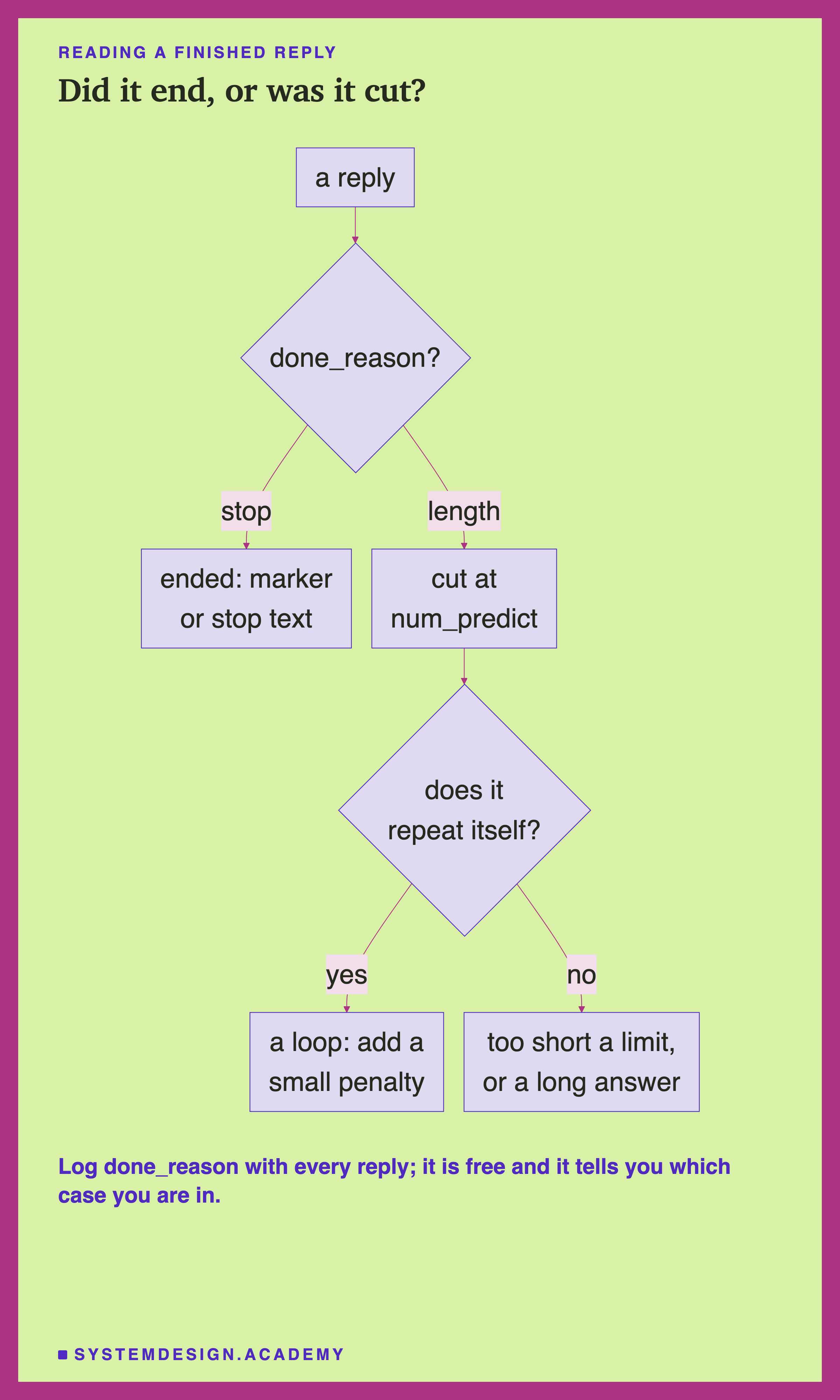
When a reply is cut by length, look at it. If it repeats itself, it was a loop, and a small penalty or some sampling is the fix. If it does not, the answer was simply longer than the limit, and either the limit or the question needs changing.
Check a Reply in Your Browser
This box has no model. It holds the loop test the lab used and the repeat penalty arithmetic, so you can try both on your own text.
It prints "loops (8 words, 3 times): False" and "loops (4 words, 3 times): True", then the penalty results, 1.82 and −1.10. The first two lines show the limit of any loop test: this short excerpt is clearly a loop to a reader, but no 8-word run appears three times in it yet, so the lab's test does not catch it; a 4-word test does. Shorter runs catch loops sooner, but also flag ordinary repeated phrases. Try both on some of your own replies.
The Code, Part by Part
Raw on purpose. stop_demo.py sends the prompt with "raw": True, so there is no chat template and no end-of-turn marker. That makes the stopping problem easy to see.
The options. Every call sets num_predict 80, temperature 0 and seed 1, then adds the setting under test with **options, Python's way of merging one dictionary into another.
The stop sequence. "stop": [". The"] is a list, so you can give several stop texts. The reply ends as soon as any of them is written, and the stop text is left out of the reply.
The two numbers. eval_count is the number of tokens written, and done_reason says how the reply ended.
The lab. stopping.py runs 12 prompts under 4 raw settings, through the chat template, and with a line-break stop and a 20-token limit, 84 replies in all, and stores every one so the report can be replayed.
Common Mistakes
Treating a cut reply as an answer. A reply with done_reason "length" was cut, not finished. All 12 replies with a 20-token limit ended mid-sentence.
Greedy decoding on open text. 7 of 12 raw greedy replies looped.
A large repeat penalty. It removes loops, but it also lowers the odds of words a good answer needs to reuse. The lab did not measure whether 1.3 was worse than 1.1.
A stop sequence the model never writes. 5 of 12 replies never wrote a line break, so a line-break stop never fired.
Asking for "write about" and expecting a short answer. 8 of 12 chat replies were still writing at 256 tokens.
Setting num_predict just above the answer you expect. Normal replies then get cut too. Set it well above.
What This Lab Can and Cannot Tell You
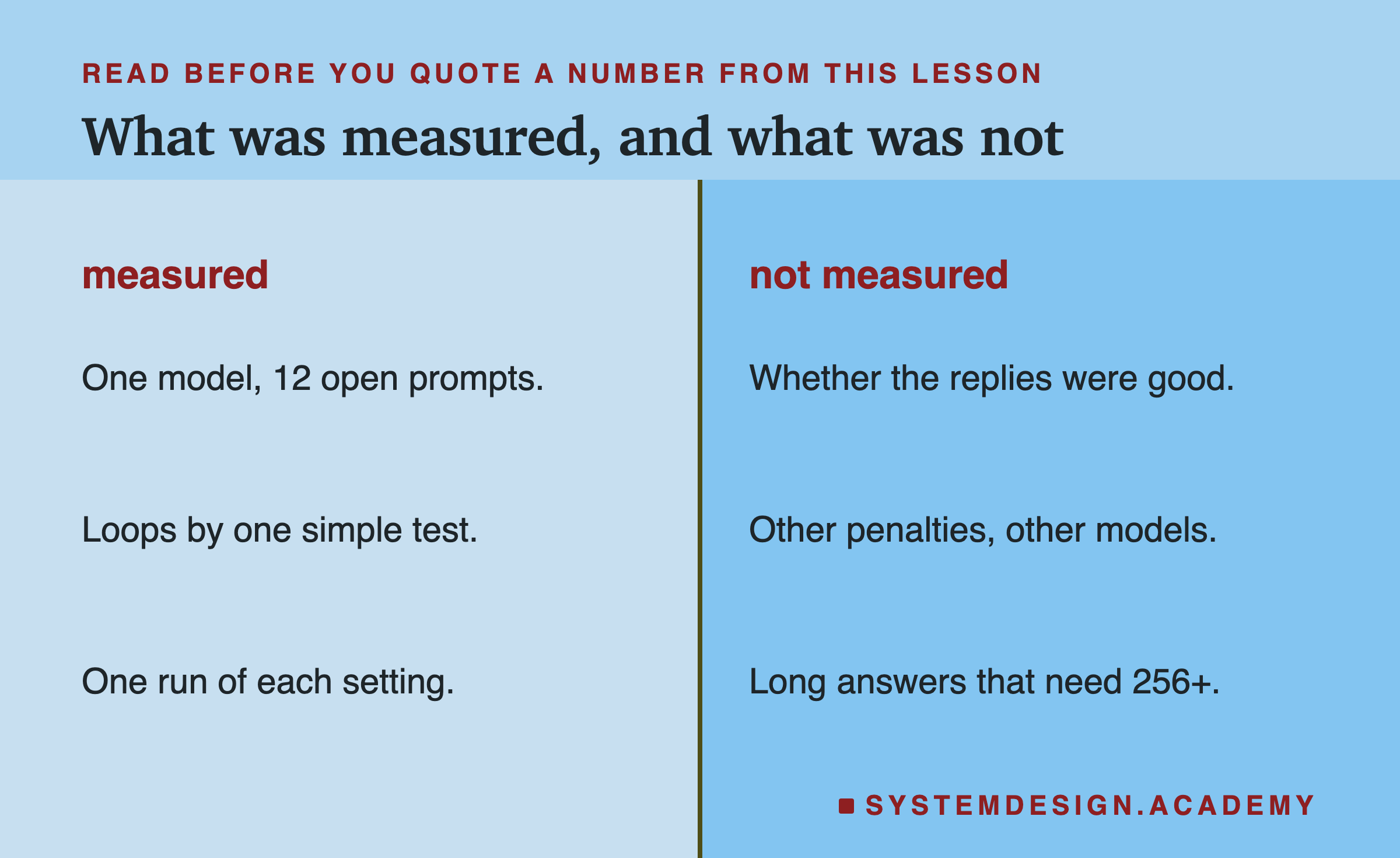
The lab used one model, 12 open prompts and one run of each setting, and counted loops with one simple test. It did not score whether replies were good, which is why the comments about 1.3 wandering come from reading them rather than from a number. It did not test other penalty settings such as frequency_penalty or presence_penalty, other models, or tasks whose good answers are longer than 256 tokens.
Everything ran locally with Ollama and Python, so you can repeat it on your own machine.
What to Do on Monday
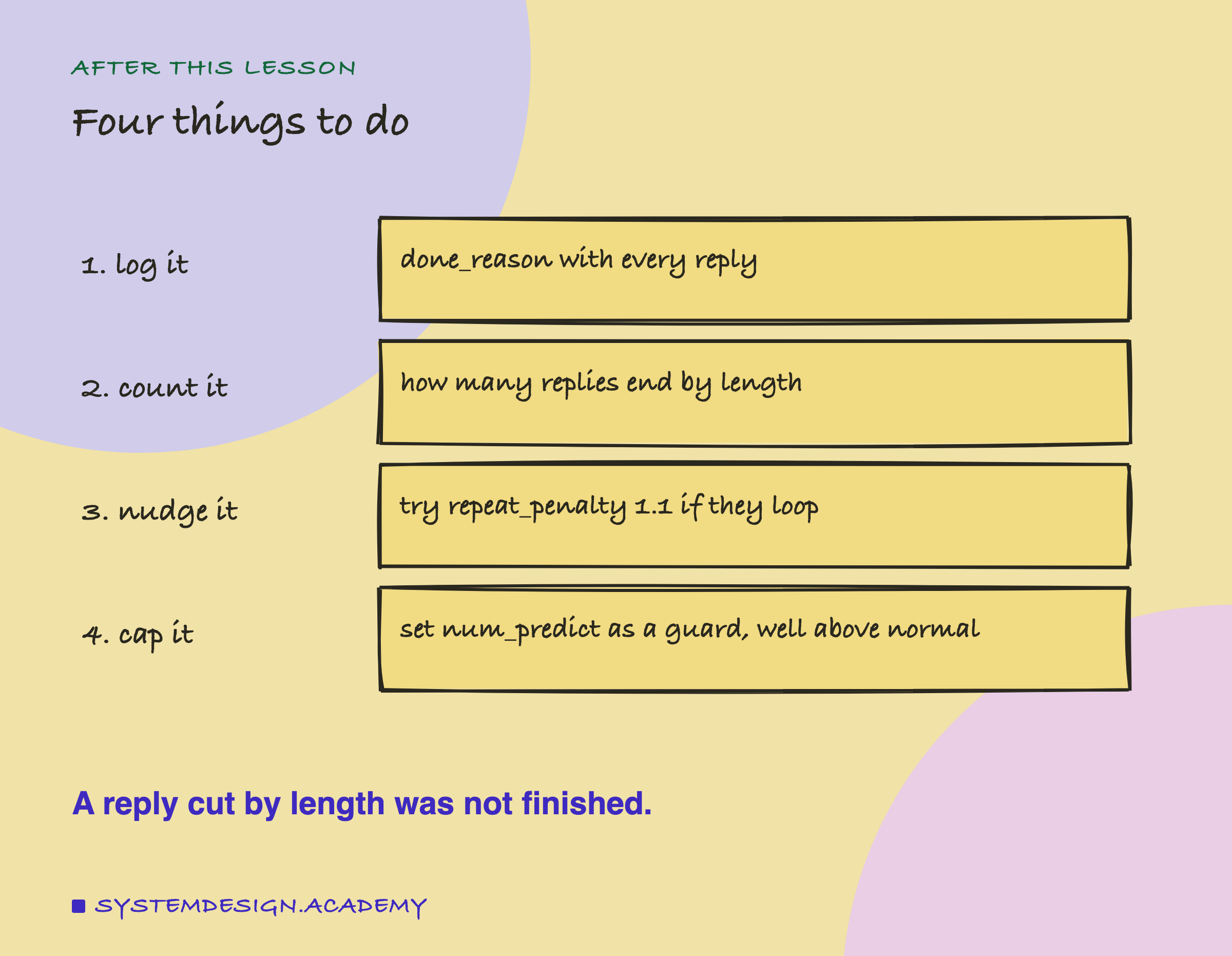
Add done_reason to whatever you log for each model call. After a day of real traffic, count how many replies ended by length. If it is more than a few, read some of them: loops point to a small penalty or some sampling, and long answers point to a larger limit or a question that asks for less. If you build prompts as raw text, check that you give the model some way to end, such as a stop sequence that matches the shape of the answer you asked for, because without a template it has no turn to finish.
Knowledge Check
Knowledge Check
4 questions - Score 80% to pass
Why does greedy decoding tend to loop on open text?
A reply comes back with done_reason 'length'. What does that tell you?
With a repeat penalty of 1.1, what happens to a recently used token whose score is 2.0?
A stop sequence of a line break was set, but 5 of 12 replies still ran to the limit. Why?