The Same Lake, Twice
Hold a large colour photo of a mountain lake in one hand. In the other, hold a tiny black-and-white print of the same lake. The small one has far less detail, but you would never mistake it for a different place.
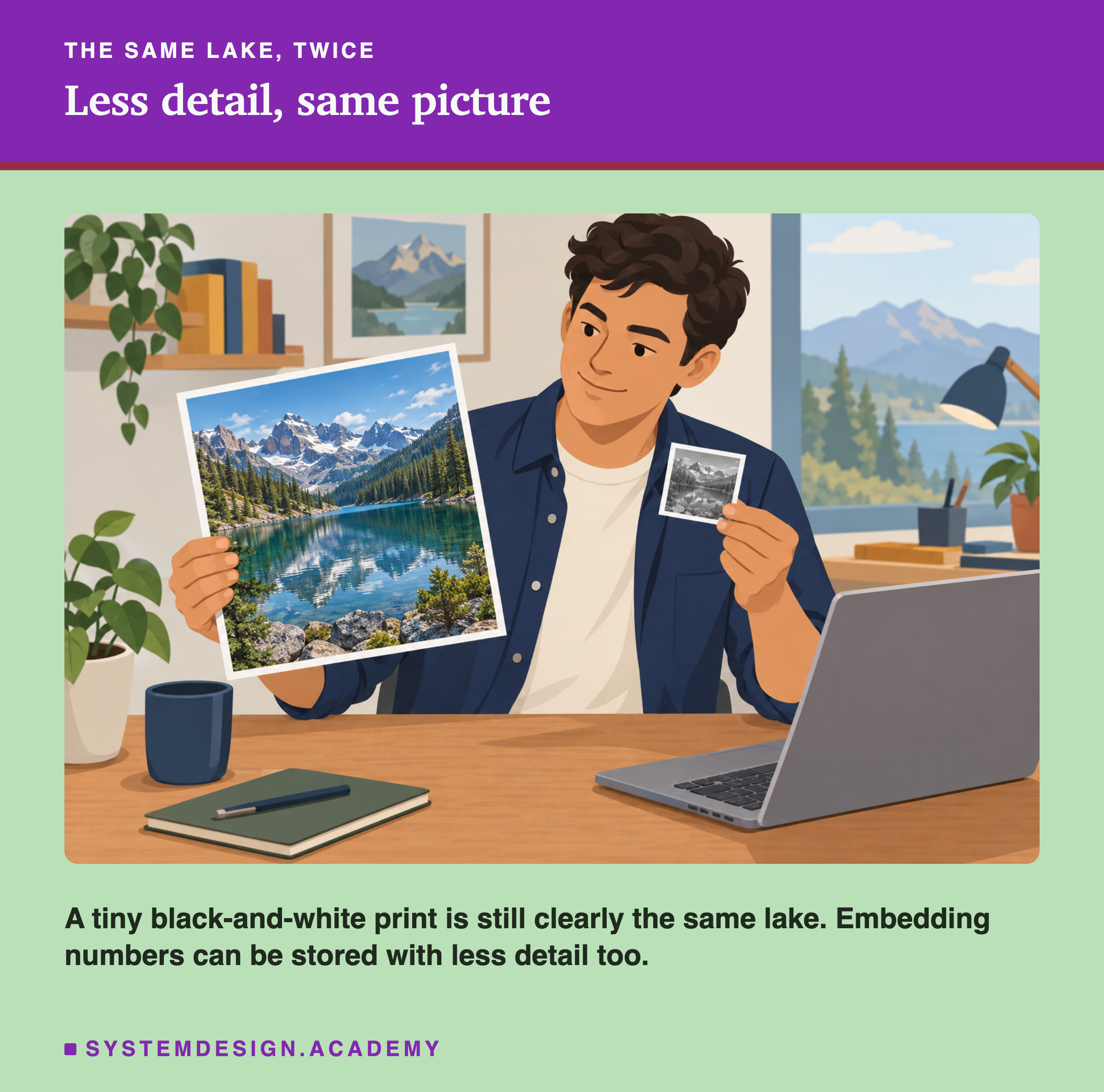
The last lesson made shorter by keeping fewer numbers. This lesson keeps every number, but stores each one with less detail. It is a different way to save space, and it loses far fewer right answers.
The Words You Need First
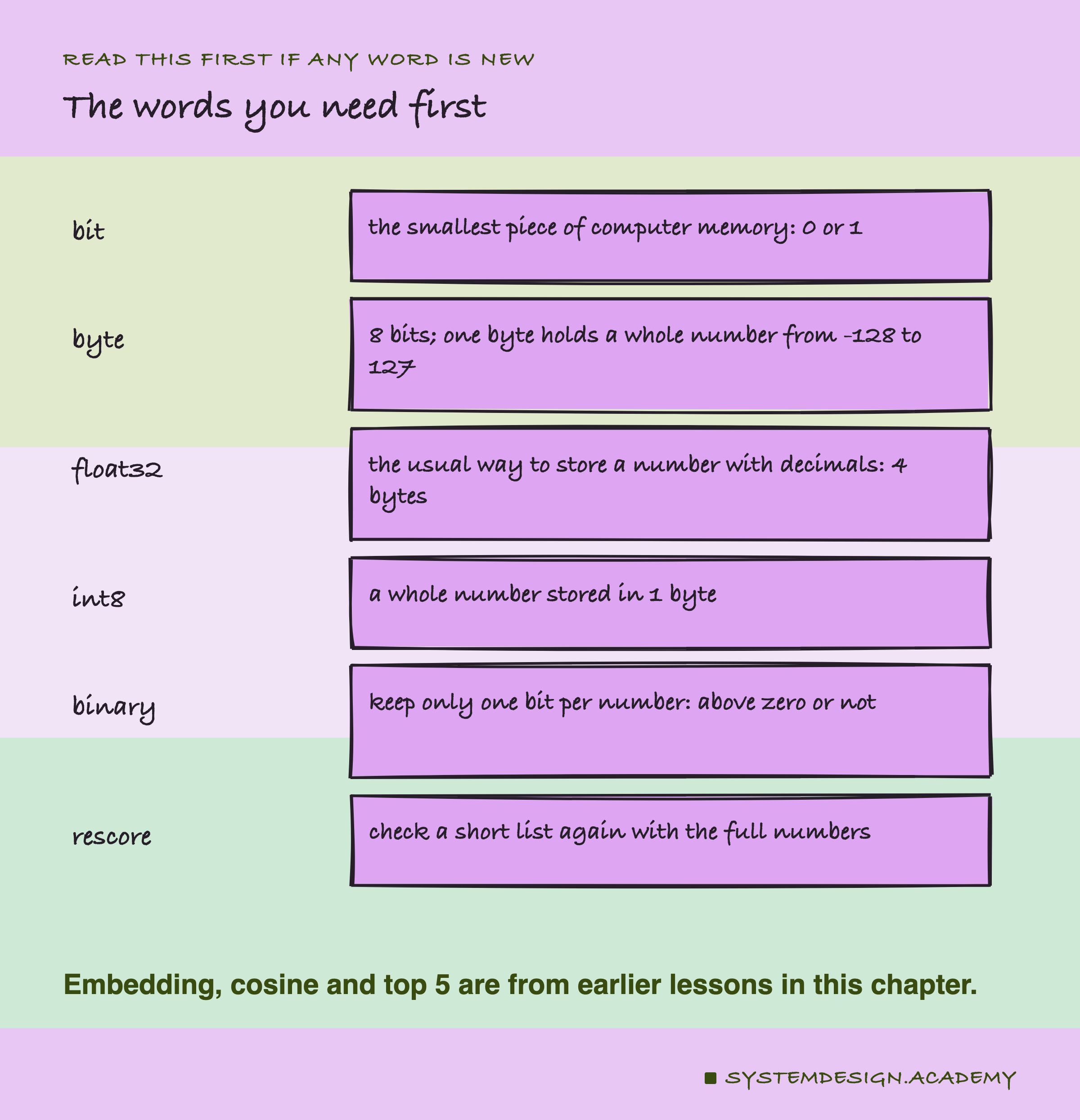
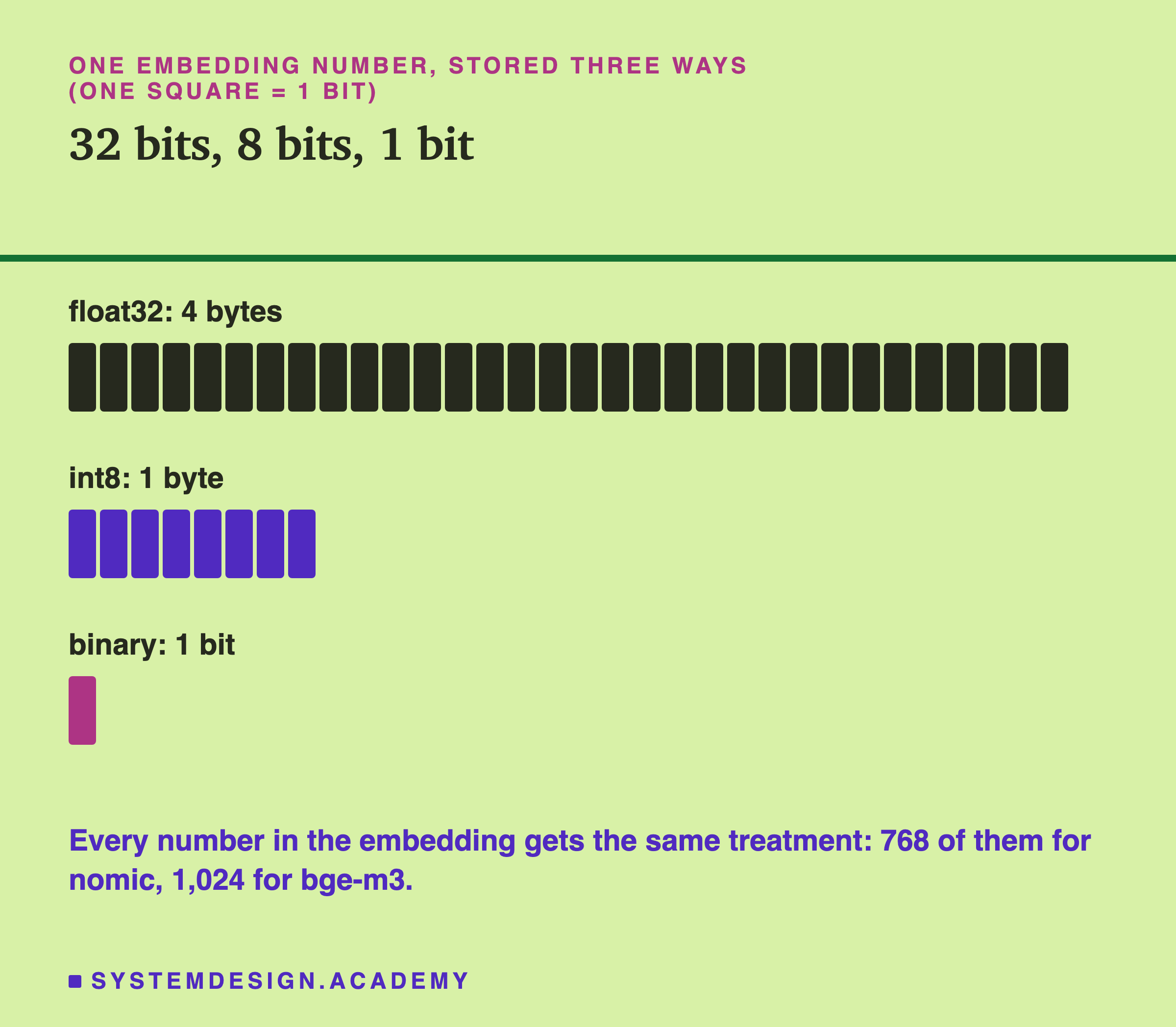
Bit. The smallest piece of computer memory. It is either 0 or 1.
Byte. 8 bits together. One byte can hold a whole number from -128 to 127 (when it keeps a sign, as here).
float32. The usual way a computer stores a number with decimals, like 0.0473. It takes 4 bytes. This is how Ollama gives you each number.
int8. A whole number stored in 1 byte. The "8" means 8 bits.
Binary. Keeping only 1 bit per number: is it above zero or not. That is the number's sign: plus if above zero, minus if below.
Scale factor. The number you multiply by to make other numbers bigger or smaller.
Rescore. Check a short list of results again, this time with the full numbers.
Ranked first. The right lesson was the very top result, a stricter test than top 5.
Noise. Small differences that happen by chance. With 470 questions, one question either way can change from rounding alone.
Try It: Three Ways to Store the Same Numbers
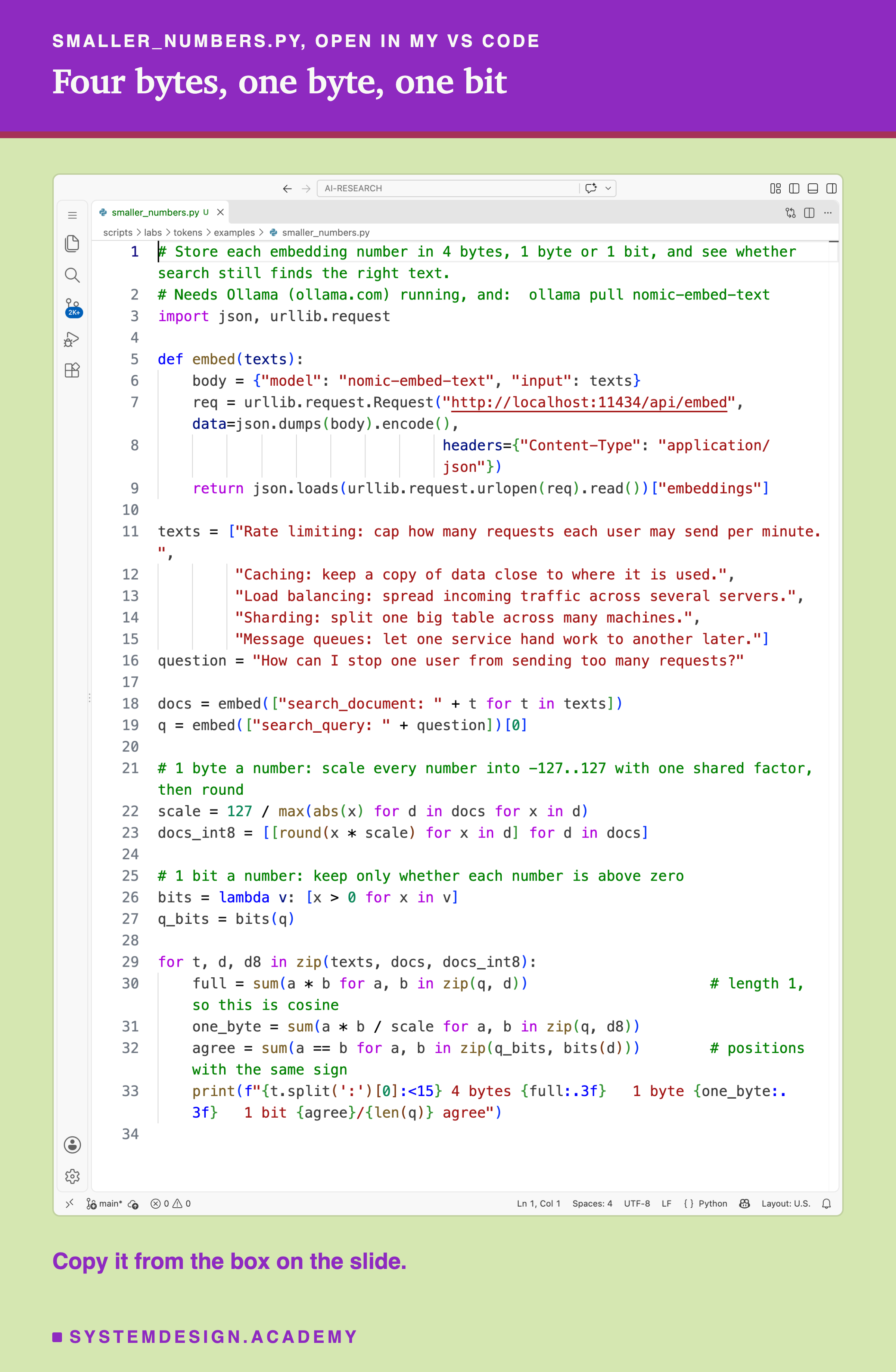
This file takes the five short texts from the last lesson and stores their three ways: 4 bytes for each number, 1 byte for each number and 1 bit for each number. Then it scores each one against the question. Here it is, open in my VS Code.
And this is what it printed:
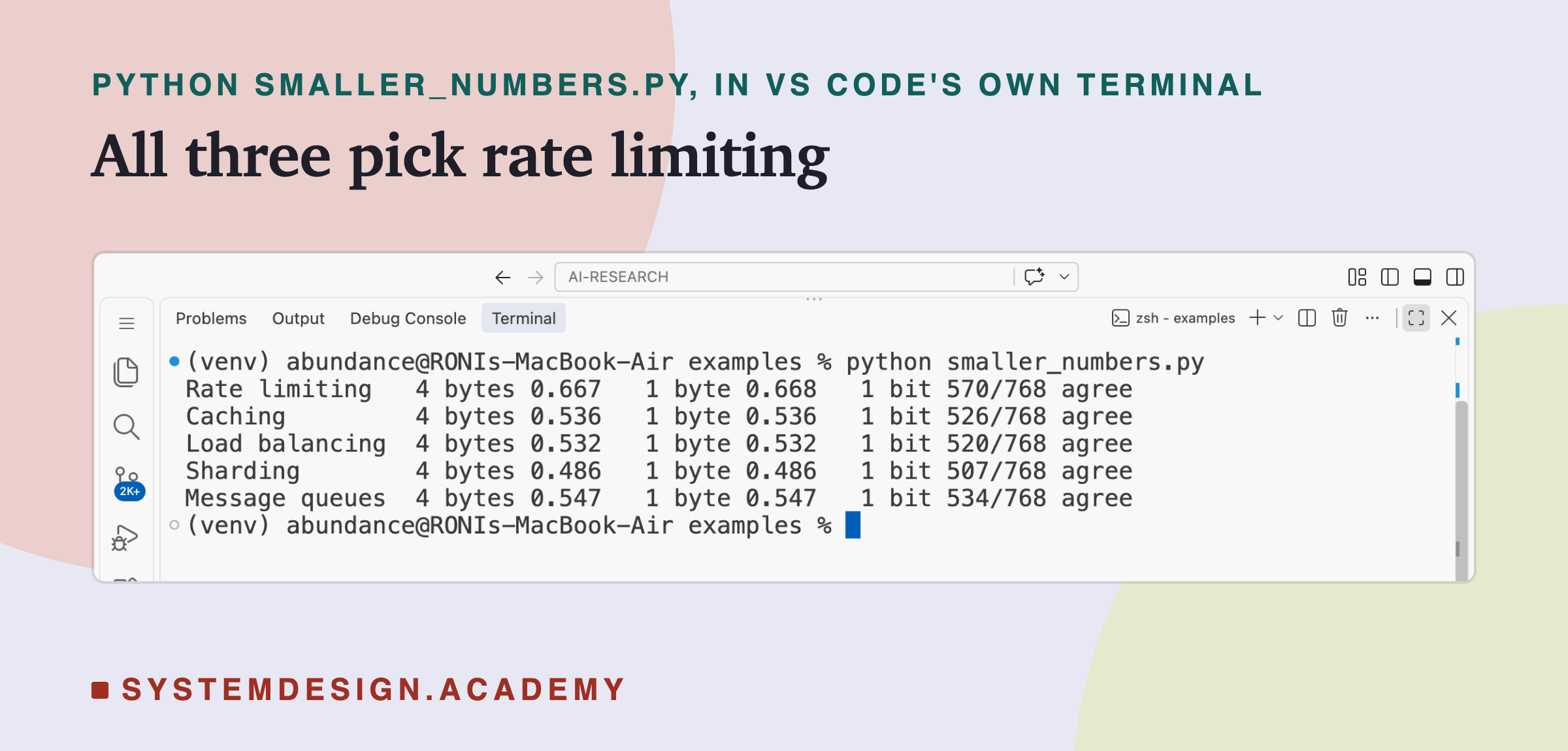
- With 4 bytes, scored highest, 0.667.
- With 1 byte, the scores are almost the same, 0.668 for rate limiting.
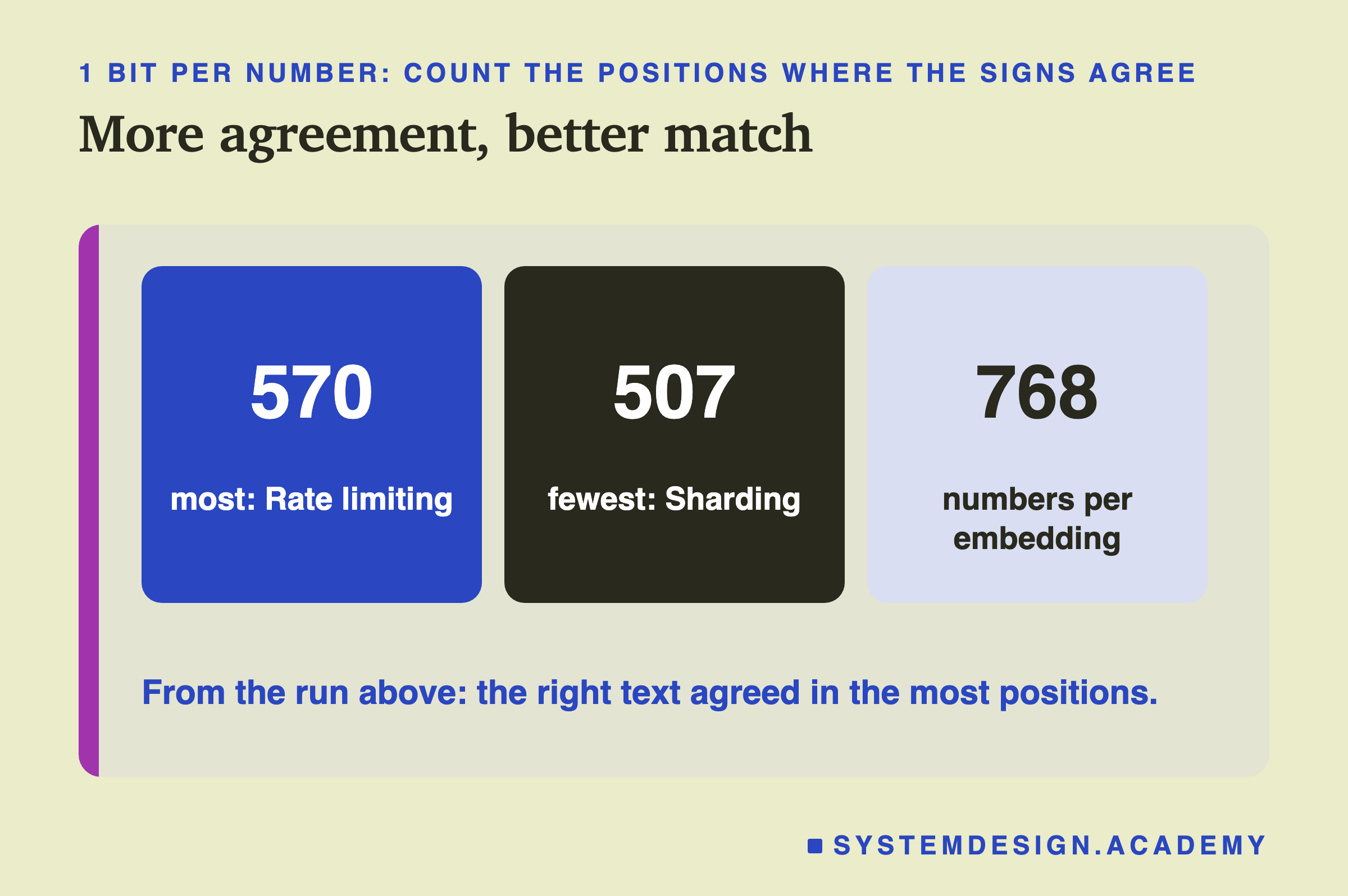
- With 1 bit, the score is a count: how many of the 768 positions have the same sign in the question and the text. Rate limiting agreed in 570, more than any other.
All three picked the right text. To run it: install Ollama from ollama.com, open it and leave it running. Run ollama pull nomic-embed-text, save the file below as smaller_numbers.py, and run python3 smaller_numbers.py (on Windows: python smaller_numbers.py). If you see "Connection refused", open the Ollama app first.
How Each Way Works
1 byte (int8). numbers are small. For nomic here, they were all between about -0.25 and 0.25. To fit them into the whole numbers -127 to 127, multiply every number by one shared scale factor, then round. When you compare, divide by the same factor again, so the numbers are back on their old scale.
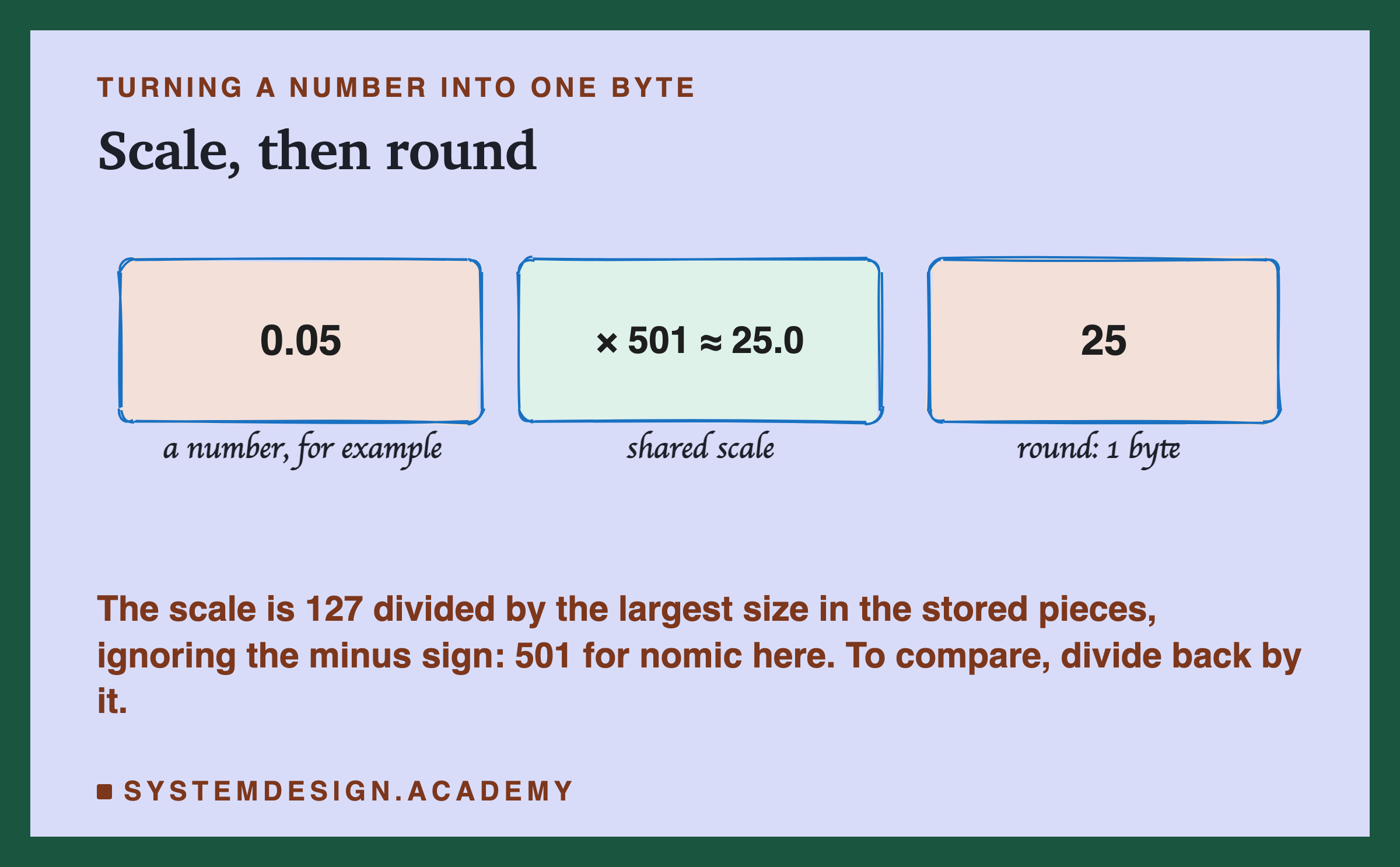
The factor is 127 divided by the largest size found in the stored pieces, ignoring the minus sign. That way the biggest number becomes exactly 127 or -127. For nomic here it was about 501. Rounding throws away only a tiny bit of each number.
1 bit (binary). Keep only whether each number is above zero. To compare a question with a piece, turn the question into signs too, and count the positions where the two agree. More agreement means a closer match.
The Real Test
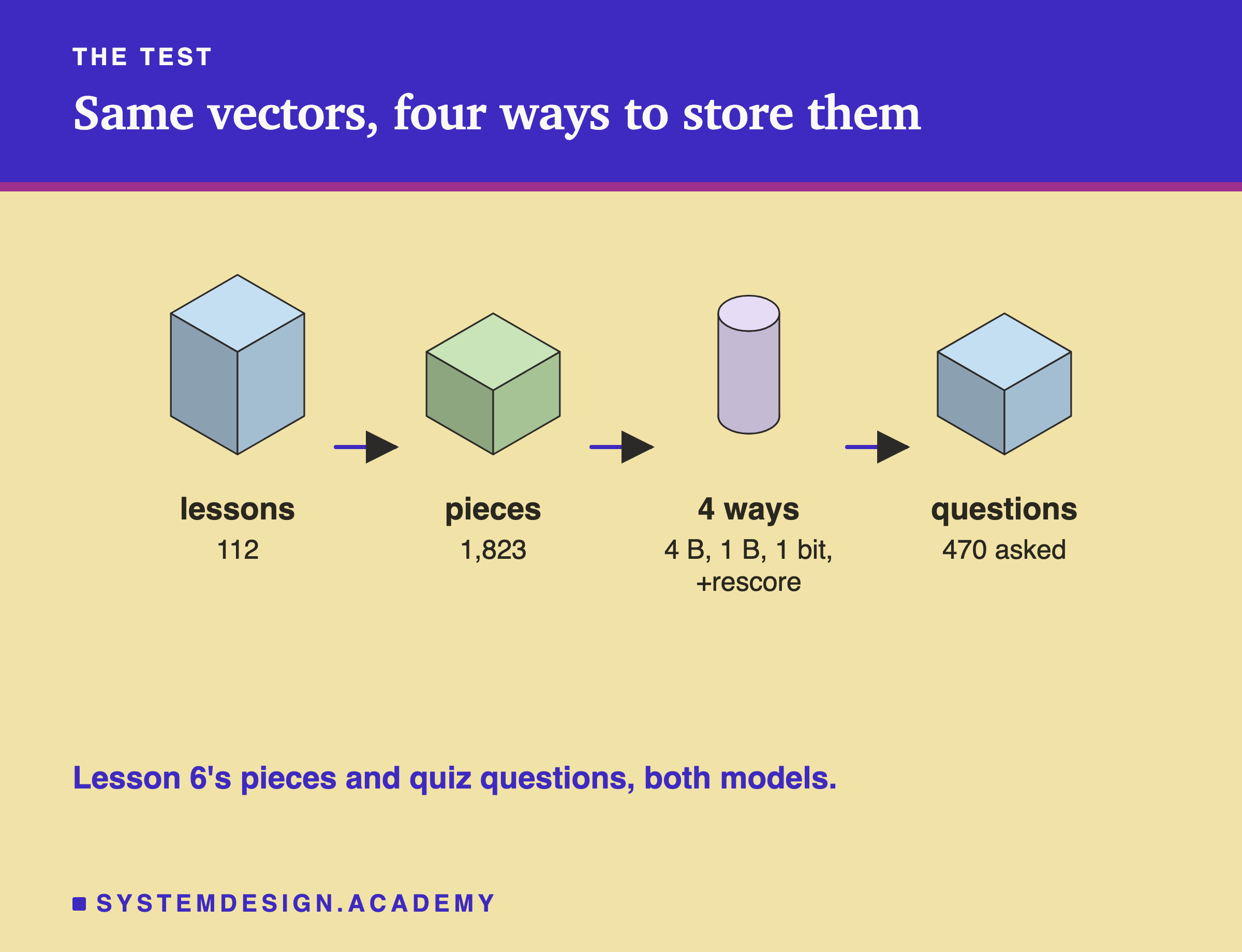
The same test as lessons 6 and 8:
- Documents: 112 lessons of this course, cut into 1,823 pieces of 200 words. Each lesson gets the score of its best-matching piece.
- Questions: the 470 quiz questions inside those lessons. The right answer is the lesson a question came from.
- Two models: nomic-embed-text and bge-m3, full-size vectors.
- Four ways to store the pieces: 4 bytes, 1 byte and 1 bit for each number, plus one more, explained below: 1 bit first, then the best 50 pieces checked again with the full numbers.
The question itself is always embedded at full detail. Only the stored pieces are made smaller. With 1 bit, the question also becomes signs, so both sides look the same.
Here is the lab's report, from the terminal.
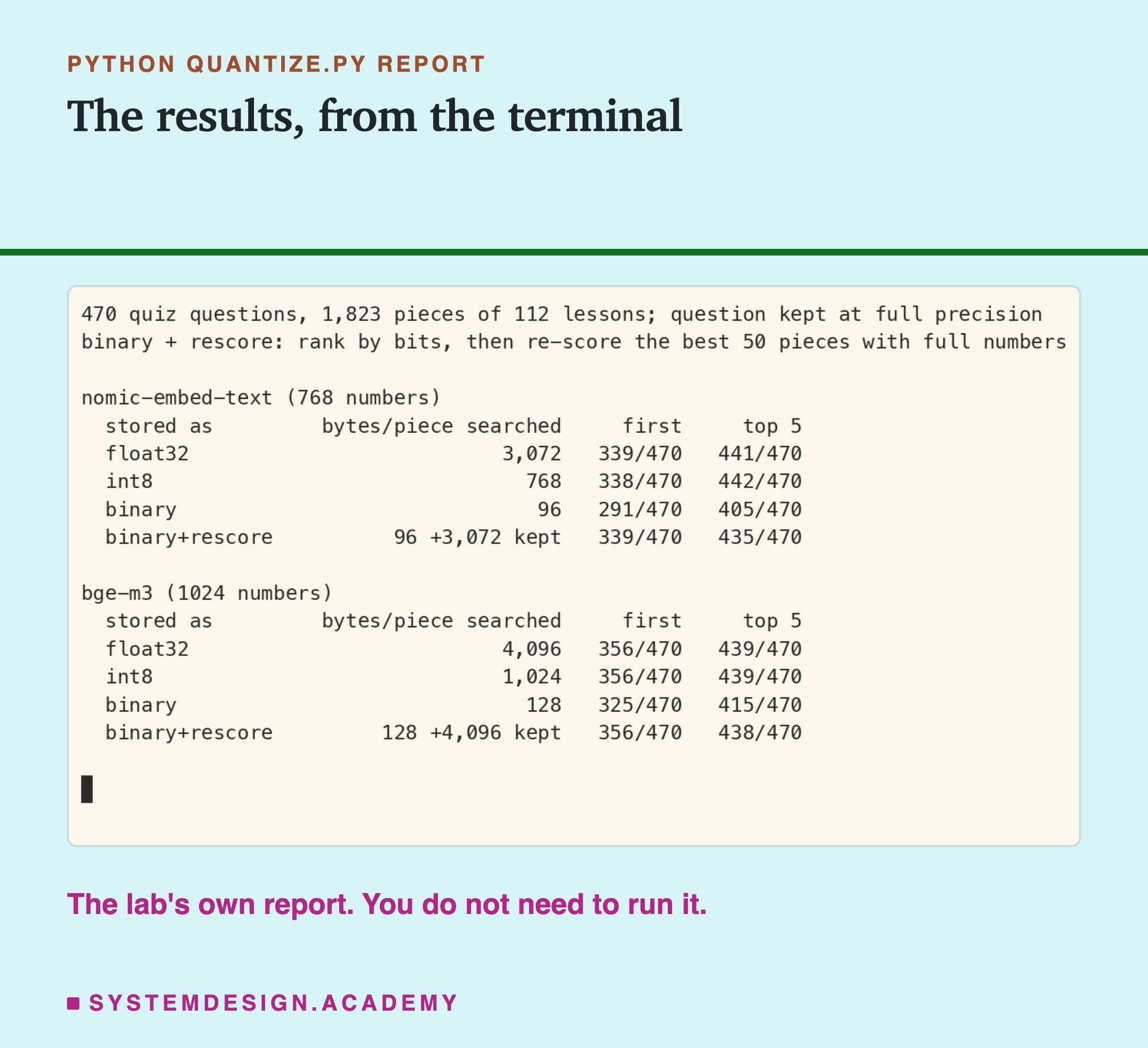
As a check, 4 bytes should repeat lesson 8's full-size result, and it did: 441 and 439 in the top 5.
One Byte Cost Nothing Here
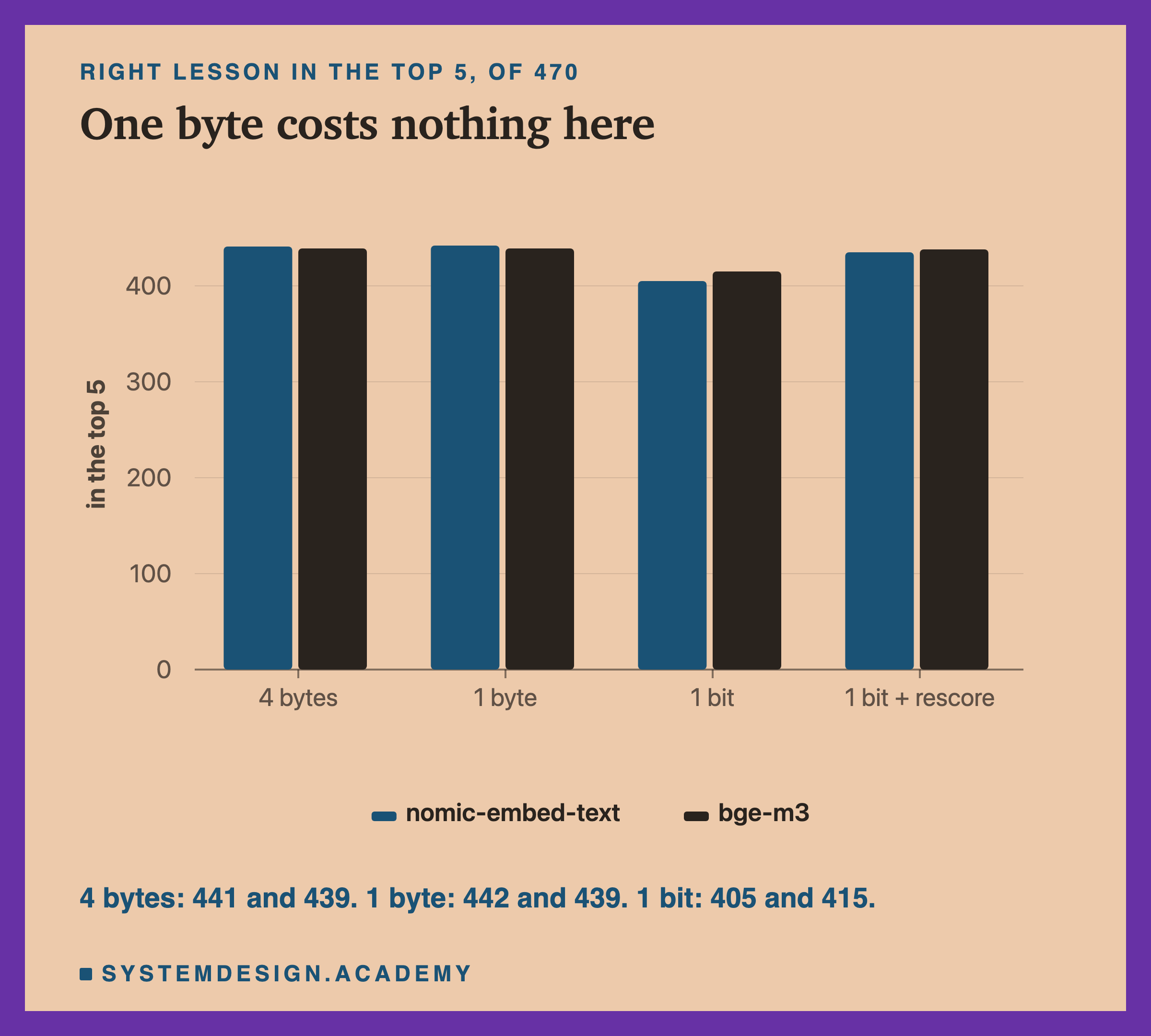
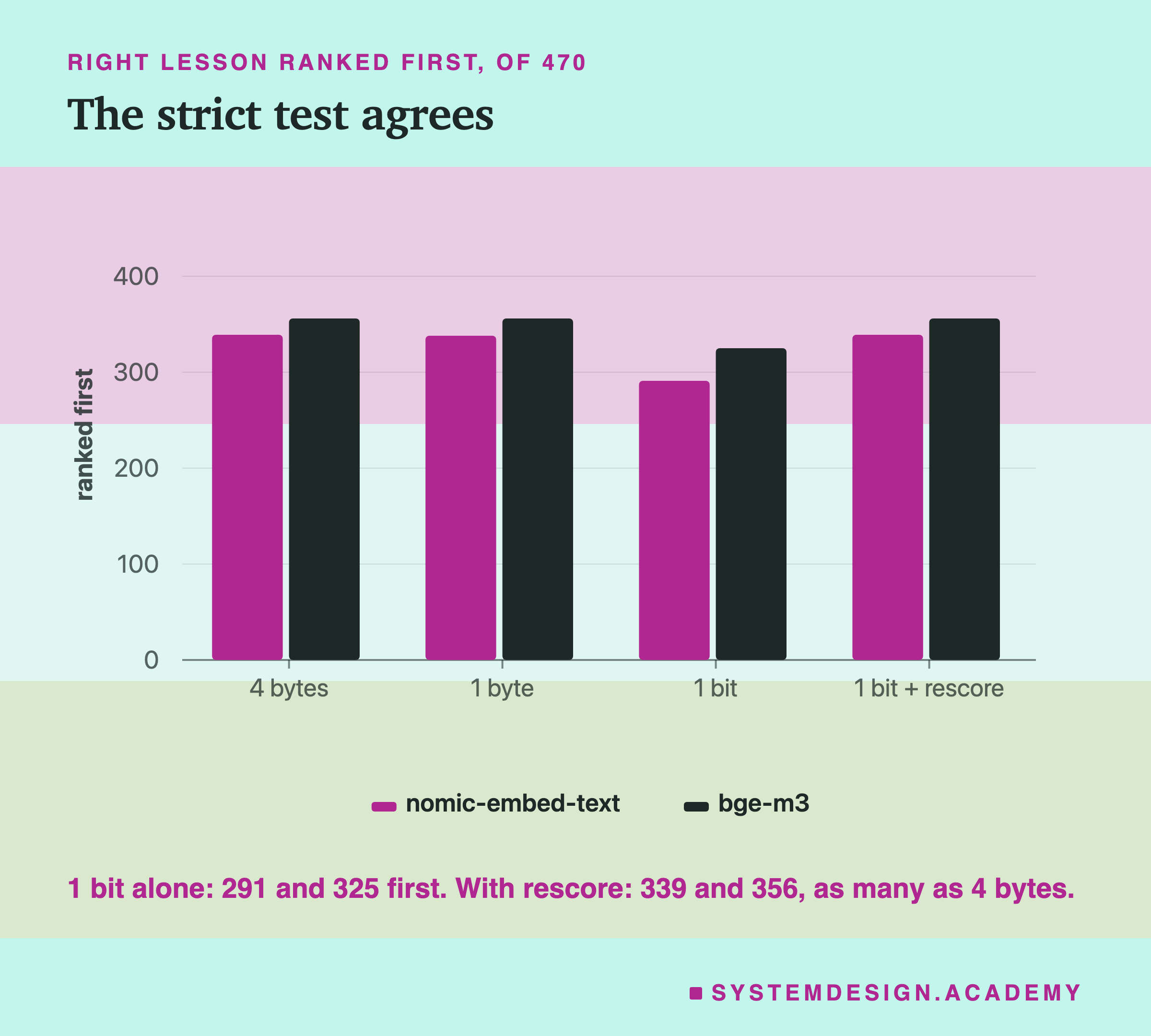
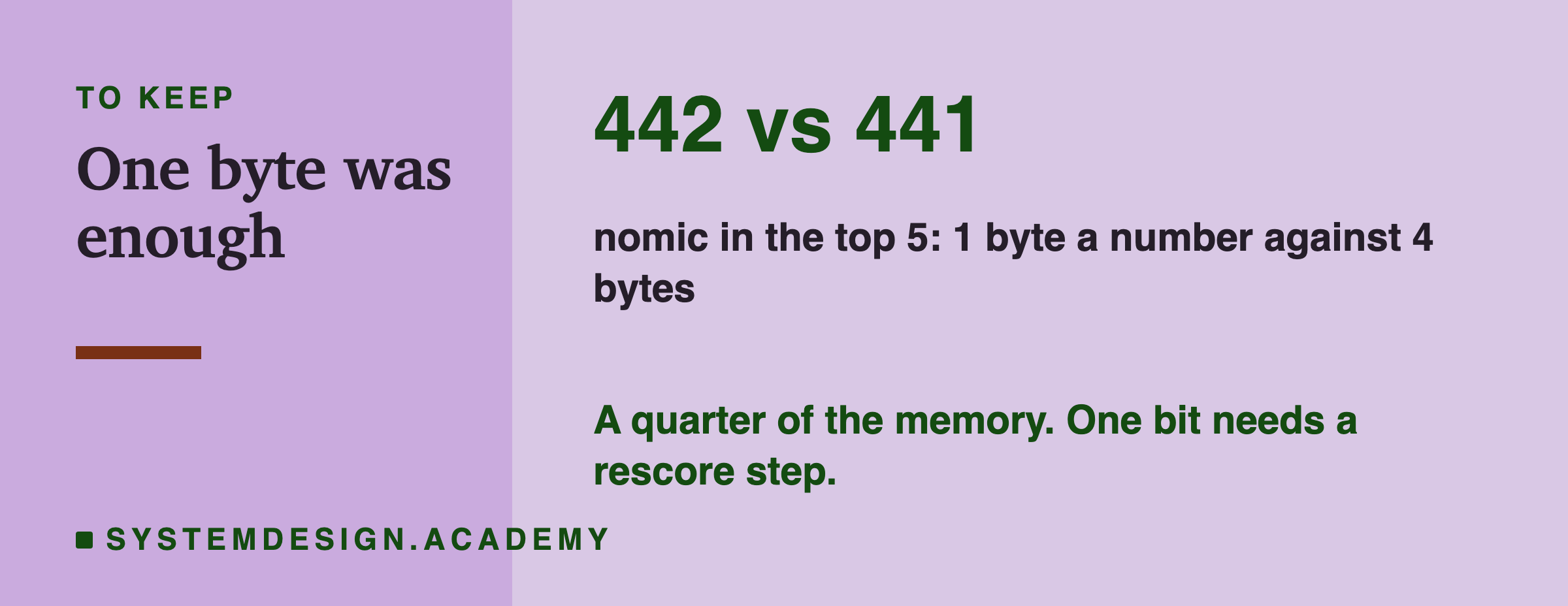
- 1 byte: nomic found the right lesson in the top 5 for 442, against 441 with 4 bytes. bge-m3 found 439 both ways, and not one of its questions changed. For nomic, 1 question moved into the top 5 and none moved out. A difference of one question is noise. In a quarter of the space, the results were the same.
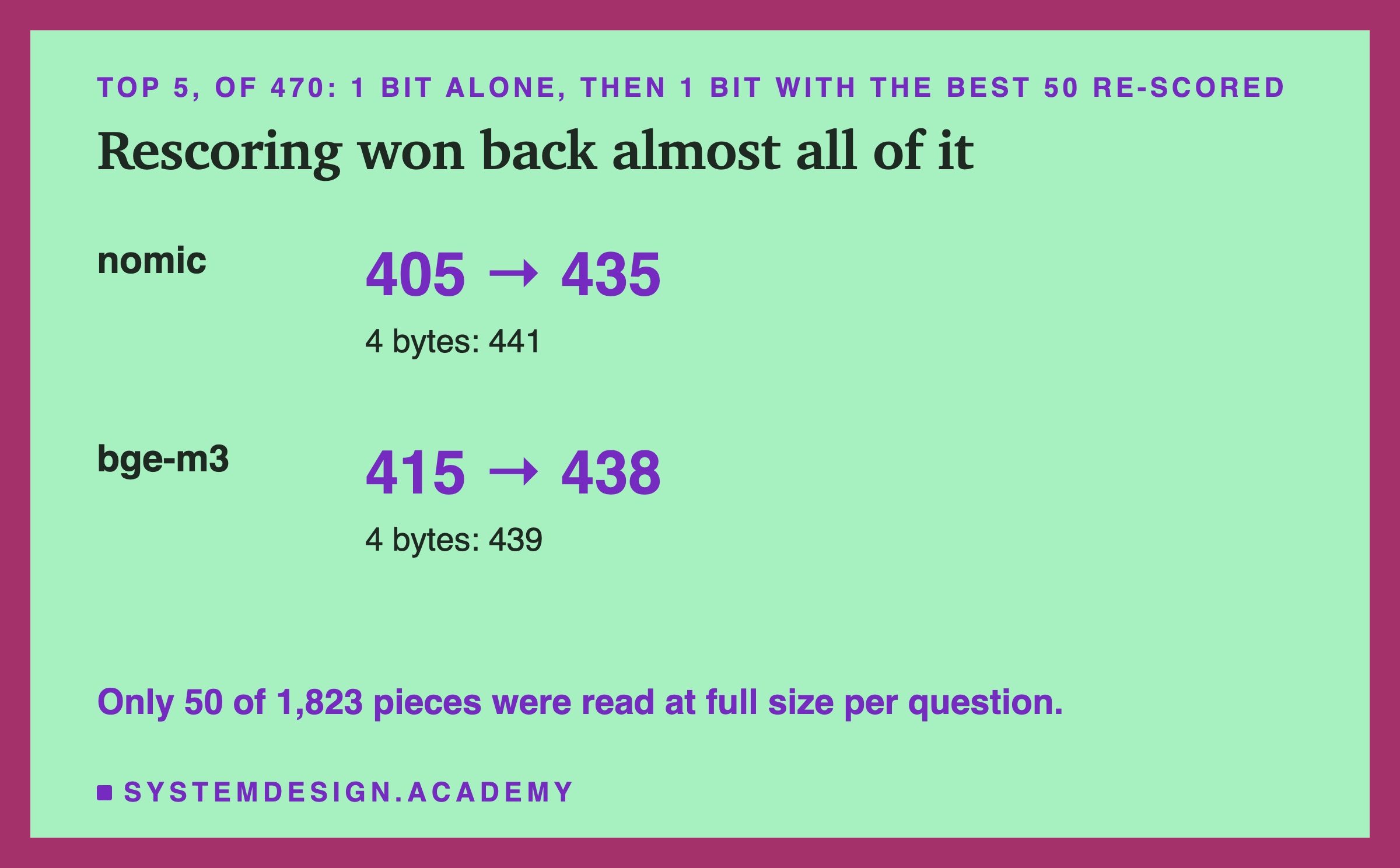
- 1 bit: nomic fell to 405, 36 fewer. bge-m3 fell to 415, 24 fewer. Question by question, nomic lost 37 and gained 1; bge-m3 lost 28 and gained 4. One bit per number is thirty-two times smaller, and here it lost many right answers.
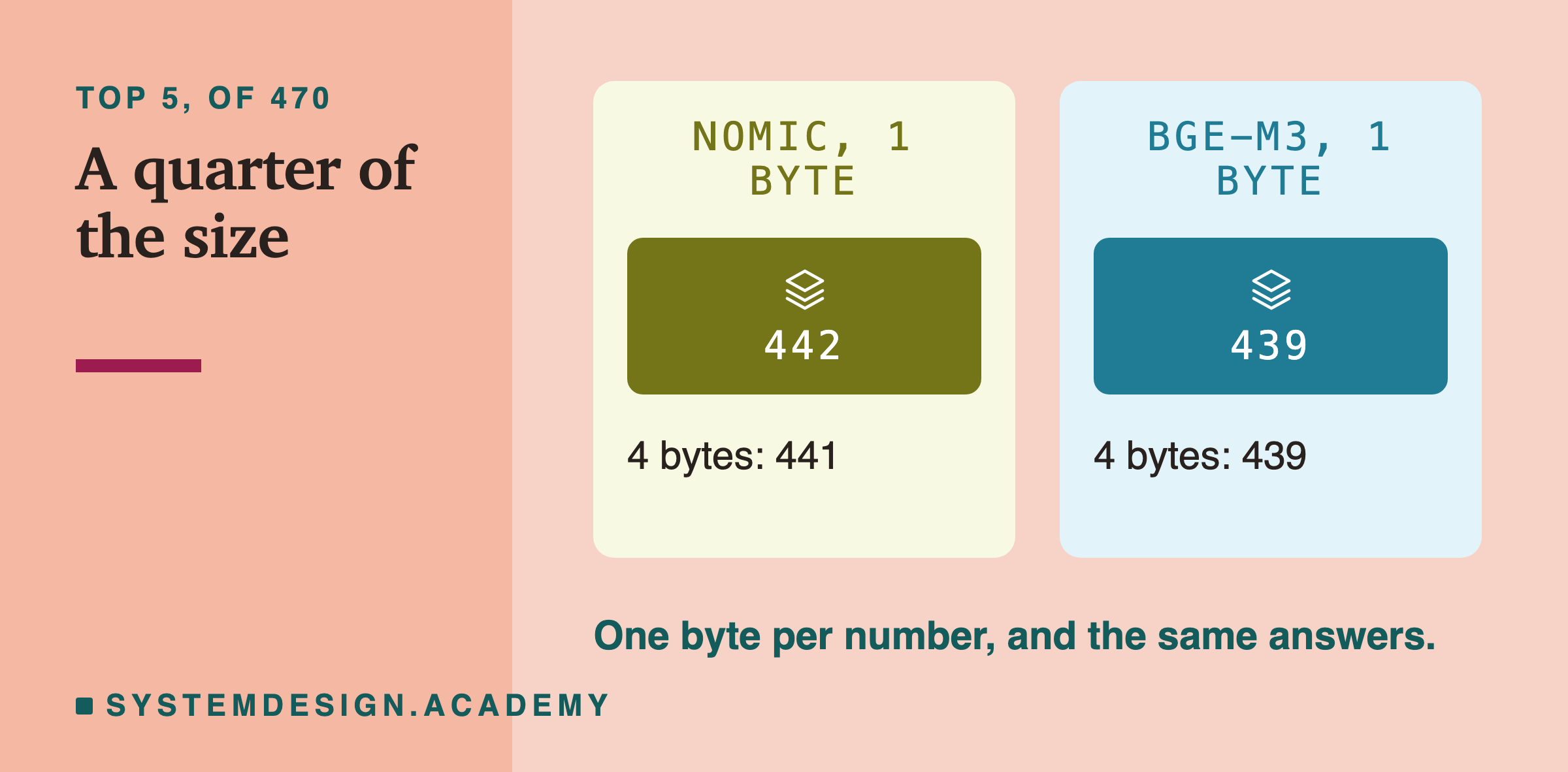
Counting only the answers that came first shows the same thing.
Rough First, Exact Second
One bit alone lost answers. But bits are small, so comparing them takes very little arithmetic. That suggests a trick: use them for a rough first pass, then check only a short list carefully.
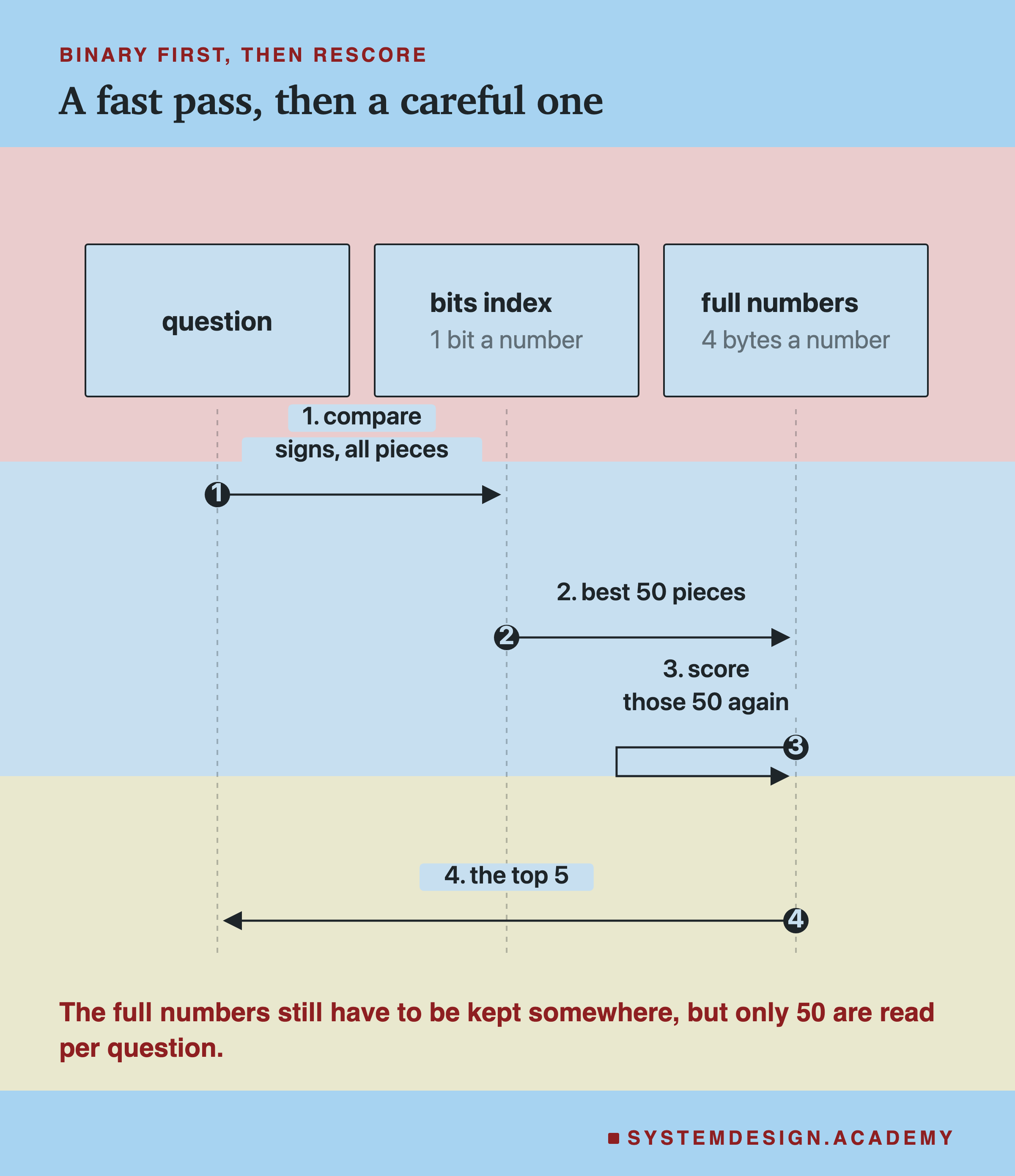
- Compare the question's signs with every piece's signs. Keep the best 50.
- Score only those 50 again with the full 4-byte numbers, and return the top 5.
The 50 is a choice, not a rule. A longer list catches more but reads more full numbers. This lesson tried only 50.
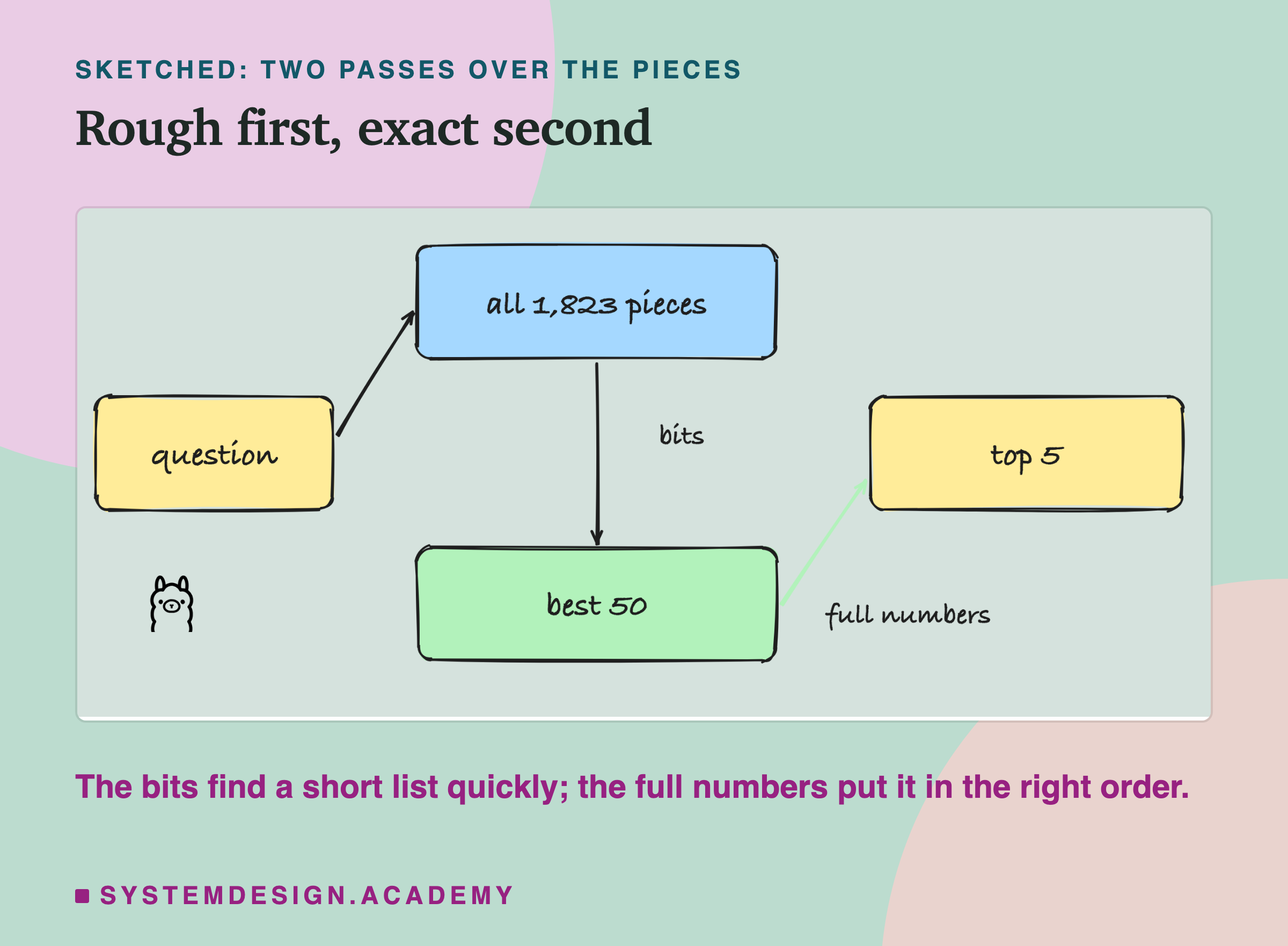
It worked. Ranked first, it matched 4 bytes exactly: 339 and 356. In the top 5, nomic went from 405 to 435, and bge-m3 from 415 to 438.
There is a catch, and it matters. The second pass needs the full 4-byte numbers, so you still have to keep them somewhere. Rescoring does not save storage. What it saves is work: the first pass runs over small bits, and the full numbers are read for only 50 pieces per question. A system can keep the bits in memory (fast, but costly) and the full numbers on disk (slower, but cheap). This lesson did not measure the speed.
What Each Way Costs to Keep
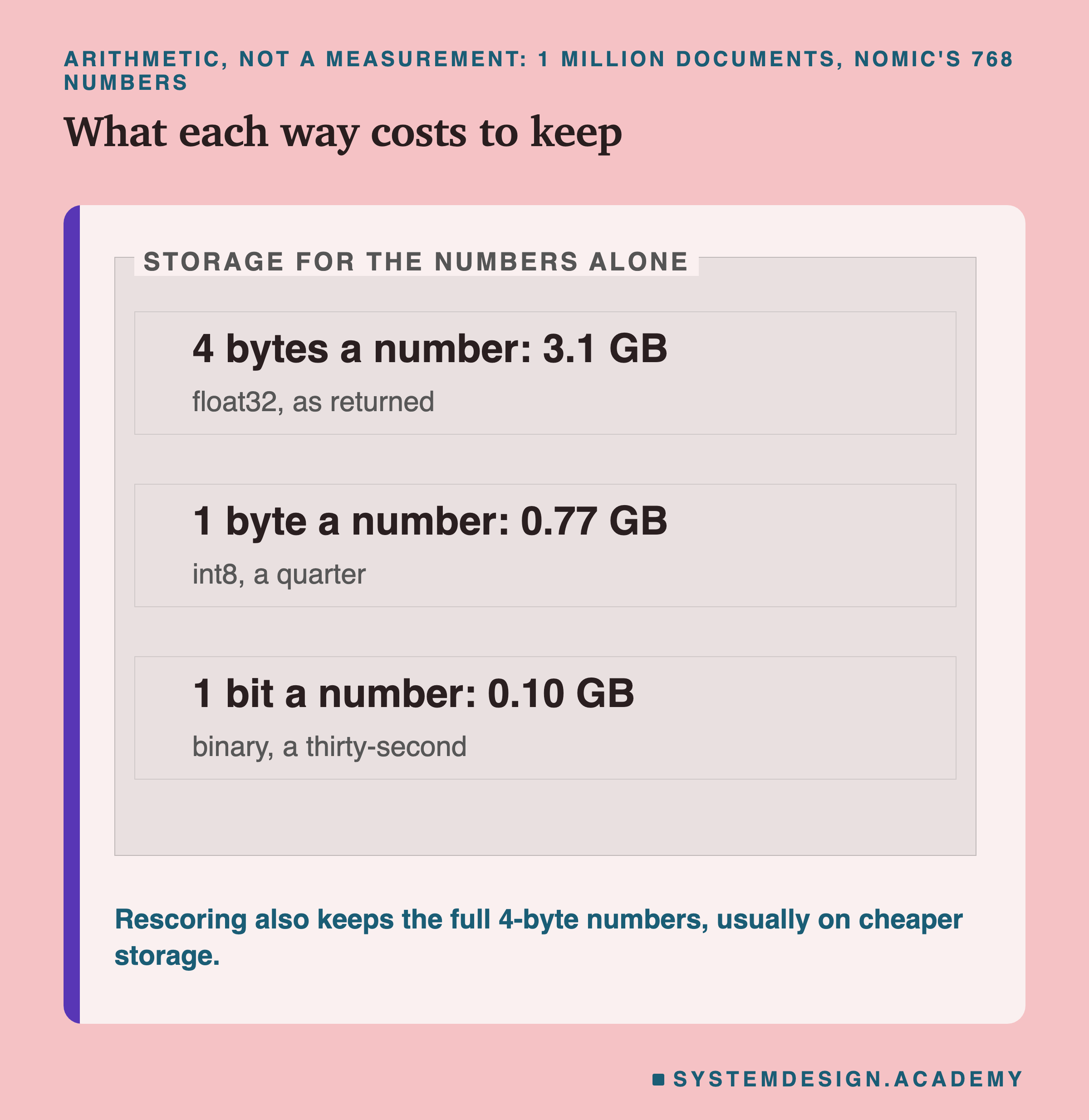
This is arithmetic, not a measurement: 1 million documents, times 768 numbers, times the size of each number.
- 4 bytes for each number: 3.1 GB.
- 1 byte for each number: 0.77 GB.
- 1 bit for each number: 0.10 GB.
How much faster each one makes a real database, this lesson did not measure.
Count It Yourself
This box holds the real ranks from the test for nomic-embed-text: for each of the 470 questions, which place the right lesson got in the list, for all four ways. Press Run. Then change WAY to "int8" or "binary_rescore", and TOP to 1.
Which Way to Store Your Embeddings
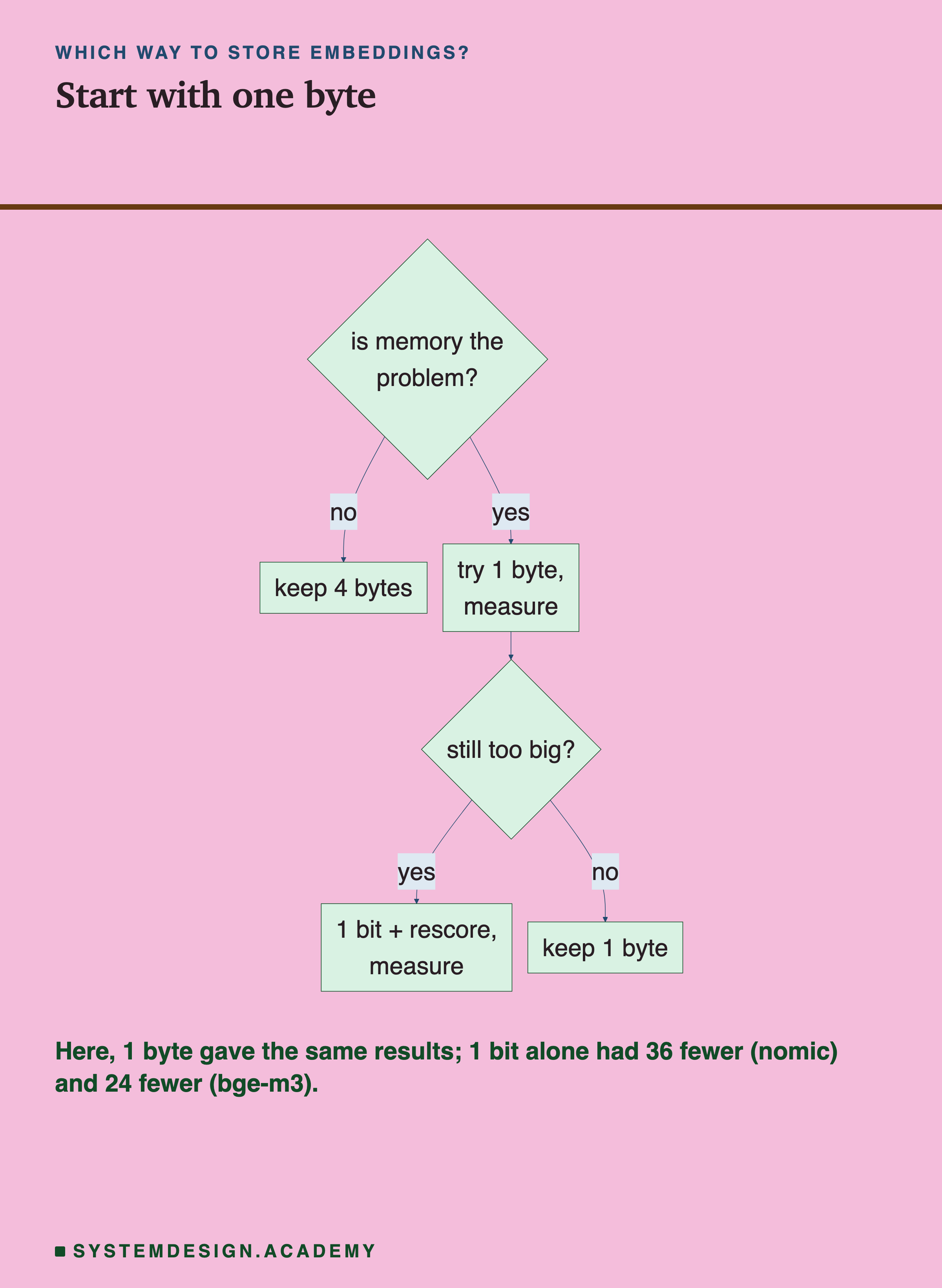
- If memory is not a problem, keep the 4-byte numbers. Nothing to decide.
- If it is, try 1 byte for each number first. Here it lost nothing, and it is a quarter of the size.
- If that is still too big, use 1 bit with a rescore step, and keep the full numbers on cheaper storage.
- Measure on your own questions each time. You need questions where you already know the right document, like the quiz questions here.
Many vector databases (databases built to store and search them) can store 1-byte or 1-bit embeddings for you. How each one does it varies, so check its documentation, and measure again after you switch.
What This Lesson Measured, and What It Did Not
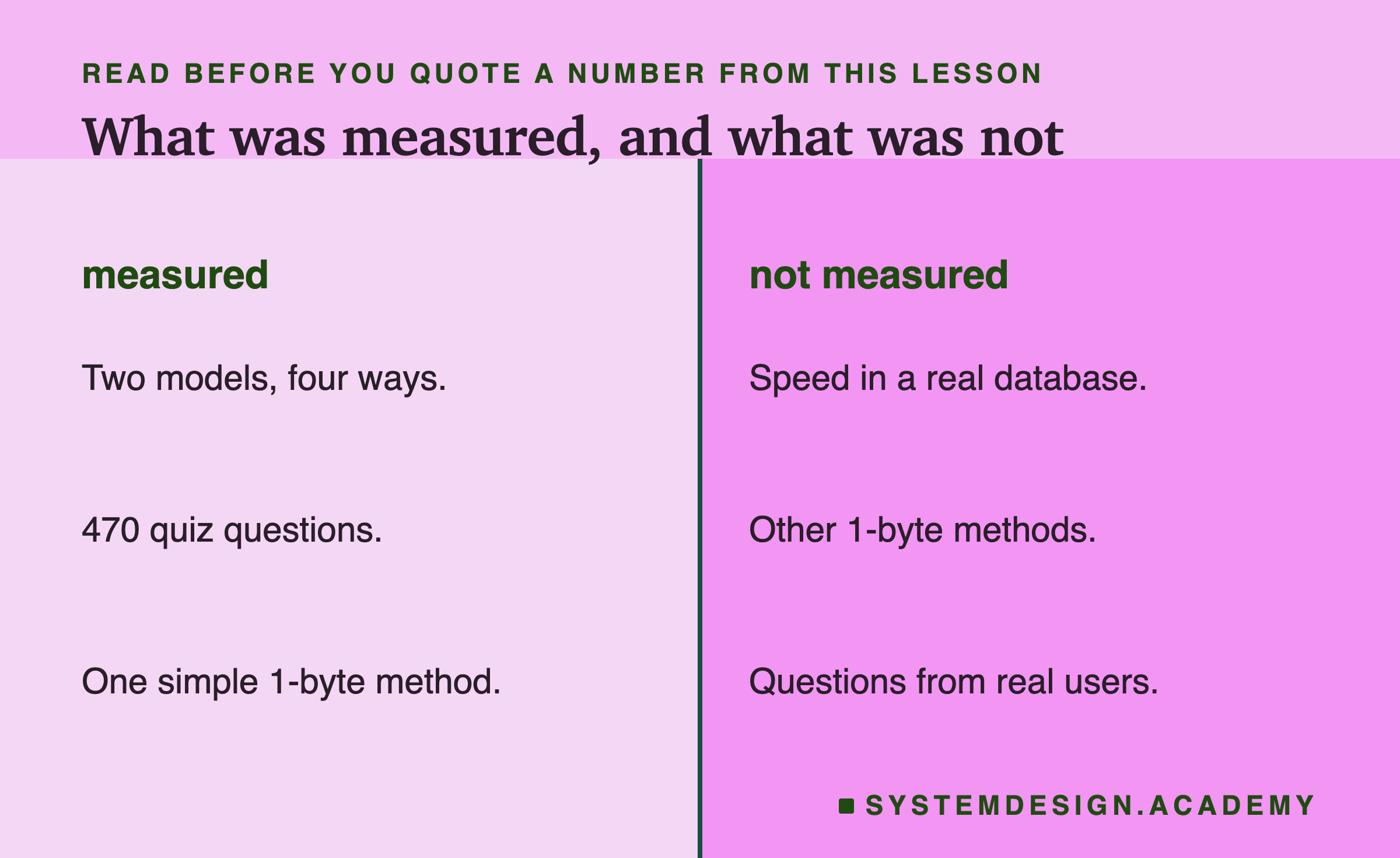
Measured: two models, four ways to store the numbers, 470 quiz questions over 1,823 pieces.
Not measured: speed inside a real database; other shortlist sizes than 50; other ways of making 1-byte numbers (this lesson used the simplest, one shared factor); and questions from real users. The quiz questions were written by the same author as the lessons, which probably makes them easier to match than real questions.
What to Do Next
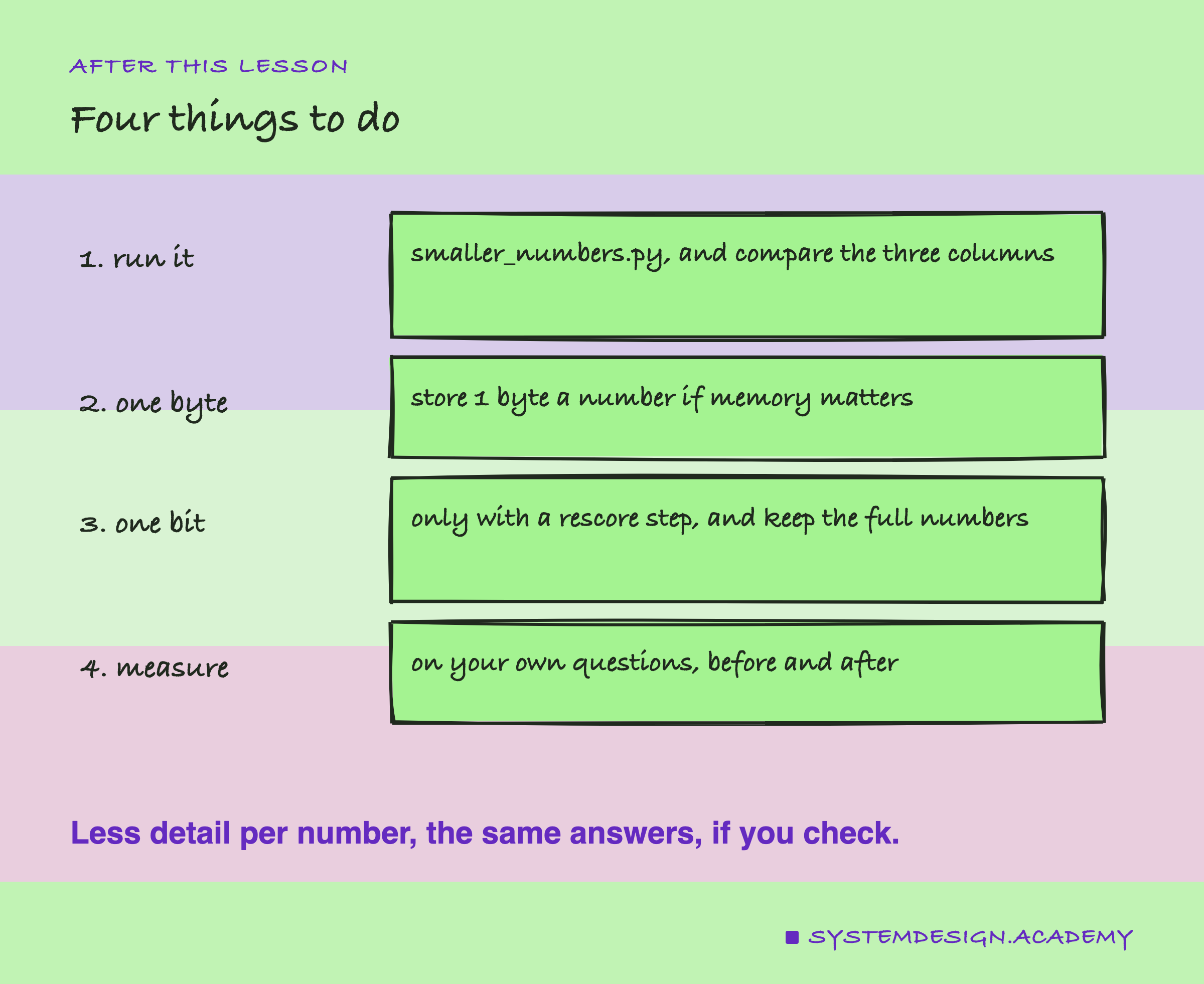
- Run
smaller_numbers.pyand compare the three columns. - Store 1 byte for each number if memory matters.
- Use 1 bit only with a rescore step, and keep the full numbers somewhere.
- Measure on your own questions, before and after.
Knowledge Check
Knowledge Check
5 questions - Score 80% to pass
Storing each embedding number in 1 byte instead of 4 gave nomic 442 in the top 5, against 441. What does that tell you?
How does the 1-byte method in this lesson turn a number like 0.05 into one byte?
With 1 bit per number, how are a question and a piece compared?
Ranking by bits, then re-scoring the best 50 with the full numbers, gave nomic 435 in the top 5, close to 441. What is the catch?
Memory is tight and you want to store embeddings smaller. Based on this lesson, what should you try first?