HTTP Caching
Browser and proxy caching controlled by HTTP headers like Cache-Control, ETag, and Last-Modified. Eliminates redundant network requests for unchanged resources.
What is HTTP Caching?
In short
HTTP caching is the mechanism that lets browsers, proxies, and CDNs store copies of responses and reuse them for later requests, controlled by response headers like Cache-Control, ETag, and Last-Modified. It removes redundant network round trips for unchanged resources, so a returning visitor can load a page from local disk in a few milliseconds instead of fetching every file from the origin server again.
What HTTP caching actually is
HTTP caching is a set of rules built into the HTTP protocol that decide whether a stored copy of a response can be reused instead of asking the server again. The server attaches headers to a response that say how long the copy stays fresh and how to check if it has changed. Any cache along the path can honor those headers: the browser's own disk cache, a corporate forward proxy, or a CDN edge node sitting in front of the origin.
There are two layers to it. A private cache lives in one user's browser and holds responses specific to that user. A shared cache, like a CDN or proxy, serves many users from one stored copy. Static assets such as images, CSS, JavaScript bundles, and fonts are the prime candidates because they change rarely and look identical for everyone.
The whole point is to avoid work. If the answer is the same as last time, sending it over the network again wastes bandwidth, adds latency, and loads the origin for nothing.
How it works under the hood
The server controls caching mainly through the Cache-Control header. A value like Cache-Control: max-age=31536000 tells a cache the response is fresh for one year, so it can be served straight from local storage with no network call at all. Adding public lets shared caches store it; private restricts it to the browser; no-store forbids storing it entirely.
When a cached copy expires, the cache does not just throw it away. It revalidates. The server sends an ETag, a short fingerprint of the content like a hash, and a Last-Modified timestamp. On the next request the browser sends back If-None-Match with that ETag or If-Modified-Since with the timestamp. If nothing changed, the server replies 304 Not Modified with an empty body, and the browser reuses its stored copy. A 304 round trip still costs a request but transfers almost no data, which is much cheaper than re-downloading a 300 KB bundle.
The common production pattern is content hashing in filenames, such as app.4f3a9b.js. The file is served with a one-year max-age and treated as immutable. When the code changes, the build tool generates a new hash, so the HTML points at a brand new URL and the browser fetches the new file while keeping the old one cached harmlessly.
When to use it and the trade-offs
Cache aggressively for anything versioned or immutable: hashed JS and CSS, images, fonts, and downloadable files. These can use max-age of a year because the URL changes whenever the content does. For HTML and API responses that change often, use short max-age or no-cache, which forces revalidation on every request but still saves bandwidth via 304 responses.
The hardest problem is invalidation. Once you tell a browser to cache something for a year, you cannot reach into that browser and delete it. If you cache an HTML page or an unversioned file too long, users keep seeing stale content until the timer expires. The fix is to never long-cache a stable URL whose content can change; change the URL instead, or keep its max-age low.
Watch out for caching private data in shared caches. A response with Cache-Control: public that contains one user's account details could be served to another user by a CDN. Mark anything user-specific as private or no-store, and use the Vary header when a response depends on a request header like Accept-Encoding or Authorization.
A concrete real-world example
Open the network tab on a large site like GitHub or Amazon and reload a page you visited a minute ago. Most of the static assets show as served from disk cache or memory cache with no network time at all, because they carry Cache-Control: public, max-age=31536000, immutable and hashed filenames.
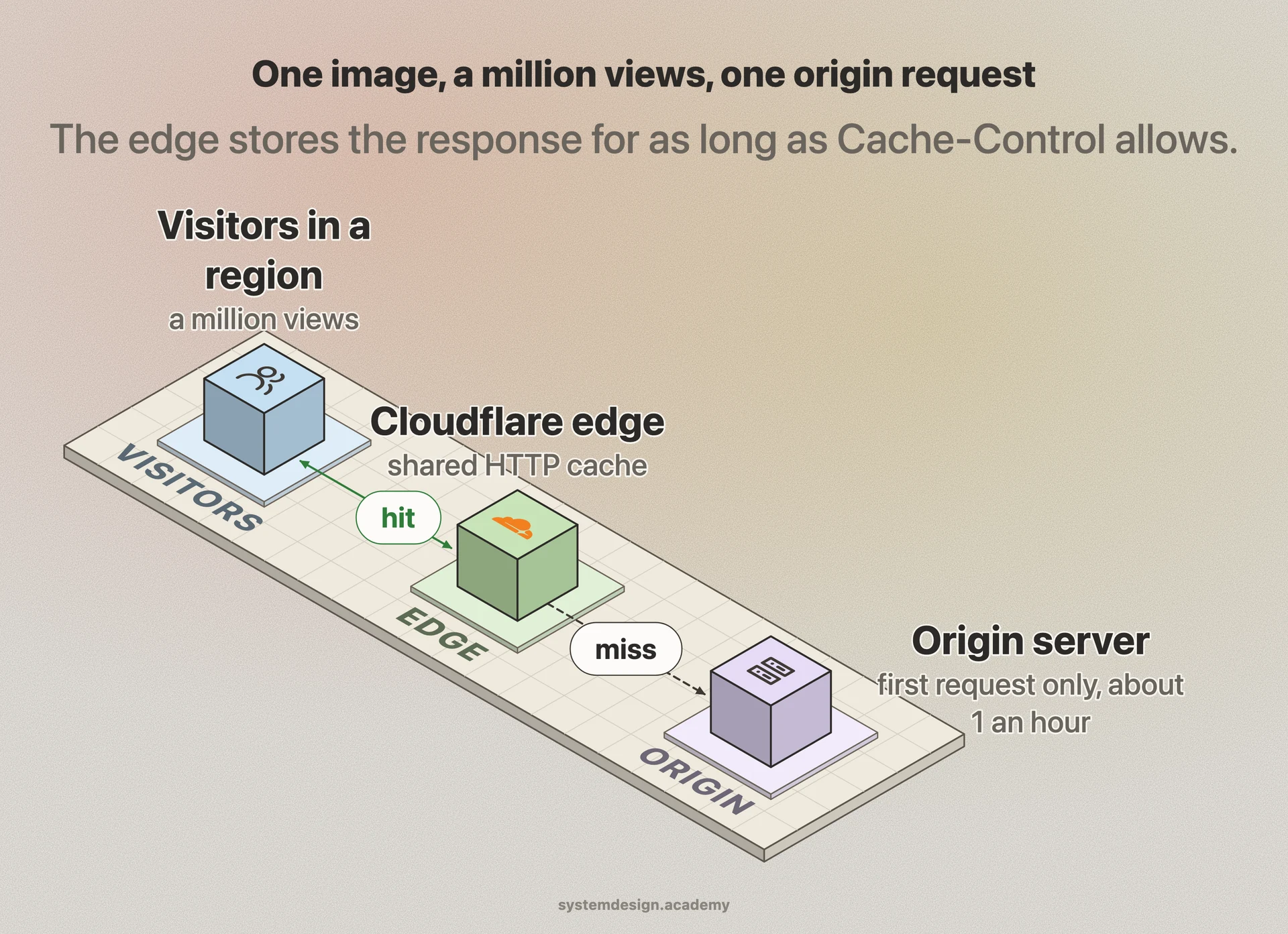
Cloudflare and other CDNs operate as a giant shared HTTP cache. When the first visitor in a region requests an image, the edge node fetches it from the origin once, stores it according to the Cache-Control headers, and serves every later visitor in that region from the edge in single-digit milliseconds. The origin server might see one request per hour for a file that gets a million views.
The payoff is large. A typical web page is mostly static bytes. Effective HTTP caching turns a returning visit from dozens of full downloads into a handful of 304 checks plus a fresh HTML fetch, cutting page load time and origin traffic by a big margin with nothing more than the right headers.
Where it is used in production
Cloudflare
Runs CDN edge nodes as a shared HTTP cache, storing origin responses per the Cache-Control headers and serving them from the nearest location.
NGINX
Widely deployed as a reverse-proxy cache using proxy_cache, honoring upstream Cache-Control and ETag to serve stored responses instead of hitting the backend.
GitHub
Serves hashed, versioned JS and CSS with one-year max-age and immutable, so returning users load the UI almost entirely from browser cache.
Amazon CloudFront
AWS CDN that caches objects at edge locations based on origin cache headers and TTL settings, with explicit invalidation when content must be purged.
Frequently asked questions
- What is the difference between Cache-Control max-age and ETag?
- max-age sets how long a response stays fresh, so it can be served with no network request at all until it expires. ETag is a fingerprint used after expiry to revalidate: the browser asks the server if the content changed, and the server replies 304 Not Modified if it did not, saving the download but not the request.
- What does Cache-Control: no-cache actually mean?
- no-cache does not mean do not cache. It means the response can be stored, but the cache must revalidate with the server before reusing it. To prevent storing the response entirely, use no-store instead.
- Why do my users still see old files after I deploy?
- You almost certainly cached a stable URL with a long max-age, so browsers keep the old copy until it expires. The fix is filename hashing: give changed files new URLs like app.ab12cd.js so the HTML points at fresh content, and keep HTML itself on a short or no-cache policy.
- What is a 304 Not Modified response?
- It is what a server returns during revalidation when the cached copy is still valid. The body is empty and the browser reuses its stored version, so a 304 costs one small round trip instead of re-downloading the full resource.
- Should I cache API responses?
- You can, but be careful. Cache idempotent GET endpoints that return shared, slowly changing data with a short max-age or revalidation. Mark anything user-specific as private or no-store so a shared cache or CDN never serves one user's data to another, and use Vary on headers like Authorization.
Learn HTTP Caching hands-on
This page explains the idea. The full lesson lets you step through the ring as servers join and leave, read the implementation, and check yourself with a quiz. It is one of 760+ lessons in the System Design Masterclass, from your first API call to distributed consensus. Eleven Foundation lessons are free, no signup. Lifetime access is ₹499 in India or $7.99 worldwide, one payment, no subscription.
See also
Related glossary terms you might want to look up next.
Caching
Storing frequently accessed data in a faster storage layer so you don't have to fetch it from the original (slower) source every time.
CDN
A network of servers distributed globally that caches content close to users. Netflix uses CDNs to stream video from servers near you, not from one central location.
TTL
Time To Live: how long a cached entry, DNS record, or packet is valid before it expires and must be refreshed or discarded.
Content Delivery
The process of distributing and serving content to users from locations geographically close to them for faster load times.
Edge Computing
Running computation at the network edge, close to the user, instead of in a central data center. Reduces latency for real-time applications like IoT and streaming.
Static Site Generation (SSG)
Pre-rendering pages to static HTML at build time. The fastest possible page loads because there's no server-side computation on each request.