A Paper Form With Labelled Boxes
Think of the last paper form you filled in. A school trip form, a library card form, a club sign-up sheet. It has boxes, and each box has a label printed next to it. One says Name. One says Age (numbers only). One says Team (tick one), with three small squares beside three words.
Now picture a boy named Ravi filling it in. He writes his name. In the age box he writes the word "seventeen", in letters. He ticks chess.
The person at the desk, let me call her the clerk, picks up the form and stops at the age box. The label says numbers only. The box holds a word. She hands the form back and asks Ravi to write 17. She did not need to know Ravi, or check any list, or call anyone. The rule was printed right there on the form, so she could check the box against the rule in one glance.
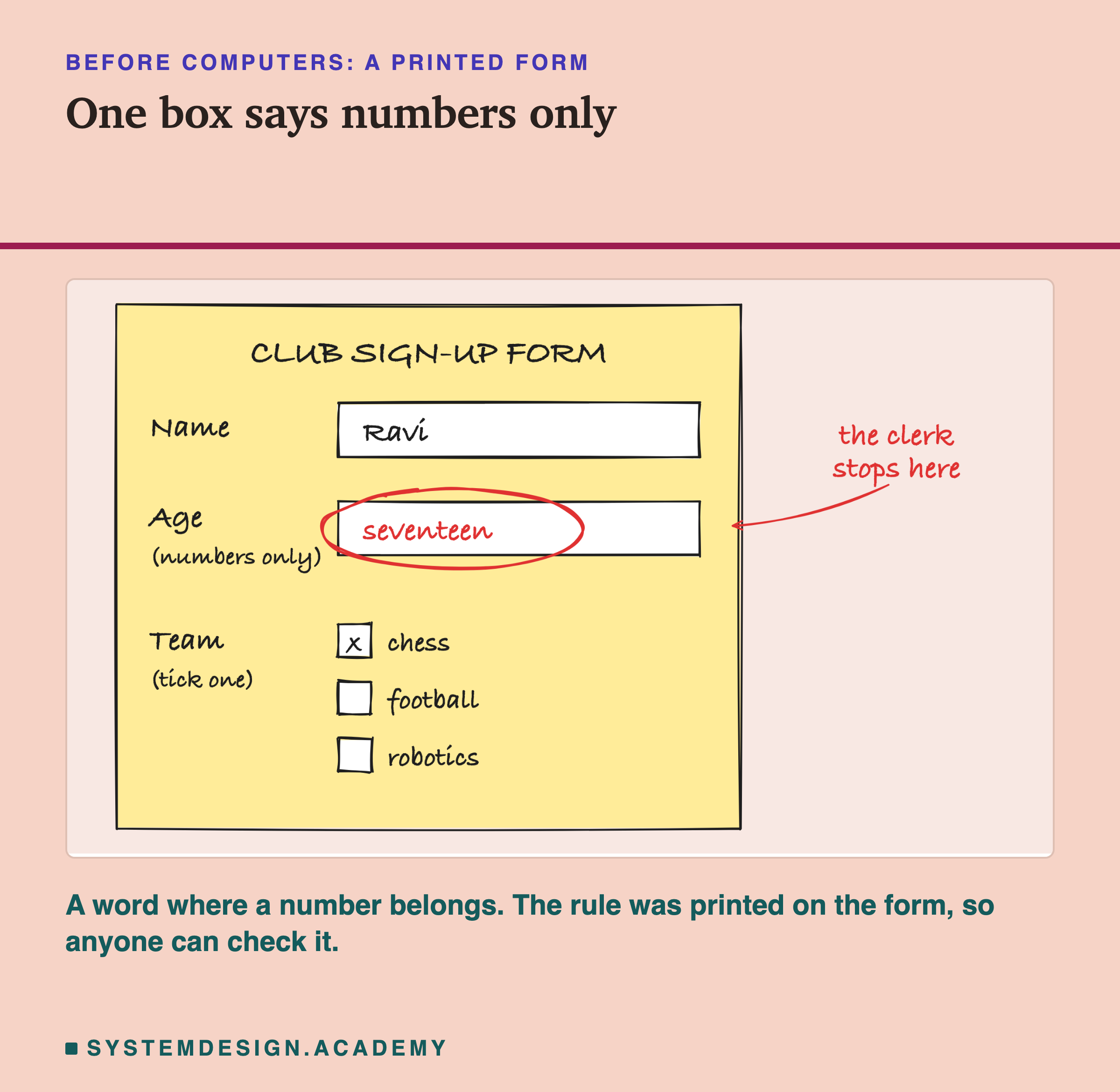
Three boxes, three printed rules. The rule on the age box is broken, and anyone holding the form can see it without asking Ravi a single question.
Notice three things about that form, because the whole lesson hangs on them. First, the rules are written down before anyone fills the form in. Second, the rules sit next to the boxes they belong to, so each box can be checked on its own. Third, the clerk does not fix the mistake herself. She does not guess that "seventeen" means 17. She sends the form back with a note that says which box is wrong.
Computers fill in forms for each other all day long. When you sign up on a website, your phone sends the details to a server, a computer somewhere else whose job is to answer requests like this one. When one company's program asks another company's program for a price, the answer comes back as a filled-in form. Those forms are almost always written in a text format called JSON. And the printed rules on the form, the part that says "numbers only" and "tick one", have a name too. They are called a JSON Schema: a file, written in JSON, that lists the rules a piece of JSON must follow.
Before I can show you the rules, I need to show you the form itself.