The Launch Day Crash Nobody Expected
A startup launched on Product Hunt. Traffic went from 50 users to 5,000 users in an hour. Their Next.js API routes each opened a new Postgres connection, ran a query, and closed the connection. At 50 users, this was fine. At 5,000 users with concurrent requests, the database hit its 100-connection limit in seconds.
New connections were refused. API routes started throwing "too many connections" errors. The site went down. Not because the database was slow, it wasn't. Not because queries were complex, they were simple SELECTs. It went down because 5,000 concurrent requests tried to open 5,000 database connections, and Postgres said "no."
Here's the part that makes it worse: opening a connection to Postgres takes about 20-50 milliseconds. TLS handshake adds another 10-30ms. Connection setup on the database side (allocating memory, forking a process in Postgres) adds 5-10ms. That's 35-90ms of overhead before a single byte of actual data is exchanged. Multiply that by 5,000 concurrent requests, and you've burned tens of seconds of CPU time just on connection setup.
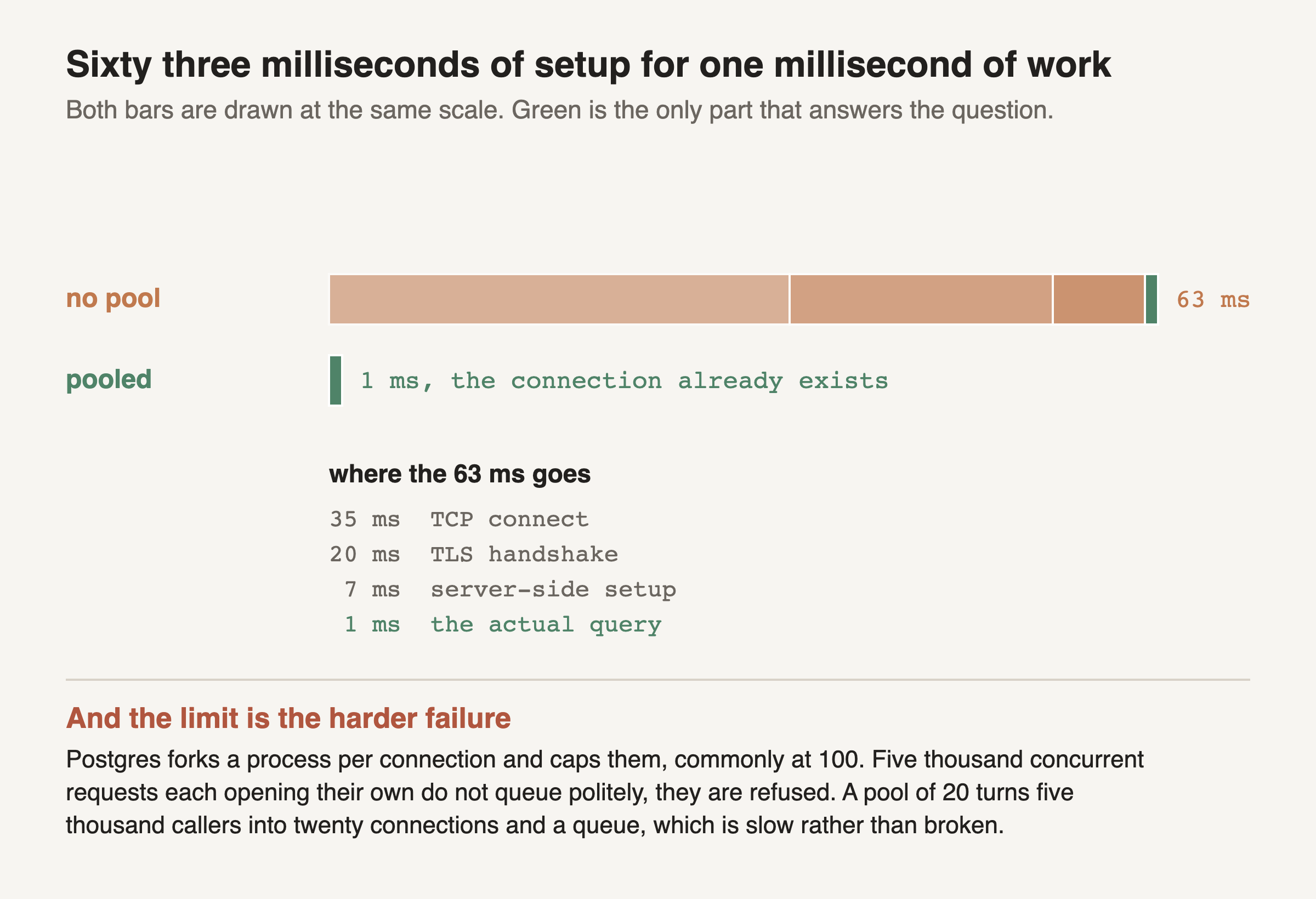
The whole upper bar is what one request costs when it opens its own connection. Only the thin green slice at the end is the database answering the question. Everything before it is negotiation.
The segments are the lesson's own numbers, drawn to their midpoints instead of described. Establishing the TCP connection is the largest single piece, the TLS handshake is most of the rest, and the server has its own setup to do before it can accept a query.
The lower bar is the same request with a pool. The connection already exists, so all three orange segments have already been paid, once, at startup. What remains is the query.
Roughly 98 percent of an unpooled request is spent getting ready to ask. The pool does not make anything faster. It stops you paying the setup cost more than once.
The second half matters more than the first. is the visible problem; the connection limit is the one that takes the site down. Postgres allocates a backend process per connection and caps the total, so requests beyond the cap are not slowed, they are refused. A pool turns an unbounded number of callers into a bounded number of connections plus a queue, which converts a hard failure into a slowdown. That is usually the difference between a bad afternoon and an outage.
Connection pooling solves both problems at once. A pool of pre-established connections sits ready to use. A request borrows a connection, runs its query, and returns the connection to the pool. No setup overhead. No connection limit catastrophe.