Too Many Rows for One Table
Vertical partitioning splits tables by columns. That helps when your rows are too wide. But what about when you have too many rows?
Your events table has 5 columns and 3 billion rows. Each row is lean. 200 bytes. The table is narrow and well-designed. But 3 billion rows means 600GB of data. Indexes on this table are 80GB. Full table scans take 45 minutes. Even indexed lookups are slow because the B-tree is 8 levels deep.
You can't solve this by splitting columns, there are only 5. You need to split rows.
Horizontal partitioning divides a table into pieces where each piece holds a subset of the rows. All pieces have the same schema, same columns, same data types. The only difference is which rows live where.
This is the foundational technique behind range partitioning, hash partitioning, list partitioning, and ultimately, database . If vertical partitioning is about making tables narrower, horizontal partitioning is about making tables shorter.
How Horizontal Partitioning Works
You define a partition key, a column whose value determines which partition a row belongs to. The database uses a partitioning function to map each row to a specific partition.
Example: an orders table partitioned by created_at into monthly partitions.
orders (logical table. 3 billion rows)
│
├── orders_2024_01 (January 2024. ~125M rows)
├── orders_2024_02 (February 2024. ~110M rows)
├── orders_2024_03 (March 2024. ~130M rows)
├── ...
├── orders_2025_01 (January 2025. ~140M rows)
├── orders_2025_02 (February 2025. ~120M rows)
└── orders_2025_03 (March 2025. ~135M rows)
Each partition is a physically separate table with its own storage files, its own indexes, and its own statistics. The parent table is a logical container, it holds no data itself.
What happens when you query:
-- Partition pruning: only scans orders_2025_03
SELECT * FROM orders WHERE created_at >= '2025-03-01' AND created_at < '2025-04-01';

-- No pruning: scans ALL partitions (bad, avoid this)
SELECT * FROM orders WHERE user_id = 42;
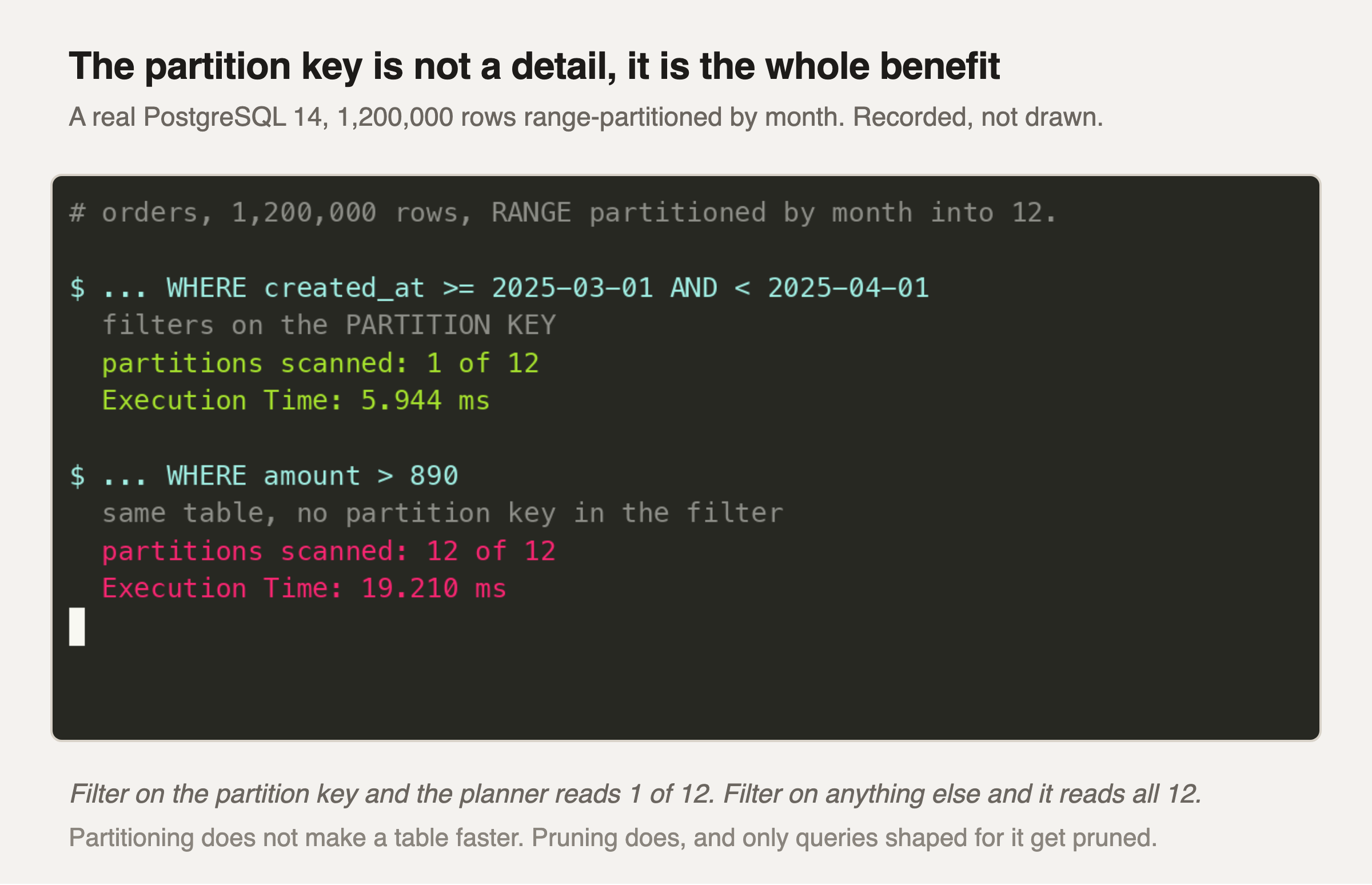
Same table, same twelve partitions, two queries. The only difference is which column the WHERE clause mentions.
The first query names the partition key, so the planner can work out from the range definitions that eleven of the twelve partitions cannot possibly hold a matching row. It does not look at them at all. One partition scanned, and the work is a twelfth of the table.
The second query does not, so the planner has no way to rule anything out and reads every partition. Twelve of twelve, and the query is more than three times slower on the same data.
Take the ratio of partitions from this, not the milliseconds. This table has twelve; a table partitioned daily over two years has seven hundred and thirty, and the gap between reading one and reading all of them grows with the partition count. Partitioning a table more aggressively makes the unpruned query worse, not better.
Which makes the partition key a query-shape decision instead of a storage decision. You are choosing which filter earns pruning. If most of your queries filter by customer and you partition by date, you have taken on all the operational cost of partitioning and will still scan every partition on the queries that matter.
The first query filters on the partition key, so the planner prunes all partitions except March 2025. The second query has no partition key filter, the database must scan every partition. This is why the choice of partition key is critical.