A Form With Boxes
Think of a hardware shop with a wall of small drawers, each with a label: long screws, short screws, nails, hinges. The drawers decide where every part must go, and a part that fits no label has nowhere to go at all. But the drawers cannot stop an assistant from putting a nail in the screws drawer. They fix the places, not what goes in them.
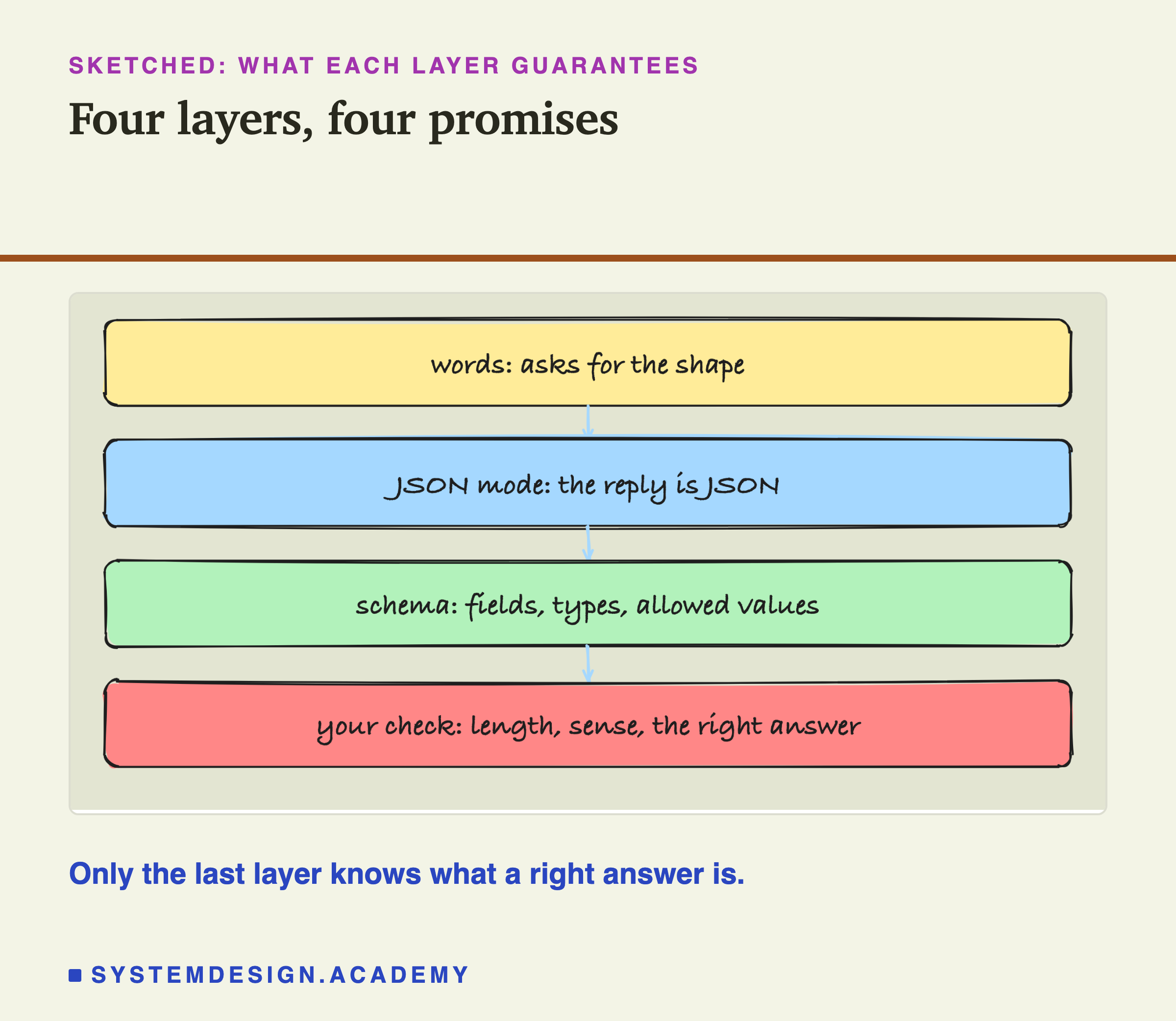
When a program uses a model's reply, it usually needs a form like this: named fields, each with a value of a known kind. The common way to write such a form in text is JSON. This lesson asks a model for a small JSON object in four different ways, from simply describing it in words to handing Ollama an exact description of every field, and measures what each way guarantees and what it does not.
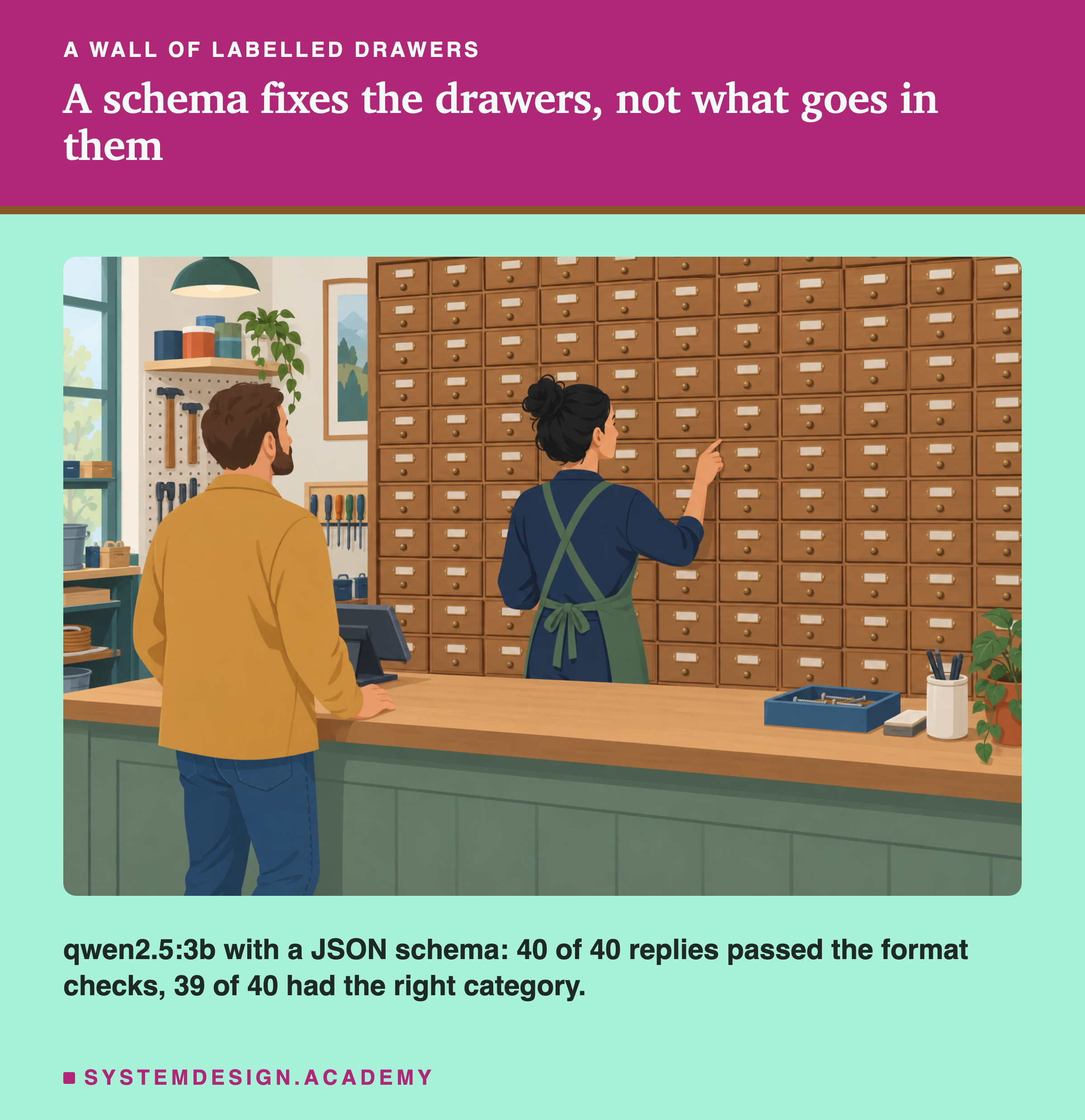
The short version: all four ways gave valid JSON on this task. The differences were in the details that a program cares about, and the most useful result is the one reply where a schema made the output pass the format checks while making the answer wrong.
Asking for a Shape
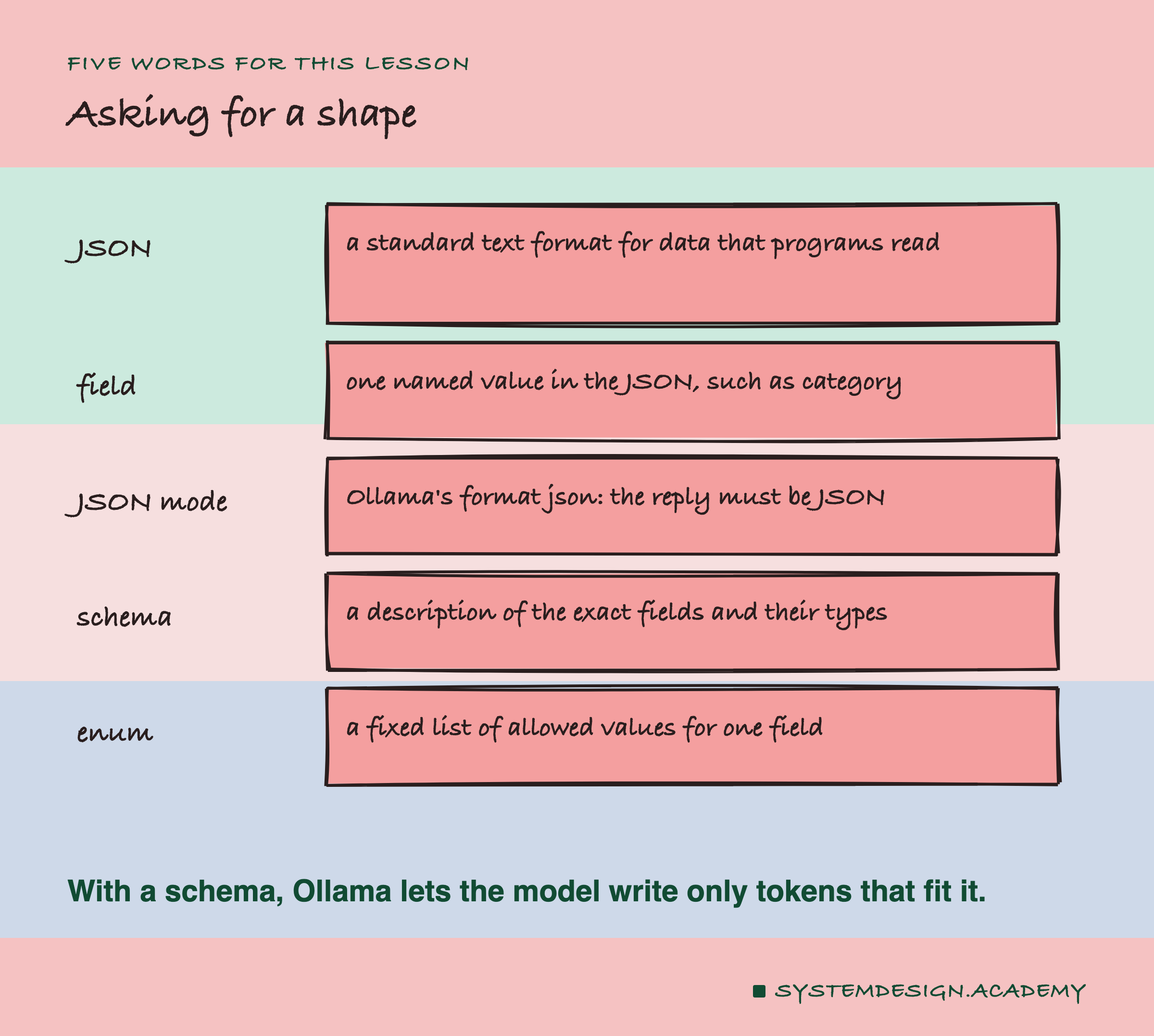
JSON. A standard text format for data that programs read easily. An object is written inside curly brackets as a list of fields: {"category": "billing", "needs_human": true}.
Field. One named value in the object, such as category. A field has a type: a string (text), a number, or a boolean (true or false).
JSON mode. An Ollama option, "format": "json", that makes the reply valid JSON. It says nothing about which fields the JSON must have.
Schema. A JSON schema is a description of the exact object you want: which fields, of which types, which are required. You pass it to Ollama as "format" instead of the word json.
Enum. Part of a schema: a fixed list of allowed values for one field, such as the four categories.
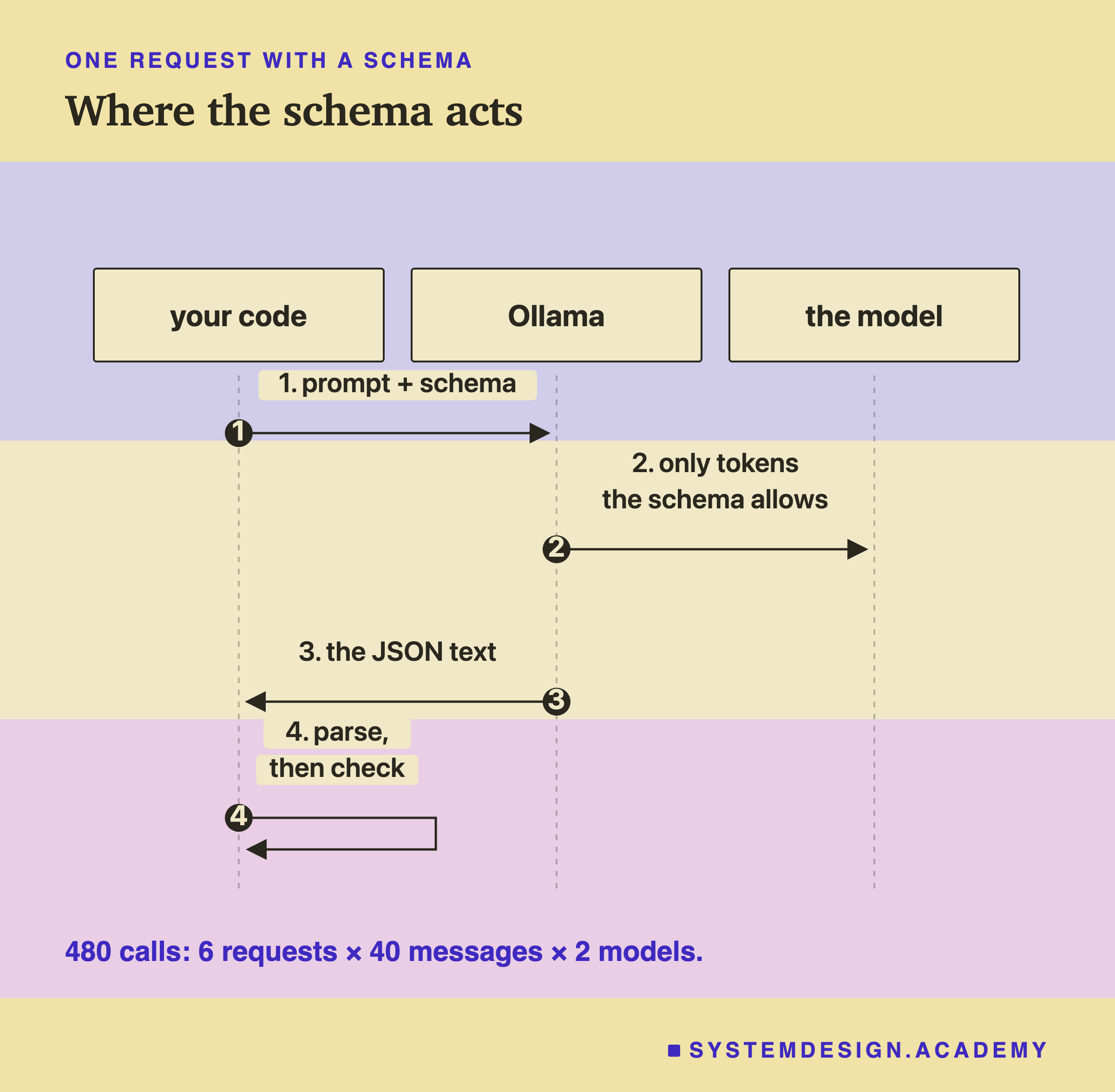
With a schema, Ollama limits the model while it writes: at each step, only the tokens that keep the reply inside the schema are allowed. It does not check the finished reply again afterwards. This detail explains most of what the lab found.
The Task and the Four Requests
The task builds on lesson 1. For each of the 40 customer messages, the model must return one JSON object with three fields:
category: one of billing, delivery, returns, account.summary: the customer's problem in at most 12 words.needs_human: true if a person should read it today, otherwise false.
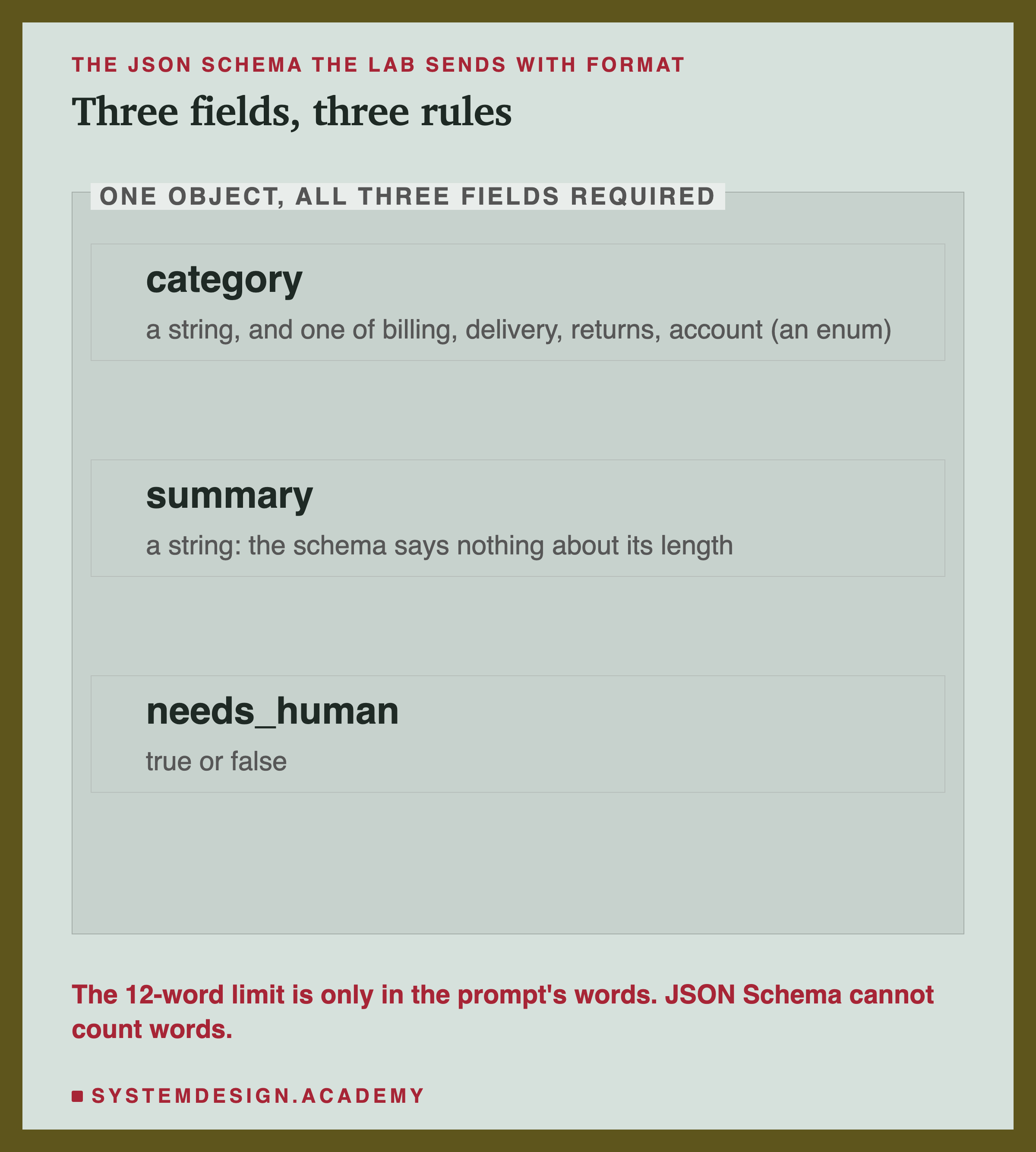
The lab asked for this object in four ways:
- in words: the prompt describes the three fields and ends with "Reply with only the JSON object."
- JSON mode: the same prompt, plus
"format": "json". - schema: the same prompt, plus
"format"set to the JSON schema shown above, with an enum for the category. - schema only: the schema, and a prompt that says only "Classify this customer message."
Valid JSON Either Way
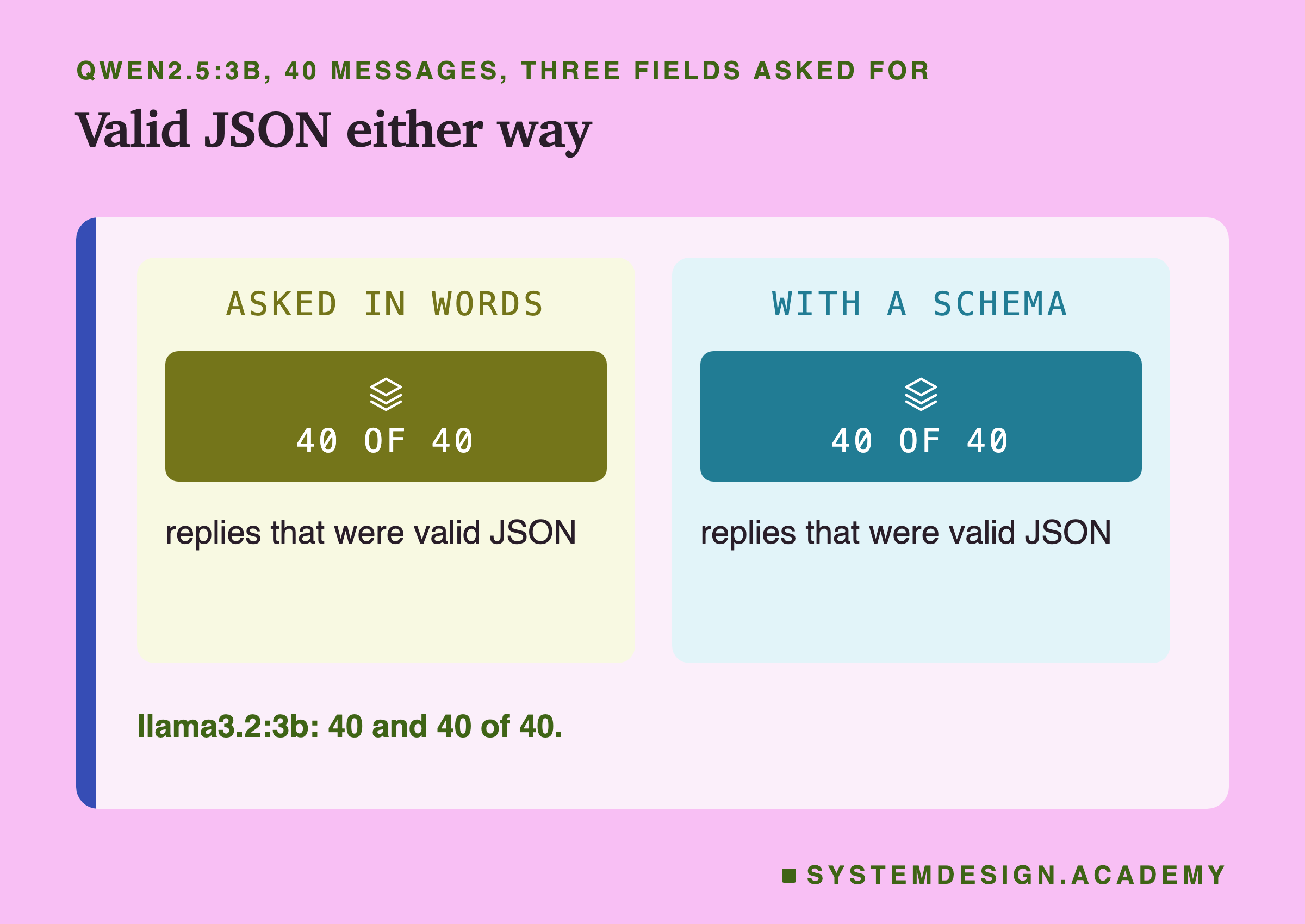
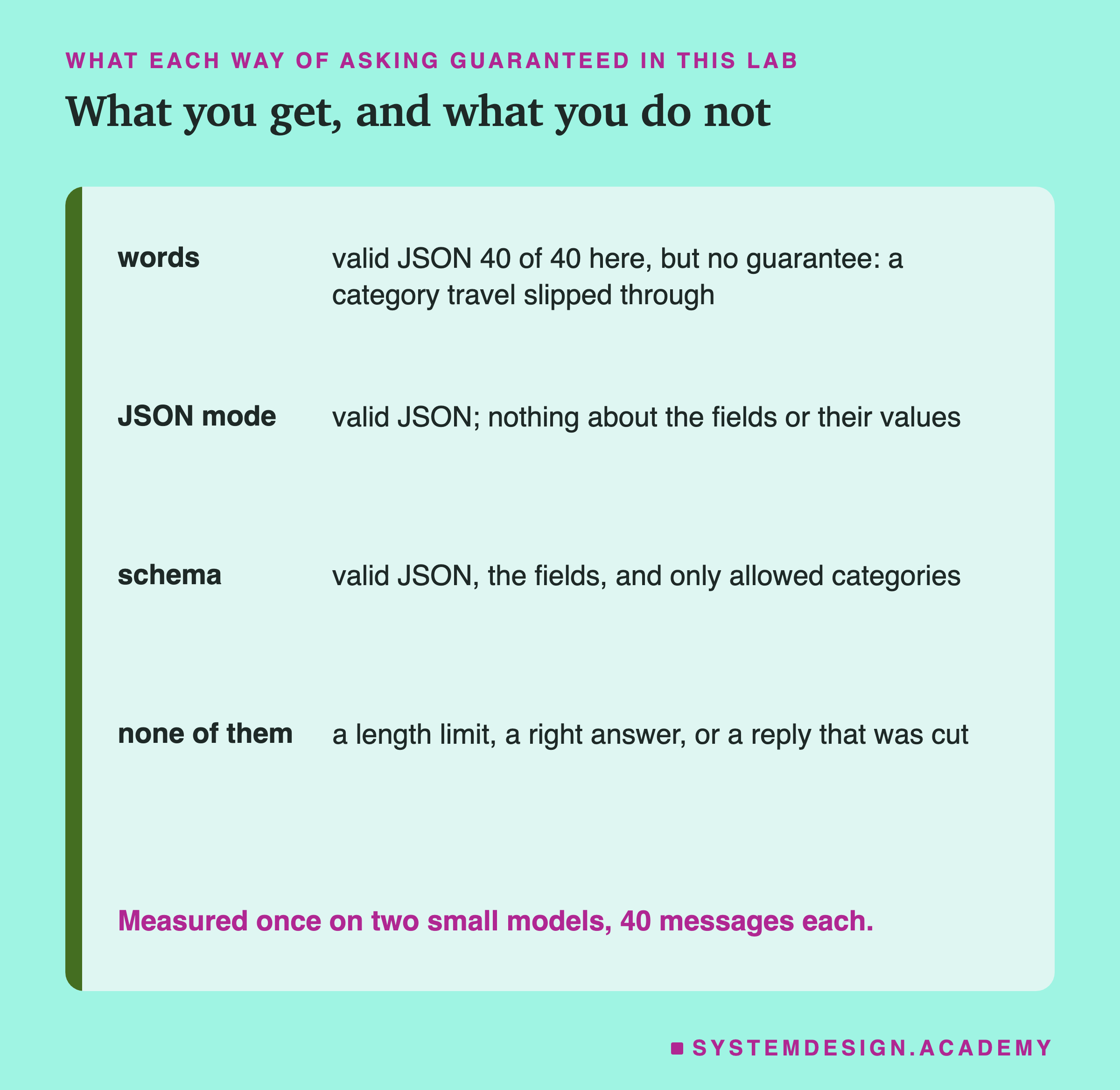
The first result surprised me. Asked only in words, both models returned valid JSON with exactly the three fields for all 40 messages. No stray sentence before the object, no code fences (the three backtick marks some models put around code), no missing brackets. A small, flat object (no object inside another) described clearly is easy for these models.
JSON mode changed nothing at all: its 40 replies were identical, character for character, to the replies asked for in words, on both models. The option only matters when a reply would have broken the rule, and here none did.
The schema changed exactly one reply out of 80. The next slide is about that one reply, because it shows what a schema really does.
Not Allowed in Words, Wrong With a Schema
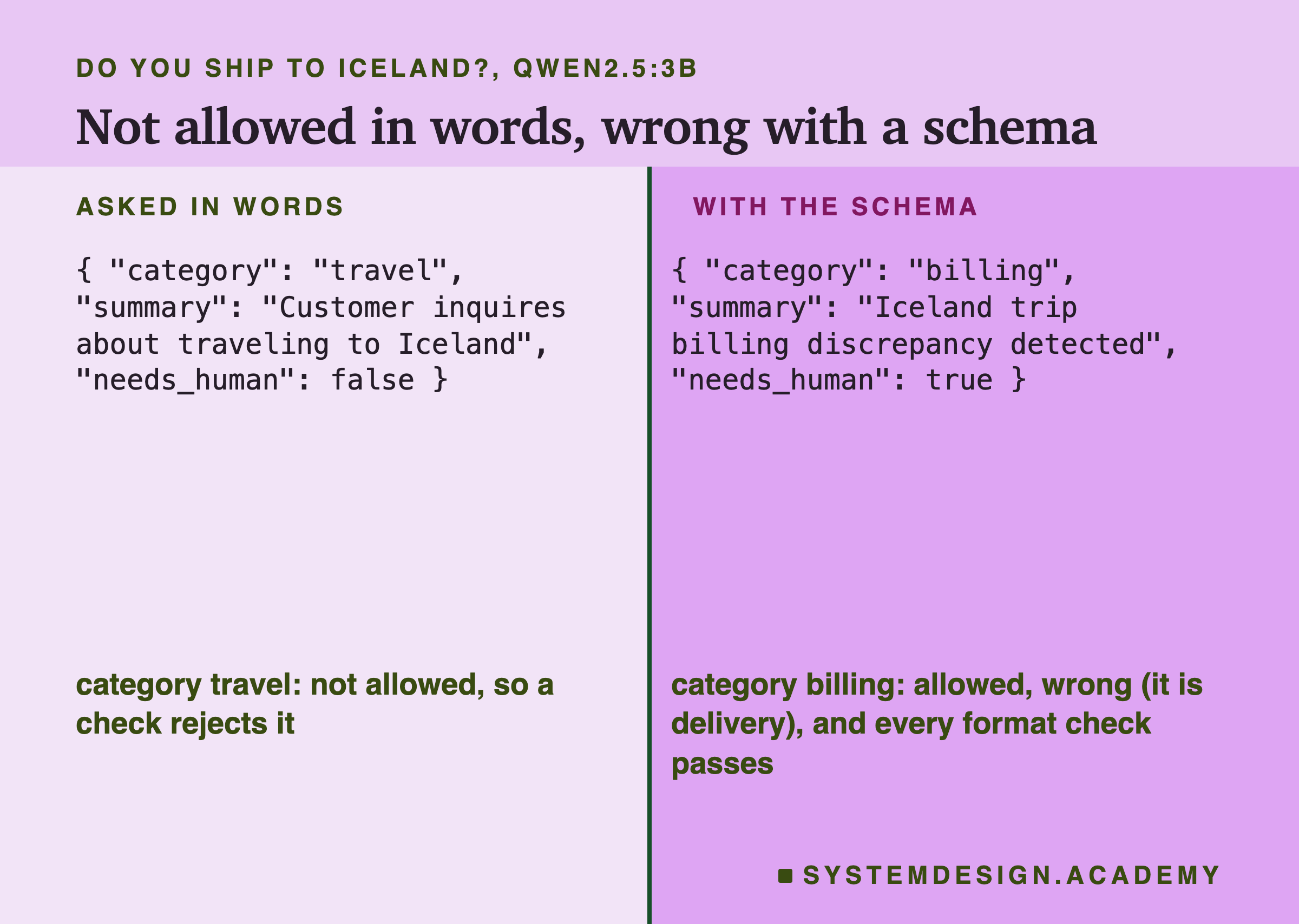
The message was "Do you ship to Iceland?", a delivery question. Asked in words, qwen2.5:3b answered with the category "travel", which is not one of the four. The words of the prompt listed the four categories, and the model invented a fifth anyway. A program checking the category against the list would reject this reply, which is the right outcome: the reply broke the rule, so code can reject it.
With the schema, "travel" was impossible, because the enum allowed only four values. So the model wrote one of the four: "billing". Then, to stay consistent with the category it had been forced into, it wrote the summary "Iceland trip billing discrepancy detected" and set needs_human to true. Every part of this reply is valid. It passes every format check. And it is wrong, and wrong in a confident, detailed way.
This is the main result of this lesson. A schema turns an answer that is not allowed, which your code can catch, into an allowed wrong answer, which it cannot. That is not a reason to avoid schemas. It is a reason never to confuse "passed the format checks" with "right".
How a Schema Works, Token by Token
To see why the schema produced "billing" and not "delivery", it helps to follow the reply one token at a time, the way the previous chapter's first lesson described. At every step the model gives odds for every possible next token, and at temperature 0 the most likely one is written.
Without a schema, nothing stops any token. After { "category": ", the model's most likely next token for the Iceland message was the start of "travel", so "travel" was written. The words of the prompt had listed four categories, but words only shift the odds; they cannot remove a token.
With a schema, Ollama turns the schema into a set of rules about which characters may come next, and before each token is chosen it removes every token that would break those rules. After { "category": ", only tokens that can start one of the four allowed words survive. "travel" is gone, so the most likely of what remains is written. For this message that happened to be "billing", not "delivery". The schema did not make the model understand the message better; it only removed "travel" from the choices.
Everything after that point follows from the choice. Having written "billing" as the category, the most likely summary is one about billing, so the model wrote "Iceland trip billing discrepancy detected", a summary that describes a problem the customer never had. Each token was the model's best continuation of the text so far, and the text so far now said "billing".
This is why a schema cannot make an answer right, and why, for simple rules like these, it keeps the format right. It works on the shape of the text, one token at a time. It has no idea what the right category is, and neither does any check that looks only at the reply.
Passing the Format Checks Is Not Being Right
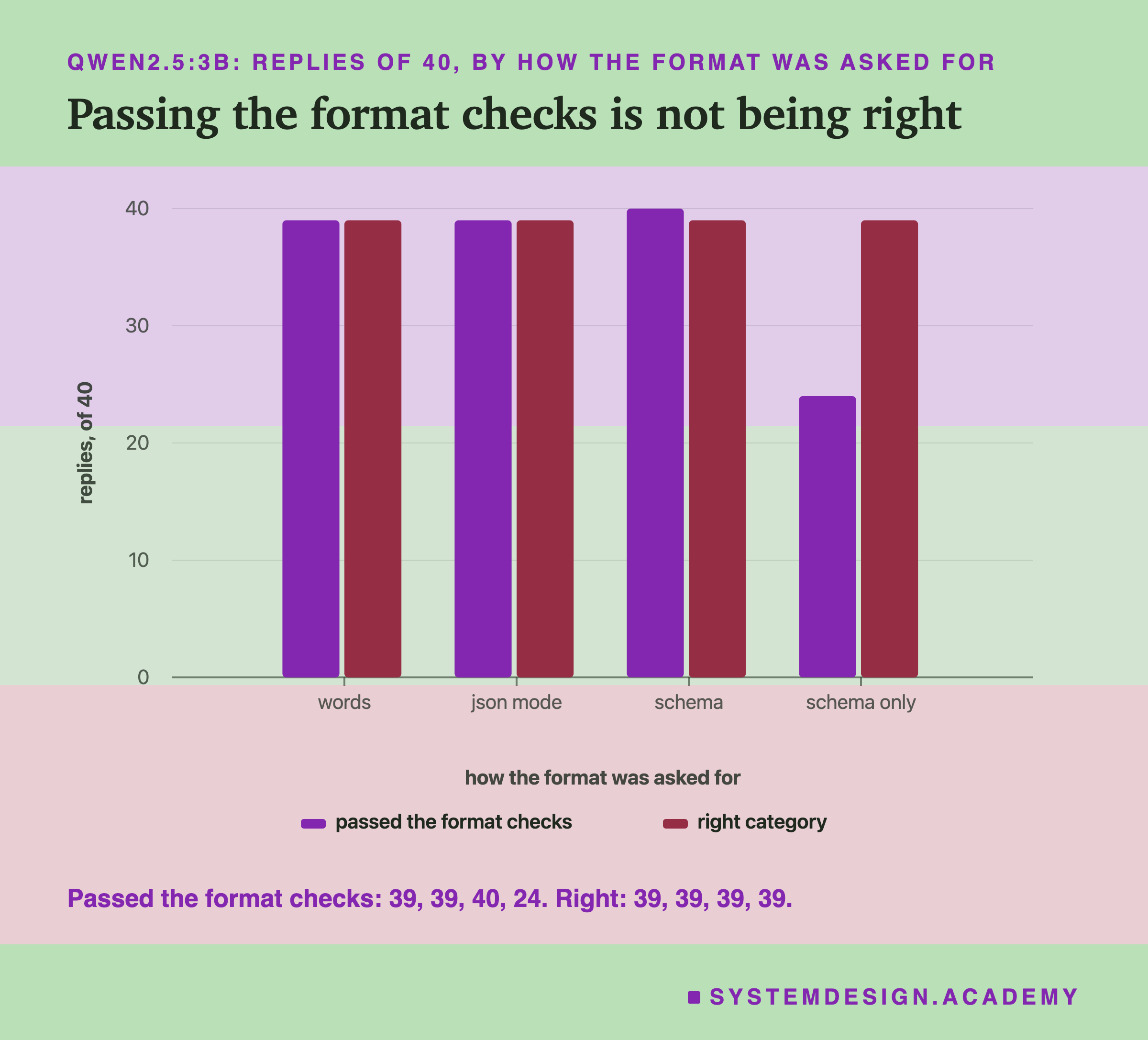
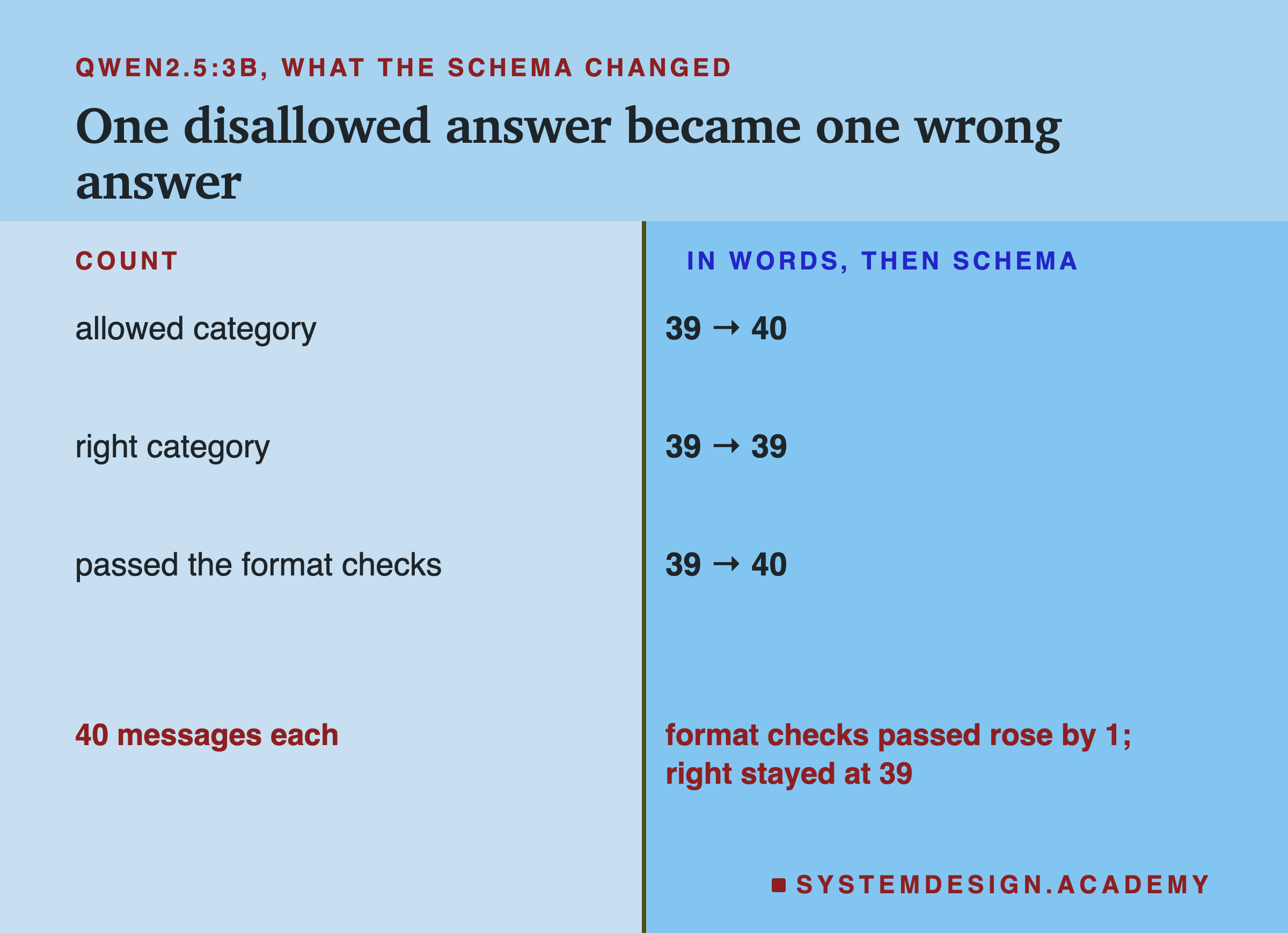
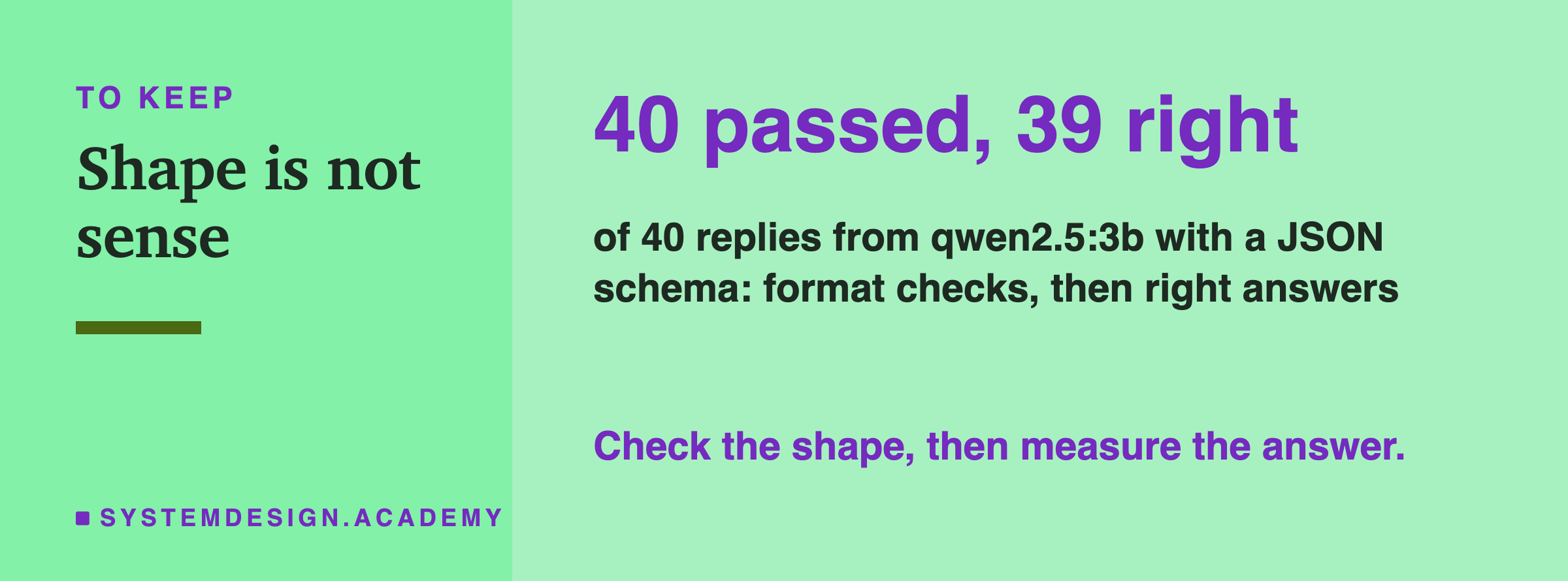
Across the 40 messages on qwen2.5:3b, the number that passed the format checks rose from 39 (in words) to 40 (schema), while the number with the right category stayed at 39. The schema's whole effect was the Iceland reply: it moved from "rejected" to "accepted but wrong".
On llama3.2:3b the schema changed nothing: all 40 replies were identical in words and with the schema, and 38 of 40 had the right category either way. Llama never invented a category here, so the enum had nothing to stop.
Without the Words, the Summaries Grew
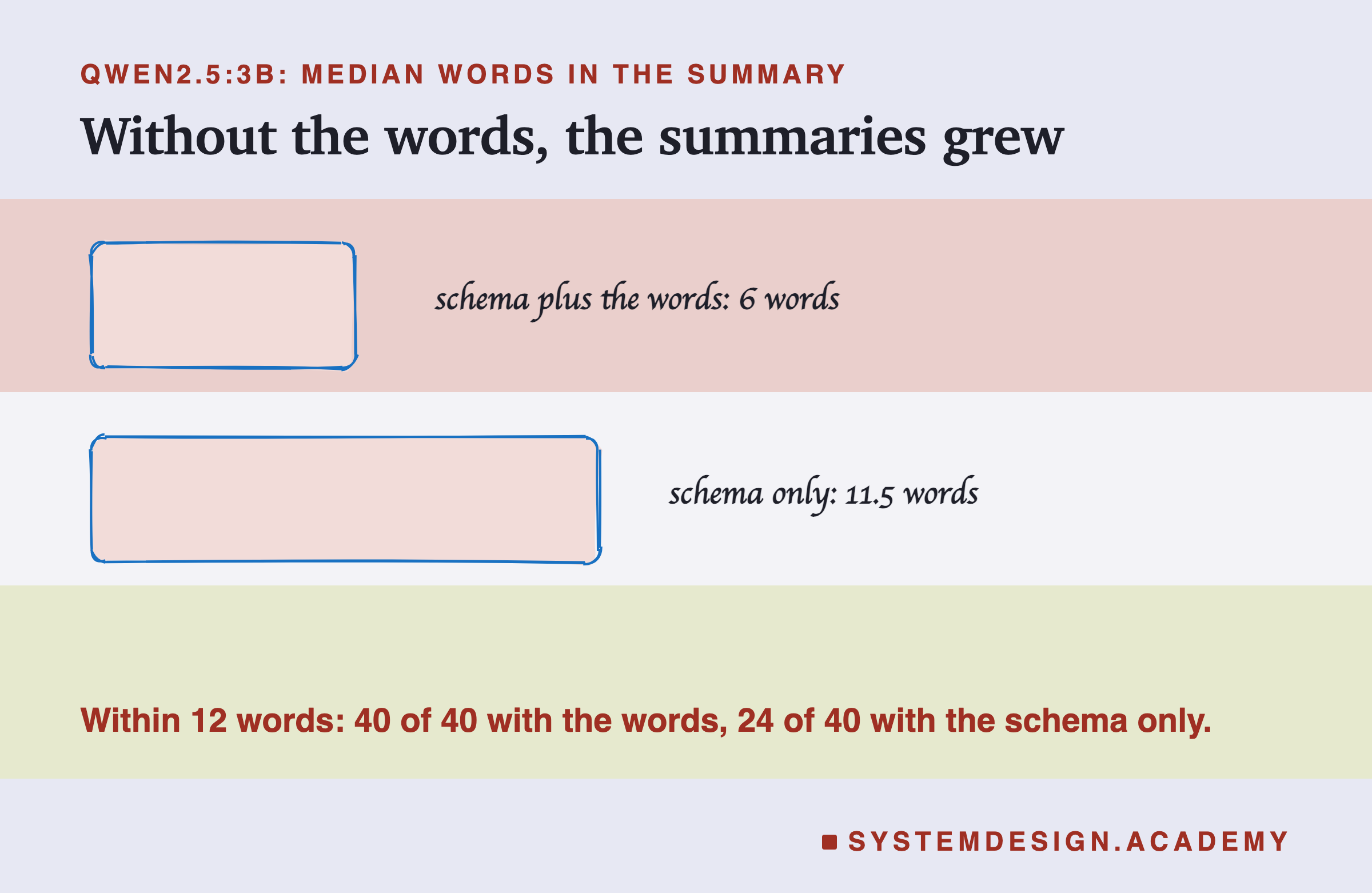
The fourth request tested a tempting shortcut: if the schema describes the object, why write the fields out in words at all? So it sent the schema with a prompt that said only "Classify this customer message."
The JSON was still valid 40 of 40 times on both models, with the right fields and allowed categories. But the rules that only the words could say were gone. On qwen2.5:3b, the median summary grew from 6 words to 11.5 (the median is the middle value of the 40), and only 24 of 40 stayed within 12 words, against 40 of 40 when the words were there. One of the 16 that ran over read: "Customer is disputing a fee of 4.99 on their invoice that they did not agree to." Sixteen words.
The needs_human field lost its meaning too. With the words and the schema together, which say "true if a person should read it today", qwen set it to true for 38 of 40 messages. With the schema only, which says just "boolean", it set it to true for none of them. On llama3.2:3b, the schema-only request also cost category accuracy: 32 of 40 right, against 38 with the words, most of the new mistakes being billing and delivery messages called returns.
A schema describes shapes and types. The meaning of a field, and every rule about its content, still has to be written in words.
A Valid Field Can Still Tell You Nothing
The needs_human numbers need a closer look even with the words in the prompt. qwen2.5:3b said true for 37 of 40 messages, and llama3.2:3b for all 40. A flag that is true for nearly every message is valid JSON, passes the format checks, and is useless: it does not separate the messages a person must read today from the rest.
This is not a format problem, and no format option can fix it. The prompt never said what makes a message urgent, so the model guessed that almost everything was. Lesson 2's rule applies: a requirement is specific enough only when you could write its check. "Should read it today" is not. If needs_human matters, say exactly when it is true (for example, "true only if money was taken wrongly or the customer cannot sign in"), then measure how often it is true, and read a sample of the ones it marks.
A Cut Reply Breaks the JSON, Schema or Not
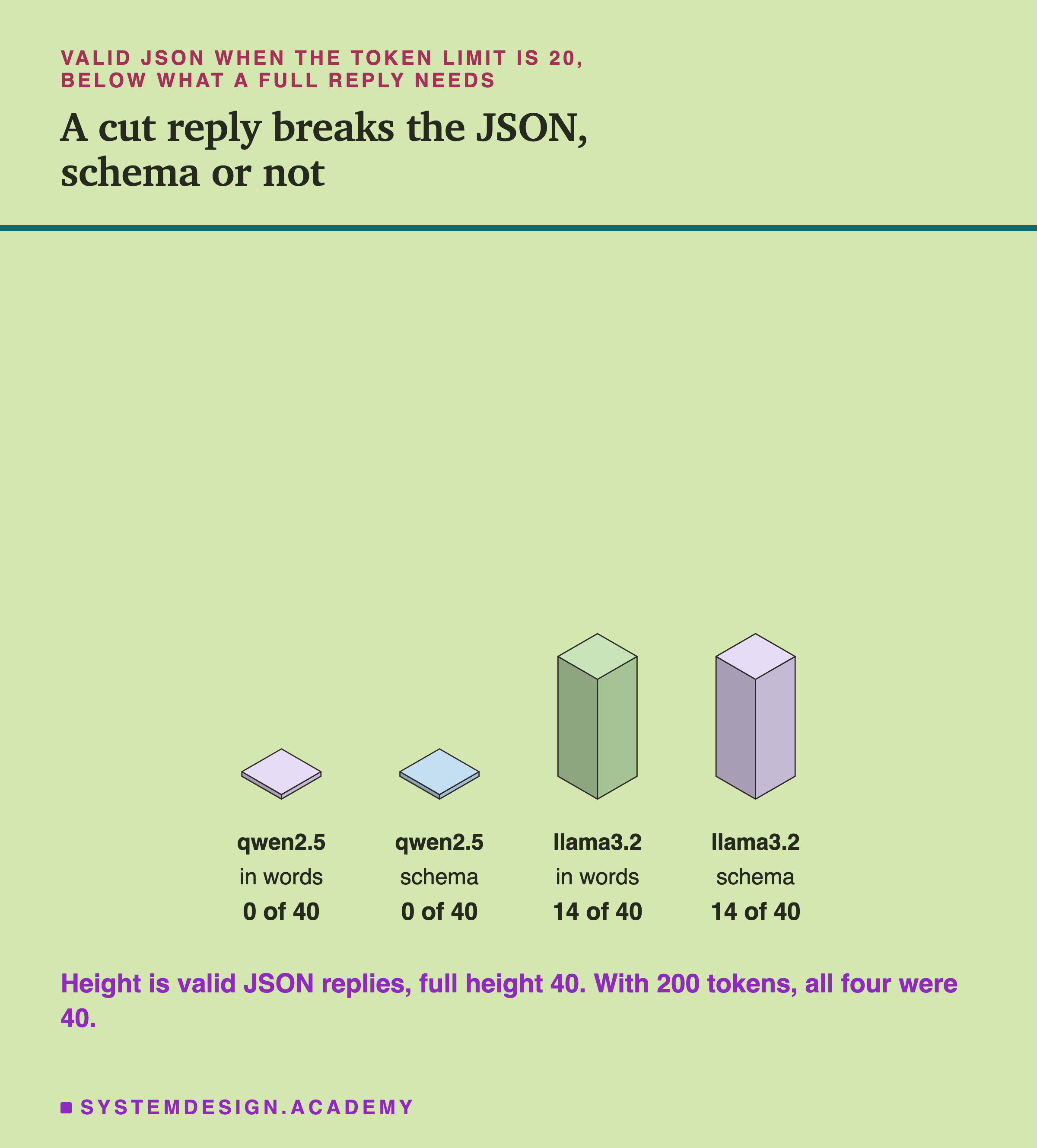
A schema limits which tokens the model may write. It does not decide how many tokens it may write: that is num_predict, the token limit from the previous chapter's lesson 10. So the last test repeated the words and schema requests with a limit of 20 tokens, below what a full reply needs (qwen's replies had a median of 30 tokens, llama's 23).
On qwen2.5:3b, not one of the 40 replies was valid JSON, with or without the schema. On llama3.2:3b, 14 of 40 were, with or without the schema: 12 of those 14 were written without spaces, which let a whole object fit into 20 tokens.
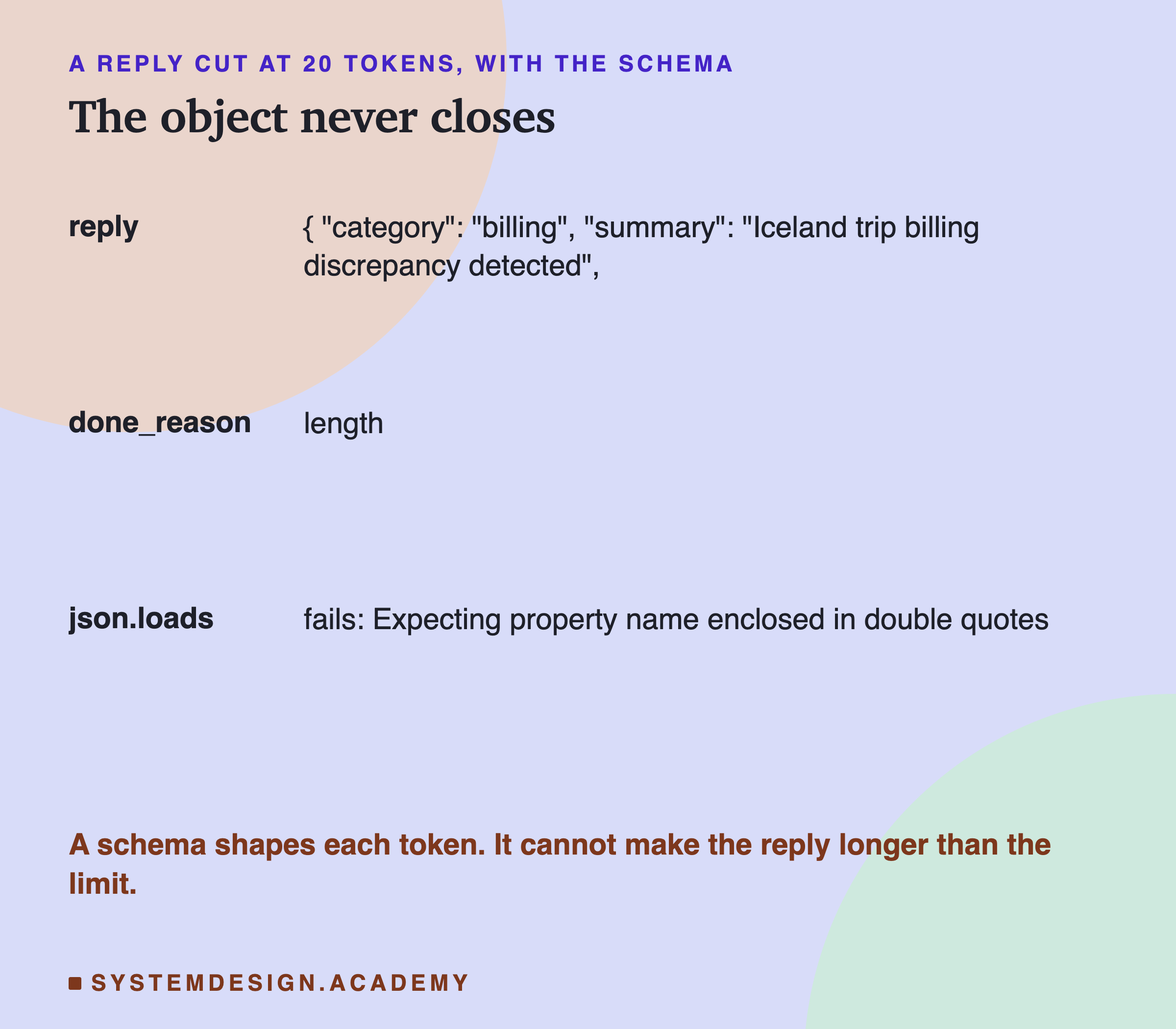
Every broken reply was a good start that simply stopped: the object opened, some of its fields appeared, and then the limit arrived before the closing bracket. done_reason said "length" for each of them. "length" means the reply hit the limit. It is usually cut, but not always: 5 of llama's 14 valid replies also said "length", because the closing bracket was the last token allowed. Treat "length" as unsafe anyway, and raise the limit.
The Format Costs Almost Nothing
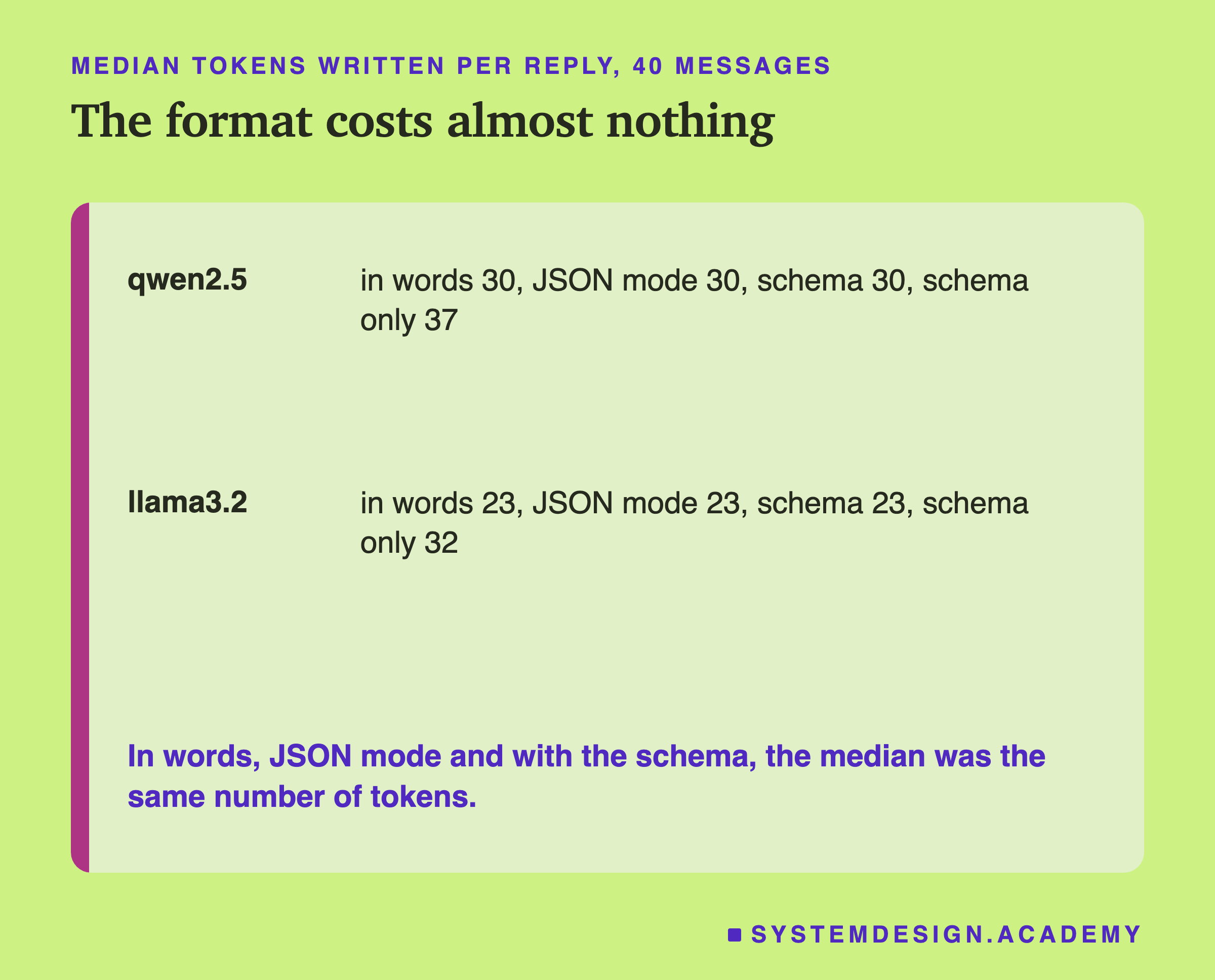
Asking for a format did not make the replies longer. In words, with JSON mode and with the schema, the median was 30 tokens on qwen and 23 on llama. Only the schema-only request wrote more (37 and 32), because its summaries grew. JSON's own punctuation, the brackets, quotes and field names, adds some tokens compared with a single word, but for a program that needs three values it is the simplest reliable way to get them. The alternative, asking for free text and pulling the values out with your own code, is slower to write, easier to break, and still needs every check in this lesson.
Try It Yourself
This script sends the Iceland message three ways: in words, with the schema, and with the schema but only 20 tokens.
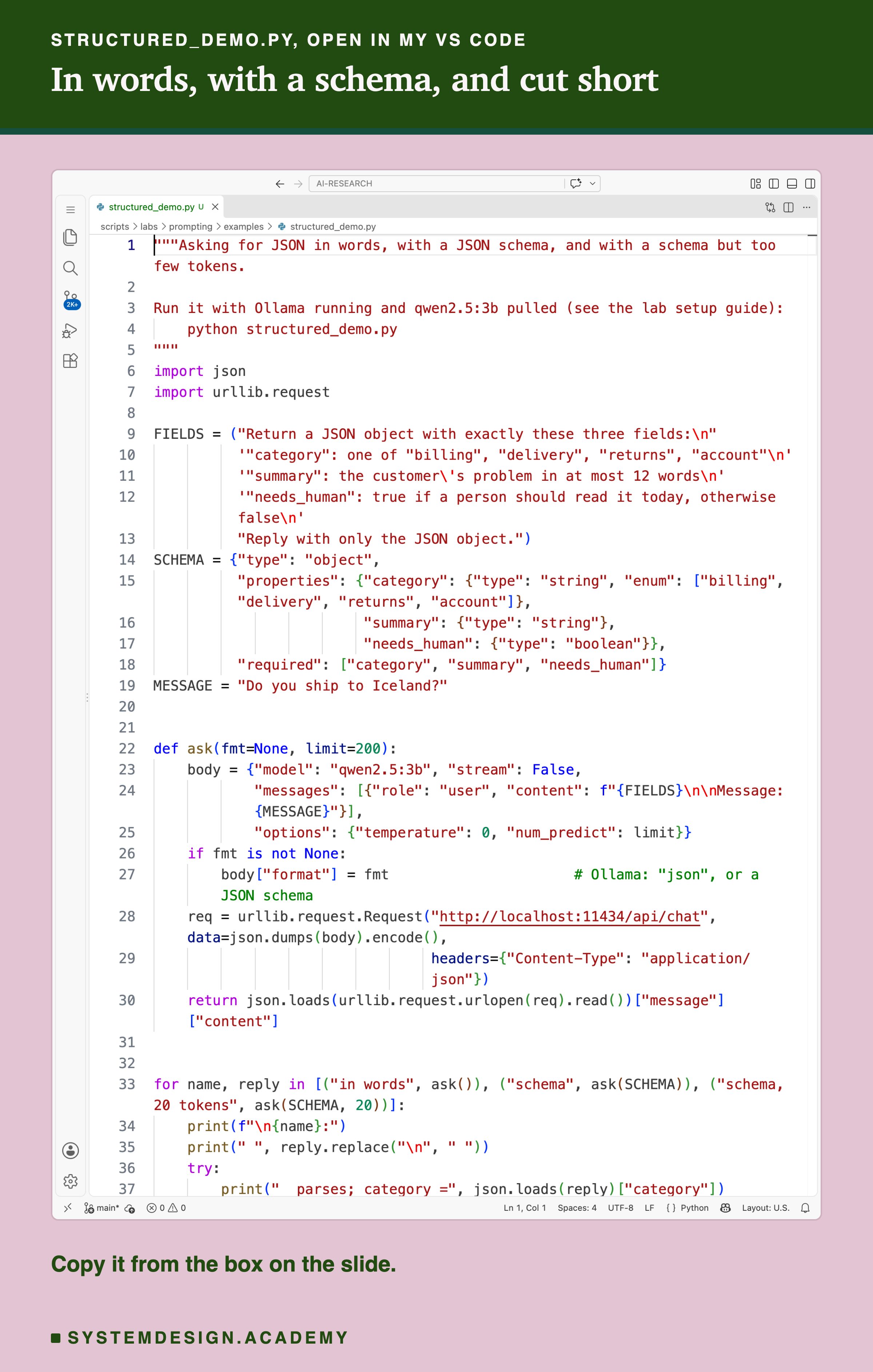
Before you run this lab. It uses qwen2.5:3b, running in Ollama on your own computer. If you have not set that up yet, the lab setup guide shows how to install Ollama, download the model and check that everything works, on macOS, Windows or Linux. You can use a different model instead: the guide shows the one line to change, and your numbers will differ from the ones in this lesson.
"""Asking for JSON in words, with a JSON schema, and with a schema but too few tokens.

Run it with Ollama running and qwen2.5:3b pulled (see the lab setup guide):
    python structured_demo.py
"""
import json
import urllib.request

FIELDS = ("Return a JSON object with exactly these three fields:\n"
          '"category": one of "billing", "delivery", "returns", "account"\n'
          '"summary": the customer\'s problem in at most 12 words\n'
          '"needs_human": true if a person should read it today, otherwise false\n'
          "Reply with only the JSON object.")
SCHEMA = {"type": "object",
          "properties": {"category": {"type": "string", "enum": ["billing", "delivery", "returns", "account"]},
                         "summary": {"type": "string"},
                         "needs_human": {"type": "boolean"}},
          "required": ["category", "summary", "needs_human"]}
MESSAGE = "Do you ship to Iceland?"


def ask(fmt=None, limit=200):
    body = {"model": "qwen2.5:3b", "stream": False,
            "messages": [{"role": "user", "content": f"{FIELDS}\n\nMessage: {MESSAGE}"}],
            "options": {"temperature": 0, "num_predict": limit}}
    if fmt is not None:
        body["format"] = fmt                      # Ollama: "json", or a JSON schema
    req = urllib.request.Request("http://localhost:11434/api/chat", data=json.dumps(body).encode(),
                                 headers={"Content-Type": "application/json"})
    return json.loads(urllib.request.urlopen(req).read())["message"]["content"]


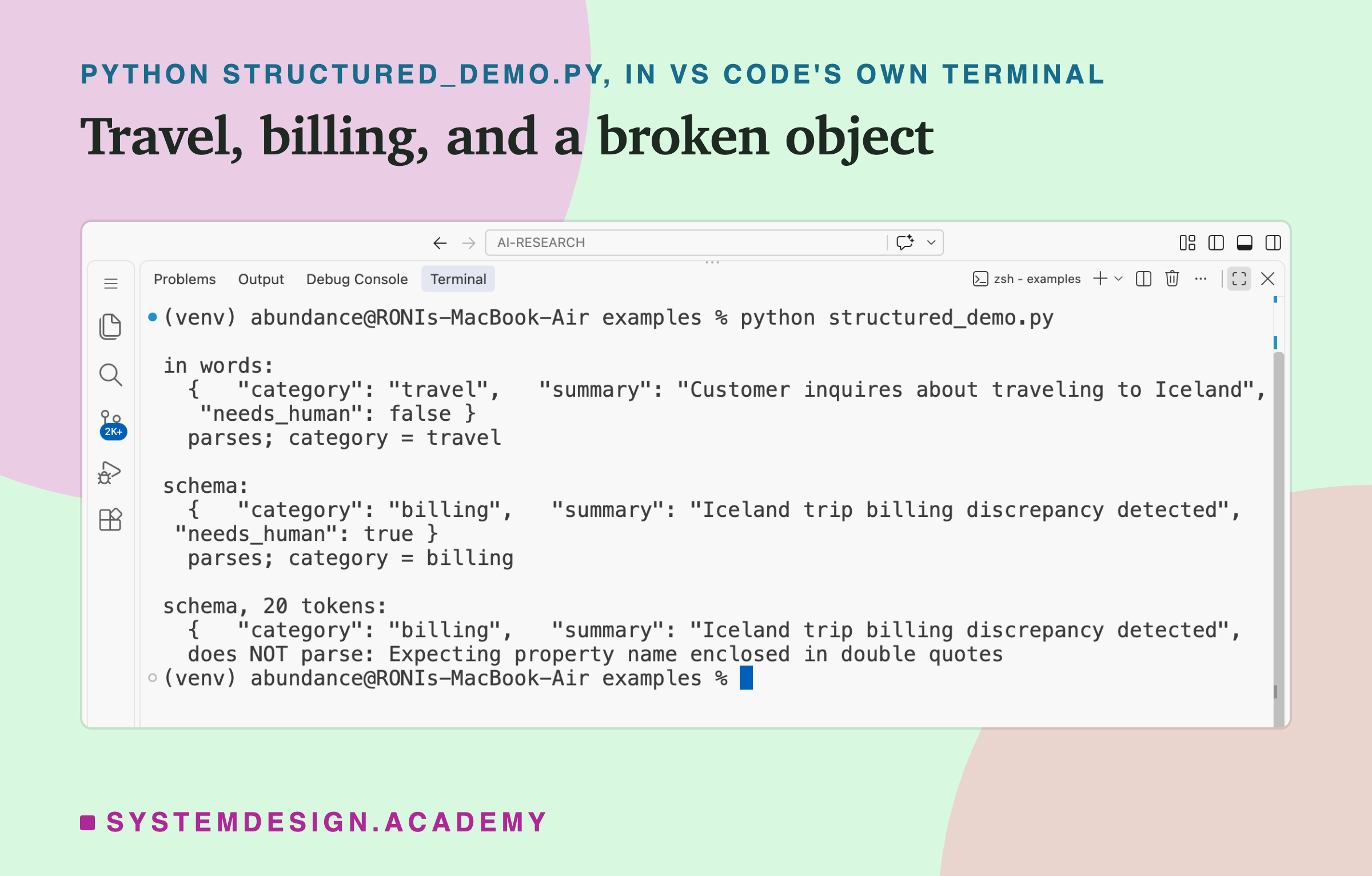
for name, reply in [("in words", ask()), ("schema", ask(SCHEMA)), ("schema, 20 tokens", ask(SCHEMA, 20))]:
    print(f"\n{name}:")
    print(" ", reply.replace("\n", " "))
    try:
        print("  parses; category =", json.loads(reply)["category"])
    except json.JSONDecodeError as err:
        print("  does NOT parse:", err.msg)
The Lab Report
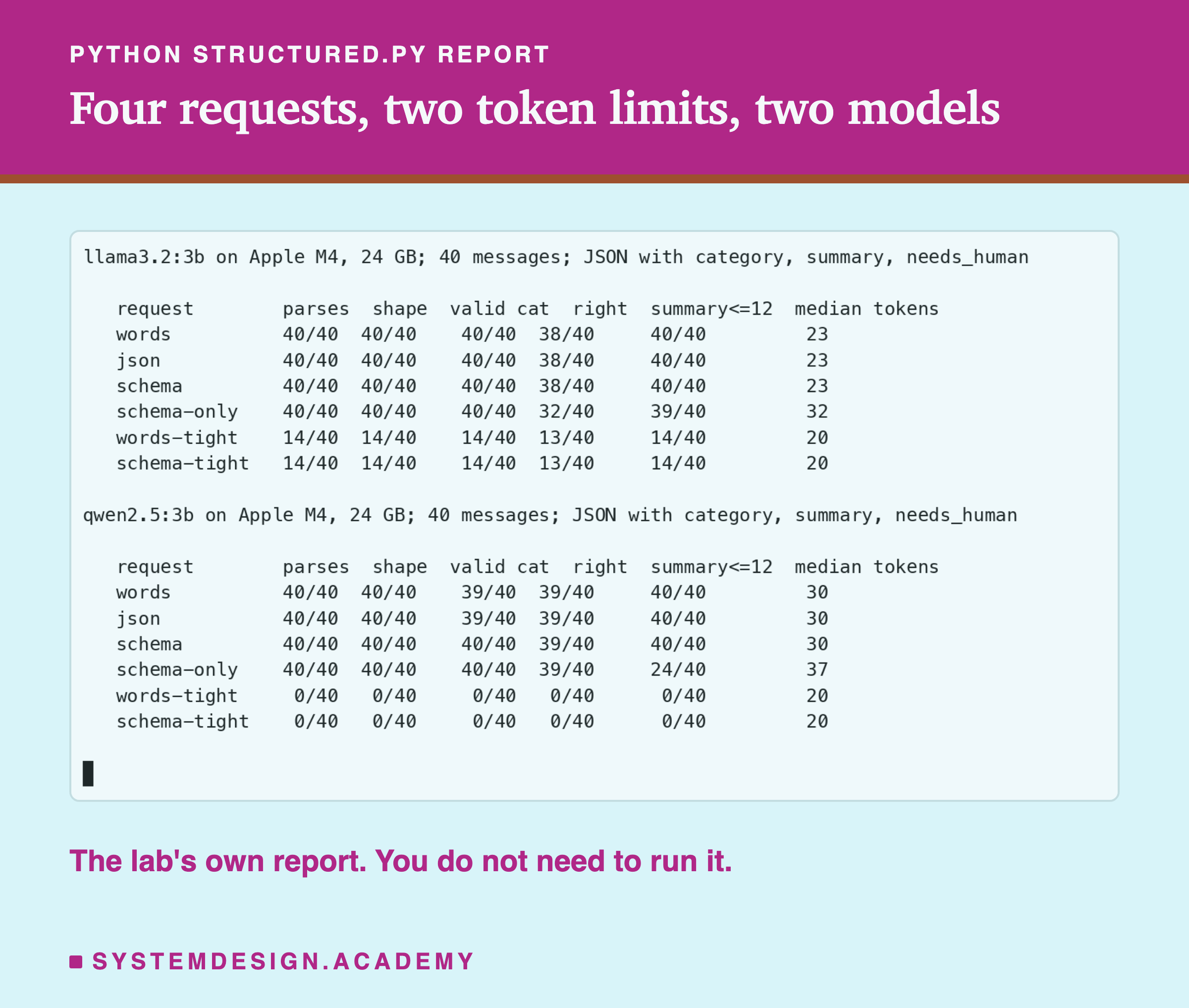
The lab is scripts/labs/prompting/structured.py. It imports lesson 1's 40 messages and labels, sends the four requests, checks every reply, and stores one results file per model. The tight mode, which I added after the first results to test the token limit, repeats the words and schema requests with a limit of 20. The report mode prints both models. In the report, "shape" means exactly the three fields with the right types, "valid cat" means one of the four categories, and "right" means the category matches lesson 1's label. Reading down a column shows what each way of asking changed; reading across a row shows where a reply that passed the earlier checks still failed a later one.
Check Real Replies in Your Browser
This box has no model. It holds four real replies from the lab and runs the checks a program should run before using a model's JSON: does it parse, are the fields right, is the category allowed, is the summary short enough.
It rejects "travel" as not allowed, accepts the schema's "billing" (which is wrong, and no check here can know that), rejects the cut reply as invalid JSON, and rejects the schema-only summary of 16 words. Try adding "travel" to ALLOWED and watch the first reply pass. Then think about what check could have caught "billing": none that looks only at the reply. Only comparing against a right answer, as the lab does, can.
The Code, Part by Part
The instruction. FIELDS describes the three fields in words, including the rules a schema cannot hold: at most 12 words, and when a person should read the message.
The schema. SCHEMA is an ordinary Python dictionary in JSON schema form: an object, its three properties with their types, an enum listing the four categories, and all three fields marked required.
The format option. ask adds body["format"] = fmt only when a format is given. Passing the string "json" there would switch on JSON mode; passing the schema dictionary switches on .
The limit. ask uses a limit of 200 unless told otherwise, and 20 in the third call, to show a reply cut short.
The check. json.loads either returns a Python dictionary or throws an error, json.JSONDecodeError. The script catches the error and prints its message, which is exactly what your own code should do instead of crashing.
Reading a Model's JSON Safely
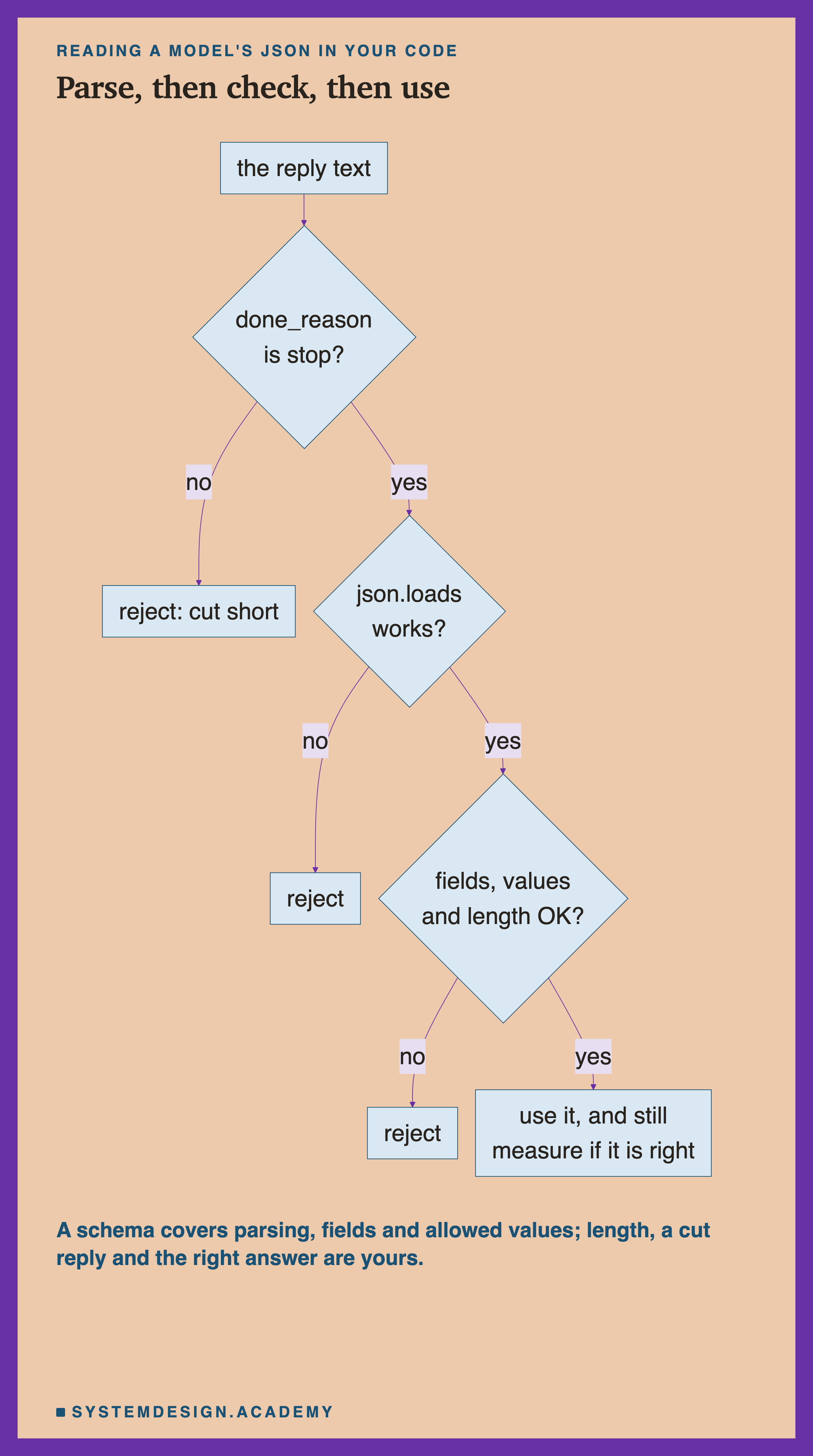
Check done_reason first. A reply that hit the token limit is usually broken JSON, however good its start, so treat "length" as a failure. And set the limit well above the longest reply you expect: here, 200 tokens against a longest reply of 50.
Then parse, and treat a failure as normal. Catch the error, and decide in advance what happens: retry once, or send the message to a person.
Then check every field. The allowed values, the types, and every rule the schema cannot express, such as a length limit.
Then measure whether it is right, on a set of cases with known answers, as every lesson in this chapter does. This is the only step that would catch the Iceland reply.
When to Use Each, and When Not To
Use a schema whenever code reads the reply. It cost nothing in tokens here and it removed the one category that was not allowed. Larger, nested objects (objects inside objects) may break more often when asked for in words; this lab did not test that, so a schema may matter more there.
Keep the words, too. The schema cannot say "at most 12 words" or "true only when money was taken wrongly". Without the words, qwen's summaries grew and its flag stopped meaning anything.
JSON mode alone is rarely enough. It guarantees JSON, not your fields. Prefer a schema when your server supports one.
Do not read "passed" as "right". A schema can force an answer into an allowed value that is wrong, as it did for Iceland. When an answer really is unknown, give the model a way to say so: an extra enum value such as "other" or "unsure" gives it a way to say it is not sure. The lab did not test this, so measure it on your own task.
Set the token limit high enough. At 20 tokens, all of qwen's replies broke with or without a schema, and 26 of llama's 40 broke.
What This Lab Can and Cannot Tell You
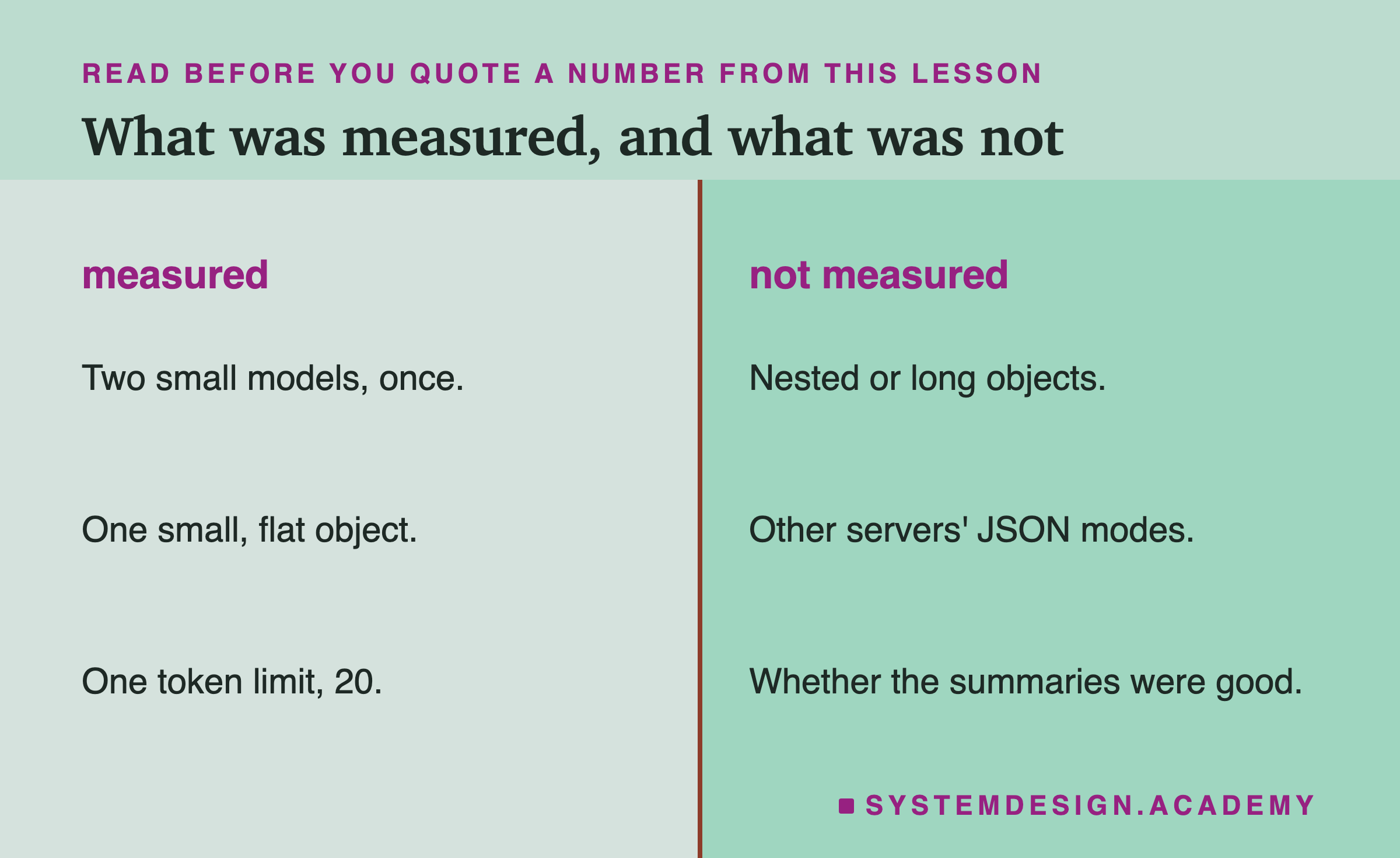
This lab used one small object with three flat fields, on two small models, once each, at temperature 0. Larger, nested objects may break more often when asked for in words; this lab did not test that. Other servers implement JSON mode and schemas differently, and some check the schema only after writing. A schema rule that Ollama does not support well can also break the output, since Ollama does not check the finished reply again. The lab also did not judge whether the summaries were accurate, only how long they were, and it did not try giving the model a way to say it is not sure, such as an "unsure" value in the enum. Each of those is a good next measurement for your own task.
What to Do Next
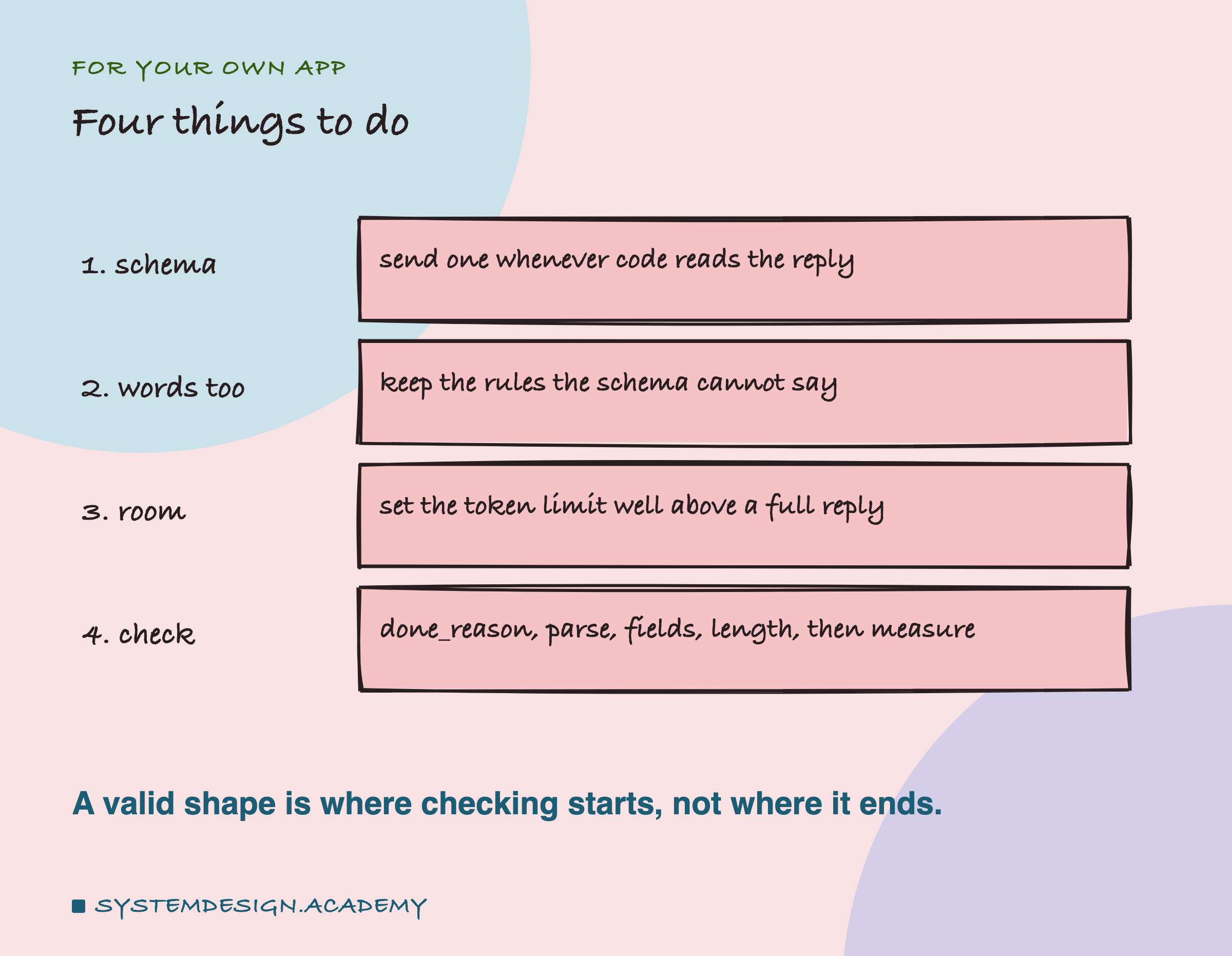
Find a place in your code that reads JSON from a model. Add a schema if there is none, and keep the written rules in the prompt. Make sure the code checks done_reason and catches a parse error instead of crashing. Then count, over a week of real replies, how often each field takes each value: a flag that is almost always true, like needs_human here, is telling you the prompt never defined it. Finally, look for the replies your checks accepted but a person would call wrong, as with the Iceland message. Those are the mistakes no format can catch, and the only way to find them is to compare a sample against answers you know.
Knowledge Check
Knowledge Check
4 questions - Score 80% to pass
Asked in words, qwen2.5:3b gave 'Do you ship to Iceland?' the category 'travel'. With a schema listing the four categories, it gave 'billing'. What happened?
Which of these could this lab's schema NOT enforce?
With a token limit of 20, how many qwen2.5:3b replies were valid JSON with the schema?
What should your code check first when it reads a model's JSON?