A Toolbox With a Hundred Drawers
Picture a new worker at a hardware shop. On day one there are five drawers behind the counter: screws, nails, glue, tape, hooks. A customer asks for glue, and the worker opens the right drawer every time.
A year later the shop has a hundred drawers. Some are labelled almost the same: "wood screws", "metal screws", "screws for plasterboard". Now the worker sometimes opens the wrong one. Is it because there are a hundred drawers? Or because some of them look alike?
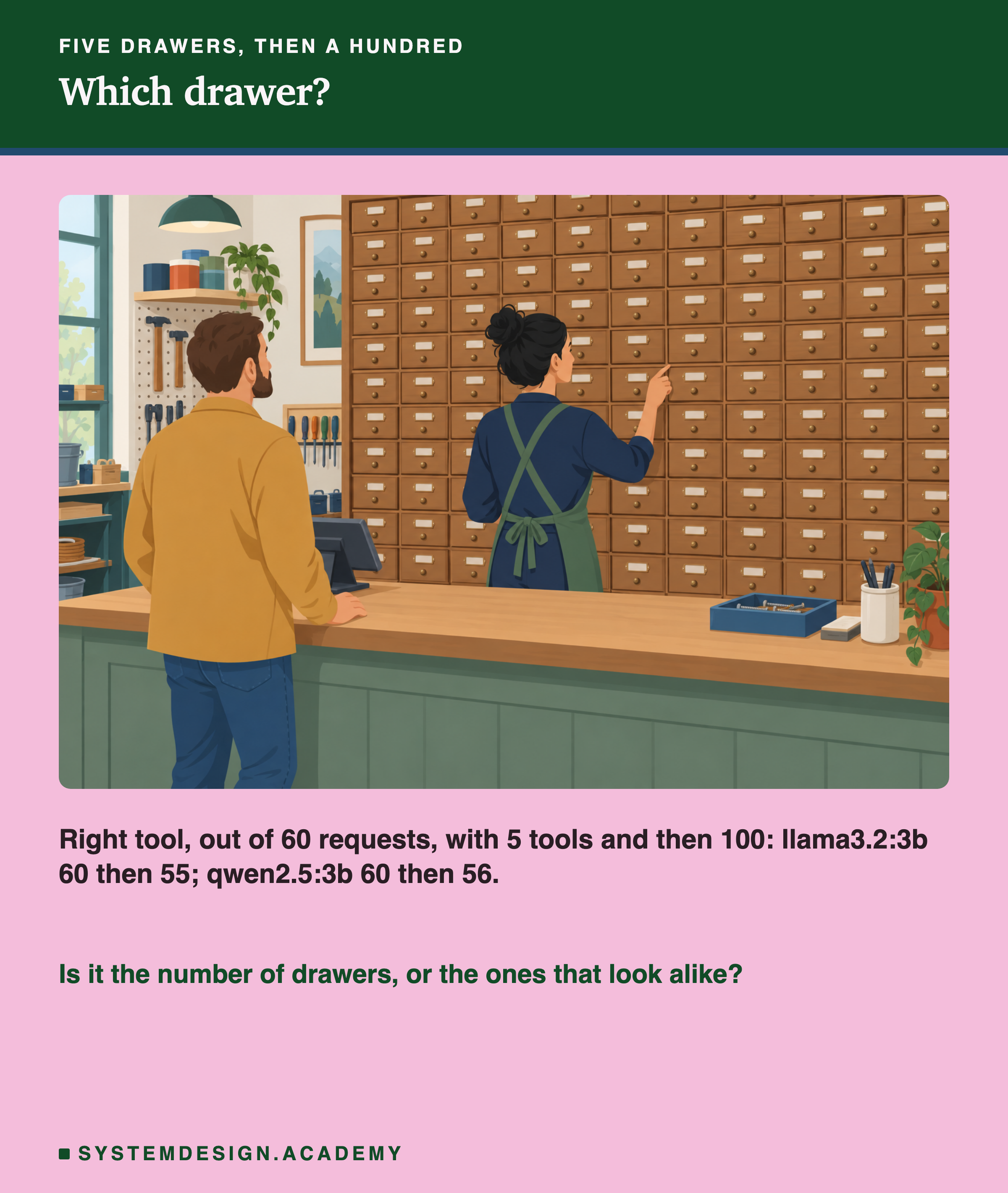
An AI agent picks from tools the way that worker picks from drawers. Teams keep adding tools, and many say the agent gets worse at picking as the list grows. Lesson 02 of this chapter drew that as a curve, and was honest that the curve was a pattern teams report, not a measurement. This lesson measures it with two small models, and asks which of the two causes does the damage. The answer surprised me, and it pointed at a third problem nobody draws: the software between the model and your code.
The Words You Need First
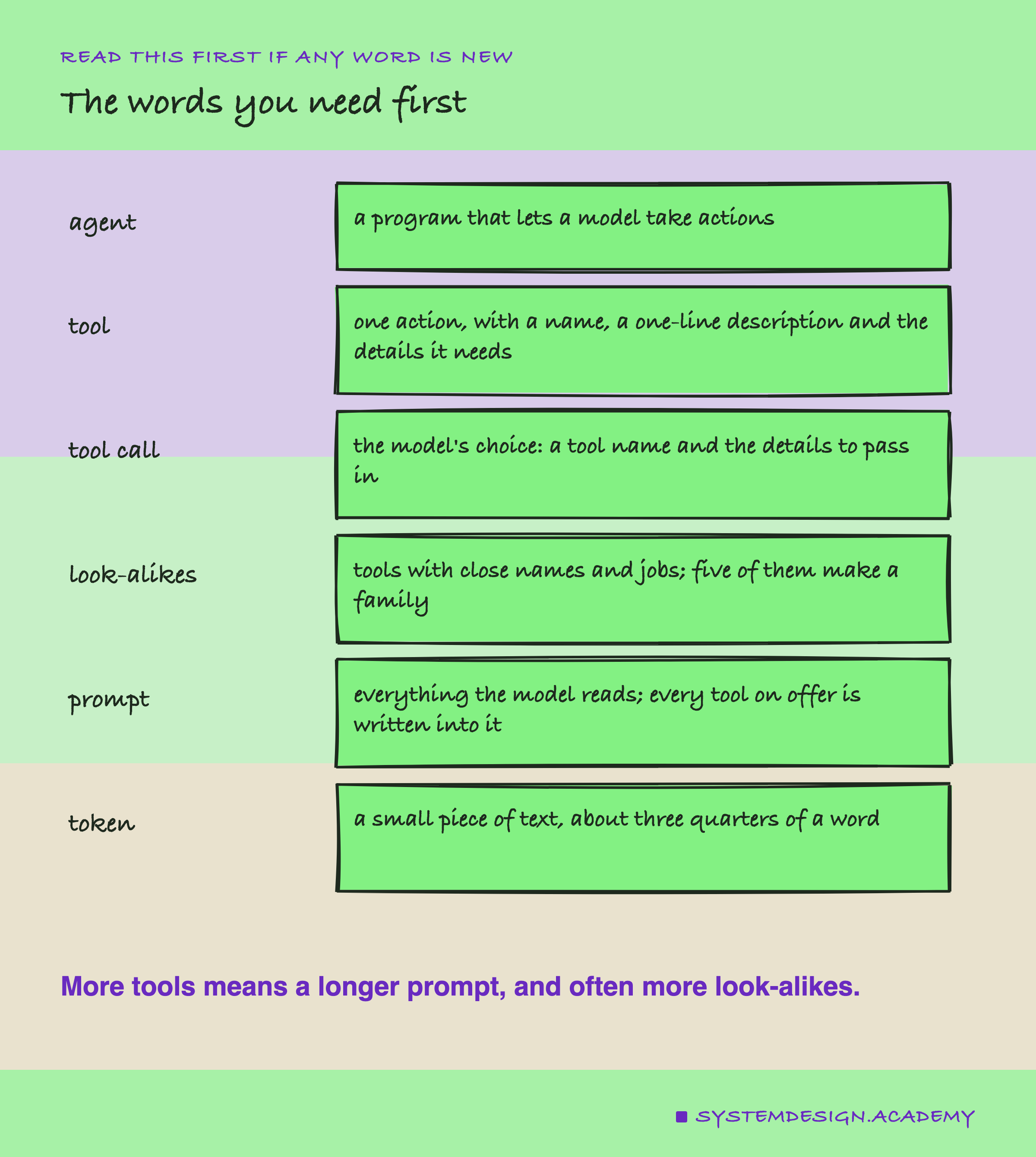
Please read this slide slowly if any word is new. Every slide after it uses these words.
Model. Here, a language model: an AI that reads text and writes text, like the one behind ChatGPT.
Agent. A program that lets a model take actions, not just write text.
Tool. One action the program can do for the model, like "get the status of an order". Each tool has a name, a one-line description, and the details it needs, like an order number.
Tool call. The model's reply when it chooses a tool: the tool's name and the details to pass in. The program then runs that tool.
Look-alike tools. Tools with close names and close jobs, like get_order_status and get_order_items. In this lesson, a group of five look-alikes is called a family.
Prompt. Everything the model reads before it replies. Every tool on offer is written into the prompt, so more tools means a longer prompt.
Token. A small piece of text a model reads or writes, roughly three quarters of a word.
JSON. A fixed way to write data so a program can read it. A tool call is written in JSON, for example {"name": "get_order_status", "arguments": {"order_id": "48213"}}.
Ollama. A free tool that runs models on your own machine. Programs talk to it through its chat API, a web address that takes a message and returns the model's reply, including any tool call.
Two Reasons an Agent Could Pick Wrong
When an agent with many tools picks the wrong one, there are two different explanations, and they need different fixes.
1. Too many tools. The list is so long that the model loses track. If this is the cause, the fix is to show fewer tools at once. For example, pick a short list for each request before the model sees it.
2. Tools that look alike. The list may be short, but two tools are so similar that the model mixes them up. If this is the cause, cutting the list does not help much. The fix is to merge the look-alikes, or to rename and describe them so that each one is clearly different.
A test that only grows the list cannot tell these apart, because a longer list usually also holds more look-alikes. So this lab tests both on their own.
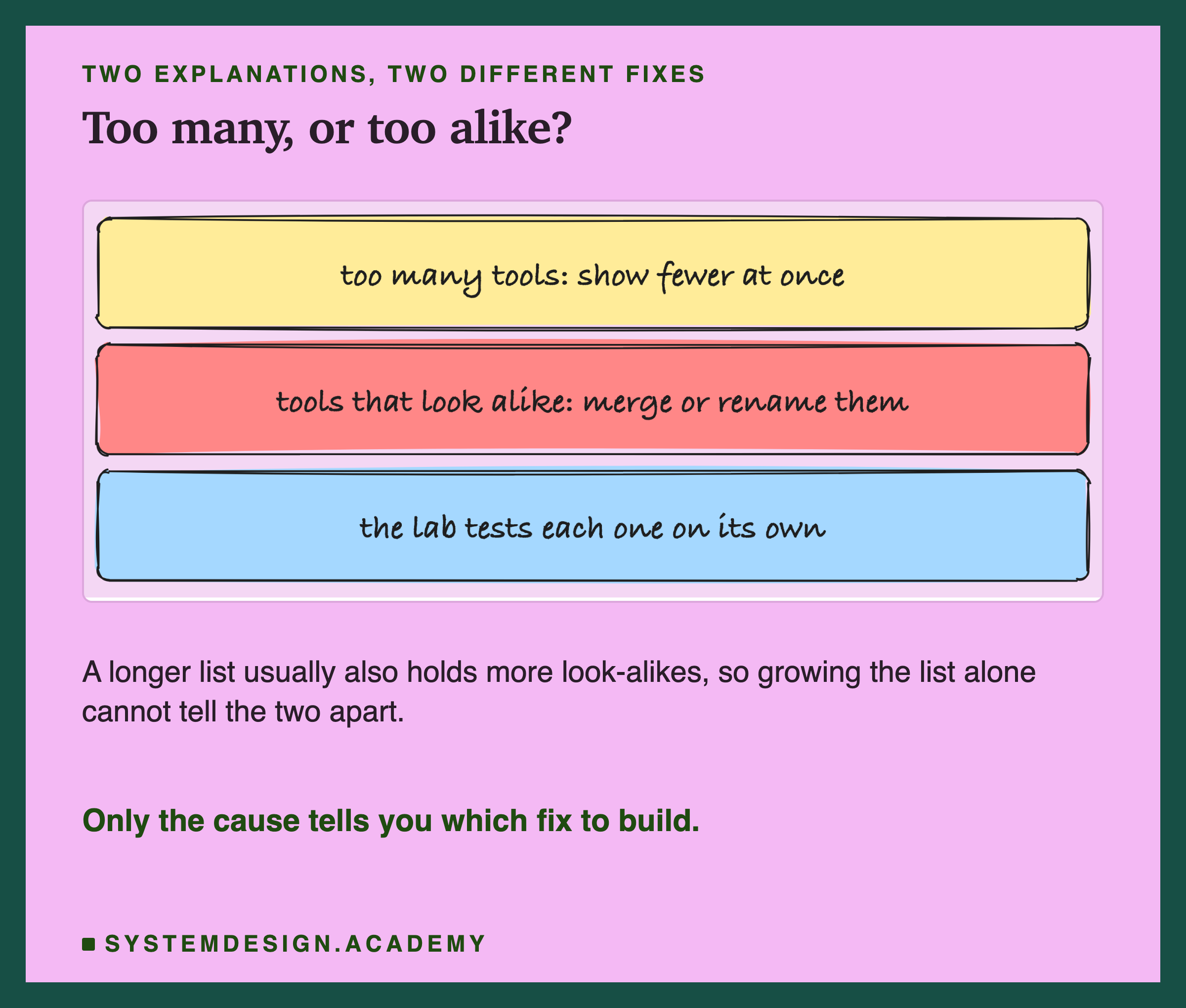
The picture sums up the slide: two causes, two different fixes, and a test that has to pull them apart.
How the Lab Was Built
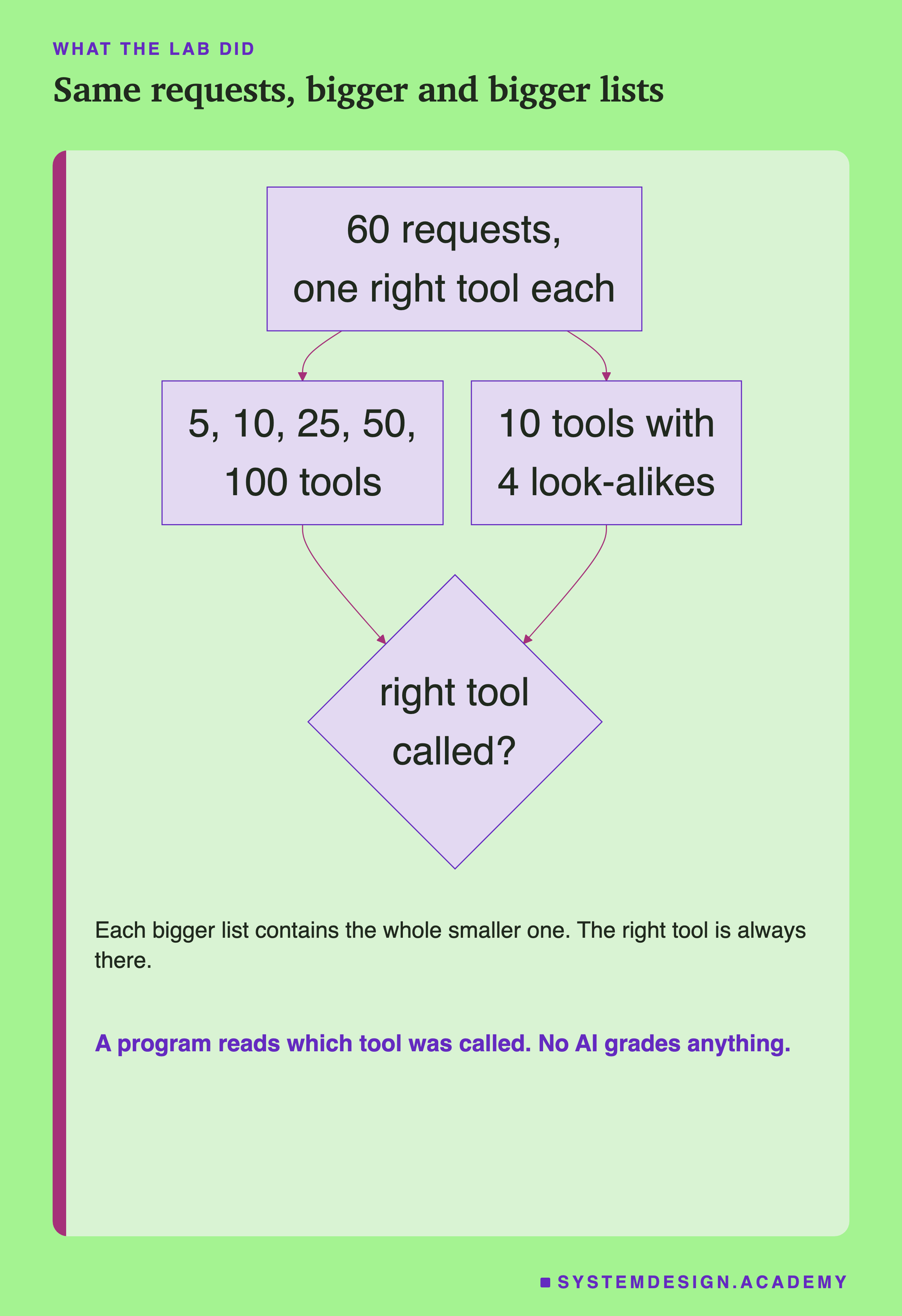
The flowchart shows the plan. Here is each part in detail.
-
The tools. A catalogue of 100 tools, written for this lab, in 20 families of 5 look-alikes: orders, shipping, payments, refunds, accounts, flights, hotels, and so on. They look like the tool list of a real company that several teams have added to.
-
The requests. 60 requests a user might type, such as "Has order 48213 been shipped yet?". Each one has exactly one right tool in the whole catalogue. I checked each request against its family by hand, and wrote down why no other tool fits.
-
Growing the list. Every request is sent with 5 tools, then 10, 25, 50 and all 100. The right tool is always there. The others are drawn at random. Each bigger list contains the whole smaller list, so the only change from one size to the next is the tools that were added.
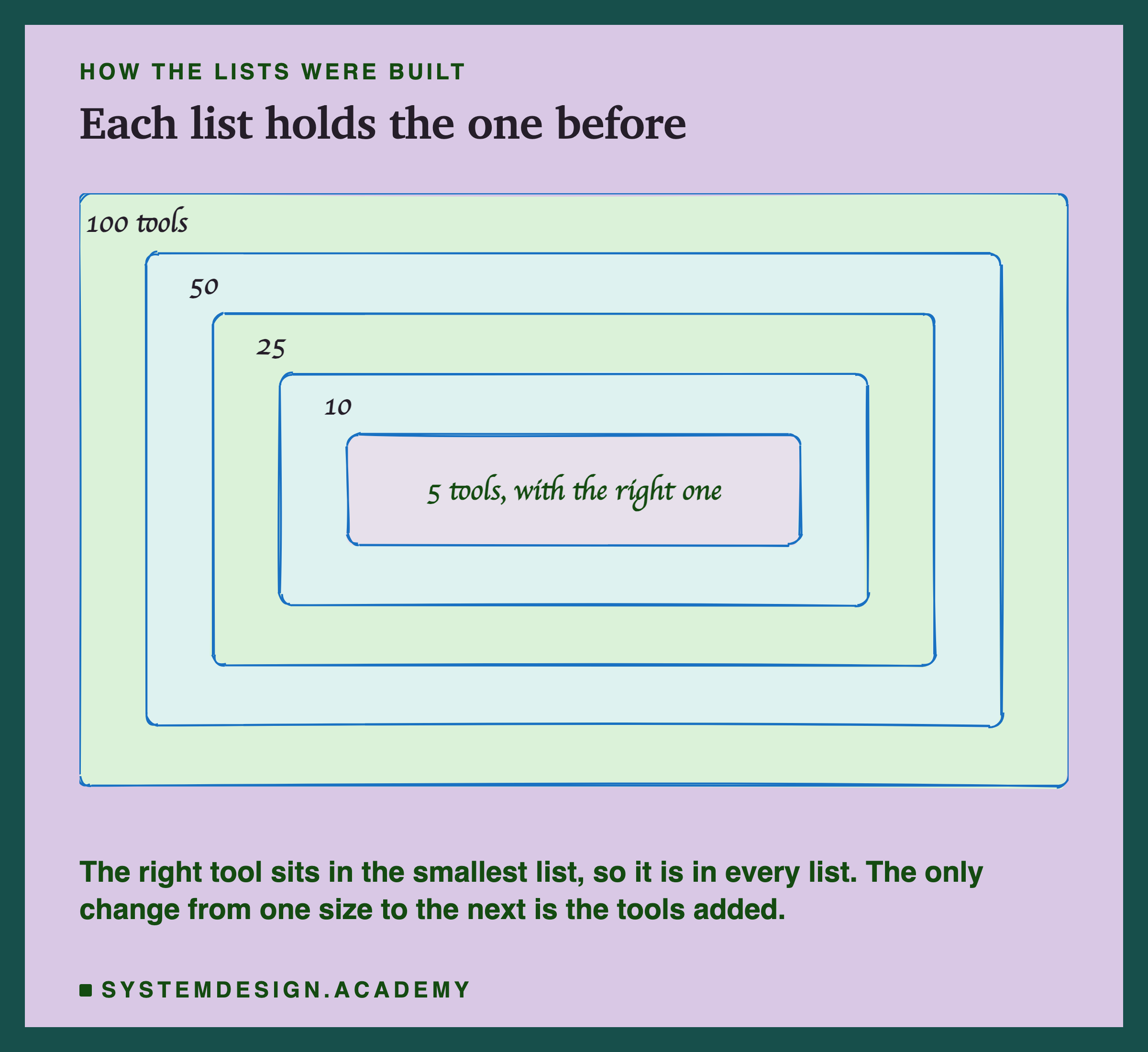
-
Look-alikes only. Every request is also sent with 10 tools: the right one, its 4 look-alikes, and 5 random others. Compare that with the random 10: in 44 of the 60 random lists of 10, not one look-alike was drawn.
-
The mark. A program reads which tool the model called first. Right tool, a look-alike, some other tool, a made-up name, or no tool at all. No AI grades anything.
The Path a Tool Call Takes
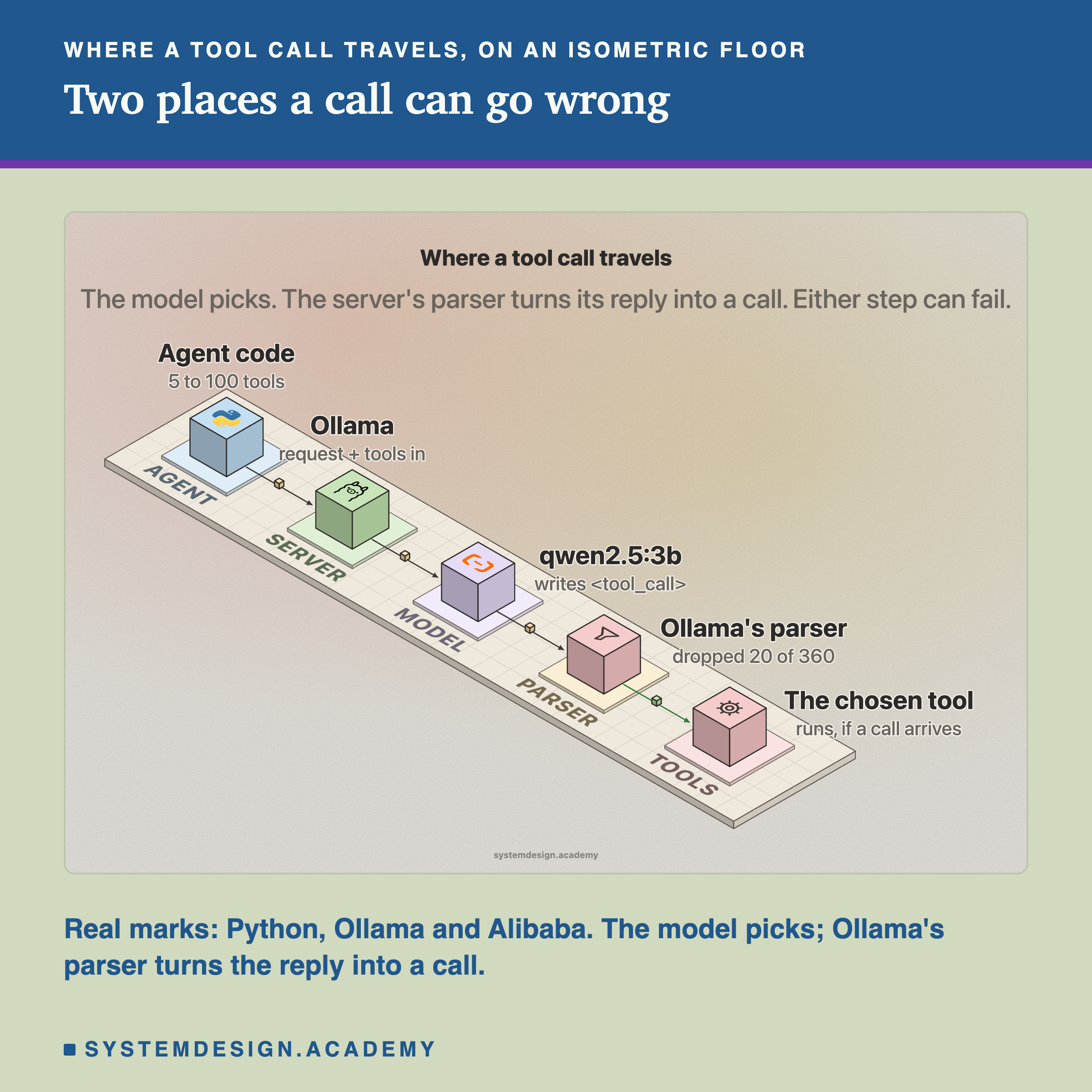
It helps to see the path a tool call travels, because the lab found trouble at two points on it. The model has to pick the right tool. Then the server's parser has to read the model's reply and turn it into a call your code can run.
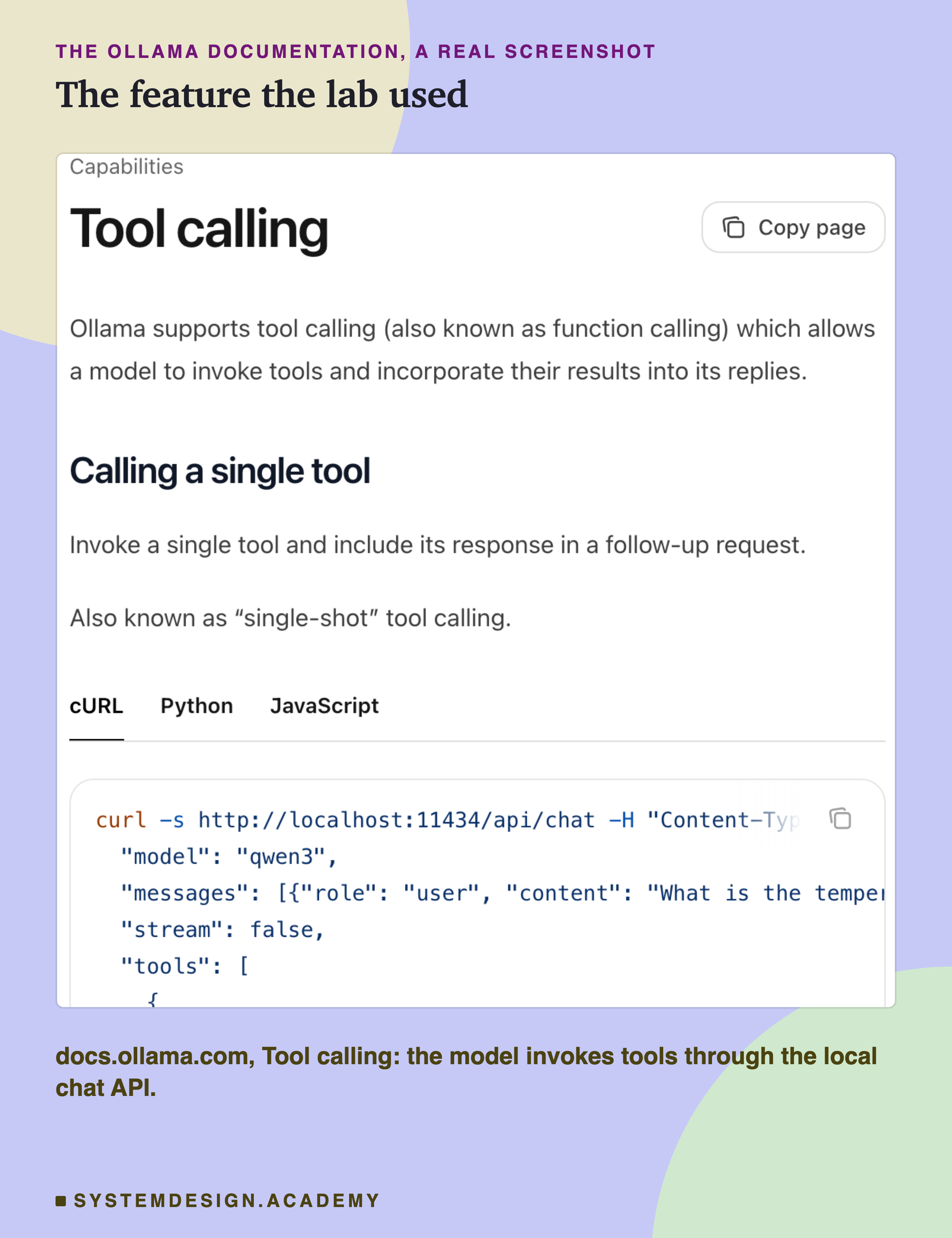
This is the Ollama feature the lab used, described in Ollama's own documentation above.
The Lab, Running
This is a real recording of the lab's report, printed on the laptop where the lab ran, in two parts. In it, n5 to n100 are the random lists of 5 to 100 tools, and near10 is the list of 10 with the 4 look-alikes.
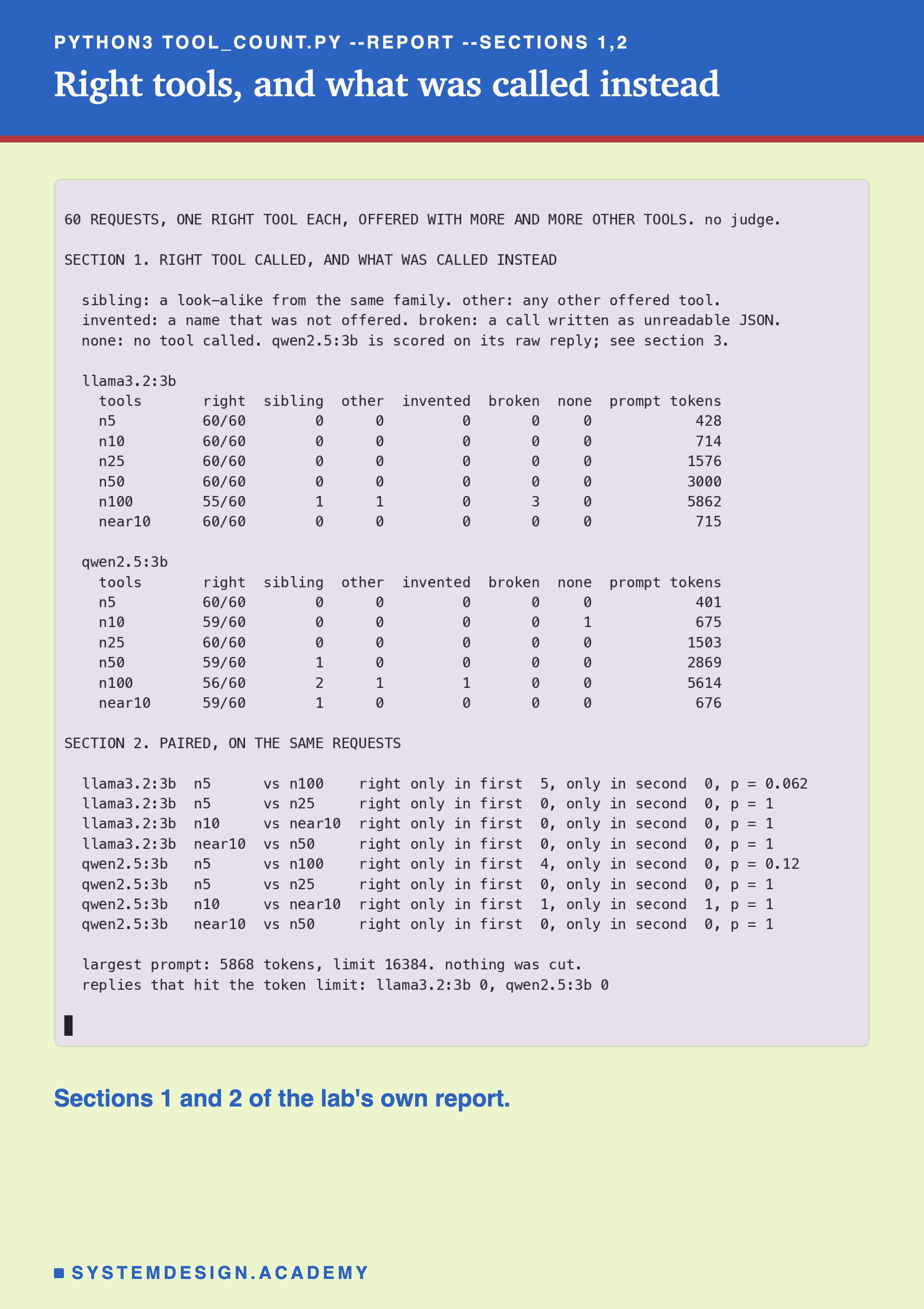
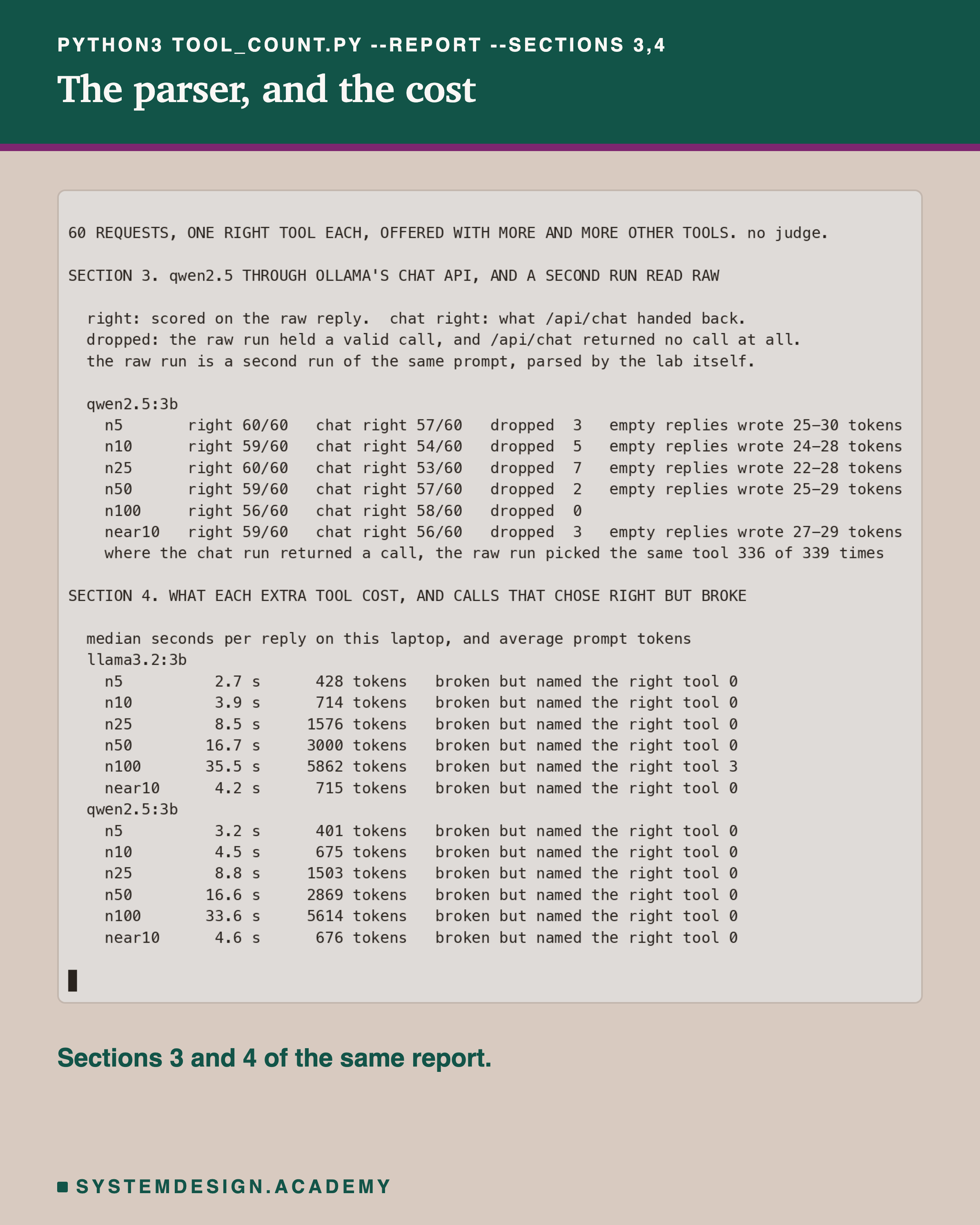
The second part shows the parser problem and the cost, both explained on later slides.
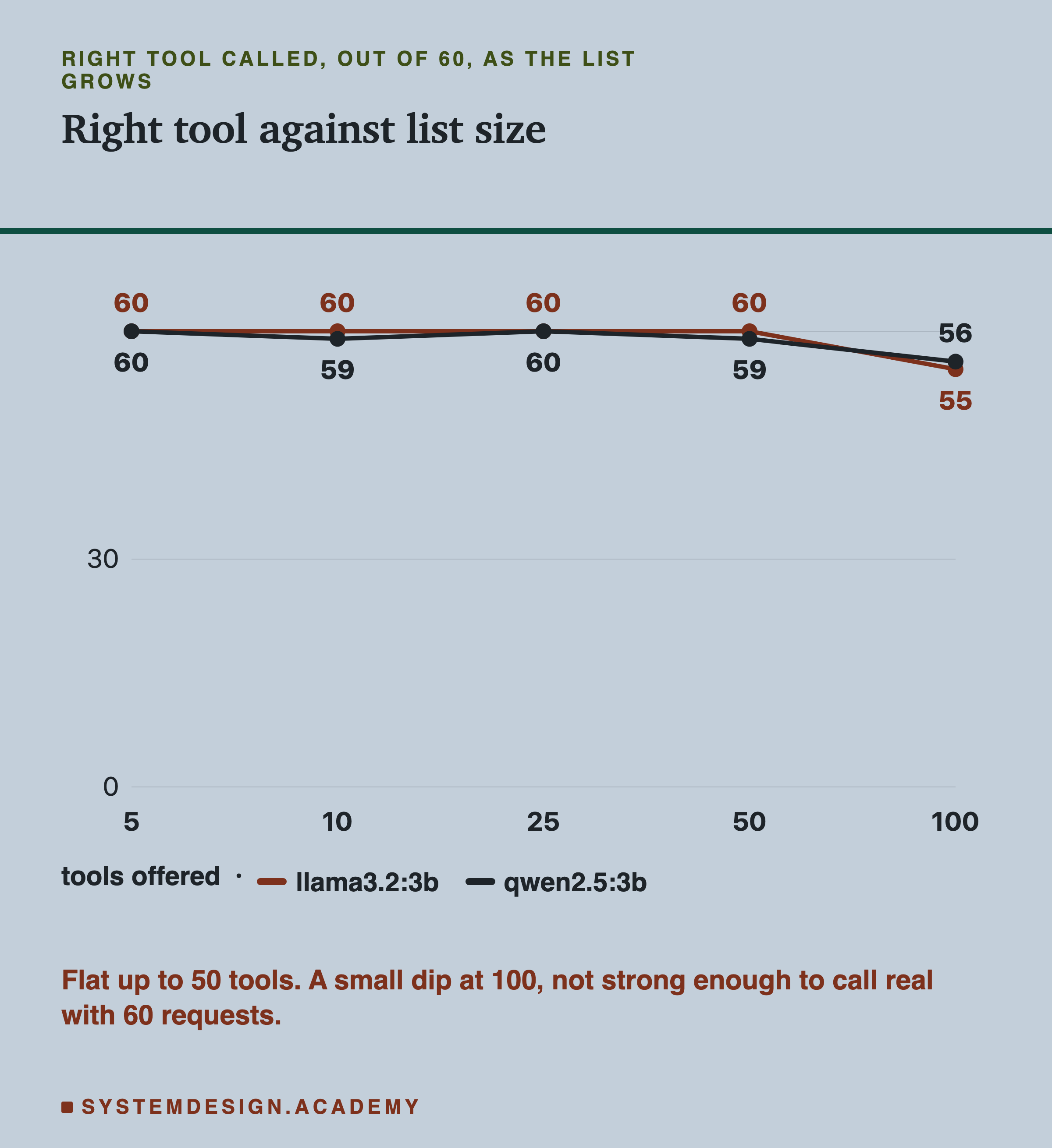
Right Tool, as the List Grows
| tools offered | llama3.2:3b | qwen2.5:3b |
|---|---|---|
| 5 | 60 | 60 |
| 10 | 60 | 59 |
| 25 | 60 | 60 |
| 50 | 60 | 59 |
| 100 | 55 | 56 |
Each number is right tools out of 60 requests. Up to 50 tools, both models almost never missed: llama3.2:3b got every request right at every size up to 50, and qwen2.5:3b got 59 or 60. Only at 100 tools did either dip, to 55 and 56. The qwen2.5:3b numbers here come from the raw reading explained later; through the chat API its dip at 100 did not appear.
That is far flatter than the curve lesson 02 of this chapter drew from what teams report. For these two models, on these tools, a long list was not the problem it is often said to be. That may not hold for yours, which is why this lesson ends with how to measure it.
What Went Wrong Instead
When the model did not call the right tool, what did it do? This table sorts every miss into five kinds.
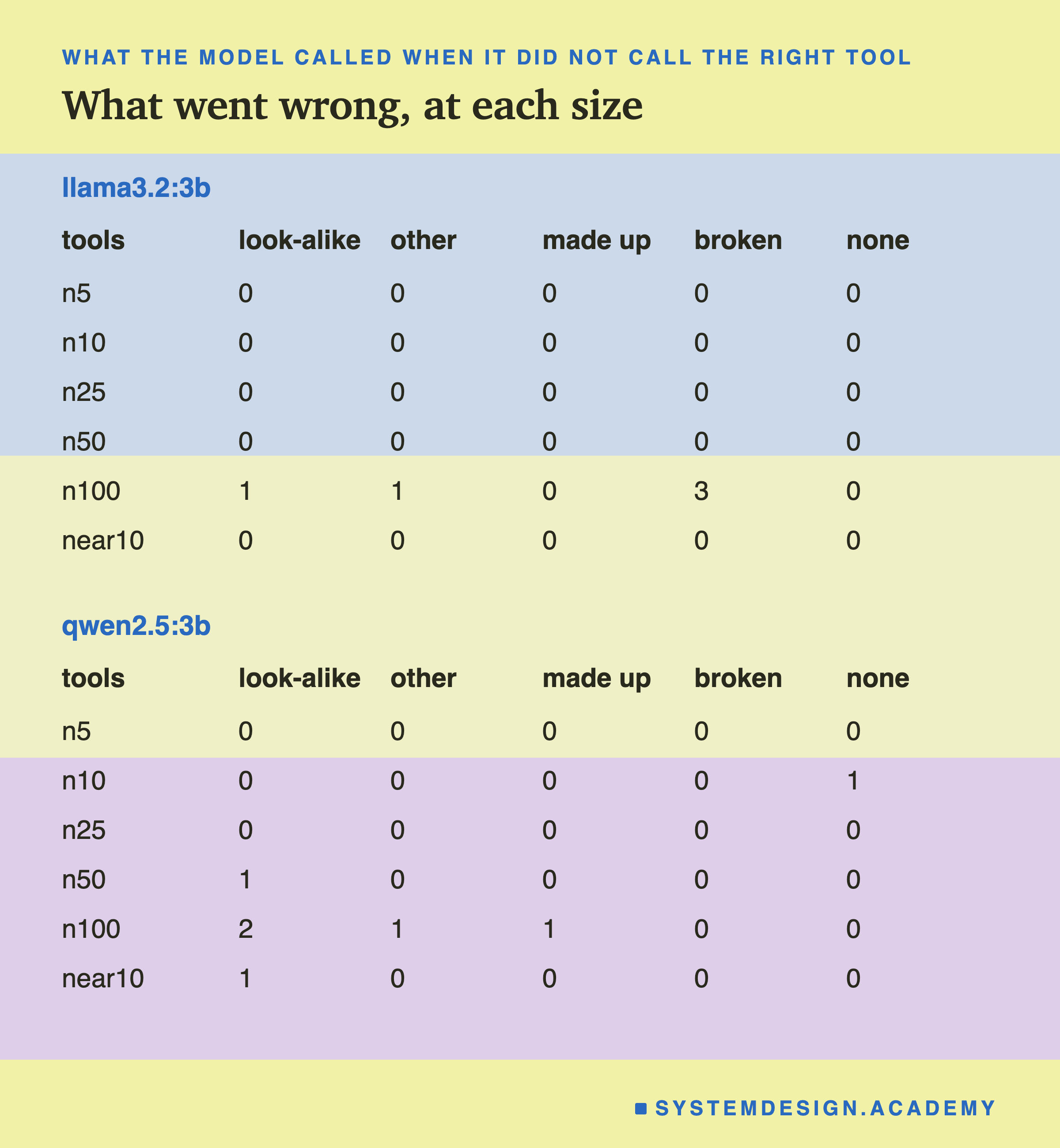
At 100 tools, llama3.2:3b missed 5 requests. Look closely and 3 of them were not wrong choices at all: more on that on the next slide. The others were 1 look-alike and 1 other tool.
qwen2.5:3b missed 4: 2 look-alikes, 1 other tool and 1 name that was never offered. Both models, at 100 tools, called get_exchange_rate when the user wanted convert_currency: a real look-alike pair, since both involve exchange rates.
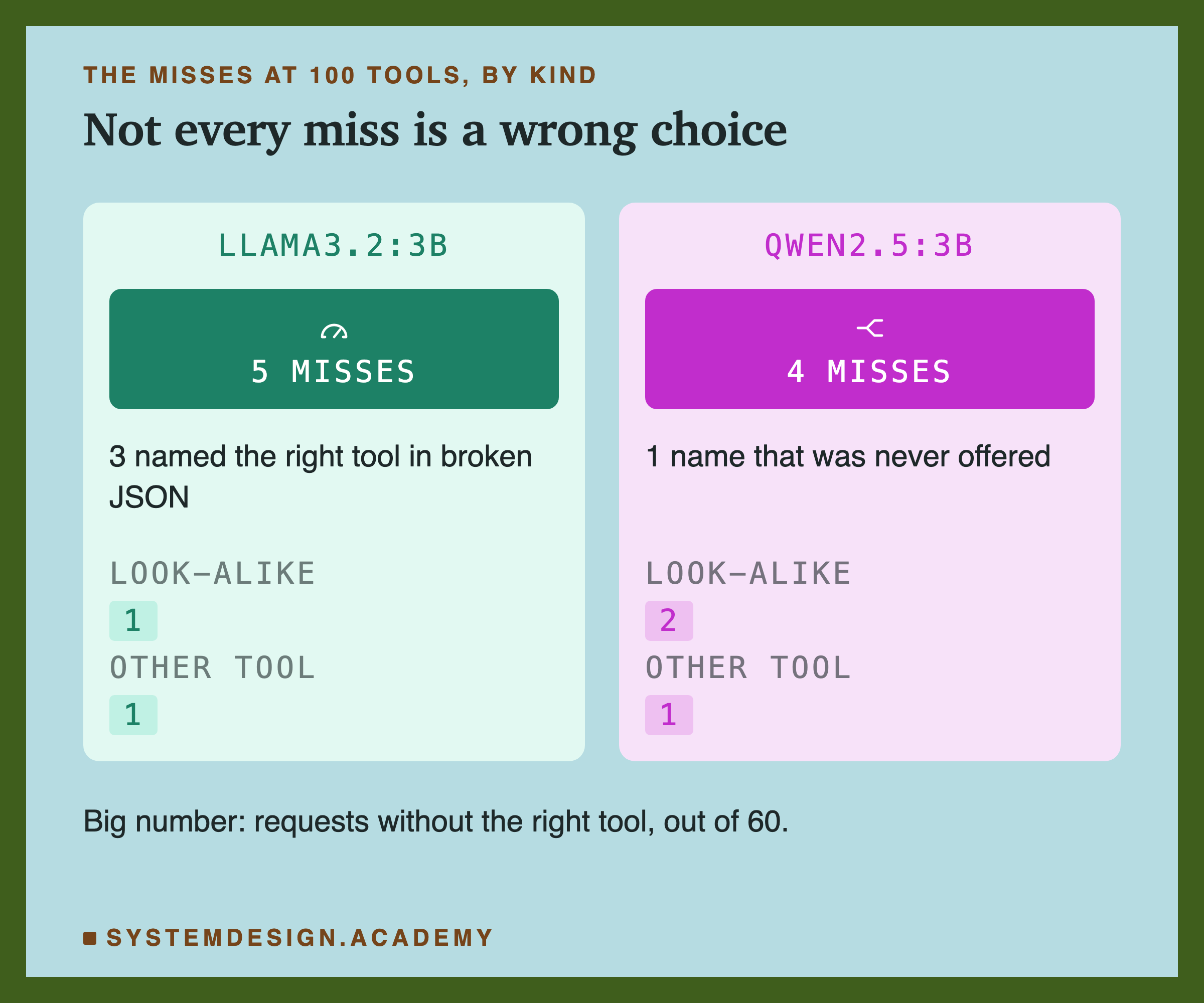
Side by side, the two models failed in different ways. Most of llama3.2:3b's misses were not choices at all.
Right Choice, Broken Writing
Here is one of llama3.2:3b's misses at 100 tools, exactly as it wrote it:
{"name":"track_parcel",""parameters":{"tracking_number":"BD8812345"}}
The tool is right: the user wanted to track a parcel. But there is a stray quote mark before parameters, so it is not valid JSON, and no program can read it. 3 of its 5 misses at 100 tools were like this: the right tool, written wrongly.
That is a different failure from picking the wrong tool, and it needs a different fix. A long prompt seems to have made the small model's writing sloppier, not its choice. A server that enforces the tool-call format, the way lesson 104 enforced a JSON answer, is built to stop exactly this. This lab did not test that.
All 3 of these came at 100 tools and at no smaller size. So a long list may harm the writing even when it does not harm the choice.
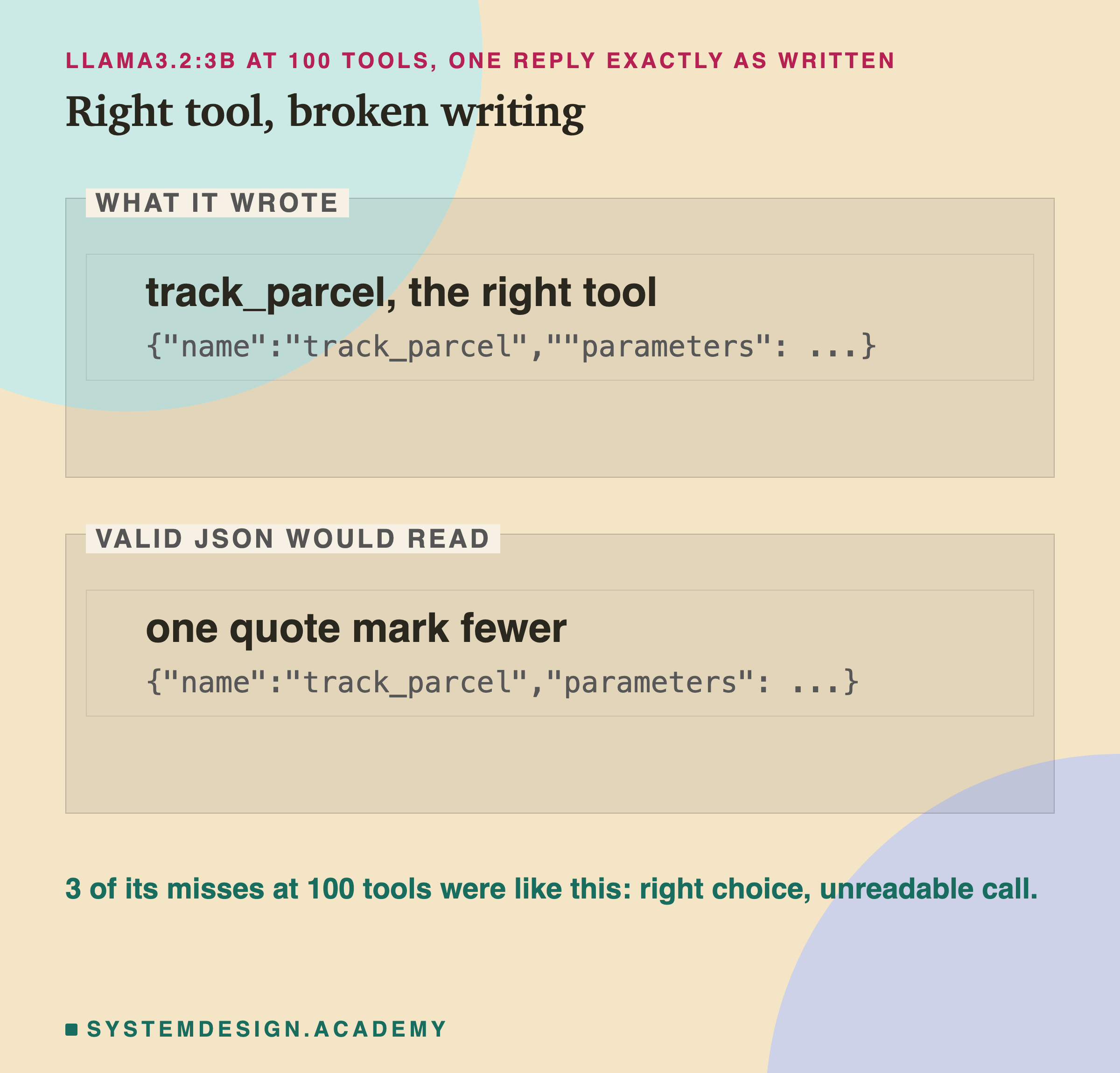
One stray character is the whole difference between a working call and a failed request.
The Calls That Vanished on the Way Back
qwen2.5:3b writes a tool call wrapped in its own markers, <tool_call> and </tool_call>. Ollama has a parser, code that reads the model's reply and pulls the tool call out of it, and hands that back to your program. Sometimes nothing came back.
On 20 of the 360 chat replies from qwen2.5:3b, the chat API returned no text and no tool call. Yet the model had written 22 to 30 tokens each time, about the size of one tool call. Something was written, and nothing arrived.
To see what the model had meant, the lab ran each prompt a second time without the chat API. It read the raw reply, the model's text exactly as written, with its own simple parser. Where the chat run did return a call, the second run picked the same tool 336 of 339 times, so the second run is a close stand-in. In that second run, every one of the 20 empty replies held a valid tool call.
That changes the story. Through the chat API, qwen2.5:3b looked worst at 25 tools, 53 of 60. The drops came at every size up to 50, not just with long lists. Read raw, the same prompts gave 60 of 60 at 25 tools. A team looking only at the chat API could blame the tool list for a parser problem.
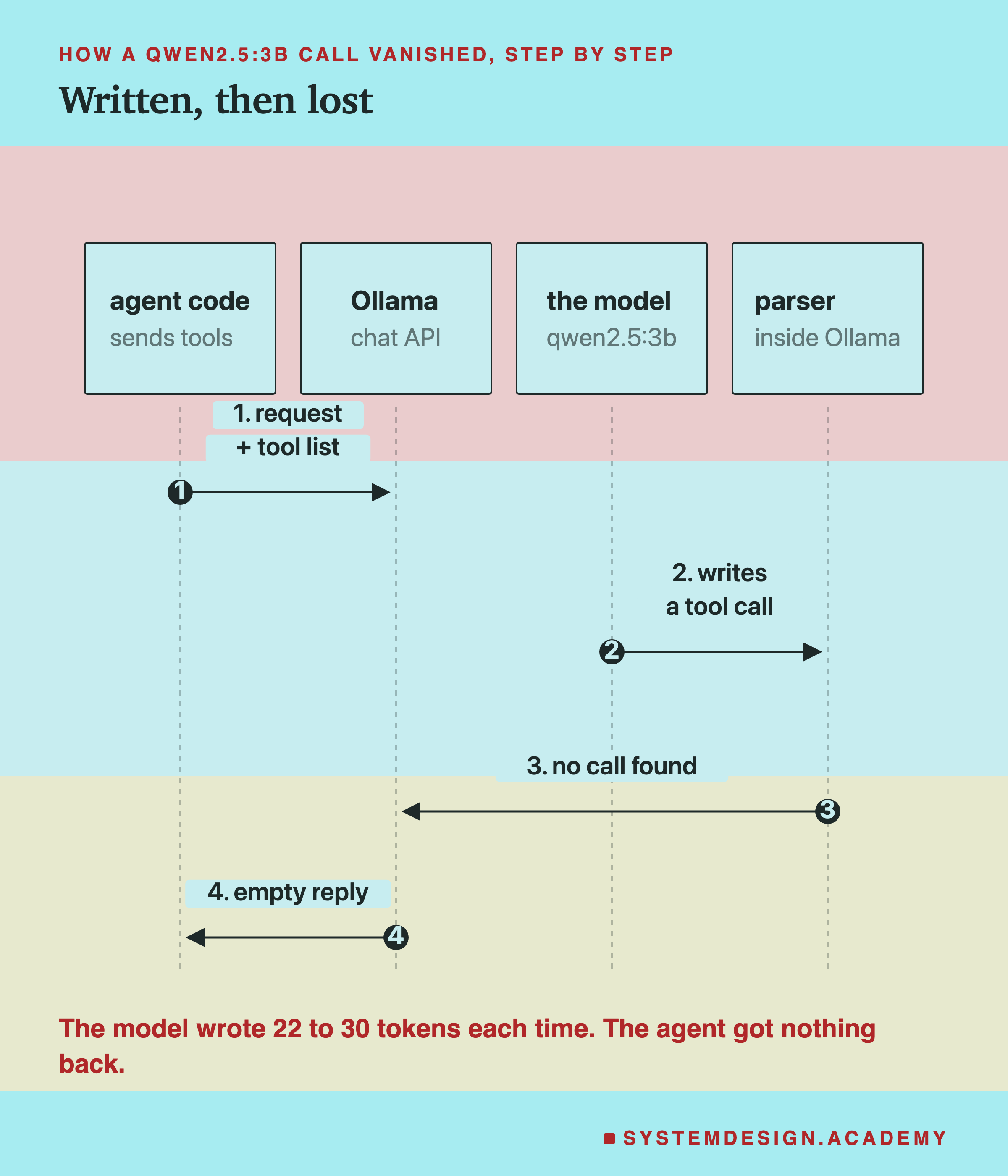
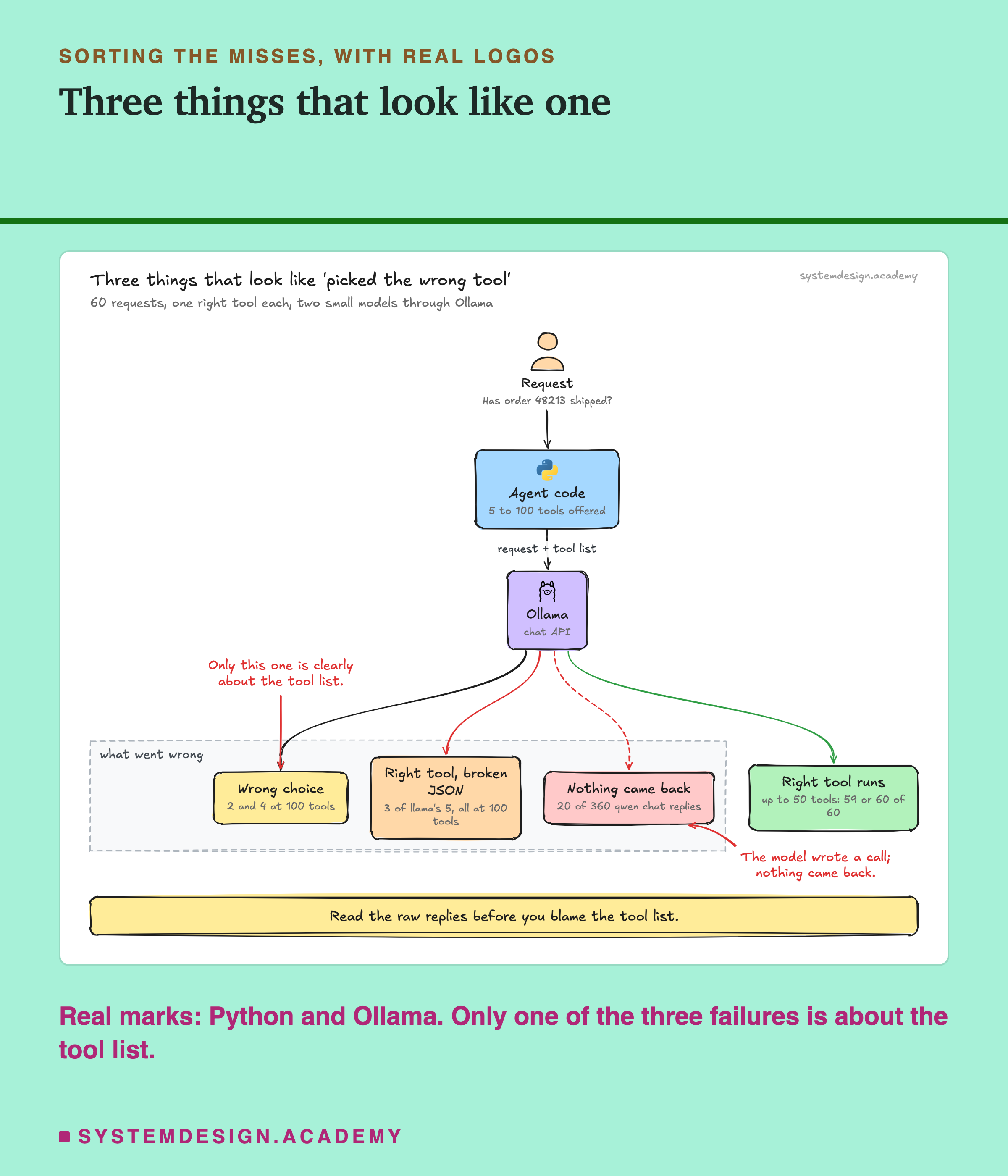
Put together, three different failures can all look like "the agent picked the wrong tool" from outside. Only the wrong choices are clearly about which tools you offer. The broken JSON appeared only at 100 tools, so a long list may cause that too.
Is It the Count, or the Look-Alikes?
Here is the test that separates the two causes. Both lists below hold 10 tools. One is random. The other holds the right tool's 4 look-alikes.
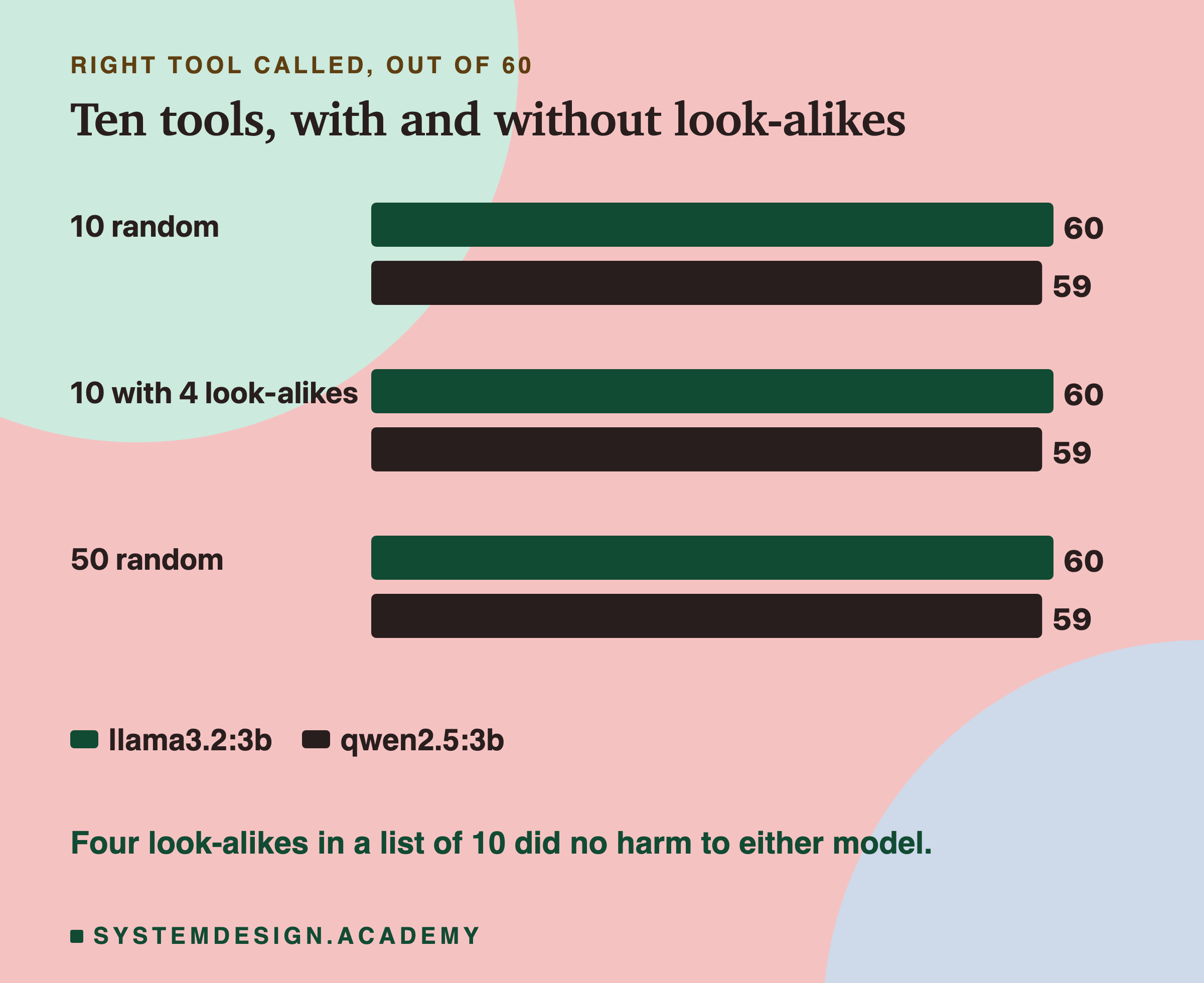
With 4 look-alikes packed into a list of 10, llama3.2:3b got 60 and qwen2.5:3b got 59, the same as with 10 random tools, 60 and 59. Look-alikes on their own did no harm here.
They did show up at 100 tools, where 3 of the misses were a look-alike. So look-alikes may matter more once the list is also long, but with 60 requests that is a hint, not a finding.
Is the Difference Real?
Every list was tried on the same 60 requests. So we can compare two lists request by request, and look only at the requests where they disagree: right with one list, wrong with the other.
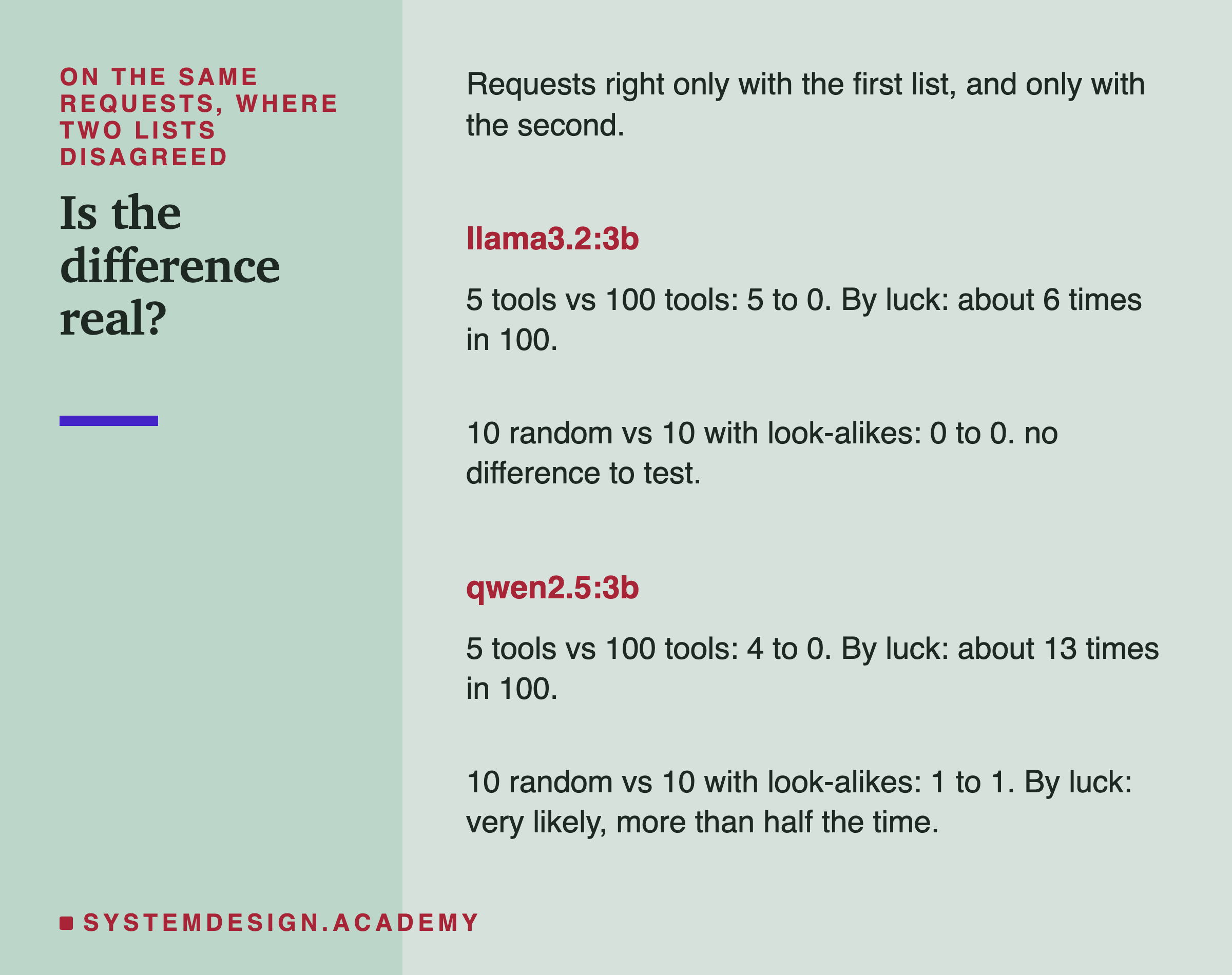
5 tools against 100: llama3.2:3b was right only with 5 tools on 5 requests, and only with 100 on 0. A split like that happens by luck about 6 times in 100. For qwen2.5:3b it was 4 to 0, which happens by luck about 13 times in 100. Neither passes the usual bar of less than once in 20, so with 60 requests the dip at 100 tools is a hint, not proof.
10 random tools against 10 with look-alikes: 0 to 0 for llama3.2:3b, 1 to 1 for qwen2.5:3b. No difference at all.
Think of each request where two lists disagree as a coin flip. If the two lists were equally good, each would win about half of those flips. The "by luck" numbers say how rarely a split at least this uneven would happen if they were equally good.
Every Tool Costs Tokens, Every Time
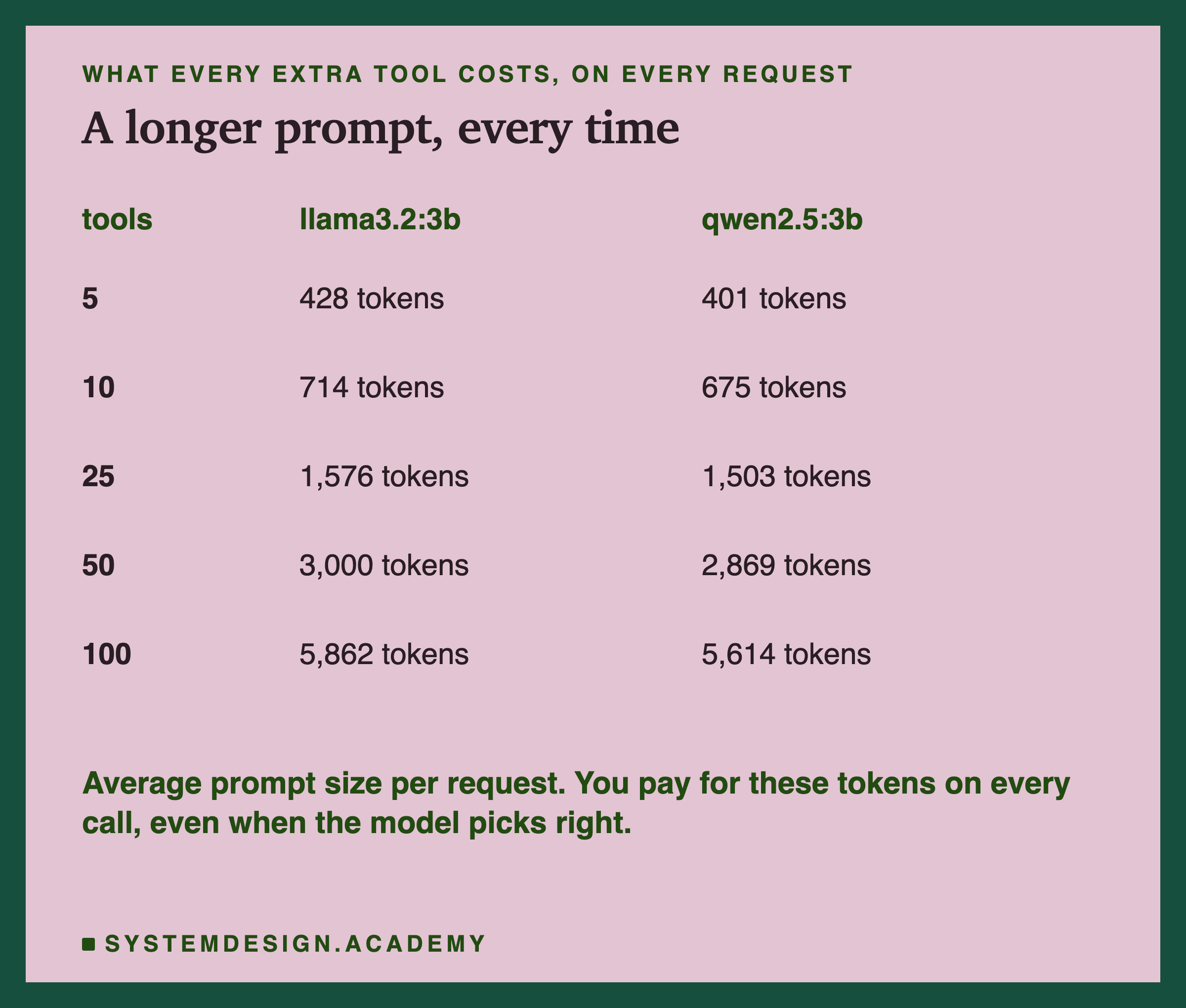
Every tool on offer is written into the prompt, on every single request, whether the model uses it or not.
On llama3.2:3b, the prompt grew from 428 tokens with 5 tools to 5,862 with all 100. On this laptop, the median reply time grew from 2.7 seconds to 35.5: about 13 times slower, to pick the same tool.
The median is the middle reply when all replies are sorted by speed. That cost is certain, and it lands on every request. The accuracy cost was small and uncertain. For these models the strongest reason to show fewer tools was speed and tokens, which cost money on a paid API, not accuracy.
Every Tool Slows Every Reply
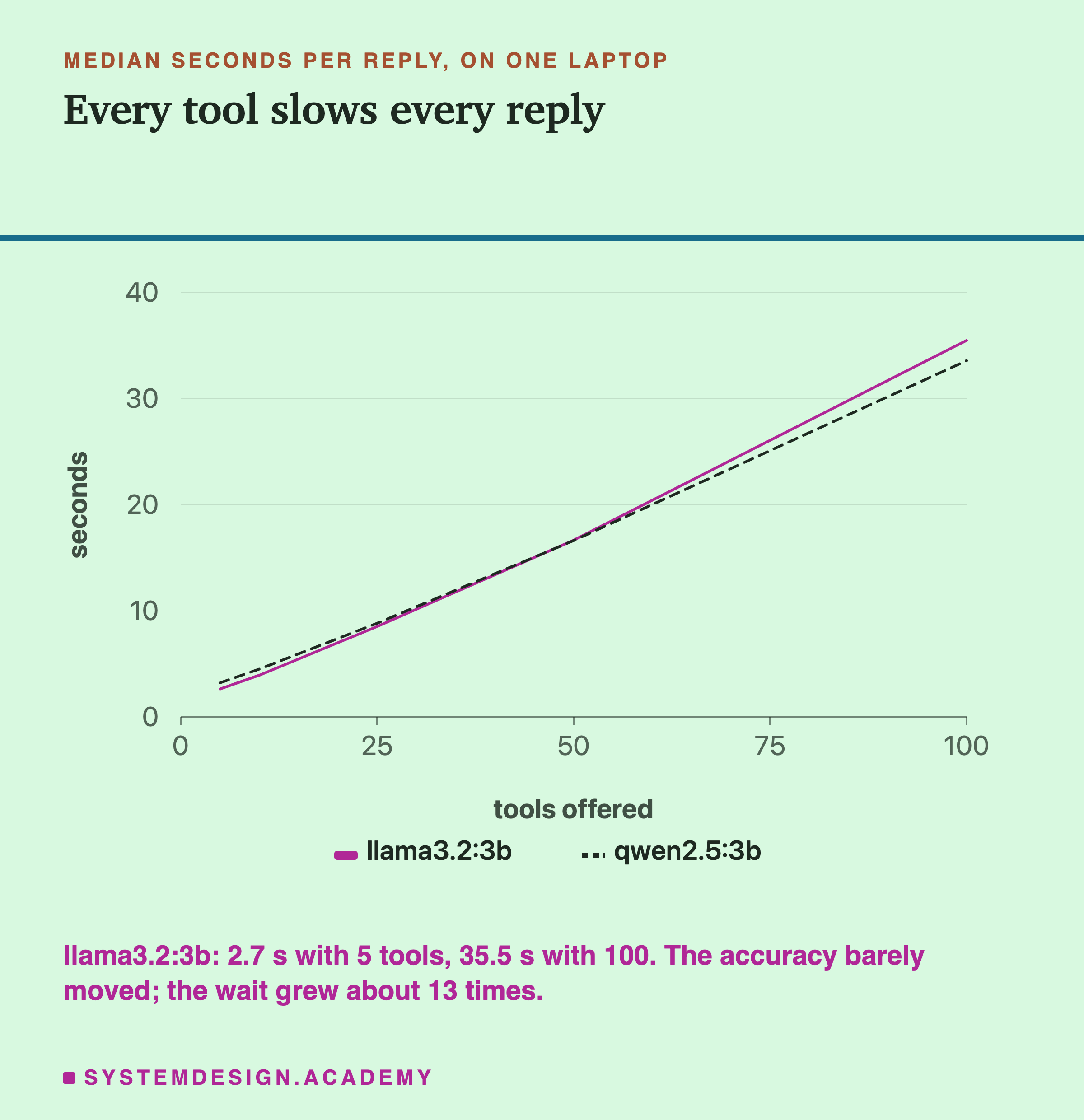
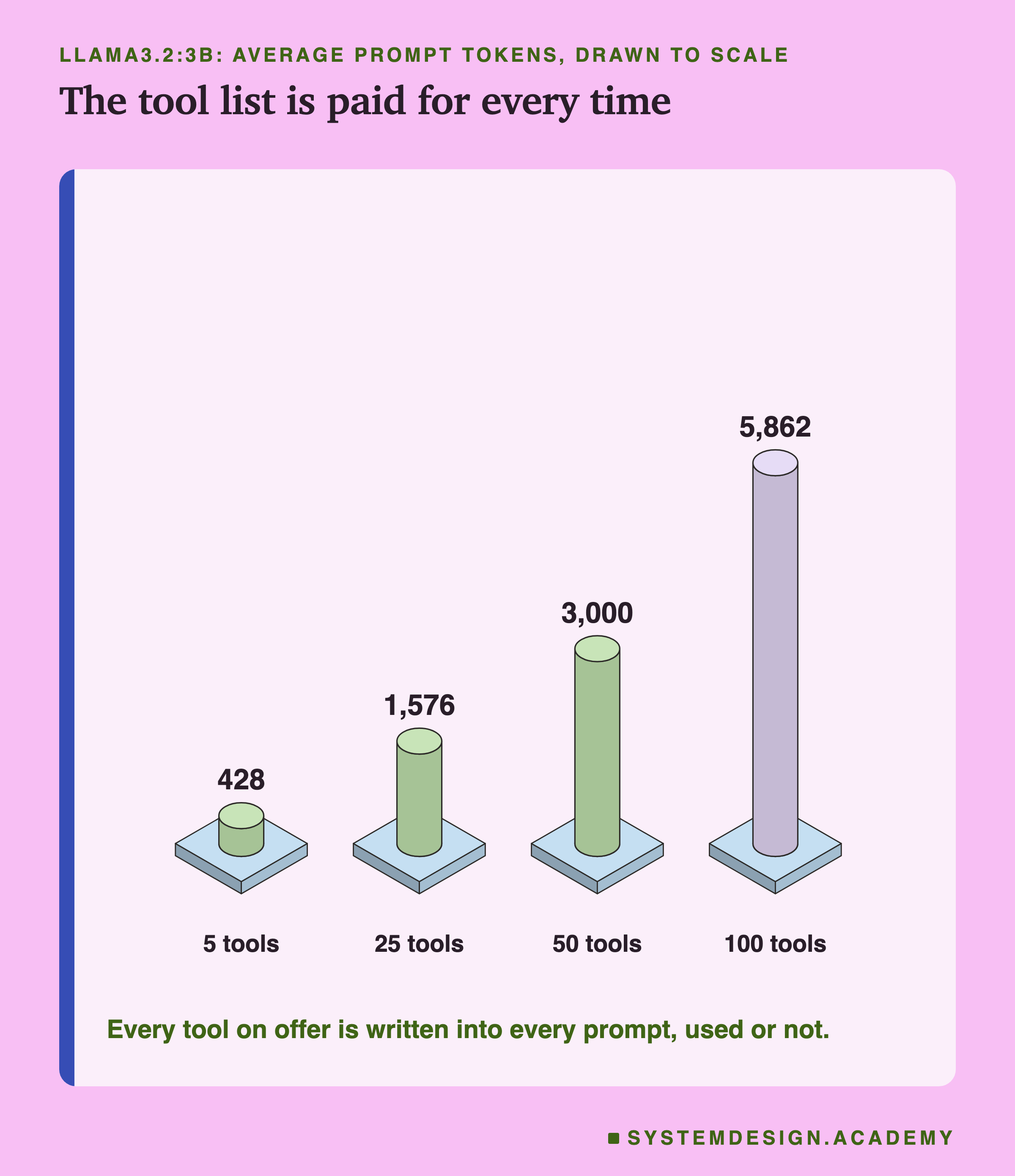
The two pictures tell the same story. The prompt grows with every tool, and the time to answer grows with it.
One Common Fix for Speed
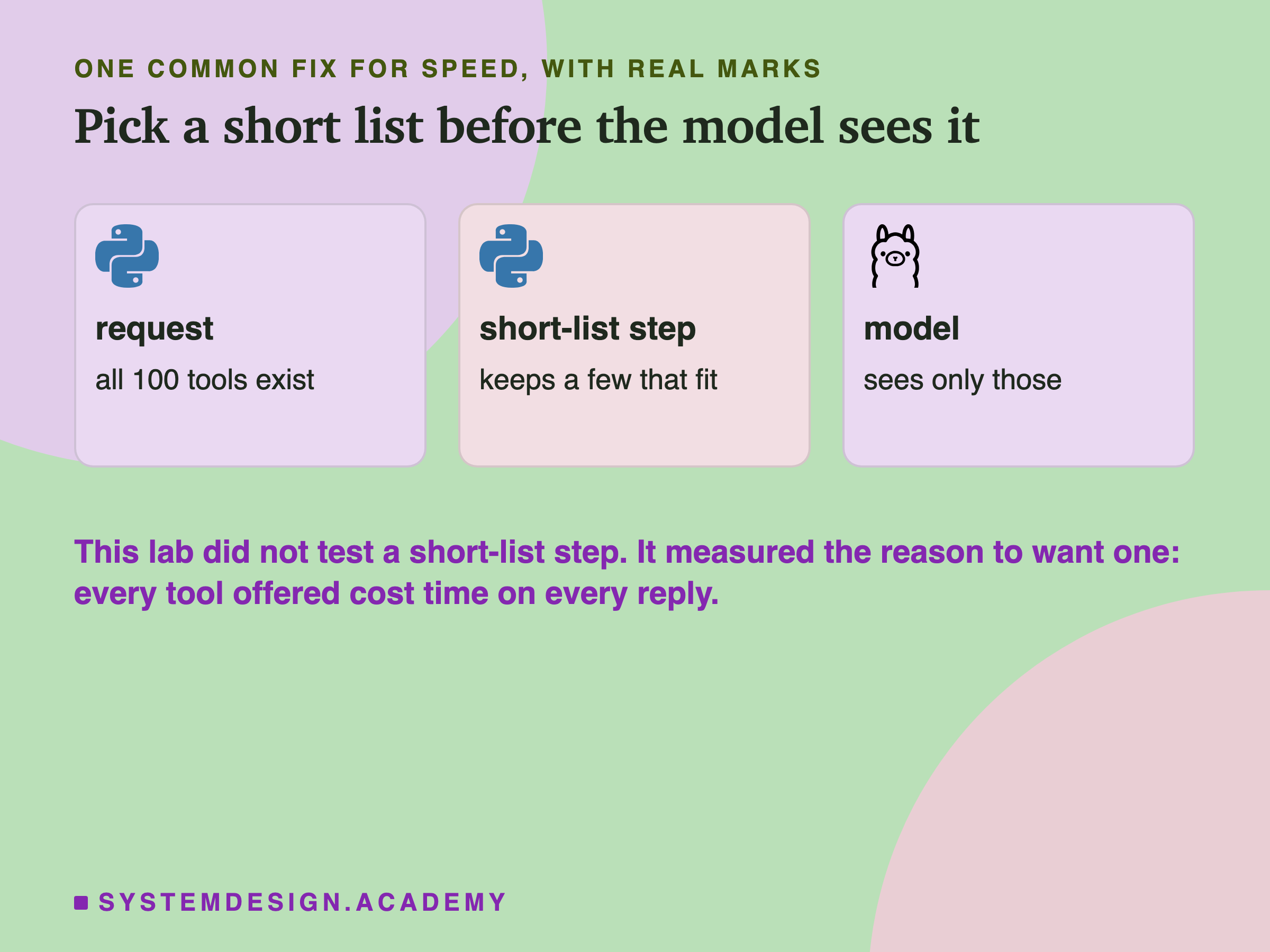
A common fix is a short-list step: a quick search that picks a handful of tools that fit the request, before the model sees any. This lab did not test one, so it cannot say how well it works. It only measured the reason to want it.
Compare Two Lists Yourself
This box holds the real results for all 60 requests on llama3.2:3b. For each list, one character per request: 1 if the model called the right tool, 0 if not. Press Run to count them and compare two lists request by request.
Then change A and B, for example to "n10" and "near10".
What This Lab Cannot Tell You
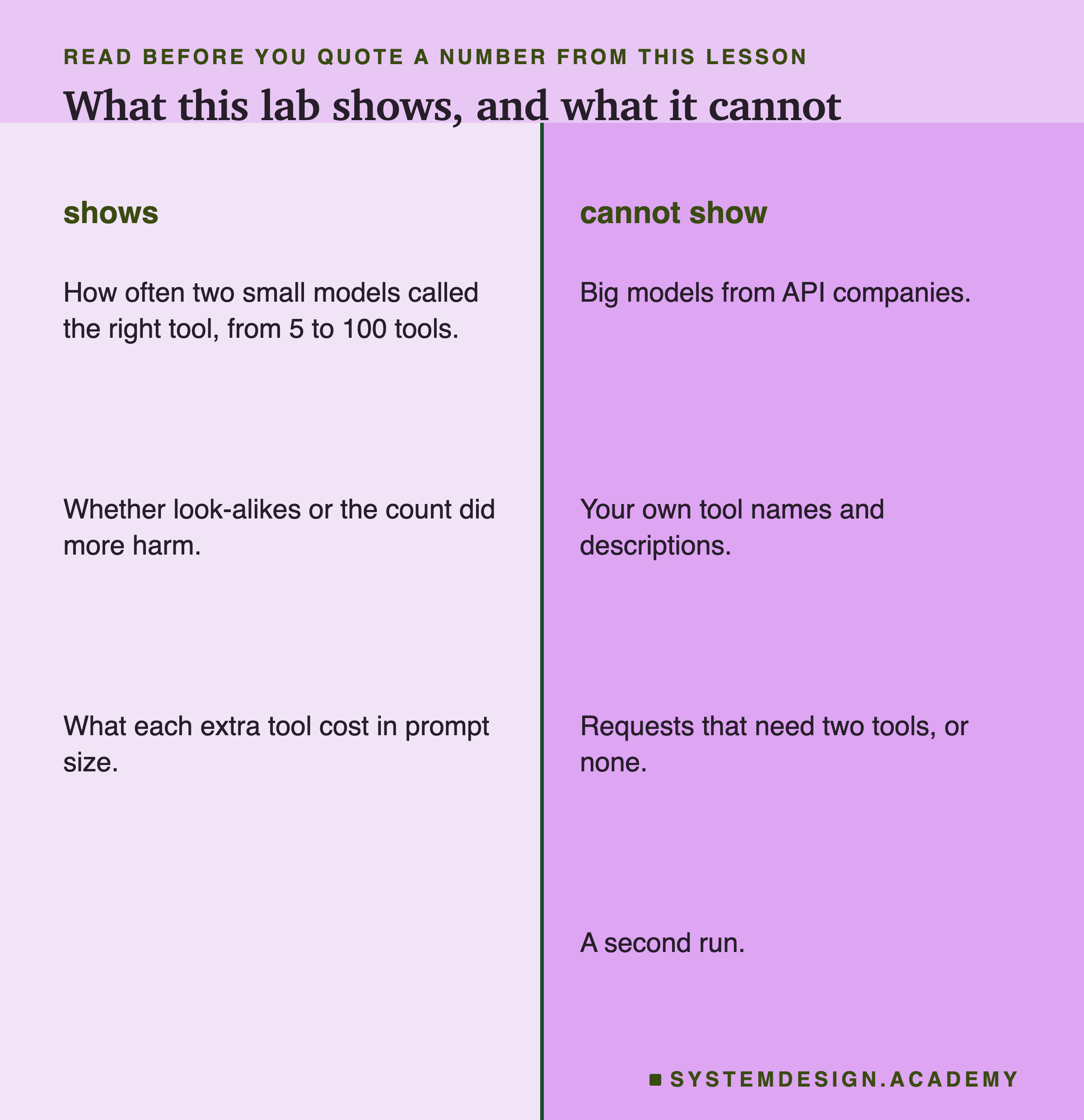
Please keep these limits in mind before you quote any number from this lesson.
Two small models. Big models from companies that sell them over the internet may be better at picking tools, and the curve may look very different for them. Measure the model you run.
My tools, not yours. I wrote these 100 tools. How much your own look-alikes hurt depends on how close your names and descriptions really are.
One tool per request. Every request needed exactly one tool. Real agents also get requests that need two tools in a row, or no tool at all.
One run. Temperature 0 gives nearly the same reply to the same input, so a rerun should give nearly the same numbers. Other requests or other tools could give different ones.
One parser. The dropped calls are Ollama's parser meeting qwen2.5:3b's reply format. Other servers and other model versions may parse the same reply correctly. Check yours.
What to Do on Monday
-
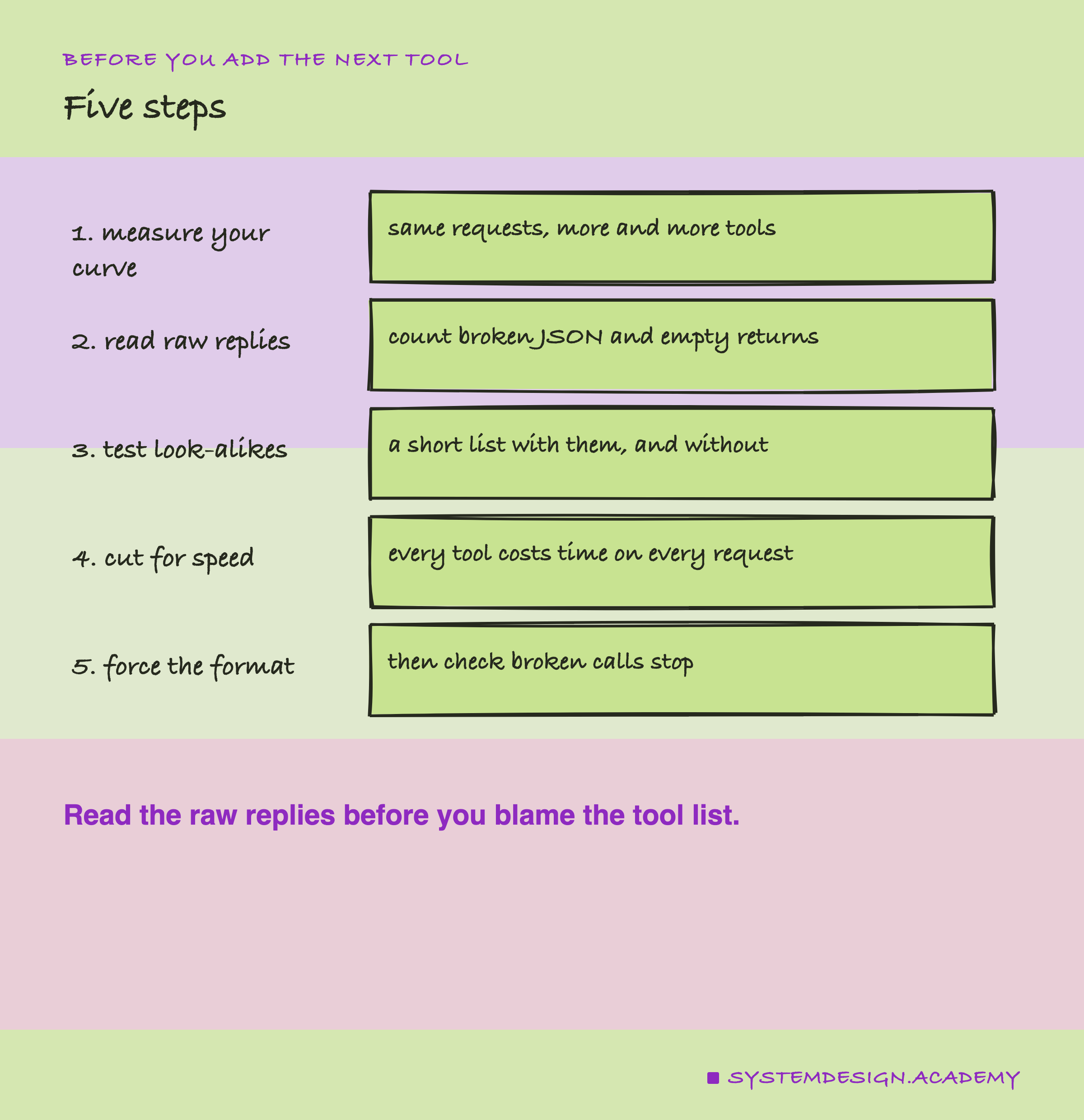
Measure your own curve. Send the same requests with more and more tools, each list containing the last, and count right tools. It takes an afternoon.
-
Read the raw replies. Count calls that name the right tool but break the JSON, and calls your server returns as empty. Both hide inside "picked wrong".
-
Test look-alikes on their own. A short list with the look-alikes, against a short list without. If look-alikes hurt, rename them or merge them.
-
Show fewer tools for speed. Even when accuracy holds, every tool costs time and tokens on every request. Pick a short list per request.
-
Force the format where you can. Where your server can enforce the tool-call format, turn it on, then check that broken calls actually stop.
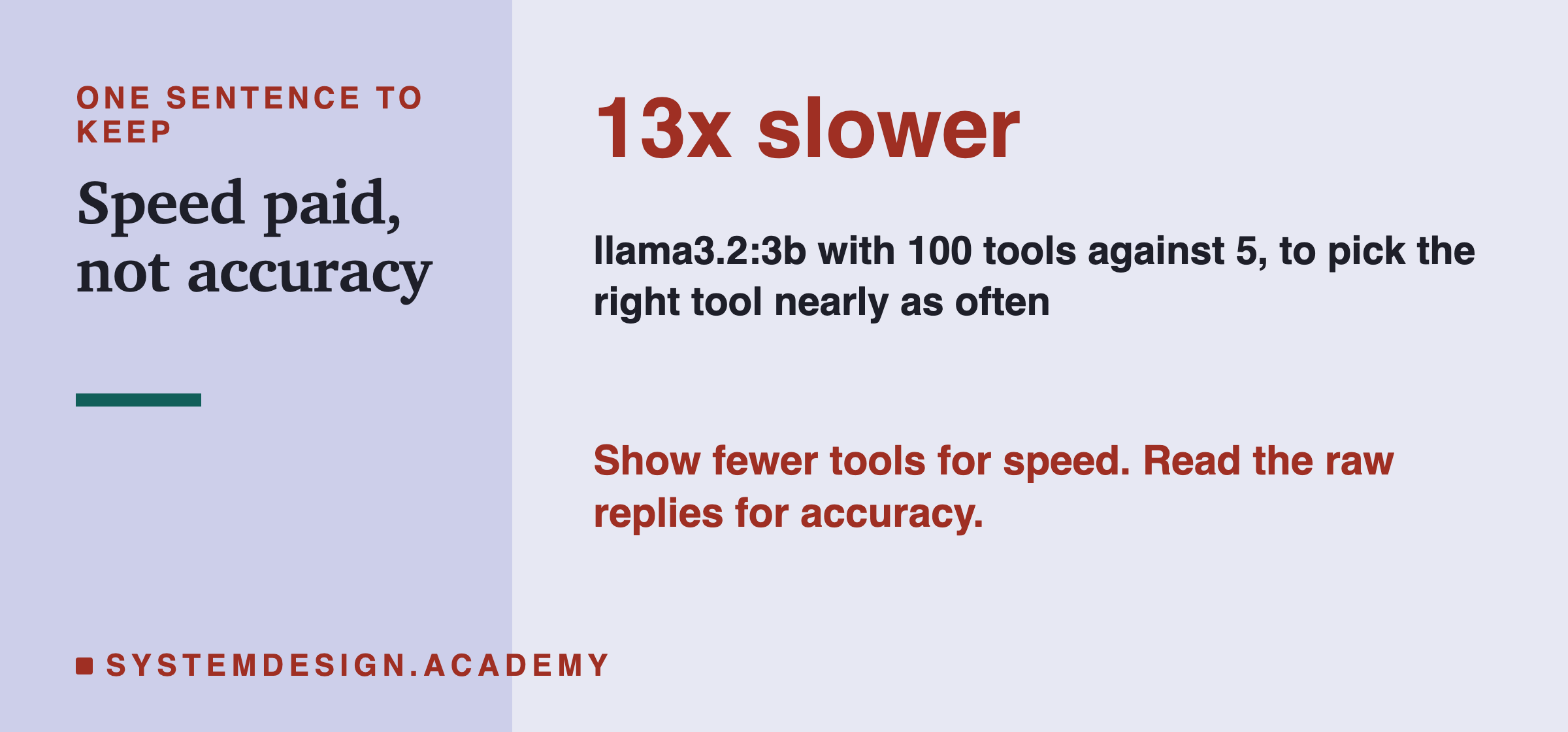
That is the lesson in one line. The long tool list cost time on every request; the accuracy problems came from how replies were written and read.
Knowledge Check
Knowledge Check
4 questions - Score 80% to pass
Your agent picks the wrong tool more often since you grew its list from 10 tools to 60. Why can't you conclude that the number of tools is the cause?
Why did every bigger list in the lab contain the whole smaller list?
All 100 tools made a prompt of thousands of tokens. Why did the lab measure the size of every prompt?
Every tool you add is written into the prompt. What does that cost?