A Pile of Letters and Four Boxes
Imagine you give a new helper a pile of customer letters and four boxes, and you say only: "Sort these." They will sort them, but into what? They might make piles by length, by date, by how angry the writer sounds. If you tell them the four boxes are billing, delivery, returns and account, they get much closer. If you also tell them to write only the box name on each letter, you can count the result. And if you explain where the edges are, for example that a refund of money goes in billing, the hard letters stop landing in the wrong box.
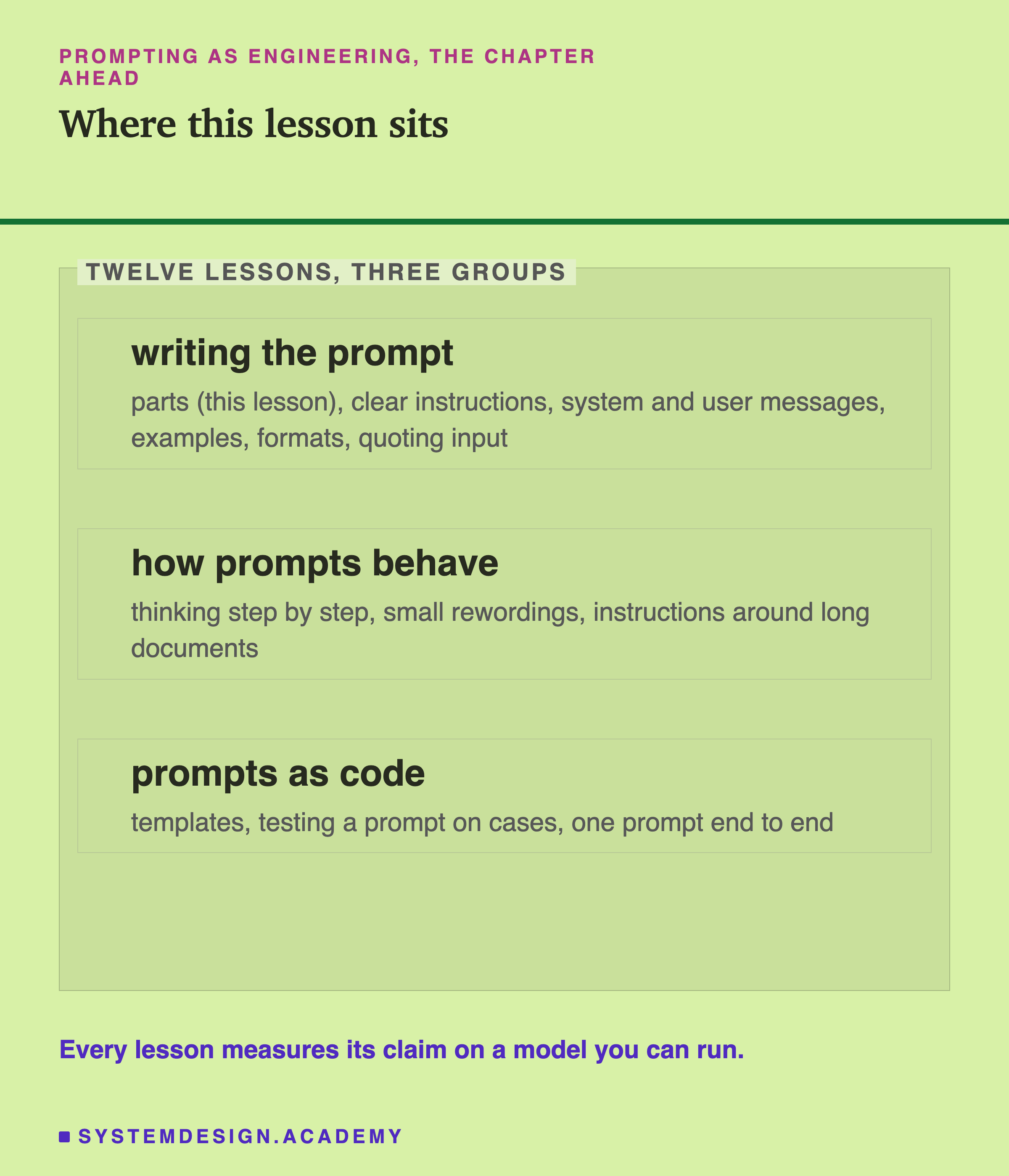
A prompt to a language model works the same way. It is not one block of text. It has parts, and each part does one job. This lesson takes a real task, sorting customer messages into four categories, and builds the prompt up one part at a time. After each step it measures two things on 40 messages: how often the model picked the right category, and how often its answer could be used by a program as it stood.
The result is a ladder you can reuse for any prompt: which part to add when the answers come back wrong, and which part to add when they come back right but in a shape your code cannot read.
Five Parts, in Plain Words
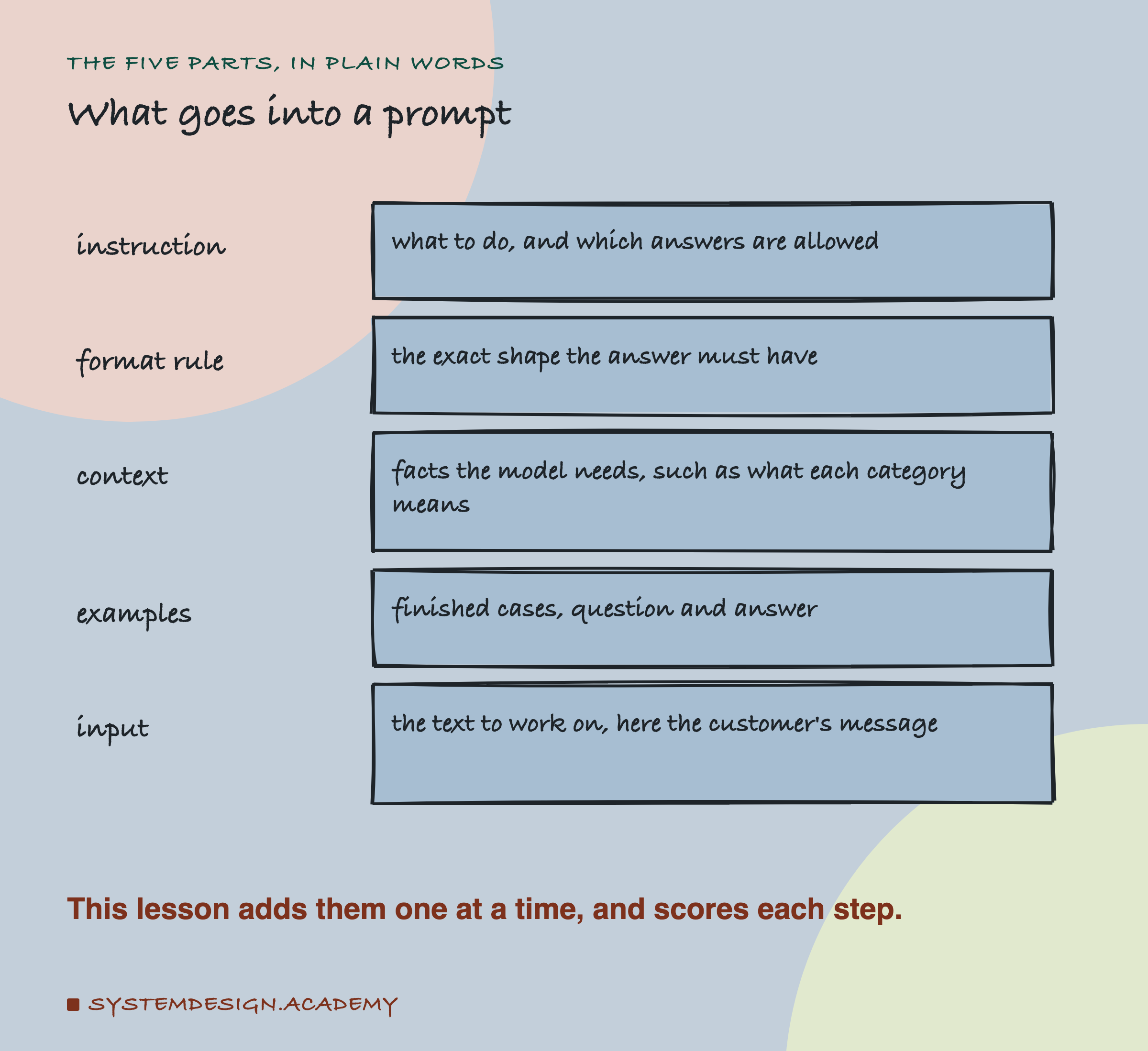
Here are the five parts this lesson uses. Different books name them differently; the names matter less than the jobs.
Instruction. What you want done, including which answers are allowed. "Put this message into one of these categories: billing, delivery, returns, account."
Format rule. The exact shape of the answer. "Answer with the category word only, in lower case, and nothing else." A format rule is meant to change how the answer is written down, not which category the model picks. As you will see, on this run it did a little of both.
Context. Facts the model needs and cannot guess. Here, one line per category saying what belongs in it, such as "billing: charges, payments, invoices, prices and refunds of money."
Examples. Finished cases: a message and its correct category, written out in full. They show the task instead of describing it.
Input. The text the model works on, here the customer's message, followed by "Category:" so the model knows where its answer goes.
Two more words matter for the scores. An answer is right when the first word of the reply, after any leading "Category:", is the correct category. An answer is usable (the lab prints it as clean) when the whole reply, after making it lower case and dropping spaces at either end, is exactly the category word, so a program can compare it directly. In the lab's code and report, gold means the correct category I wrote down for each message.
The Task and the Five Prompts
I wrote 40 short customer messages for this test, 10 for each category, such as "I was charged twice for the same order this month" (billing) and "My account is locked after too many attempts" (account). I tried to give each one a single clear category, and I wrote the correct label for each before running anything.
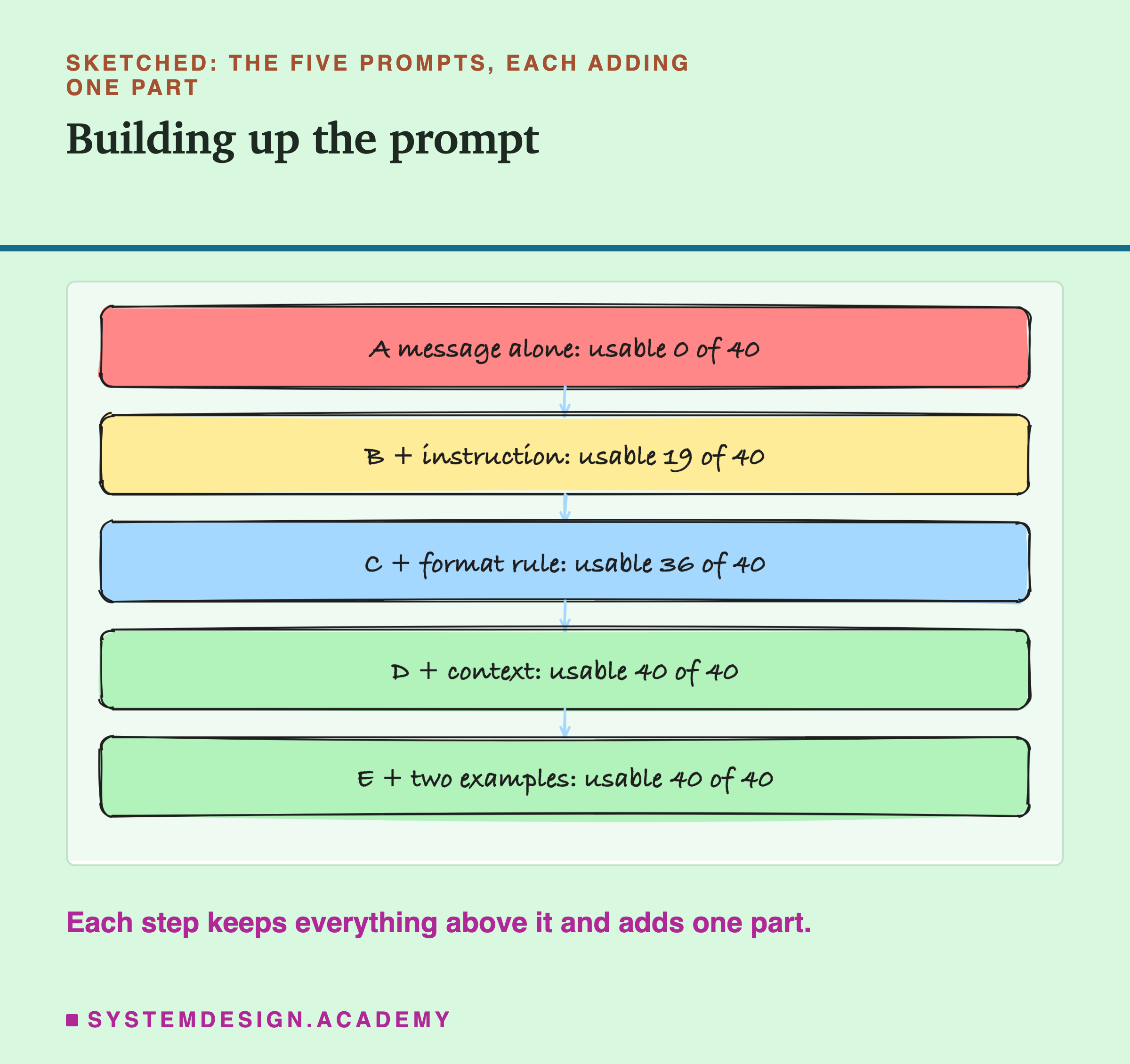
Then I built five prompts. Each one keeps everything in the one before and adds one part:
- A: the message alone, then "Category:".
- B: an instruction naming the four categories, then the message.
- C: B plus the format rule.
- D: C plus the context, one line per category.
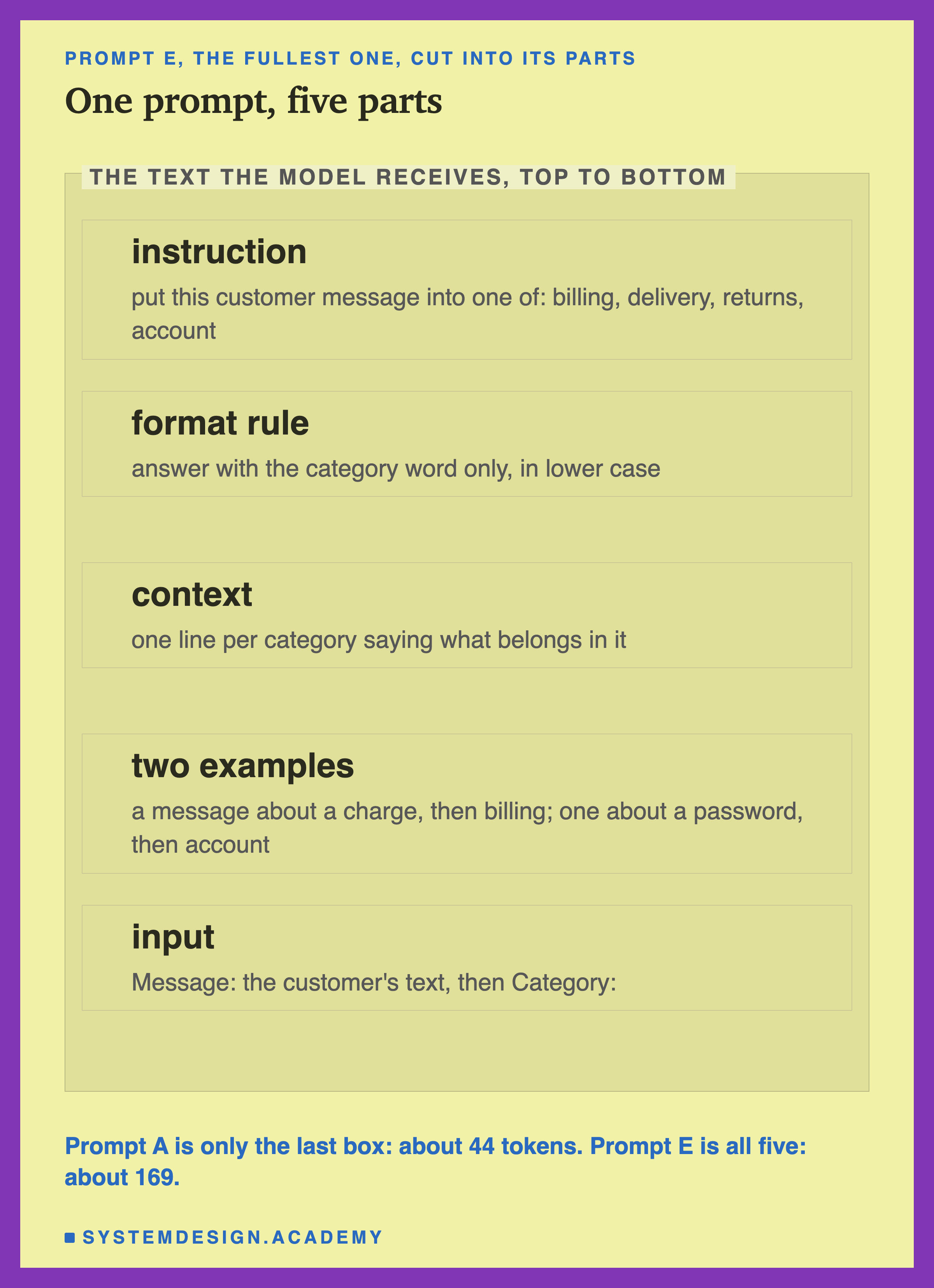
- E: D plus two worked examples.
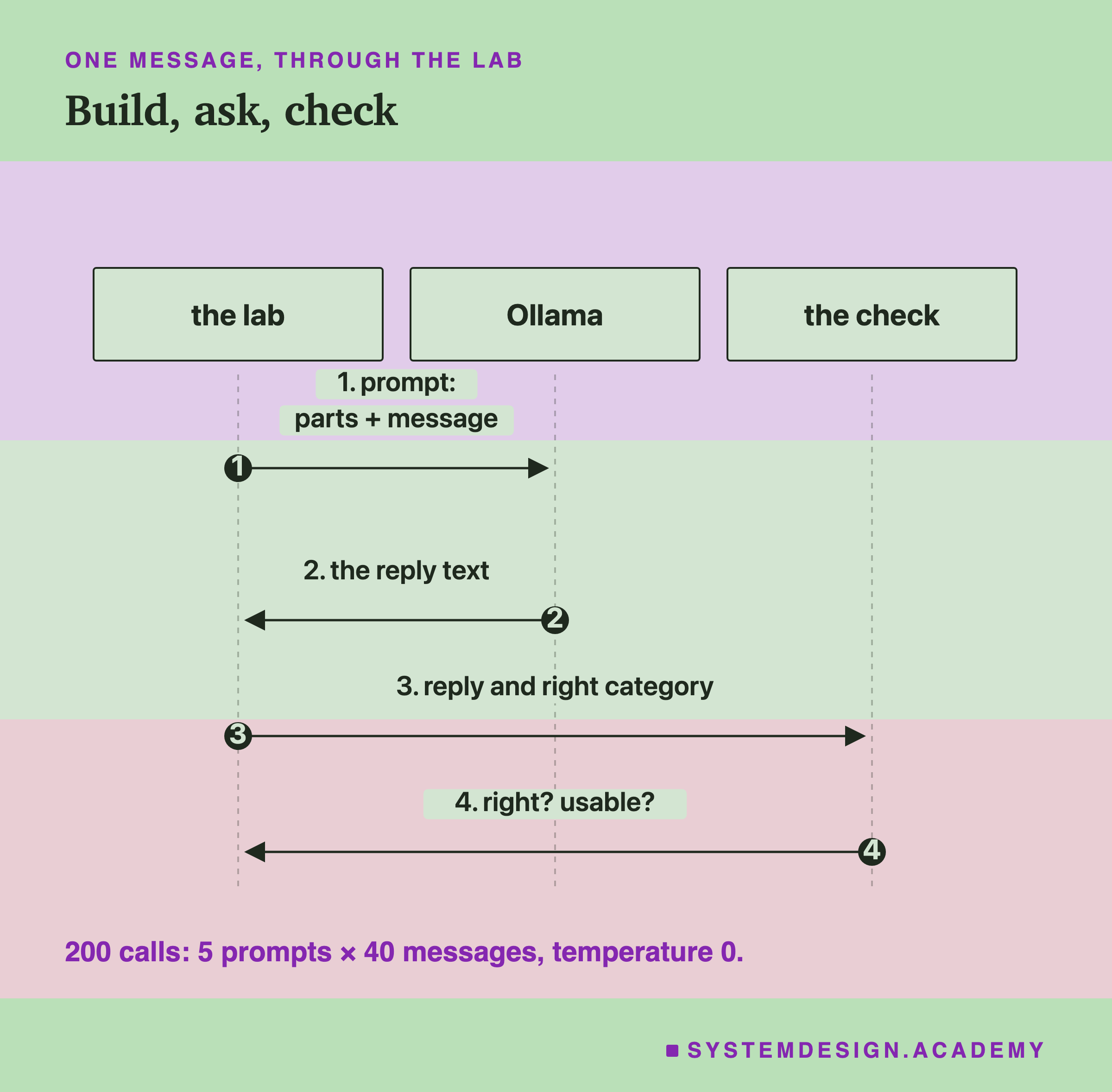
Every prompt went to qwen2.5:3b through Ollama's chat endpoint, at temperature 0 (so the model always takes its most likely token, as in lesson 2 of the previous chapter), with room for up to 40 written tokens. Five prompts times 40 messages is 200 calls. I wrote the context lines and the examples before the first run, not after looking at the mistakes, so they were not tuned to fix the errors you will see.
Prompt A: The Message Alone
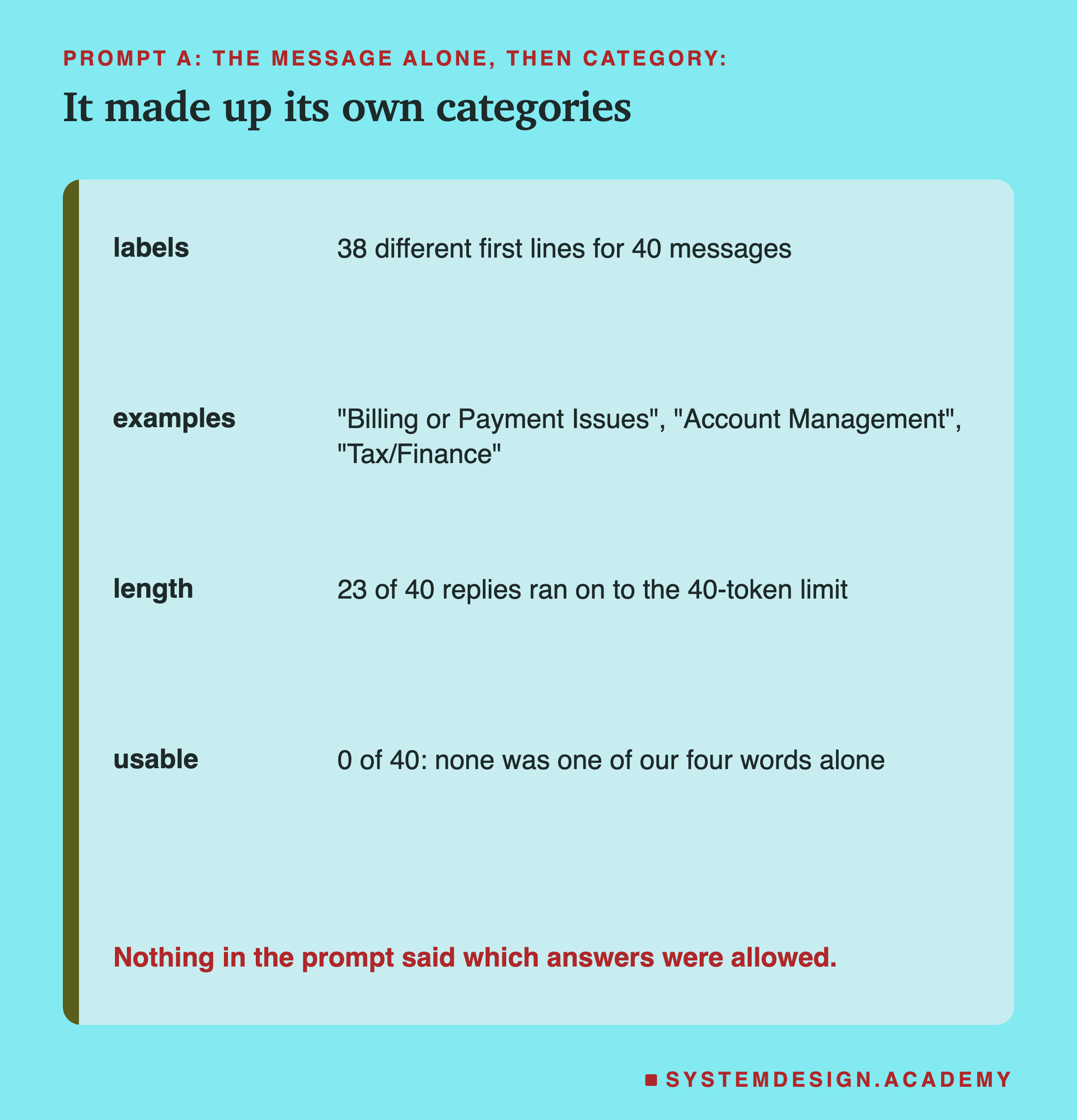
With only the message and the word "Category:", the model had no idea which categories existed, so it invented its own. The 40 replies had 38 different first lines: "Billing or Payment Issues", "Account Management", "Tax/Finance", "Financial Services/Transactions", and many that began "This message falls under the category of" and kept going. 23 of the 40 replies ran all the way to the 40-token limit.
None of the 40 was usable: not one reply was a single one of our four words. By the "right" score, 10 of 40 counted, because a made-up label such as "Category: Billing or Payment Issues" happens to start, after "Category:", with one of our words. Some of those made-up labels were sensible, such as "Account Management", but nobody could build a program on answers that change their wording from message to message.
This is not the model being bad. The prompt did not say what the answers could be, and there was no way for the model to know. The helper sorting letters would have done the same.
Prompt B: Name the Allowed Answers
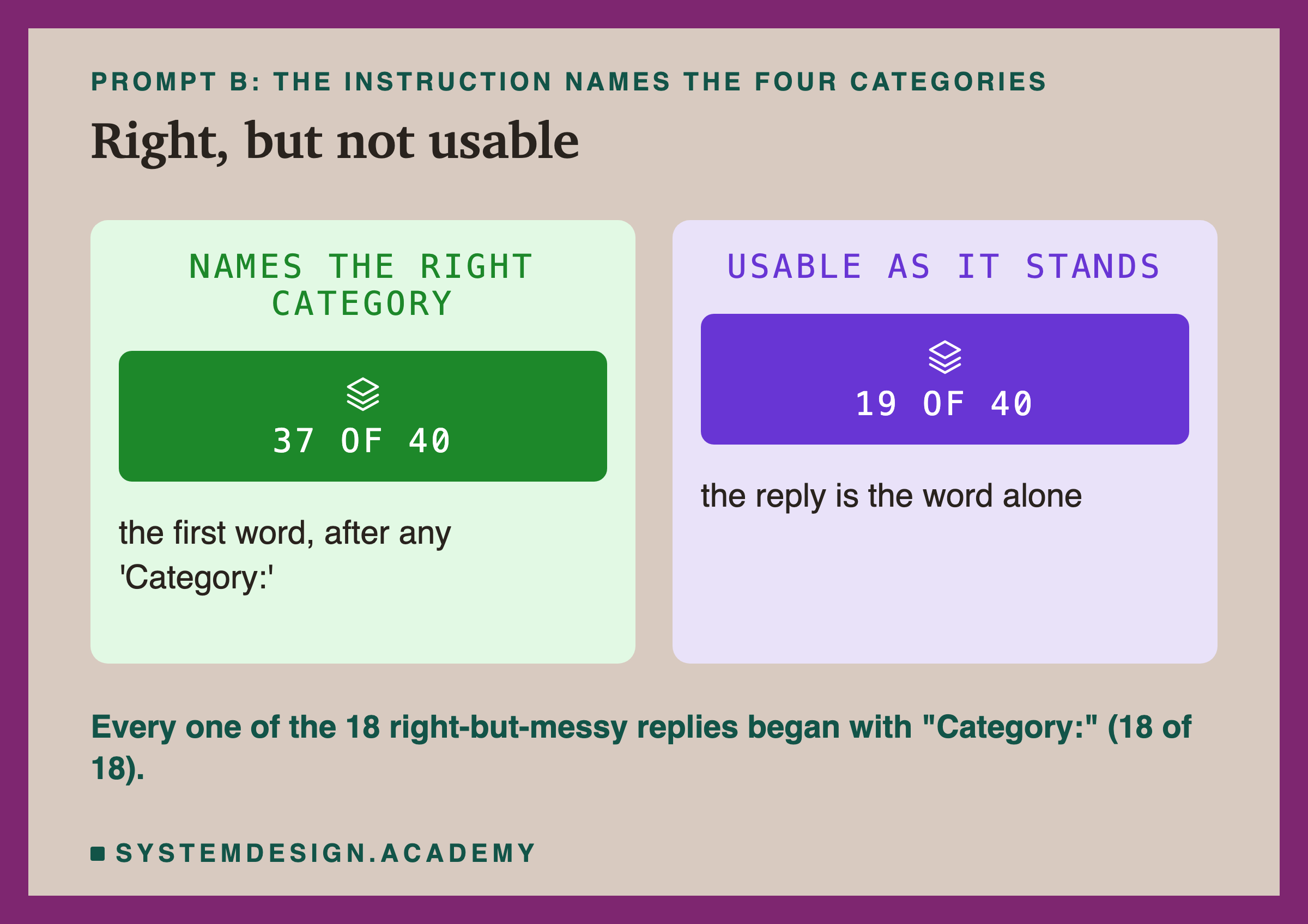
Prompt B adds one sentence: "Put this customer message into one of these categories: billing, delivery, returns, account." That single instruction moved the right answers from 10 of 40 to 37 of 40. The model now knew the allowed answers and almost always picked a sensible one.
But only 19 of the 40 replies were usable. The other 18 right answers were wrapped: every one of them began with "Category:", as in "Category: billing". A person reads that as billing immediately. A program that makes the reply lower case and checks whether it equals "billing" says no.
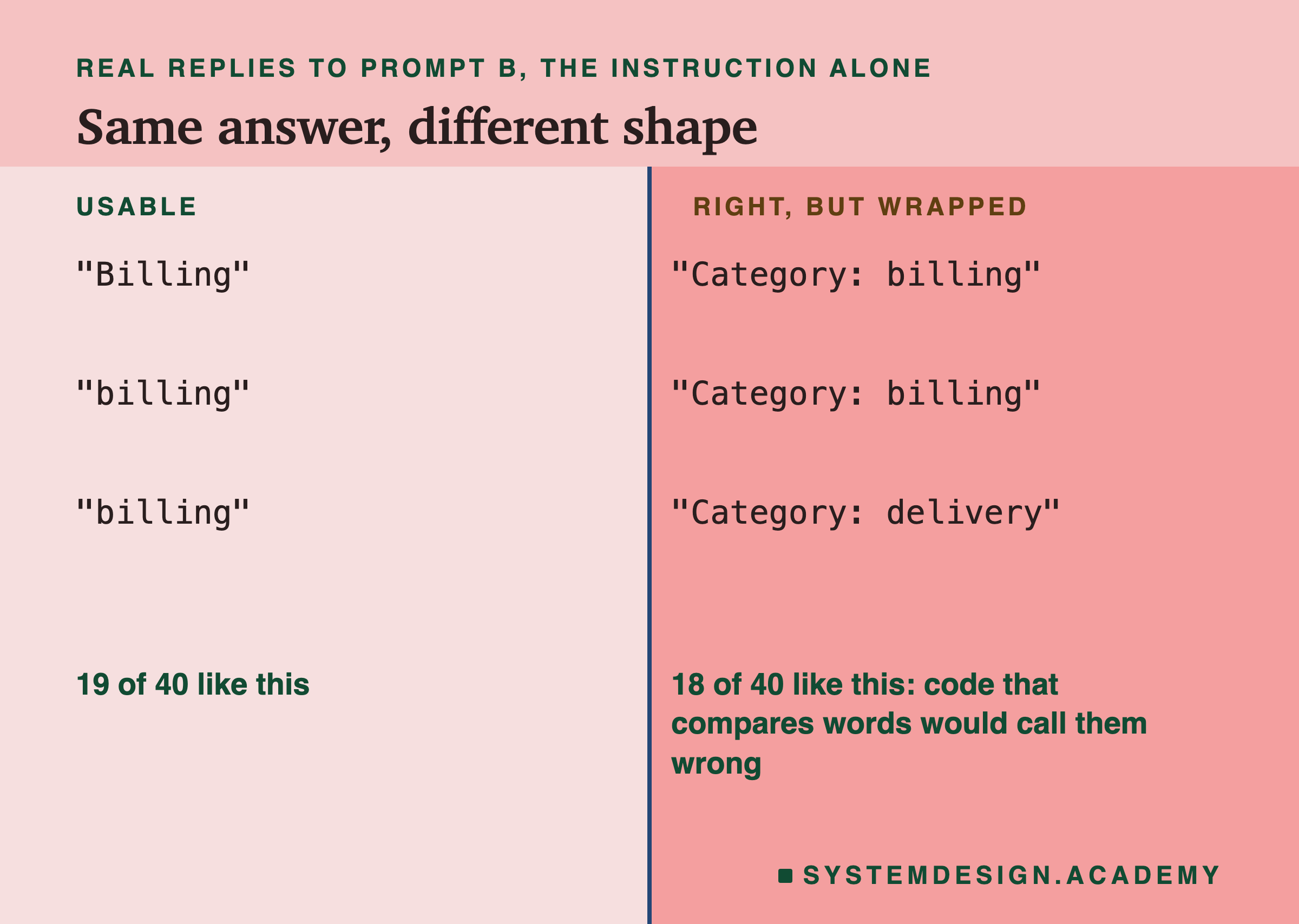
This gap between right and usable is the main idea of this lesson. When you judge a prompt only by reading a few replies, B looks nearly perfect. When your code uses the replies, half of them fail. You need to measure both.
B also had 3 answers that were wrong. "I need a refund of the shipping charge you added by mistake" came back as returns. "I cannot sign in with Google any more" came back as billing, followed by a note admitting that it did not really relate to billing. And "Do you ship to Iceland?" got a long reply saying the message did not fit any category, quoting it back wrongly as "Do you [sic] to Iceland?". The model wrote "[sic]", a mark editors use to point out a mistake, in place of the word "ship".
Prompt C: Say Exactly What the Answer Looks Like
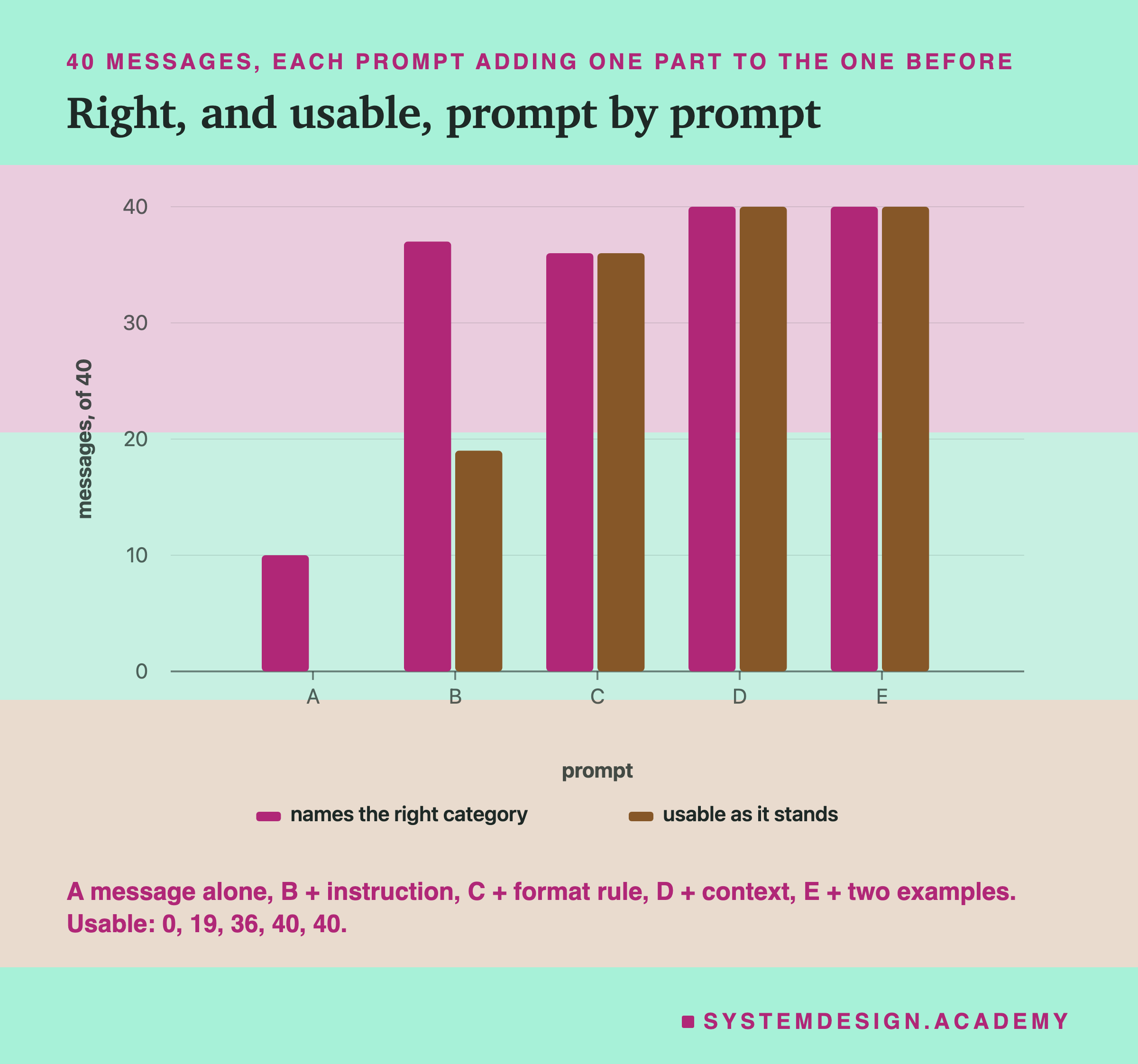
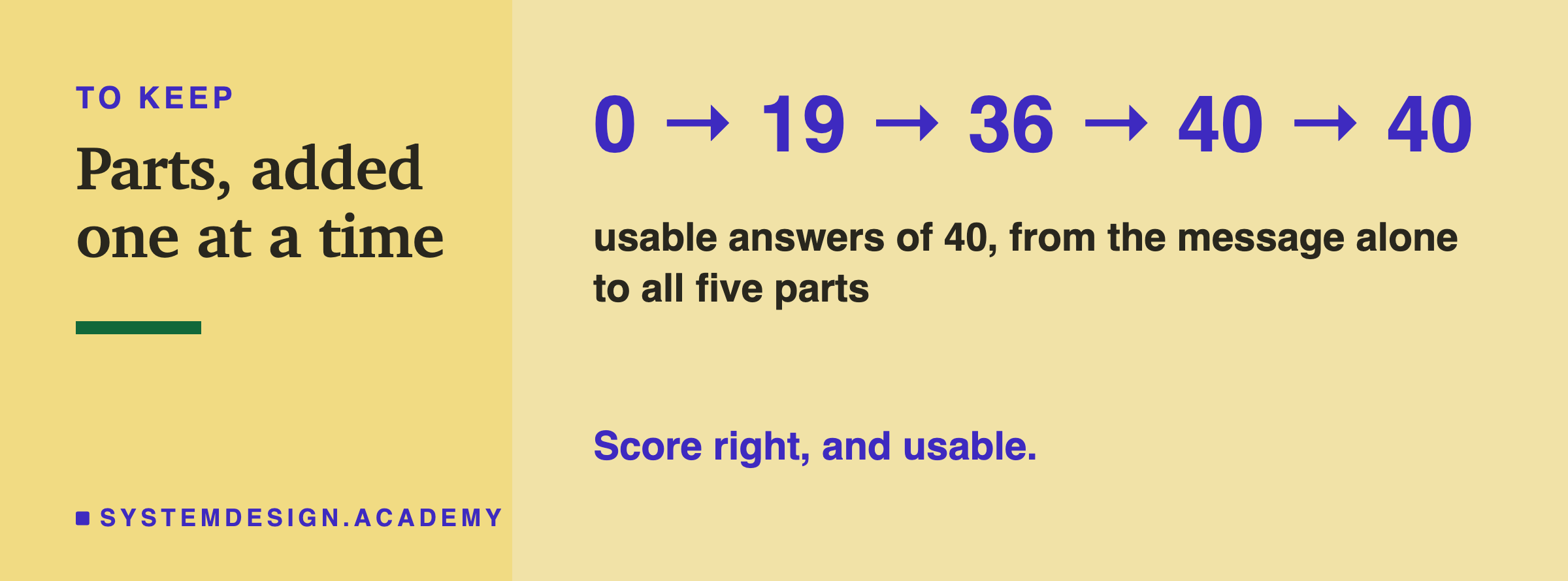
Prompt C adds the format rule: "Answer with the category word only, in lower case, and nothing else." Usable answers jumped from 19 to 36 of 40. Every right answer was now also usable: the two bars for C in the chart are the same height. The "Category:" wrapper disappeared, and so did the long explanations.
Right answers went from 37 to 36, one fewer, but that small net change hides three moves. The Iceland question, a long reply under B, became "delivery", which is right. And two account messages that B had answered correctly, the forgotten password and the two-factor phone number, became "billing", which is wrong. So the format rule mostly fixed the shape of the answers, but it also moved some of them. Adding any text to a prompt changes what the model reads, and so it can change answers you did not mean to touch. That is why you score every version, not only the one you think you improved.
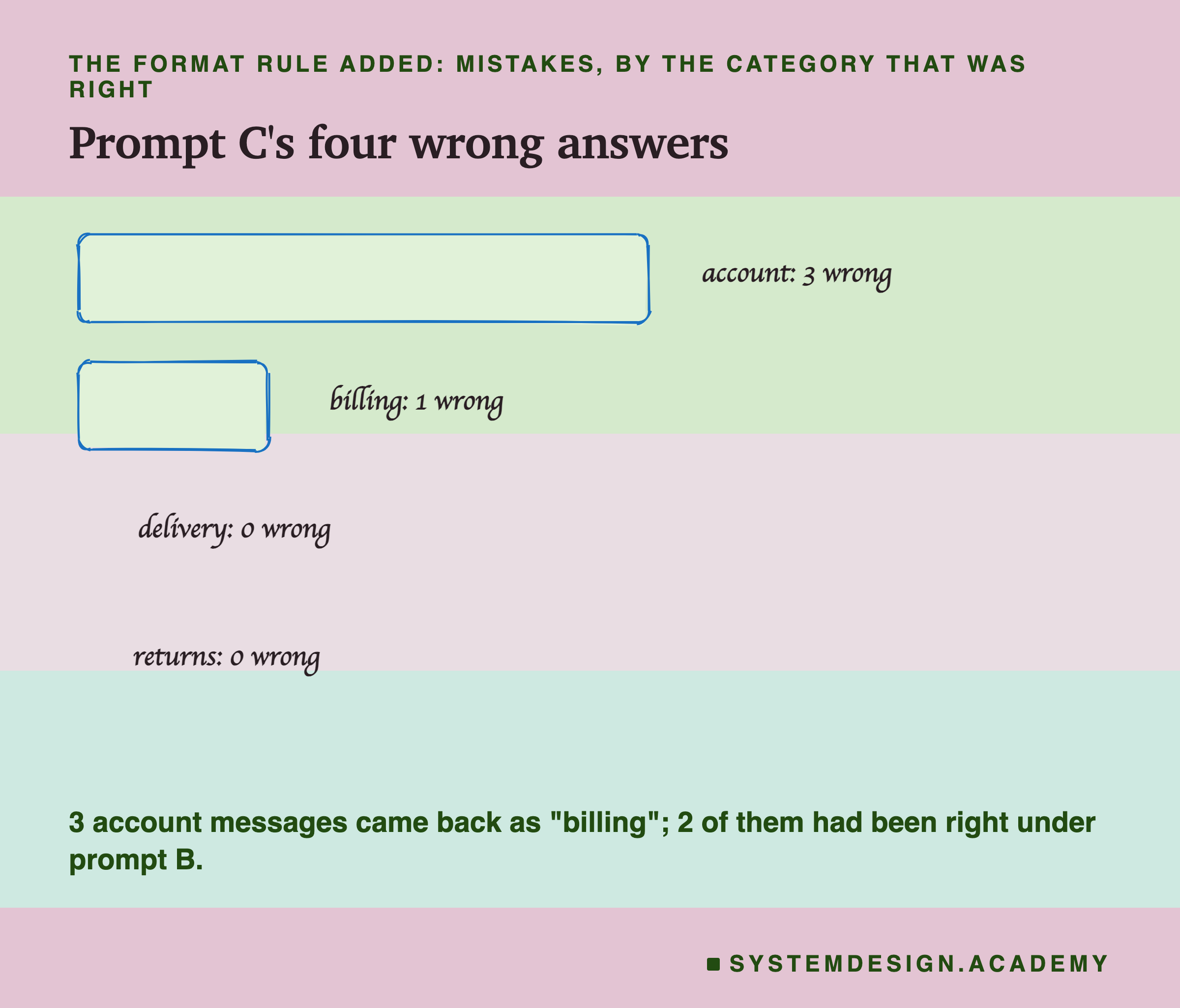
Three of the four mistakes were account messages answered with "billing": the Google sign-in, the forgotten password, and the phone number for two-factor login. Two of those were new under C; the Google sign-in was already wrong under B. "Billing" is the first category in the instruction's list, but one run cannot tell us why the model chose it: the list was in the same order under B, where two of these three were right. The fourth mistake was the shipping-charge refund, answered as returns, as it was under B.
Prompt D: Draw the Lines Between Categories
Prompt D adds the context: four lines, one per category, saying what belongs in it. Account got "signing in, passwords, profile details, privacy and emails from us". Billing got "charges, payments, invoices, prices and refunds of money".
With those lines, all 40 answers were right and all 40 were usable. The three account messages (the Google sign-in, the forgotten password and the two-factor phone number) moved to account, because the context now said that signing in, passwords and profile details go there. The shipping-charge refund moved to billing, because the context said refunds of money go there.
Be careful with that last one, because it is a good lesson about context. "A refund of the shipping charge" could reasonably be billing (it is money) or returns (people often say refund when they send something back). I labelled it billing when I wrote the test, and I wrote a context line that agrees with that label. A different company could fairly put it in returns. Context does not make the model smarter. It tells the model where your boundaries are, which is why it fixed exactly the messages that could belong to either of two categories.
Prompt E: Examples, and a Result That Says Little
Prompt E adds two worked examples: "I was billed for an item that was out of stock", then "Category: billing"; and "My password reset link has expired", then "Category: account". The score stayed at 40 of 40 right and 40 of 40 usable.
It would be wrong to conclude from this that examples do not help. Prompt D was already perfect on these 40 messages, so there was nothing left for the examples to improve. A test where the score cannot go up cannot show whether something helps. This is called a ceiling: the score is stuck at its top, not because nothing works, but because there is no room above.
Examples are widely used, especially when a format is hard to describe in words, or when the categories are subtle. To see what they do, you need a harder task, where the prompt without examples still makes mistakes. A later lesson in this chapter does that, and also tests whether the order and choice of examples change the answers.
What this run does show is that examples are not free: 31 tokens here, the second largest part after the context's 61, so they should be added only when they help.
What Each Part Cost
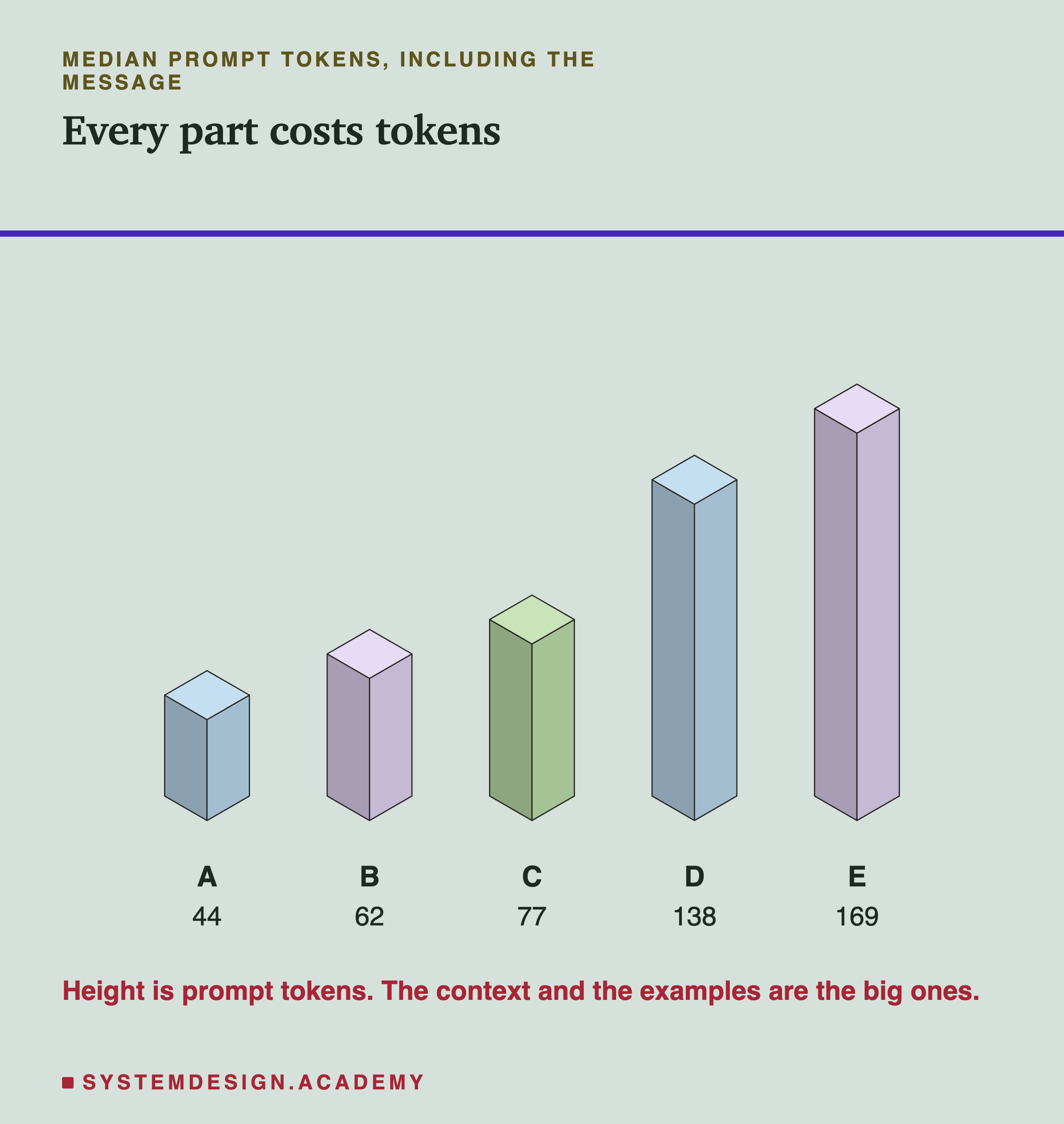
Every part adds tokens, and every token counts towards each call. Unless the start of the prompt is reused (lesson 6 of the previous chapter), the model reads all of it again each time, and lesson 5 of that chapter showed that the wait before the first word grows with the prompt's length. Here the prompts are short, so the time is small, but the pattern matters when the context grows to pages.
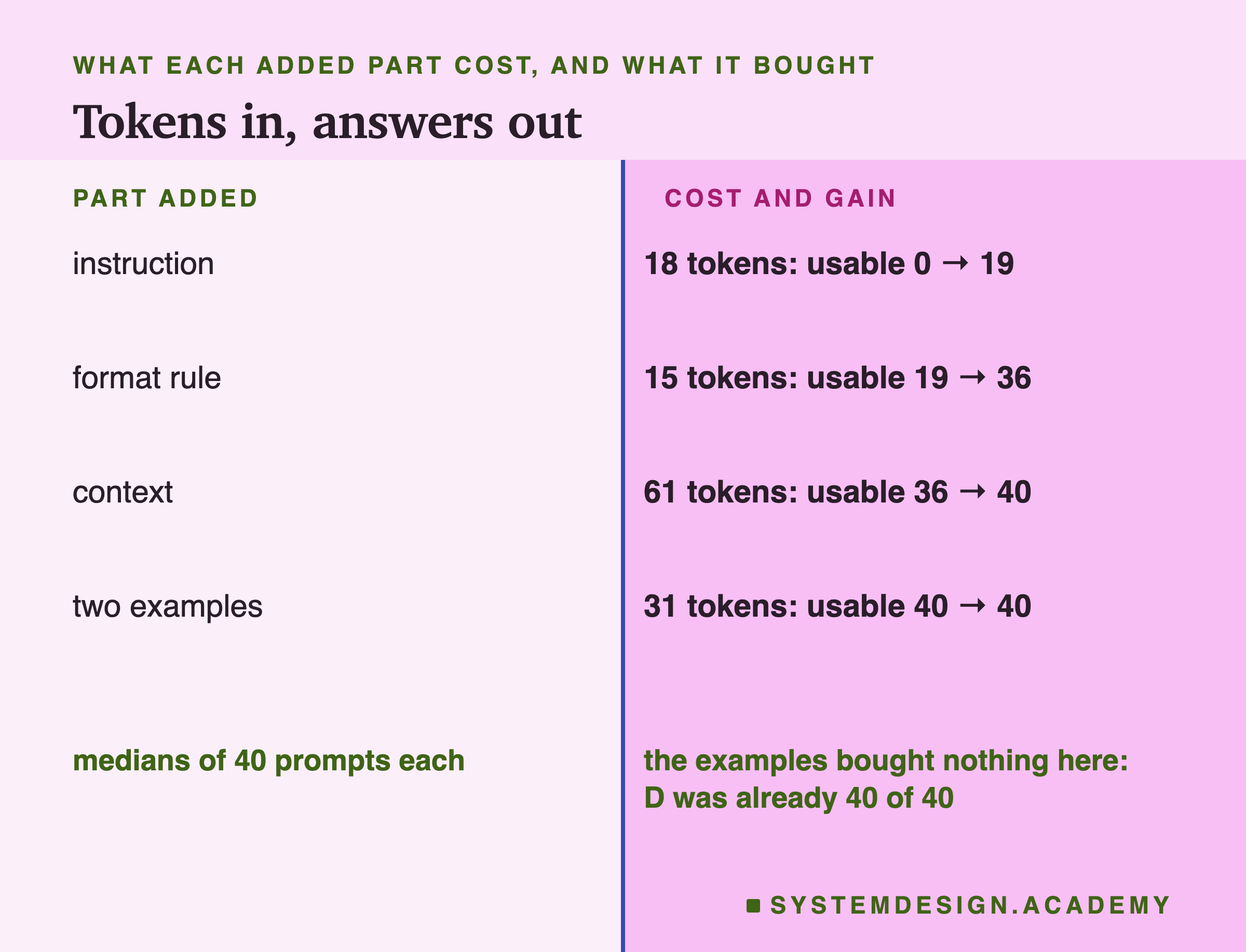
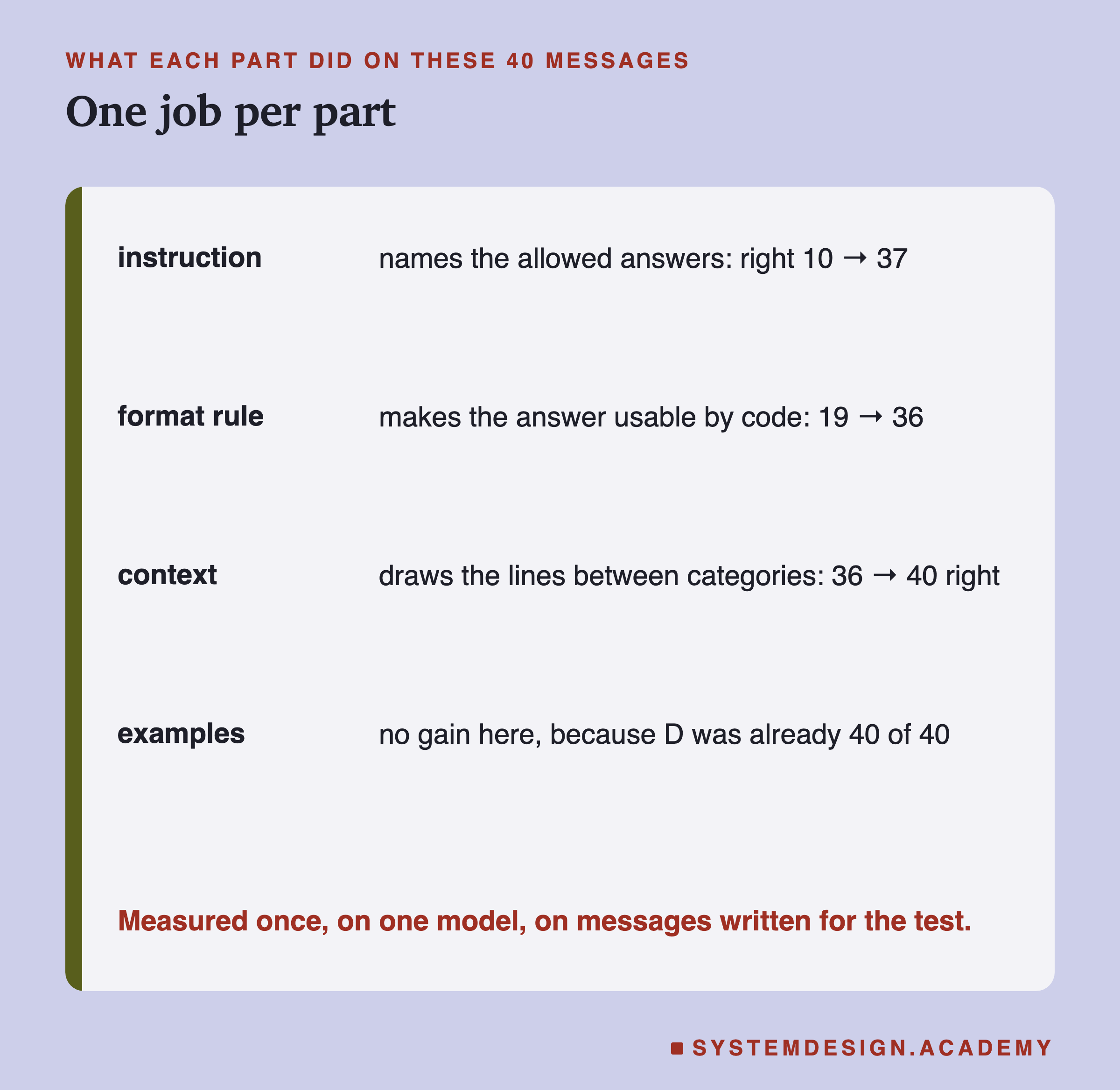
The median (the middle value of the 40) prompt grew from 44 tokens (A) to 62 (B), 77 (C), 138 (D) and 169 (E). These are the counts Ollama reports, so they include the chat template's own markers and its default system message, which the previous chapter's lesson 8 measured; that is why even prompt A, a message of about ten words, comes to 44. The instruction cost 18 tokens and took usable answers from 0 to 19. The format rule cost 15 and took them from 19 to 36. The context cost 61 and took them from 36 to 40. The examples cost 31 and, on this set, bought nothing.
The cheapest parts did the most. On this task, naming the answers and fixing the format were short sentences with a large effect. Context and examples are longer, and they are worth it when the task has real edges to explain, as the account messages did here.
Try It Yourself
This script sends three of the messages through three of the prompts, so you can watch each part change the answer.
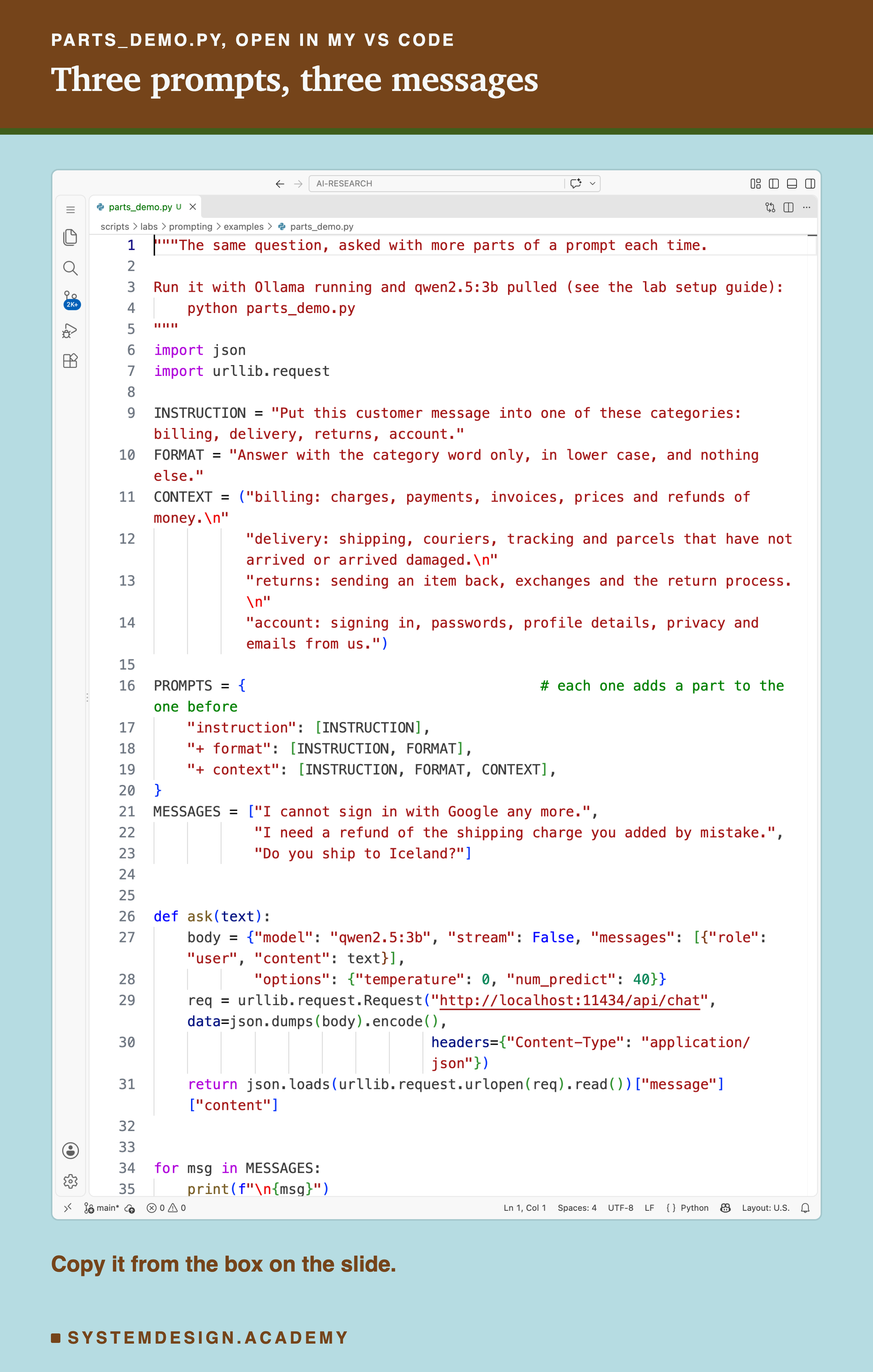
Before you run this lab. It uses qwen2.5:3b, running in Ollama on your own computer. If you have not set that up yet, the lab setup guide shows how to install Ollama, download the model and check that everything works, on macOS, Windows or Linux. You can use a different model instead: the guide shows the one line to change, and your numbers will differ from the ones in this lesson.
"""The same question, asked with more parts of a prompt each time.

Run it with Ollama running and qwen2.5:3b pulled (see the lab setup guide):
    python parts_demo.py
"""
import json
import urllib.request

INSTRUCTION = "Put this customer message into one of these categories: billing, delivery, returns, account."
FORMAT = "Answer with the category word only, in lower case, and nothing else."
CONTEXT = ("billing: charges, payments, invoices, prices and refunds of money.\n"
           "delivery: shipping, couriers, tracking and parcels that have not arrived or arrived damaged.\n"
           "returns: sending an item back, exchanges and the return process.\n"
           "account: signing in, passwords, profile details, privacy and emails from us.")

PROMPTS = {                                   # each one adds a part to the one before
    "instruction": [INSTRUCTION],
    "+ format": [INSTRUCTION, FORMAT],
    "+ context": [INSTRUCTION, FORMAT, CONTEXT],
}
MESSAGES = ["I cannot sign in with Google any more.",
            "I need a refund of the shipping charge you added by mistake.",
            "Do you ship to Iceland?"]


def ask(text):
    body = {"model": "qwen2.5:3b", "stream": False, "messages": [{"role": "user", "content": text}],
            "options": {"temperature": 0, "num_predict": 40}}
    req = urllib.request.Request("http://localhost:11434/api/chat", data=json.dumps(body).encode(),
                                 headers={"Content-Type": "application/json"})
    return json.loads(urllib.request.urlopen(req).read())["message"]["content"]


for msg in MESSAGES:
    print(f"\n{msg}")
    for name, parts in PROMPTS.items():
        reply = ask("\n\n".join(parts + [f"Message: {msg}\nCategory:"]))
        print(f"  {name:<12} {reply.strip().splitlines()[0][:60]!r}")
The Lab Report
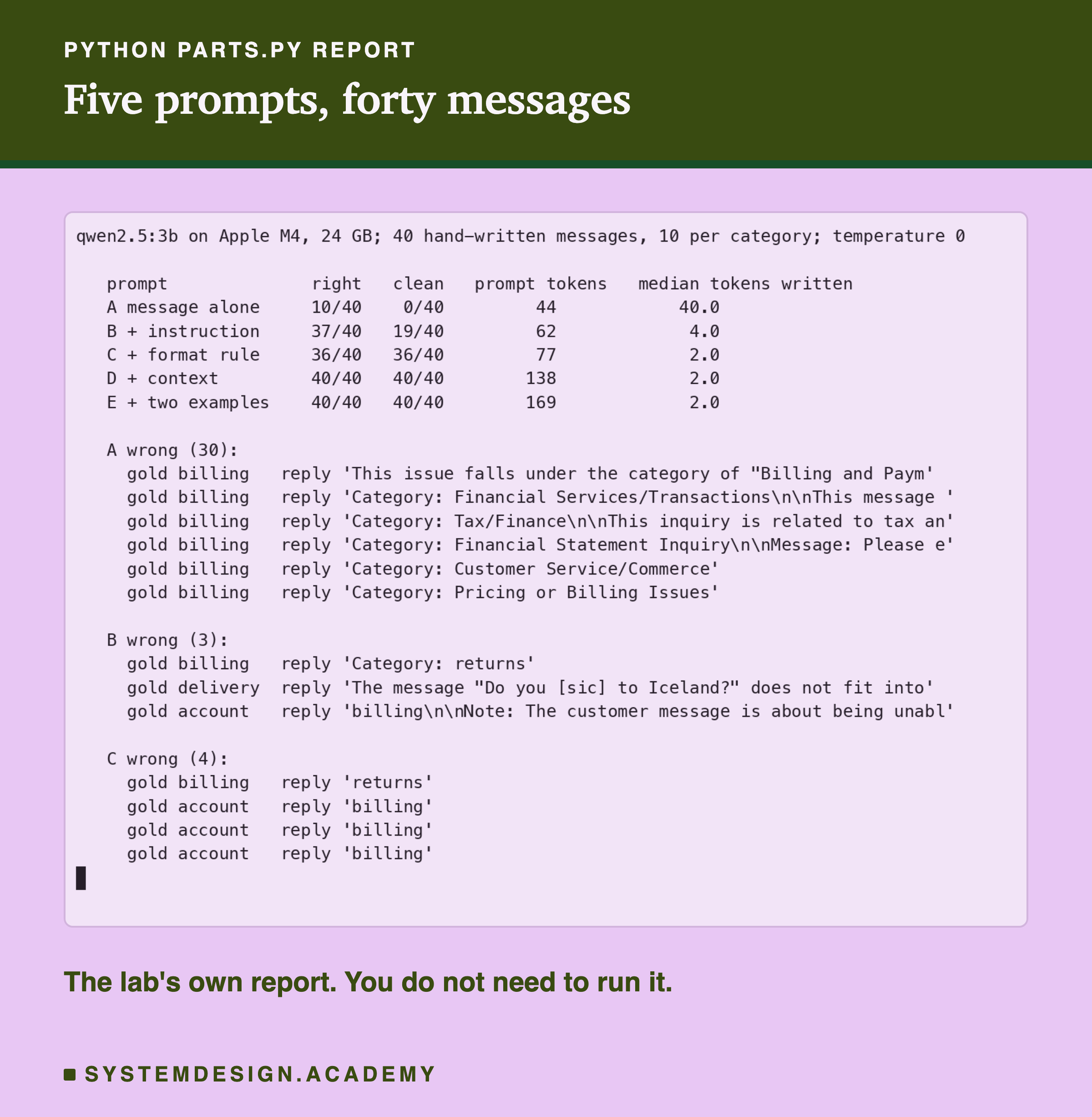
The lab is scripts/labs/prompting/parts.py. It holds the 40 messages and their labels, builds the five prompts, sends all 200 calls and stores every reply in parts.json. The report shows the counts and the first few wrong replies for each prompt, so you can read what went wrong and not only how often.
The median tokens written tell the same story from another side. Most of prompt A's replies (23 of 40) ran to the 40-token limit, so its median is 40; B's were about 4 tokens ("Category: billing"); from C on, 2 tokens, one word and the end-of-turn marker.
One detail of the scoring deserves a mention, because I got it wrong the first time. My first version of the lab counted a reply as right only if its very first word was the category, so "Category: billing" scored as wrong. That made B look far worse than it was (19 right instead of 37) and made the format rule look like it fixed understanding, when it only fixed shape. I changed the check to skip a leading "Category:" and rescored the stored replies without calling the model again. A scoring rule is part of the experiment, and it can be wrong in the same way a prompt can.
Score Replies in Your Browser
This box has no model. It holds eight real replies from prompt B and scores each one two ways: right, and usable as it stands. Change a reply, or add your own, and see which score moves.
It prints "names the right category: 6 of 8" and "usable as it stands: 3 of 8": the same gap as the full lab, in miniature. Try changing "Category: billing" to "billing." with a full stop and watch it count as right but not usable. Then think about what your own code would do with that full stop.
The Code, Part by Part
The parts as strings. INSTRUCTION, FORMAT and CONTEXT are plain Python strings. Keeping each part in its own variable makes it easy to add or remove one and measure the difference, which is exactly what this lesson did.
The prompts as lists. PROMPTS maps a name to a list of parts. Each list is the one before plus one more part. The script joins the parts with blank lines and puts the message last, followed by "Category:".
The call. ask sends the whole prompt as one user message to Ollama's chat endpoint, /api/chat, with temperature 0 so the answer does not change from run to run, and num_predict 40 so a long reply is cut instead of running on.
The print. It prints only the first line of each reply, up to 60 characters, with !r so you can see the quotes and spot a "Category:" wrapper or a stray full stop.
Which Part Is Missing?
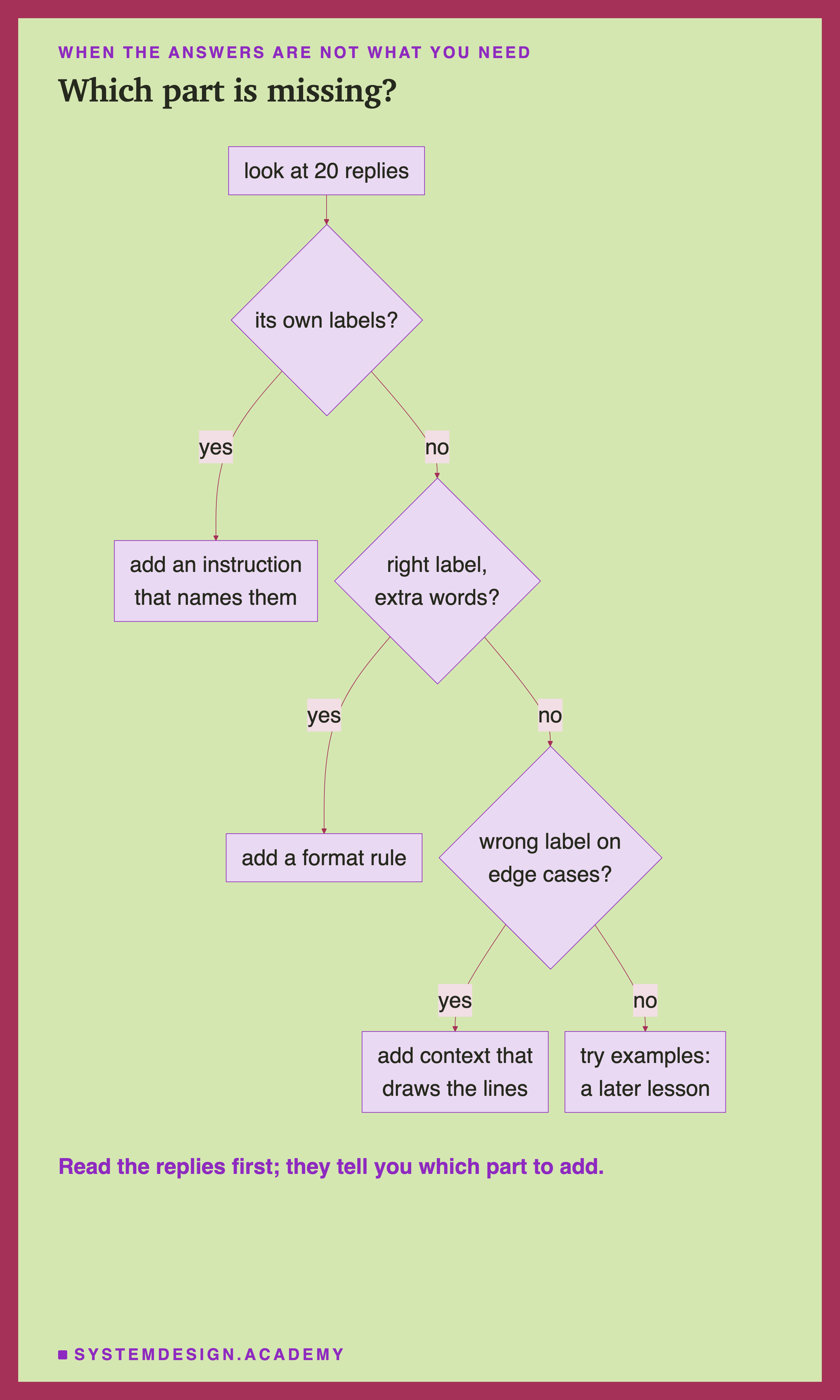
When a prompt's answers are not what you need, the replies usually tell you which part is missing, if you read them.
The model uses its own labels. It does not know the allowed answers. Add an instruction that names them.
The label is right, but wrapped in other words. It knows the answer but not the shape. Add a format rule that describes the exact shape.
The label is wrong on the cases near an edge. It does not know where your lines are. Add context that says what belongs where, especially for the cases your own team would argue about.
Still wrong, with no pattern you can describe. Then show it, with examples, which a later lesson in this chapter measures.
When to Use Each Part, and When Not To
Use an instruction always. Tell the model what you want; here, without it, the model invented its own answers. Name the allowed answers when there is a fixed set.
Use a format rule whenever code reads the answer. If a person reads it, the format matters less. If a program compares, parses or stores it, the format is the whole difference between working and failing. A later lesson in this chapter goes further, with Ollama's option to force a JSON shape (JSON is a standard text format for structured data that programs read easily).
Use context when the task has edges. If your categories overlap, or your company defines them in its own way, say so. Do not paste a whole manual as context when four lines do the job: every token counts on every call, and a later lesson in this chapter measures what a long document does to the instructions around it.
Use examples when words are not enough. They are the second most expensive part here, and on an easy task they add nothing. Add them when the prompt without them still makes mistakes you cannot describe in a sentence.
Do not add everything by habit. Every part you add is text you must keep correct. A stale example or an out-of-date context line can pull answers in the wrong direction, just as a good one pulls them in the right one.
What This Lab Can and Cannot Tell You
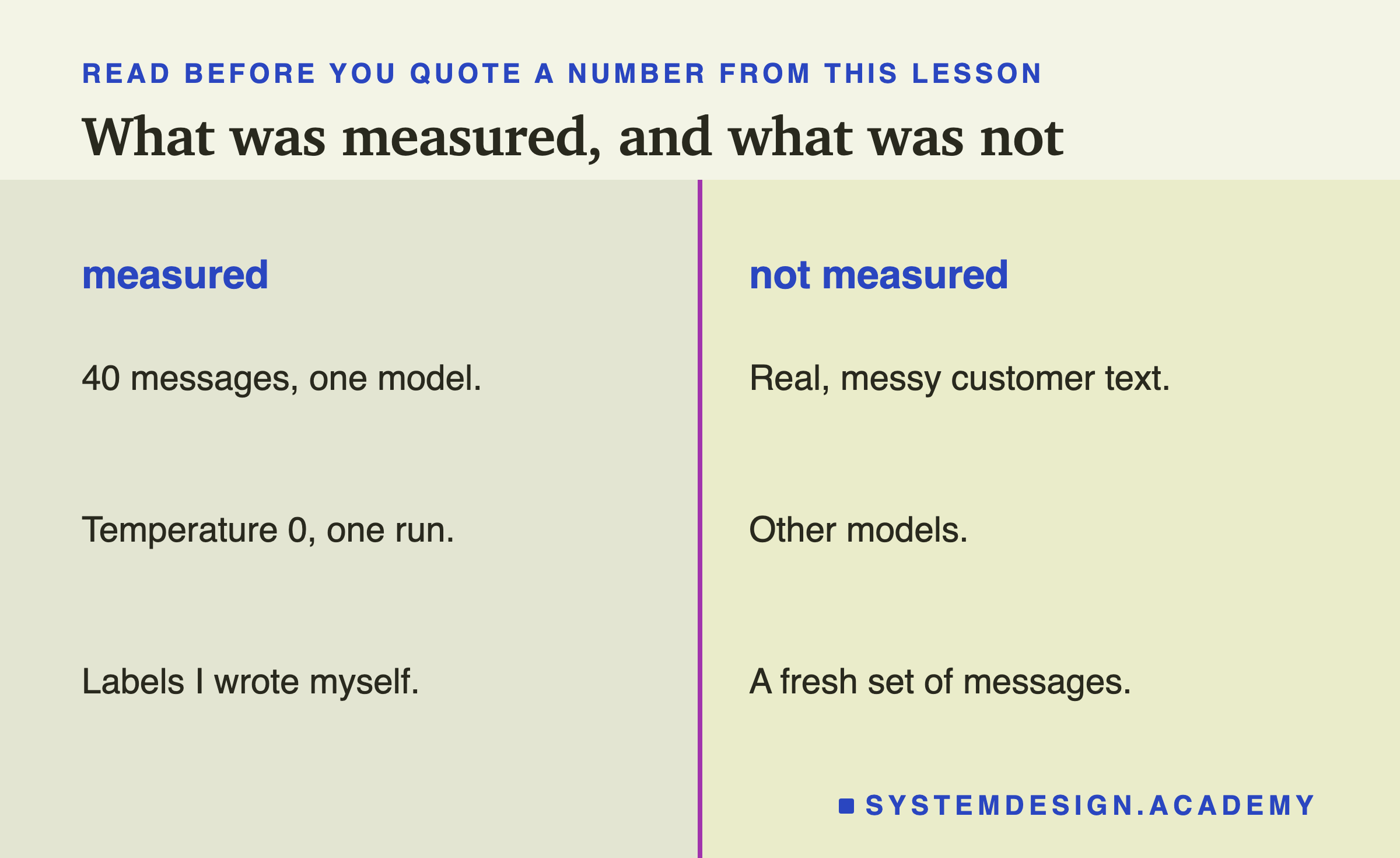
This lab measured 40 short messages that I wrote, with labels I chose, on one small model, once, at temperature 0. Real customer messages are longer, messier and more often ambiguous. A different model might need the instruction less, or the context more. And because I wrote both the messages and the context lines, a fresh set of messages written by someone else is the fair test of whether the final prompt really works, which a later lesson in this chapter shows how to build.
What carries over is the shape: an instruction fixes what the model aims at, a format rule fixes how the answer is written, context fixes the edges, and you only see the difference between right and usable if you measure both.
What to Do on Monday
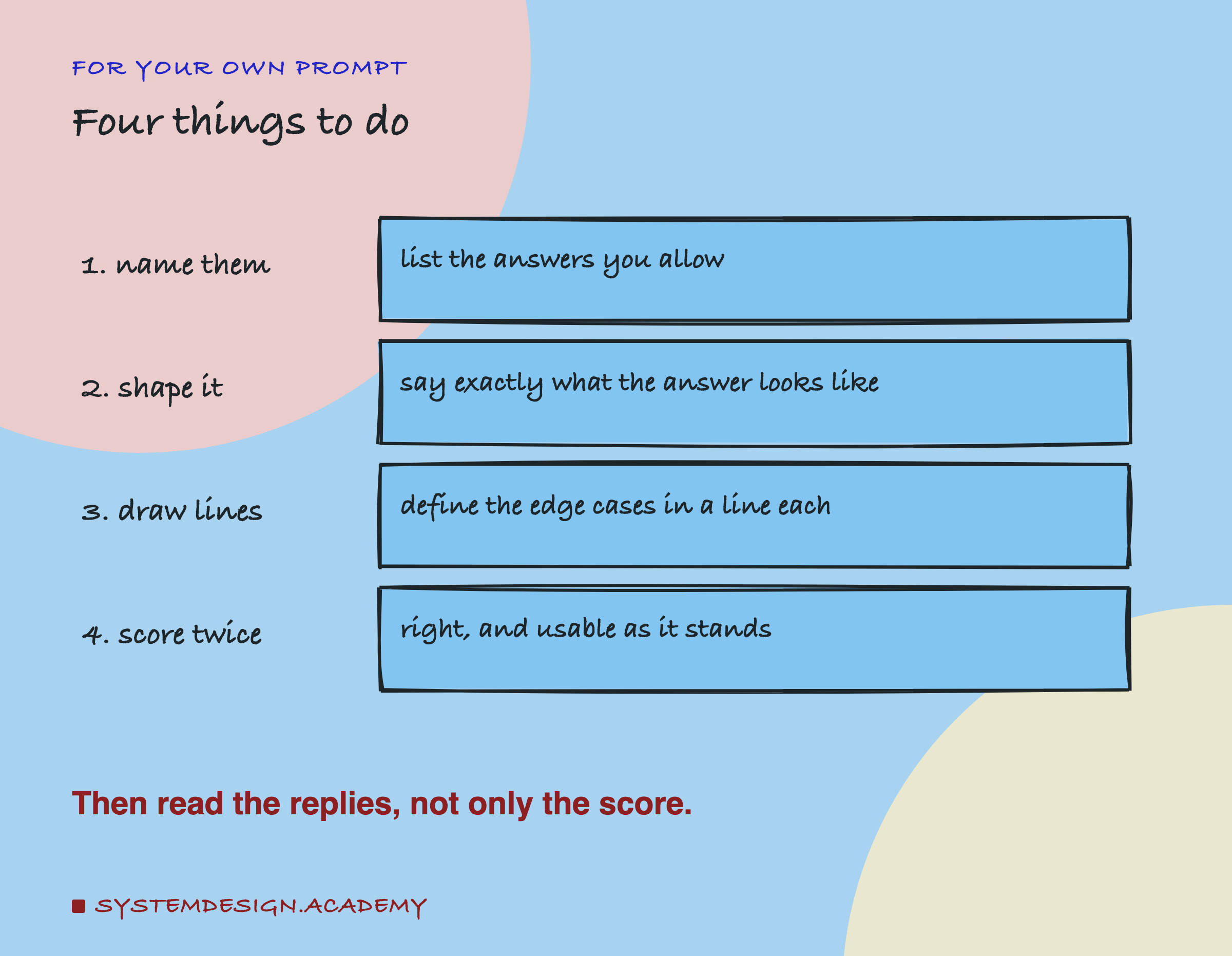
Take one prompt from your own work that sorts, labels or extracts something. Split it into its parts, in separate variables, the way the script above does. Write 20 test inputs with the answers you expect. Then score the replies two ways: does it pick the right answer, and could your code use the reply as it stands? If the two numbers differ, you need a format rule. If the first number is low on the cases near an edge, you need context. And read the wrong replies before changing anything; they will usually tell you which part is missing.
Knowledge Check
Knowledge Check
4 questions - Score 80% to pass
With the instruction but no format rule (prompt B), 37 of 40 answers named the right category but only 19 were usable. Why?
Adding the format rule (prompt C) moved usable answers from 19 to 36. What did it do to right answers?
Two worked examples (prompt E) added nothing: 40 of 40 before and after. What is the right conclusion?
Your prompt returns the right label for most inputs but the wrong one on cases your team would argue about. Which part should you add first?
![A real screenshot of VS Code's terminal after running python parts_demo.py. I cannot sign in with Google any more: instruction billing, + format billing, + context account. I need a refund of the shipping charge you added by mistake: instruction Category: returns, + format returns, + context billing. Do you ship to Iceland?: instruction, The message "Do you [sic] to Iceland?" does not fit into any; + format delivery; + context delivery.](/diagrams/lessons/ml-pr-pp/pp-vscode-run.png)