Putting the Chapter Back Together
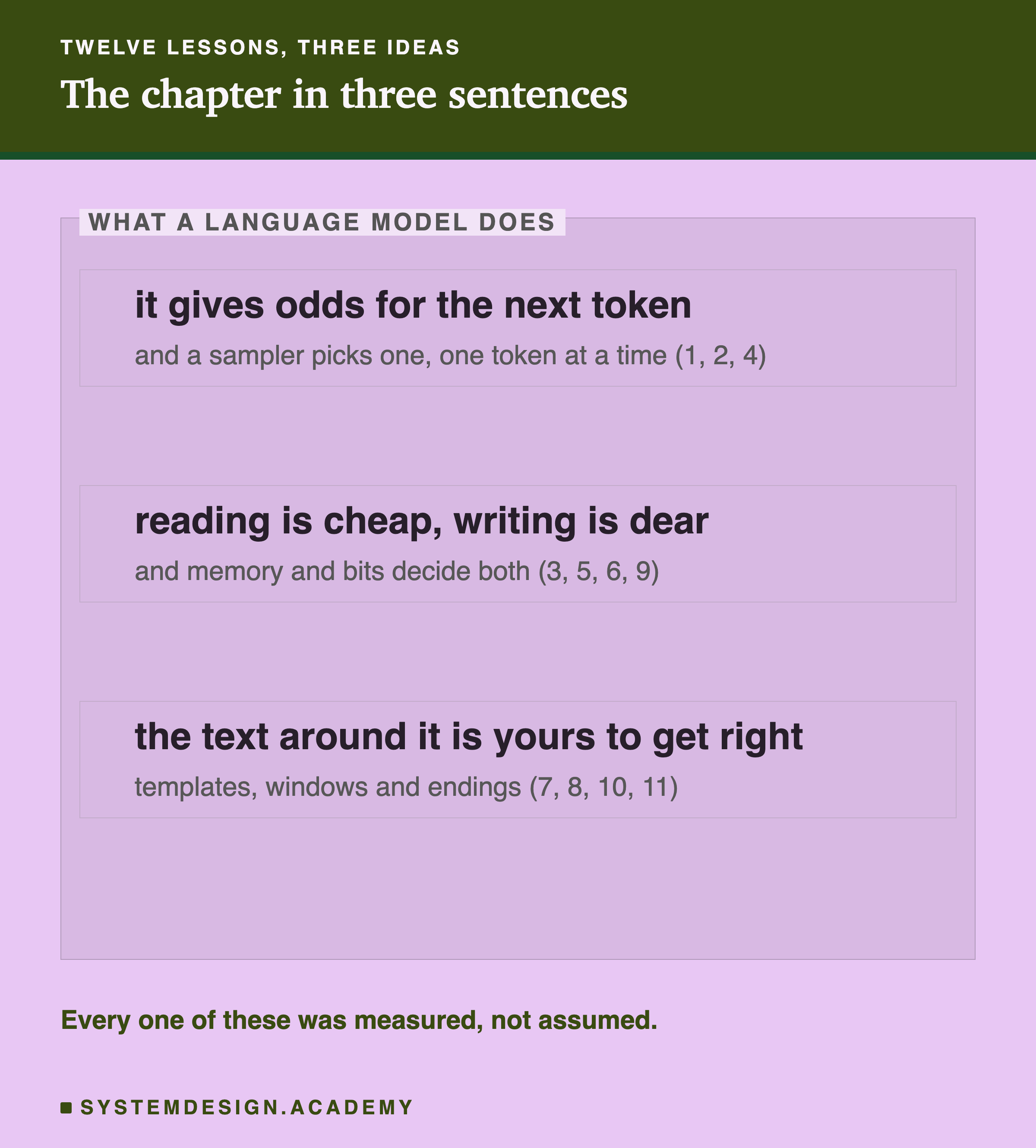
Each lesson in this chapter took one part of a language model apart and measured it: the odds for the next token, sampling, reading and writing, attention, the cost of a long prompt, reusing a start, the window, the chat template, , stopping, and comparing models. Each part was studied on its own, often with an artificial test built to show just that one effect.
A real request does all of it at once. This lesson sends one realistic request, a support assistant answering a customer's question from a written policy, and reads every number Ollama returns about it. Each number belongs to one lesson of the chapter, and together they explain where every second of the wait went and why.
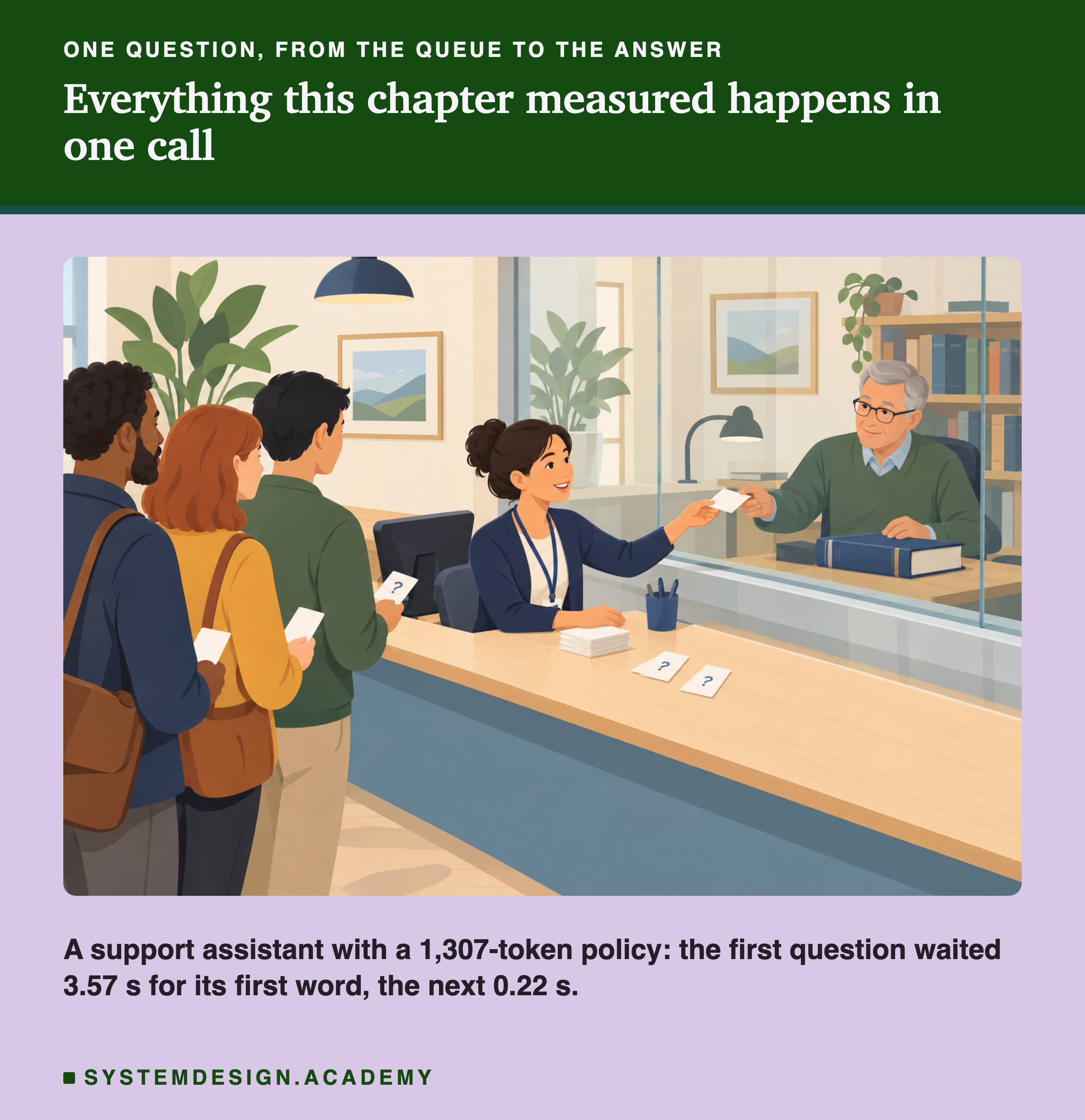
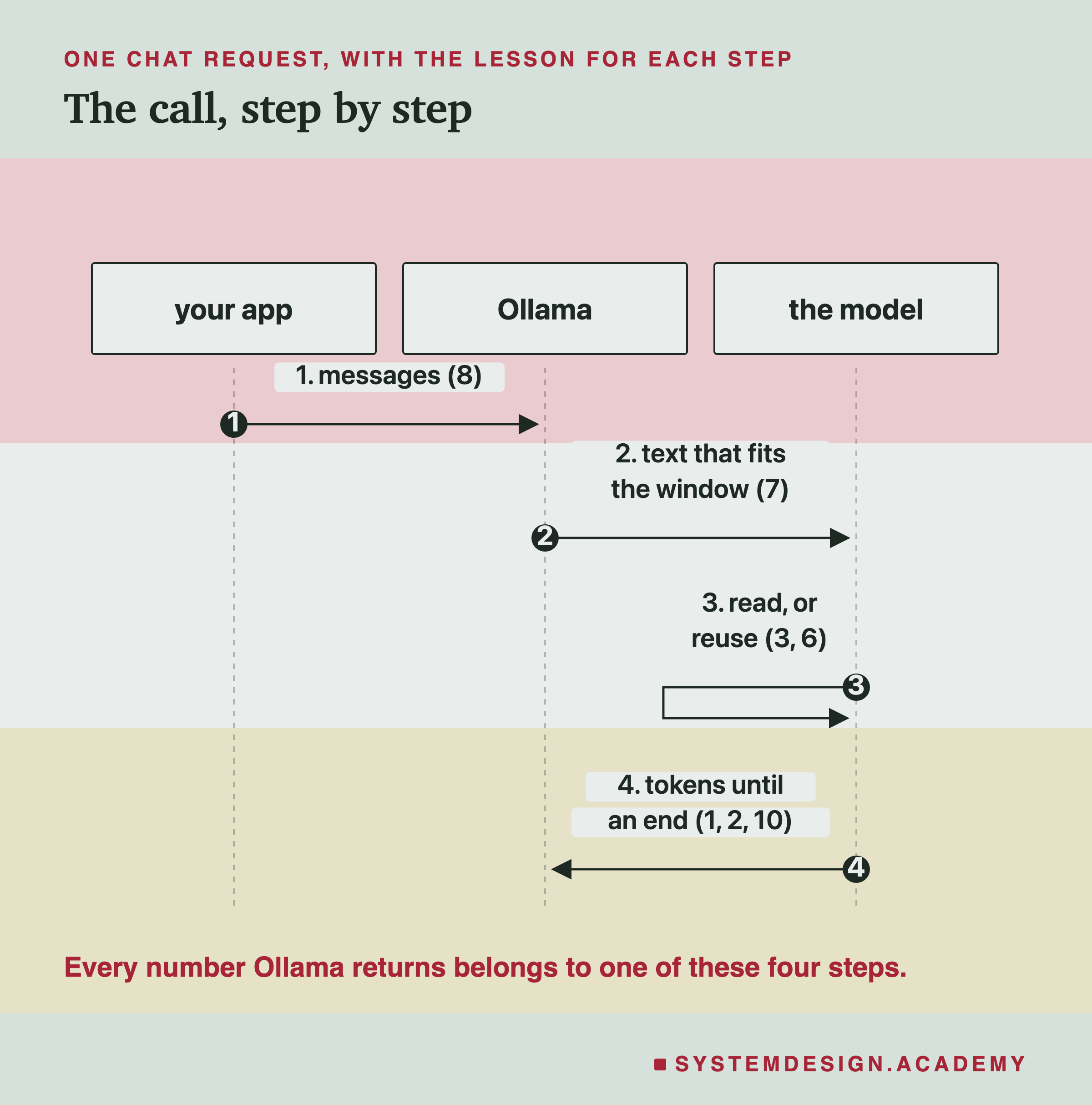
Think of the front desk in the picture. Every question goes through the same steps: someone writes it on a card, the clerk checks it fits the form, the expert reads the policy, thinks, writes an answer and hands it back. The first question of the day takes longest, because the expert has to read the whole policy. After that, the policy is already in their head.
By the end of this lesson you should be able to look at the numbers any model call returns and say which part of the call they describe, what is normal, and which lesson to reread when something looks wrong.
Words You Already Know
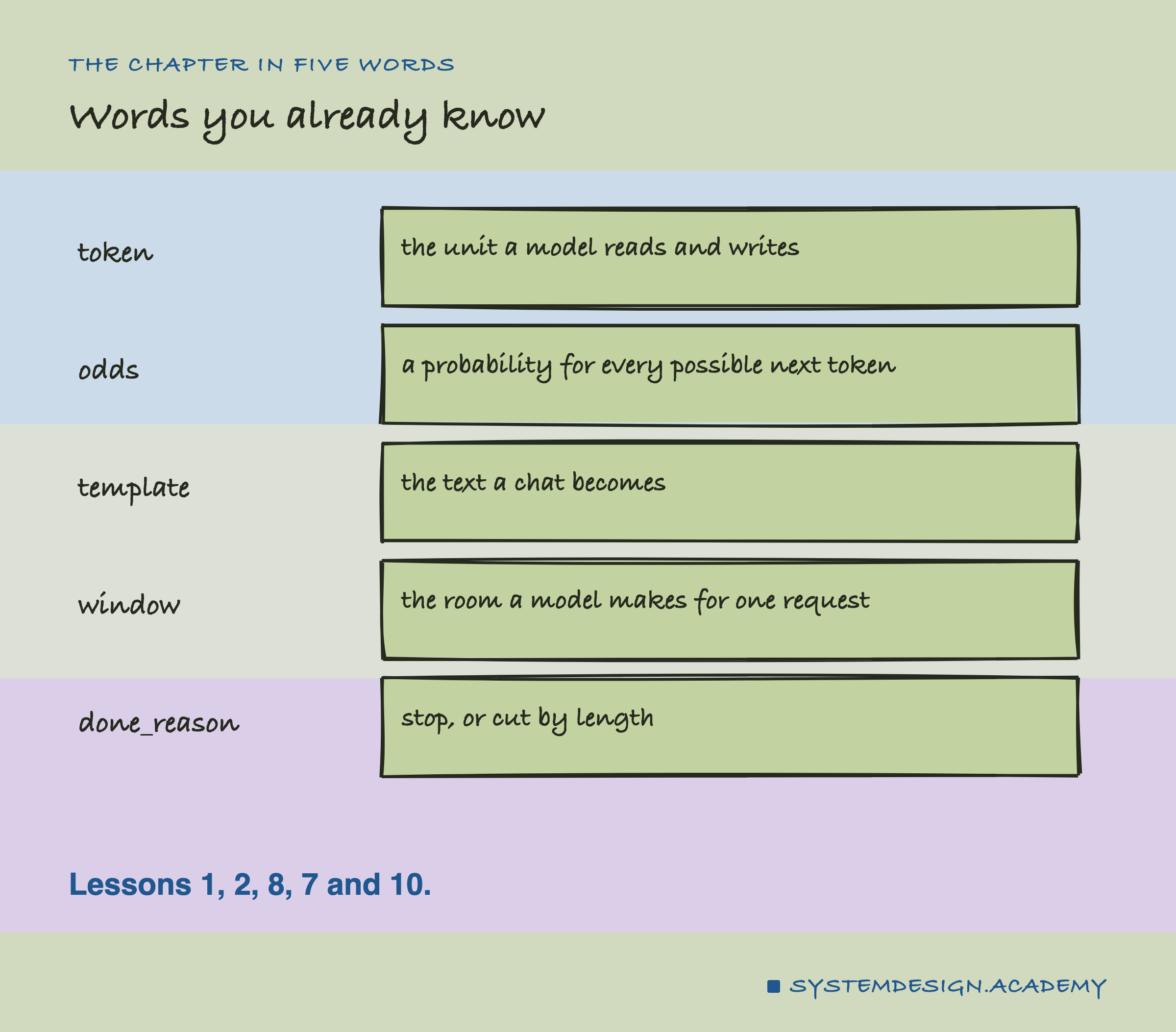
Every word this lesson needs is one you have already met in this chapter. As a reminder:
Token. The unit a model reads and writes, a word or part of a word (lesson 1).
Odds. The probability the model gives to every possible next token, of which the sampler picks one (lessons 1 and 2).
Template. The text a chat becomes before the model reads it, with its markers and roles (lesson 8).
Window. The number of tokens a model makes room for in one request, set by num_ctx (lessons 5 and 7).
done_reason. Ollama's note of how a reply ended: stop, or length when it was cut (lesson 10).
Two more ideas return: reading, which handles the whole prompt at once and is fast per token, and writing, which produces one token at a time and is slow per token (lesson 3). And a start that was already read can be reused (lesson 6).
The Request
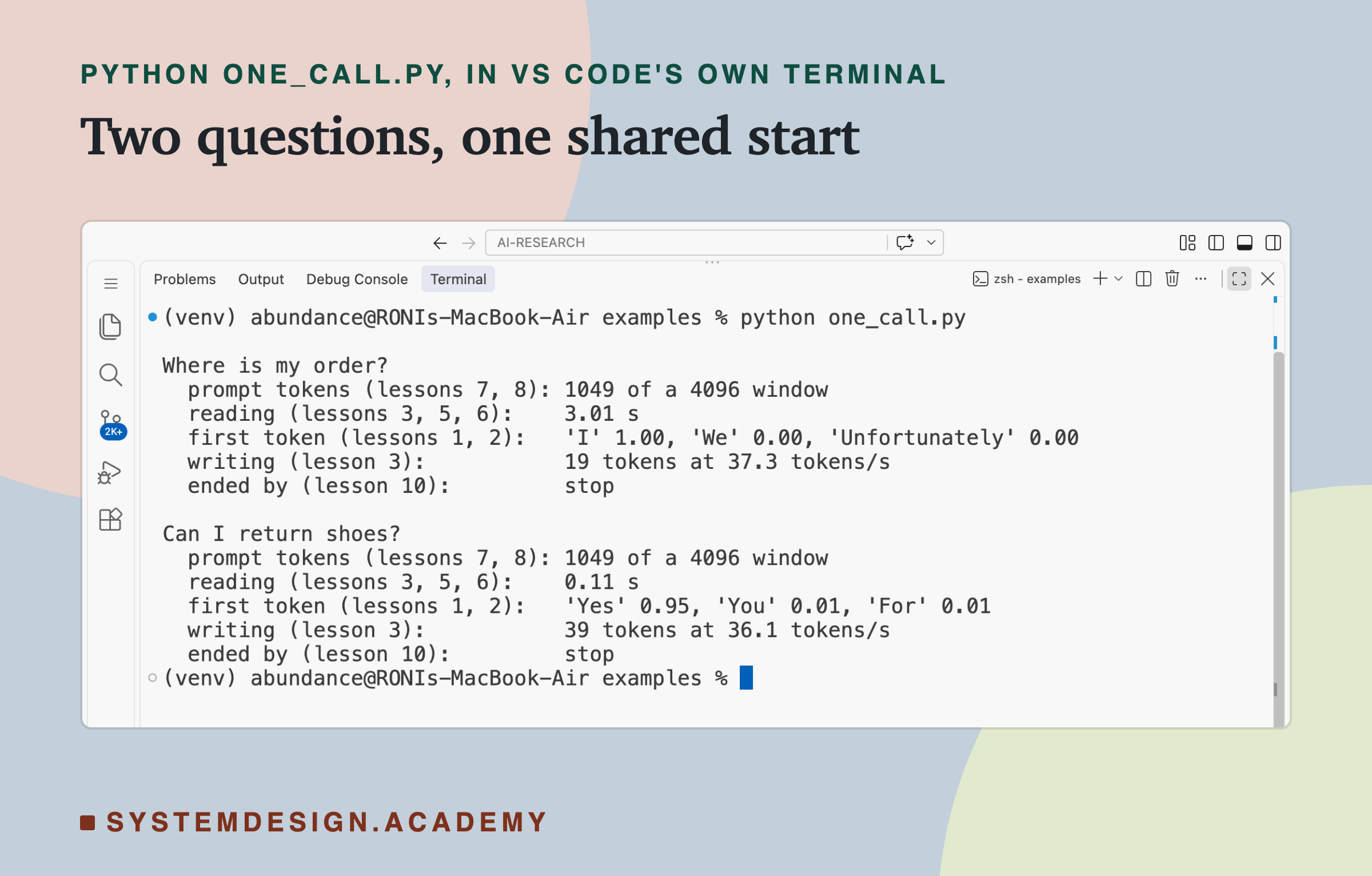
The lab builds a realistic request. The system message tells the model it is a support assistant and gives it a policy to answer from: about 950 words of this course's text on distributed systems, standing in for a company's real policy. The user's question comes last. It is sent through Ollama's chat endpoint, at temperature 0, with a window of 4,096 tokens and room for up to 200 written tokens.
The lab sends the request in pairs: first one question, then a second question with the same system message. Each pair starts with its own session line, so no pair reuses an earlier one. Three pairs make six calls. Every call records every number Ollama returns, and the lab also counts the same text as raw text, to see what the template adds.
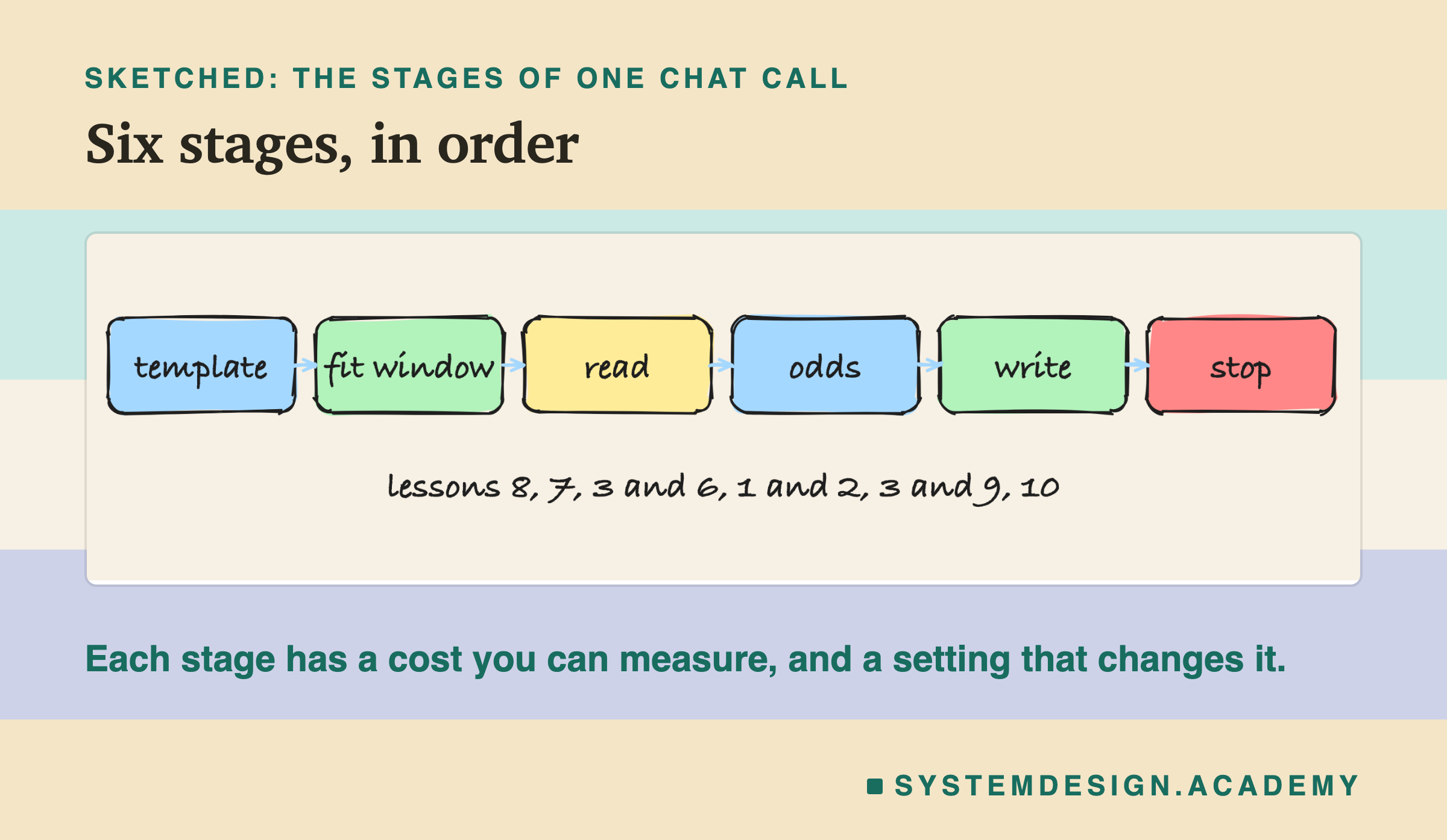
The six stages in the sketch are the order in which a call happens: the chat becomes text, the text must fit the window, the model reads it, gives odds for the first token, writes token by token, and stops. The next slides take them one at a time.
Before the Model Runs: Template and Window
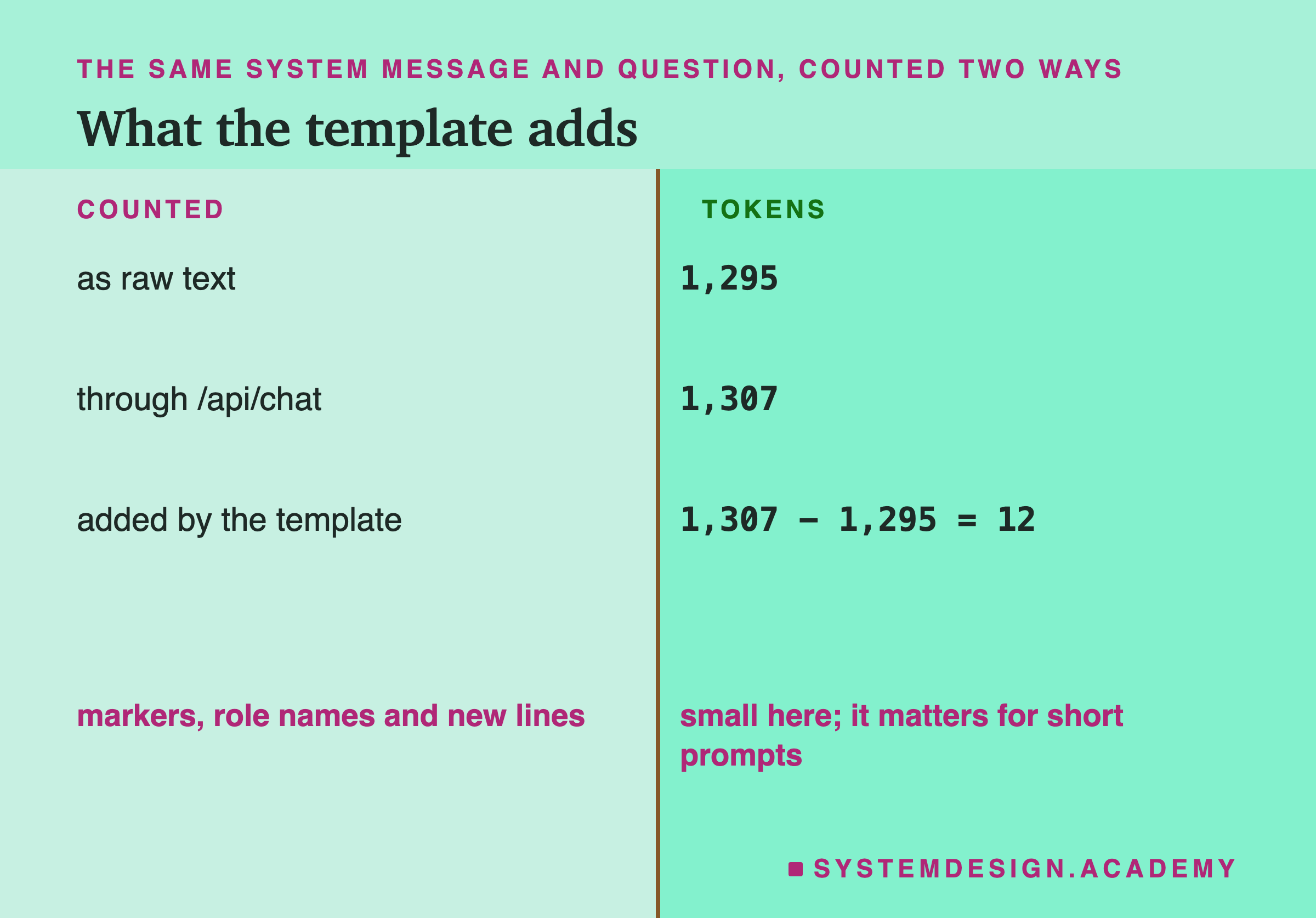
Through the chat endpoint, the first call's prompt was 1,307 tokens, roughly the size of the policy plus the question. The same system message and question, counted as raw text, were 1,295. So the template added 12 tokens: the turn markers, the role names and new lines from lesson 8. In all three pairs it was exactly 12. Against a 1,300-token prompt that is under 1%; against the one-word "Hi" of lesson 8 it was most of the prompt. Because the system message came first, the model's default system message was not added.
Then the window. 1,307 tokens in a 4,096-token window leaves 2,789 tokens of room, far more than the 200 written tokens allowed. Lesson 7 showed what would happen if it did not fit. If one message alone is too long, Ollama cuts the whole prompt to about half the window, silently, keeping the end, and the policy at the top is the first thing lost. If a conversation grows past the window over many turns, the chat endpoint instead drops whole old turns and keeps the system message. Here it fits comfortably, and the model reads all of it.
Lesson 5's memory arithmetic applies too. Ollama reported 2.09 GB for the loaded model at this window: the Q4_K_M file from lesson 9, plus room reserved for the window's keys and values.
Reading, and Reusing
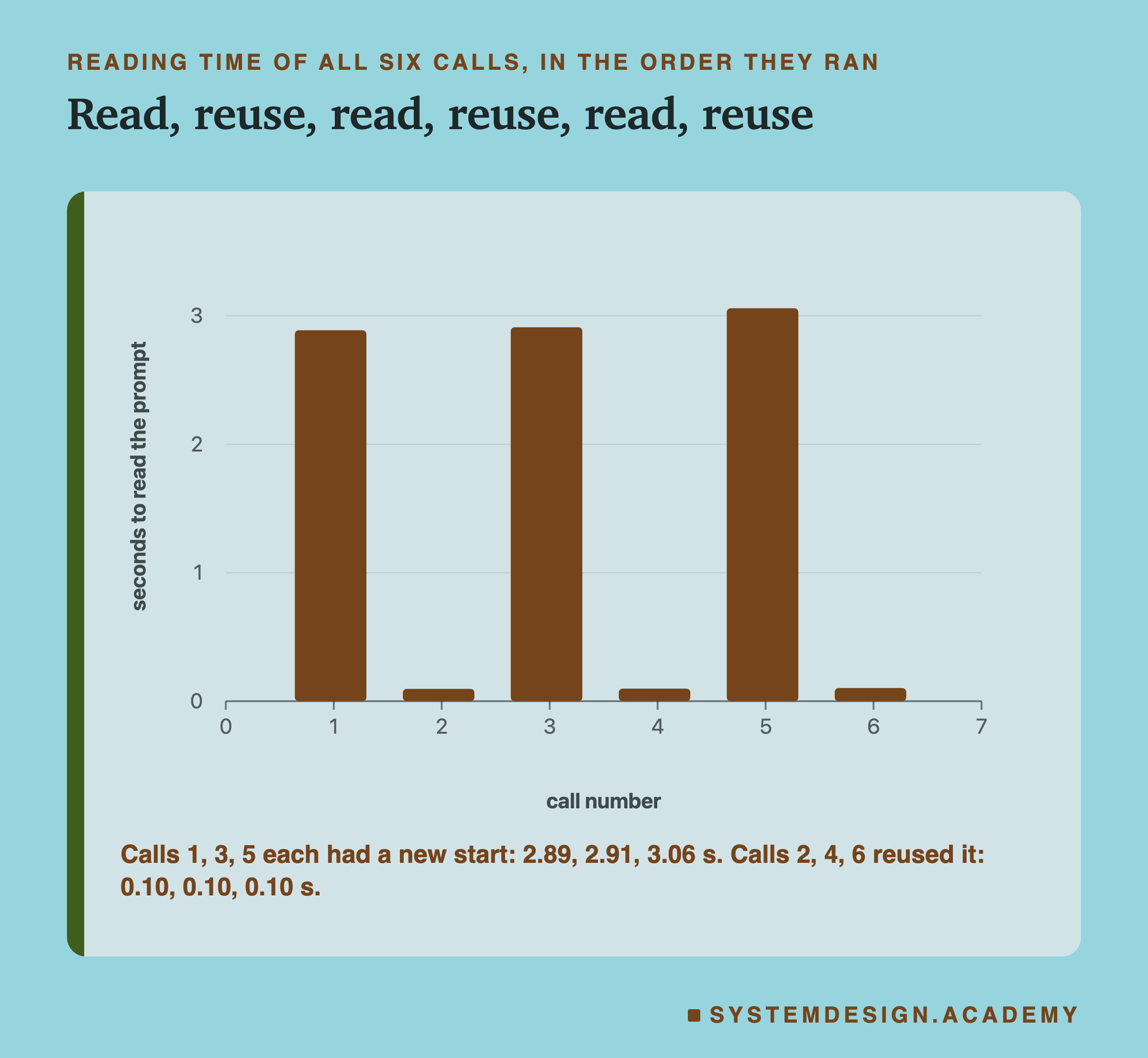
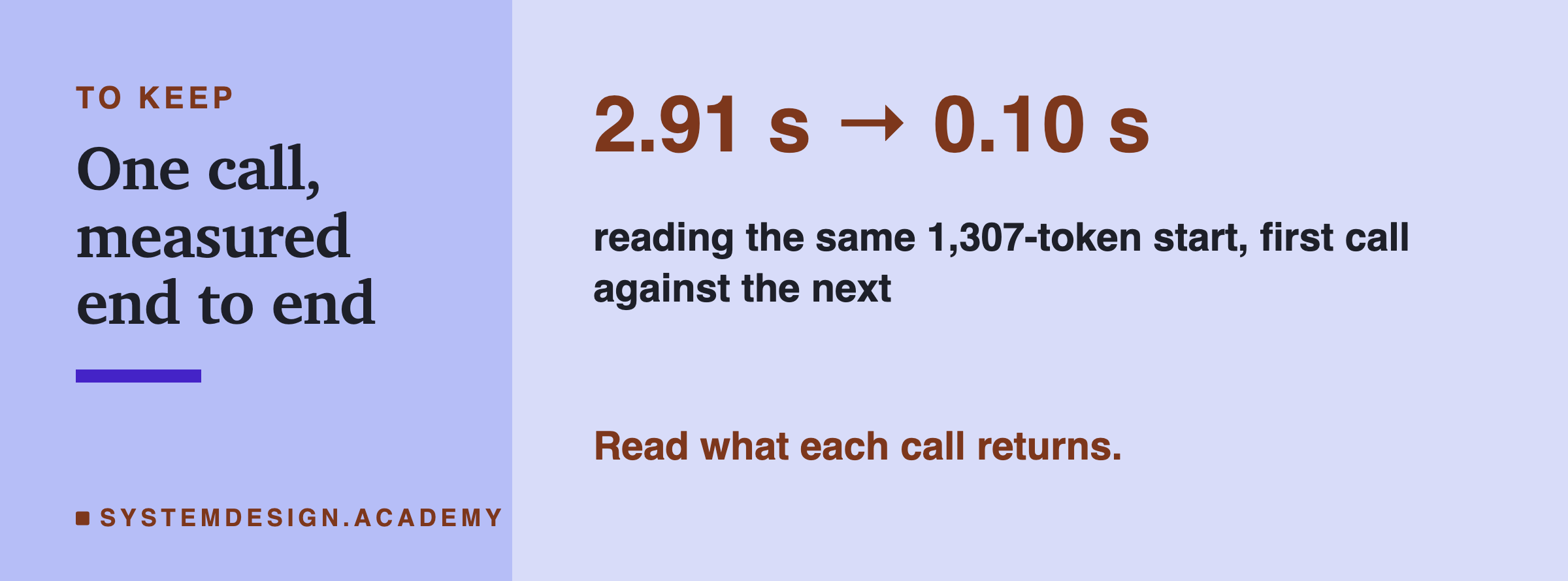
The first call of each pair read its 1,307 tokens in 2.89, 2.91 and 3.06 seconds, a median of 2.91 seconds, or about 450 tokens a second. That is lesson 3's reading: the whole prompt handled together, hundreds of tokens a second.
The second call of each pair had the same system message and a different question. It read in 0.10 seconds, every time. That is lesson 6: the server still held the keys and values of the shared start, so only the few tokens of the new question were really read. And, as lesson 6 warned, the count did not drop: the second call still reported about 1,308 prompt tokens. Only the time shows the reuse.
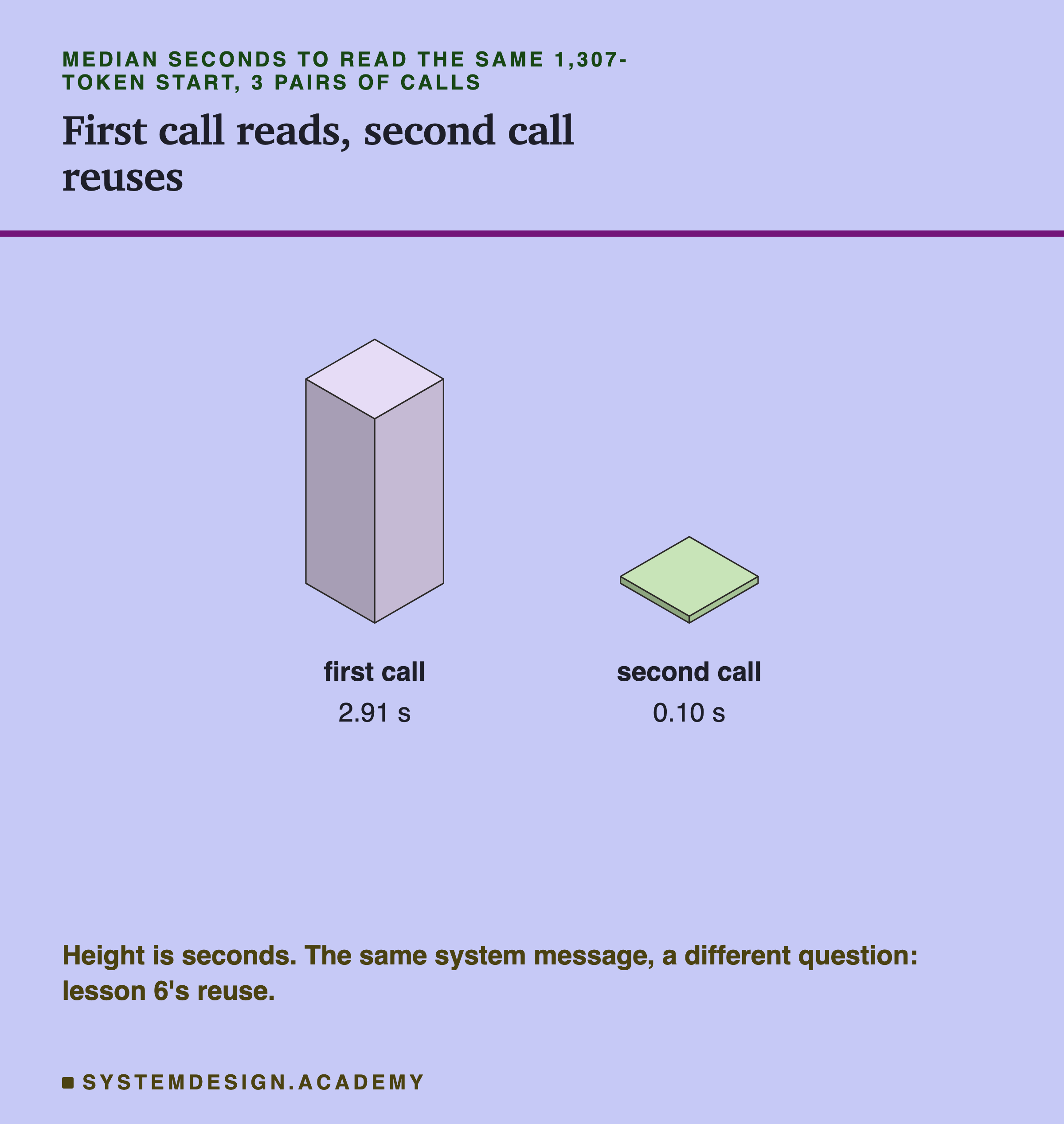
This is the single biggest saving in the whole call, and it came from one decision in how the request was built: the fixed policy came first, and the changing question came last.
The First Token
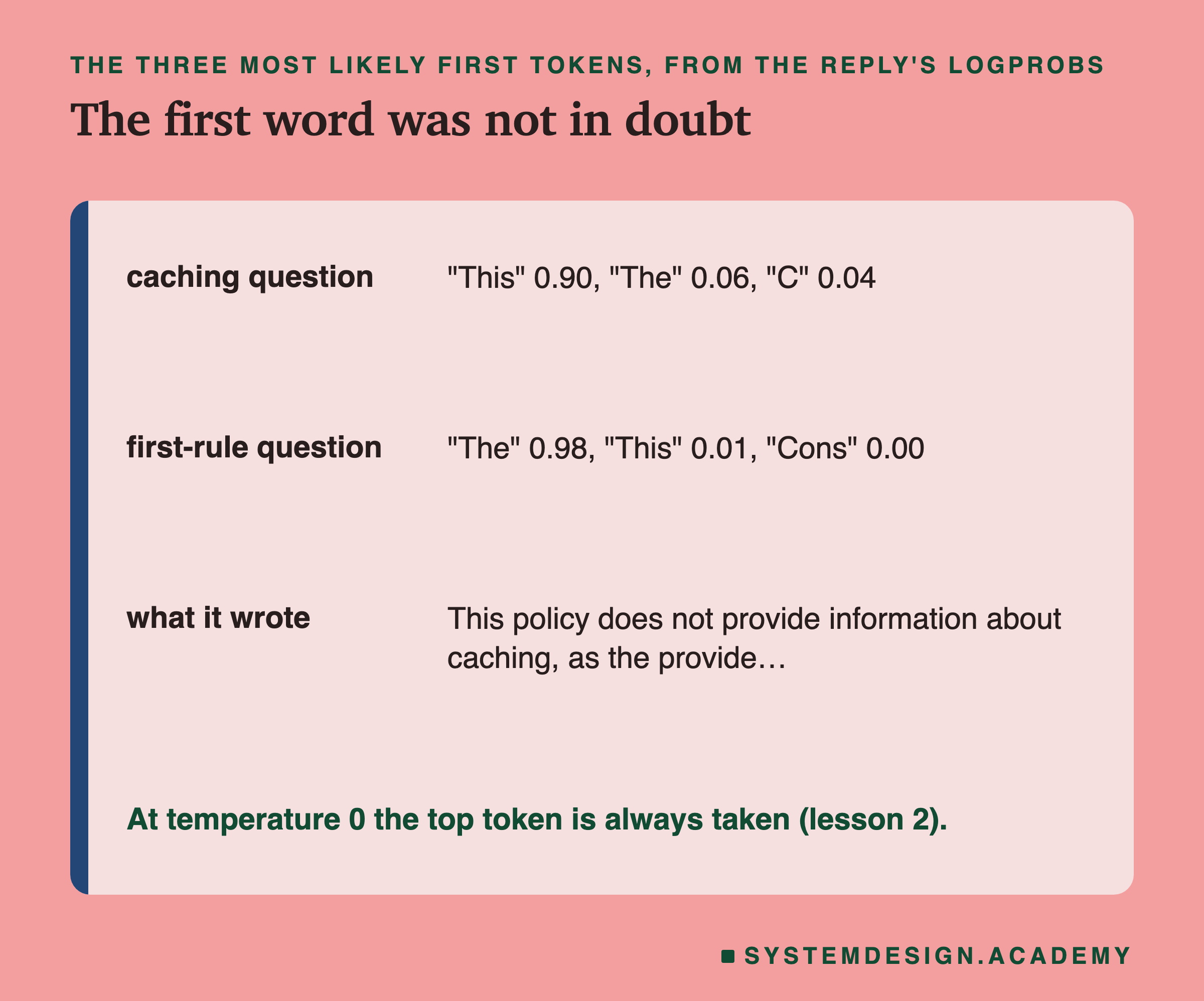
Ollama can return the odds of each written token, the logprobs of lesson 1. For the first question, about , the model gave its first token, "This", a probability of 0.90, with "The" at 0.06. For the second question, about the first rule, "The" had 0.98. At temperature 0 the top token is always taken (lesson 2), so these were the words written.
The answer to the caching question is worth reading: "This policy does not provide information about caching, as the provided text focuses on distributed systems concepts". That is true. The policy text is about distributed systems, and the system message told the model to answer only from it, so it said the policy did not cover the question instead of inventing an answer. Lesson 1's odds are what made that sentence: "This" was by far the most likely way to begin.
Its answers to the second question were less good. The policy has no numbered rules, yet all three replies began "The first rule in this policy is" and then invented one, a different one in different pairs. A confident first token says how sure the model is of its next word, not whether the answer is true. Reading the replies, as lesson 11 insisted, is the only way to catch this.
Writing and Stopping
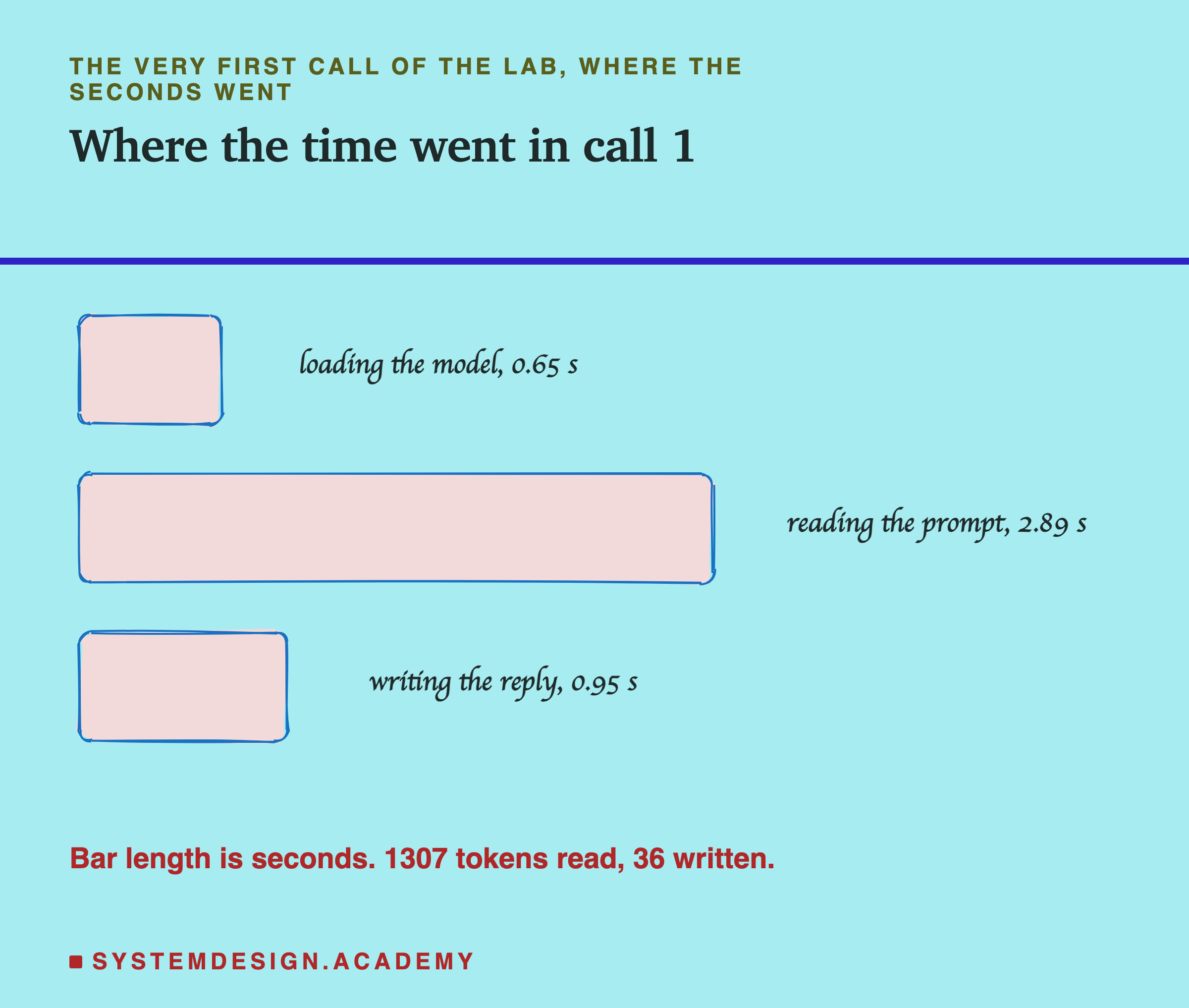
The first call wrote 36 tokens in 0.95 seconds, about 38 tokens a second. Across all six calls the median was 36.2 tokens a second. That is lesson 3's writing: one token at a time, tens of tokens a second, about twelve times slower per token than reading. Lesson 9 gave the likely reason: each written token needs every weight fetched from memory, and this 1.93 GB Q4_K_M file is small, which is probably why it writes quickly on this laptop.
All six replies ended with done_reason "stop": the model wrote its end-of-turn marker, from lesson 8's template, well before the 200-token limit. None was cut. Lesson 10 showed that this is not automatic: raw text with no template rarely stopped on its own, and even through the template only 4 of lesson 10's 12 open prompts ended within 256 tokens, because most became long essays. Here the template gave the model a turn to finish, and a one-sentence question gave it a short answer to write.
In the very first call, the three parts added up to 0.65 + 2.89 + 0.95 = 4.49 seconds: 15% loading the model, 64% reading and 21% writing. The model was read from disk only once; later calls still reported about 0.1 seconds of load time each, because it stayed in memory (lesson 5).
The Wait a Person Feels
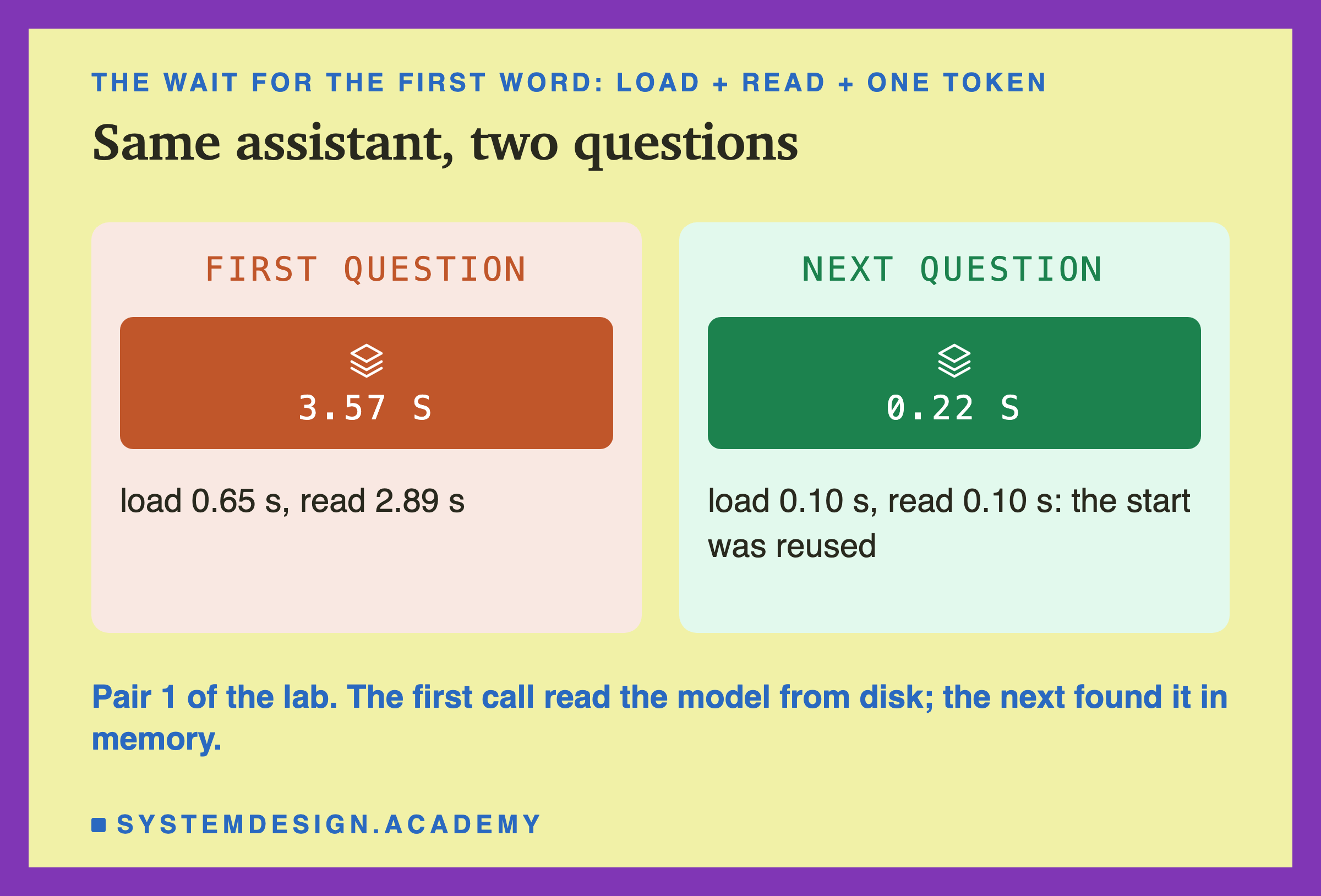
Lesson 5 defined the wait a person feels as loading, plus reading, plus the time to write one token. For the first call that was 0.65 + 2.89 + 0.95 ÷ 36 ≈ 3.57 seconds. For the second call it was about 0.22 seconds.
Those two numbers summarise the chapter's practical advice. The first question cost the full read of a 1,307-token policy, plus loading the model. The second cost almost nothing to read, because the policy came first and did not change. A person asking the second question would see the answer start almost at once.
In a real app, many users ask different questions about the same policy. As lesson 6 showed, as long as the policy stays word for word the same at the top and the server still holds it, every one of them gets the fast path. As lesson 7 showed, if the conversation grows past the window, Ollama silently drops old turns; and if one message alone is too long, the whole prompt is cut and the instructions go with it. Both depend on how the prompt is built, not on the model.
Take a Call Apart Yourself
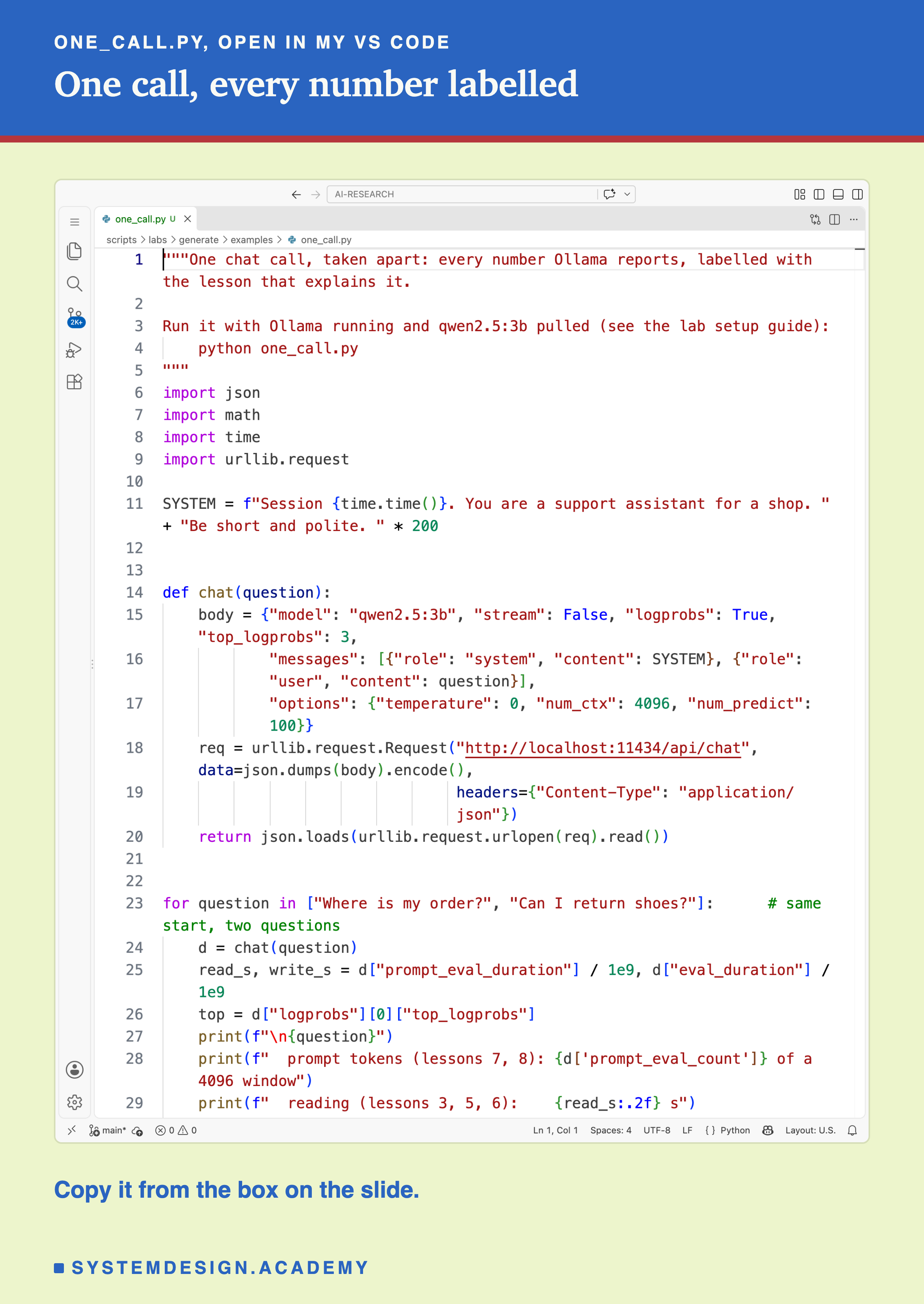
This script sends two questions with the same long system message and prints every number, labelled with the lessons that explain it.
Before you run this lab. It uses qwen2.5:3b, running in Ollama on your own computer. If you have not set that up yet, the lab setup guide shows how to install Ollama, download the model and check that everything works, on macOS, Windows or Linux. You can use a different model instead: the guide shows the one line to change, and your numbers will differ from the ones in this lesson.
"""One chat call, taken apart: every number Ollama reports, labelled with the lesson that explains it.

Run it with Ollama running and qwen2.5:3b pulled (see the lab setup guide):
    python one_call.py
"""
import json
import math
import time
import urllib.request

SYSTEM = f"Session {time.time()}. You are a support assistant for a shop. " + "Be short and polite. " * 200


def chat(question):
    body = {"model": "qwen2.5:3b", "stream": False, "logprobs": True, "top_logprobs": 3,
            "messages": [{"role": "system", "content": SYSTEM}, {"role": "user", "content": question}],
            "options": {"temperature": 0, "num_ctx": 4096, "num_predict": 100}}
    req = urllib.request.Request("http://localhost:11434/api/chat", data=json.dumps(body).encode(),
                                 headers={"Content-Type": "application/json"})
    return json.loads(urllib.request.urlopen(req).read())


for question in ["Where is my order?", "Can I return shoes?"]:      # same start, two questions
    d = chat(question)
    read_s, write_s = d["prompt_eval_duration"] / 1e9, d["eval_duration"] / 1e9
    top = d["logprobs"][0]["top_logprobs"]
    print(f"\n{question}")
    print(f"  prompt tokens (lessons 7, 8): {d['prompt_eval_count']} of a 4096 window")
    print(f"  reading (lessons 3, 5, 6):    {read_s:.2f} s")
    print(f"  first token (lessons 1, 2):   " + ", ".join(f"{a['token']!r} {math.exp(a['logprob']):.2f}" for a in top))
    print(f"  writing (lesson 3):           {d['eval_count']} tokens at {d['eval_count'] / write_s:.1f} tokens/s")
    print(f"  ended by (lesson 10):         {d['done_reason']}")
The Chapter, Stage by Stage
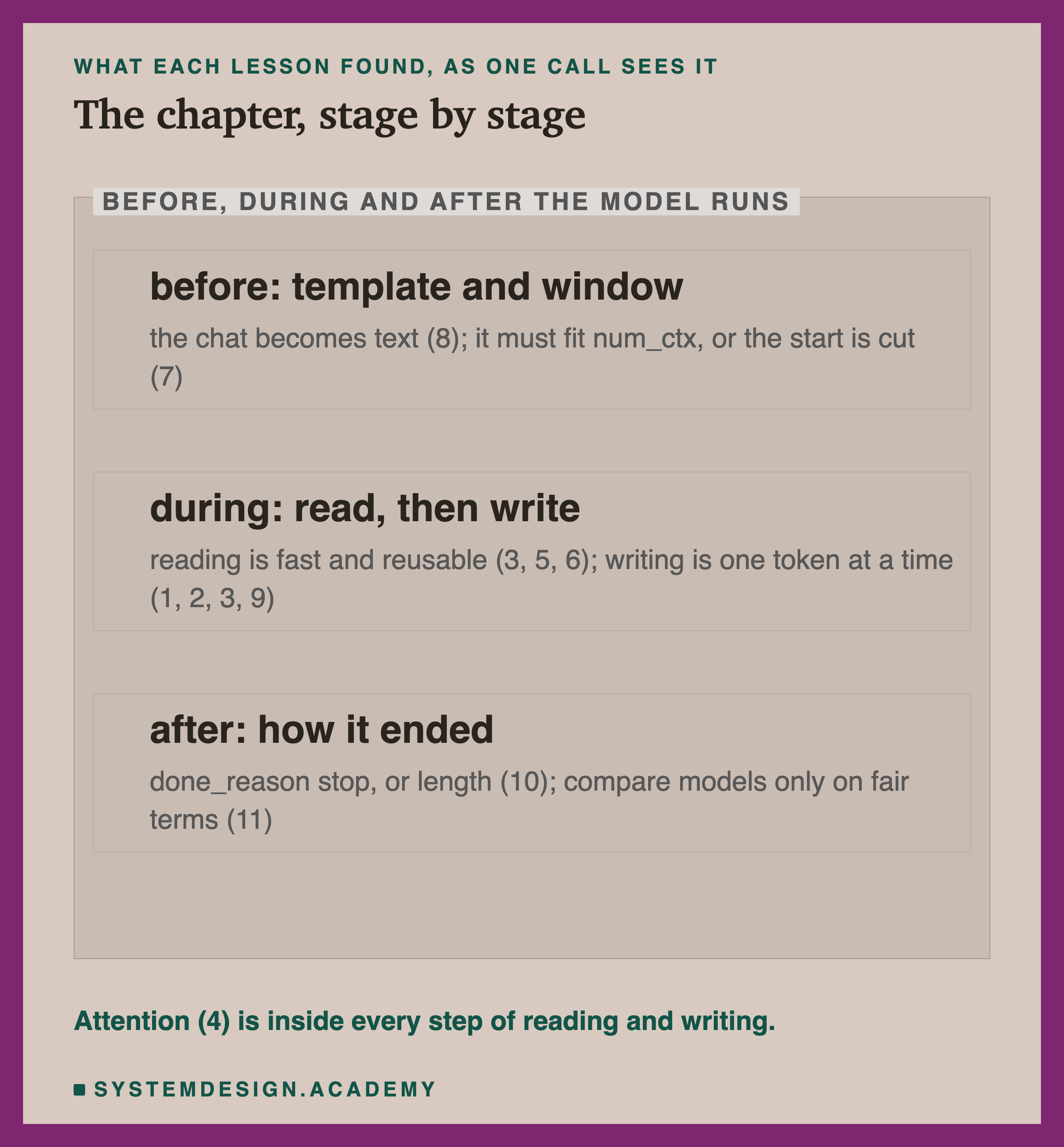
Here is the whole chapter placed on the three phases of a call.
Before the model runs. Your messages become one text through the template (lesson 8). That text must fit the window you set. If it does not, Ollama drops old turns of a chat, or cuts one over-long prompt from the top (lesson 7). The window reserves memory whether you use it or not (lesson 5).
While the model runs. It reads the prompt, fast and all at once, reusing any start it still holds (lessons 3, 5 and 6). Then it gives odds for the next token and a sampler picks one (lessons 1 and 2), over and over, each step fetching every weight, which is why the size of the file matters (lessons 3 and 9). Attention, from lesson 4, is inside every one of these steps: it is how each token looks back at the ones before it.
After it runs. The reply ends with its end marker, a stop sequence or the length limit, and done_reason tells you whether it ended by itself (stop) or was cut (length) (lesson 10). And when you choose between models, you compare them on fair terms, reading the replies before the scores (lesson 11).
What to Remember
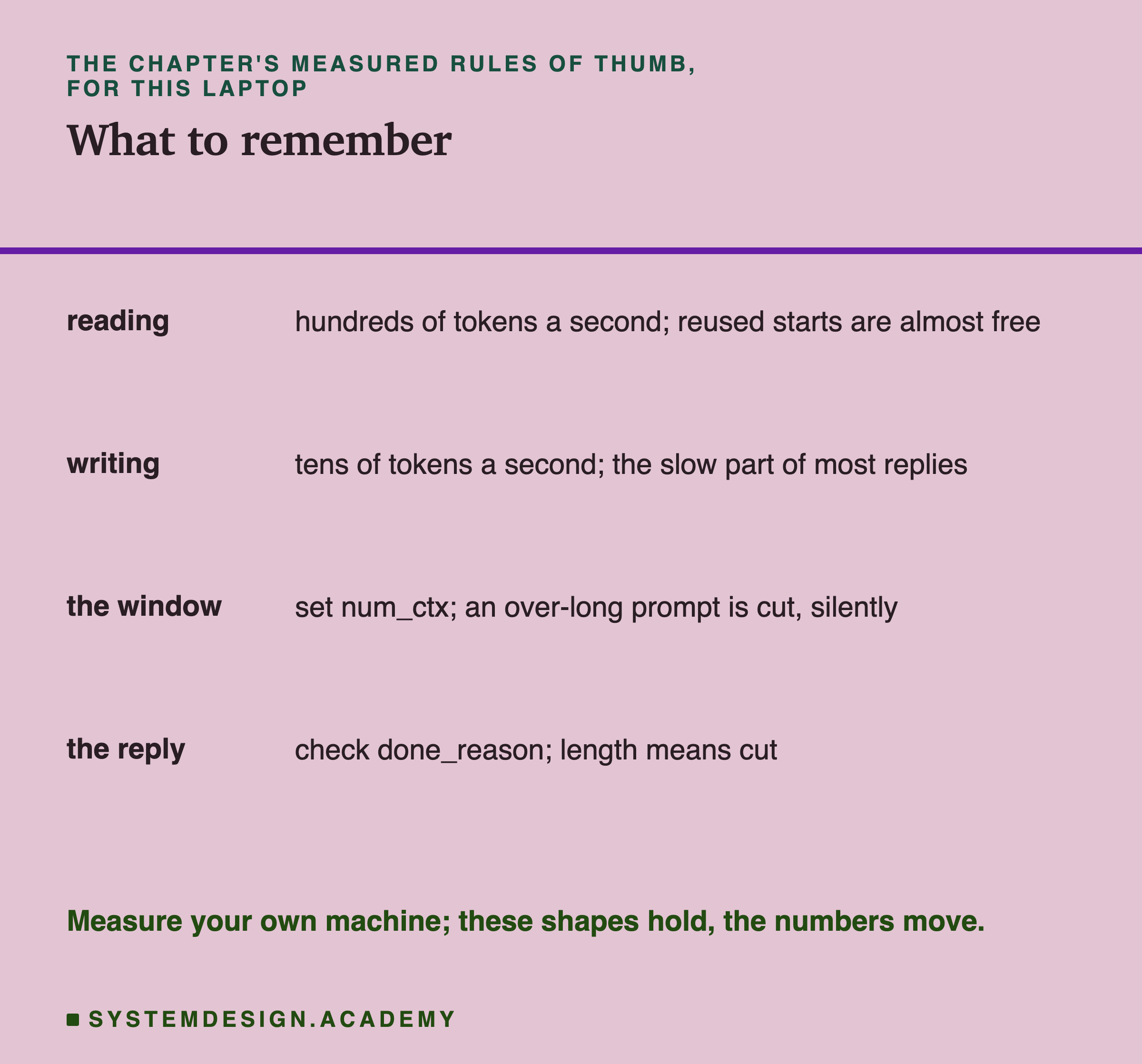
If you remember four things from this chapter, make them these.
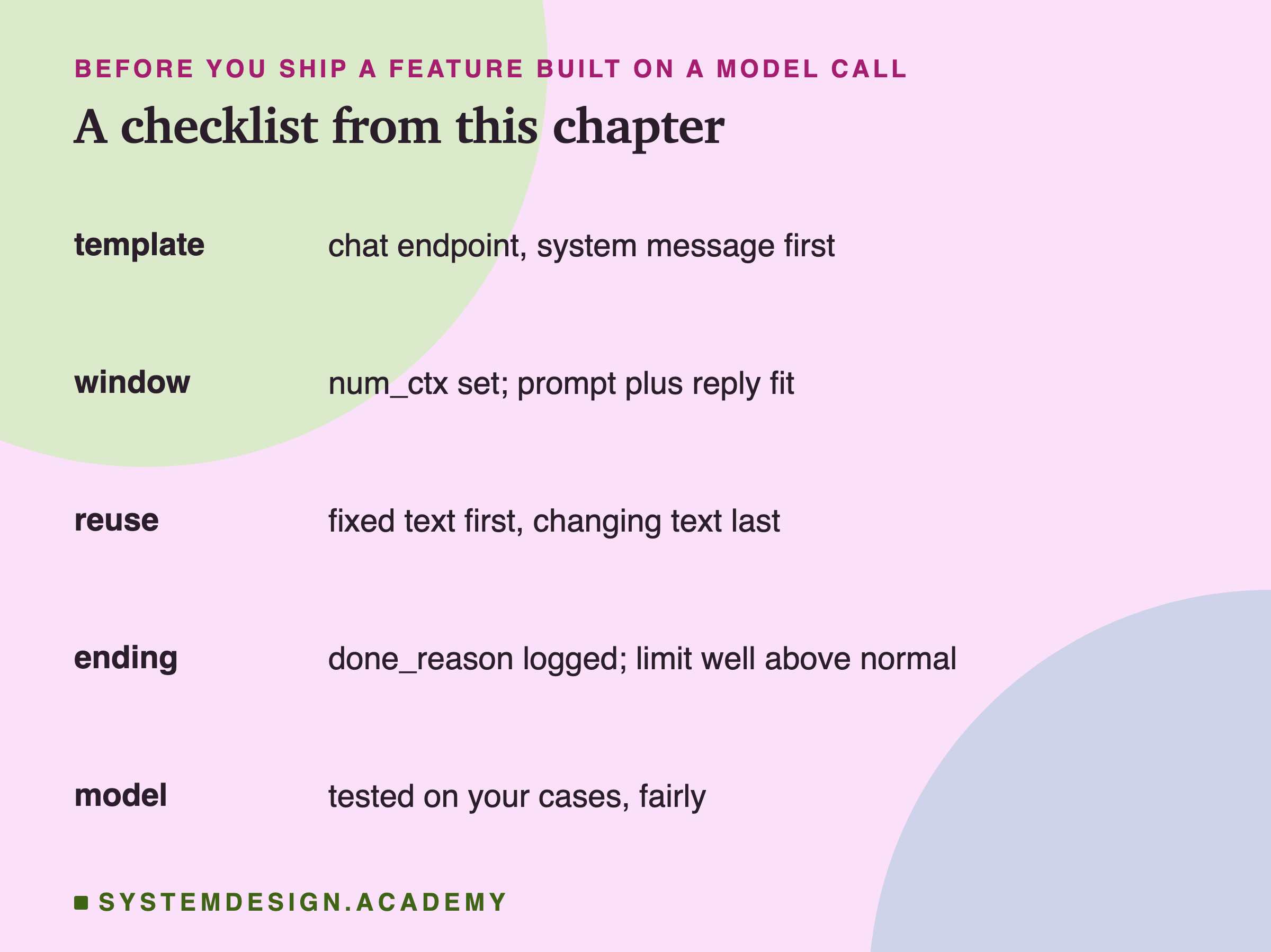
Reading is fast, and a start that was already read is almost free. On this laptop reading ran at hundreds of tokens a second, and a reused start took a tenth of a second.
Writing is slow, token by token, and usually the largest part of a long reply. It ran at tens of tokens a second, and smaller model files wrote faster.
The window is a hard limit that fails silently. Set num_ctx yourself; a prompt that does not fit loses text without warning, old turns or the top of one long message.
A reply is only finished if it ended by itself. Check done_reason; "length" means it was cut.
The exact numbers belong to one laptop, one model and one day; lessons 3, 5 and 11 all saw the same laptop's speed drift during a run. The shapes are what carry over: reading faster than writing, reuse near free, silent cuts, and endings you have to check.
The Same Request, Built the Wrong Way
The biggest saving in this call, the reused policy, came from one choice: the fixed policy came first and the changing question came last. To see how much that choice mattered, the lab built the same request the wrong way round. It put the customer's question at the top of the system message, before the policy, and ran three more pairs of calls, each pair again sharing everything except the question.
The result was exactly what lesson 6 predicts. The first call of each pair read for a median 2.95 seconds, as before. The second call, with a different question, read for a median 2.98 seconds: no faster at all. With the question at the top, the two prompts differed after only a few dozen tokens: the session line, "Customer question:" and the first words of the question, so almost nothing before the first difference could be reused, and the whole policy was read again.
That is a difference of about 2.9 seconds on every question after the first, for the same policy and the same model, caused only by the order of the text. (The replies changed too, because the model read a different text.) In an app where many people ask about the same policy, the right order makes every question after the first almost free to read; the wrong order makes every question pay the full price.
The same idea applies to anything that changes per request: the user's name, today's date, a request id, search results. Put them after the fixed text, never before it, and keep the fixed text identical from one request to the next. Lesson 6 has the full measurement of how much can be reused depending on where the first difference falls.
When a Call Misbehaves
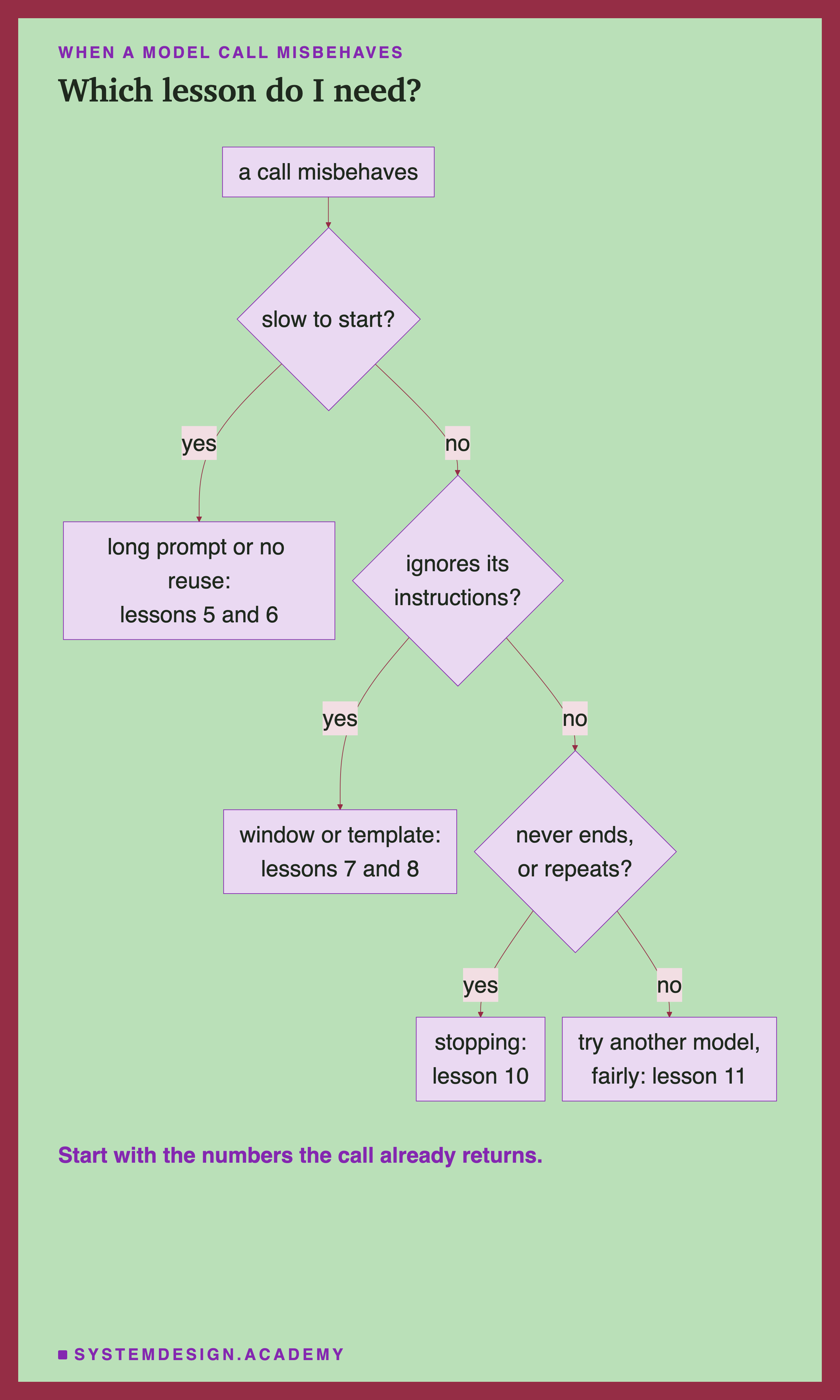
Most problems with a model call show up in the numbers it already returns, and each points to a lesson.
Slow to start. Look at prompt_eval_count and prompt_eval_duration. A long prompt means a long read (lesson 5). If the same start is read again and again at full cost, the changing part is probably at the top (lesson 6).
Ignores its instructions. Check whether prompt_eval_count is exactly half the window plus 2, almost certainly the sign of a cut prompt in the Ollama version of lesson 7. If not, check the template: a system message that is not first, or a prompt sent raw in the wrong format (lesson 8).
Never ends, or repeats itself. Look at done_reason and eval_count. "length" at the limit, with repeated text, is a loop; try a small repeat penalty or a stop sequence (lesson 10).
Still wrong. Then the model may simply not be good enough at this task. Compare it with others fairly, on your own cases, reading the replies (lesson 11).
The Lab Report
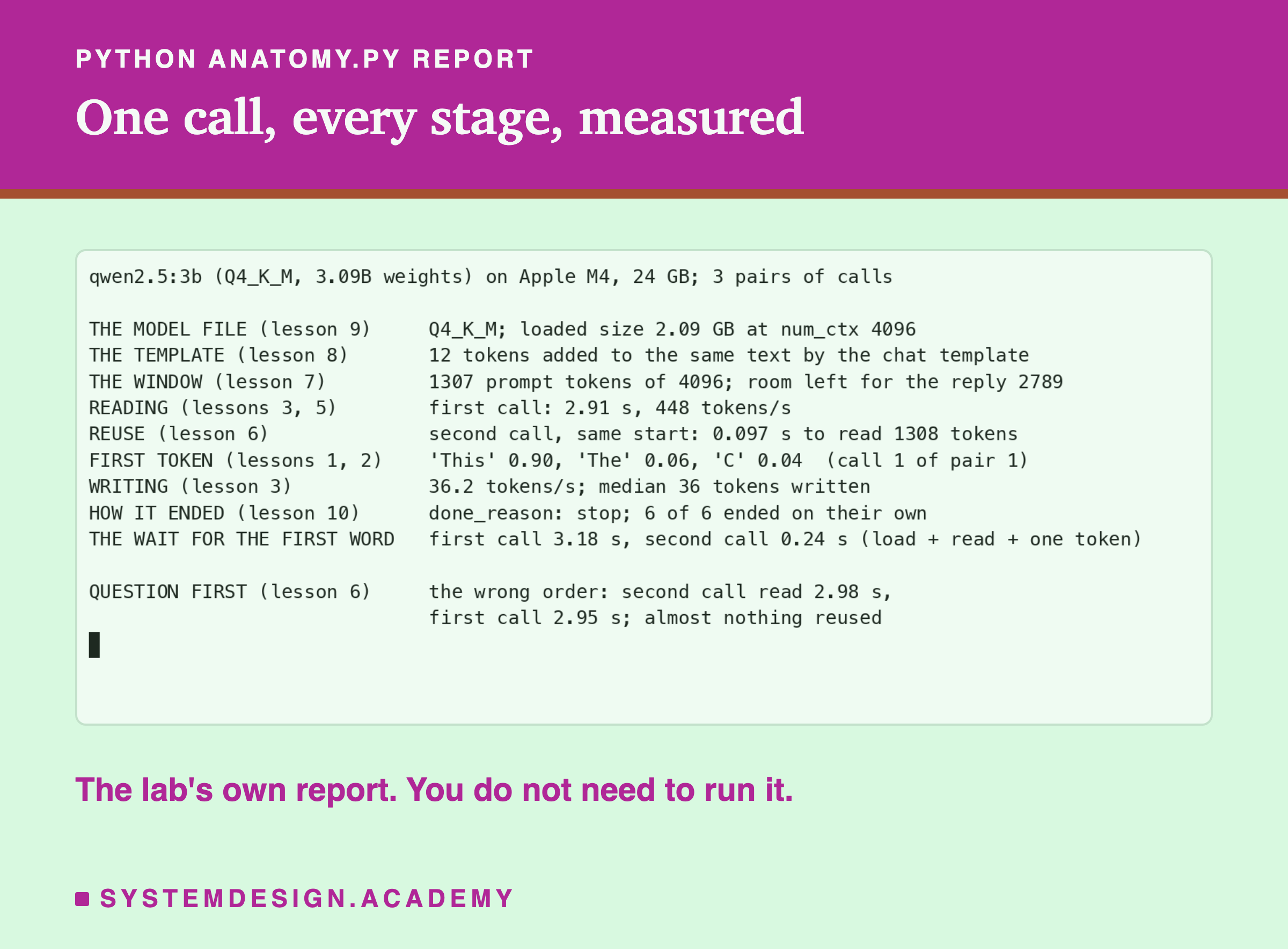
The lab is scripts/labs/generate/anatomy.py. It unloads the model first, so the very first call includes loading, then runs three pairs of calls, each pair with its own session line. Its report takes medians over the three pairs, which is why its first-call wait, 3.18 seconds, is lower than the 3.57 seconds of pair 1 alone: only pair 1 had to load the model.
Every line of the report is labelled with the lesson that explains it, so the report is also a map of the chapter.
The last line comes from a second mode of the same lab, order, which builds the question-first version of the request and runs three more pairs. Each pair, in both modes, starts with its own session line containing the current time. That line matters: without it, the first call of pair 2 could reuse the policy that pair 1 had just read, and the "first call" numbers would really be measuring reuse, the trap lesson 3 warned about and lesson 5 walked into. With it, every pair starts cold, and only the second call of a pair can reuse anything. The lab's numbers can be replayed at any time with the report mode, which reads the stored results instead of calling the model again.
Read a Call's Numbers in Your Browser
This box has no model. Paste in the numbers any Ollama call returns, and it works out where the time went, the wait for the first word, how much of the window was used, whether the start was reused, and whether the reply finished.
With this lesson's first call it prints loading 0.65 seconds (15%), reading 2.89 seconds (64%) at 453 tokens a second, writing 0.95 seconds (21%) at 38.1 tokens a second, a wait of about 3.57 seconds, 2,789 tokens of the window left, and "finished on its own". Now change prompt_eval_duration to 100,000,000 and watch it report a reused start, or change done_reason to "length".
The Code, Part by Part
The system message first. SYSTEM holds the long, fixed part and comes first in the list of messages, so the second question can reuse it (lesson 6) and the model's default system message is not added (lesson 8).
The unique first line. Session {time.time()} makes the start new on each run of the script, so the first question of each run reads everything; within one run, the second question reuses it.
The options. Temperature 0 makes the first token the top one (lesson 2). num_ctx 4096 sets the window explicitly (lesson 7). num_predict 100 is a guard well above the short answers expected (lesson 10). logprobs with top_logprobs 3 asks for the odds of each written token (lesson 1).
The prints. Every number printed comes straight from the reply: prompt_eval_count, prompt_eval_duration, logprobs, eval_count, eval_duration and done_reason. Durations are in nanoseconds, so the script divides by 1,000,000,000.
What This Lab Can and Cannot Tell You
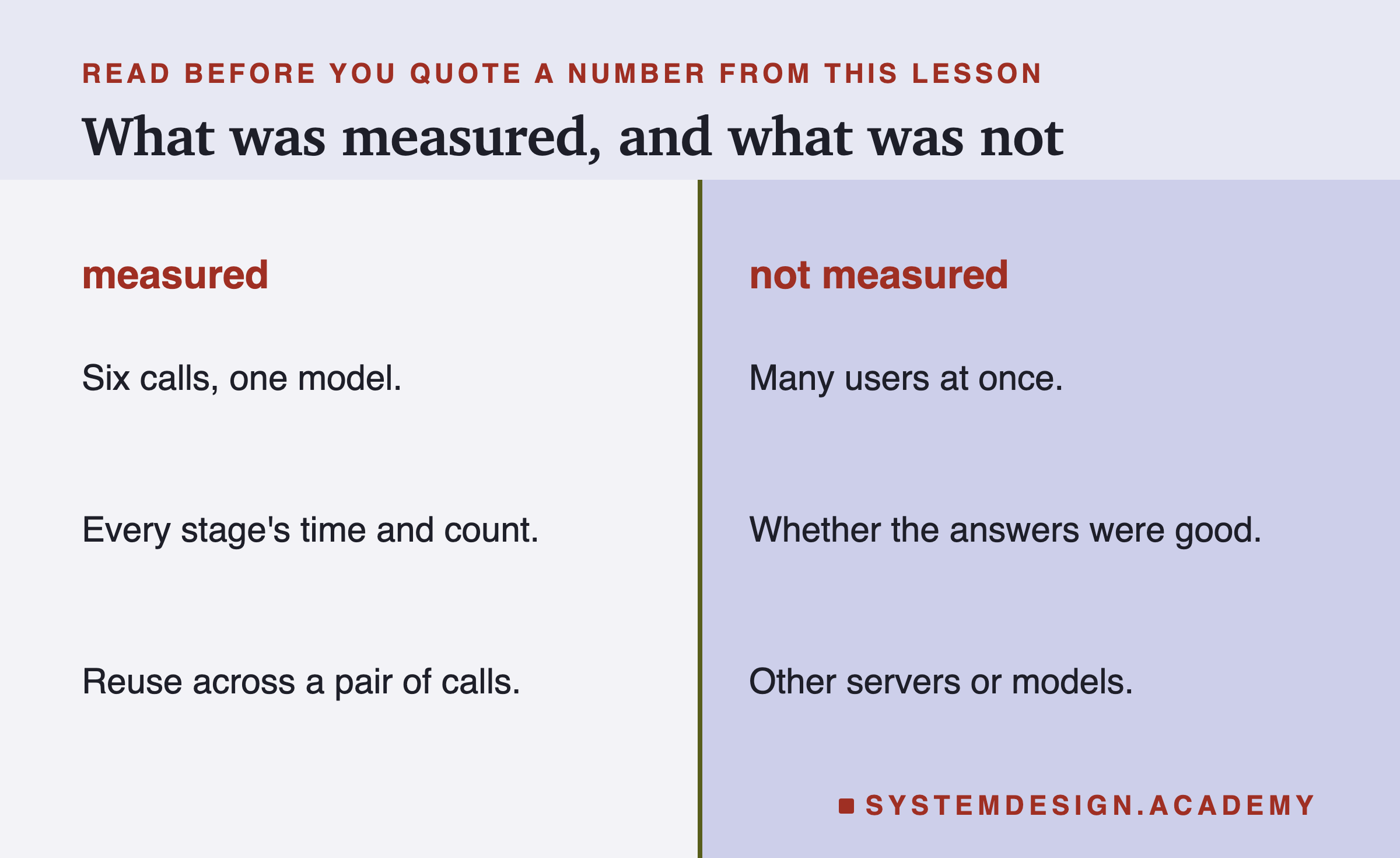
This lesson measured twelve chat calls to one model on one laptop, one request at a time: six in the right order and six question-first, plus three raw counts. A server handling many users at once behaves differently: requests queue, and stored starts compete for memory. The lab did not judge whether the answers were good beyond reading them, and it did not test other servers or models; lesson 11 showed how much those can change. Treat the exact seconds as this laptop's, and the pattern as the part that carries over.
Everything ran locally with Ollama and Python, so you can repeat it on your own machine.
What to Do on Monday
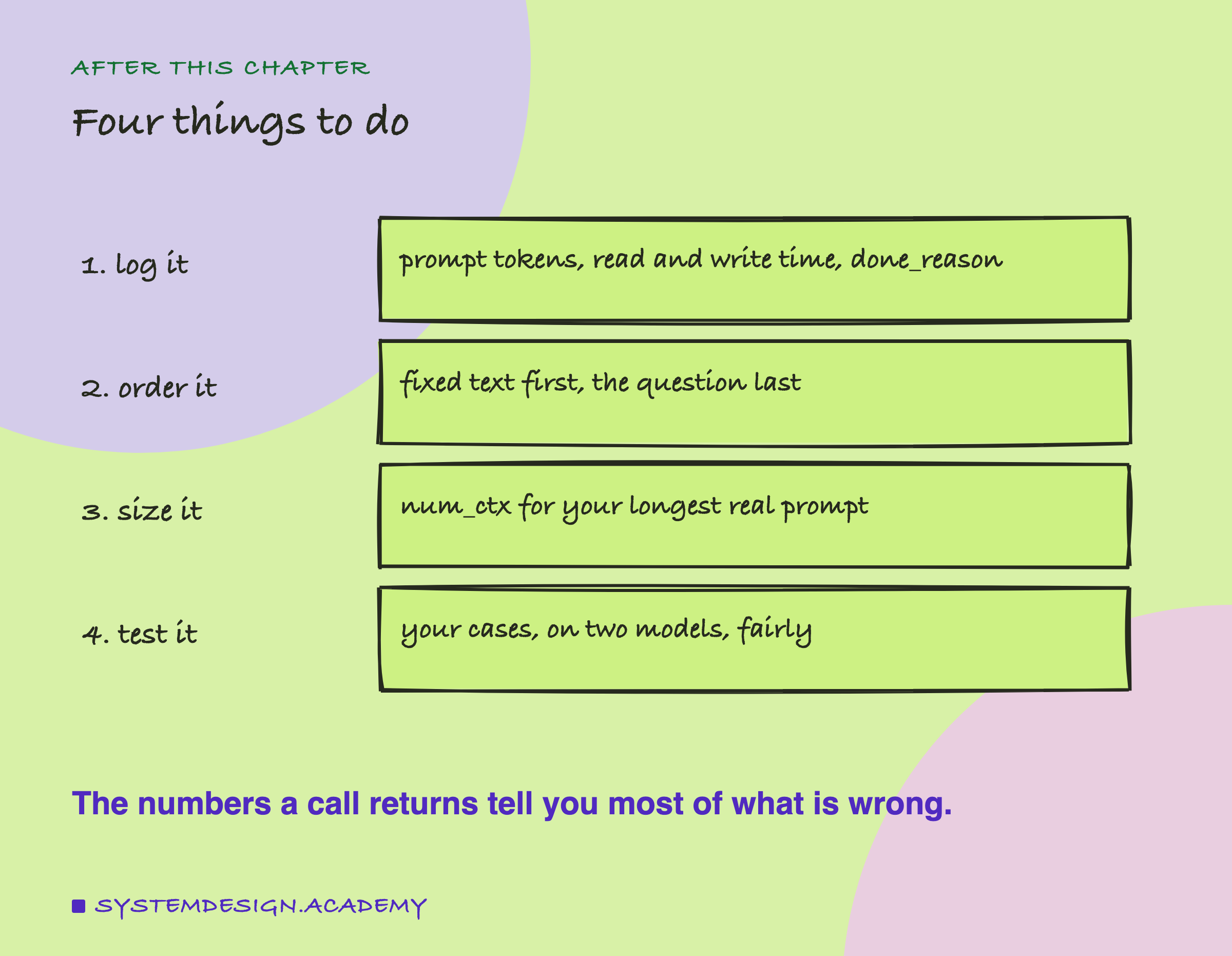
Take one model call from your own app and run it through the playground on this page with its real numbers. Then add four fields to whatever you log for every call: prompt_eval_count, prompt_eval_duration, eval_count with eval_duration, and done_reason. With those logged, every problem described in this chapter becomes visible in a spreadsheet, and the debugging flowchart on this page tells you which lesson to reread. Finally, look at the order of the text you send: anything that changes per request belongs after the fixed part.
Knowledge Check
Knowledge Check
4 questions - Score 80% to pass
The second call of each pair reported about 1,308 prompt tokens but read them in 0.10 s, against about 2.9 s for the first. Why?
In the first call, which part took most of the time?
A call's prompt_eval_count is exactly num_ctx ÷ 2 + 2 and the reply ignores its instructions. Which lesson explains it?
All six replies ended with done_reason 'stop'. What does that tell you?