Putting the Pieces Together
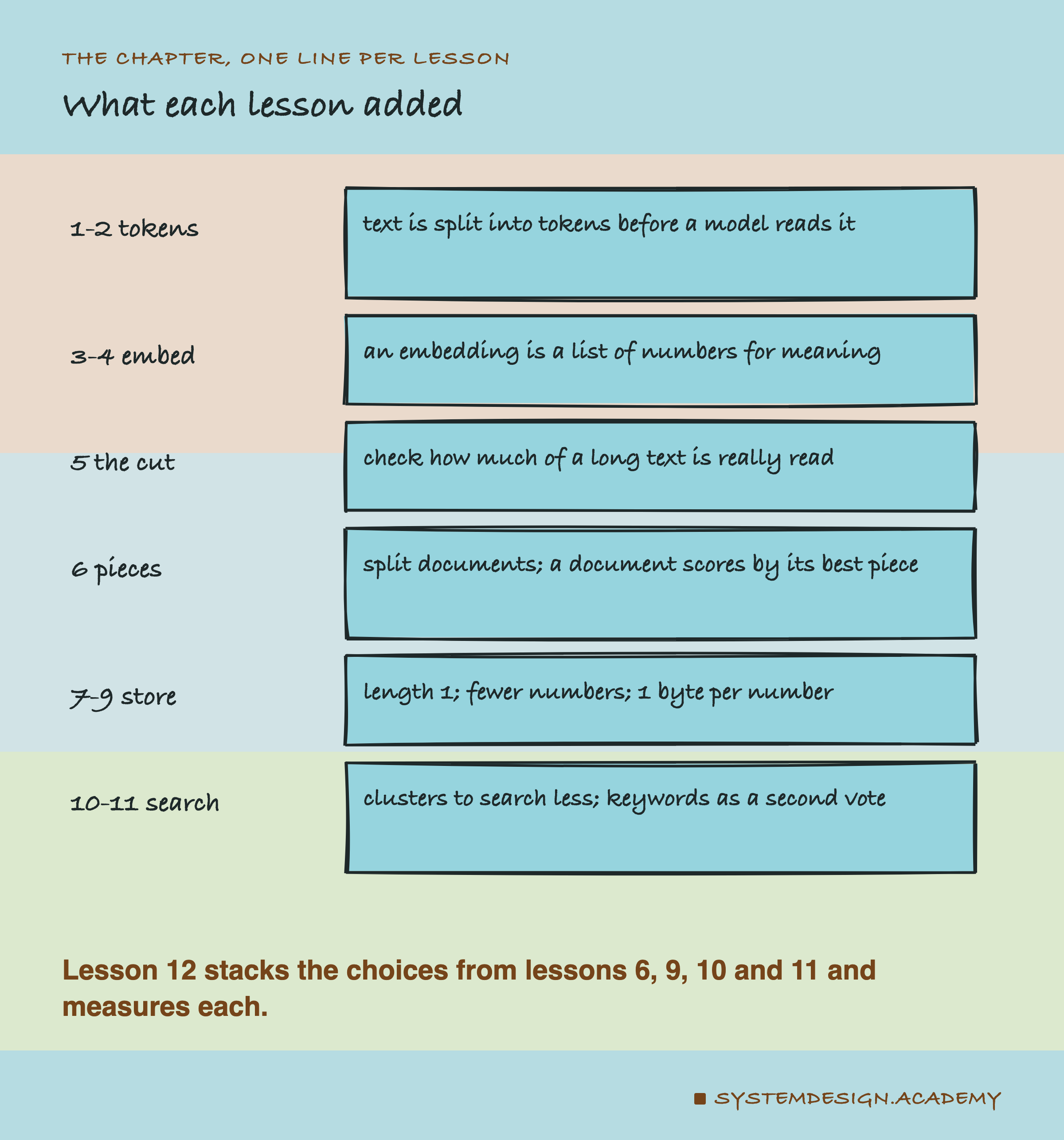
Each lesson in this chapter made one choice and measured it on its own. A real search system makes all of them at once. Do they still help when they are stacked? Does one undo another?

This lesson builds one search system, one choice at a time, and measures what each step adds and what it costs.
Try It: The Steps on One Small Document
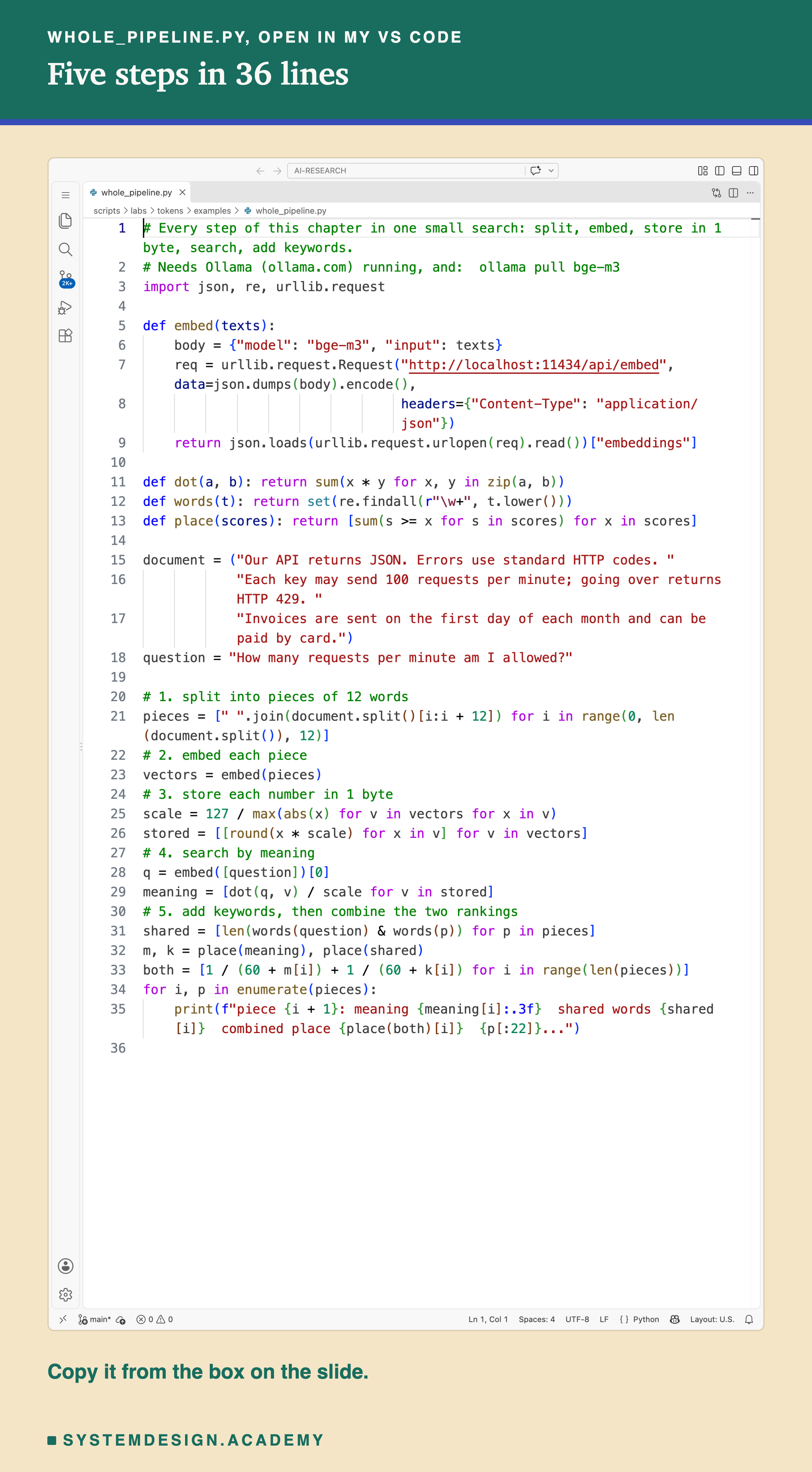
This file runs the chapter's steps on one short document: split it into pieces, embed them, store each number in 1 byte, search by meaning, then add keywords and combine the two rankings. With only four pieces there is nothing to gain from clusters, so that step is left out here; the real test below includes it. Here is the file, open in my VS Code.
And this is what it printed:
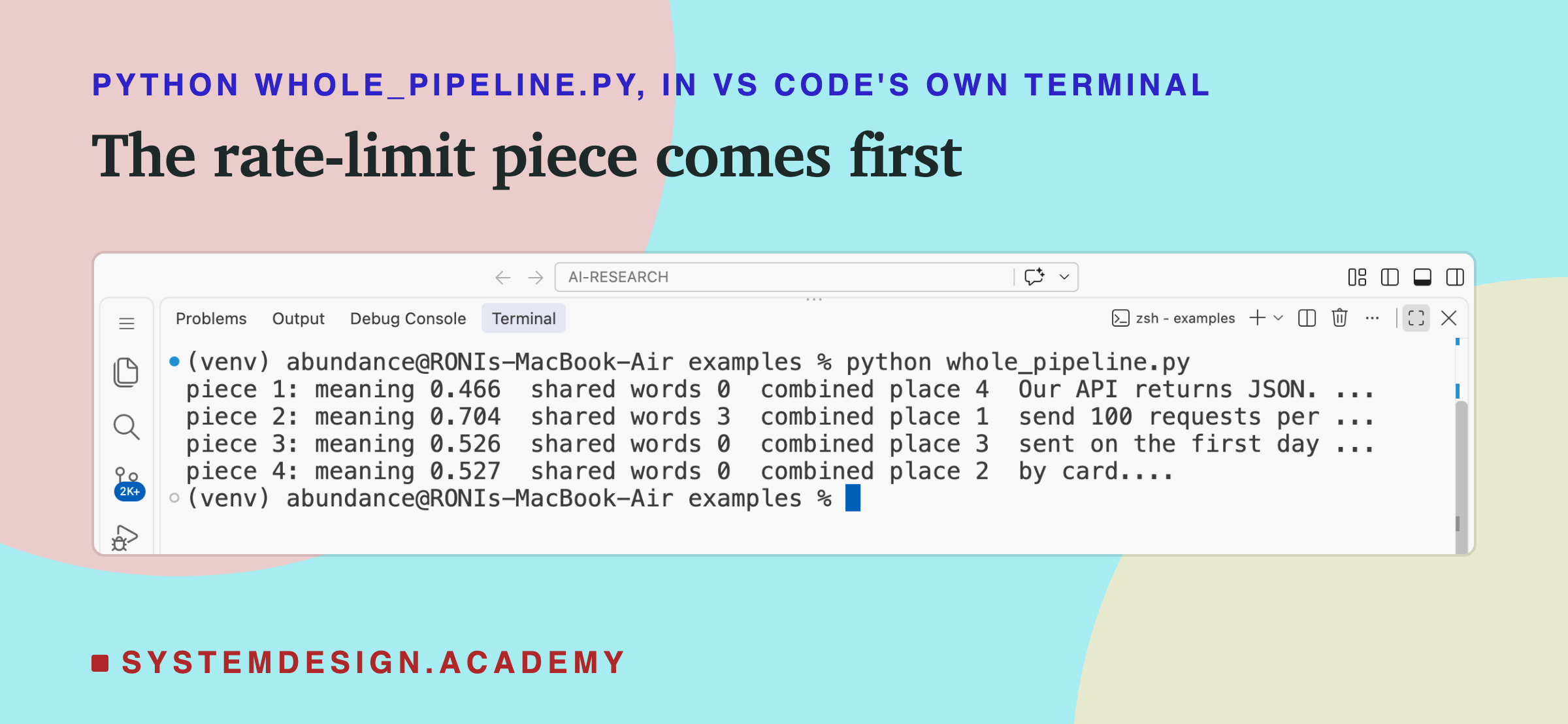
The meaning score is the cosine from earlier lessons: higher means closer in meaning. The combined place uses lesson 11's rule, adding 1 divided by (60 plus the place) from each ranking. Pieces 1, 3 and 4 share no words with the question, so they tie in the word ranking and all get the worse place, 4.
Piece 2, about requests per minute, came first by meaning and by shared words, so it came first combined too.
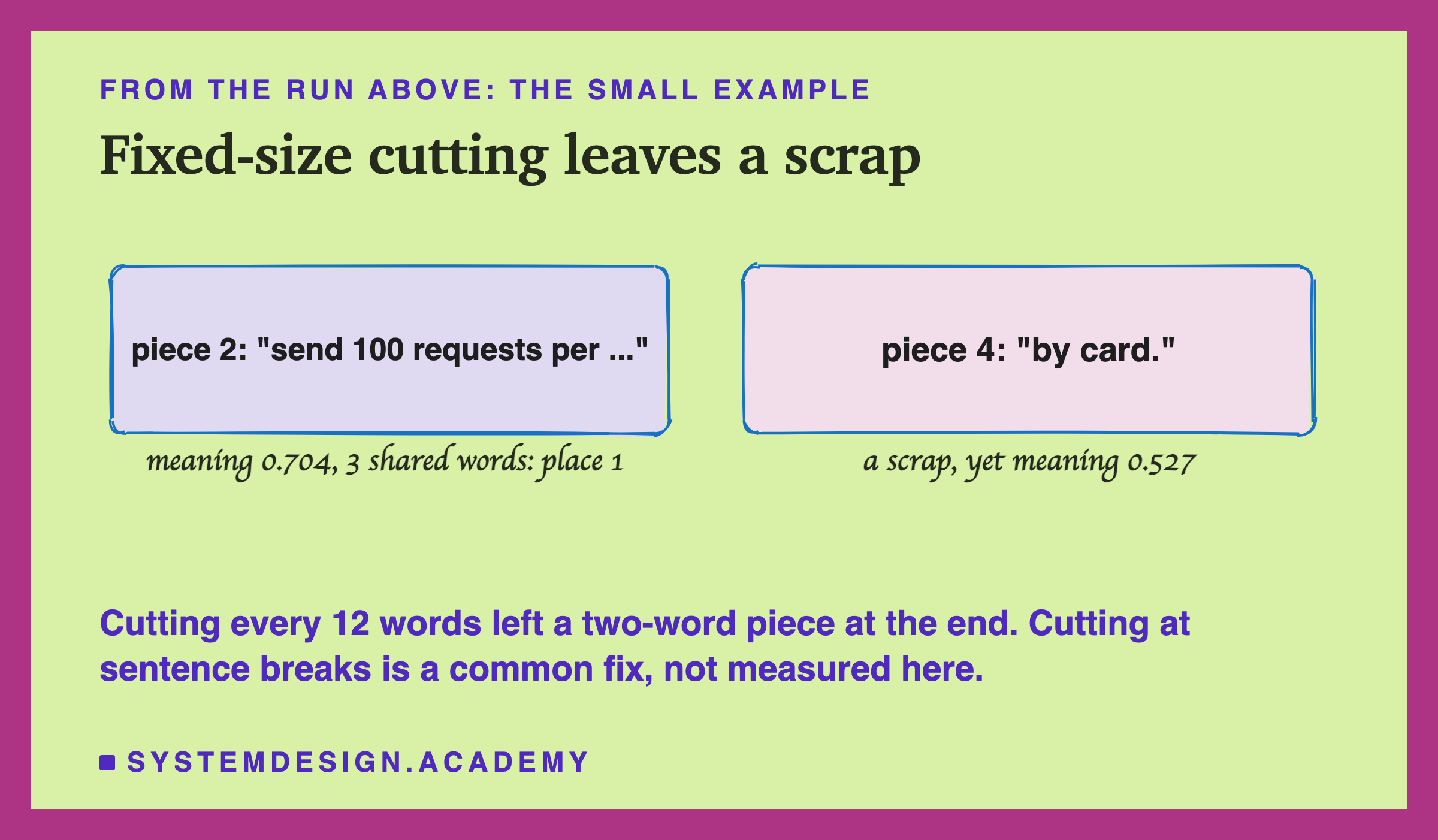
Notice piece 4: just "by card.", two words. Cutting every 12 words left a scrap at the end of the document, and it still scored 0.527, just ahead of piece 3. Lesson 6 showed that a fixed word count also splits sentences in the middle. Cutting at sentence breaks is a common fix, but neither lesson measured it.
To run it: install Ollama from ollama.com, open it and leave it running. Run ollama pull bge-m3, save the file below as whole_pipeline.py, and run python3 whole_pipeline.py (on Windows: python whole_pipeline.py). If you see "Connection refused", open the Ollama app first.
# Every step of this chapter in one small search: split, embed, store in 1 byte, search, add keywords.
# Needs Ollama (ollama.com) running, and:  ollama pull bge-m3
import json, re, urllib.request

def embed(texts):
    body = {"model": "bge-m3", "input": texts}
    req = urllib.request.Request("http://localhost:11434/api/embed", data=json.dumps(body).encode(),
                                 headers={"Content-Type": "application/json"})
    return json.loads(urllib.request.urlopen(req).read())["embeddings"]

def dot(a, b): return sum(x * y for x, y in zip(a, b))
def words(t): return set(re.findall(r"\w+", t.lower()))
def place(scores): return [sum(s >= x for s in scores) for x in scores]

document = ("Our API returns JSON. Errors use standard HTTP codes. "
            "Each key may send 100 requests per minute; going over returns HTTP 429. "
            "Invoices are sent on the first day of each month and can be paid by card.")
question = "How many requests per minute am I allowed?"

# 1. split into pieces of 12 words
pieces = [" ".join(document.split()[i:i + 12]) for i in range(0, len(document.split()), 12)]
# 2. embed each piece
vectors = embed(pieces)
# 3. store each number in 1 byte
scale = 127 / max(abs(x) for v in vectors for x in v)
stored = [[round(x * scale) for x in v] for v in vectors]
# 4. search by meaning
q = embed([question])[0]
meaning = [dot(q, v) / scale for v in stored]
# 5. add keywords, then combine the two rankings
shared = [len(words(question) & words(p)) for p in pieces]
m, k = place(meaning), place(shared)
both = [1 / (60 + m[i]) + 1 / (60 + k[i]) for i in range(len(pieces))]
for i, p in enumerate(pieces):
    print(f"piece {i + 1}: meaning {meaning[i]:.3f}  shared words {shared[i]}  combined place {place(both)[i]}  {p[:22]}...")
Five Steps, Each Adding One Choice
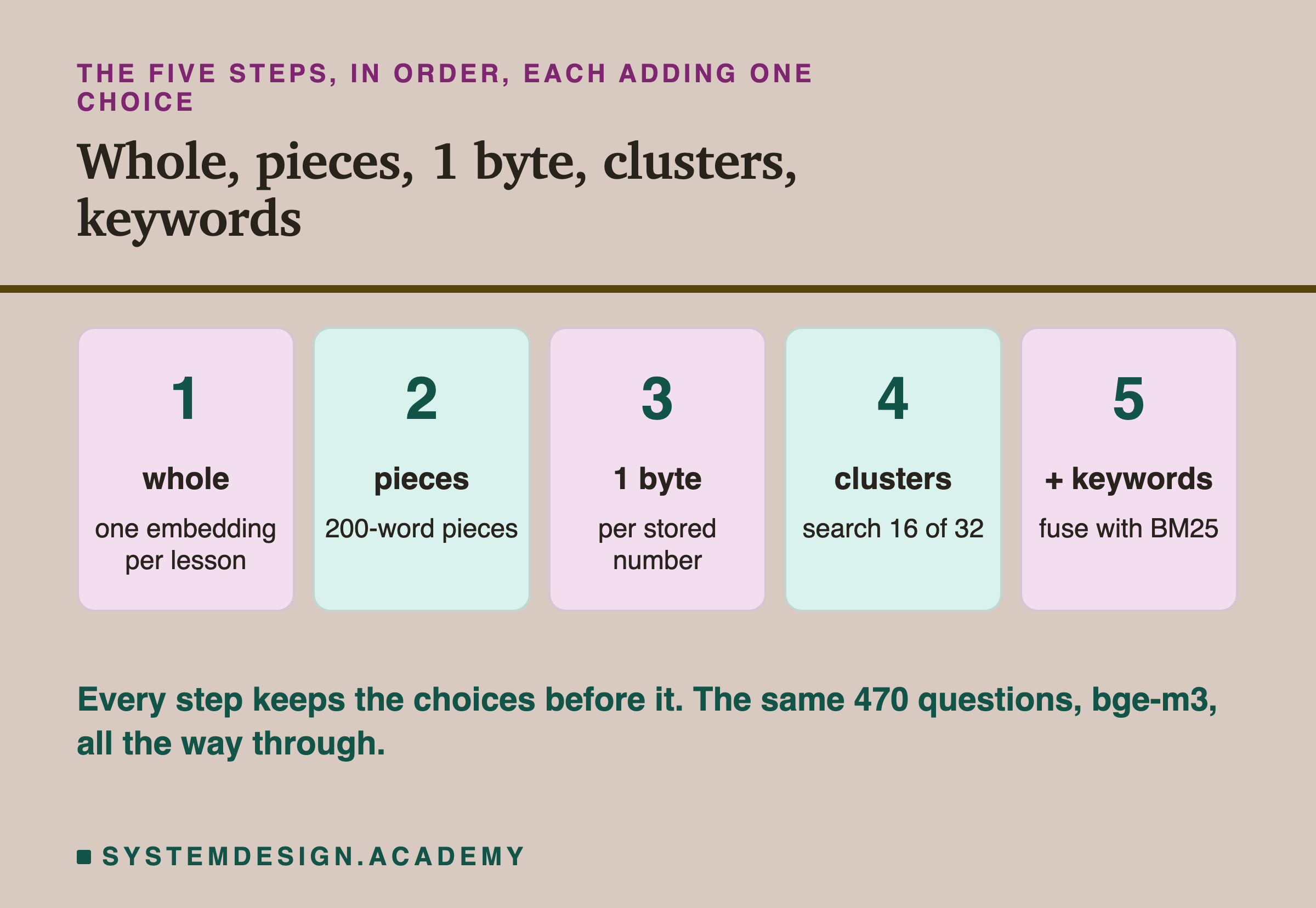
- Whole: one per lesson, exact search, which means comparing the question with every stored embedding. Each such comparison counts as one in the tables below. This is where lesson 6 started.
- Pieces: cut every lesson into 200-word pieces; a lesson scores by its best piece. From lesson 6.
- One byte: store each piece's numbers in 1 byte instead of 4. From lesson 9.
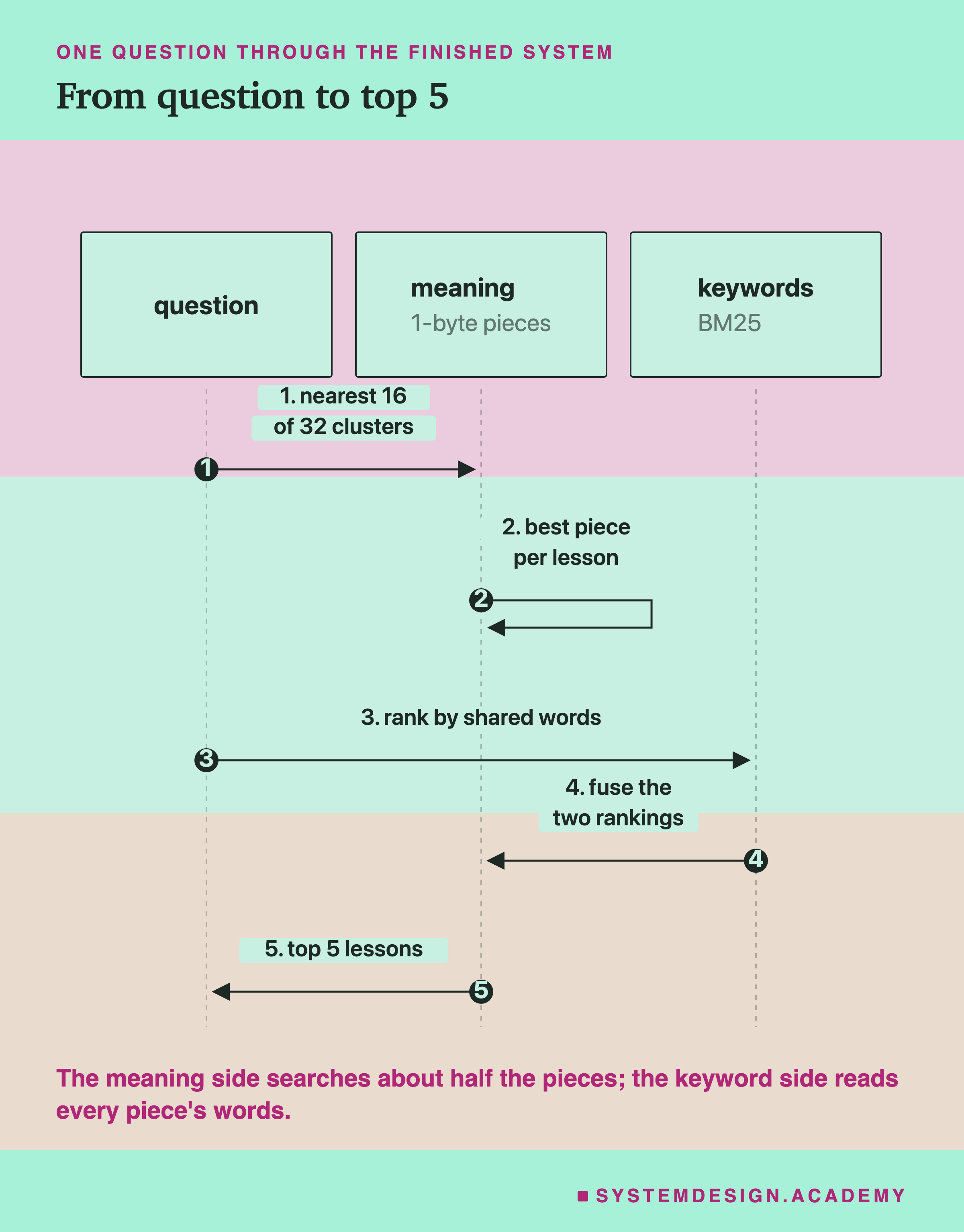
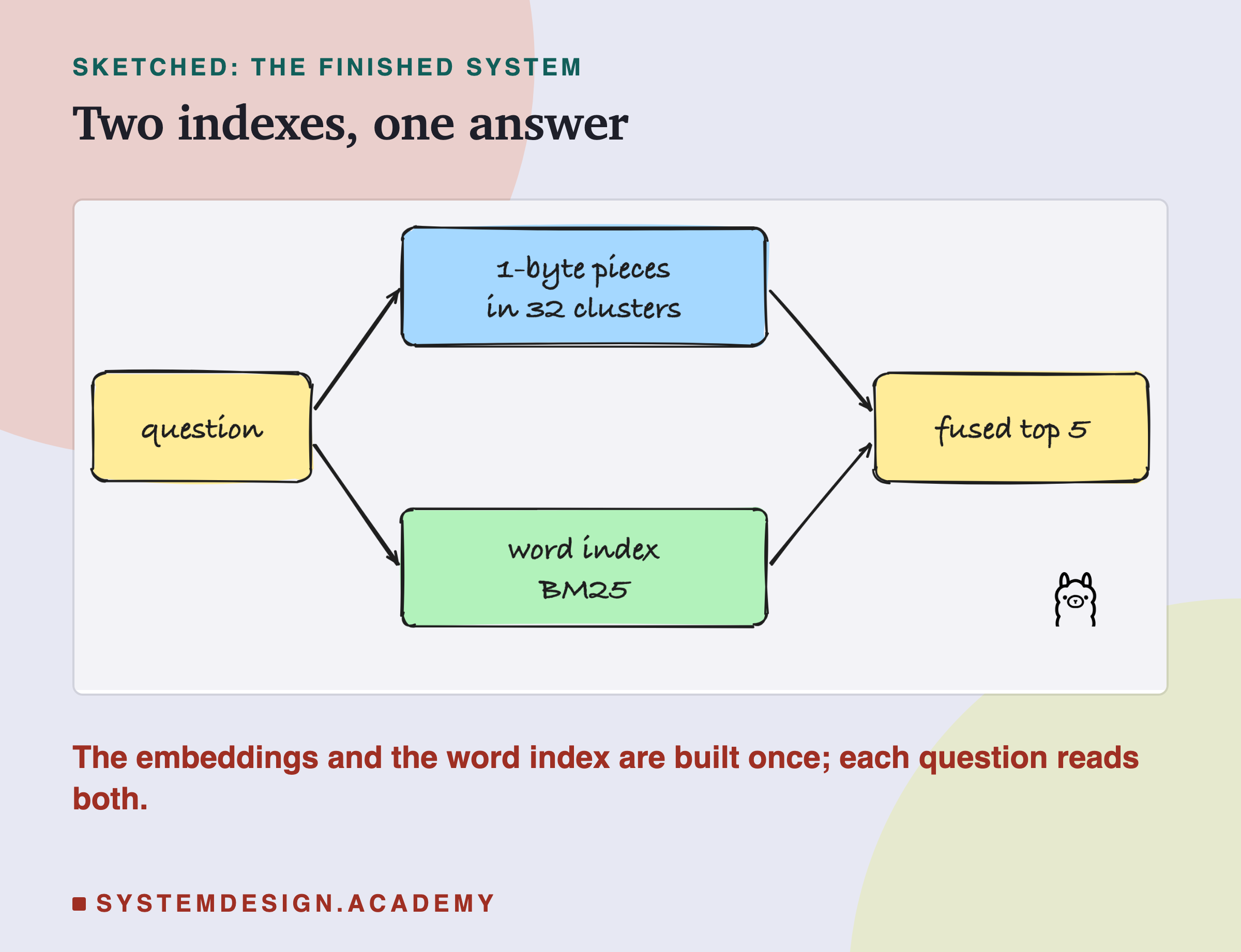
- Clusters: group the pieces into 32 clusters, each with a centre, and search only the 16 clusters whose centres are nearest the question. From lesson 10.
- Plus keywords: combine the meaning ranking with a keyword ranking made by BM25, the word-counting recipe from lesson 11, which keeps a word index: a list of which words appear in which pieces. From lesson 11.
Each step keeps everything before it. Step 5 is all five choices together.
The Test
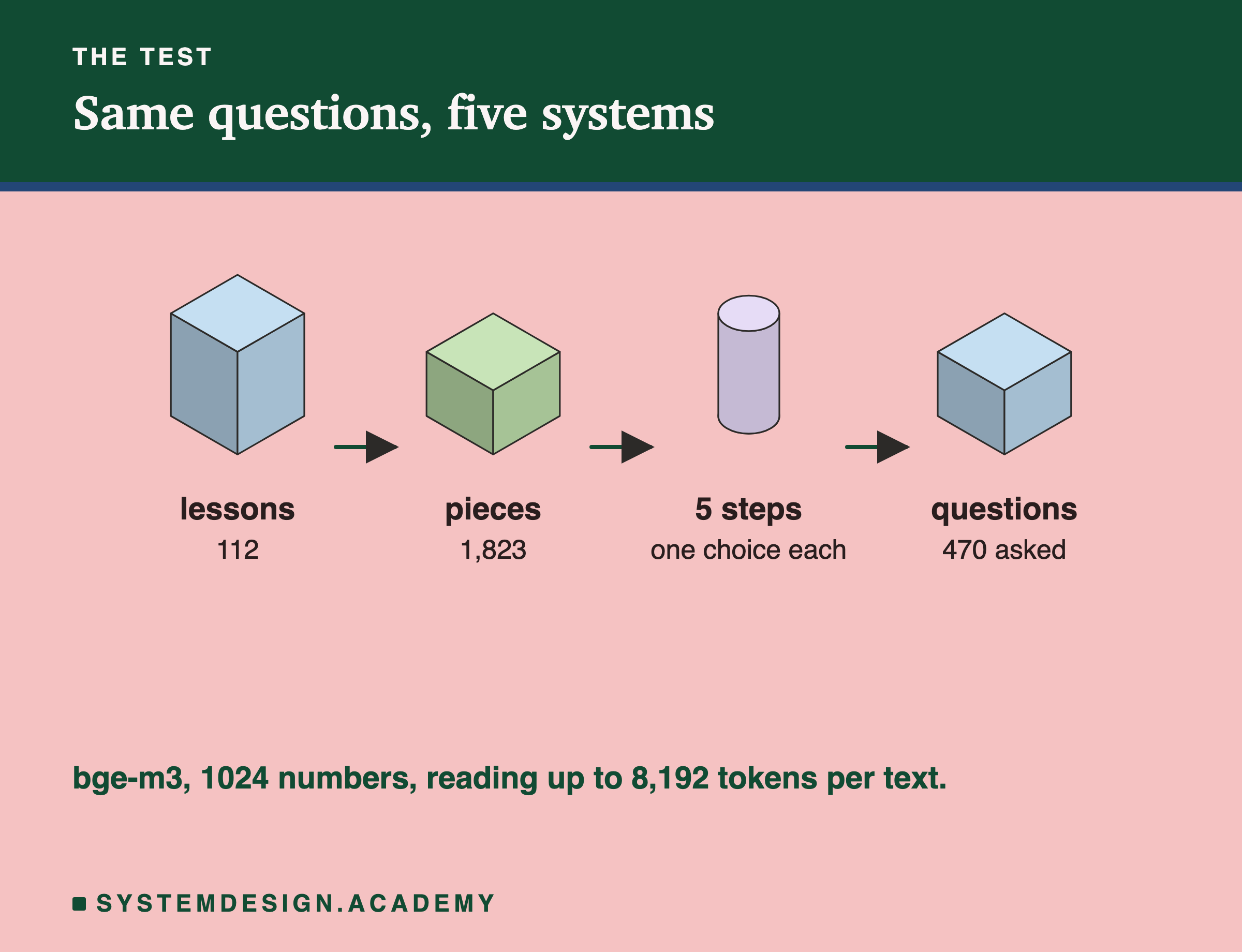
- Questions: the 470 quiz questions inside the 112 AI lessons, as in lessons 6 to 11. The right answer is the lesson a question came from.
- Model: bge-m3, reading up to 8,192 tokens so whole lessons are read in full, as lesson 5 showed is needed.
- Measured at every step: whether the right lesson came first and whether it was in the top 5; how much storage the take; and how many comparisons each question needs, counted, not timed.
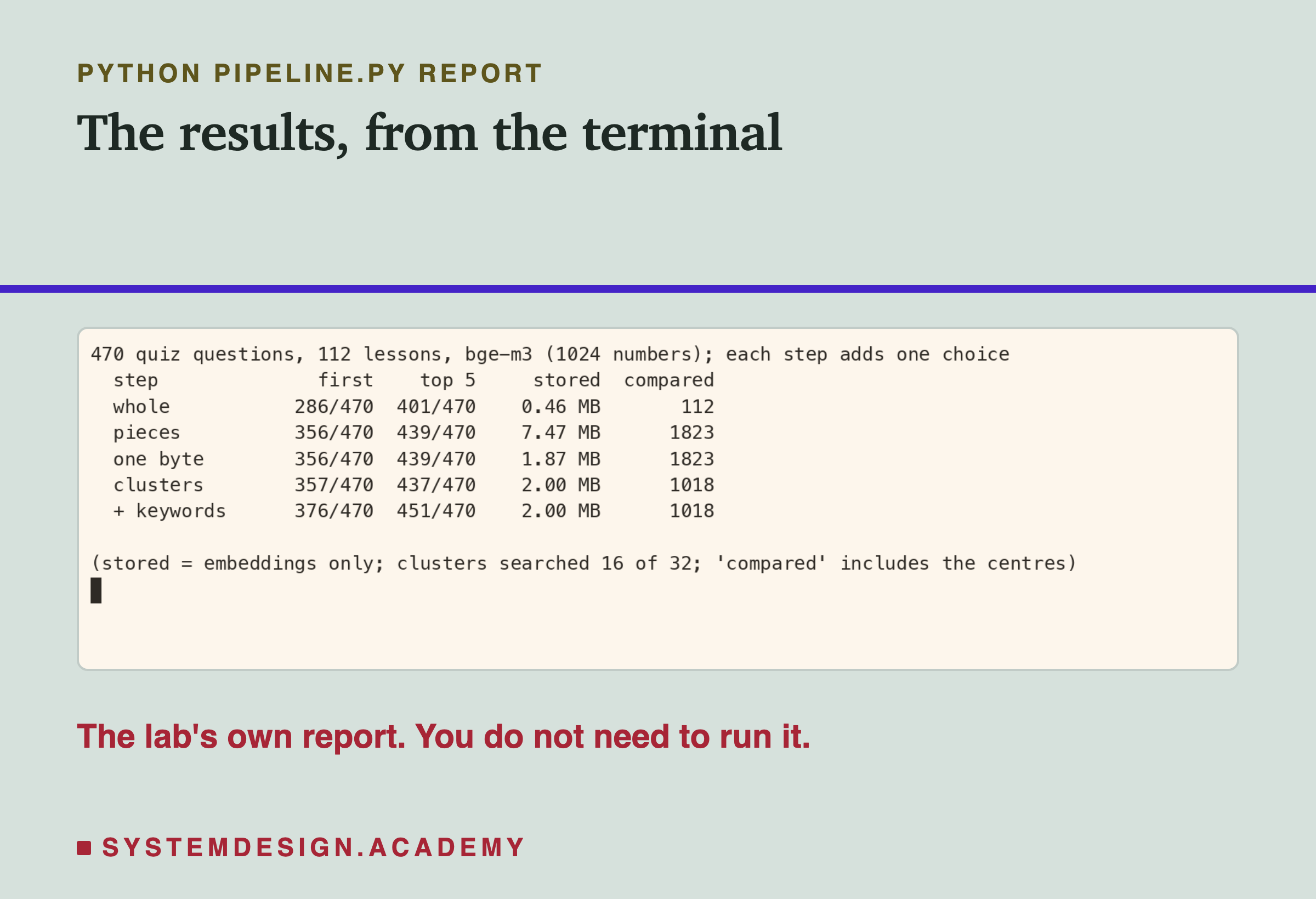
Here is the lab's report, from the terminal.
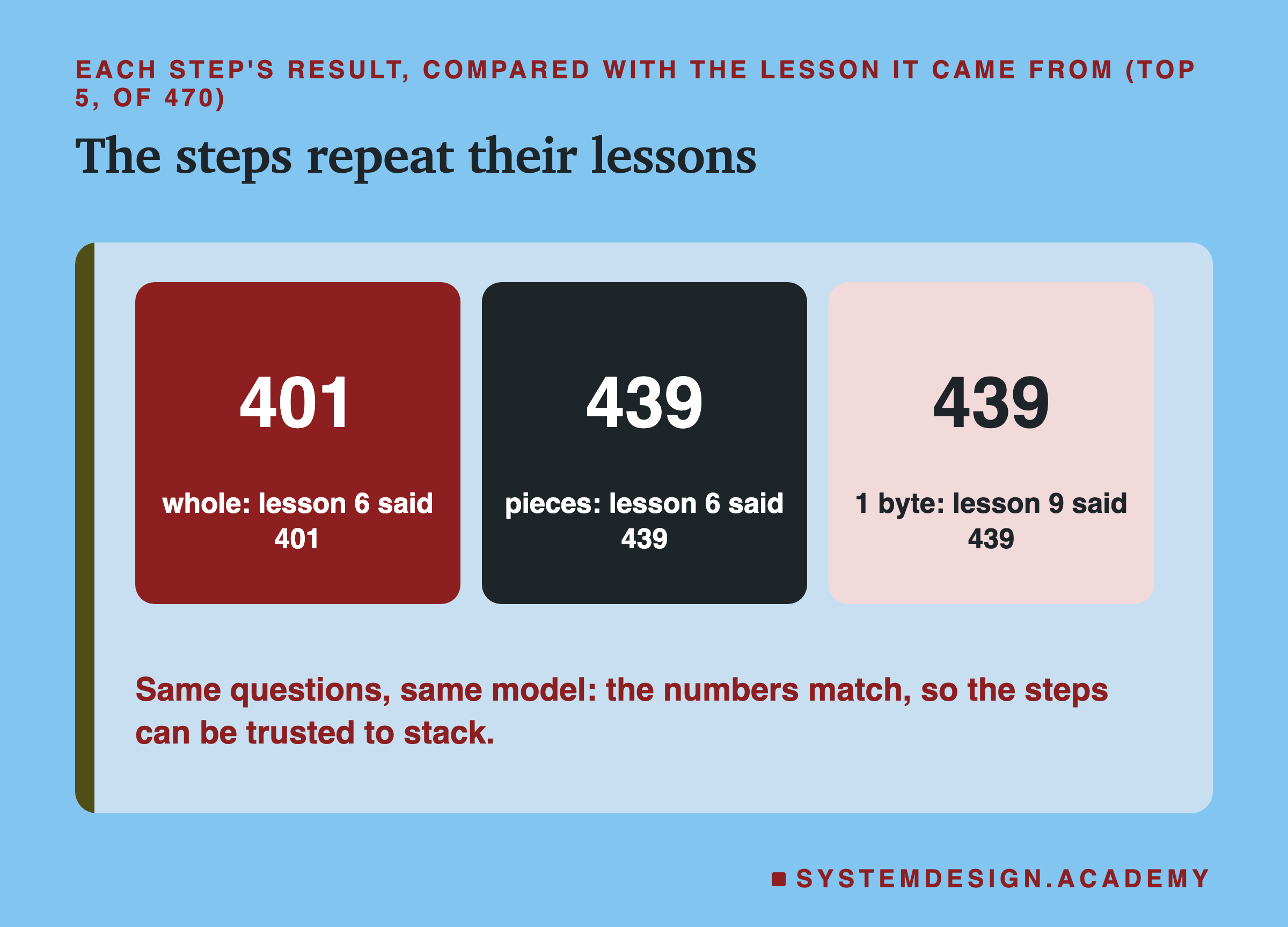
As a check, the first three steps repeat their own lessons exactly:
What Each Step Did for the Answers
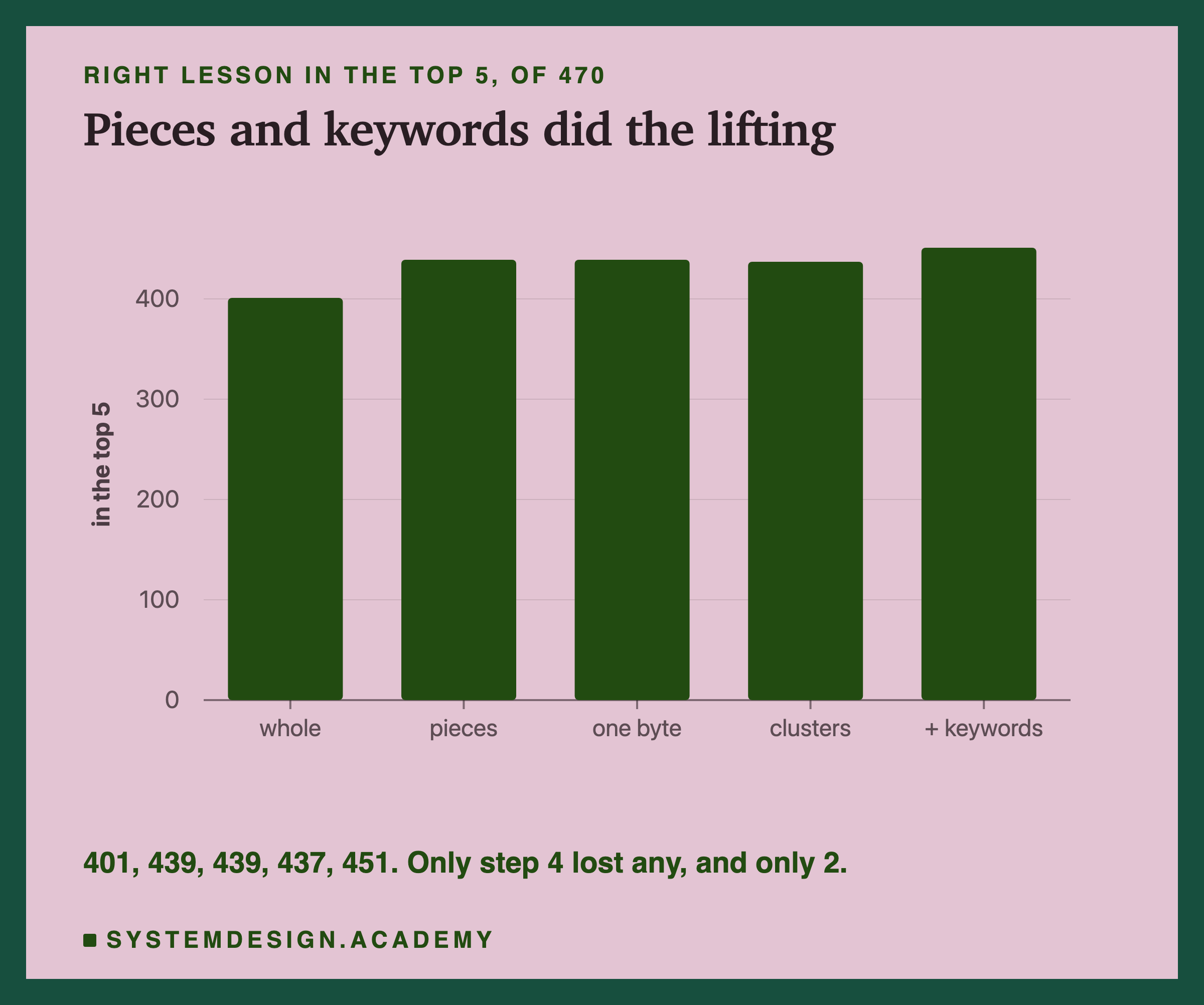
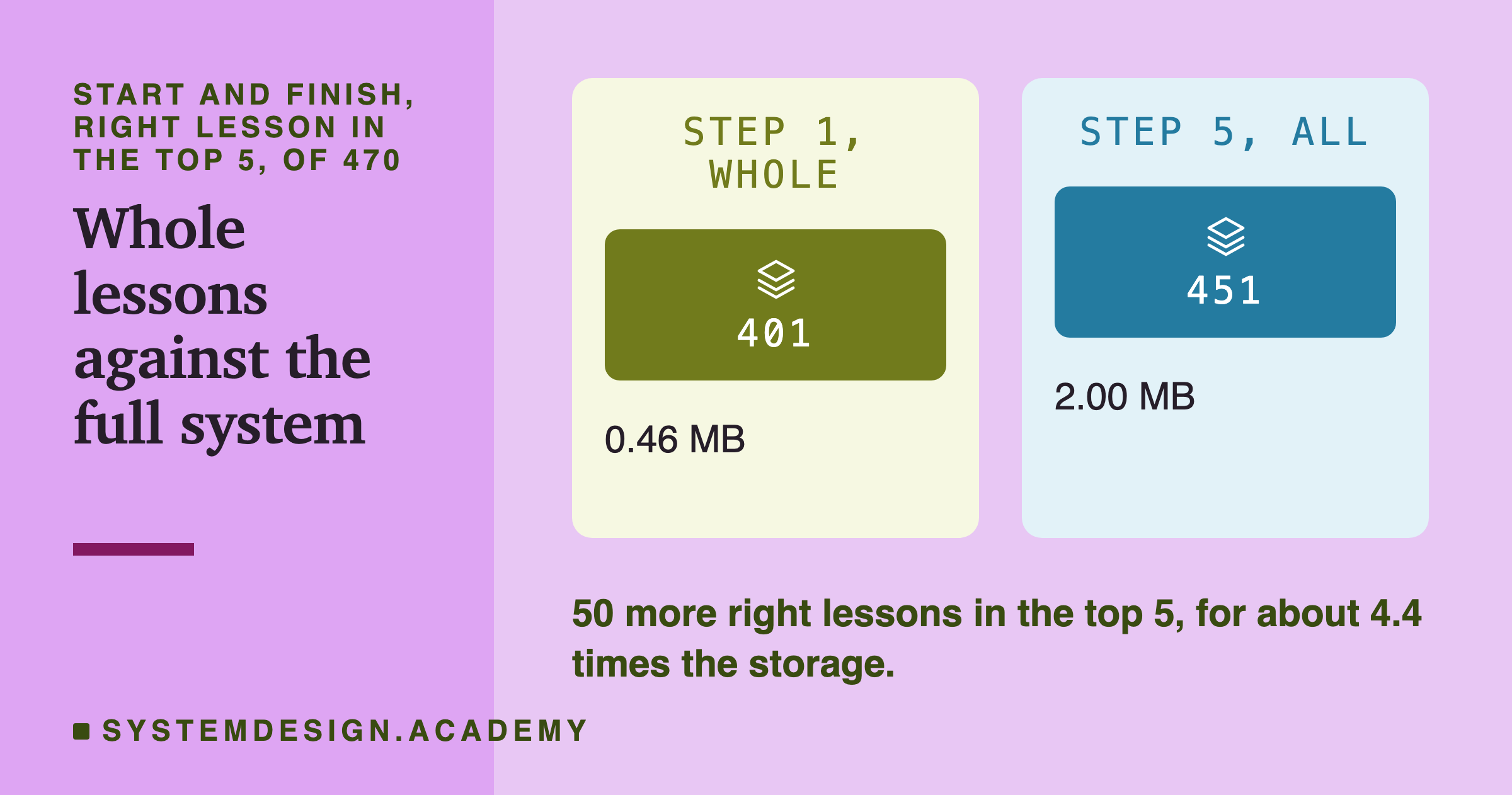
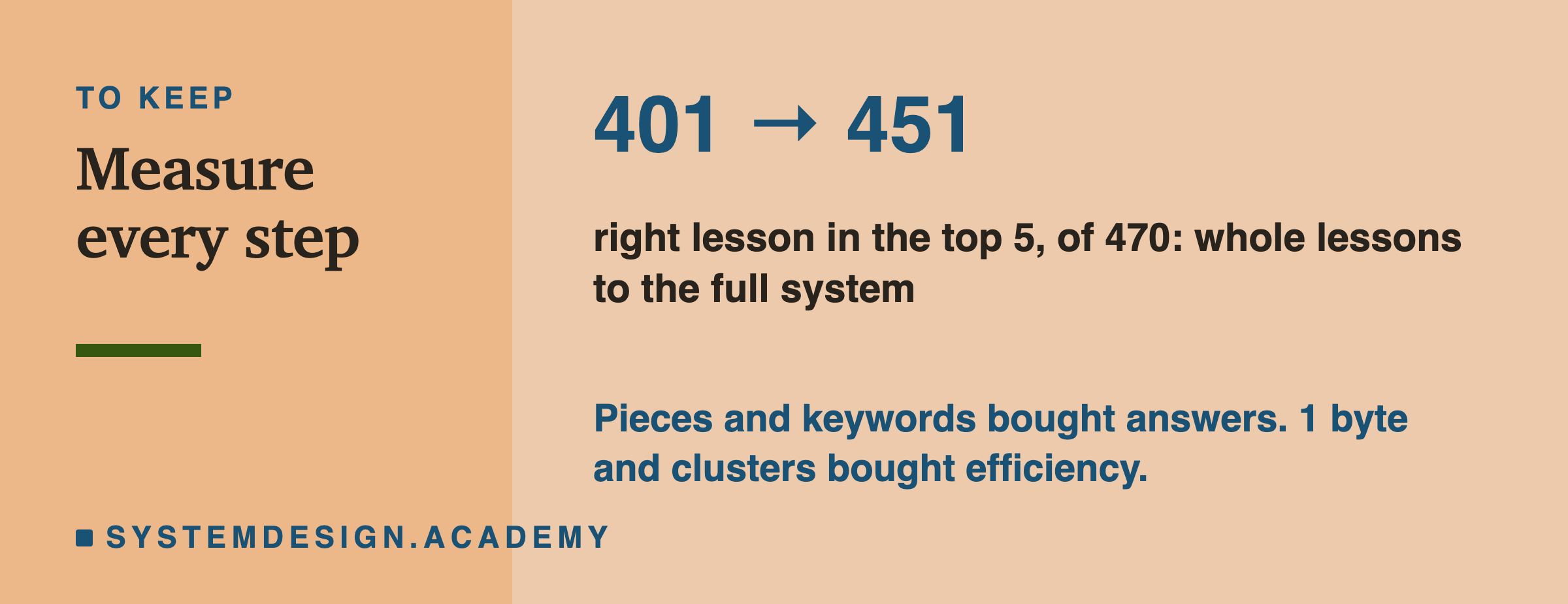
- Pieces: 401 to 439. The biggest gain in this lesson.
- One byte: 439 to 439. No change.
- Clusters: 439 to 437. Two lost.
- Plus keywords: 437 to 451. The second biggest gain in this lesson.
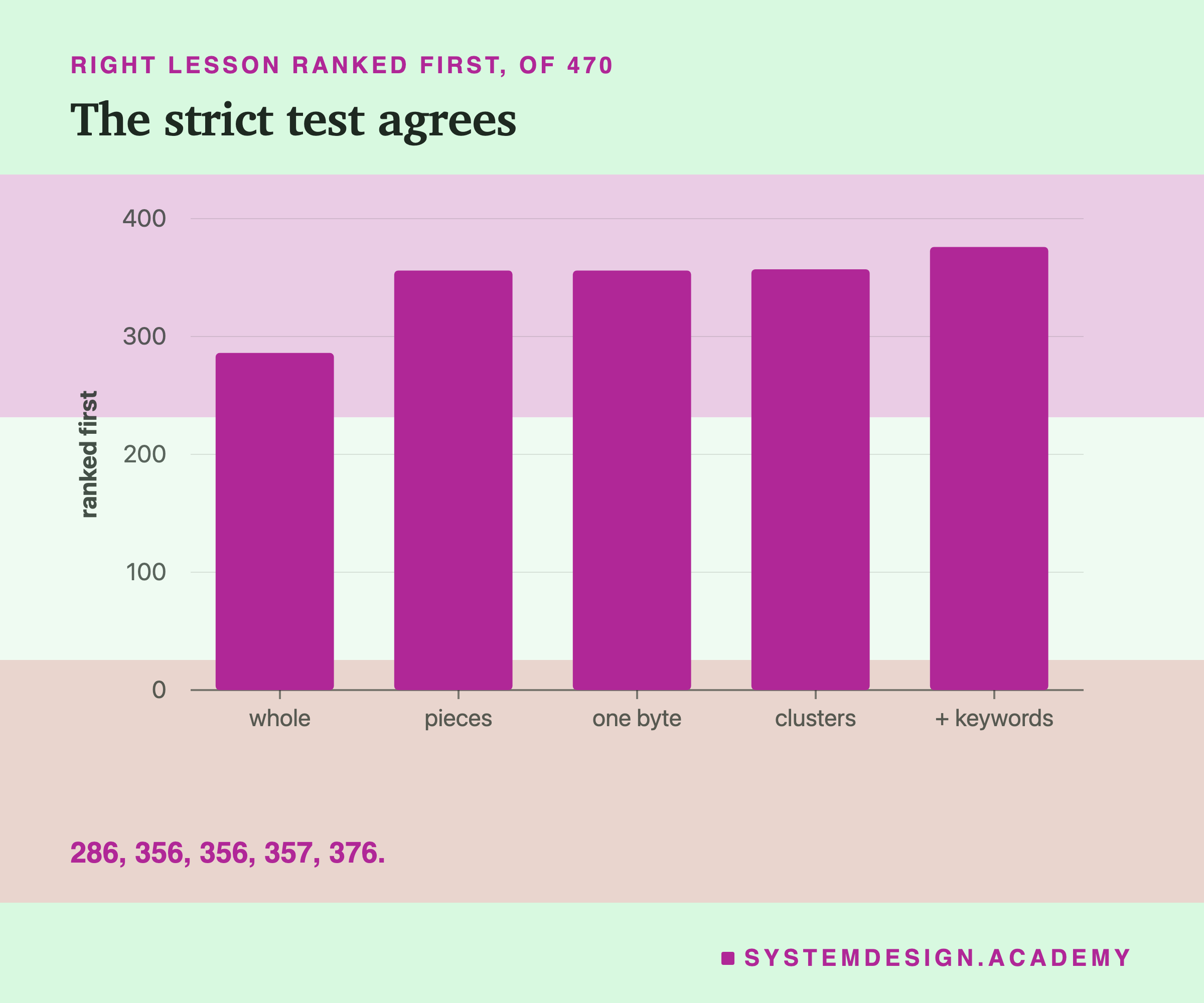
Ranked first tells the same story: 286, 356, 356, 357, 376. Clusters even gained one here. We search only some clusters, so a lesson with no piece in them drops out, and with fewer lessons left the right one can move up. One question more or less does not matter.
What Each Step Cost
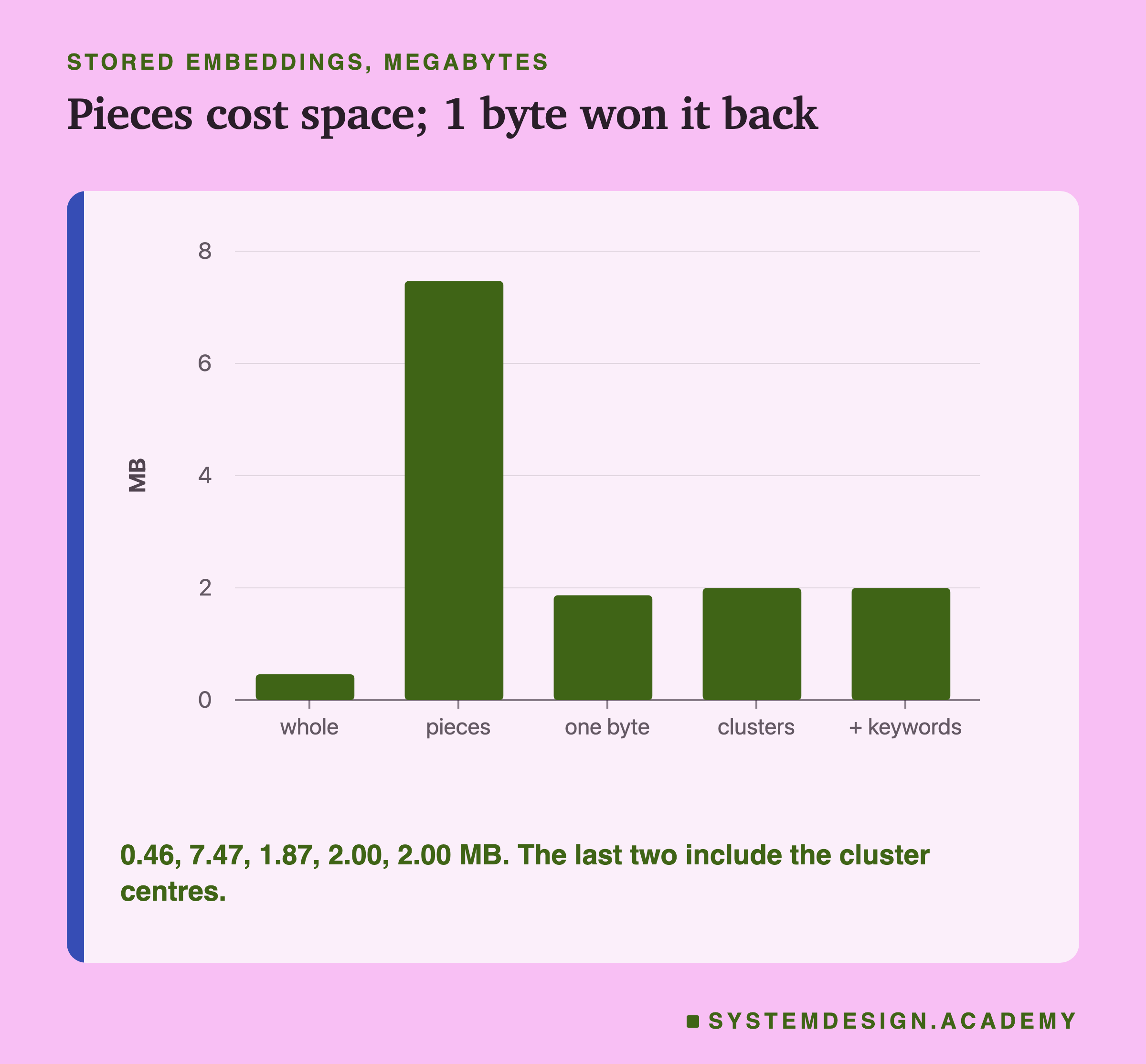
Storage. Pieces multiplied it: 0.46 MB to 7.47 MB, because there are 1,823 pieces instead of 112 lessons. One byte per number brought it back down to 1.87 MB. The 32 cluster centres add a little, to 2.00 MB. Keyword search stores no . It needs its word index instead, and this lesson did not measure the size of that index.
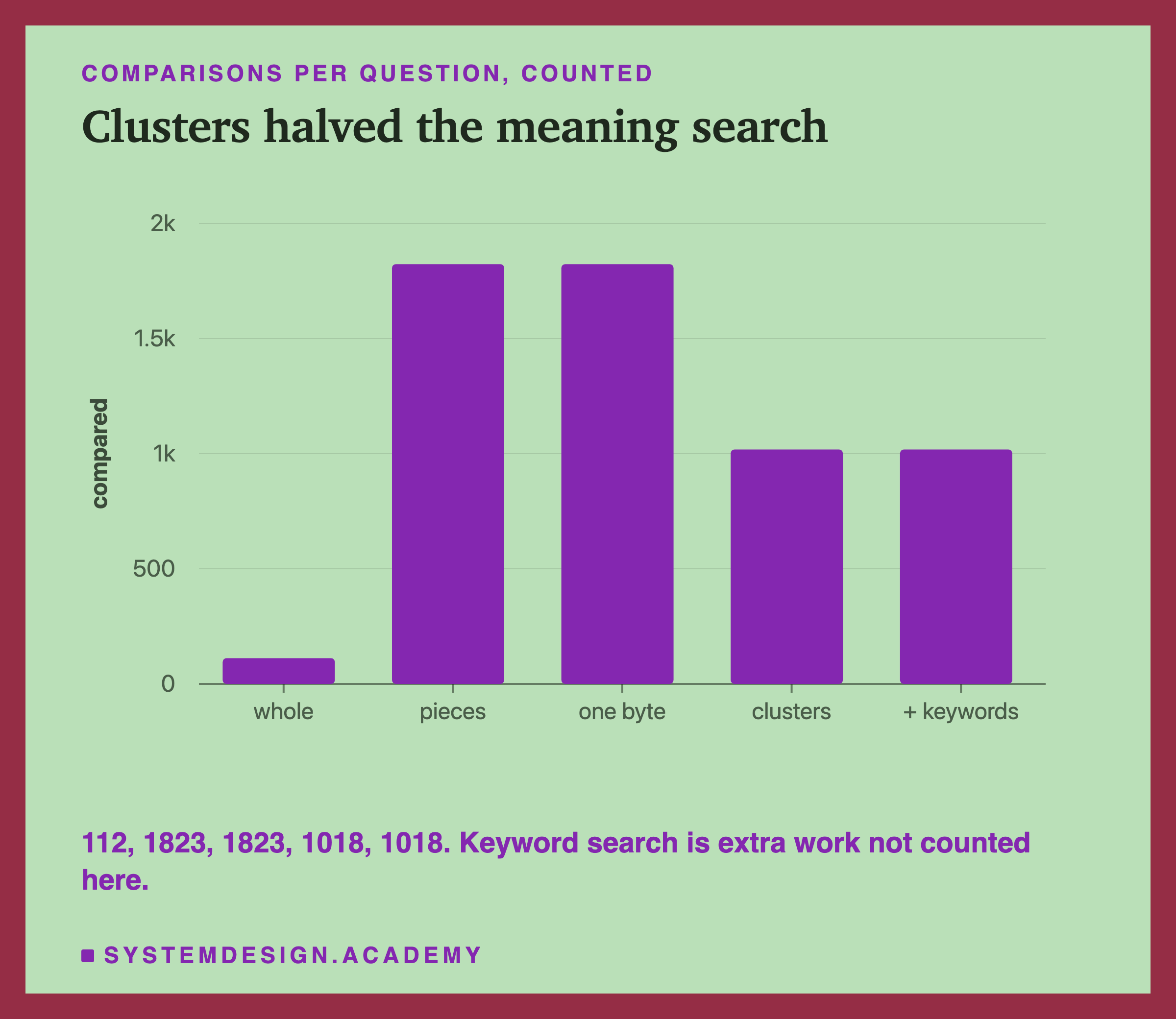
Work. Pieces also multiplied the comparisons, 112 to 1,823. Searching 16 of 32 clusters brought it down to about 1,018. Keyword search adds its own work, reading the word index, which is not counted here.
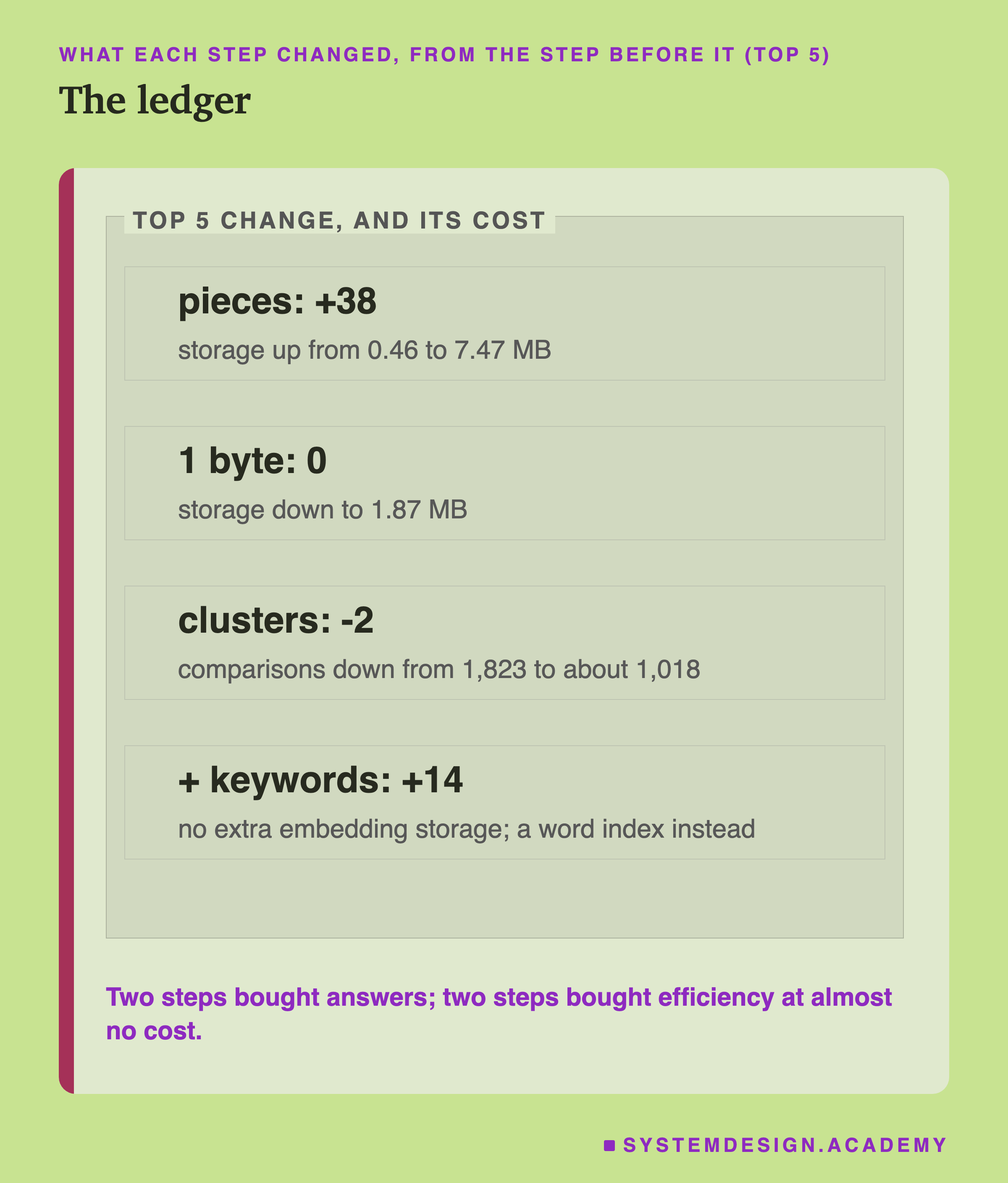
That is the pattern of the whole chapter. Two choices bought right answers: pieces and keywords. Two choices saved space or work and lost almost no right answers: 1 byte and clusters.
Two honest footnotes, from comparing with lesson 11:
- Does one step undo another? A little. Lesson 11 combined keywords with exact meaning search and found 455. Here, with clusters in front, it was 451. So in the finished system clusters cost 4 right lessons, not 2: a lesson dropped by the clusters can only be rescued part of the way by the keyword vote.
- Keyword search alone scored 453 on these questions (lesson 11). The whole stack, at 451, is just below it. These quiz questions reuse the lessons' own words, which is what keyword search is built for. With questions in other words, lesson 11 showed the opposite. Measure on your own questions before you decide.
Count It Yourself
This box holds the real ranks from every step, for all 470 questions. A rank of 112, the last place, means the right lesson was not found at all, for example because none of its pieces was in the searched clusters. This counting is also how to measure your own system: for each question with a known answer, record the place of the right document, then count how many places are 5 or better. Press Run, then change TOP to 1.
Building Your Own Search System
- Write a question set first: 50 or more questions where you already know the right document. Without it, nothing below can be measured.
- Start simple: whole documents, exact search. Measure.
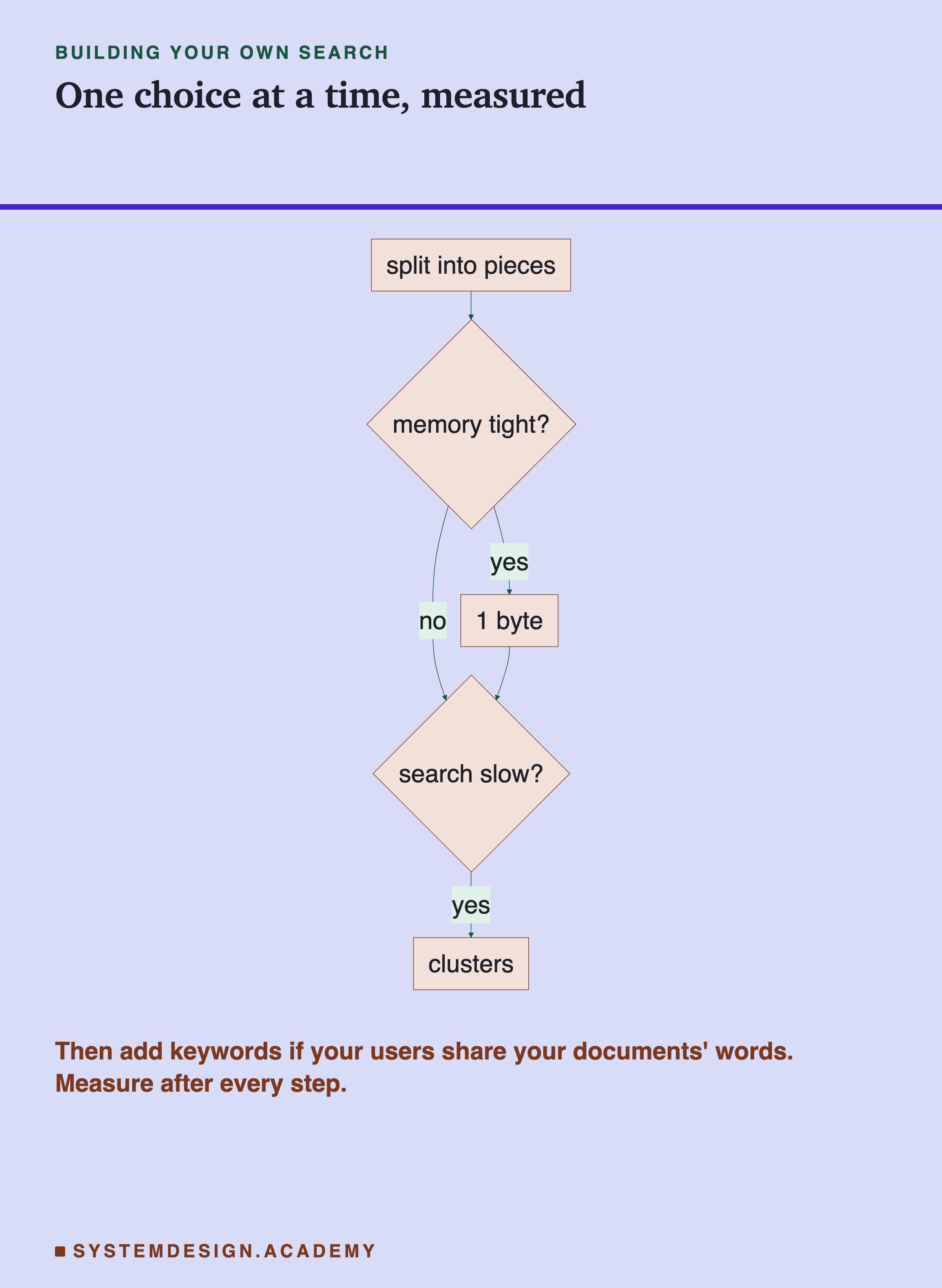
- Add one choice at a time. The order used here was pieces, then 1 byte, then clusters, then keywords. This lesson did not test other orders, and the footnote above shows steps can interact, so re-measure after each one. Add 1 byte if memory matters, clusters if search is slow, and keywords if your users share your documents' words.
- Keep a ledger: right answers, storage and work after every step. A step that costs more than it gives can be removed.
- Always include keyword search alone as a baseline. Here it was nearly as good as the whole stack.
What This Lesson Measured, and What It Did Not
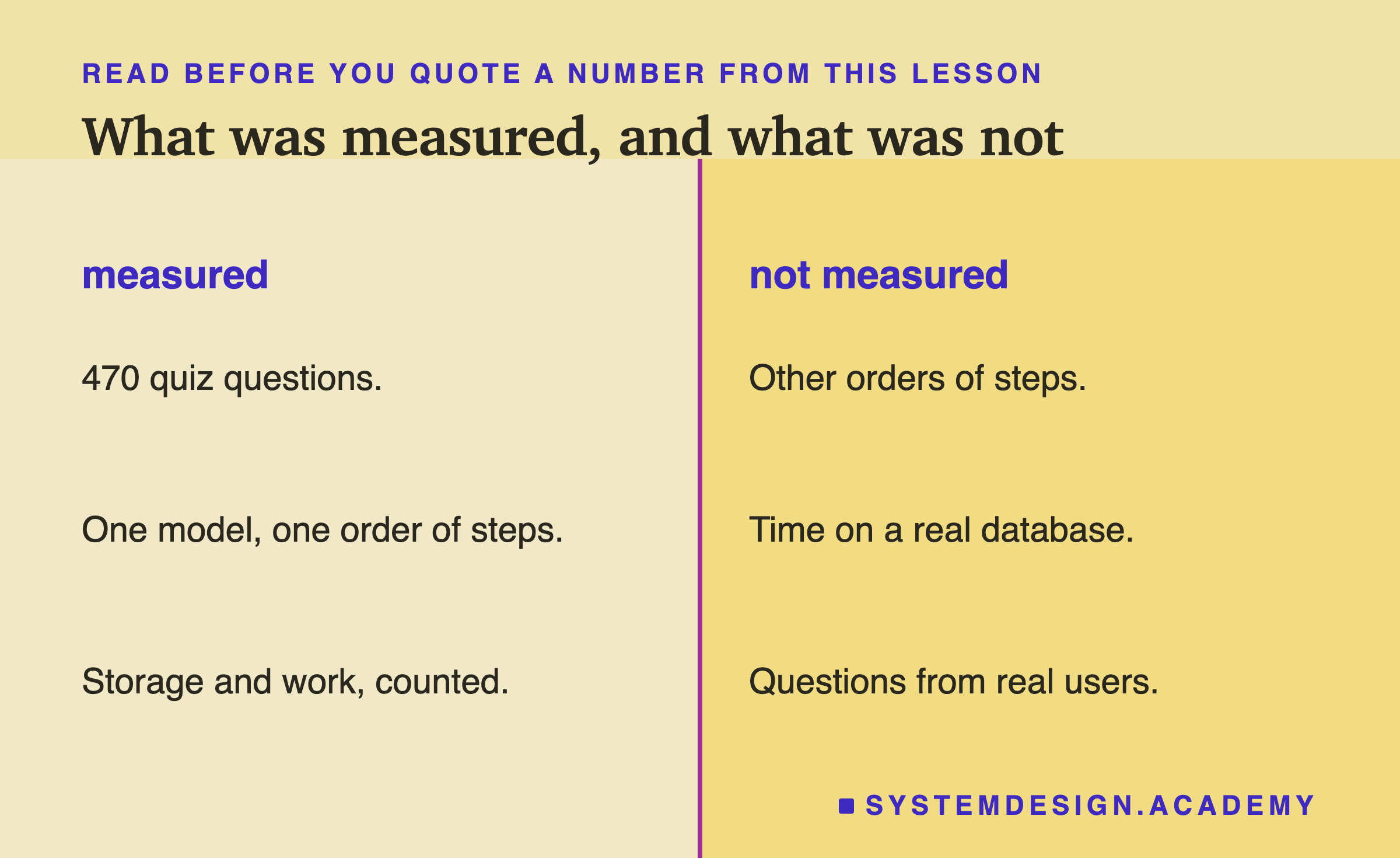
Measured: one model, bge-m3; one order of steps; 470 quiz questions; storage of the and comparisons per question, counted.
Not measured: other orders of the steps, other settings for each step, time on a real database, the size of the keyword index, and questions from real users. Our quiz questions use the same words as their lessons, so keyword search does well here. Lesson 11 showed it can do worse when users choose different words.
What to Do Next
- Run
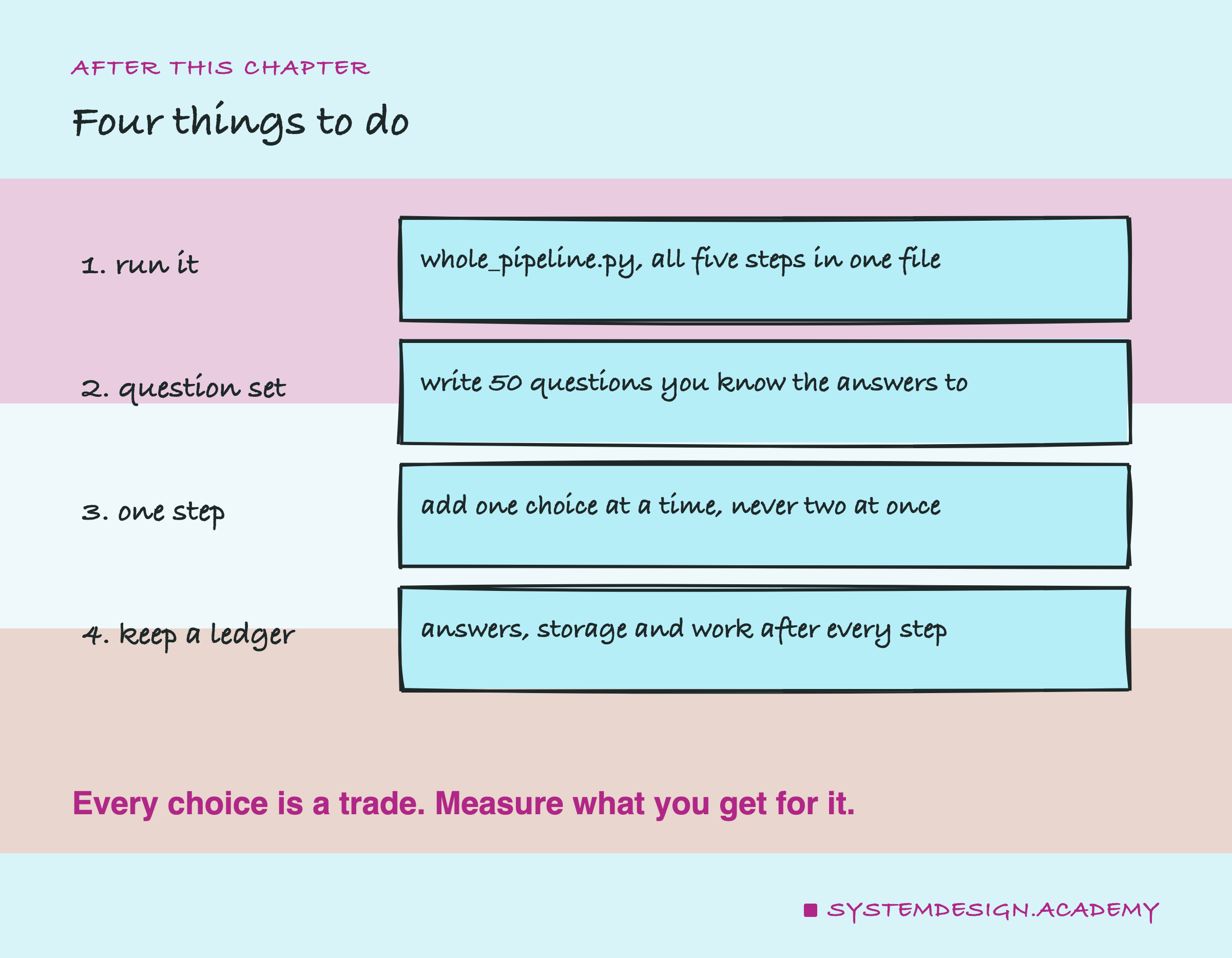
whole_pipeline.pyand change the piece size from 12 words. - Write your own question set: 50 questions with known answers.
- Add one choice at a time, never two at once.
- Keep a ledger of answers, storage and work after every step.
This chapter started with a single token. It ends with a search system you can build on a laptop, and a way to measure every choice in it.
Knowledge Check
Knowledge Check
5 questions - Score 80% to pass
Which two steps raised the number of right lessons in the top 5 the most?
Storing each number in 1 byte kept 439 right lessons in the top 5. What did it buy?
Searching 16 of 32 clusters cut comparisons from 1,823 to about 1,018. What did it cost in the top 5?
Why did the first three steps give exactly the same numbers as lessons 6 and 9?
You are building your own search system. What should you do before adding any of these steps?