Asking the Librarian, Not the Card Index
In a library, a card index finds books by the exact words on the card. Ask it for "why my website feels slow" and it finds nothing, because no card says that.
A good librarian works differently. She hears what you mean, and points you to the right shelf, where books on the same subject stand together.
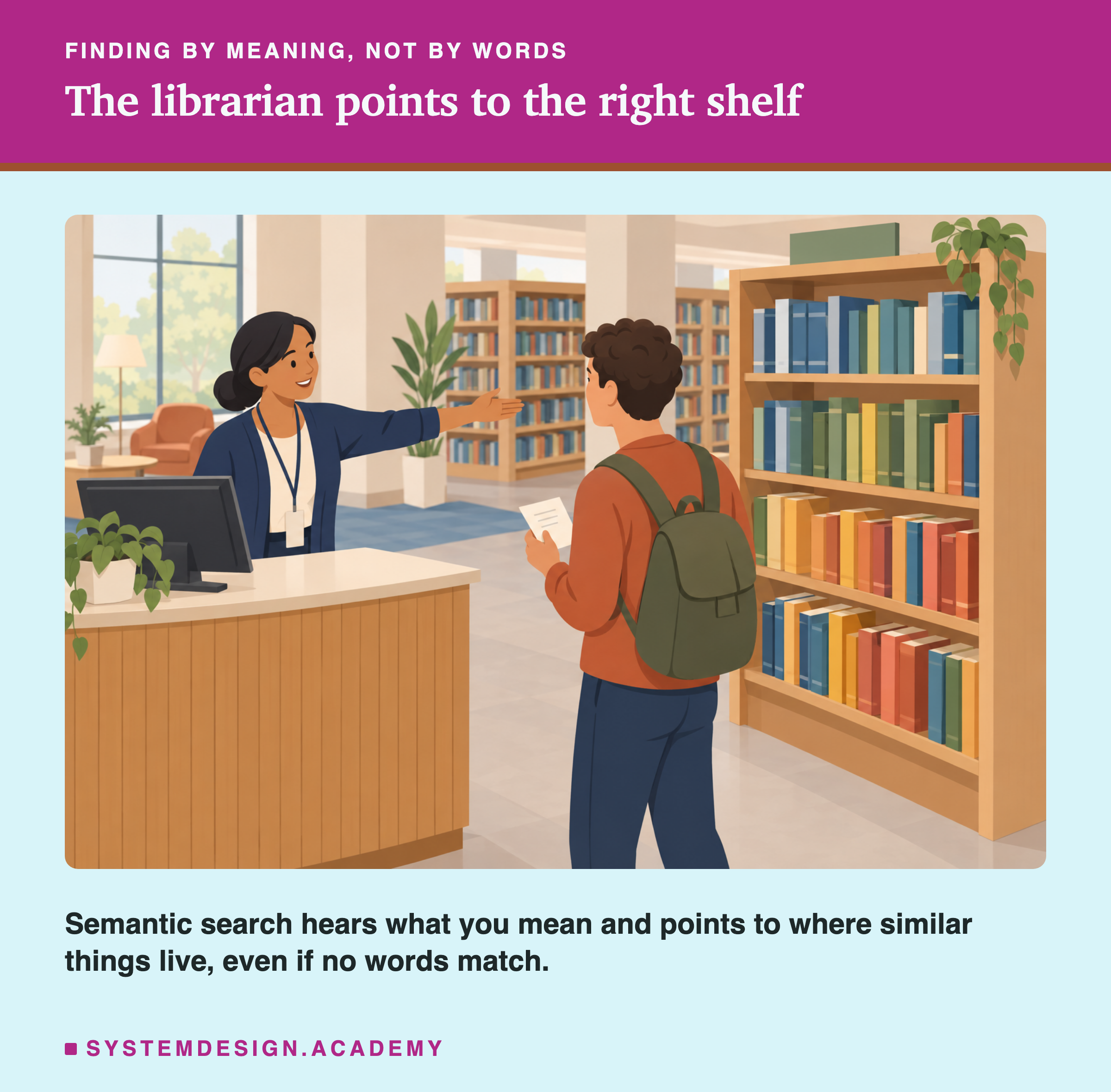
Semantic search is the librarian. It uses , from the last lesson, to find text by meaning. In this lesson I build it over every lesson on this site, ask it real questions in six languages, and measure how often it points to the right shelf.
The Words You Need First
If a word below is new, read its line. Embedding and come from the last lesson.
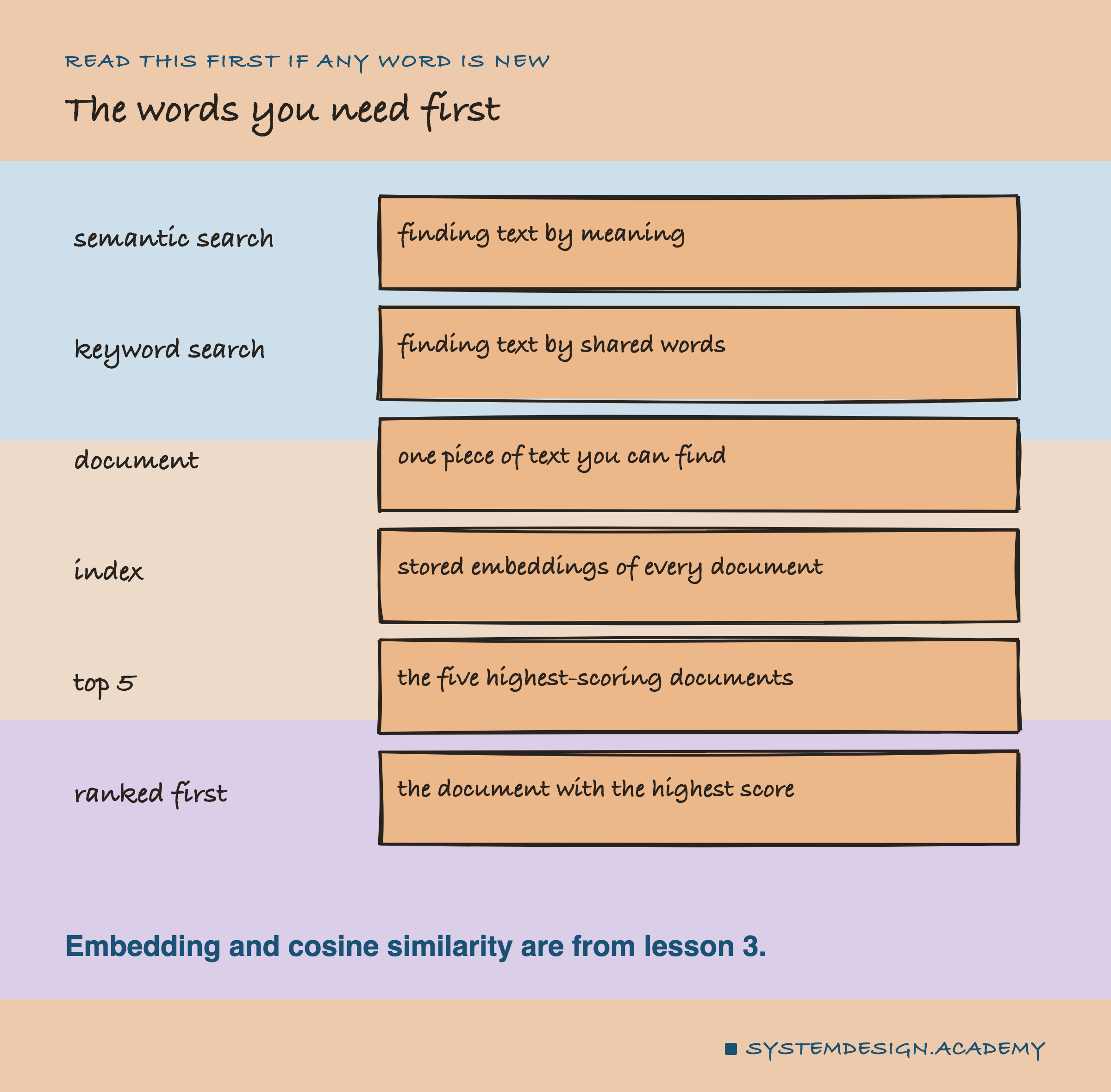
Semantic search. Finding text by meaning, using , instead of by matching words.
Keyword search. Finding text by the words it shares with the question. No model involved.
Document. Any piece of text you want to be able to find. Here, one lesson's title and short description.
Index. The stored embeddings of all your documents, made once, before anyone searches.
Top 5. The five documents that scored highest for a question.
Ranked first. The document with the highest score.
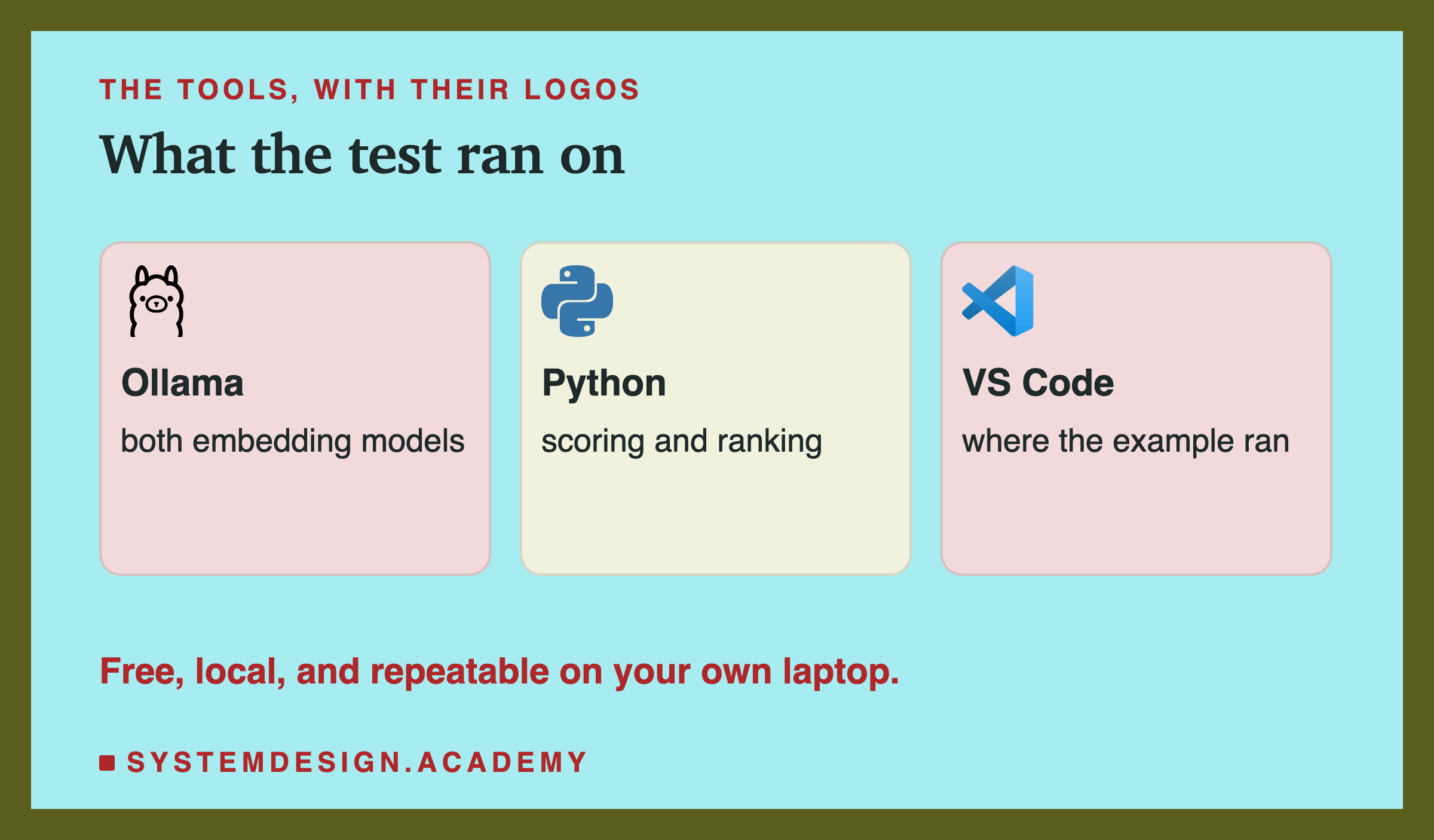
Ollama. A free program that runs AI models on your own computer.
bge-m3 and nomic-embed-text. The two embedding models from the last lesson. bge-m3 was trained on many languages; nomic-embed-text mostly on English.
How Semantic Search Works
There are two steps, and they happen at different times.
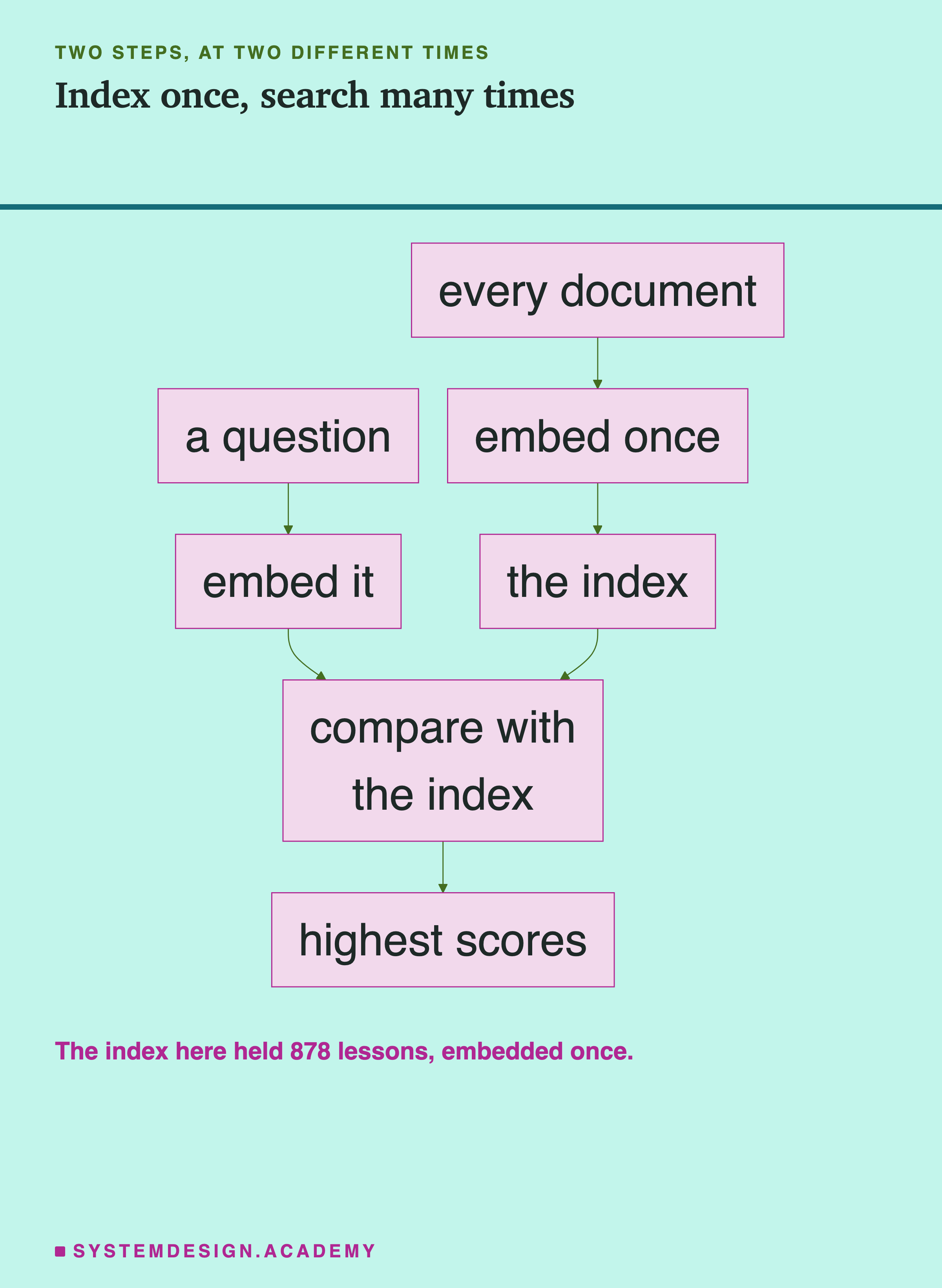
Once, ahead of time: embed every document and store the . This is the index. With 878 lessons, that is 878 embeddings.
For every question: embed the question, compare it with every stored embedding using , and return the highest scores.
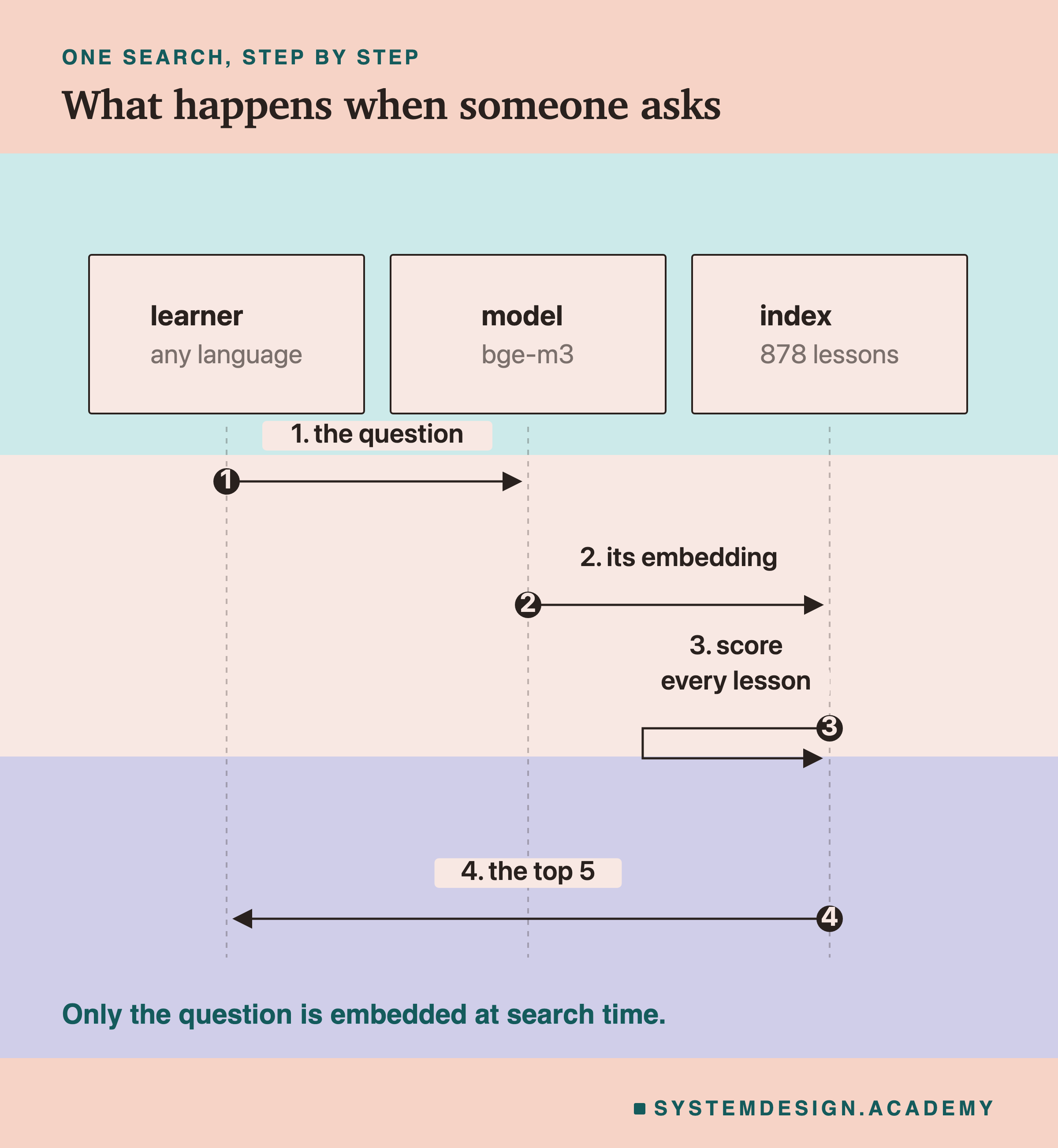
The expensive part, embedding the documents, happens once. Each search only embeds one short question. That is why semantic search can be fast.
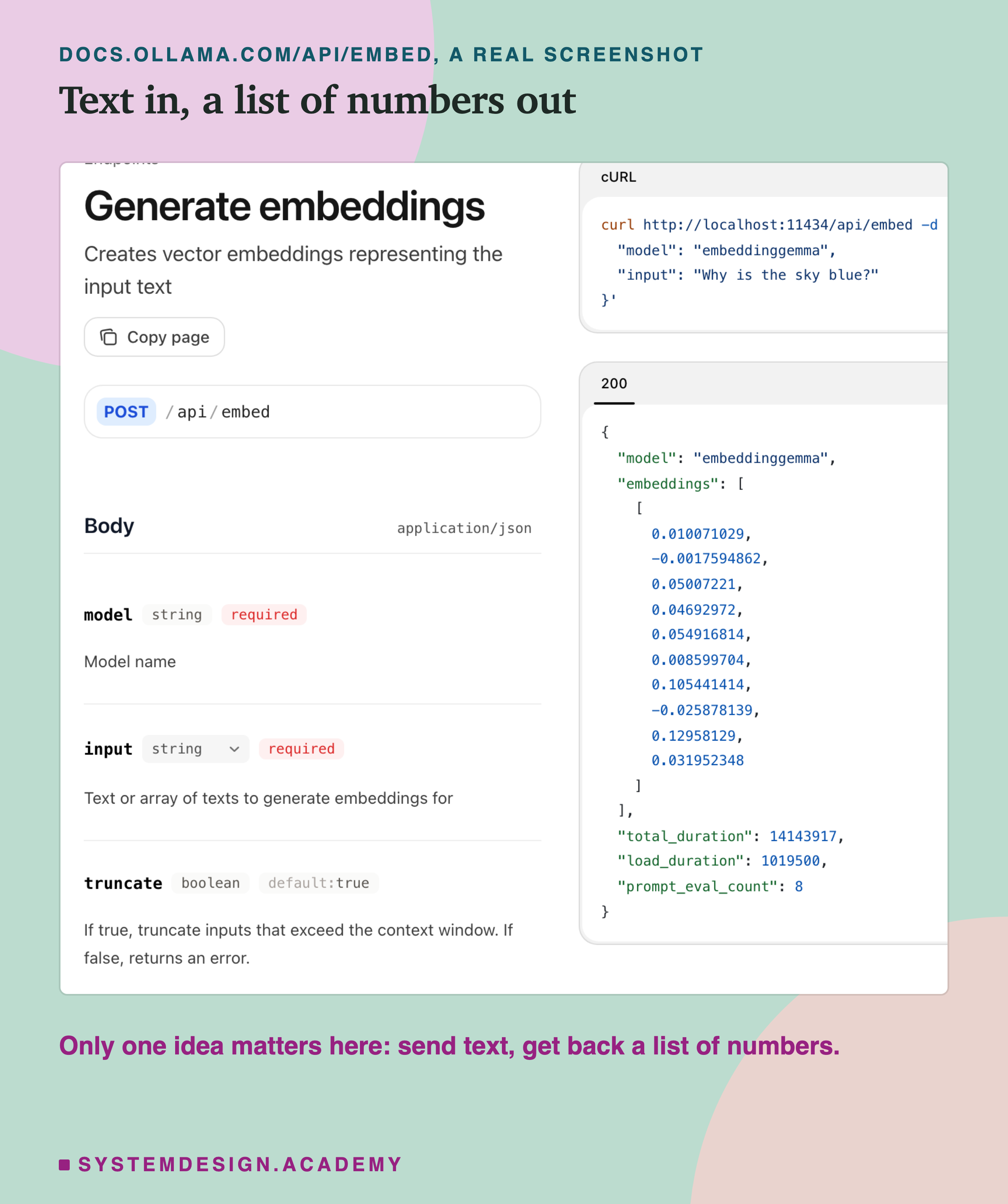
Here is that step in Ollama's own documentation. Only one idea matters on this page: you send text, and you get back a list of numbers. (Their example uses a different model, embeddinggemma; the call is the same for bge-m3.)
A Small Search You Can Run
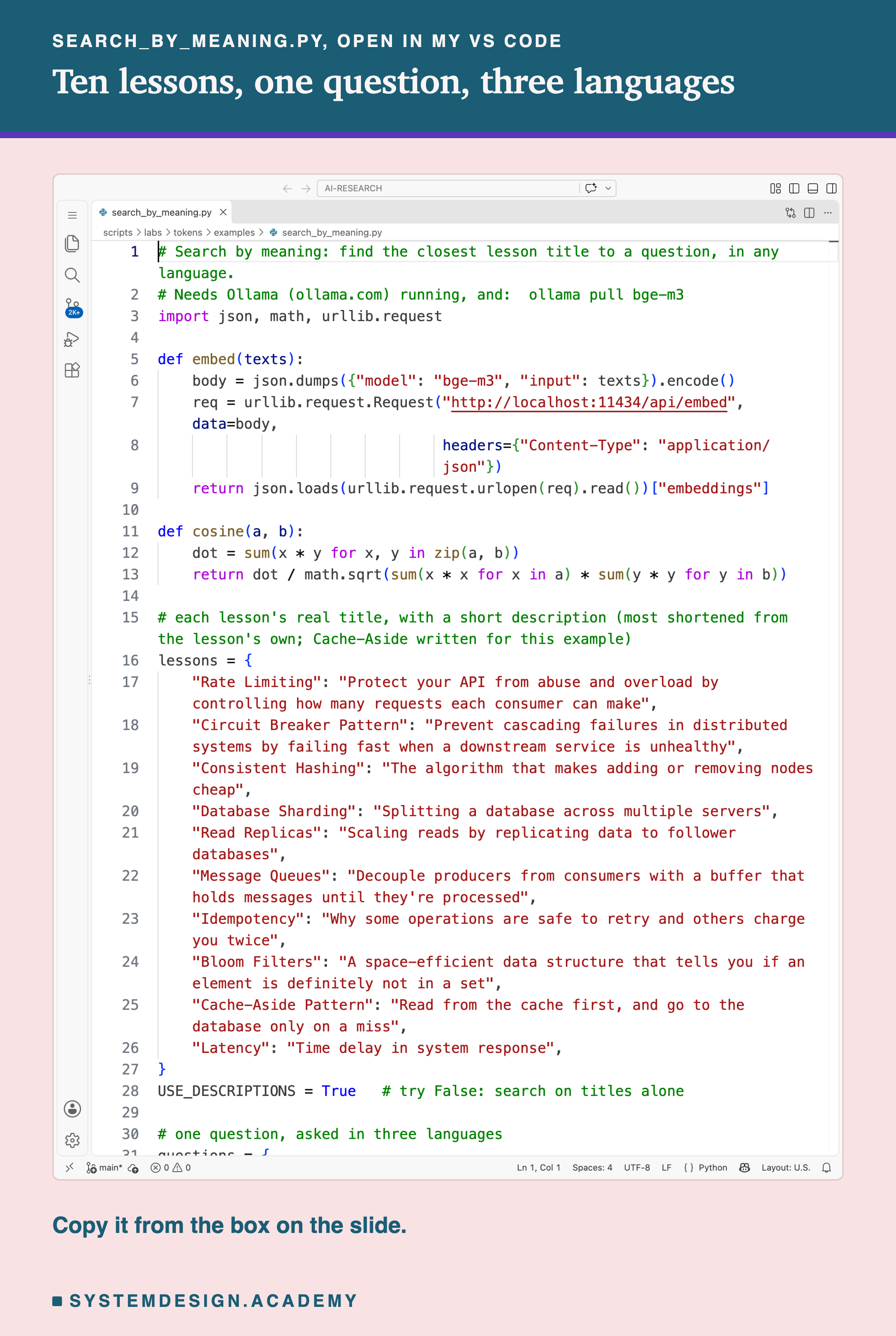
Before the big test, here is a small one. Ten lessons, one question, asked in English, Spanish and Hindi. This is the real file, open in my VS Code.
And this is what it printed.
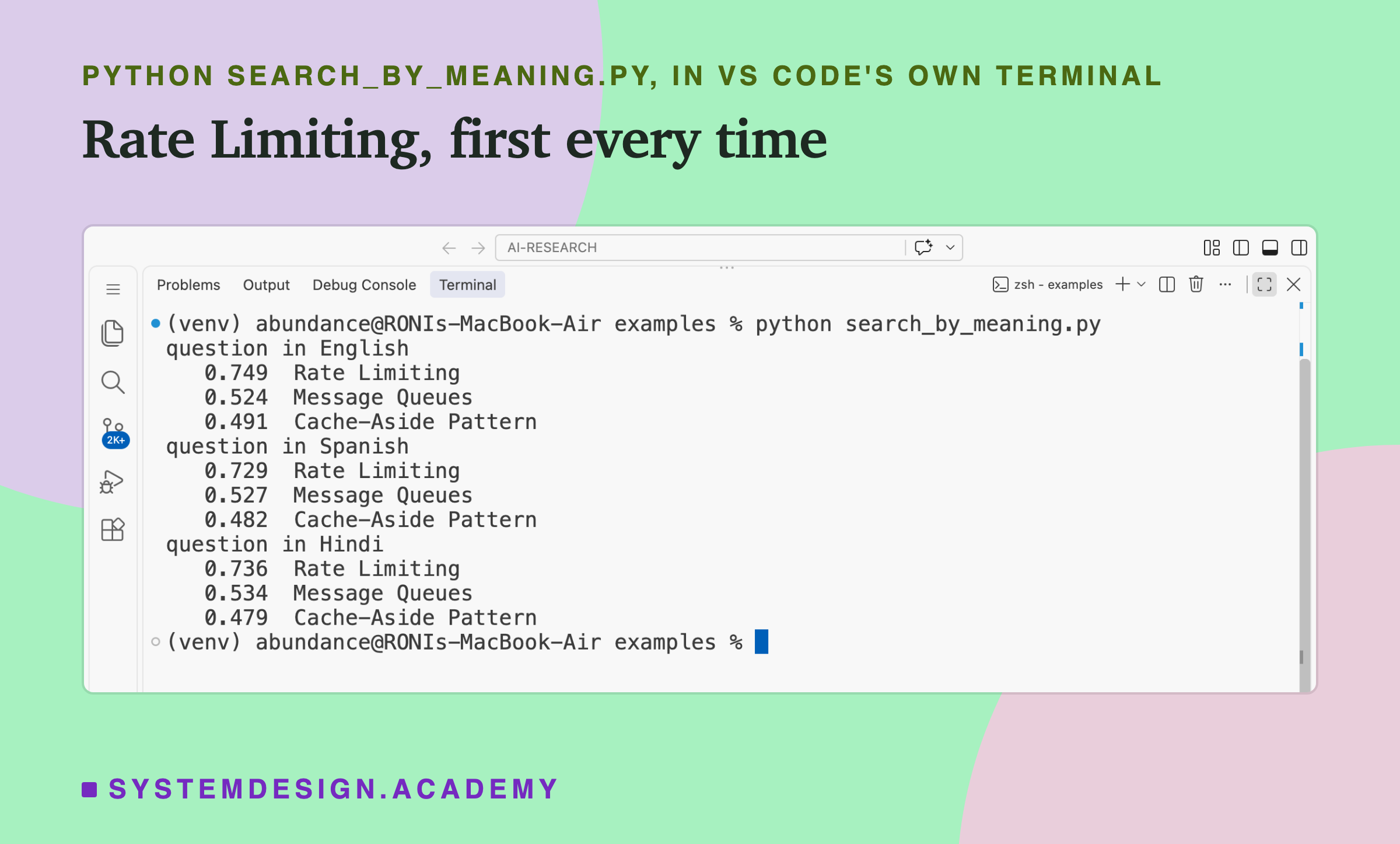
Each number is the from the last lesson: closer to 1 means closer in meaning. In all three languages, "Rate Limiting" came first, well ahead of the next lesson.
To run it:
- Install Ollama from ollama.com. On Mac or Windows, open the Ollama app; on Linux, run
ollama serve. - Run
ollama pull bge-m3in a terminal. It is a download of about 1.2 GB. - Save the file below as
search_by_meaning.py, as UTF-8 text. - Run
python3 search_by_meaning.py(on Windows:python search_by_meaning.py).
You need only Python 3, no extra packages; the "(venv)" in my screenshot is just my own setup. If you see "Connection refused", Ollama is not running. If you see an 404 error, update Ollama.
# Search by meaning: find the closest lesson title to a question, in any language.
# Needs Ollama (ollama.com) running, and:  ollama pull bge-m3
import json, math, urllib.request

def embed(texts):
    body = json.dumps({"model": "bge-m3", "input": texts}).encode()
    req = urllib.request.Request("http://localhost:11434/api/embed", data=body,
                                 headers={"Content-Type": "application/json"})
    return json.loads(urllib.request.urlopen(req).read())["embeddings"]

def cosine(a, b):
    dot = sum(x * y for x, y in zip(a, b))
    return dot / math.sqrt(sum(x * x for x in a) * sum(y * y for y in b))

# each lesson's real title, with a short description (most shortened from the lesson's own; Cache-Aside written for this example)
lessons = {
    "Rate Limiting": "Protect your API from abuse and overload by controlling how many requests each consumer can make",
    "Circuit Breaker Pattern": "Prevent cascading failures in distributed systems by failing fast when a downstream service is unhealthy",
    "Consistent Hashing": "The algorithm that makes adding or removing nodes cheap",
    "Database Sharding": "Splitting a database across multiple servers",
    "Read Replicas": "Scaling reads by replicating data to follower databases",
    "Message Queues": "Decouple producers from consumers with a buffer that holds messages until they're processed",
    "Idempotency": "Why some operations are safe to retry and others charge you twice",
    "Bloom Filters": "A space-efficient data structure that tells you if an element is definitely not in a set",
    "Cache-Aside Pattern": "Read from the cache first, and go to the database only on a miss",
    "Latency": "Time delay in system response",
}
USE_DESCRIPTIONS = True   # try False: search on titles alone

# one question, asked in three languages
questions = {
    "English": "How can I stop one user from sending too many requests to my API?",
    "Spanish": "¿Cómo puedo evitar que un usuario envíe demasiadas peticiones a mi API?",
    "Hindi": "एक उपयोगकर्ता को मेरे API पर बहुत ज़्यादा अनुरोध भेजने से कैसे रोकूँ?",
}

names = list(lessons)
texts = [f"{n}. {d}" if USE_DESCRIPTIONS else n for n, d in lessons.items()]
lesson_vectors = embed(texts)          # embed every lesson once
for lang, qv in zip(questions, embed(list(questions.values()))):
    scores = sorted(((cosine(qv, lv), name) for lv, name in zip(lesson_vectors, names)), reverse=True)
    print("question in", lang)
    for score, name in scores[:3]:
        print(f"   {score:.3f}  {name}")
Titles Alone Are Not Enough
Now change USE_DESCRIPTIONS = True to False and run it again. The script then searches on the two or three words of each title only.
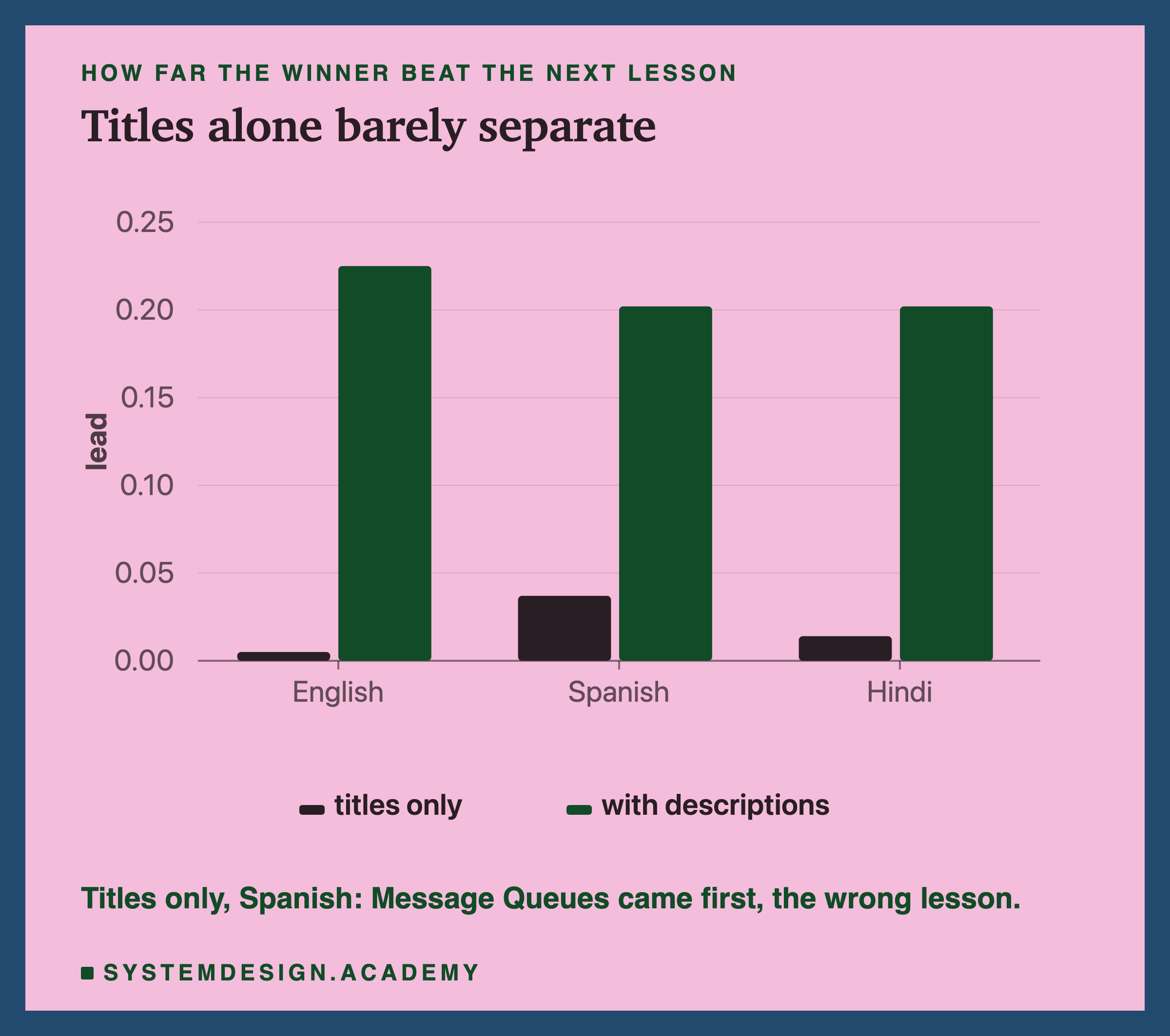
The lead is the winner's score minus the second place score. With titles alone, "" beat the next lesson by only 0.005 in English. In Spanish it lost: "Message Queues" came first.
With one line of description added, "Rate Limiting" won in all three languages, by about 0.2.
A title like "Rate Limiting" holds very little meaning for the model to work with. A sentence like "controlling how many requests each consumer can make" holds a lot. The model can only match the meaning you give it.
The Big Test
Now the real test, on the whole site.
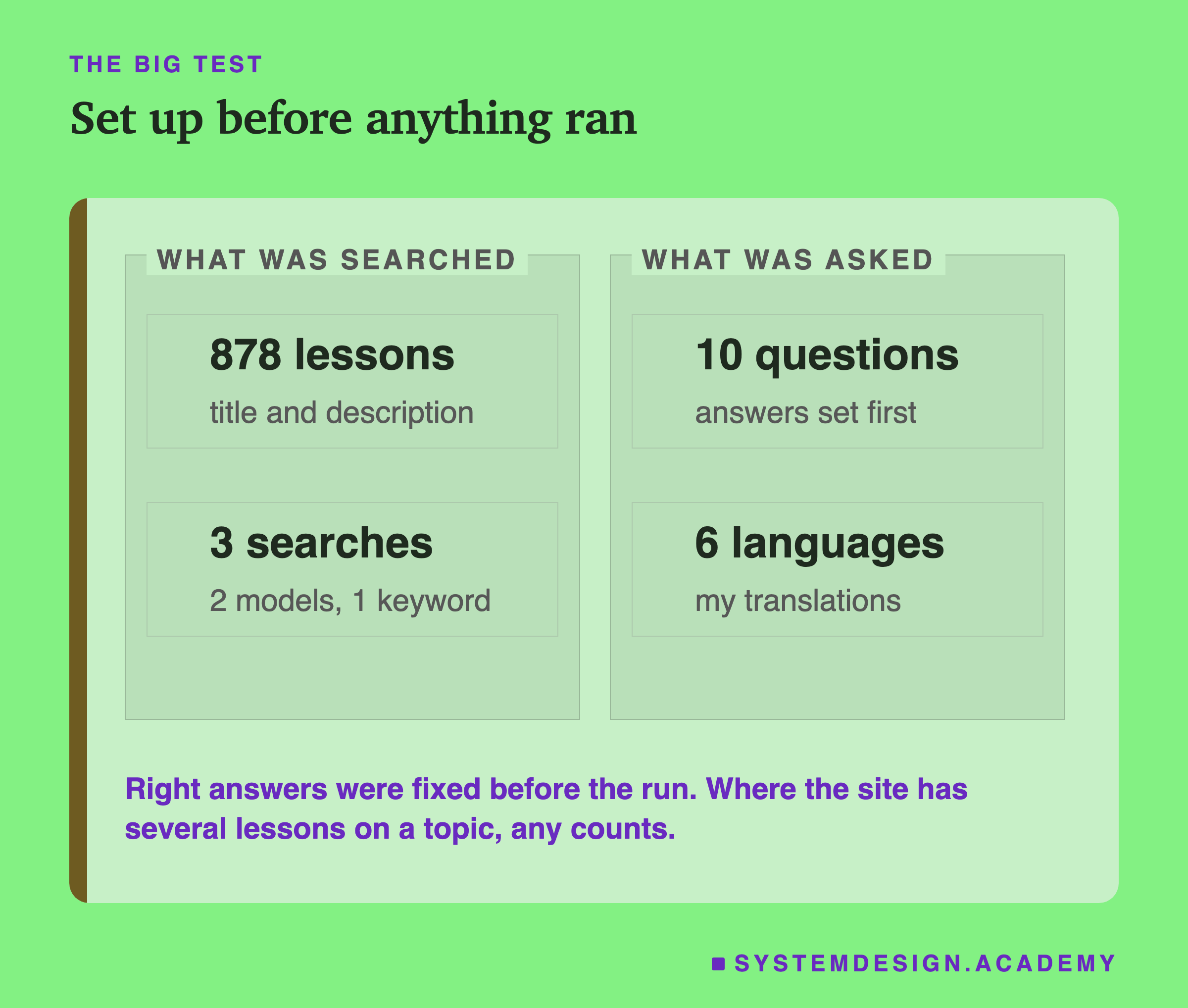
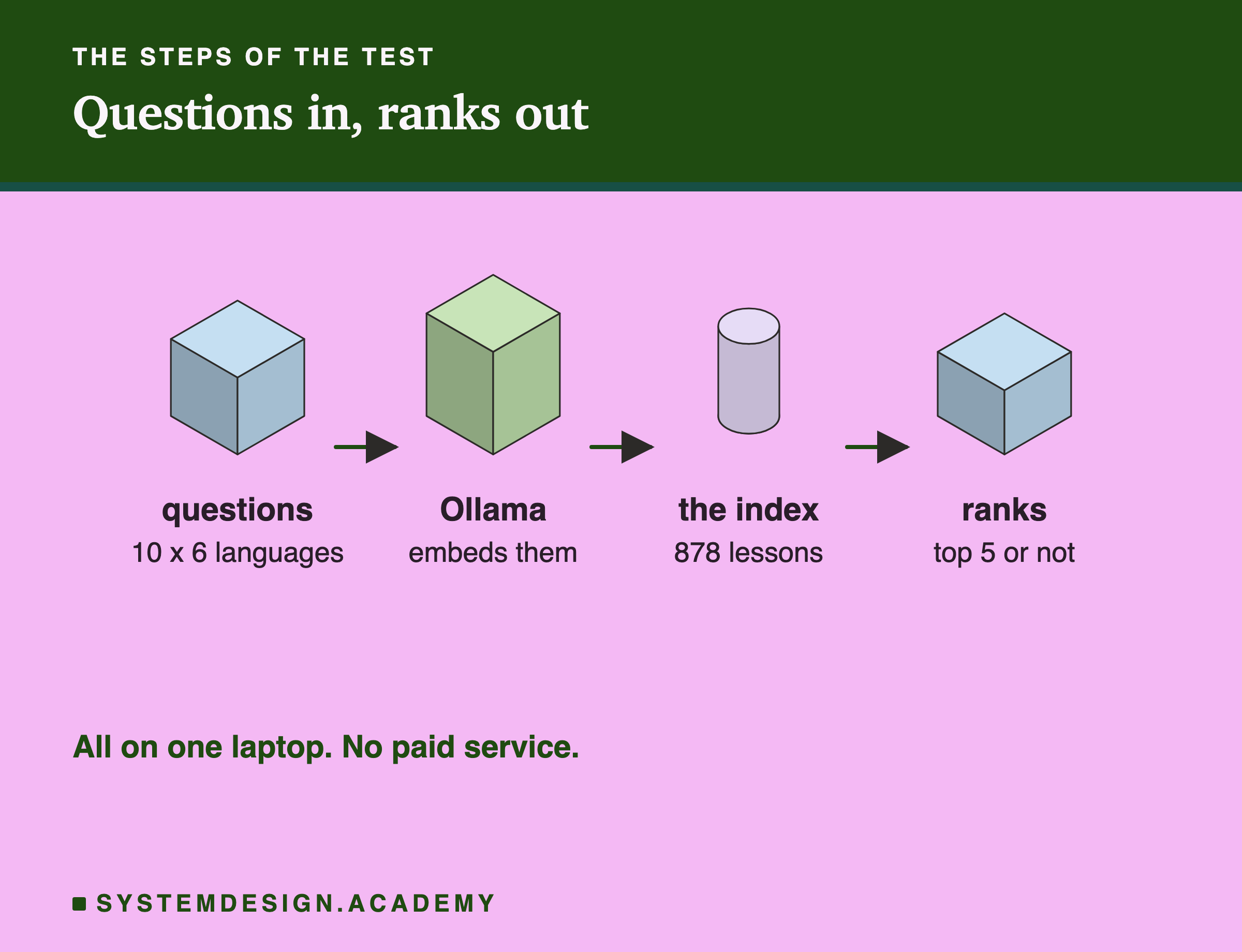
- Documents: all 878 lessons on this site outside this chapter, each as its title and one-line description.
- Questions: 10 questions I wrote before running anything, each the way a learner would ask it, not copying the lesson's title. For example: "If a payment request is sent twice, how do I make sure the customer is charged only once?"
- Right answers: chosen before the run. Where the site has several lessons on one topic, like three on , any of them counts.
- Languages: each question in English, and in my own translations into French, Spanish, Hindi, Japanese and Bengali.
- Searches: nomic-embed-text and bge-m3 in all six languages, and plain keyword search in English only, to compare against.
All ten questions, in English, with the answer set before the run:
| # | Question (English version) | Right lesson |
|---|---|---|
The Results
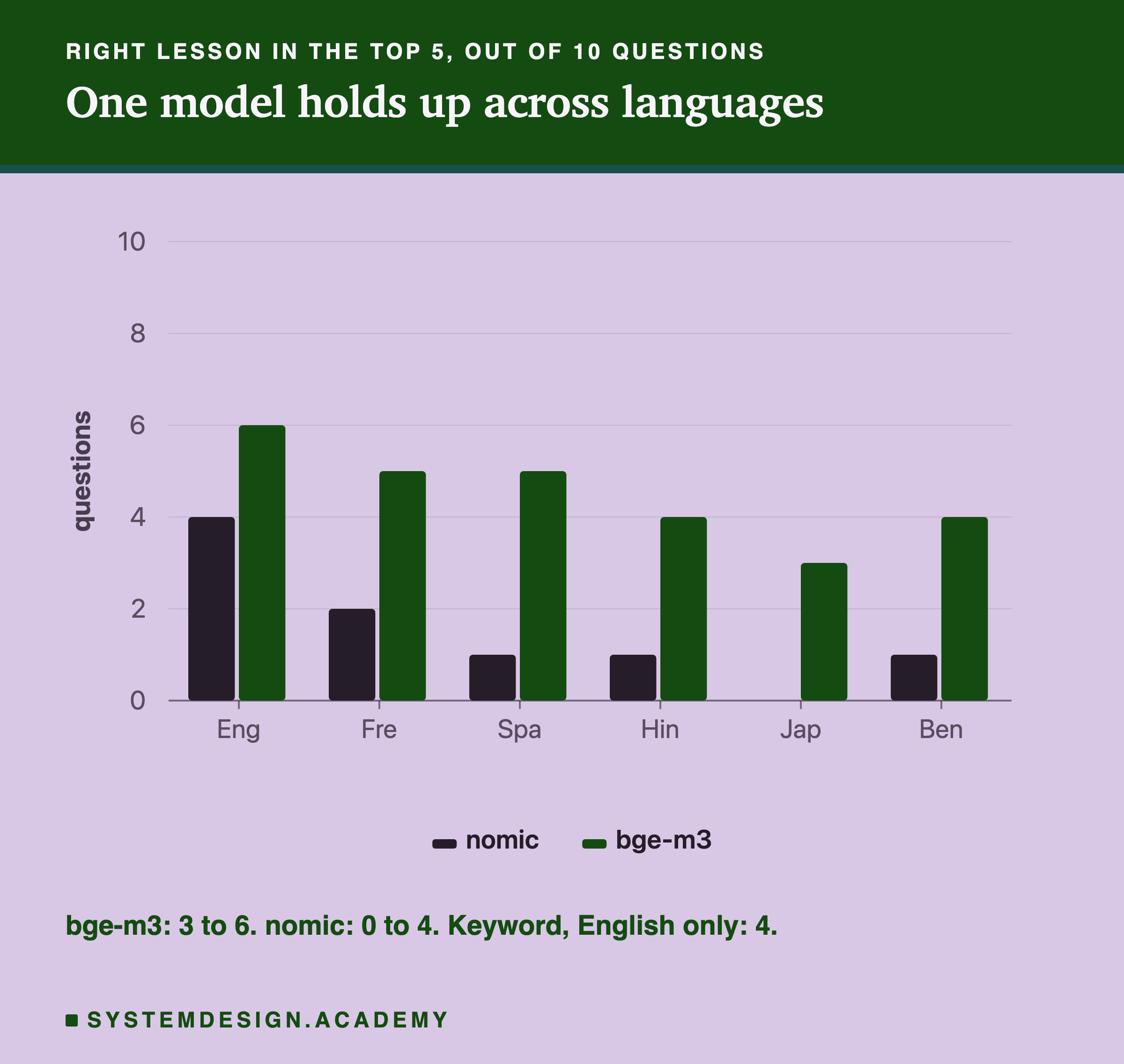
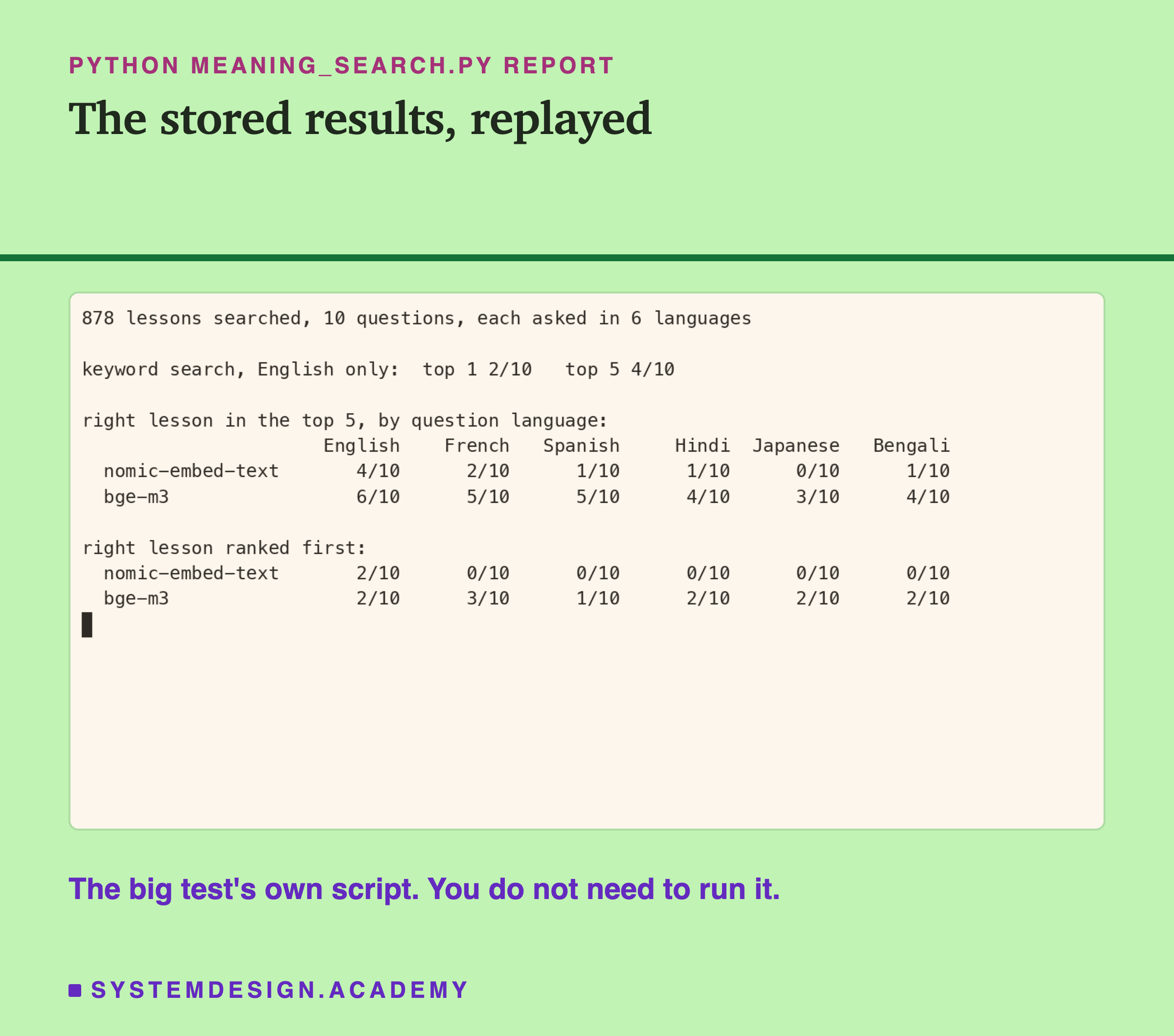
In English: keyword search found the right lesson in the top 5 for 4 of 10 questions. So did nomic-embed-text. bge-m3 found 6 of 10. With only 10 questions, a gap of two is too small to call; treat English as a tie.
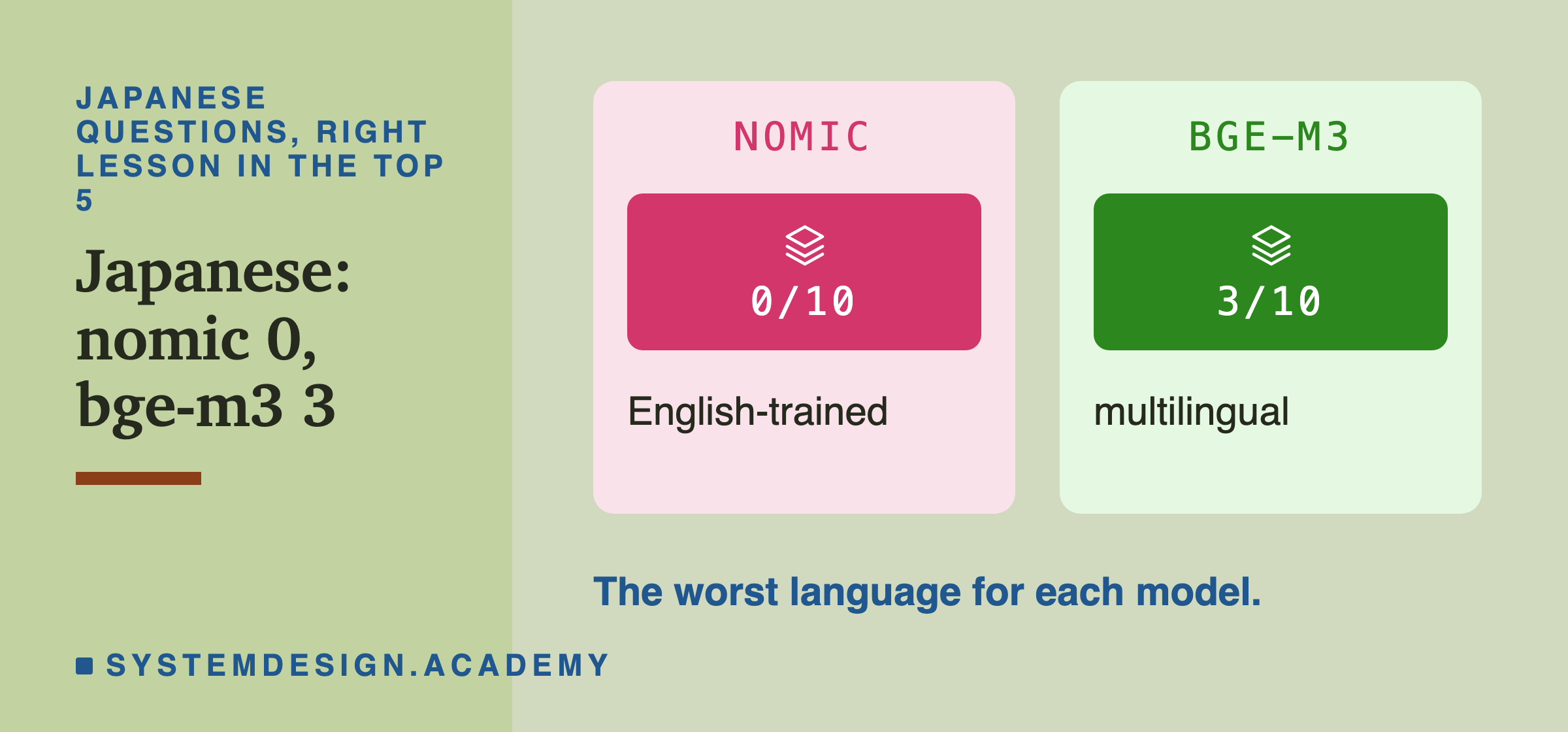
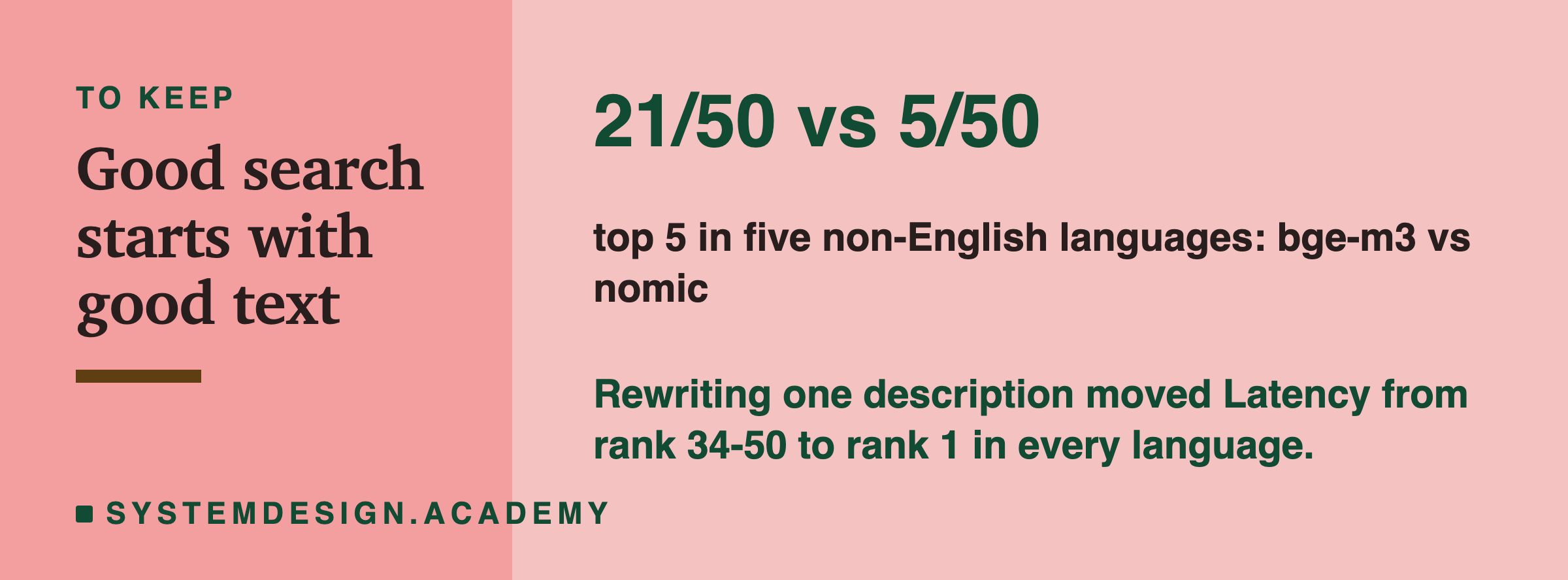
In other languages: nomic-embed-text fell to 0 to 2 of 10. bge-m3 held at 3 to 5 of 10. Added up over the five languages, that is 5 of 50 against 21 of 50. That gap is the real result.
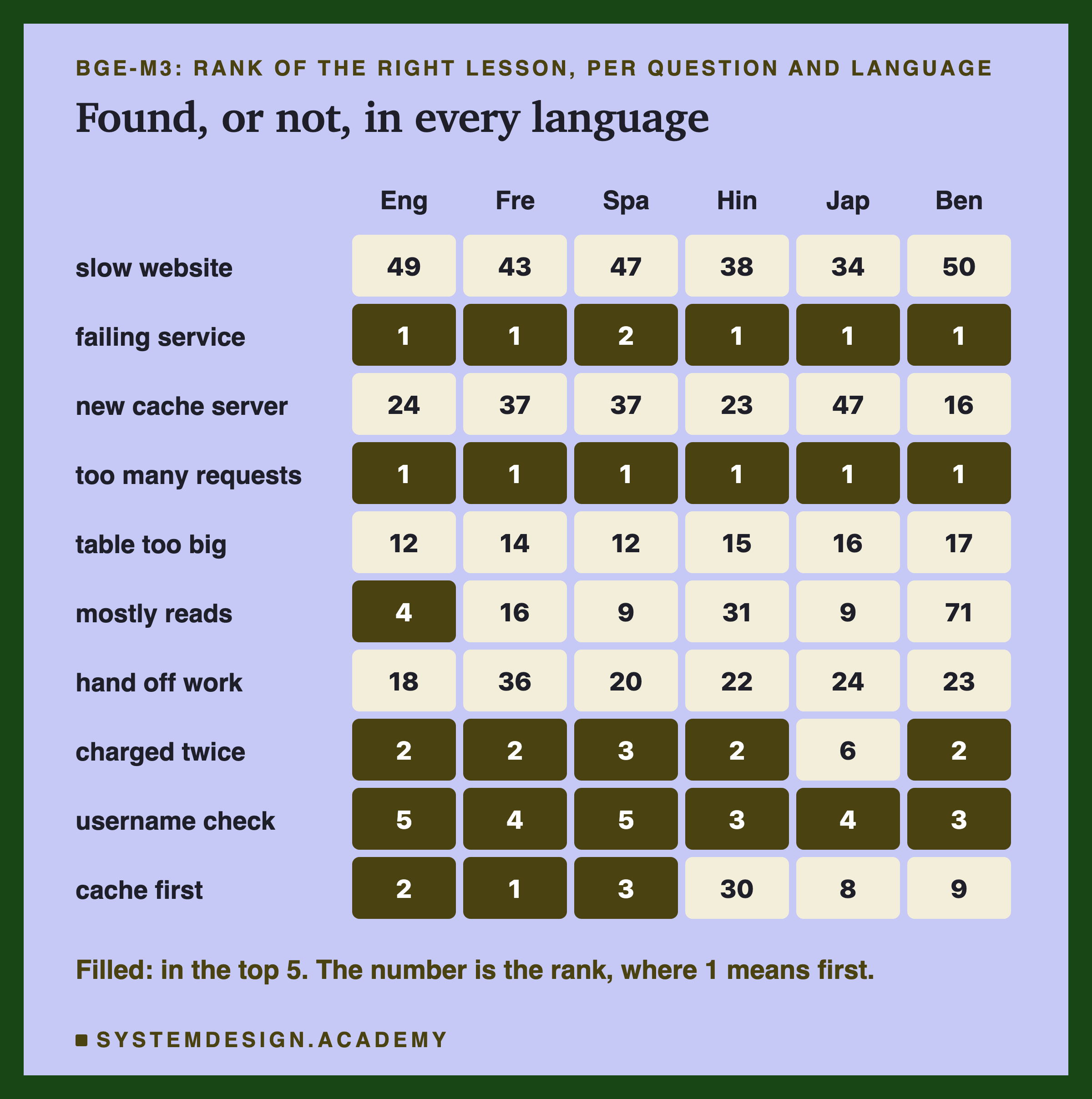
The most useful thing is not a single number. It is how steady bge-m3 was. The rate limiting and questions were ranked first or second in all six languages. The grid below shows each question's rank, language by language.
Why Four Questions Were Never Found
Four questions were never found in the top 5, by any model, in any language: the slow website, the new cache server, the table that is too big, and handing work to another service without waiting. Look at the first two.
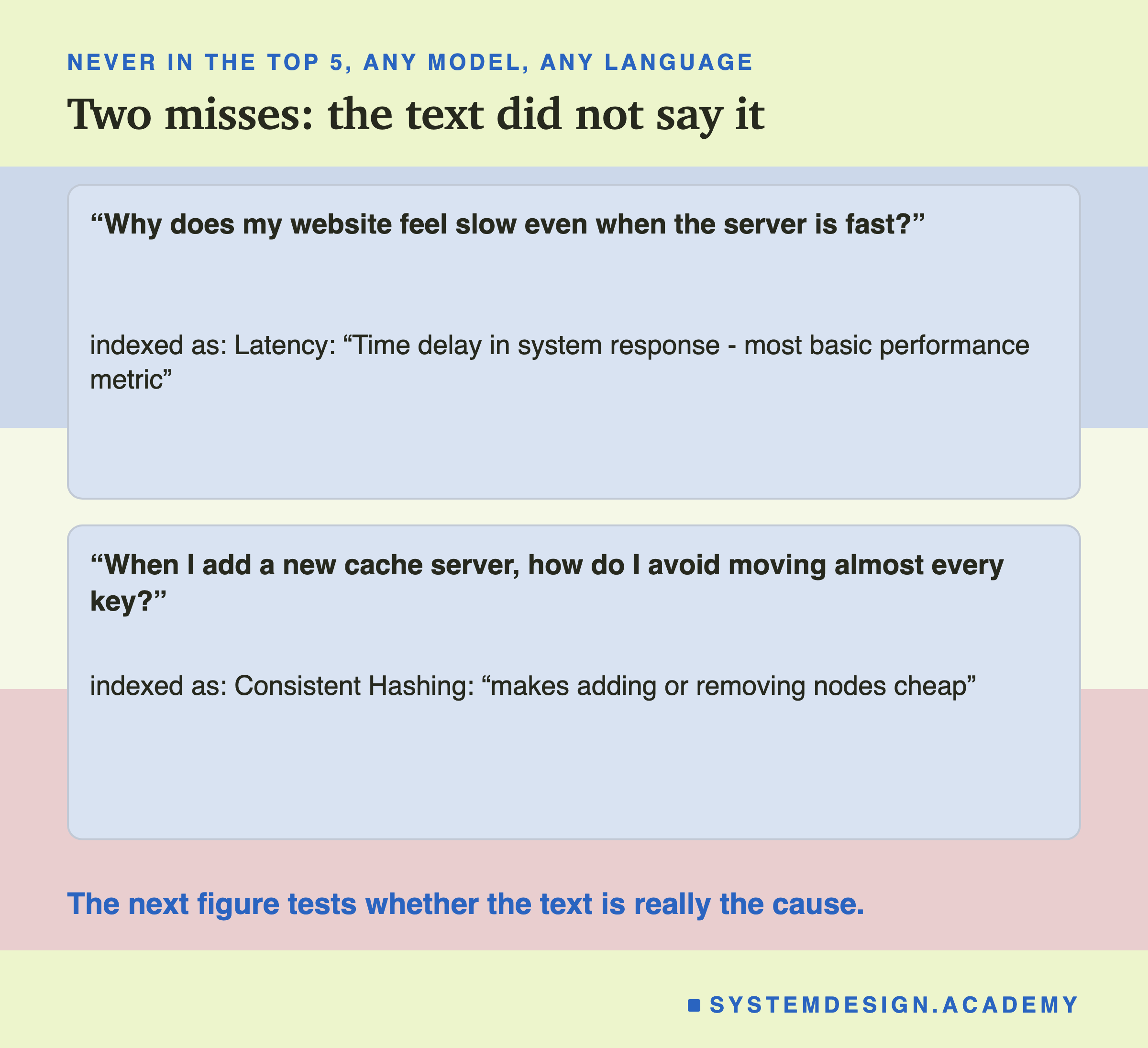
"Why does my website feel slow even when the server is fast?" The right lesson is "". Its description is "Time delay in system response - most basic performance metric". It never says website, slow or feel.
"When I add a new cache server, how do I avoid moving almost every key?" The right lesson is "". Its description says "adding or removing nodes cheap", but never cache, server or key.
The words describing those two lessons do not say what a learner asks about. The next slide tests whether that is really the cause.
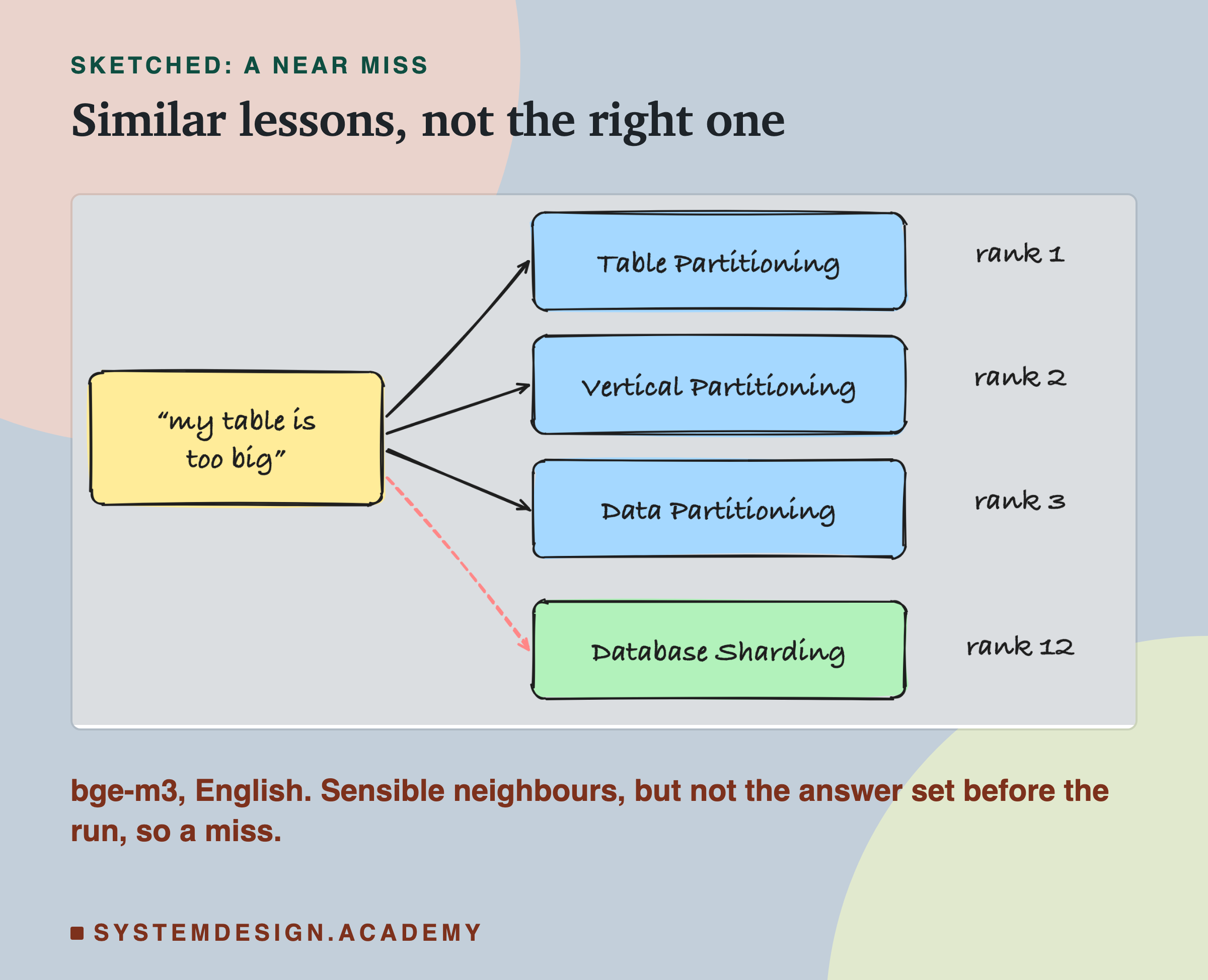
The other two are near misses. For "My table is too big for one machine. How do I split it across several?", in English both models ranked three partitioning lessons above "Database ". For "hand work to another service without waiting", bge-m3's first result in English was "Asynchronous Processing", not "Message Queues". Those are very similar topics, so they are sensible results, but they were not the answers I set before the run, so they count as misses.
Testing the Cause: Rewrite One Description
Was the missing answer the model's fault, or the text's? I tested it. Same 878 lessons, same bge-m3, same question in all six languages. I changed only one thing: the Latency lesson's indexed text.
- Before: "Latency. Time delay in system response - most basic performance metric"
- After: "Latency. Why a website or app feels slow: the time a request spends travelling, waiting and being processed before the user sees a response."
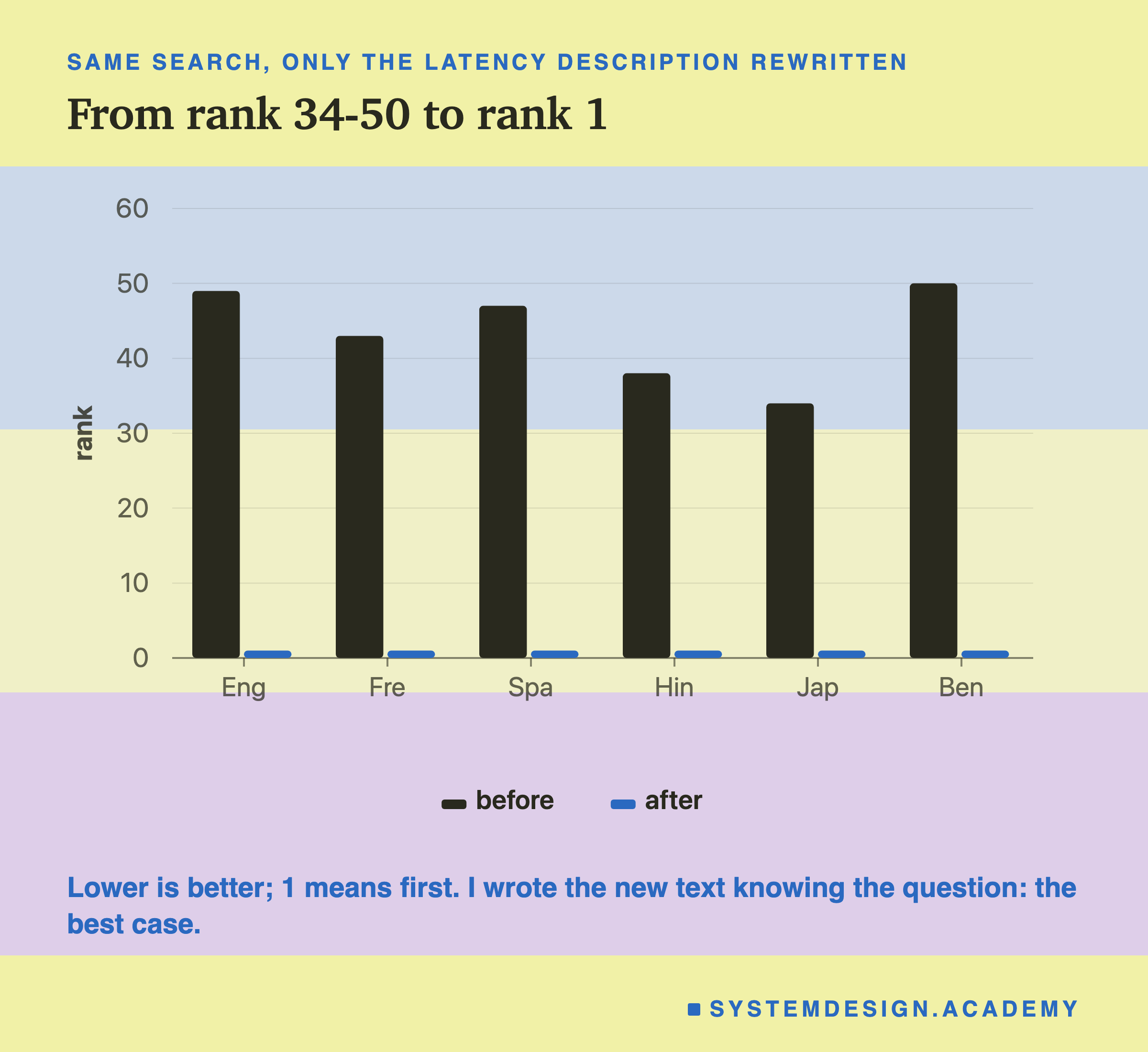
Before, the right lesson ranked between 34 and 50. After, it ranked first in all six languages.
One honest note: I wrote the new description knowing the question, so this is the best case. It proves the text was the cause. It does not prove any rewrite would work as well. The rule still holds: search is only as good as the text you put in the index. Describe each document in the words people will use to ask for it.
Keyword Search Still Works
In English, plain keyword search matched nomic-embed-text: 4 of 10 in the top 5. It found the and idempotency questions first, because the questions used the same words as those lessons.
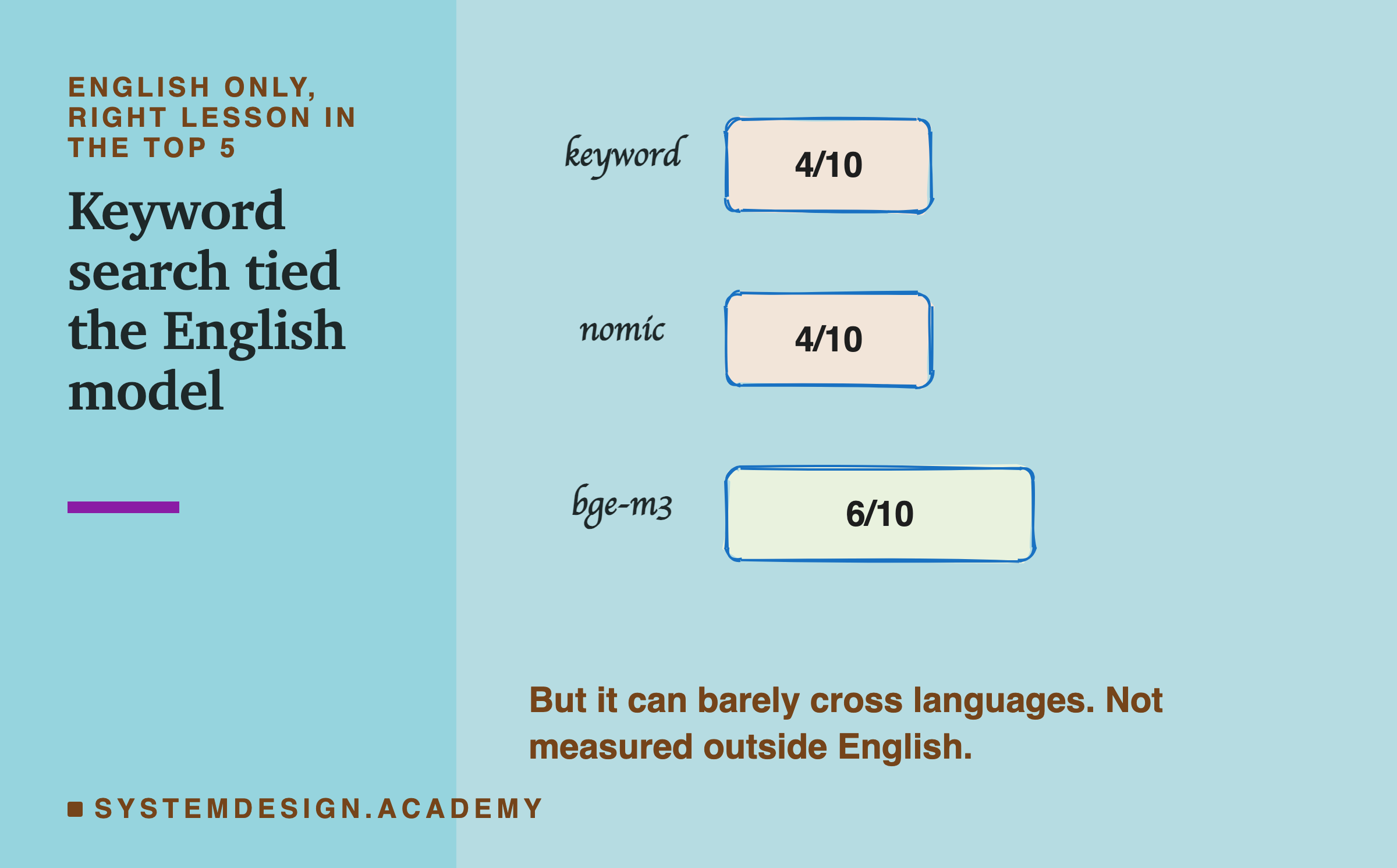
But keyword search can barely cross languages. A question in Hindi shares almost no words with an English lesson: at most a borrowed word like "API". I did not measure keyword search outside English. That is where a multilingual model is needed.
Many real systems run both searches and merge the two lists. This is called hybrid search, and a later chapter of this course covers it.
Rank It Yourself
This box holds the real ranks from the big test, for bge-m3. Each list has one number per question, in the order of the table below. The number is the rank of the first right lesson. Press Run to count how many landed in the top 5.
Then change TOP = 5 to TOP = 1, or TOP = 10, and run it again.
When to Use It
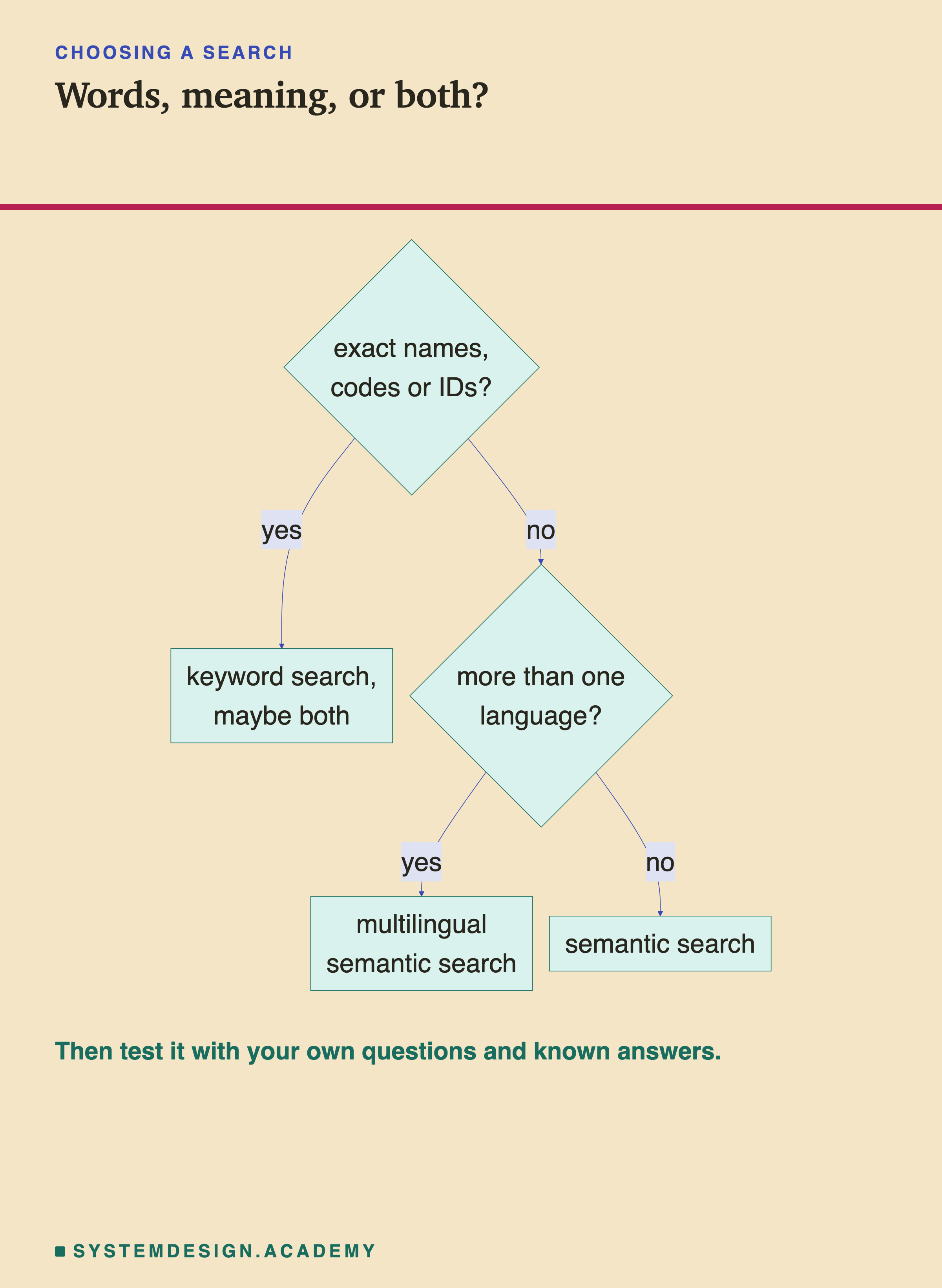
- People ask in their own words, not your document's words. Use semantic search.
- People ask in several languages. Use a multilingual model, and test it in each language.
- People search for exact names, codes or IDs. Keyword search is often better. Consider both.
- Before you trust any of it: write your own test questions with known answers, as this lesson did, and measure.
What This Lesson Measured, and What It Did Not
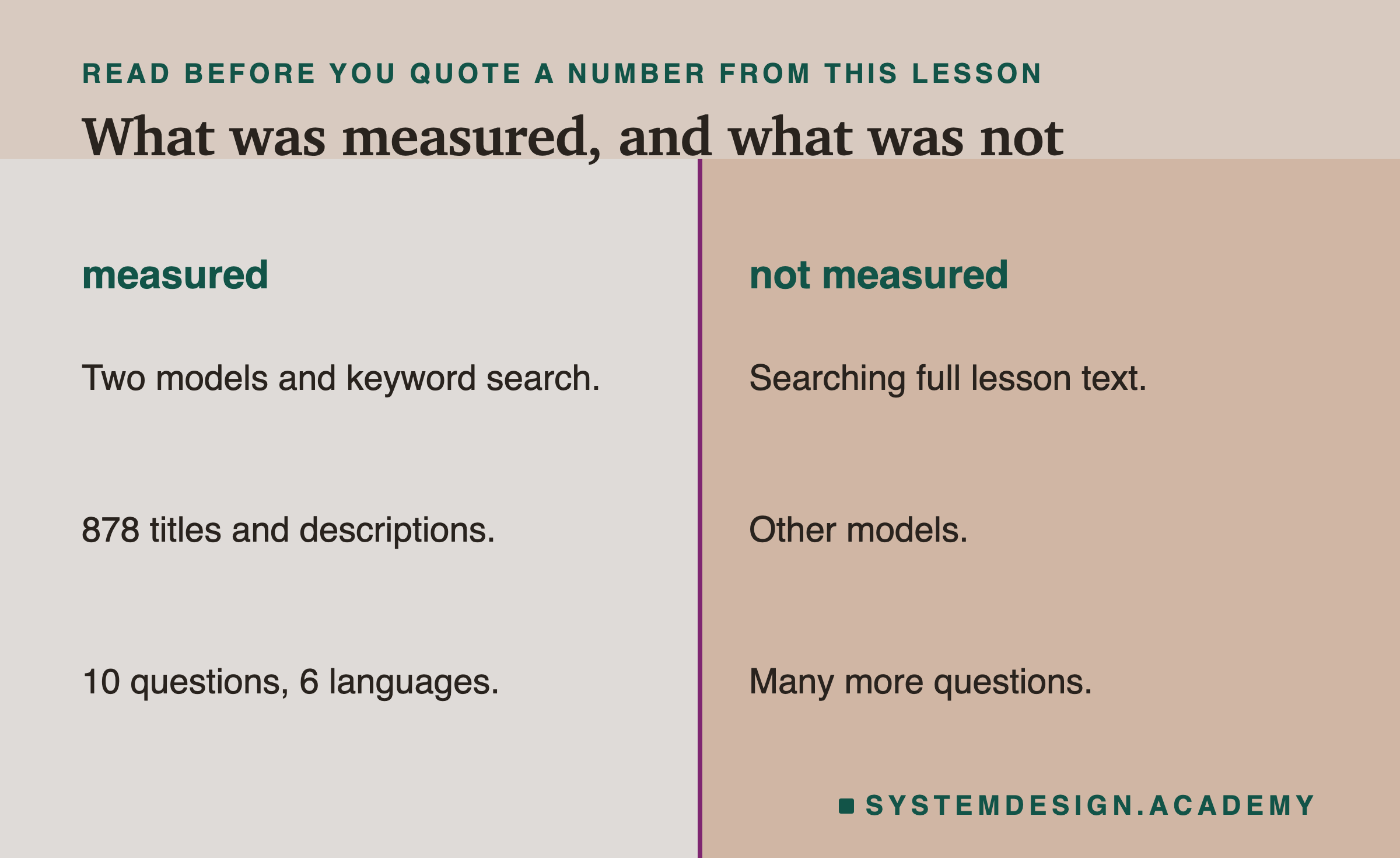
Measured: two models and keyword search, 878 lesson titles and descriptions, 10 questions in six languages.
Not measured: searching the full lesson text, other models, or many more questions. Ten questions is a small test, so a difference of one or two is not meaningful. The translations are mine.
What to Do Next
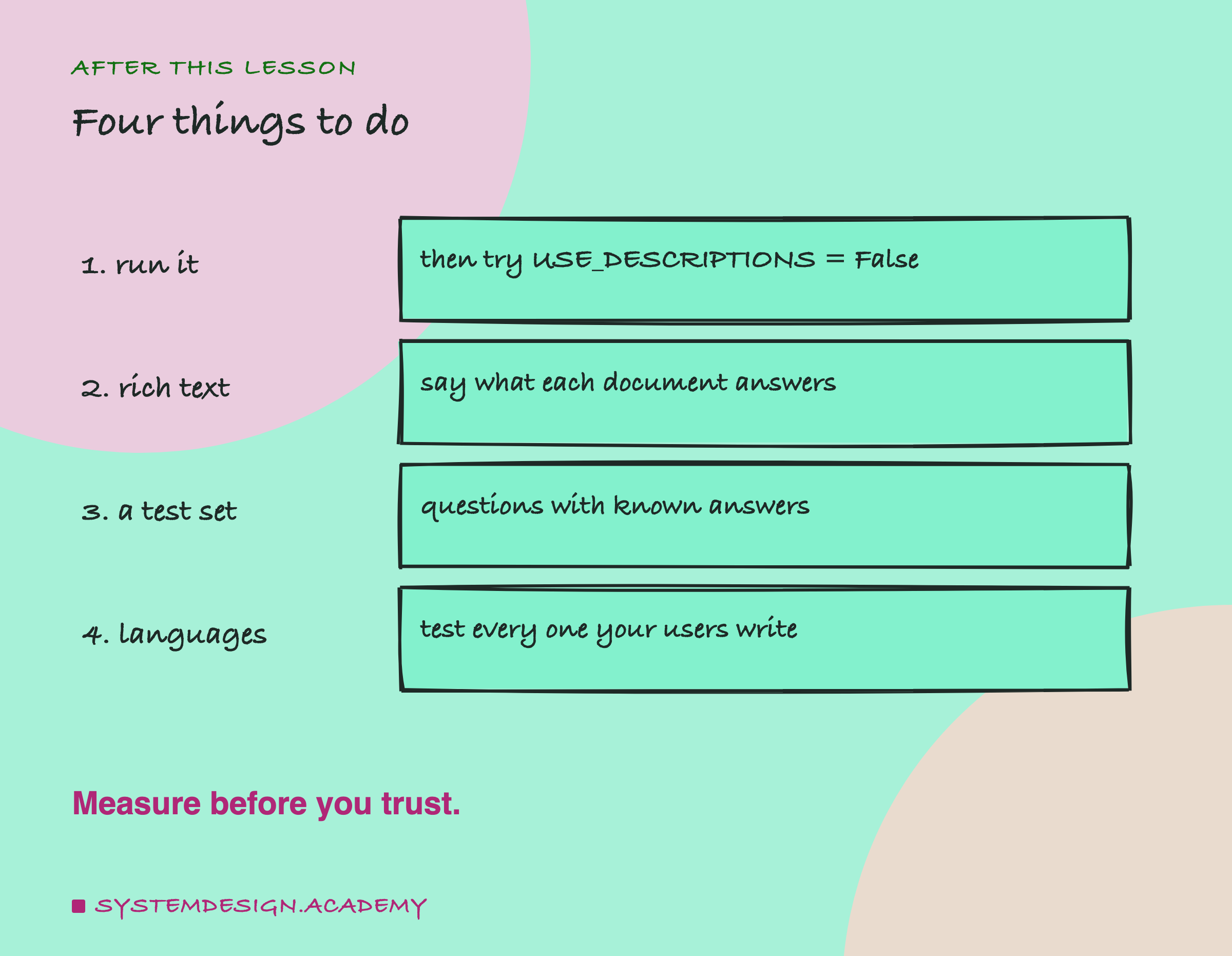
- Run the small search, then set
USE_DESCRIPTIONS = Falseand see it get worse. - Write rich text for each document. Say what it answers, in the words people use.
- Build a small test set: questions with known right answers, before you tune anything.
- Test every language your users write in.
Knowledge Check
Knowledge Check
4 questions - Score 80% to pass
In semantic search, what happens once, ahead of time, and what happens for every question?
With titles alone, Rate Limiting won by only 0.005 in English and lost in Spanish. With a one-line description it won everywhere by about 0.2. Why?
The question about a slow website never found the Latency lesson. What was the cause?
In English, keyword search, nomic-embed-text and bge-m3 were close (4, 4 and 6 of 10). Why still use a multilingual embedding model?