A Machine That Only Reads the Start
Picture a small machine that reads paper. You feed it a long scroll. It pulls in the first part, and the rest piles up on the floor behind it. The machine never says "that was too long". It just gives you an answer about the part it read.
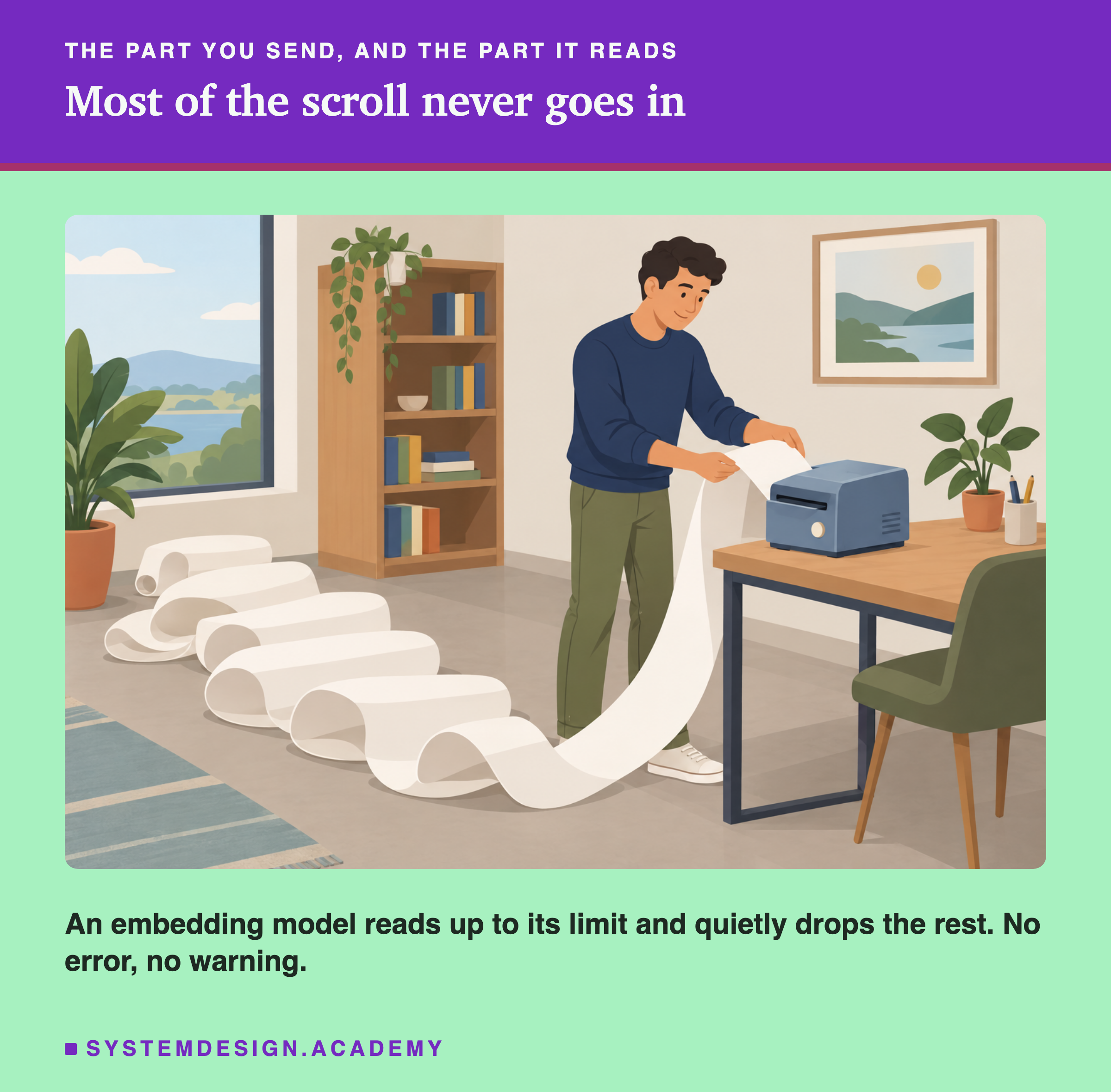
models can behave exactly like this. Each one can read only so many tokens at once. Send more, and by default the extra is thrown away, with no error.
In this lesson I measure where two real models cut, what happens to a sentence placed after the cut, and the settings that move the cut.
The Words You Need First
If a word below is new, read its line. Token, and Ollama come from earlier lessons in this chapter.
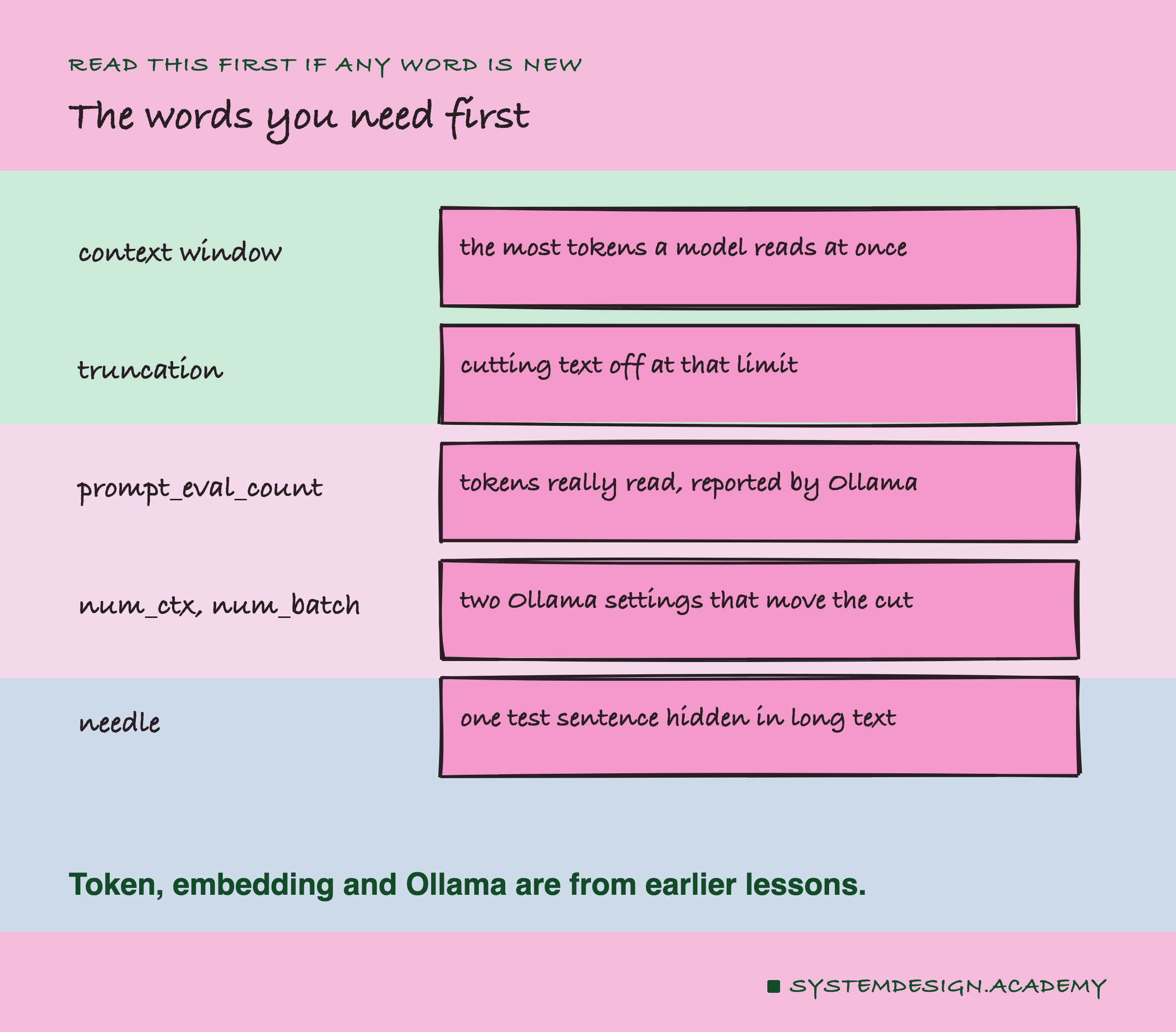
Context window. The most tokens a model can read in one go.
Truncation. Cutting text off at the context window. The part after the cut is never read.
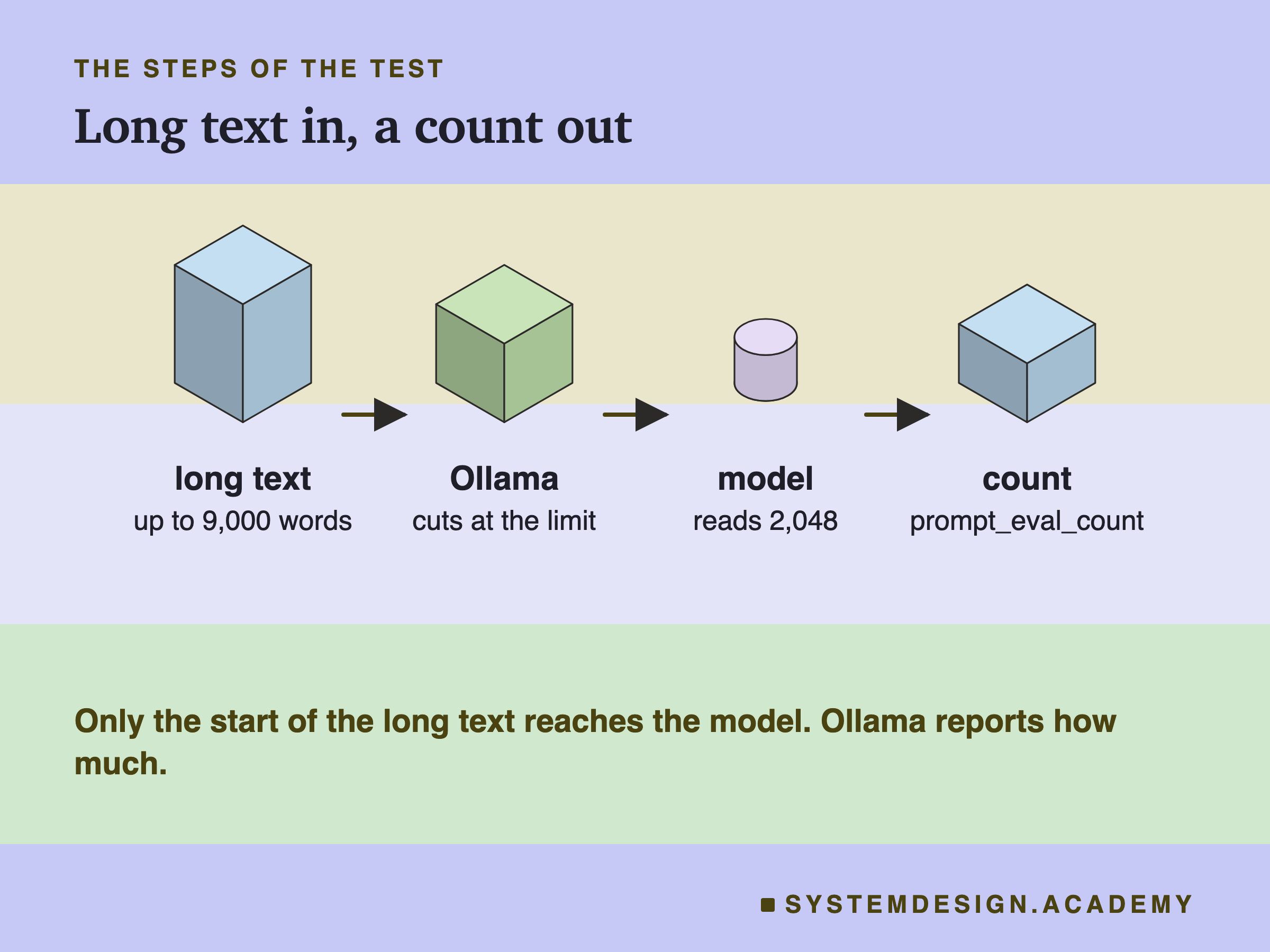
prompt_eval_count. A number Ollama sends back with every embedding: how many tokens the model really read. It is how we can see the cut.
num_ctx and num_batch. Two Ollama settings. num_ctx is the context window Ollama allows; num_batch is how many tokens it processes in one step. An embedding has to fit in one step, so Ollama reads at most the smaller of the two. num_batch defaults to 2,048.
Needle. A single test sentence hidden in a long text, to check whether the model read that part.
How to See the Cut
You cannot see truncation in the itself. It is still a normal list of numbers. But Ollama reports how many tokens it read.
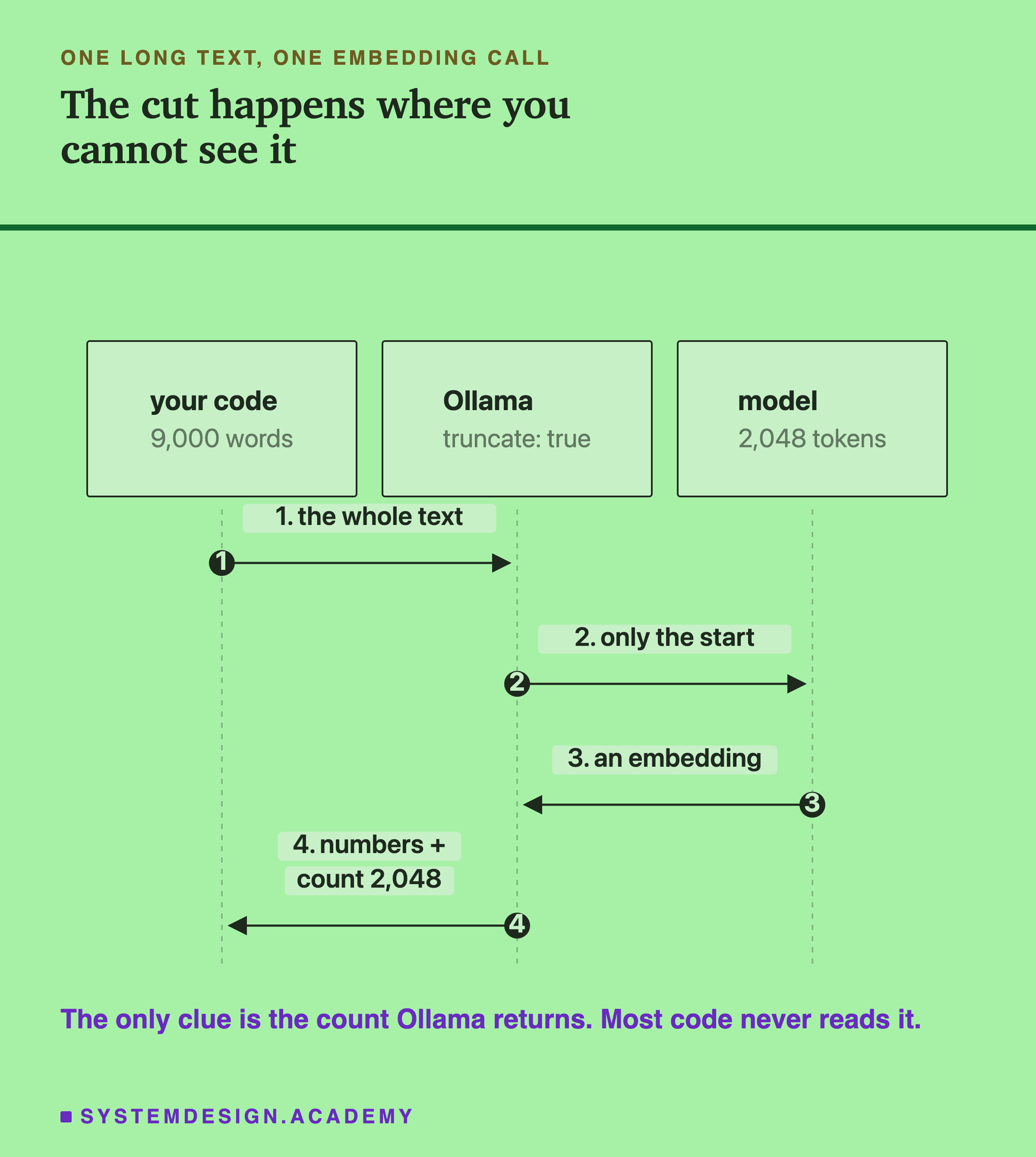
So the test is simple. Send longer and longer text, and watch the number. While the model reads everything, the count grows with the text. When the count stops growing, you have found the cut.
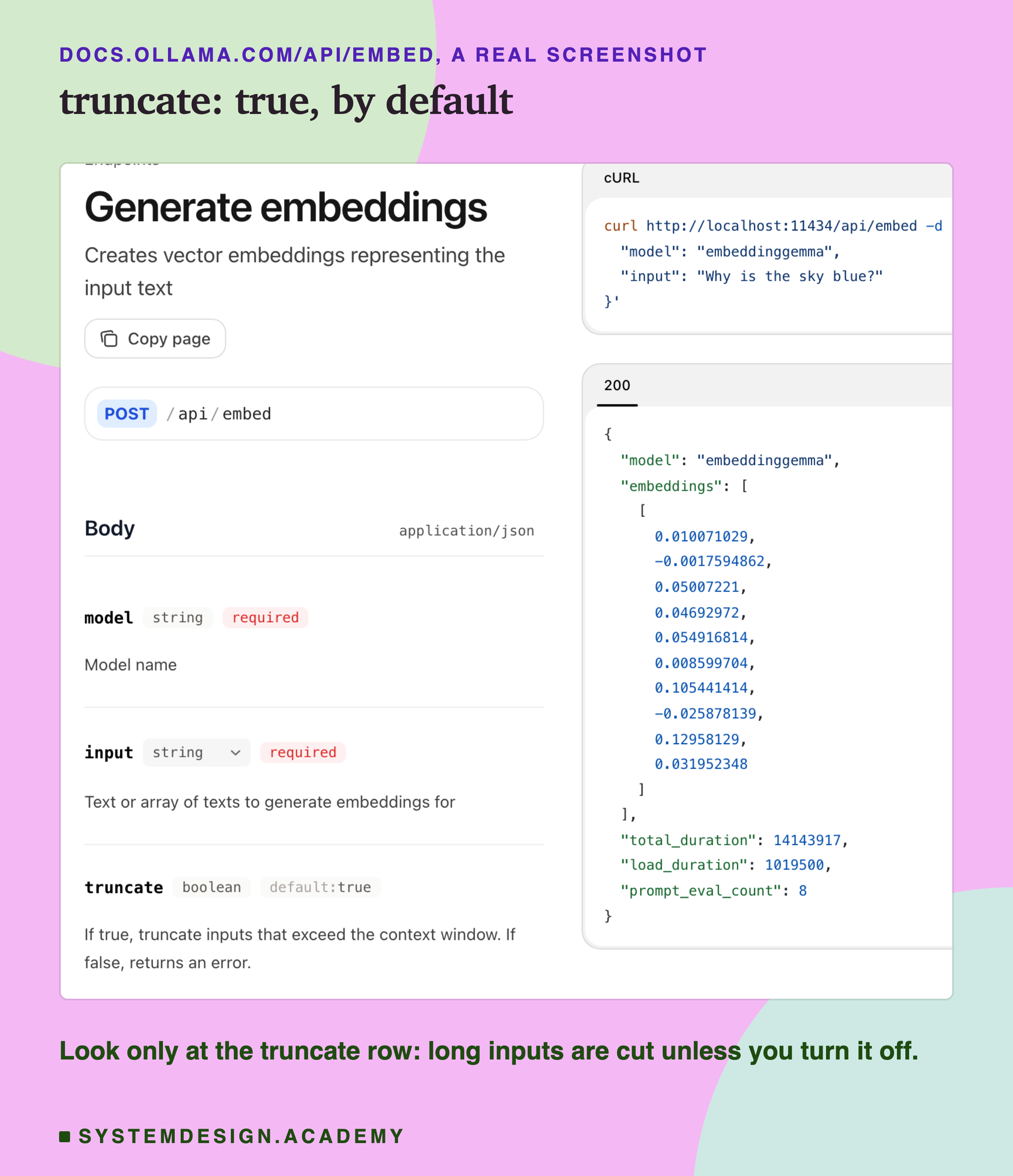
Ollama's own documentation, shown above, says it: truncate is true by default, and inputs longer than the context window are cut.
Find the Cut Yourself
Here is a short script that does the test with a repeated sentence. This is the real file, open in my VS Code.
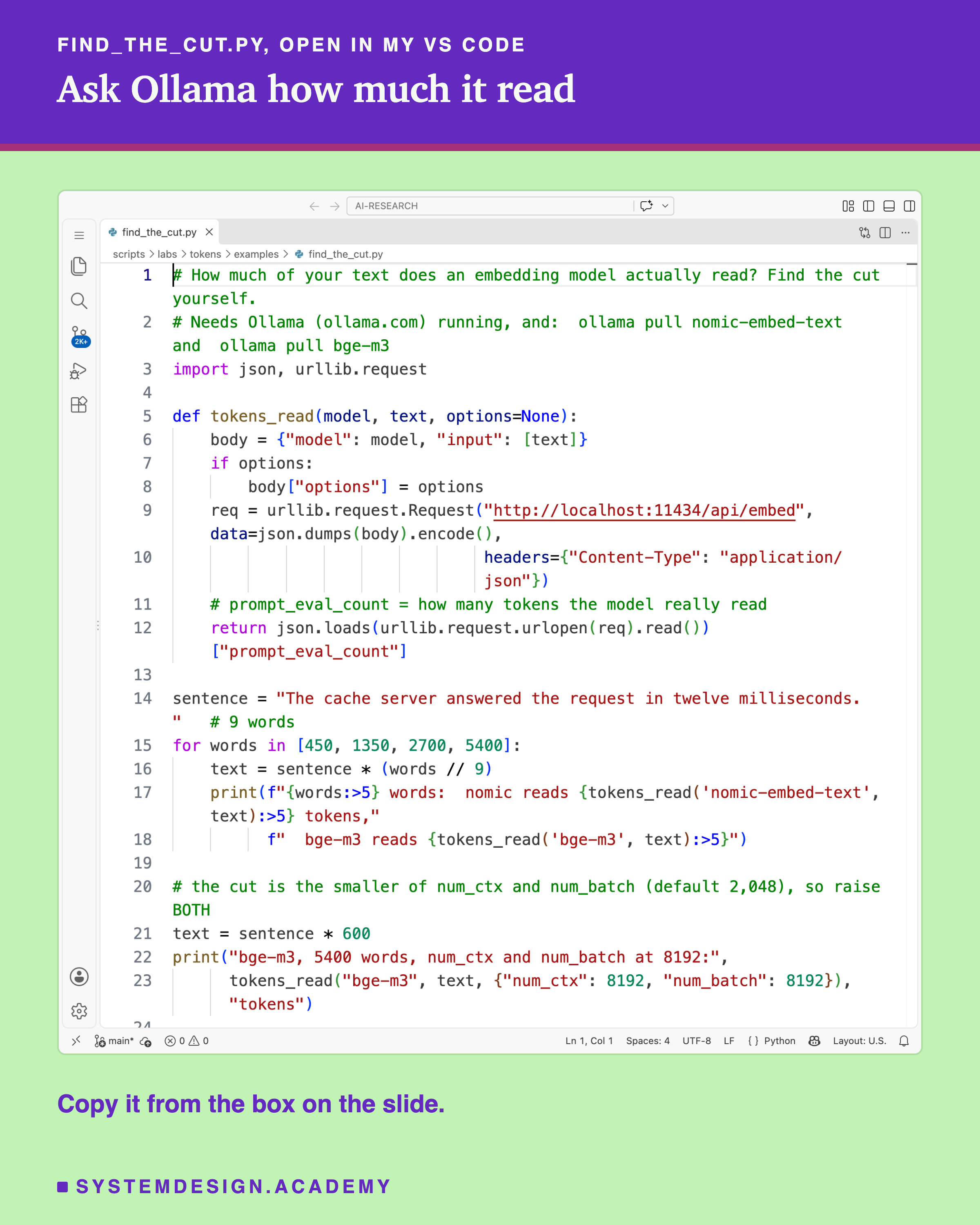
And this is what it printed.
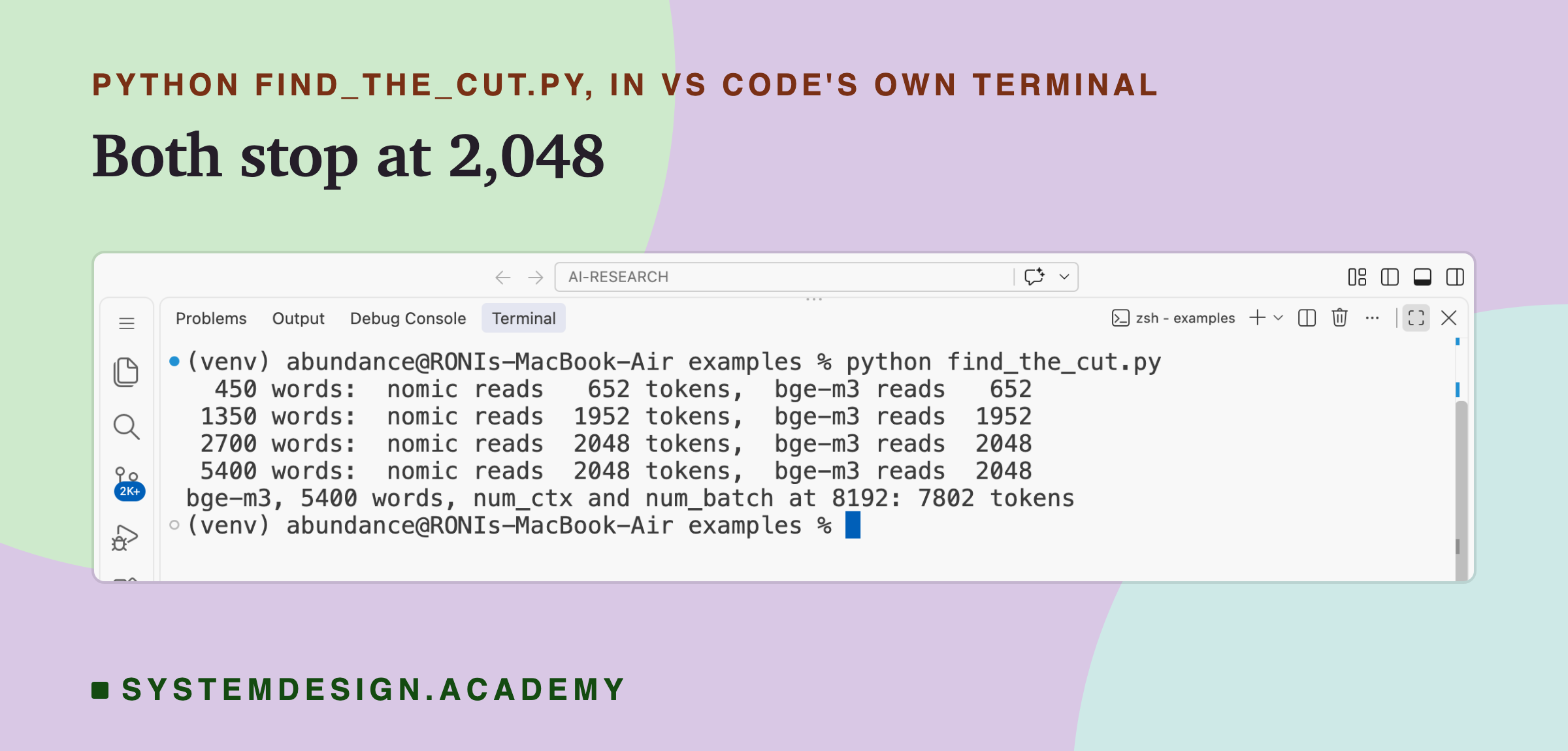
At 450 and 1,350 words, both models read every token. At 2,700 and 5,400 words, both read exactly 2,048 and stopped. The last line shows bge-m3 reading 7,802 tokens of 5,400 words once both settings are raised.
To run it: install Ollama from ollama.com and open it. In a terminal, run ollama pull nomic-embed-text and ollama pull bge-m3 (bge-m3 is a download of about 1.2 GB). Save the file below as find_the_cut.py, and run python3 find_the_cut.py (on Windows: python find_the_cut.py). You need only Python 3; the "(venv)" in my screenshot is just my own setup. If you see "Connection refused", start Ollama and try again. Its numbers differ a little from the full test below, because it repeats one sentence while the full test uses real lessons.
# How much of your text does an embedding model actually read? Find the cut yourself.
# Needs Ollama (ollama.com) running, and:  ollama pull nomic-embed-text  and  ollama pull bge-m3
import json, urllib.request

def tokens_read(model, text, options=None):
    body = {"model": model, "input": [text]}
    if options:
        body["options"] = options
    req = urllib.request.Request("http://localhost:11434/api/embed", data=json.dumps(body).encode(),
                                 headers={"Content-Type": "application/json"})
    # prompt_eval_count = how many tokens the model really read
    return json.loads(urllib.request.urlopen(req).read())["prompt_eval_count"]

sentence = "The cache server answered the request in twelve milliseconds. "   # 9 words
for words in [450, 1350, 2700, 5400]:
    text = sentence * (words // 9)
    print(f"{words:>5} words:  nomic reads {tokens_read('nomic-embed-text', text):>5} tokens,"
          f"  bge-m3 reads {tokens_read('bge-m3', text):>5}")

# the cut is the smaller of num_ctx and num_batch (default 2,048), so raise BOTH
text = sentence * 600
print("bge-m3, 5400 words, num_ctx and num_batch at 8192:",
      tokens_read("bge-m3", text, {"num_ctx": 8192, "num_batch": 8192}), "tokens")
The Full Test on Real Lessons
The script above uses one repeated sentence. For the full test I used real text: the two longest lessons on this site, joined into 9,000 words.
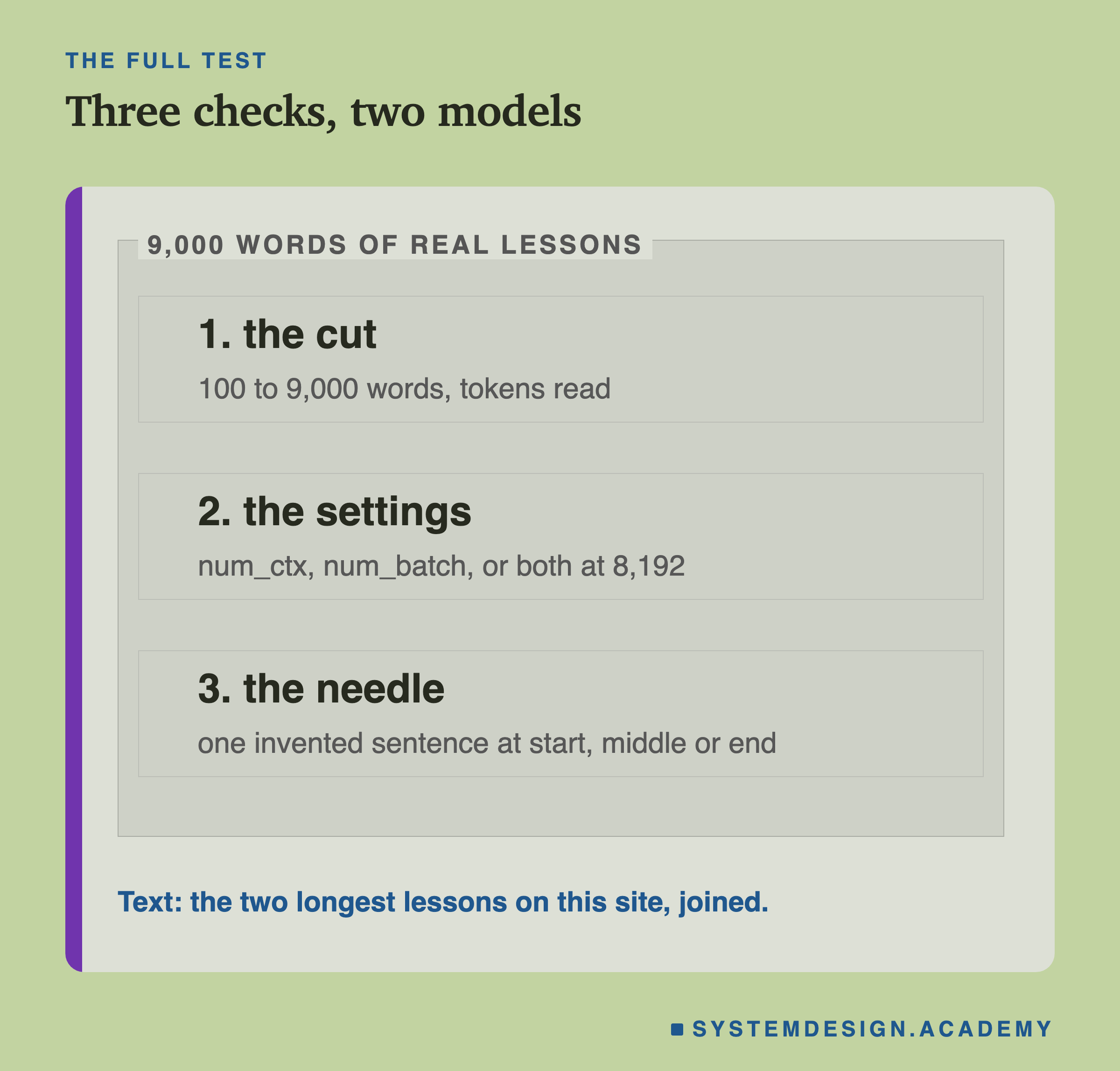
I ran three checks on both models:
- The cut: send 100 to 9,000 words and record the tokens read.
- The settings: send all 9,000 words with num_ctx, num_batch, or both raised to 8,192.
- The needle: hide one sentence, "The secret test phrase for this lab is: purple giraffes deploy on Tuesdays.", at the start, middle or end of 6,000 words. Then score the question "What do purple giraffes do on Tuesdays?" against the text. I invented this sentence for the test.
Here is the full report, from the terminal.
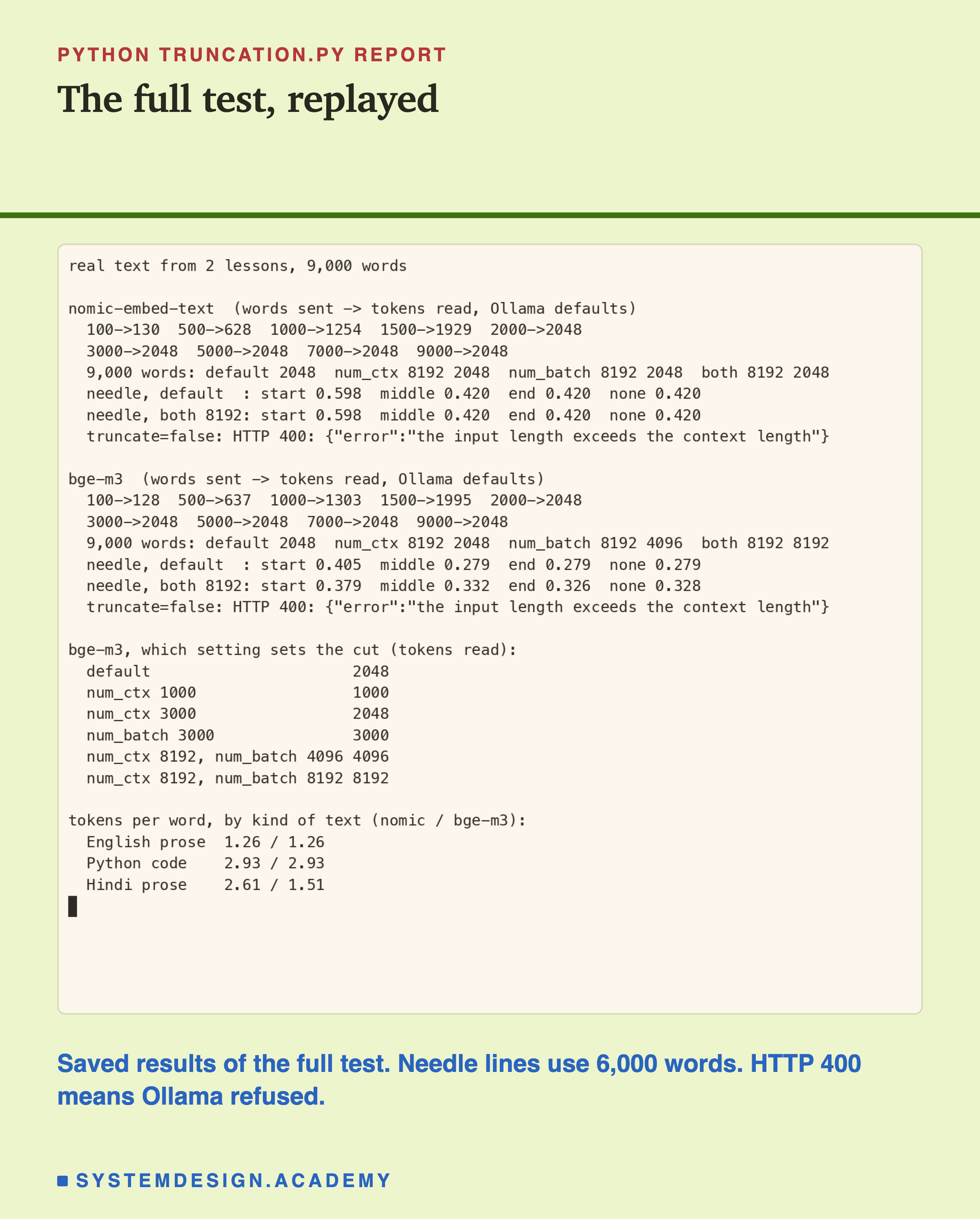
Both Models Stopped at 2,048
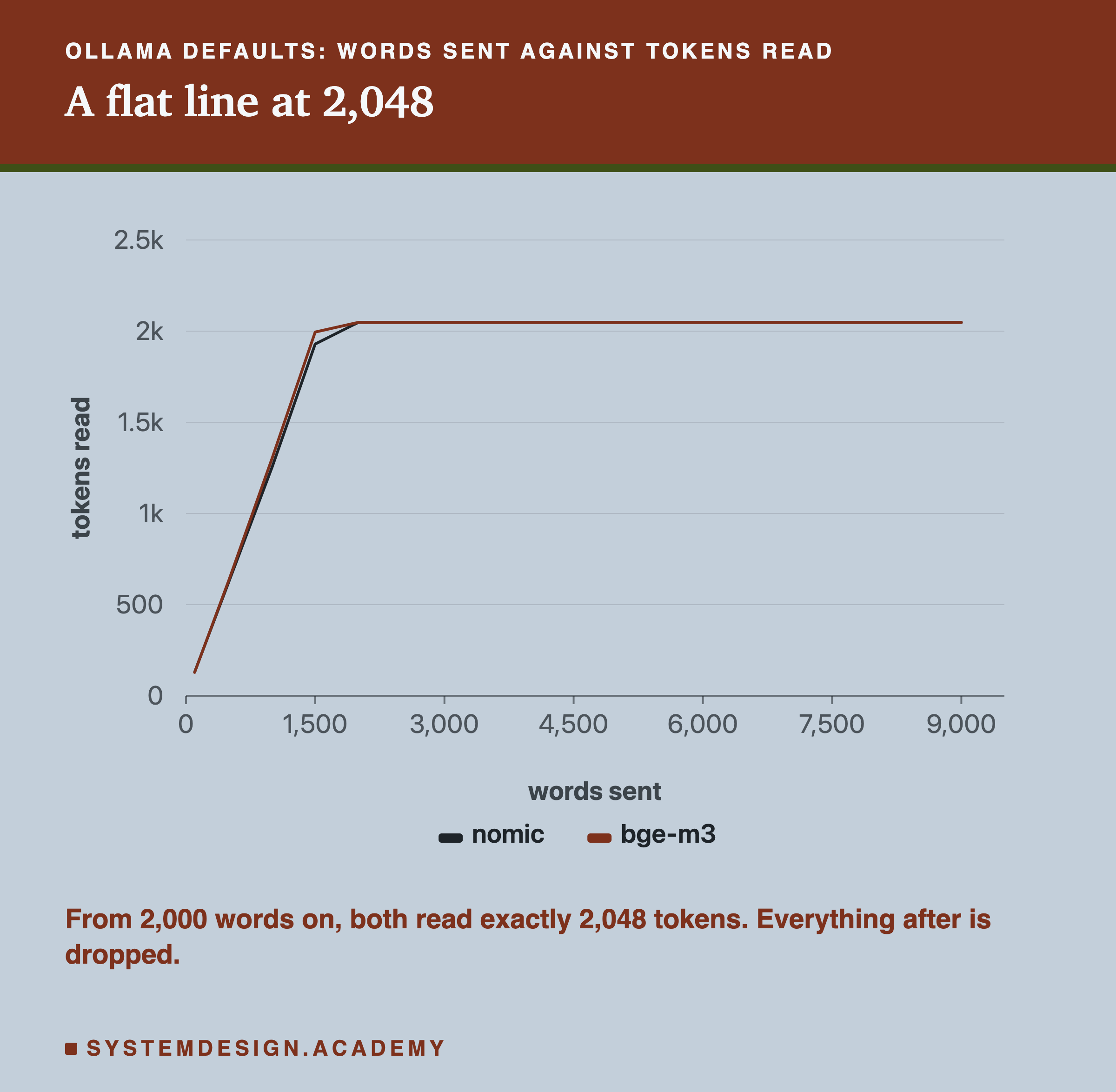
Up to about 1,500 words, both models read everything. By 2,000 words, both read exactly 2,048 tokens, and they stayed there all the way to 9,000 words.
So with 9,000 words, both models read roughly the first 1,550 to 1,650 words and threw away the rest, over 7,000 words, with no warning.
With truncate set to false, Ollama refused instead: "the input length exceeds the context length". That error is what the default hides.
The Page Says 8,192. The Default Says 2,048.
nomic-embed-text really is a 2,048-token model. But bge-m3 is not. Its own model card says it handles documents of up to 8,192 tokens.
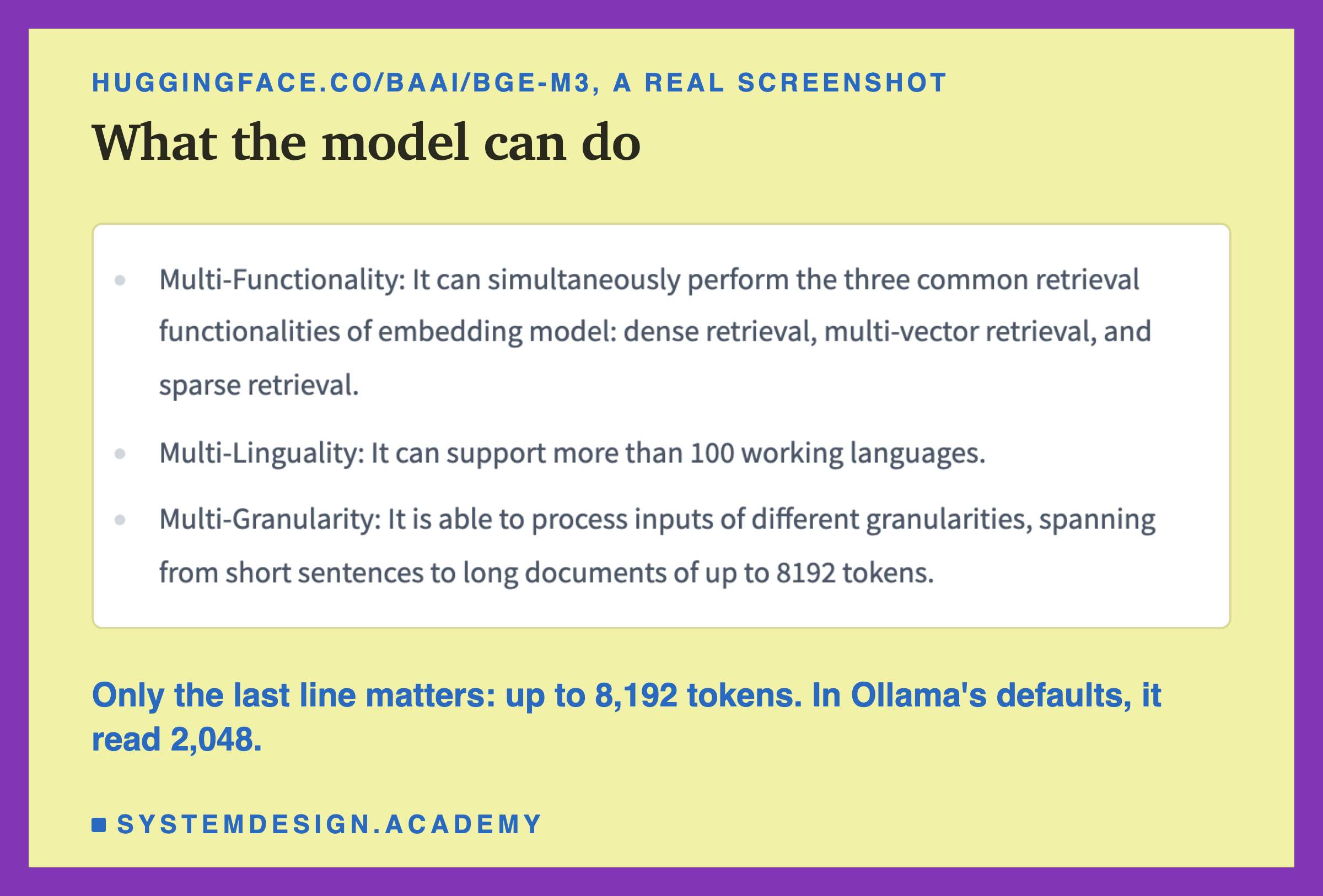
So I tried Ollama's two settings on the same 9,000 words.
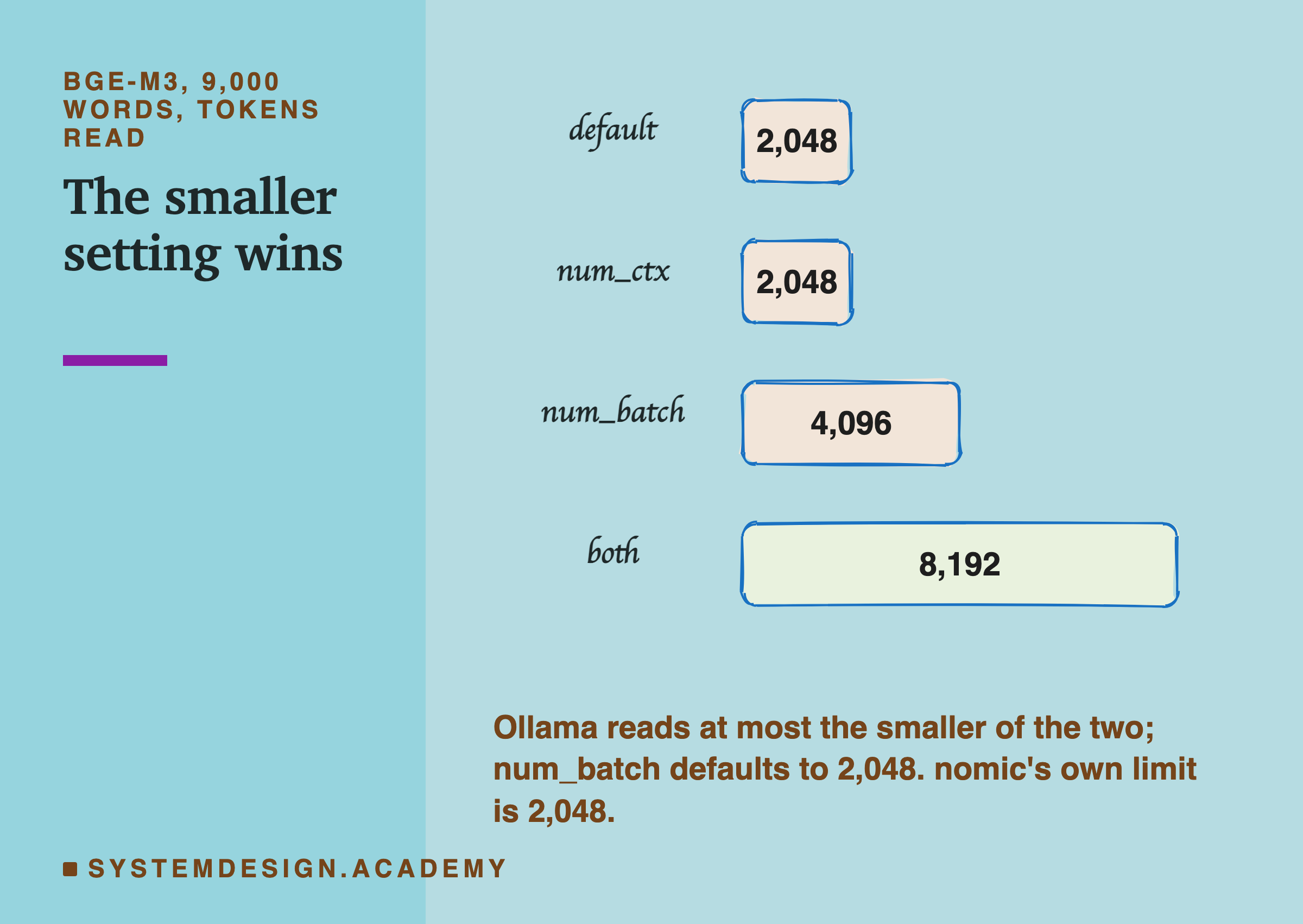
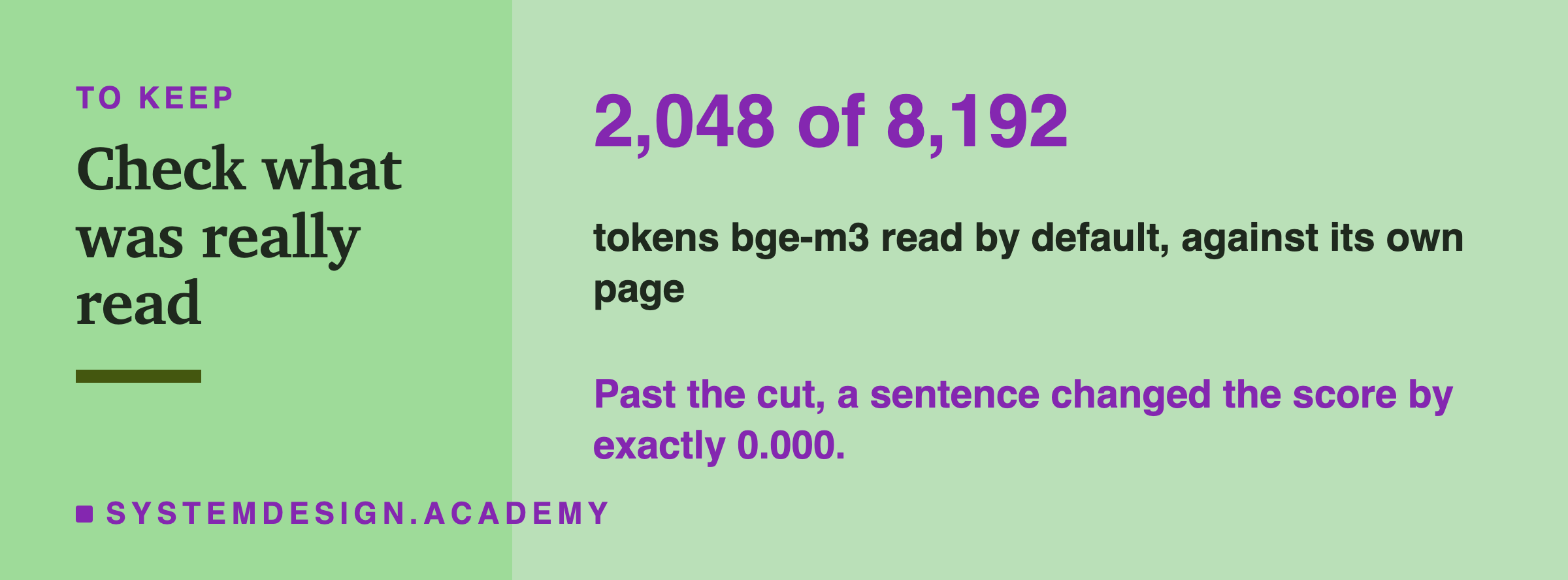
For bge-m3, raising num_ctx alone changed nothing: still 2,048. Raising num_batch alone gave 4,096. Only raising both to 8,192 let it read 8,192 tokens.
A finer probe showed why. The read was always the smaller of num_ctx and num_batch: num_ctx 1,000 gave 1,000, num_batch 3,000 gave 3,000, and num_ctx 8,192 with num_batch 4,096 gave 4,096. So the default cut of 2,048 comes from num_batch, and raising num_ctx alone cannot move it. For nomic-embed-text, nothing changed: 2,048 is its real limit.
A model's page tells you what it can do. What it actually does depends on how you run it. Measure it.
The Cut Is in Tokens, Not Words
The limit is 2,048 tokens, and lesson 1 showed that tokens are not words. So how many words fit depends on what kind of text you send. I measured one short sample of each of three kinds, repeated 20 times, so treat these as examples.
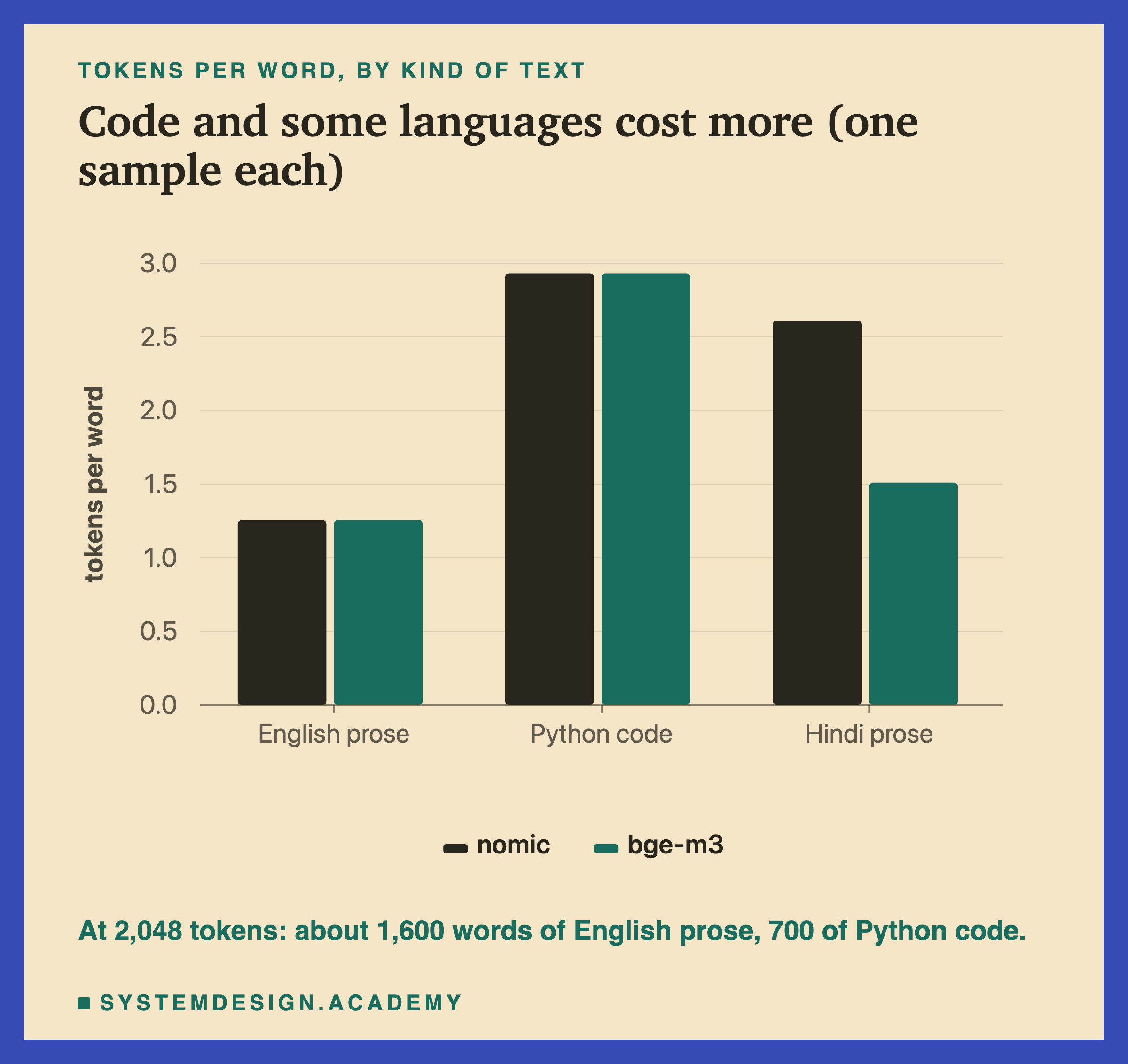
- English prose: 1.26 tokens per word with both models. About 1,600 words fit.
- Python code: 2.93 tokens per word with both, in this sample. Symbols and brackets cost tokens, so only about 700 words of it fit.
- Hindi: 2.61 tokens per word with nomic-embed-text, but 1.51 with bge-m3, whose tokenizer (the tool from lesson 2 that splits text into tokens) cut this sample into fewer pieces.
So the same 2,048-token window holds about 1,600 words of English prose but only about 780 words of Hindi with nomic. Count tokens, not words, before you decide what fits.
A Sentence Past the Cut Does Not Exist
Now the needle. Lesson 4 used a score, the , for how close in meaning two texts are. If the model read the needle, the question's score against the text should go up.
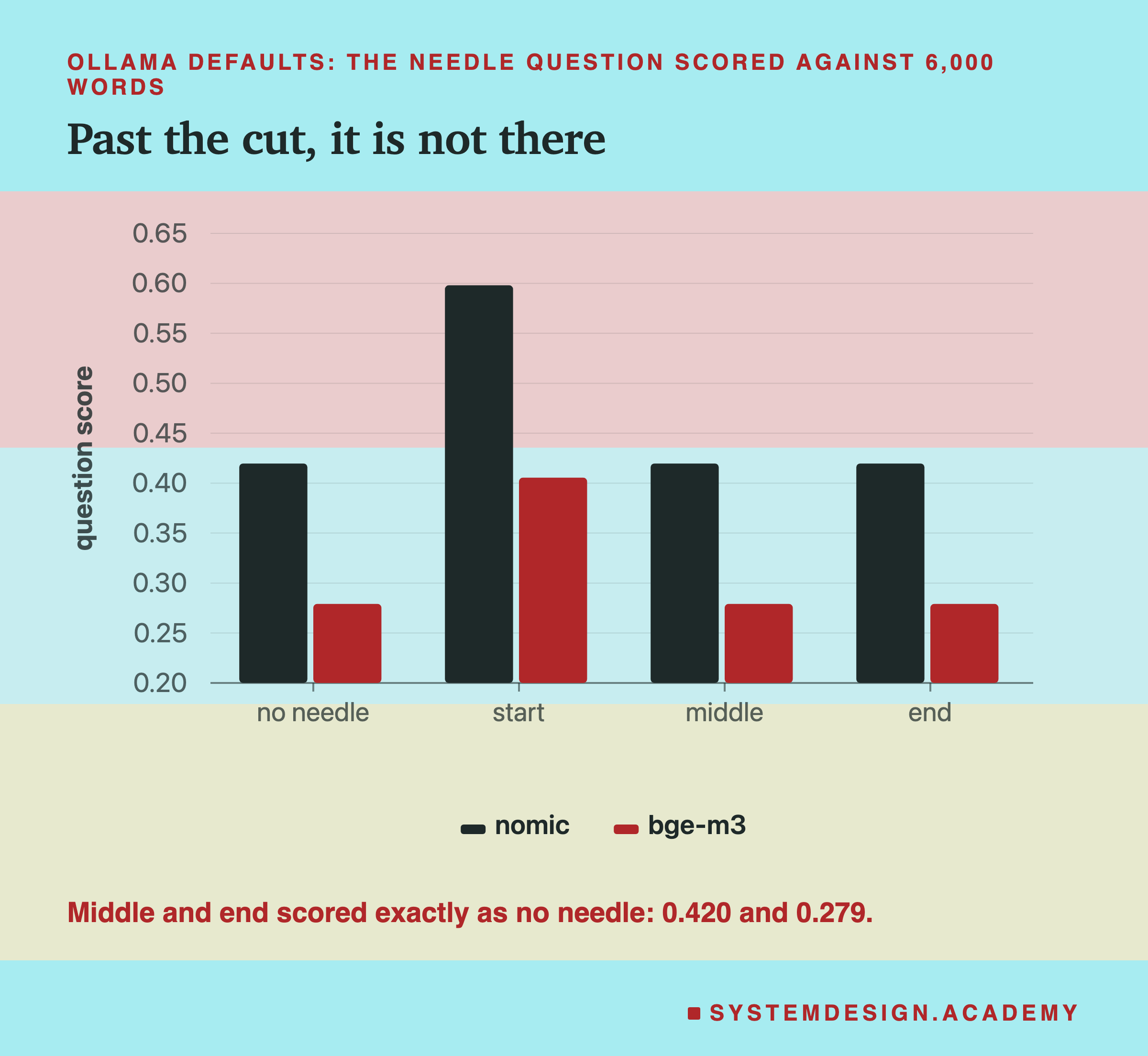
With the default settings:
- Needle at the start: the score jumped, from 0.420 to 0.598 with nomic, and from 0.279 to 0.405 with bge-m3. The model read it.
- Needle in the middle or at the end: the score was exactly the same as with no needle at all, to three decimals: 0.420 and 0.279. The model never read it.
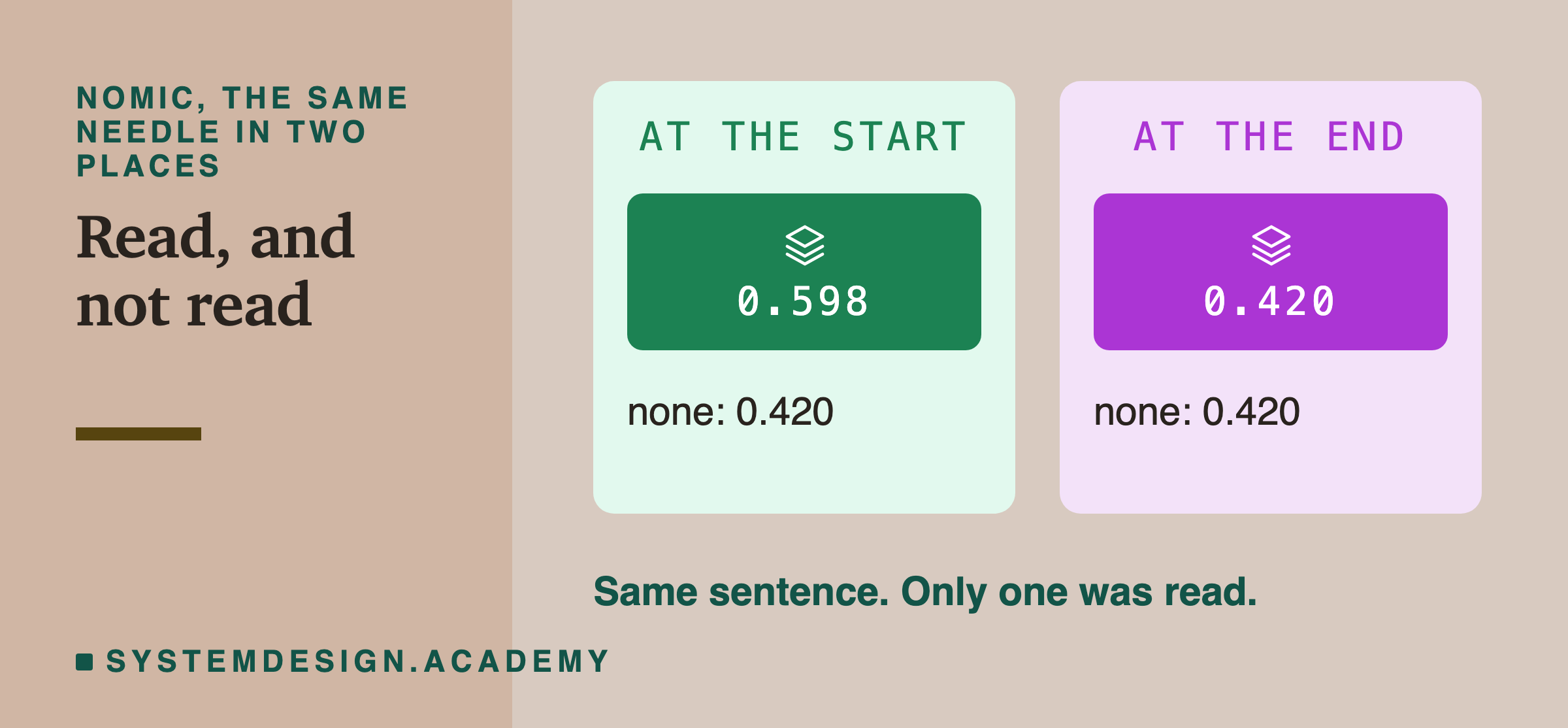
For search, this means a fact written after the cut can never be found in that document, however perfectly the question matches it.
Reading More Is Not the Whole Fix
So raise the settings and the problem is solved? No. With bge-m3 reading all 8,192 tokens, I ran the needle test again.
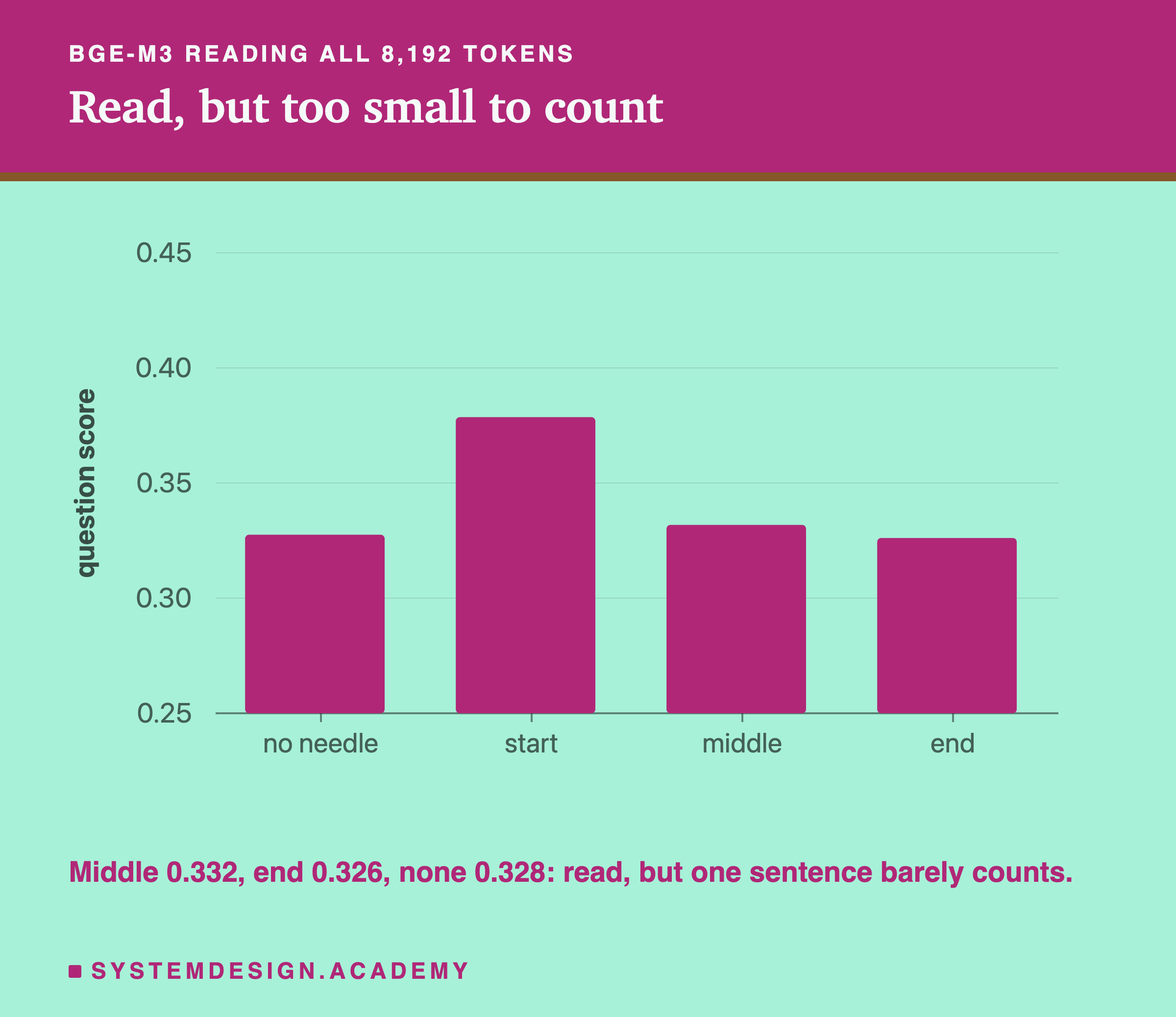
Now the scores for the middle and the end did change, which shows the model read them. But they barely moved: 0.332 with the needle in the middle, and 0.326 at the end, slightly lower than 0.328 with no needle. One sentence in 6,000 words is a tiny part of what the stands for, too small to change the result.
Even the needle at the start helped less than before. With the default settings it raised the score by 0.126 (0.279 to 0.405). With both settings raised it added only 0.051 (0.328 to 0.379). The one embedding now has to stand for about four times as much text, so one sentence counts for less.
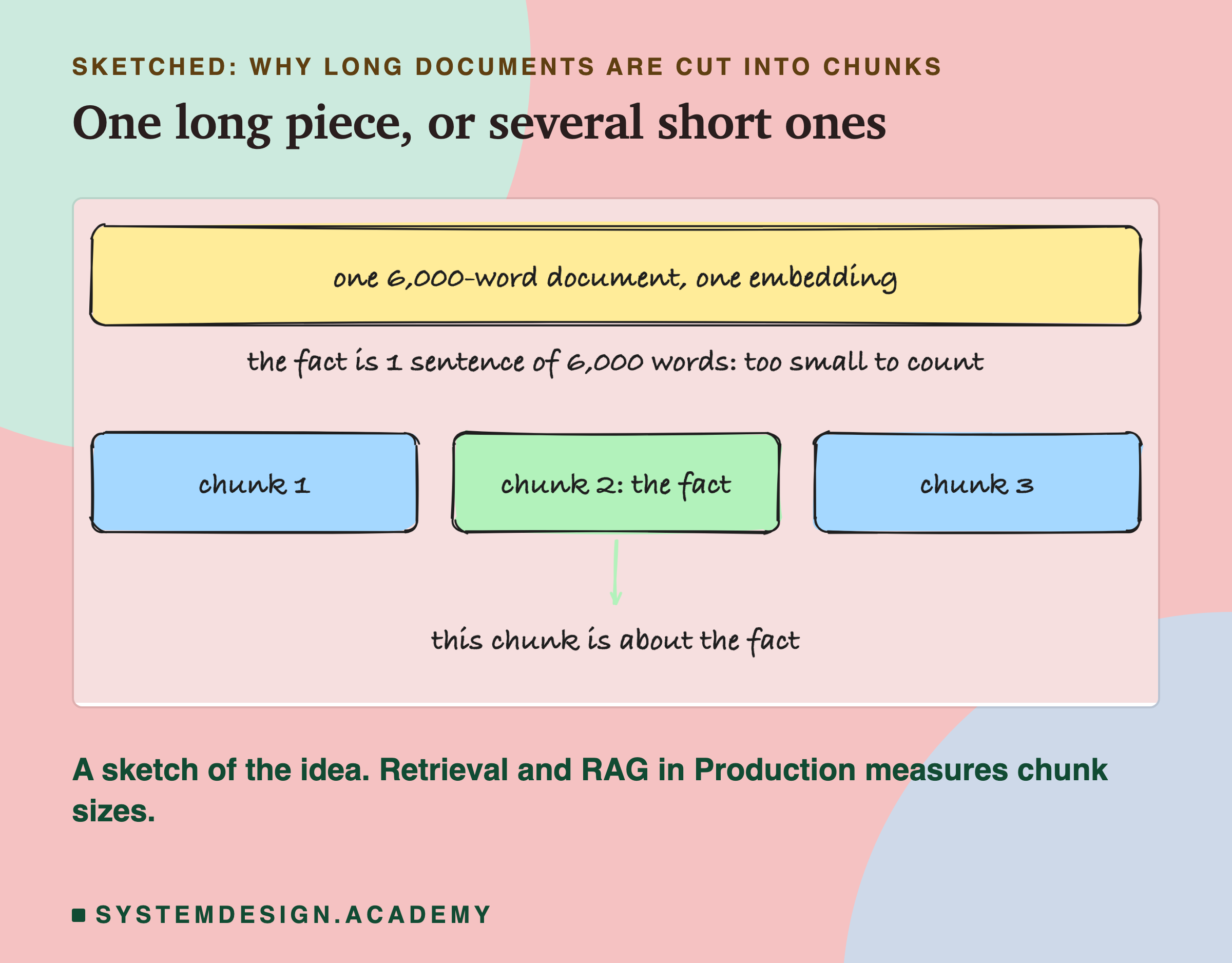
This is why real systems cut long documents into smaller pieces, called chunks, before embedding them. A short chunk that contains the fact is about the fact. The chapter Retrieval and in Production measures how big those pieces should be.
Where Does Your Text Get Cut?
This box uses the real measurements: 1,000 words of these lessons came to 1,254 tokens, and the cut is at 2,048 tokens. Type how many words your document has, and it tells you roughly how many words the model reads.
Change WORDS, or change CUT to 8192 to see bge-m3 with both settings raised.
What to Do About It
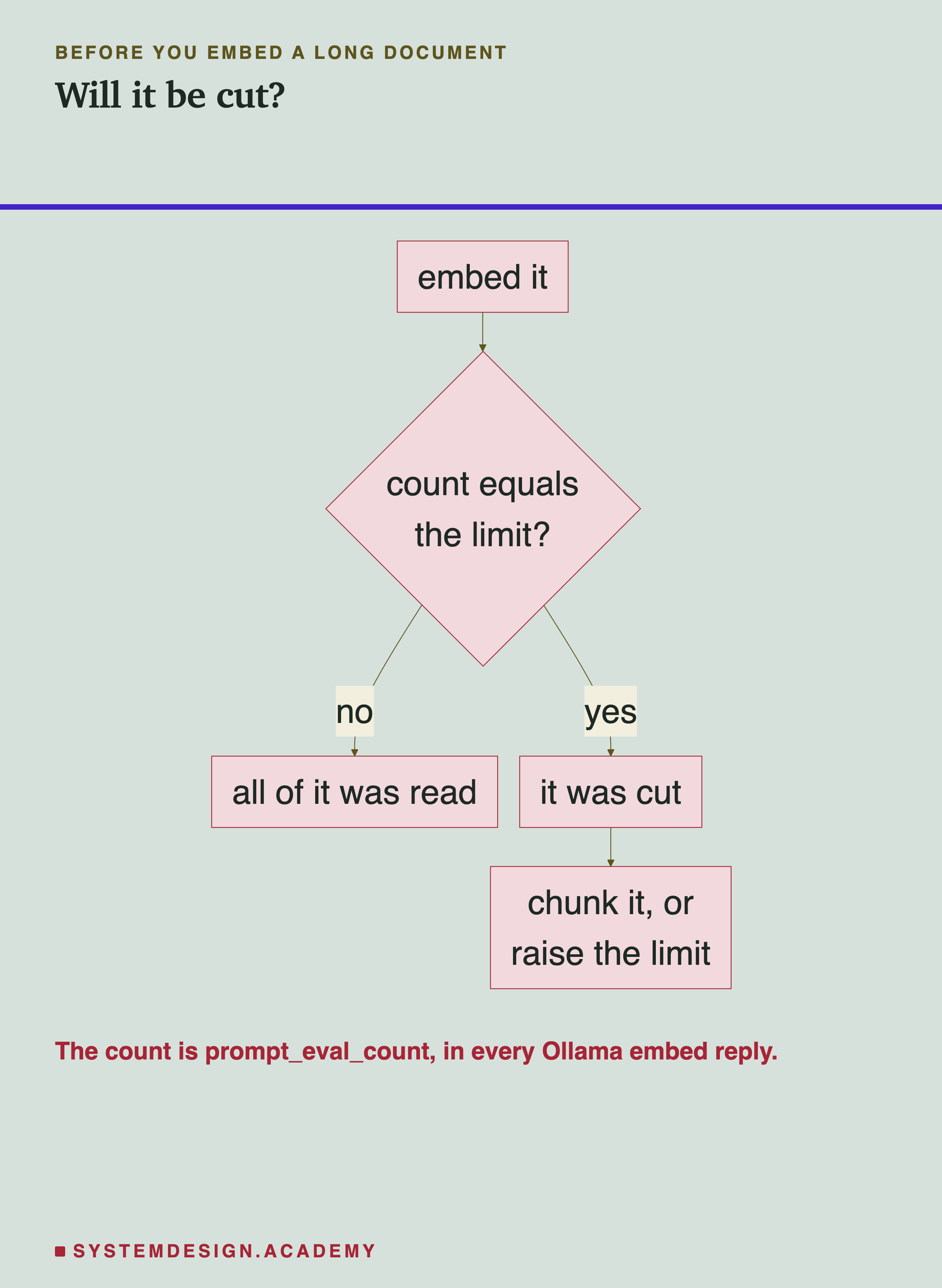
- Check the count. Every call returns prompt_eval_count. If it equals the model's limit, your text was cut.
- Know your model's real limit under the settings you use, not just the one on its page.
- Cut documents into chunks well under the limit, so nothing is thrown away and each piece stays about one thing.
- Consider truncate set to false while building, so a too-long input stops with an error and you notice.
What This Lesson Measured, and What It Did Not
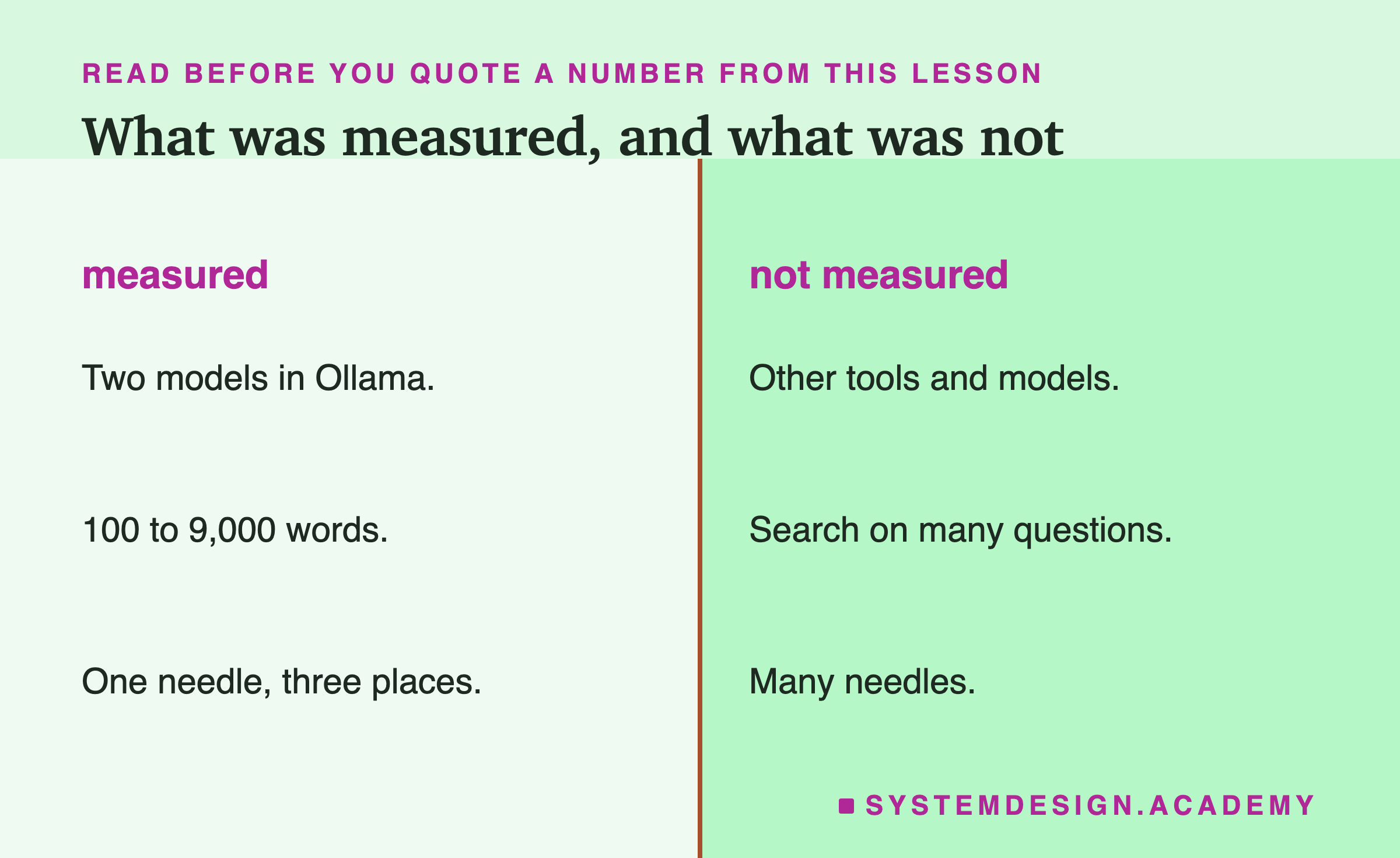
Measured: two models in Ollama 0.32.14 on this laptop, text from 100 to 9,000 words, four settings, and one invented needle sentence in three places.
Not measured: other tools that run models, which may cut differently. Other models. Search quality on many real questions. One needle sentence is an example, not a full test.
What to Do Next
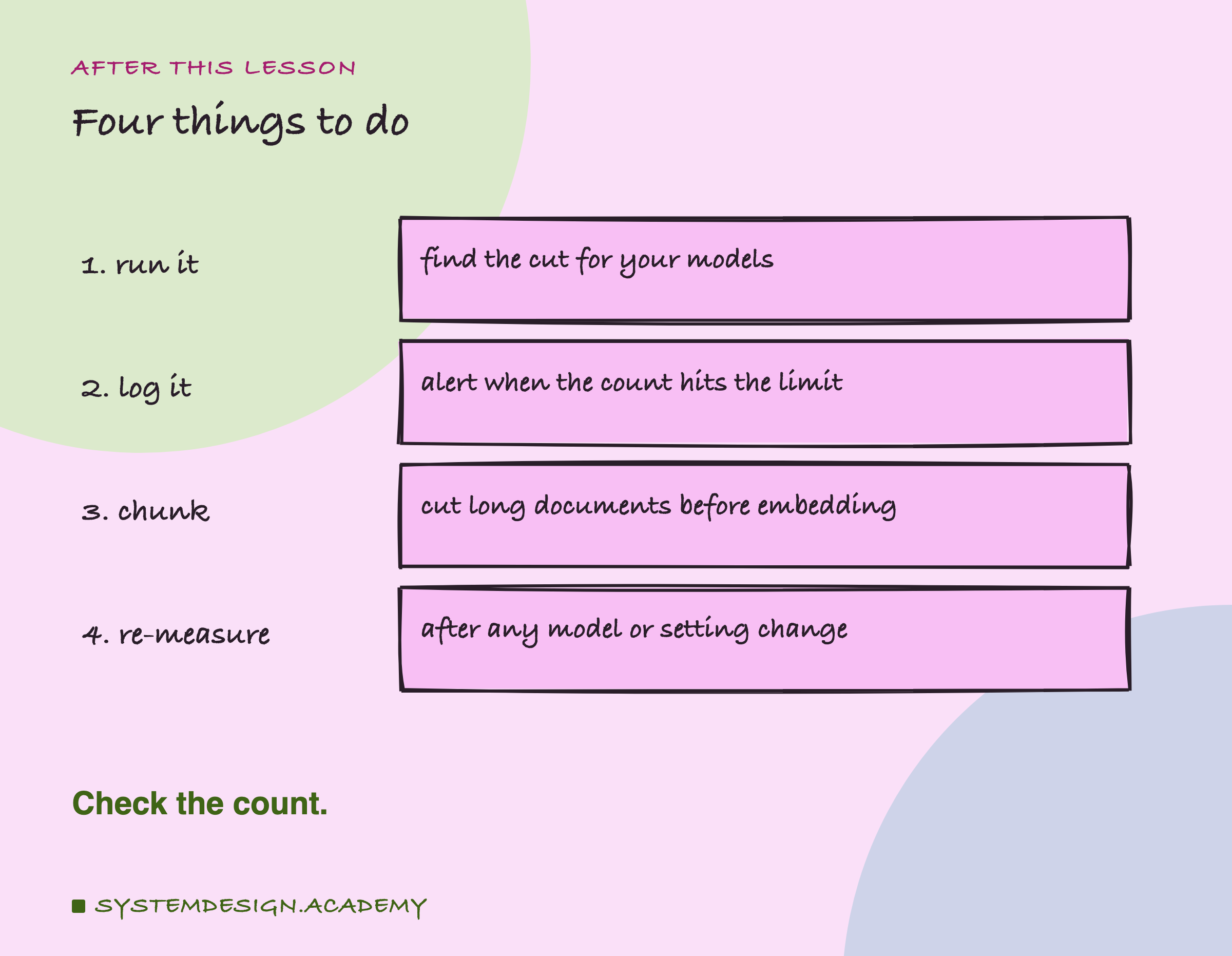
- Run the script and find the cut for the models you use.
- Log prompt_eval_count in your own code, and alert when it hits the limit.
- Chunk long documents before you embed them.
- Re-measure whenever you change the model, the tool or its settings.
Knowledge Check
Knowledge Check
4 questions - Score 80% to pass
You send a 9,000-word document to nomic-embed-text in Ollama with default settings. What happens?
bge-m3's page says it handles 8,192 tokens. Why did it read only 2,048 here at first?
A needle sentence placed at the end of 6,000 words gave exactly the same score as no needle. Why?
With bge-m3 reading all 8,192 tokens, the needle in the middle moved the score only from 0.328 to 0.332. What does that teach?