What If the Prompt Is Too Big?
Lesson 5 showed that a model makes room for a fixed number of tokens, its context window, and that a bigger window reserves more memory. This lesson asks the question that matters most in practice: what happens when you send more than fits?
There are only a few things a server could do. It could refuse the request with an error. It could make the window bigger. Or it could cut the prompt down and carry on. Each choice has a very different effect on your app, and you cannot tell which one happened from the reply's text alone.
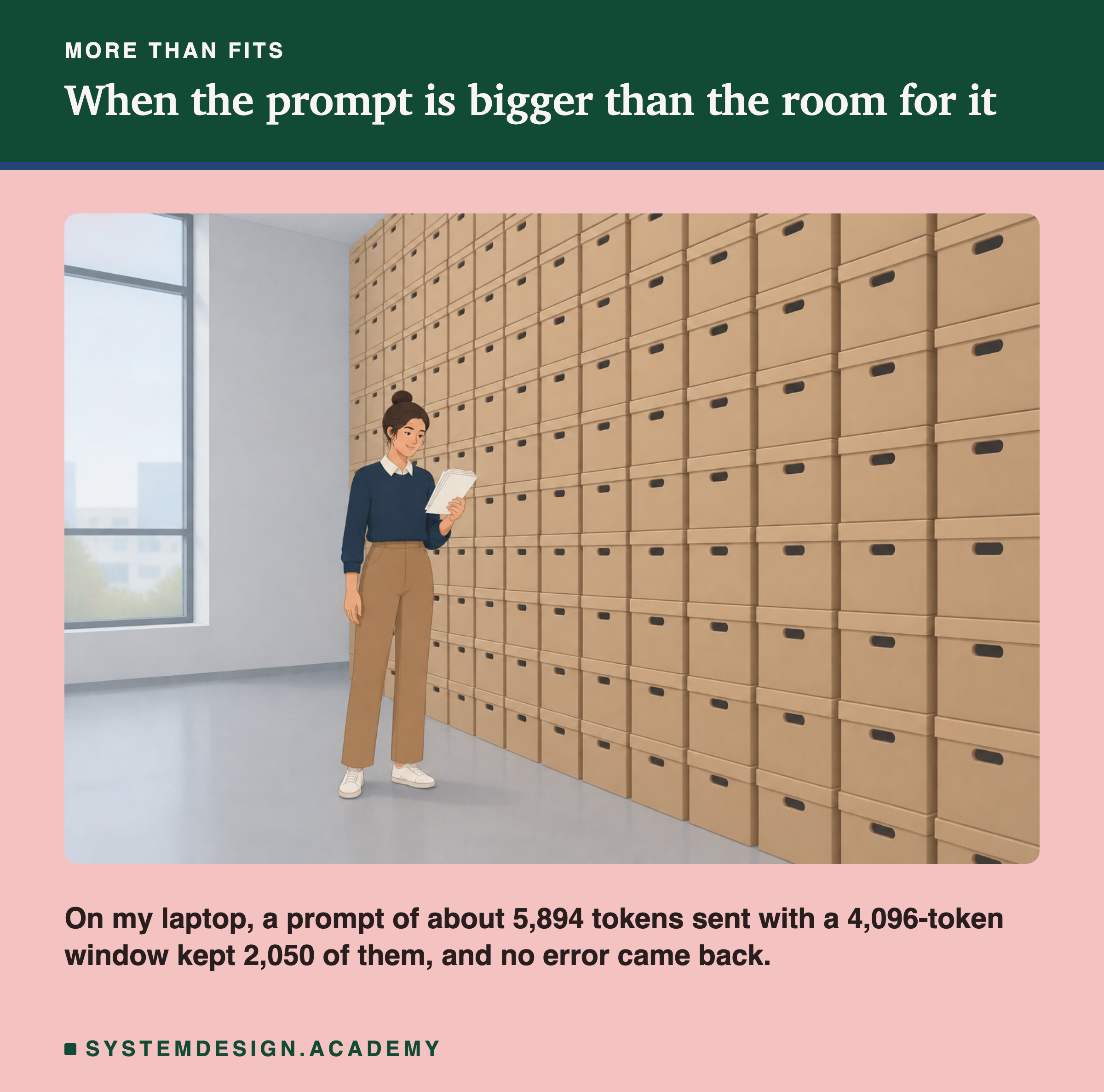
Think of the person in the picture. They can hold a few sheets, not the whole wall of boxes. If you hand them more than they can hold, some pages fall to the floor. The important questions are which pages fall, and whether anyone tells you.
This lesson measures both with Ollama on my laptop. It finds that Ollama cuts the prompt without an error, that it keeps the end and drops the start, and that it keeps much less than the window could hold. Then it shows how to check for this in your own code.
Words You Need First
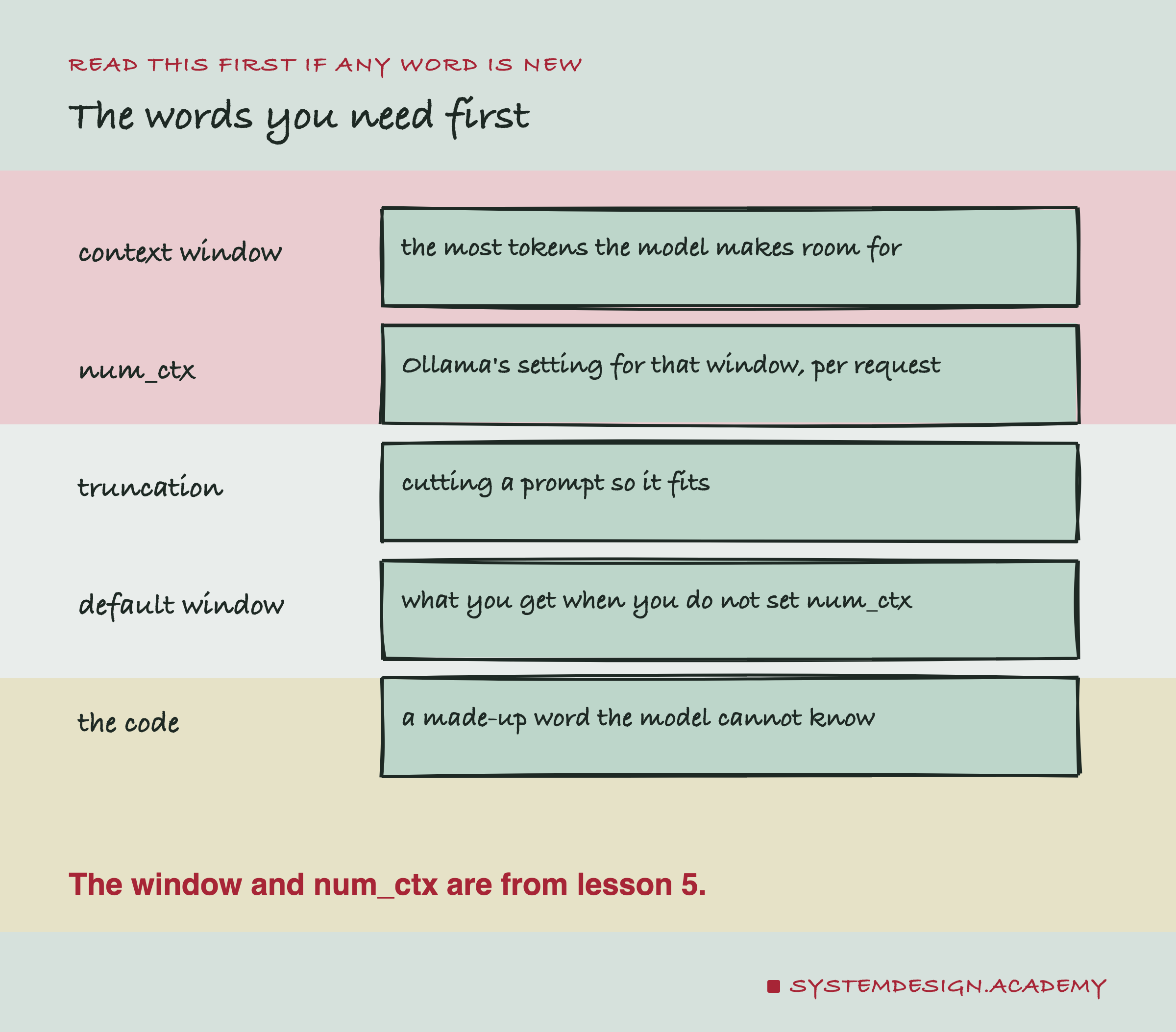
Context window. The most tokens a model handles in one request, the prompt and the reply together. Lesson 5 measured what it costs in memory.
num_ctx. Ollama's name for the window size. You can send it with each request, in the options of the call.
Truncation. Cutting a prompt down so that it fits. The word comes from the Latin for "cut off".
Default window. The window Ollama uses when a request does not say. It is not the largest window the model supports.
The code. To test what the model can still see, the lab hides a made-up six-letter word, such as ZAKIMO, in a sentence like "The code for box 7 is ZAKIMO." and asks for it at the end. The model cannot know the word from its training, so it can only answer correctly if that sentence is inside what it was given.
The Effect, Measured
The lab built a prompt of 4,500 words of this course's text, which came to about 5,894 tokens, and sent it to qwen2.5:3b with a window of 4,096 tokens.
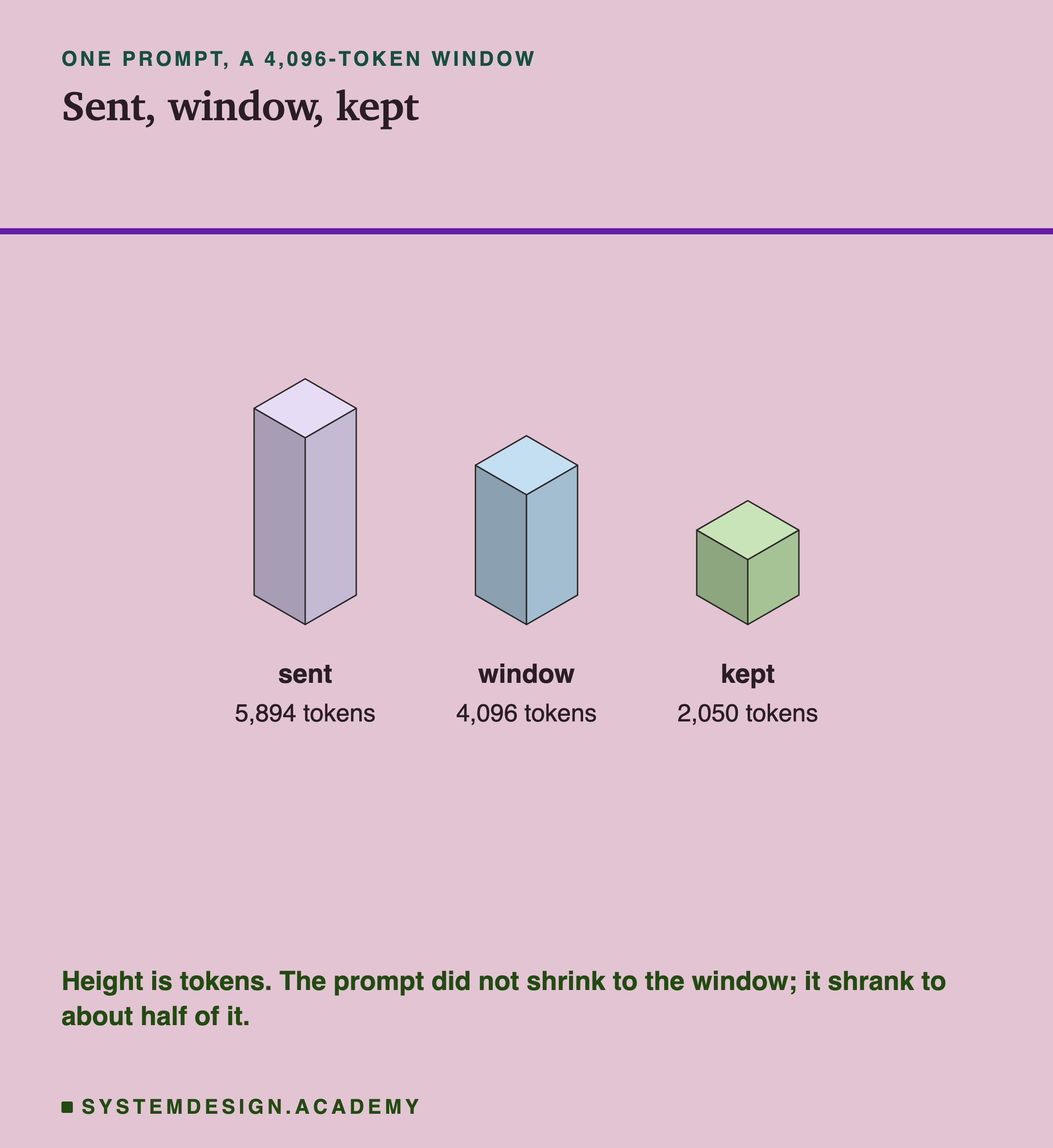
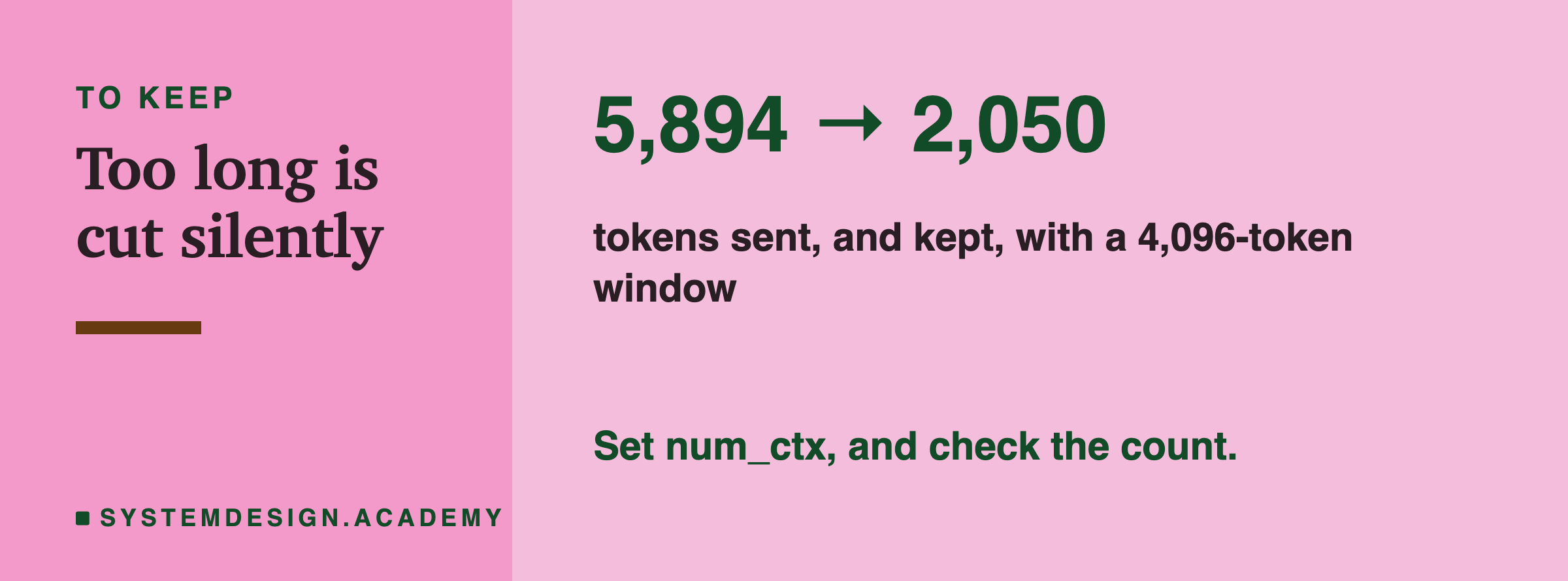
The reply came back normally. There was no error and no warning in it. But prompt_eval_count, the number of prompt tokens the model read, was 2,050. The prompt had been cut from about 5,894 tokens to 2,050.
Two things about that are surprising. First, it was cut at all, silently. Second, it was cut to far less than the window. The window had room for 4,096 tokens, and a little over half of that was used. About 3,844 tokens, roughly two thirds of the prompt, were never read.
See It on Your Own Machine
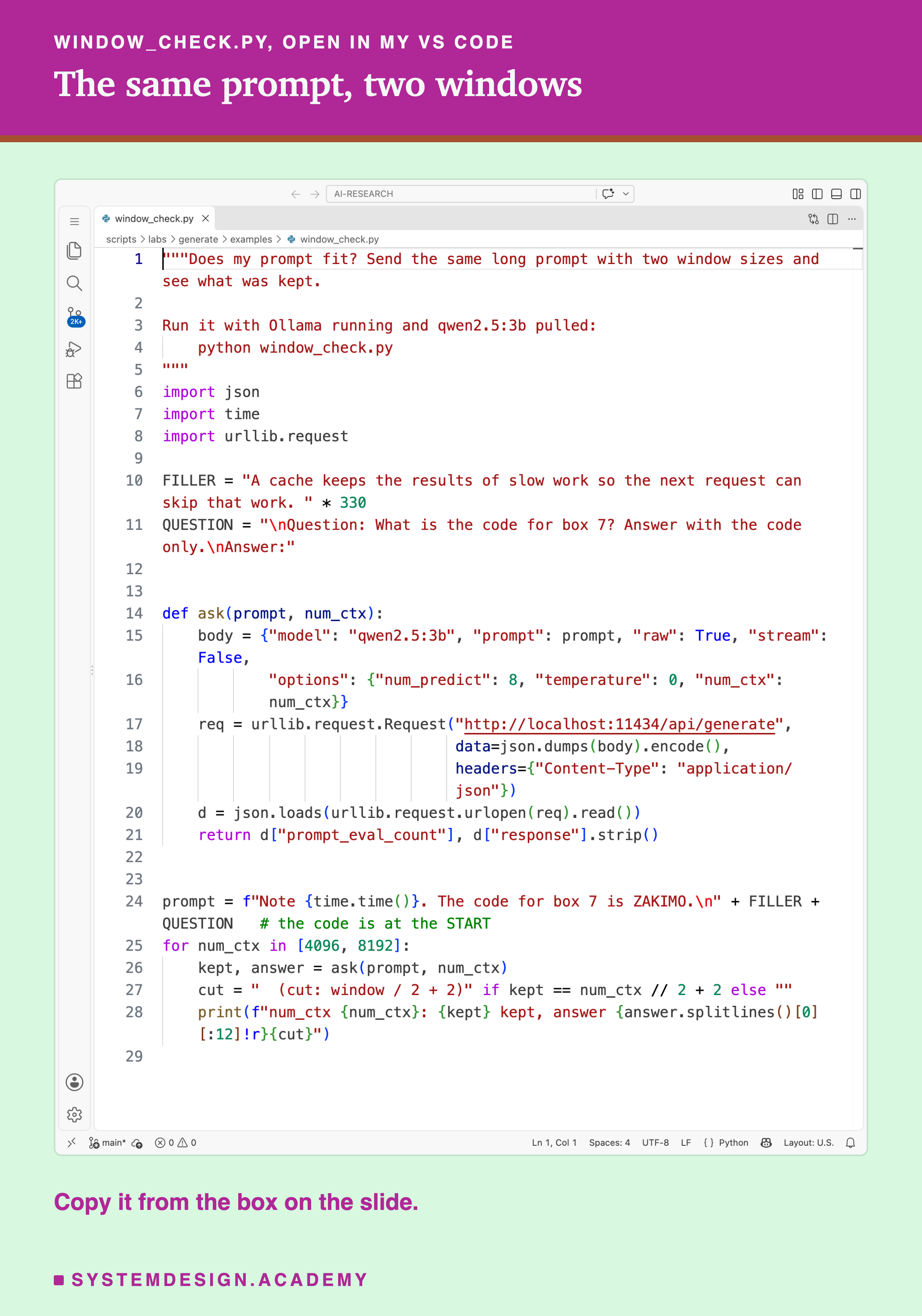
This script sends the same long prompt twice, once with a 4,096-token window and once with 8,192, and prints how many tokens were kept and what the model answered. The code is on the first line of the prompt.
"""Does my prompt fit? Send the same long prompt with two window sizes and see what was kept.

Run it with Ollama running and qwen2.5:3b pulled:
    python window_check.py
"""
import json
import time
import urllib.request

FILLER = "A cache keeps the results of slow work so the next request can skip that work. " * 330
QUESTION = "\nQuestion: What is the code for box 7? Answer with the code only.\nAnswer:"


def ask(prompt, num_ctx):
    body = {"model": "qwen2.5:3b", "prompt": prompt, "raw": True, "stream": False,
            "options": {"num_predict": 8, "temperature": 0, "num_ctx": num_ctx}}
    req = urllib.request.Request("http://localhost:11434/api/generate",
                                 data=json.dumps(body).encode(),
                                 headers={"Content-Type": "application/json"})
    d = json.loads(urllib.request.urlopen(req).read())
    return d["prompt_eval_count"], d["response"].strip()


prompt = f"Note {time.time()}. The code for box 7 is ZAKIMO.\n" + FILLER + QUESTION   # the code is at the START
for num_ctx in [4096, 8192]:
    kept, answer = ask(prompt, num_ctx)
    cut = "  (cut: window / 2 + 2)" if kept == num_ctx // 2 + 2 else ""
    print(f"num_ctx {num_ctx}: {kept} kept, answer {answer.splitlines()[0][:12]!r}{cut}")
This is a real run in VS Code's terminal.
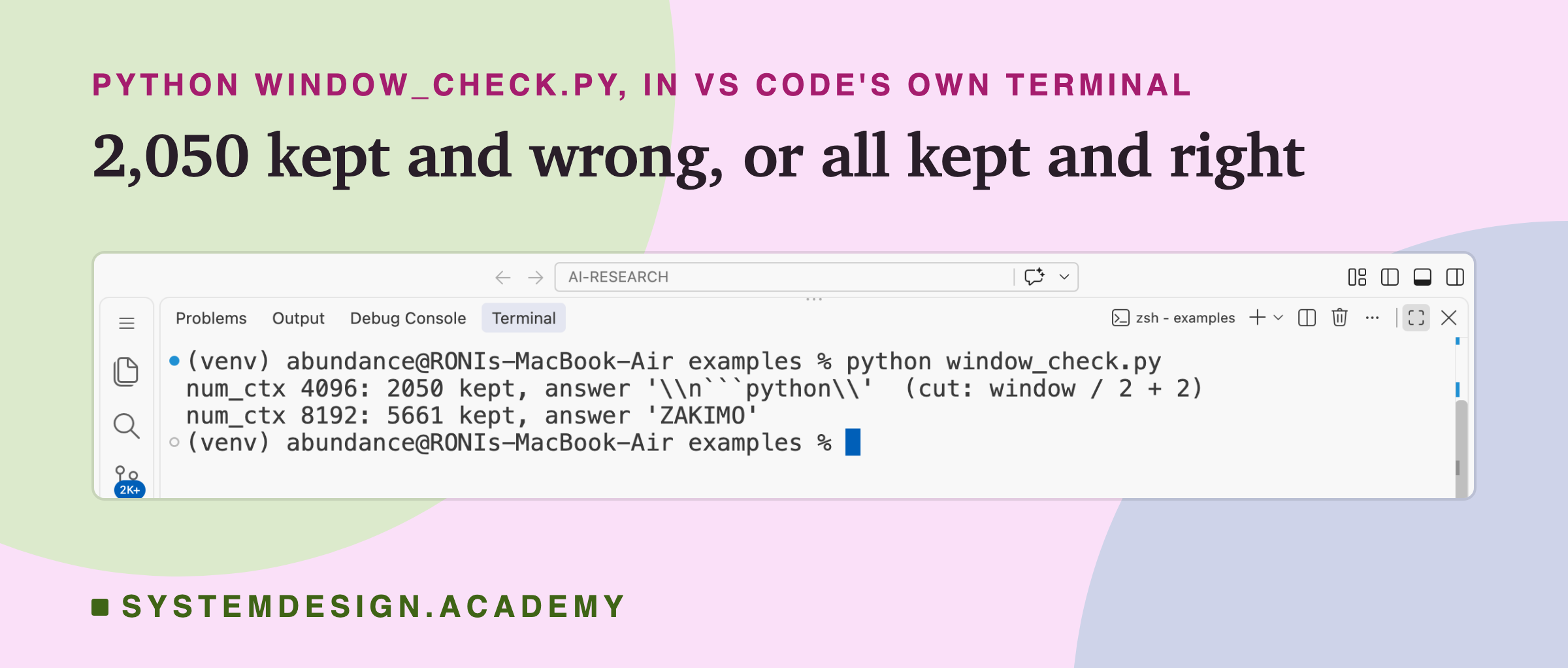
With the 4,096 window, 2,050 tokens were kept and the model did not give the code; it started writing a code block instead, because the sentence with the code had been cut away. With the 8,192 window, all 5,661 tokens were kept and the answer was ZAKIMO.
The prompt was identical in both calls. Only changed.
Which End Is Dropped?
A cut prompt must lose something. The lab found out which part by putting the code at the start in some prompts and at the end in others.
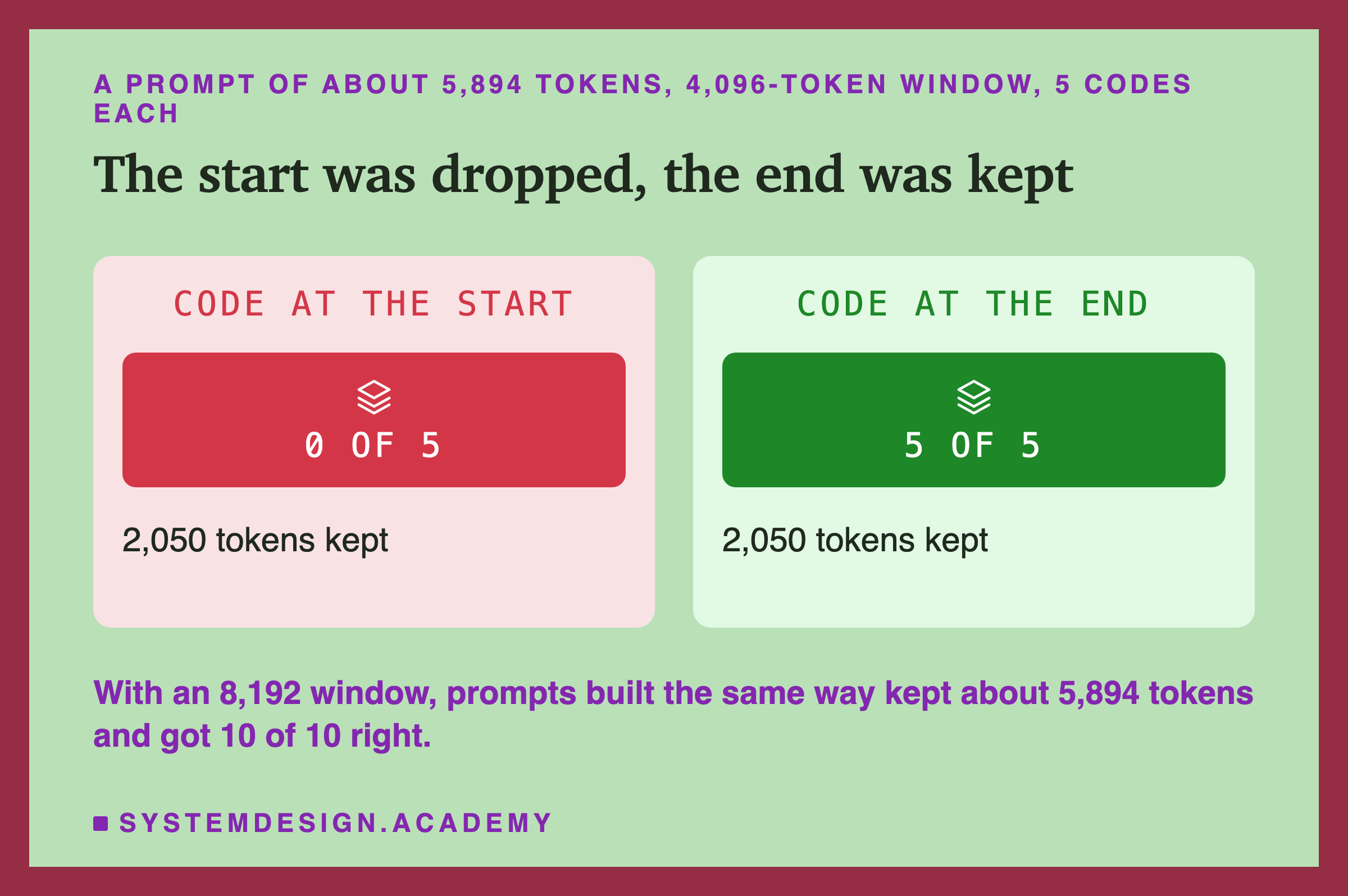
With the code at the start, the model found it 0 times in 5. With the code at the end, 5 times in 5. Both kept 2,050 tokens. So Ollama kept the end of the prompt and threw away the start. With an 8,192 window, prompts built the same way fitted, kept about 5,894 tokens, and all 10 answers were right, which shows the model can find the code when it can see it.
Ollama's own log line for each cut, shown later in this lesson, says keep=4. The first 4 tokens are kept, and then the rest of the room goes to the end of the prompt.
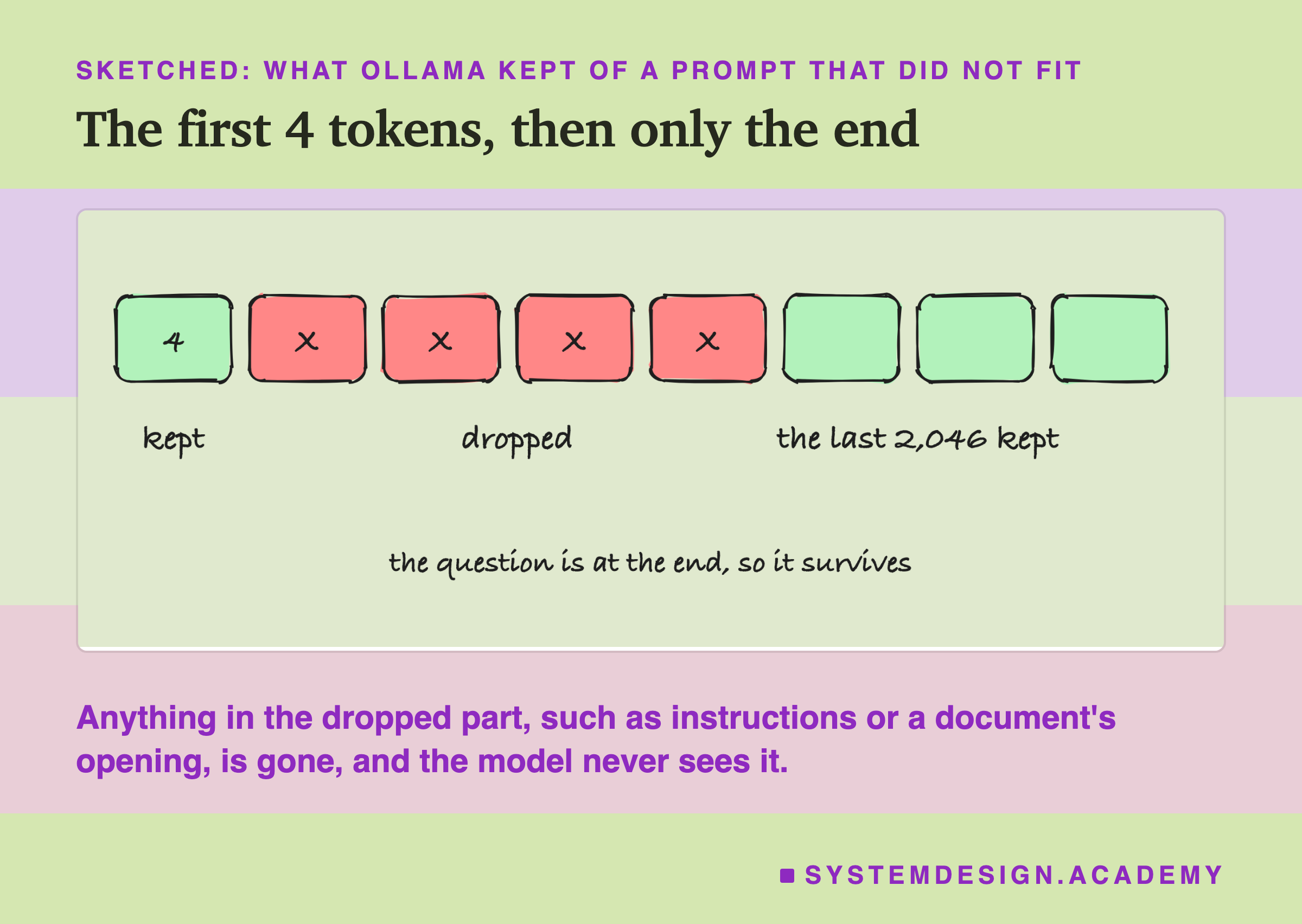
Keeping the end is a sensible choice for a chat, because the latest message is at the end and the model still has something to answer. But it means the first thing to disappear is whatever you put at the top, which is usually the most important part.
How Much Is Kept: Half the Window, Plus 2
The first result kept 2,050 tokens from a 4,096 window. Was that a coincidence? The lab sent a prompt about 1.4 times the window at three window sizes.
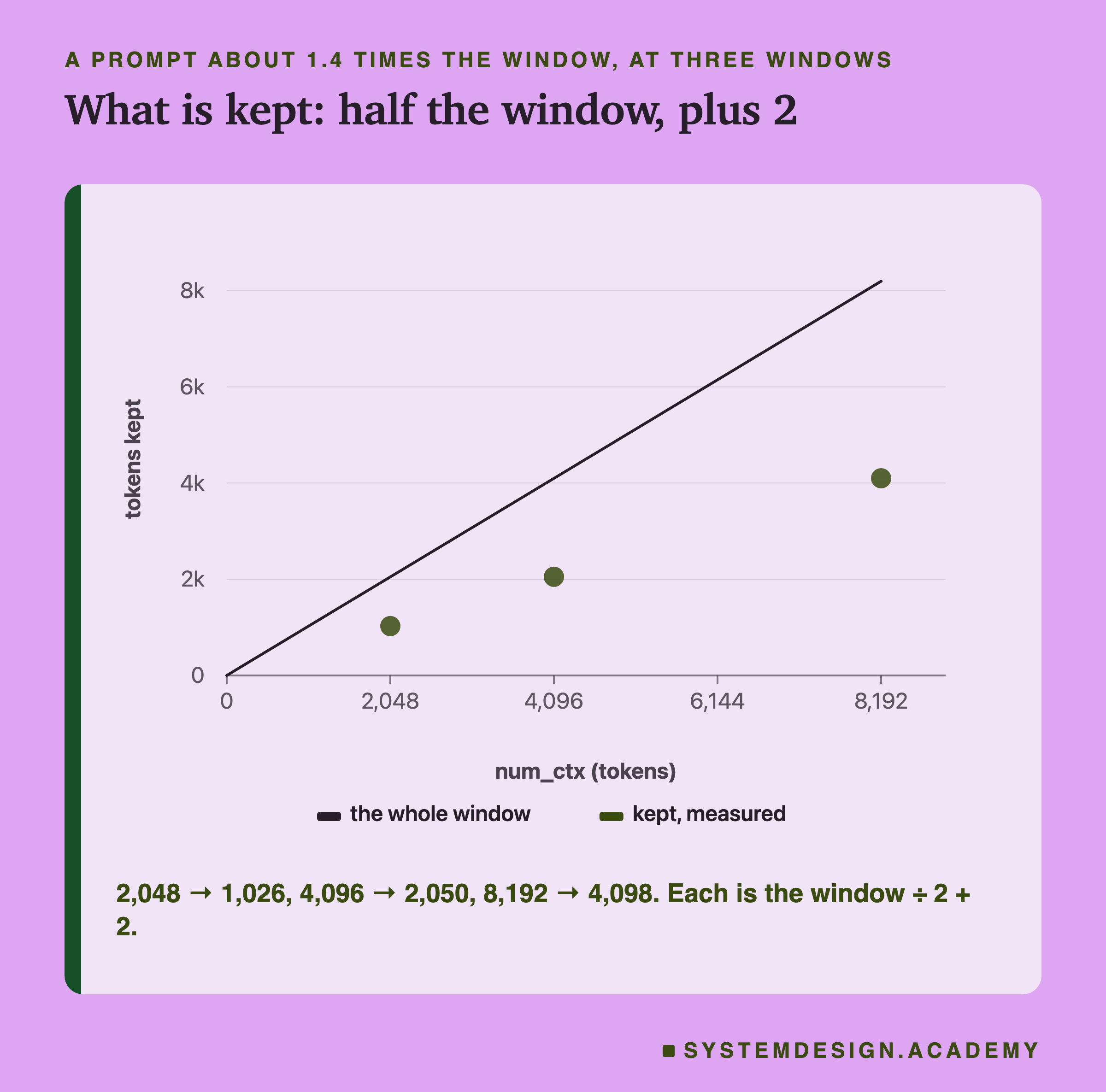
A 2,048 window kept 1,026 tokens. A 4,096 window kept 2,050. An 8,192 window kept 4,098. Each is exactly half the window plus 2: 2,048 ÷ 2 + 2 = 1,026, and so on.
A prompt that fits is not cut at all. A prompt of about 3,000 tokens in a 4,096 window kept all of its tokens, 3,020 and 3,004 in two of the cells. The cut to half happens only when a prompt does not fit.
I did not find the reason for "half" in Ollama's documentation, and the lab's own data rules out the simplest guess, that Ollama always leaves half the window for the reply: a 3,020-token prompt in a 4,096 window was not cut, leaving only 1,076 tokens for the reply. In every test of the cut, the prompt was about 1.4 times the window. Ollama's log calls 2,050 the "limit", which suggests the kept size does not depend on the prompt's length, but much longer prompts were not tested. What the lab shows is the rule itself, at three window sizes.
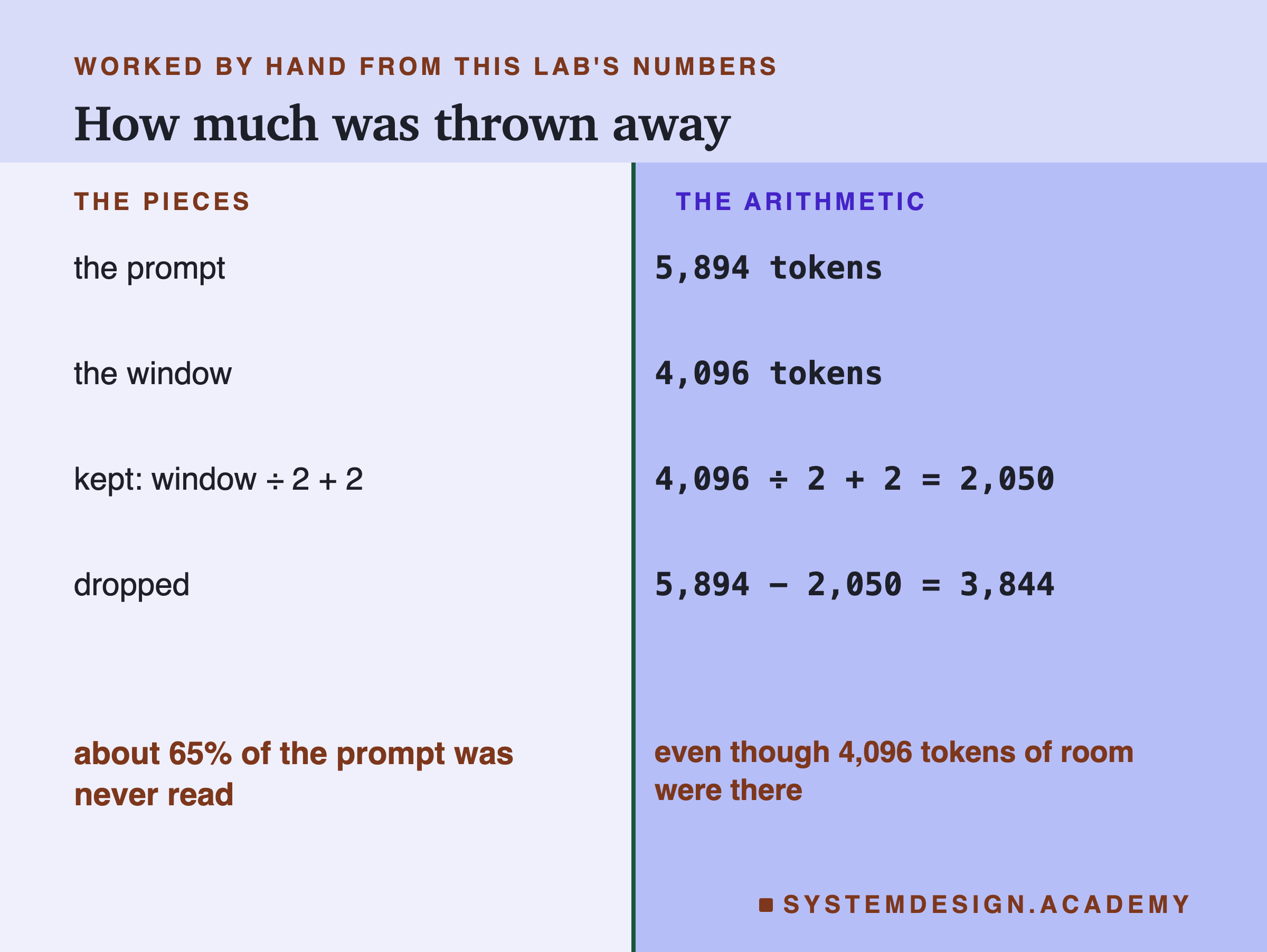
For the prompt in this lesson: 5,894 − 2,050 = 3,844 tokens dropped, which is 3,844 ÷ 5,894 ≈ 65% of the prompt.
The Default Window
Many programs never set num_ctx. What do they get?
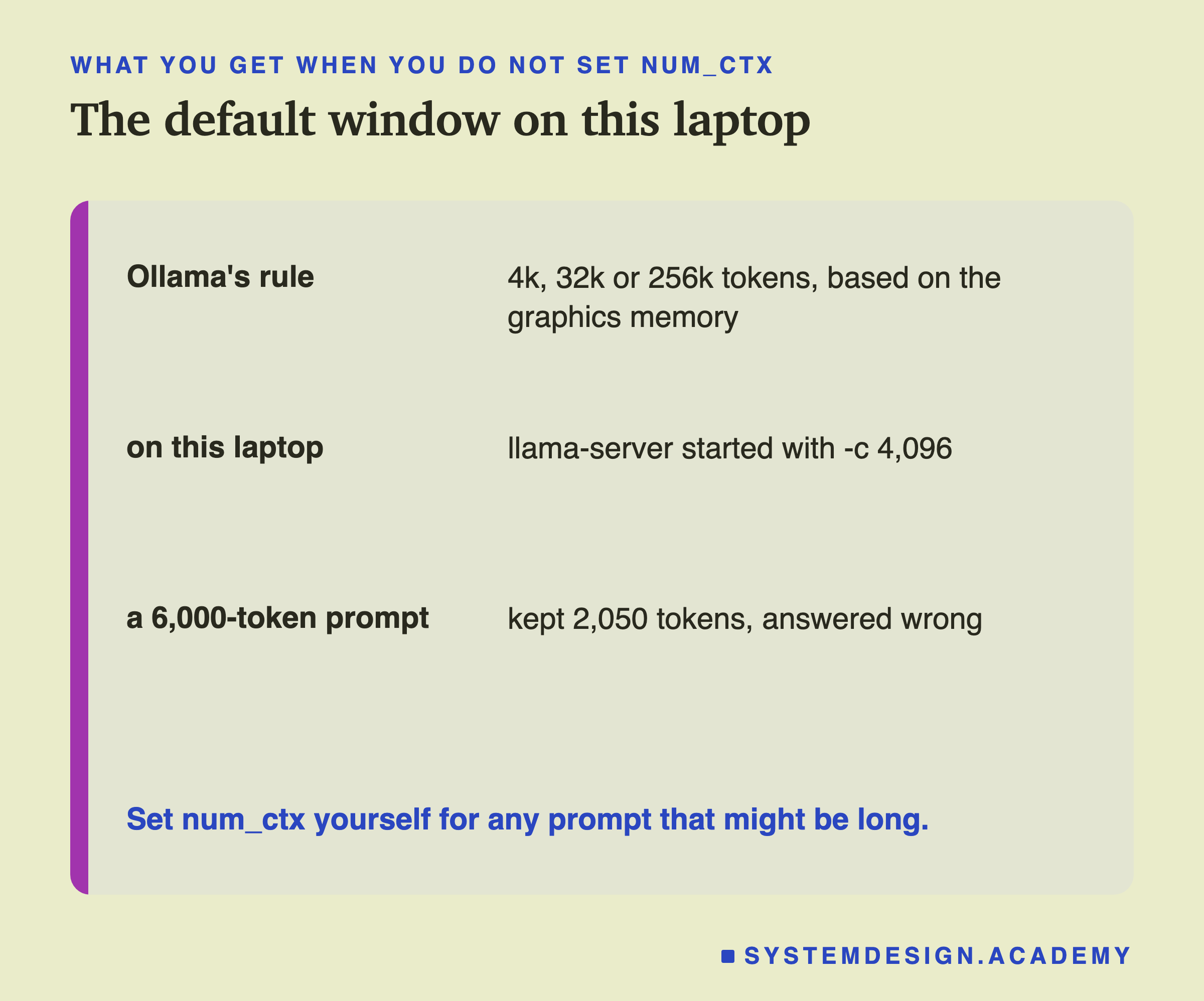
Ollama's help text describes the setting OLLAMA_CONTEXT_LENGTH as "Context length to use unless otherwise specified (default: 4k/32k/256k based on VRAM)". VRAM is the memory of the graphics processor. On my laptop the lab sent a request with no num_ctx and read the window from the command line of the server Ollama started: -c 4096. Ollama's own log says the same when it starts: msg="vram-based default context" total_vram="16.0 GiB" default_num_ctx=4096.
The model itself can handle much longer prompts than that. So a program that sends a 6,000-token prompt without setting num_ctx gets it cut to 2,050 tokens on this laptop, even though the model could have read all of it. In the lab, that call's code sat in the middle of the prompt, was cut away, and the model answered with a made-up "B7" instead of the code.
A program that works on a big machine, where the default may be 32k, can quietly lose most of its prompt on a smaller one. Set num_ctx in the request, every time.
Where the Cut Happens
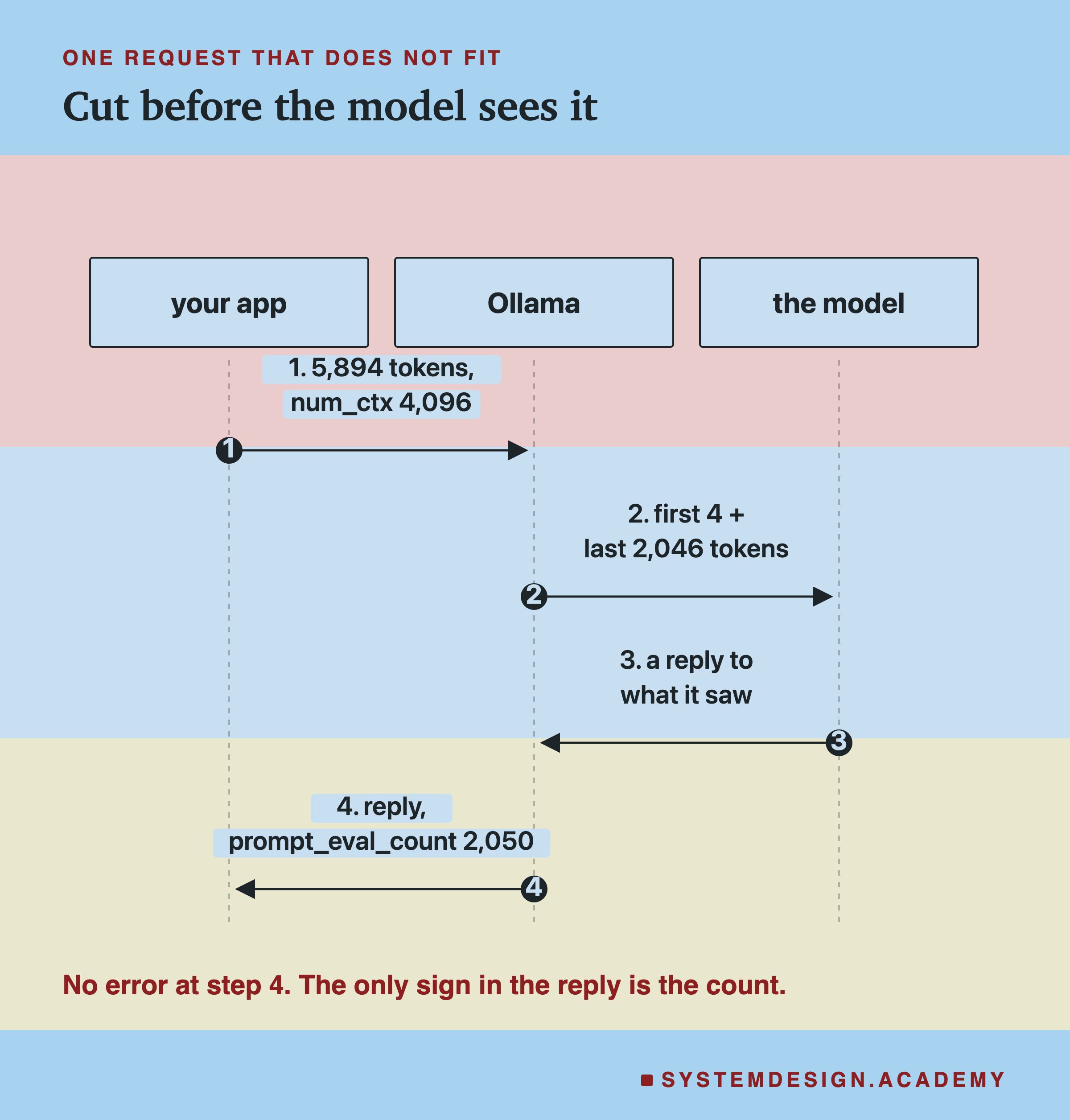
The cut happens in Ollama, before the model sees anything. The part of Ollama that runs the model, llama-server, logs each new prompt with its length, and for these calls it logged 2,050 tokens. So the model never had a chance to notice that anything was missing, and the reply is a normal-looking reply to a shorter prompt.
That is why the reply can look fine. A support bot that sends its rules and the customer's message as one long prompt, rules first, still answers the customer; it just no longer follows the rules. A summary of a long document still reads like a summary; it just only covers the end of the document.
The Only Warning
Ollama does notice. It writes a warning to its own server log for every cut.
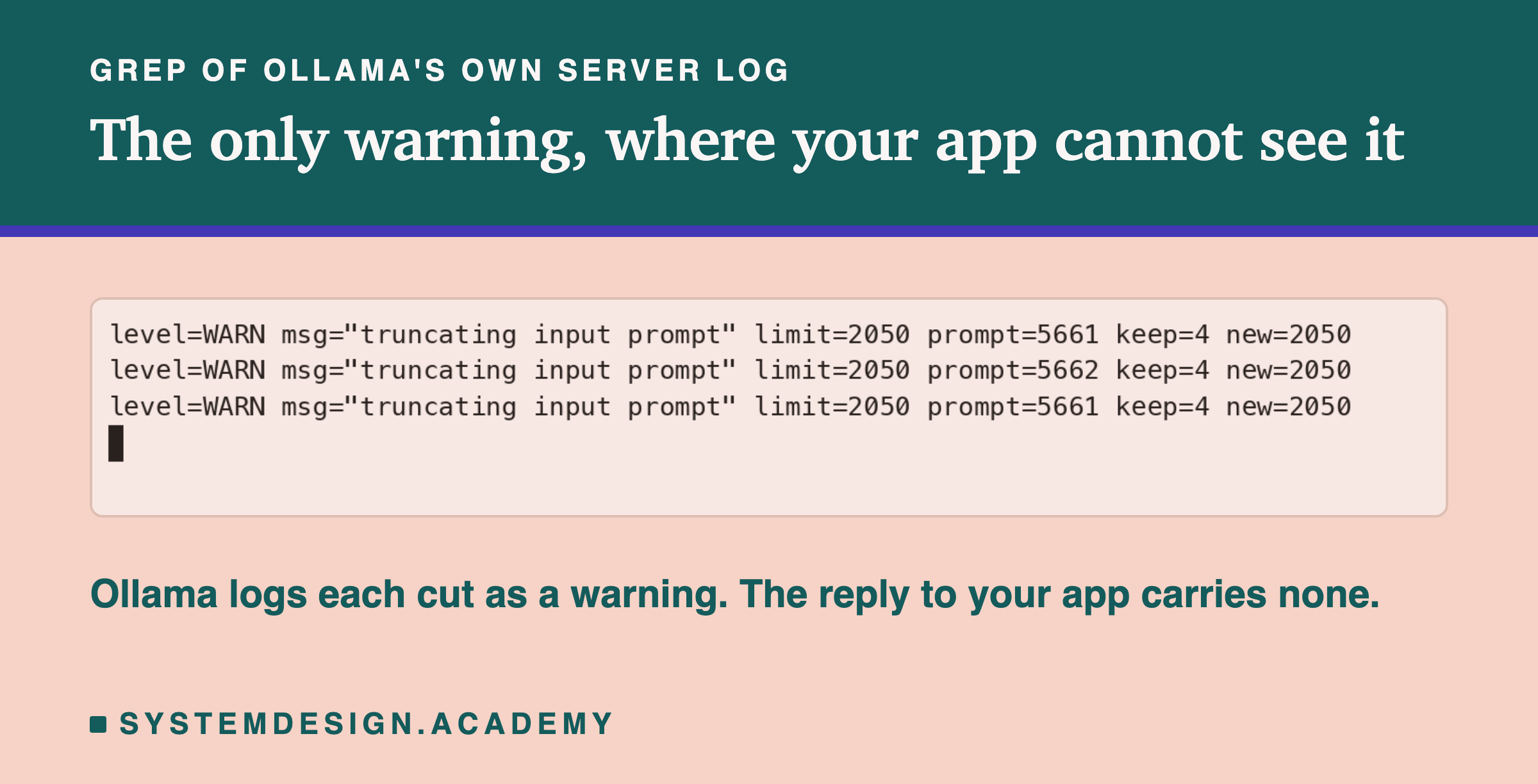
Each line says the limit, 2,050, the length of the prompt that arrived, 5,661 or 5,662 tokens, how many tokens at the start were kept, 4, and the new length, 2,050. These three lines came from the runs of window_check.py.
But this log is on the server, in a file your app never reads. The reply your app receives has 11 fields, and the lab checked them: none of them says the prompt was cut. The only sign in the reply is prompt_eval_count.
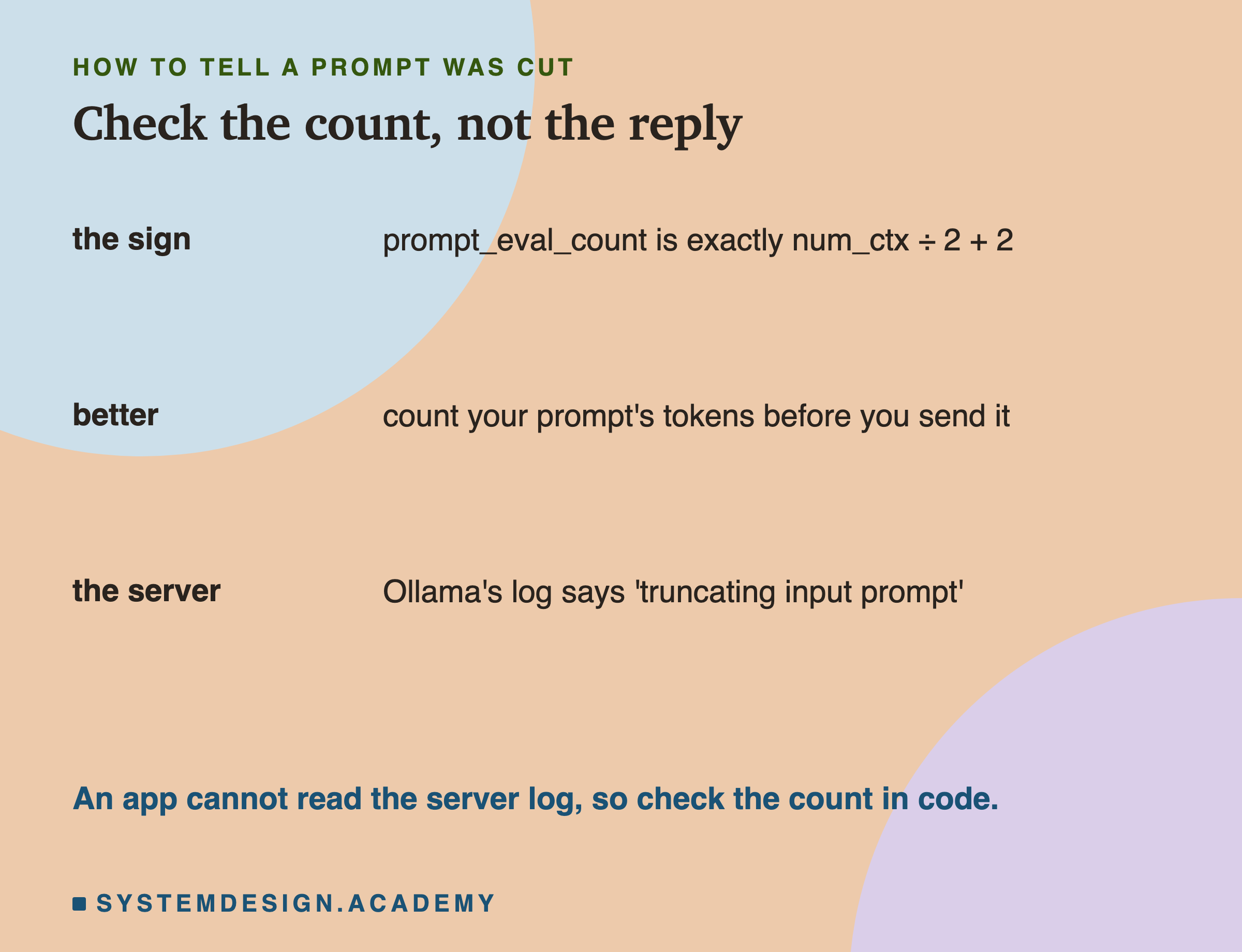
So check it in code. If prompt_eval_count equals num_ctx // 2 + 2, the prompt was almost certainly cut, and you should treat the reply as untrustworthy. Better still, count your prompt's tokens before you send it, as the Tokens and chapter showed how to do, and never send more than fits.
When It Fits, Does Position Matter?
A prompt that does not fit loses its start. What about a prompt that fits: is a fact at the start, in the middle or at the end equally easy to use?
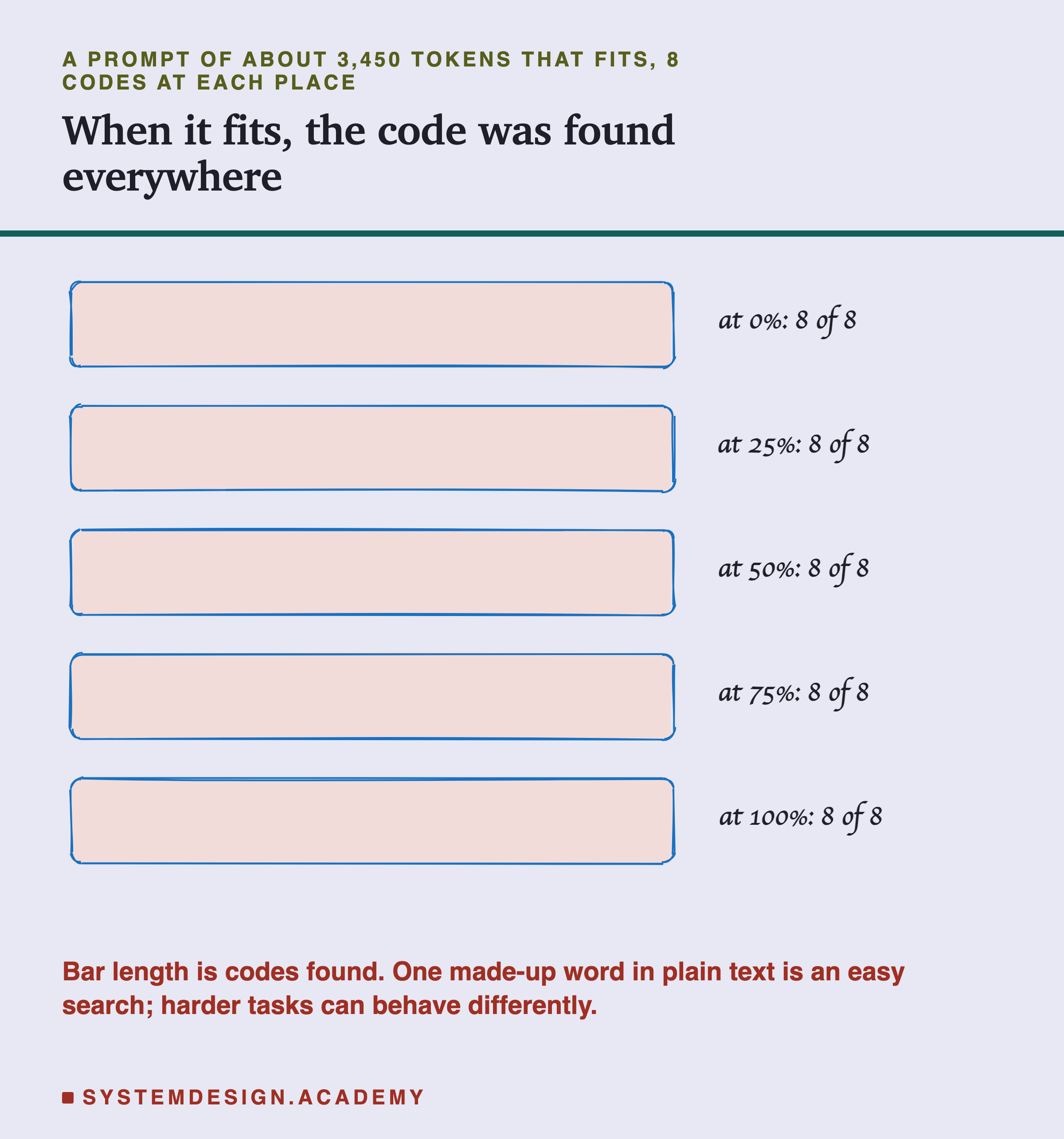
The lab put the code 0%, 25%, 50%, 75% or 100% of the way through a prompt of about 3,450 tokens with an 8,192 window, 8 codes at each place, 40 calls in a shuffled order. The model found the code every time: 40 out of 40.
That is a good result, but read it carefully. One unusual word in otherwise ordinary text is an easy thing to find. It does not show that a model uses every part of a long prompt equally well for harder tasks. Lesson 100 of this course measured a harder case with another model: ten retrieved documents, one holding the answer. With the answer in the middle, the model picked it 4 times in 14; in the last slot, 14 in 14, though that lesson shows part of the 14 is the model's habit of naming the last slot. The safe summary is: when a prompt fits, a simple fact can be found anywhere in it; for harder tasks, test your own case.
What Gets Lost in a Real App
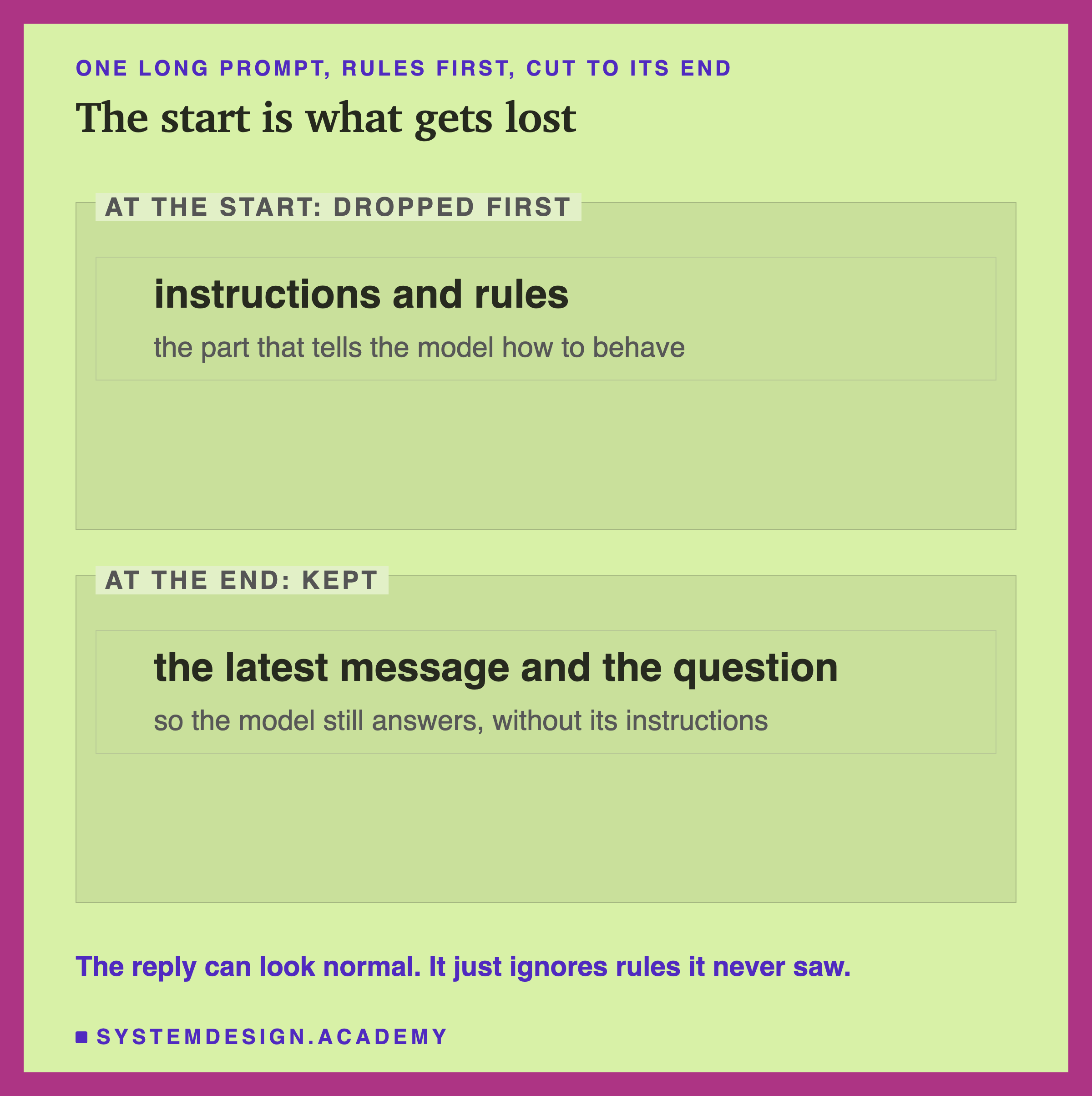
Most prompts put the instructions first. Lesson 6 even recommended it: put what does not change at the top so it can be reused. That is still right, but it makes the start precious. If the whole prompt is sent as one piece of text, as /api/generate does and as this lab did, those instructions are the first thing Ollama throws away.
Ollama's chat endpoint, /api/chat, behaves differently, and the lab measured that too, in section 5 of the report. There the rule went in the system message, the message a chat app uses for its instructions. When the conversation was six long turns that together did not fit a 4,096 window, Ollama dropped whole old turns, kept the system message, read about 3,780 tokens, and the model gave the right code 3 times in 3. When the conversation was one very long message, there was no old turn to drop, so Ollama cut the whole prompt to 2,050 tokens as before; the system message went with it, and the model was right 0 times in 3.
So a chat app built on /api/chat keeps its instructions as long as each single message fits, but it still loses old turns without saying so, and one pasted document that is too long can still push the instructions out. A conversation grows with every turn, because every earlier message is sent again, so one that fits at turn 5 may not fit at turn 20.
The fix is to decide yourself what to drop. Keep the instructions, keep the latest messages, and remove or summarise the oldest turns in the middle before the prompt reaches the limit. Never leave the choice to the server: what it drops depends on how you sent the prompt, and it does not tell you.
Trimming a Chat Yourself, Worked Through
Here is what "decide yourself what to drop" looks like with numbers. Say your app uses a window of 8,192 tokens. Its instructions take 1,200 tokens. You allow replies of up to 512 tokens. And a typical turn of the conversation, one question and one answer, takes about 300 tokens.
Step 1, the room for the conversation. The window is shared by the instructions, the history, the new message and the reply. So the history can use at most 8,192 − 1,200 − 512 = 6,480 tokens, minus the new message.
Step 2, how many turns fit. With 300 tokens per turn, 6,480 ÷ 300 ≈ 21.6, so about 21 earlier turns fit, a little fewer once the new message is counted.
Step 3, what to drop. When the conversation passes that, remove the oldest turns first, from just below the instructions. Keep the instructions at the top and the newest turns at the bottom. Some apps replace the removed turns with a short summary written by the model, which keeps the gist in a few hundred tokens. Trimming changes the prompt from the trim point on, so from there the reuse of lesson 6 starts again; keep the instructions untouched so that at least they are still reused.
Step 4, check it. Count the tokens of the final prompt before sending it. If it still does not fit, drop another turn. After the reply, compare prompt_eval_count with your count.
Compare that with what Ollama does on its own when the whole conversation is sent as one prompt. With the same 8,192 window, a prompt that does not fit is cut to 4,098 tokens, the first 4 and the last 4,094. The instructions, 1,200 tokens at the top, are gone, and so is everything else except the newest turns. Your trimming keeps the instructions and uses the full window; Ollama's cut loses the instructions and uses half.
The same steps work for a long document instead of a chat: keep the instructions, keep the question, and choose which parts of the document to send, which is what the search methods in the Tokens and chapter are for.
Why Not Just Set the Biggest Window?
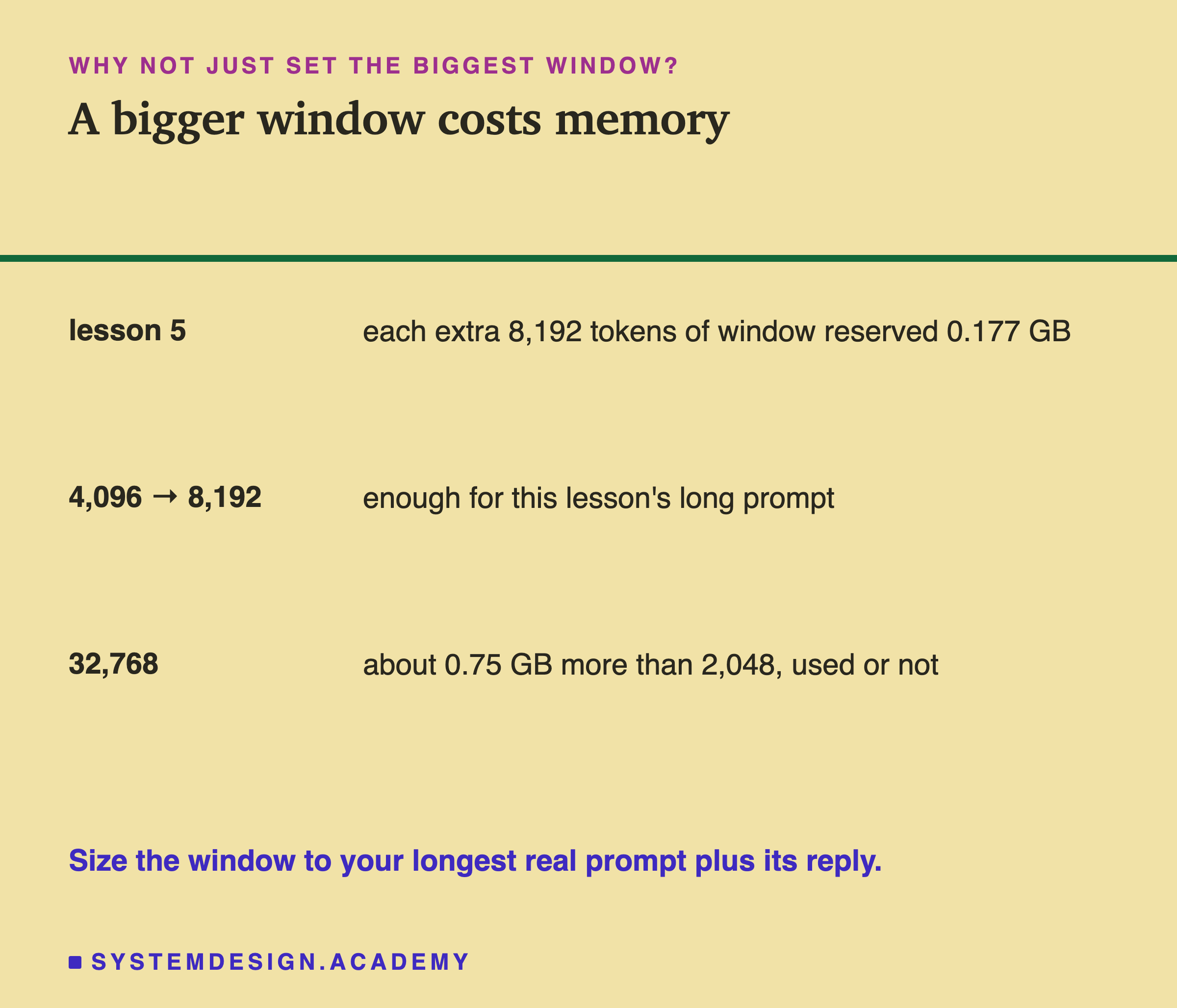
If a small window is dangerous, why not set the biggest one the model allows? Lesson 5 measured the price. A bigger window reserves more memory when the model loads, whether or not you use it: on this laptop, each extra 8,192 tokens of window reserved about 0.177 GB, and a 32,768 window took about 0.75 GB more than a 2,048 one.
Changing the window can also cost time: in these labs, the server Ollama runs was started again with the new size (its command line changed from -c 4096 to -c 8192), so switching sizes from one request to the next is best avoided. The labs did not time that restart.
So choose the window from your data. Find the longest prompt your app really sends, add room for the longest reply you allow, and add a margin. Then set that as num_ctx on every request, and check prompt_eval_count in case something grew beyond it.
Before You Send a Long Prompt
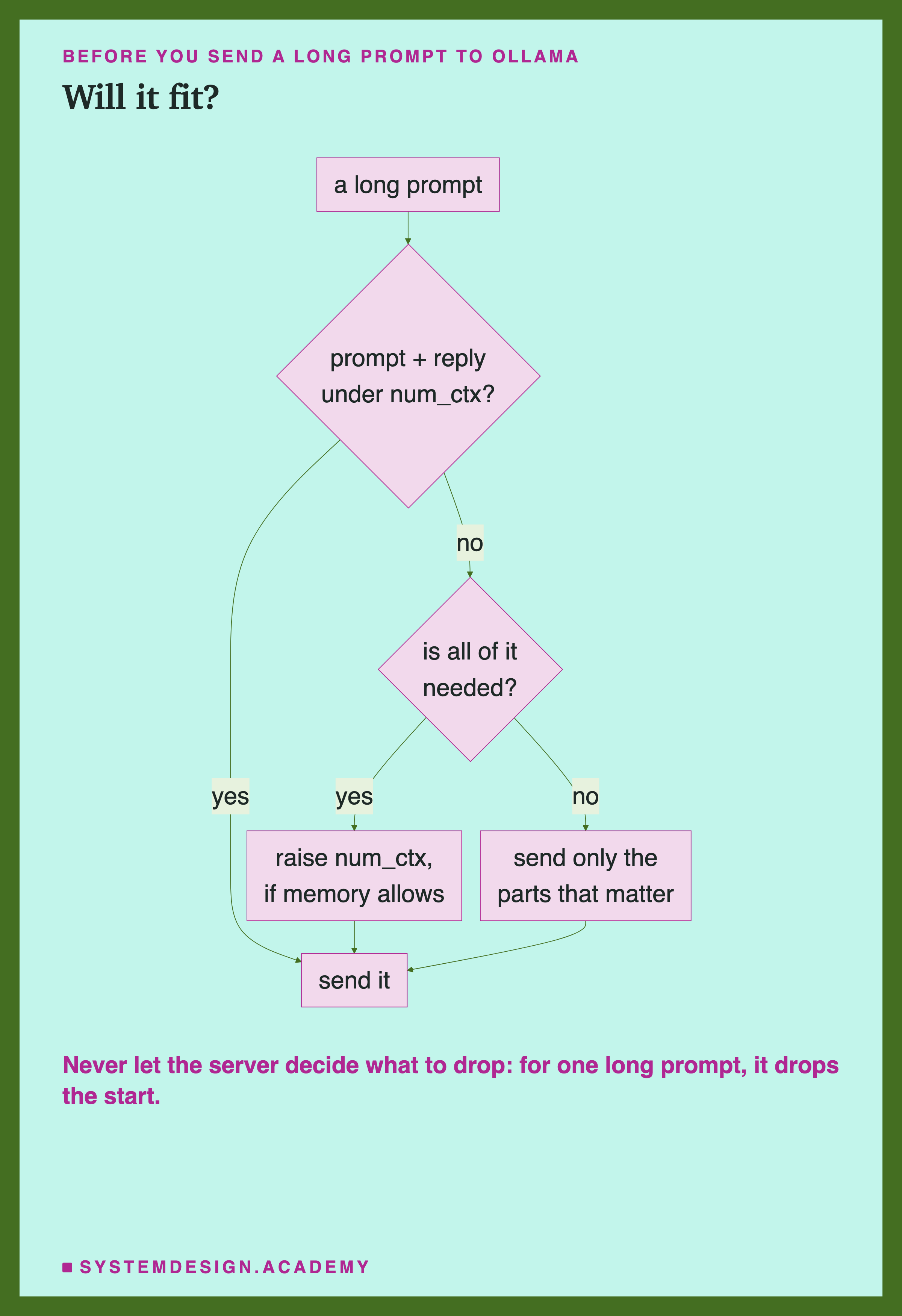
Every path in this chart ends with a prompt that fits. The only question is who decided what went in. If you raise the window, you pay in memory. If you trim the prompt, you choose what the model loses. If you do neither, Ollama chooses for you, and for one long prompt it drops the start.
The first question, whether the prompt and the reply fit under num_ctx, needs a token count, not a word count. On this lab's course text, 4,500 words came to about 5,894 tokens, roughly 1.3 tokens per word, and code or unusual words can take more. So count with the model's own tokenizer, as the Tokens and chapter showed, rather than guessing from the length of the text. The second question, whether all of it is needed, is the one lesson 5 asked for speed; here it matters for correctness too.
The Lab Report
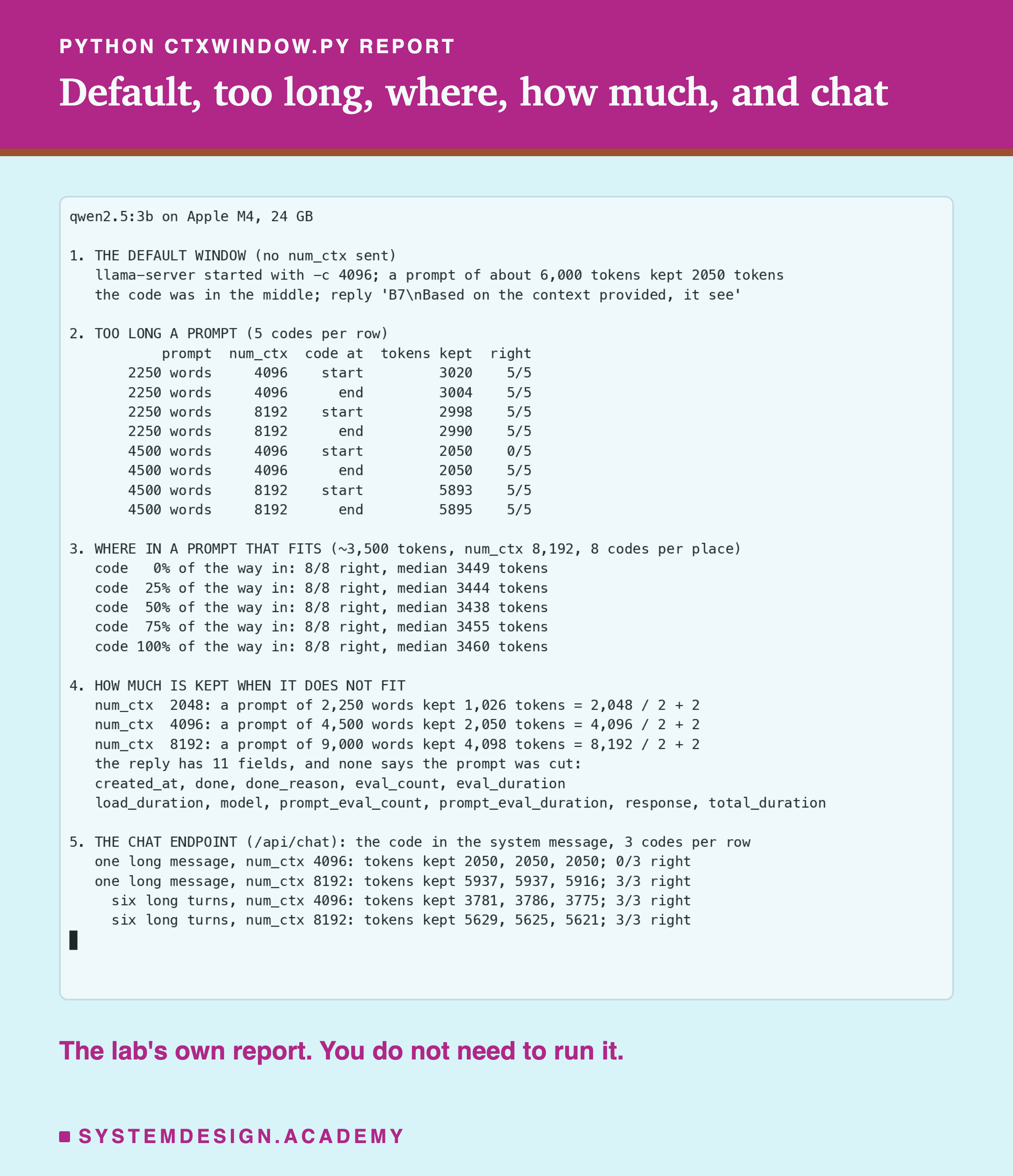
The lab is scripts/labs/generate/ctxwindow.py. Every prompt starts with its own line, so no call reuses an earlier one, the lesson 6 trap. Every code is a made-up word from a fixed list, and a reply counts as right only if it contains the exact code.
Section 1 sends one request with no num_ctx and reads the window from the server's command line. Section 2 sends prompts of about 3,000 and 5,900 tokens with the code at the start or at the end, at windows of 4,096 and 8,192, five codes per cell. Section 3 moves the code through a prompt that fits. Section 4, run separately with the limits mode, measures how much is kept at three windows and lists the fields of the reply. Section 5, the chat mode, sends the code in a system message through /api/chat, with either one very long message or six long turns, three codes per row.
Check a Prompt Size in Your Browser
This box has no model. It applies the rule this lesson measured to any prompt size and window, and says what Ollama would keep.
With the lesson's numbers it prints that 2,050 tokens are kept, 35% of the prompt, that tokens 5 to 3,848 are dropped, and that the smallest window holding the prompt and a 200-token reply is 6,094 tokens. The rule inside it is only what this lab measured on this version of Ollama. The lab did not test exactly where the line sits between "fits" and "cut", so the box uses "shorter than the window" as the line.
The Code, Part by Part
The code at the start. window_check.py puts "The code for box 7 is ZAKIMO." on the very first line of the prompt, after a unique note. That is the part a cut removes, so it is the part to test.
The filler. One sentence repeated 330 times makes the prompt long enough, about 5,660 tokens, to exceed a 4,096 window but fit in 8,192.
The question at the end. The question comes last, so it survives a cut. The model always has something to answer, which is exactly why a cut is easy to miss.
The check. kept == num_ctx // 2 + 2 compares the count Ollama reports with the rule from this lesson. When they are equal, the script prints a note. In your own code, you would log that, or refuse to use the reply.
raw mode. "raw": True sends the text exactly as written, without a chat template. Lesson 3 showed why that matters for tests like this: a chat template adds its own tokens to the count, so in raw mode the count covers only your own text.
Common Mistakes
Not setting num_ctx. On this laptop, the default window was 4,096 tokens, far below what the model supports. Long prompts were cut to 2,050 tokens.
Waiting for an error. Ollama returns a normal reply for a cut prompt. The warning is only in the server's own log.
Assuming the window is what you get. A prompt that does not fit keeps about half the window, not the whole window.
Putting everything important at the top of one long prompt that might grow. It is the first thing dropped.
Letting a chat grow without limit. Each turn sends the whole conversation again. Trim the middle yourself before it reaches the window.
Setting the largest window everywhere. It reserves memory whether or not you use it. Size it from your real prompts.
What This Lab Can and Cannot Tell You
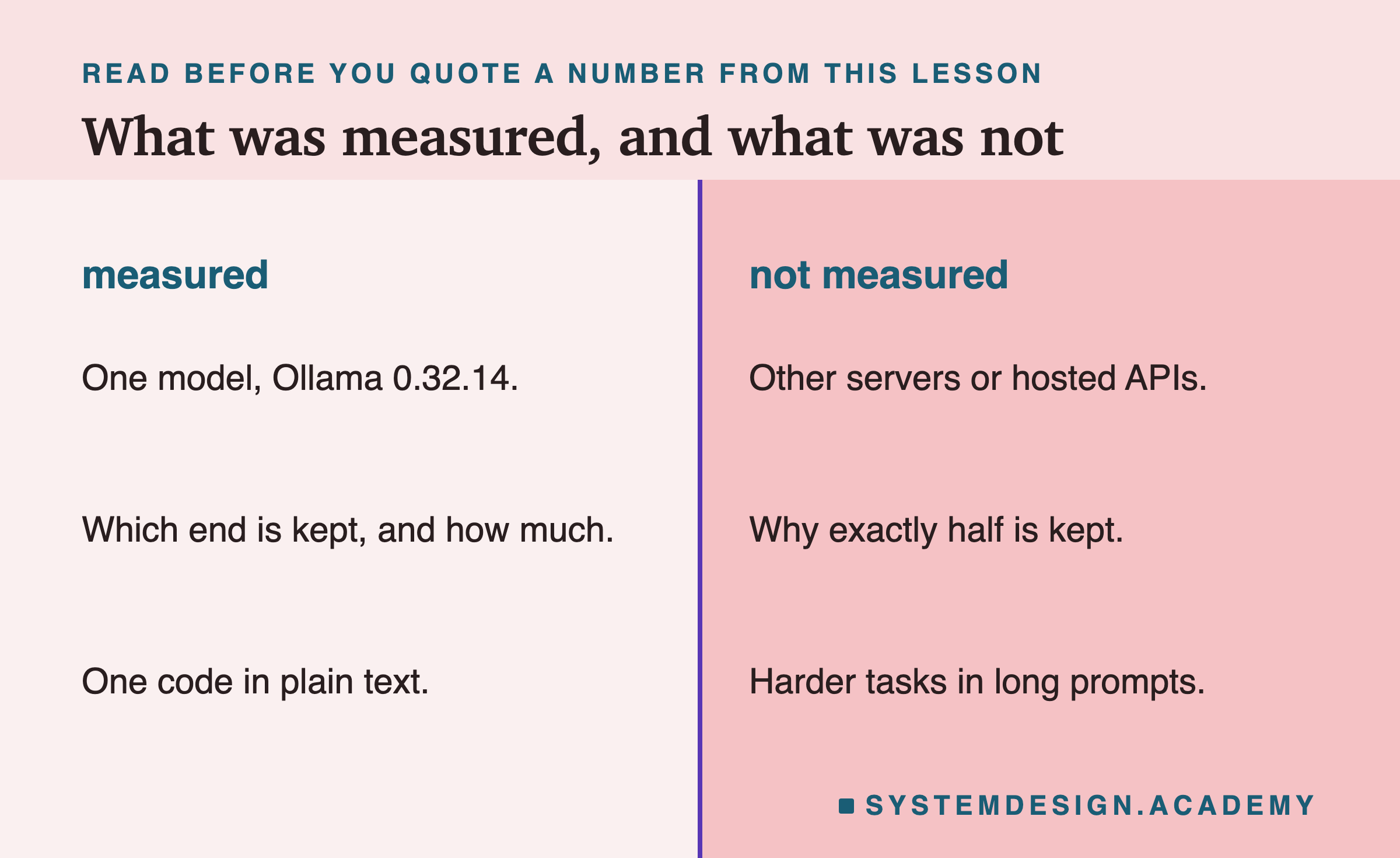
The lab measured one model on one version of Ollama, 0.32.14. Other servers behave differently: some return an error when a prompt is too long, and hosted APIs, the models you pay to use over the internet, publish their own limits. The rule "half the window plus 2" was exact at three windows here, but I did not find it written down, so check it on your own version with the script. The lab also did not test harder tasks in long prompts; finding one unusual word is easy.
Everything ran locally with Ollama and Python, so you can repeat it on your own machine.
What to Do on Monday
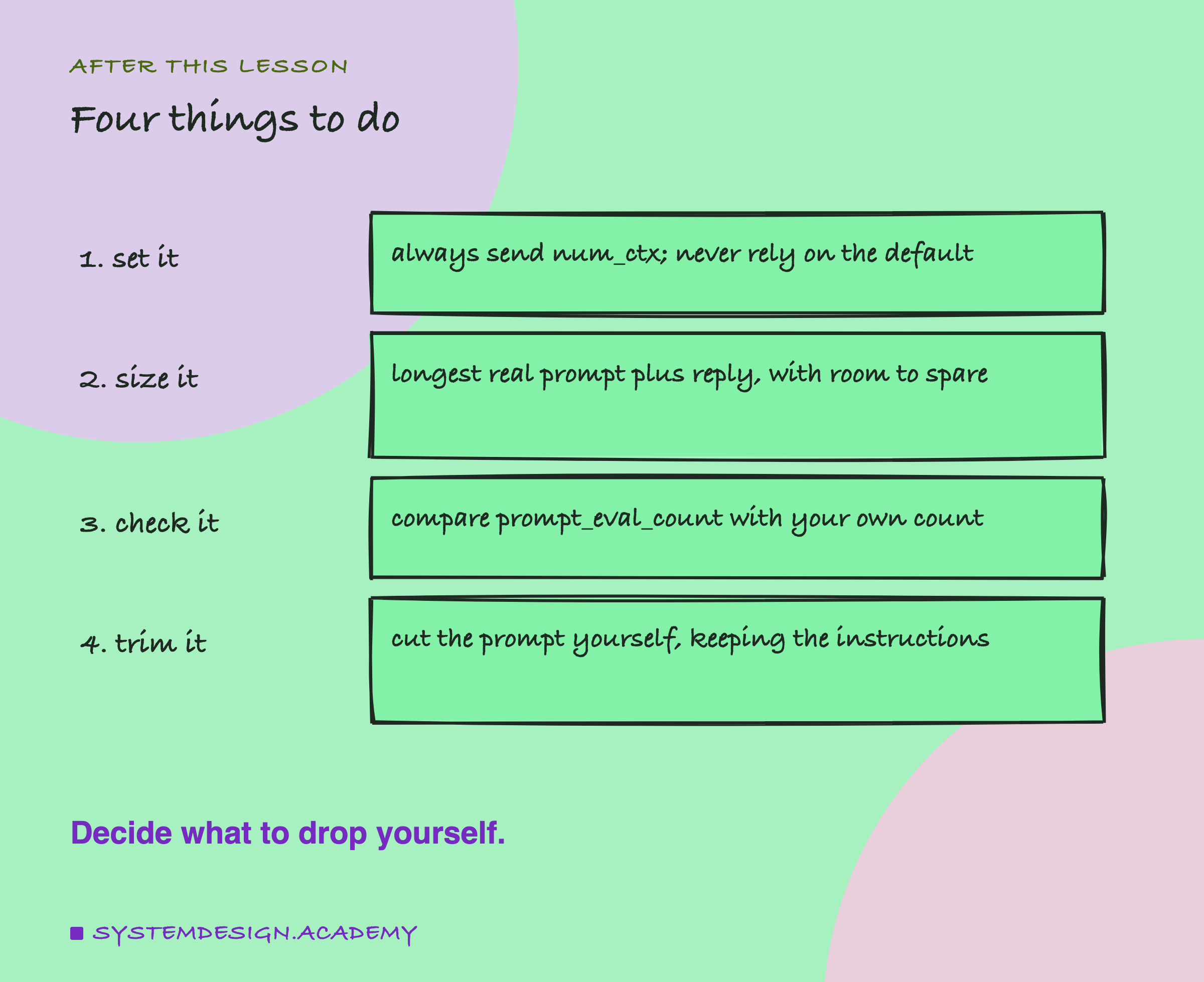
Search your code for every call to Ollama and check that each one sends num_ctx. Run window_check.py on the machine your app really runs on, because the default depends on its graphics memory. Then add one line to your code that compares prompt_eval_count with the number of tokens you meant to send, and log a warning when they differ. That single check turns a silent failure into a visible one. If your app is a chat, add the trimming from this lesson before the conversation reaches the window, so that the instructions are never the part that is lost.
Knowledge Check
Knowledge Check
4 questions - Score 80% to pass
A prompt of about 5,900 tokens is sent to Ollama with num_ctx 4,096. What happened in the lab?
A support bot sends its rules and the customer's message to Ollama's generate endpoint as one long prompt, rules first. The prompt grows too long for the window. What does the model lose?
With num_ctx 8,192 and a prompt that does not fit, how many tokens did the lab find were kept?
How can your code tell that Ollama cut a prompt?