Auto Scaling
Automatically adding or removing compute instances based on current demand. Scales out during traffic spikes and scales in during quiet periods to save cost.
What is Auto Scaling?
In short
Auto scaling is a cloud feature that automatically adds compute capacity (servers, containers, or functions) when demand rises and removes it when demand falls, so a system stays fast under load without paying for idle machines during quiet hours.
What Auto Scaling Actually Does
Auto scaling watches some signal that tells you how busy your system is, then changes the number of running compute units to match. The most common signal is average CPU usage across a group of servers, but it can also be memory, request count per instance, queue depth, or a custom metric you push yourself.
There are two directions. Scaling out (or horizontal scaling) means adding more instances when traffic climbs. Scaling in means removing instances when traffic drops. Together these keep you near a target you set, for example holding the group at roughly 50 percent average CPU.
This is different from scaling up, which means giving one machine a bigger CPU or more RAM. Auto scaling almost always means horizontal scaling because you can add and remove identical copies behind a load balancer without restarting the whole system.
How It Works Under the Hood
You start by defining a group of identical instances and a template that says how to build a new one (machine image, startup script, instance size). On AWS this is an Auto Scaling Group with a Launch Template; on Kubernetes it is a Deployment with a Horizontal Pod Autoscaler.
A control loop runs every 15 to 60 seconds. It reads the metric, compares it to your target, and decides whether to act. If average CPU is 80 percent and your target is 50 percent, it computes that it needs more instances and launches them. New instances boot, run a health check, register with the load balancer, and start receiving traffic.
Two ideas keep the loop from thrashing. A cooldown period makes the system wait after each change so a new instance has time to absorb load before another decision is made. Scaling in is usually slower and more cautious than scaling out, because removing capacity too fast can drop you right back into overload. Some systems also support scheduled scaling (raise the floor at 9 AM) and predictive scaling that forecasts load from past traffic.
When to Use It and the Trade-offs
Auto scaling pays off when load is uneven: daily peaks, weekend spikes, marketing campaigns, or batch jobs that come and go. If your traffic is flat and predictable, a fixed fleet is simpler and the savings are small.
The biggest trade-off is startup time. A new VM can take one to three minutes to boot and warm up, so a sudden 10x spike can overwhelm you before new capacity arrives. Teams fight this by keeping a warm buffer of spare capacity, scaling on a leading metric like request rate instead of CPU, or using faster units such as containers and serverless functions that start in seconds.
Your app also has to be stateless and tolerant of instances appearing and disappearing at any moment. Sessions belong in Redis or a database, not in local memory, and the app must shut down cleanly when scale-in removes it. Watch costs too: an aggressive scale-out triggered by a bad metric or a retry storm can launch dozens of instances and surprise you on the bill, which is why most teams set a maximum instance count.
A Concrete Example
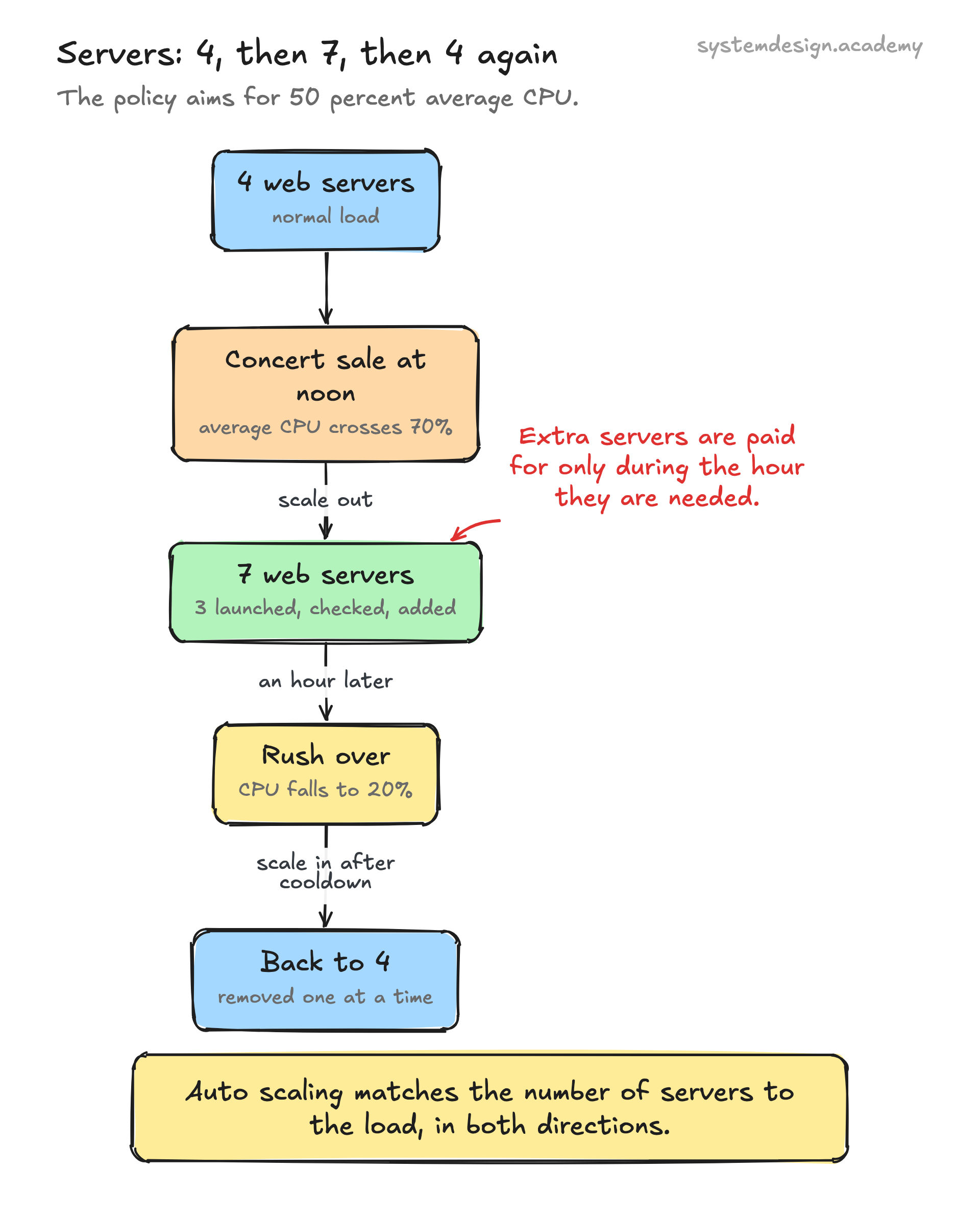
Picture a ticketing site that normally runs 4 web servers. A popular concert goes on sale at noon. Requests jump and average CPU crosses 70 percent. The auto scaling policy, with a target of 50 percent, launches 3 more servers. They boot, pass health checks, join the load balancer, and traffic spreads across 7 servers. Response times stay low through the rush.
An hour later the rush ends and CPU falls to 20 percent. After the cooldown passes, the group scales back in, terminating servers one at a time until it returns to 4. The site paid for extra capacity only during the hour it was actually needed, instead of running 7 servers all day for a peak that lasts 60 minutes.
Where it is used in production
AWS Auto Scaling
EC2 Auto Scaling Groups add and remove VM instances against a target metric; Application Auto Scaling does the same for ECS tasks, DynamoDB, and more.
Kubernetes
The Horizontal Pod Autoscaler changes the replica count of a Deployment based on CPU, memory, or custom metrics, while the Cluster Autoscaler adds and removes worker nodes.
Netflix
Runs predictive and reactive scaling on AWS to match its large evening viewing peaks, scaling thousands of instances up before prime time and down overnight.
Google Cloud Managed Instance Groups
Autoscale VM groups on CPU, load balancing utilization, or custom Cloud Monitoring metrics, with optional scheduled and predictive scaling.
Frequently asked questions
- What is the difference between auto scaling and load balancing?
- A load balancer spreads incoming requests across the instances you already have. Auto scaling changes how many instances exist. They work together: the load balancer distributes traffic, and auto scaling makes sure there are enough instances to handle it.
- Is auto scaling the same as scaling up?
- No. Scaling up (vertical scaling) means giving a single machine a bigger CPU or more memory. Auto scaling almost always means horizontal scaling, which adds or removes whole instances. Vertical scaling usually needs a restart and hits a ceiling; horizontal scaling can keep going by adding more copies.
- Why does my system still slow down during sudden spikes even with auto scaling on?
- New instances take time to boot and warm up, often one to three minutes for a VM. If the spike arrives faster than capacity can be added, the existing instances get overloaded first. Fixes include keeping a warm buffer, scaling on request rate rather than CPU, or using containers and serverless functions that start in seconds.
- What metric should I scale on?
- Average CPU is the common default and works for CPU-bound services. For services that wait on databases or network, request count per instance or queue depth is often a better leading signal. Whatever you pick, it should rise before users feel pain, so you add capacity early rather than after the system is already struggling.
- Will auto scaling reduce my cloud bill?
- It can, when your traffic has clear peaks and troughs, because you stop paying for idle machines during quiet hours. With flat traffic the savings are small. Always set a maximum instance count, since a faulty metric or a retry storm can otherwise launch many instances and raise costs.
Learn Auto Scaling hands-on
This page explains the idea. The full lesson lets you step through the ring as servers join and leave, read the implementation, and check yourself with a quiz. It is one of 760+ lessons in the System Design Masterclass, from your first API call to distributed consensus. Eleven Foundation lessons are free, no signup. Lifetime access is ₹499 in India or $7.99 worldwide, one payment, no subscription.
Related lessons
Lessons that touch on Auto Scaling as part of a larger topic.
See also
Related glossary terms you might want to look up next.
Horizontal Scaling
Adding more machines to handle increased load (scaling out). Like opening more checkout lanes instead of making one cashier faster.
Load Balancer
Distributes incoming traffic across multiple servers so no single server gets overwhelmed. Like a traffic cop directing cars to different lanes.
Kubernetes
An orchestration platform that automates deploying, scaling, and managing containerized applications. K8s is the operating system for your cloud.
Virtual Machine
A software emulation of a physical computer running its own OS on shared hardware. Heavier than containers but provides stronger isolation.
Hypervisor
Software that creates and manages virtual machines by abstracting physical hardware. Type 1 (bare-metal) runs directly on hardware; Type 2 runs on an OS.
Cloud Region
A geographic area containing one or more data centers (availability zones). Choosing the right region reduces latency and satisfies data residency requirements.