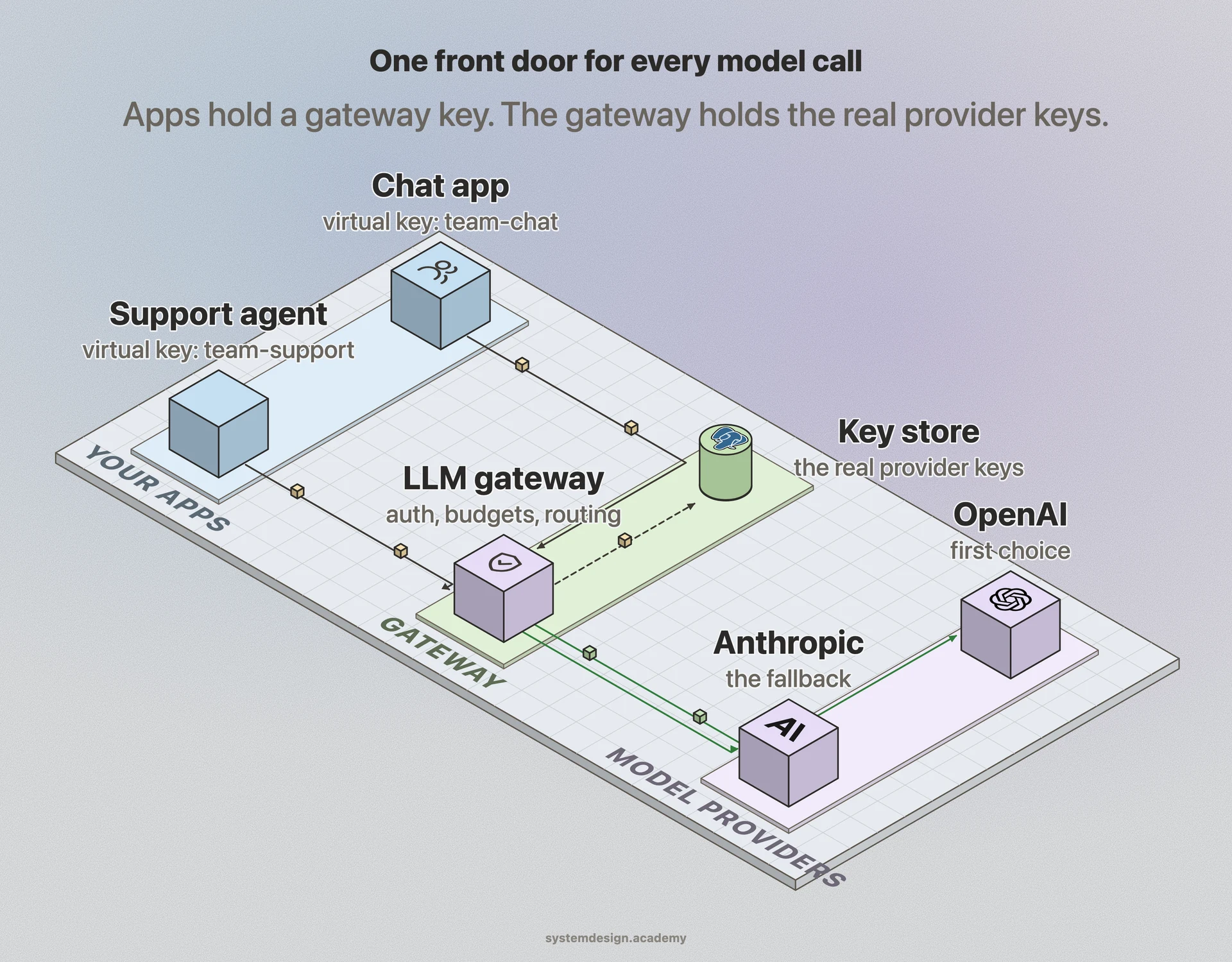
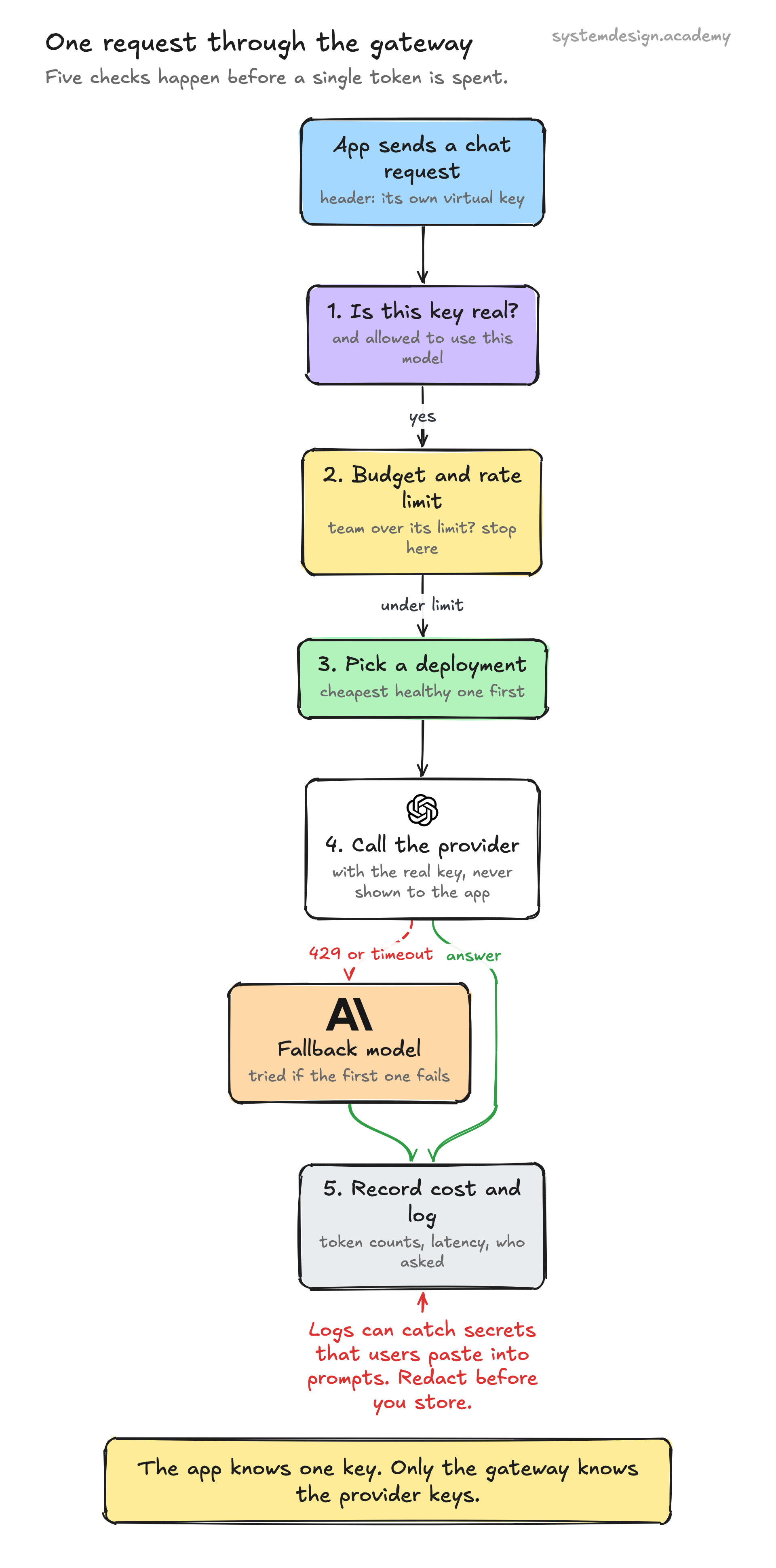
A gateway that holds every provider key, sees every prompt and stores every log is exactly what an attacker wants. On 21 October 2026 this stopped being a theory.
A poisoned LiteLLM release, version 1.107.0, was on PyPI (the Python package index) from 11:39 to 13:23 UTC, according to LiteLLM's incident post. Docker images under the v1.107.0, latest, main-latest and main-stable tags were affected for a similar window. The package added a file that runs every time Python starts, even if your code never imports litellm. Among many other things, it read the database URL and dumped the tables in which a LiteLLM proxy keeps its provider API keys. Version 1.106.2 is clean.
The maintainers' own updates add a second lesson. They say the attacker most likely took GitHub login tokens from the logs of their own internet-facing LiteLLM deployment: a coding tool had put the tokens into response bodies, and the logs kept those bodies. The gateway's logs became the way in.
So treat a gateway like a secrets vault, not like a convenience proxy.
- Keep it off the public internet. Put it on a private network, behind your own login, with the admin UI never exposed.
- Redact request and response bodies before storing them, or do not store them. People paste secrets into prompts. Tools put tokens into responses.
- Keep provider keys in a secret manager, give them spending limits at the provider, and rotate them on a schedule, not only after an incident.
- Install the gateway itself carefully: pin the exact version, check hashes, and pull container images by digest, not by a moving tag like latest. The AI supply chain security lesson covers this. See also software supply chain attack.
- Watch its outbound traffic. A gateway should only talk to the providers you configured. Anything else is a signal.