A table has rows and columns. A disk stores bytes in one long line, so a database must choose an order for them. That choice is the storage layout.
A row store, also called row-oriented storage, writes one whole row, then the next whole row. PostgreSQL and MySQL, two popular databases, store tables this way. A column store, also called columnar storage or a column-oriented database, writes every value of the first column, then every value of the second column, and so on. Same table, same data, different order on disk.
Here is a small sales table with four rows:
- Row 1: id 1, name Pen, price 10, city Pune
- Row 2: id 2, name Cup, price 20, city Goa
- Row 3: id 3, name Ink, price 15, city Goa
- Row 4: id 4, name Mug, price 30, city Pune
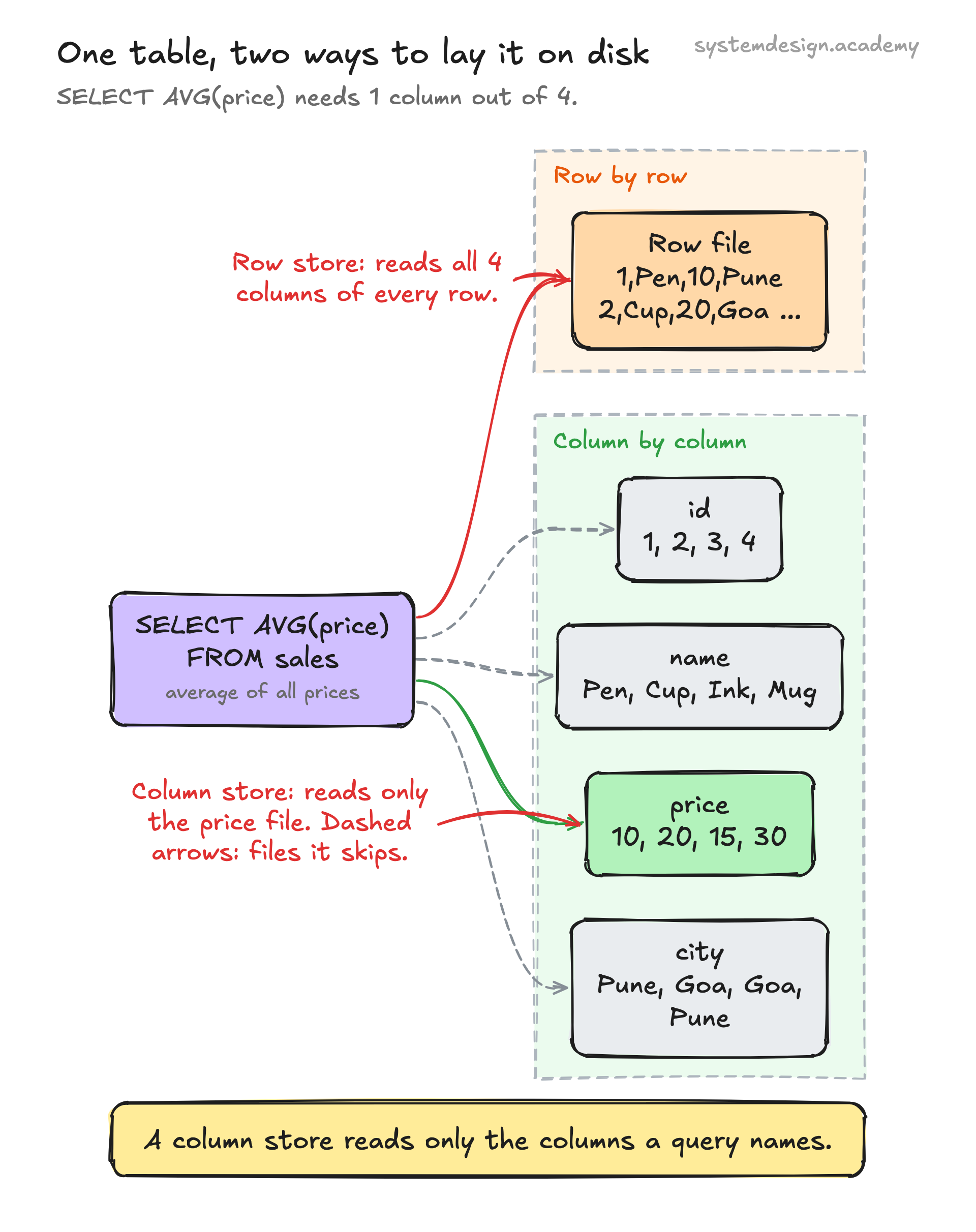
A row store lays it out as: 1, Pen, 10, Pune, 2, Cup, 20, Goa, 3, Ink, 15, Goa, 4, Mug, 30, Pune.
A column store lays it out as: 1, 2, 3, 4, then Pen, Cup, Ink, Mug, then 10, 20, 15, 30, then Pune, Goa, Goa, Pune.
Now ask for the average price. In SQL, the language most databases understand, you write that question as SELECT AVG(price) FROM sales. The row store must read every row, because the prices are mixed in between the other values. The column store reads only the price values, 10, 20, 15, 30, and skips the rest. That one difference is the whole idea. My columnar storage lesson writes a real table both ways and measures it, so you see real bytes, not a sketch. If row storage is new to you, read row-oriented storage first.